
TW Form Entry Viewer for WPForms
| 开发者 | technologywisdom |
|---|---|
| 更新时间 | 2026年8月27日 20:06 |
| WordPress版本: | 7.1 |
| 版权: | GPL-2.0+ |
| 版权网址: | 版权信息 |
详情介绍:
- Captures WPForms submissions (no Pro needed)
- Admin interface includes:
- Forms overview (entry counts)
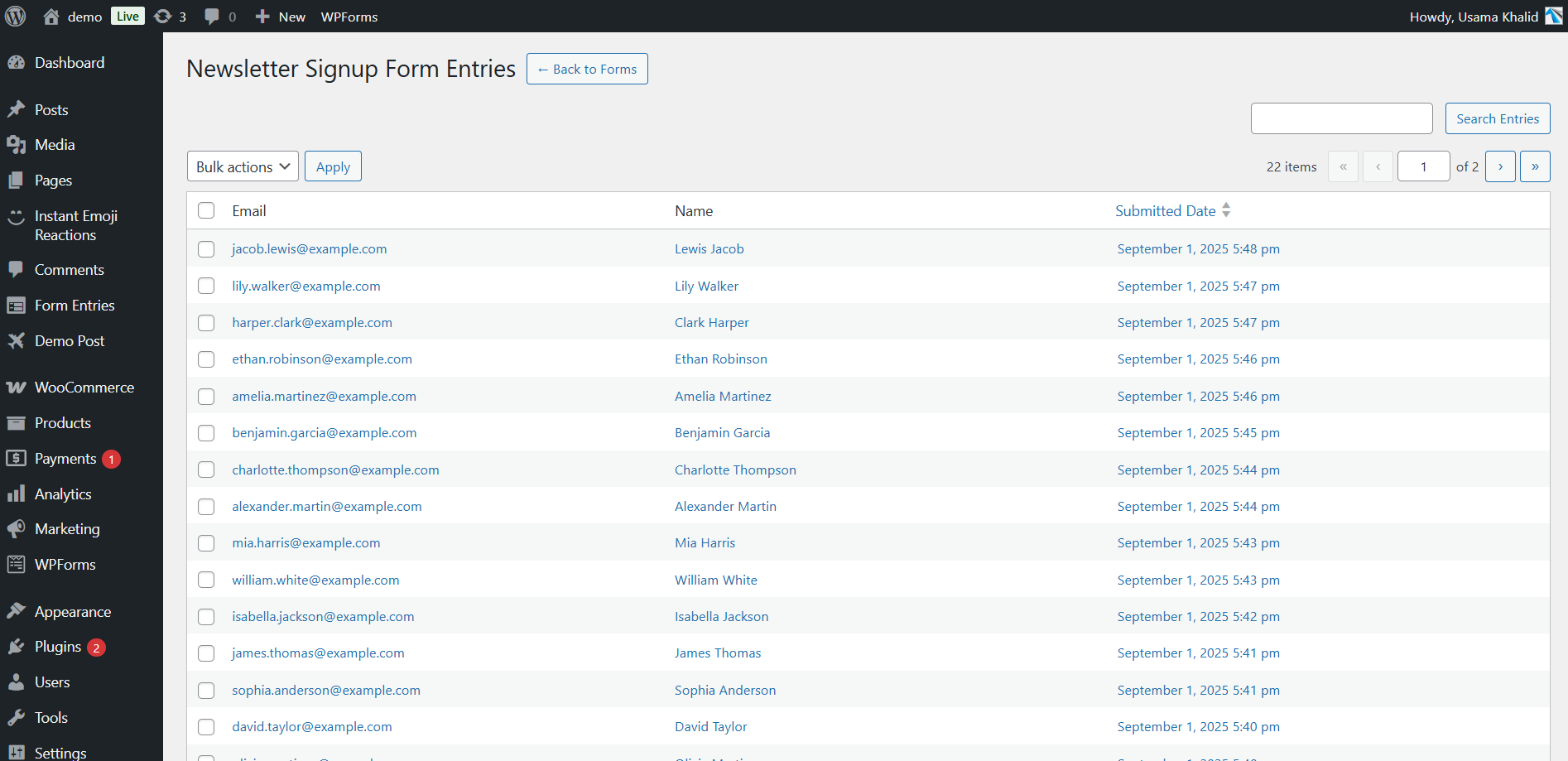
- Perform entry listing with pagination and search
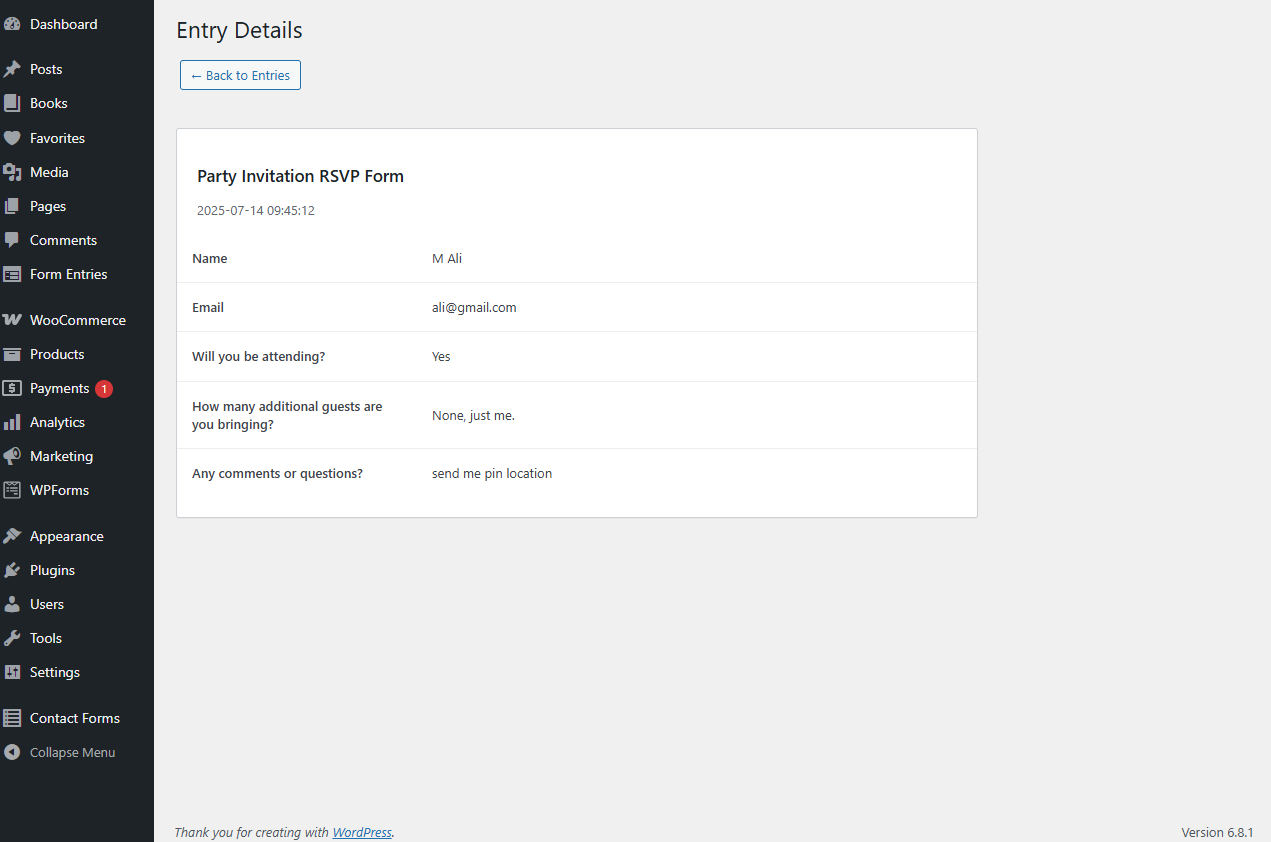
- Entry detail view
- Bulk delete and CSV export
- Dynamic field detection for CSV
安装:
- Upload the plugin to
/wp-content/plugins/or install from the WordPress Admin. - Activate the plugin from the Plugins screen.
- Submissions from WPForms will now be stored as custom post type entries.
- Navigate to Form Entries in the WordPress admin menu to view submissions.
屏幕截图:
常见问题:
Does this work with WPForms?
Yes. This plugin is designed specifically for WPForms and does not require the Pro version.
Can I export submissions to CSV?
Yes, you can export selected entries via the bulk action dropdown. The CSV includes all form fields even if they're not visible in the admin table.
Will this conflict with WPForms Pro?
No. The plugin is self contained and safe to use alongside WPForms Pro.
Can I view form entries inside the WordPress admin dashboard?
Yes. You can view a list of submitted entries grouped by form, see individual entry details, and use pagination and search features.
Is there a search feature in the entries list?
Yes. The admin entries table supports keyword based search across all submitted field values.
Does it support bulk actions?
Yes. You can bulk delete selected entries or export them to a CSV file.
Does it support pagination for large number of entries?
Yes. Entries are paginated in the admin panel for better performance and usability.
Does it include a tutorial or help guide?
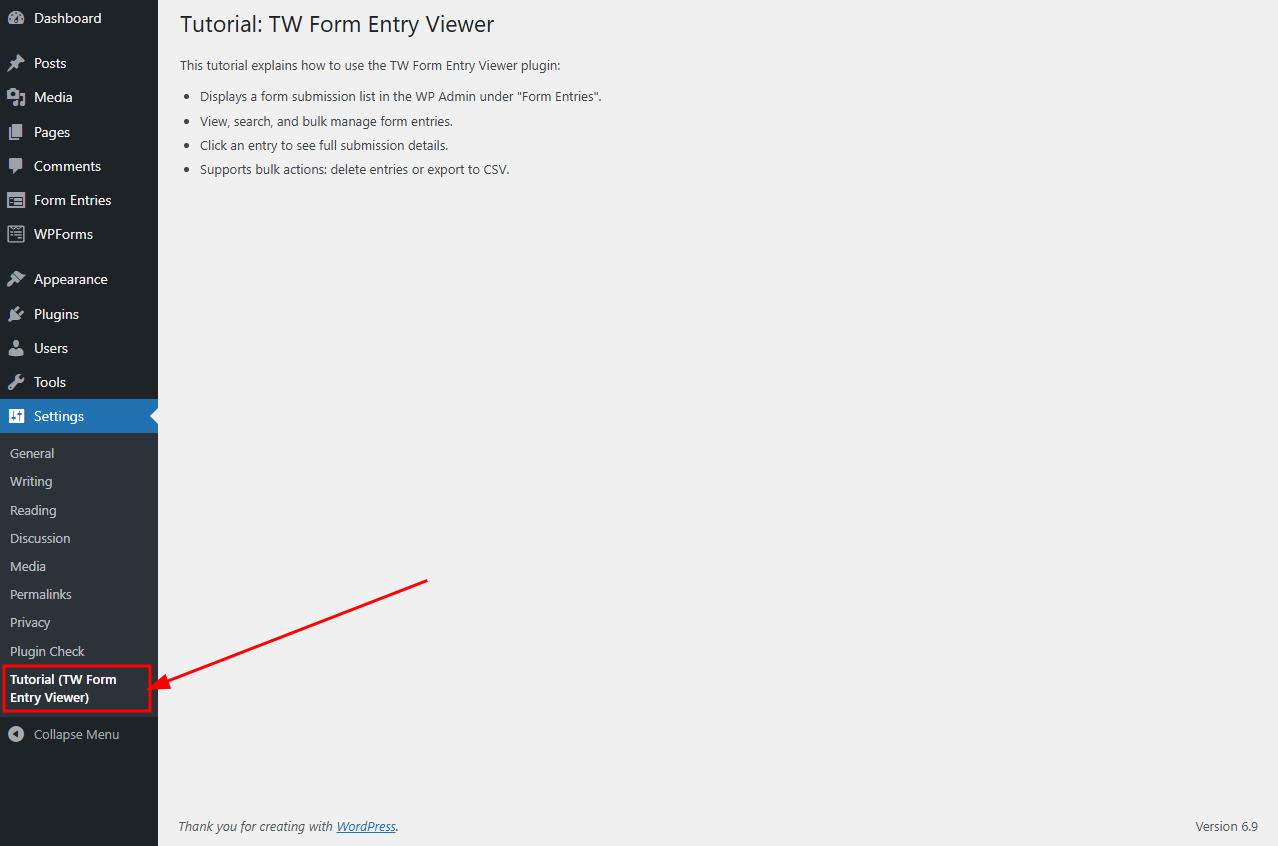
Yes. After activating the plugin, go to Settings > Tutorial (TW Form Entry Viewer) to view usage instructions.
更新日志:
- Major Plugin Support Portal enhancement: more reliable connection.
- WordPress 7.1 compatibility check
- Bug Fixes
- Plugin support system is integrated with consent.
- Improved security by adding permission checks and enforcing server-side consent validation.
- Fixed Bugs
- Added review/feedback options
- Added Support page
- Minor bug fixes
- WordPress 7.0 compatibility check
- Initial release
- Admin menu to view forms and entries
- Entry list and details view
- Supports search, pagination, CSV export, and bulk delete