TW Login Alert & Tracker
| 开发者 | technologywisdom |
|---|---|
| 更新时间 | 2026年10月6日 20:08 |
| WordPress版本: | 7.1 |
| 版权: | GPL-2.0+ |
| 版权网址: | 版权信息 |
详情介绍:
- Tracks each user login and records the timestamp as user meta
- Adds a “Last Login” column to the Users admin table
- Sends real-time email alerts to the site administrator on every login
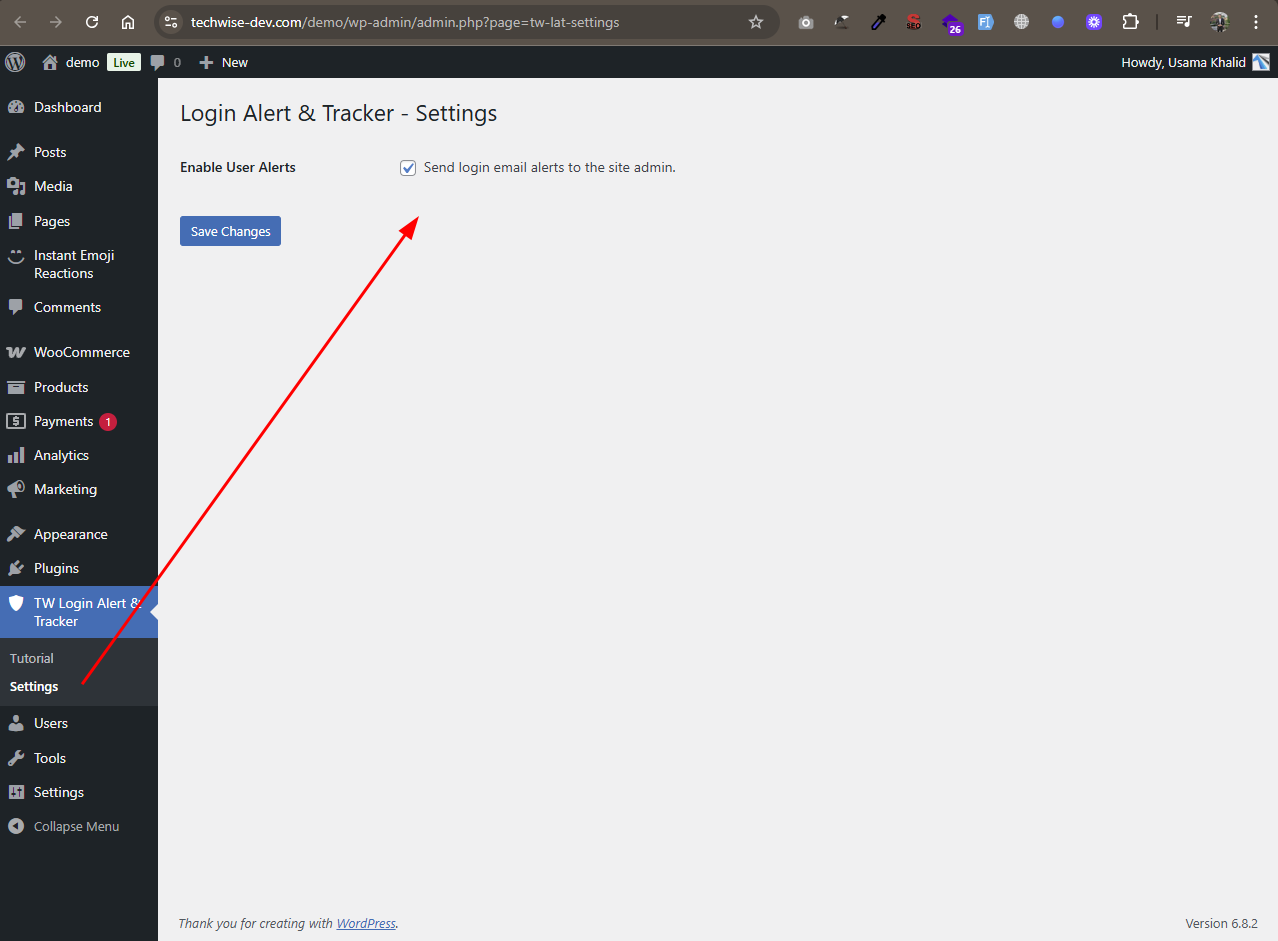
- Settings page with checkbox to enable or disable email alerts
- Emails are sent from a smart “info@yourdomain.com” address dynamically
- Fully supports all WordPress user roles (admins, editors, customers, etc.)
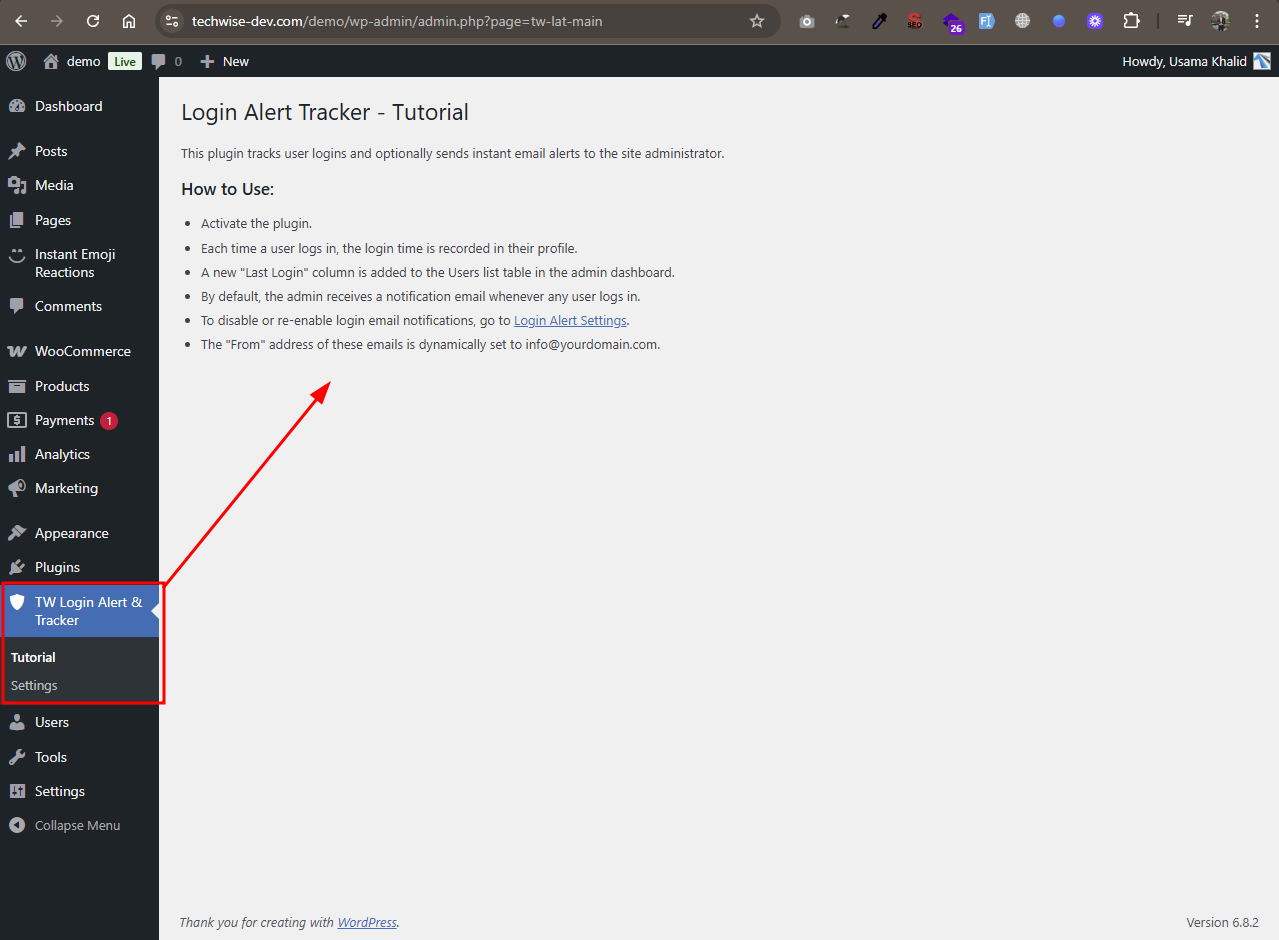
- Built-in Tutorial page for guidance
- Lightweight, fast, and requires no configuration out of the box
- Secure Login Path with a custom login URL
- Upload Guard with role-based file size, type, and dimension limits
- Login Alert & Tracker with last-login tracking and email alerts
- Disable File Editor to block theme and plugin editors
- Post Modifier Tracker showing who last edited content
- Link Expiration by date and/or click count
- CPT Revisions control per custom post type
- Post Approval Notifier with optional draft hold-for-approval
- Security Dashboard with recent activity overview
- Complete Audit Log with CSV/PDF export
- Failed Login Monitoring & Brute Force Protection
- IP Blacklist to block unwanted visitors
- Two-Factor Authentication (email OTP) and role policies
- Login History by User with advanced filters
- Email, Slack & Discord security notifications
- Scheduled Security Reports (daily, weekly, or monthly)
- Suspicious Activity Detection & Alerts
- Security Health Check with recommendations
- File Change Detection for important WordPress files
安装:
- Upload the plugin folder to
/wp-content/plugins/, or install it via the WordPress plugin dashboard. - Activate the plugin through the Plugins menu.
- Visit Users → All Users to see the new Last Login column.
- Log in with any account to test email alerts.
屏幕截图:
常见问题:
Will this plugin notify the admin when any user logs in?
Yes. If enabled, every successful login triggers an email alert to the admin, including their own login.
Are email notifications enabled by default?
Yes, email alerts are enabled by default when the plugin is activated. You can disable them anytime via the settings page.
Can I turn off email notifications?
Absolutely. Navigate to TW Login Alert & Tracker → Settings, and simply uncheck the option to stop receiving login email alerts.
What does the "Login Alert Settings" page do?
This page lets administrators enable or disable email notifications for user logins. When enabled (default), an email alert is sent to the site admin on every login. Disabling the checkbox will stop the email alerts, but login tracking will still continue in the background.
Where is the settings page located?
Go to the WordPress admin sidebar and click on TW Login Alert & Tracker → Settings. You can also access it via the "Settings" link under the plugin name on the Plugins page.
Where are the login notification emails sent?
The plugin sends login alerts to the site's admin email (set in Settings → General).
Does this work with WooCommerce and other user roles?
Yes. It works with any standard WordPress user including WooCommerce customers, editors, etc.
Can I customize the email content?
Not in this version. Email templates will be editable in a future update.
Why do I see empty details in the last login column?
If the last login column shows empty details, it means the user has not logged in since the plugin was activated. The plugin only starts tracking login data after activation, so the user must log in at least once after that the last login date and time will appear.
更新日志:
- Content and UI improvements
- Added Upgrade to Pro option
- Major Plugin Support Portal enhancement: more reliable connection.
- WordPress 7.1 compatibility check
- Bug Fixes
- Plugin support system is integrated with consent.
- Improved security by adding permission checks and enforcing server-side consent validation.
- Fixed Bugs
- Added review/feedback options
- Added Support page
- WordPress 7.0 compatibility check
- Initial release
- Track user logins and store last login time.
- Added “Last Login” column to Users admin page.
- Sends email alert to admin on login event.