
Type-WR
| 开发者 | petrolytvyn |
|---|---|
| 更新时间 | 2026年2月10日 13:07 |
| 捐献地址: | 去捐款 |
| PHP版本: | 7.4 及以上 |
| WordPress版本: | 6.9 |
| 版权: | GPLv2 or later |
| 版权网址: | 版权信息 |
详情介绍:
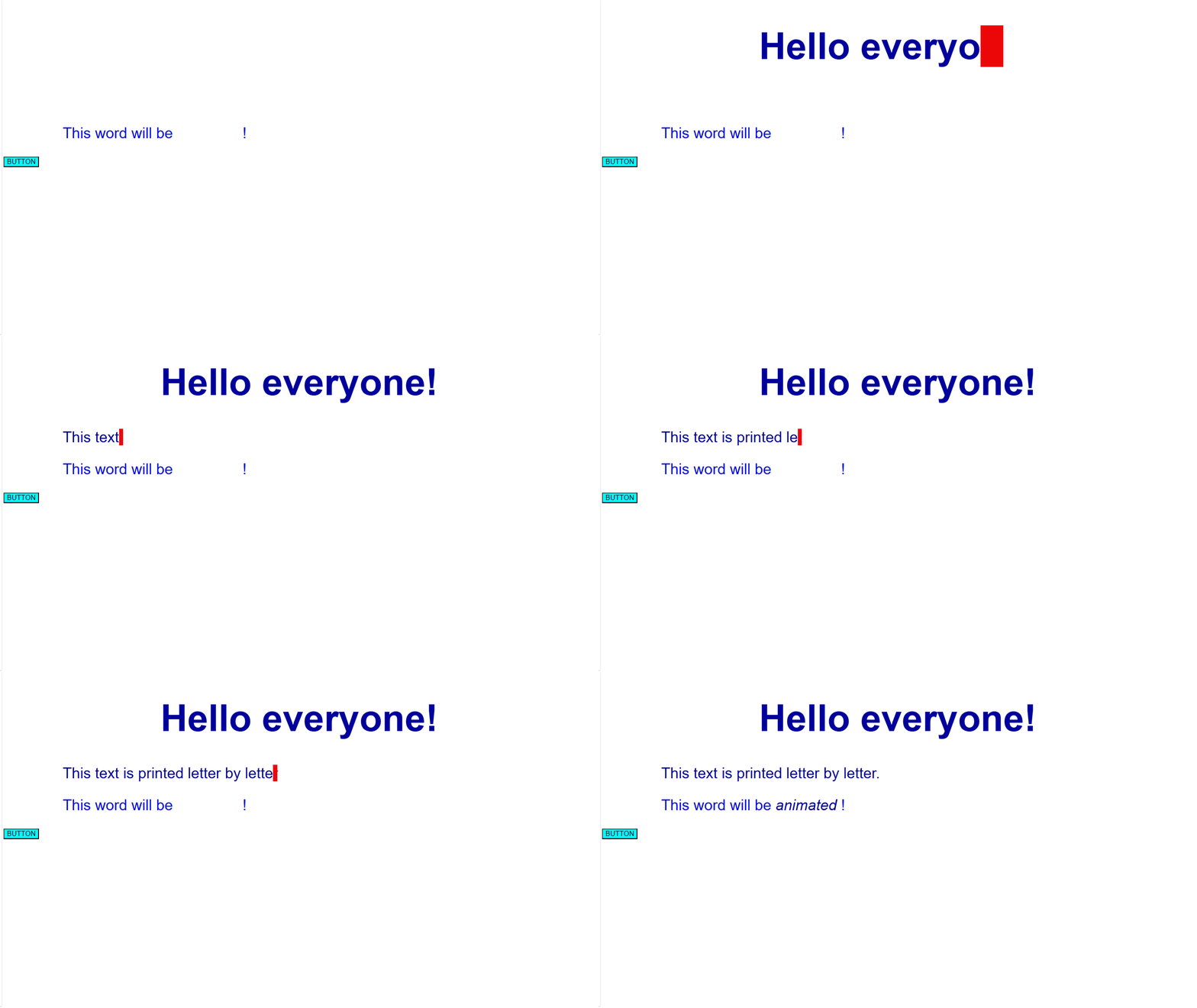
Type-WR allows you to easily implement the popular "typing text" animation effect without writing a single line of JavaScript.
Simply wrap the target text in a shortcode or use a specific CSS class, and the plugin will sequentially display the text character by character, simulating a traditional typewriter.
Key Features:
- Easy Integration: Use the [typewr] shortcode or apply the class 'typewr-type'.
- Customization: Control typing speed, the presence of a blinking cursor, and the conditions for when to show the animation.
- Lightweight: Minimal JavaScript footprint (typewr-script.js) ensuring fast page load times.
- Compatibility: Works seamlessly with the Block Editor (Gutenberg) and Classic Editor.
安装:
Manual Installation
- Upload the 'type-wr' folder to the '/wp-content/plugins/' directory.
- Activate the plugin through the 'Plugins' menu in WordPress.
- speed : Time in milliseconds between each character (default: 50).
- cursor : Checkbox - show blinking cursor or not (default: true).
- trigger : When to start animation select "When loading the page" or "When an element appears on the screen" (default: 'load')".
屏幕截图:
常见问题:
How do I change the speed of the typing or the presence of a blinking cursor?
You can adjust the speed or showing the cursor in the plugin settings page (Settings -> Type-WR).
Does it work with special characters?
Yes, the script handles standard and most UTF-8 characters without issues.
更新日志:
1.0.0
- Initial release.
- Added core typing functionality via 'typewr-script.js'.
- Included shortcode [typewr] and CSS class 'typewr-type'.