Ultra Addons for WPForms
| 开发者 |
themefic
hasanet |
|---|---|
| 更新时间 | 2026年1月15日 18:25 |
| PHP版本: | 7.4 及以上 |
| WordPress版本: | 6.9 |
| 版权: | GPLv2 or later |
| 版权网址: | 版权信息 |
详情介绍:
- Smart Phone Field
- Database Addon
- Date & Time Picker
- File Upload Field
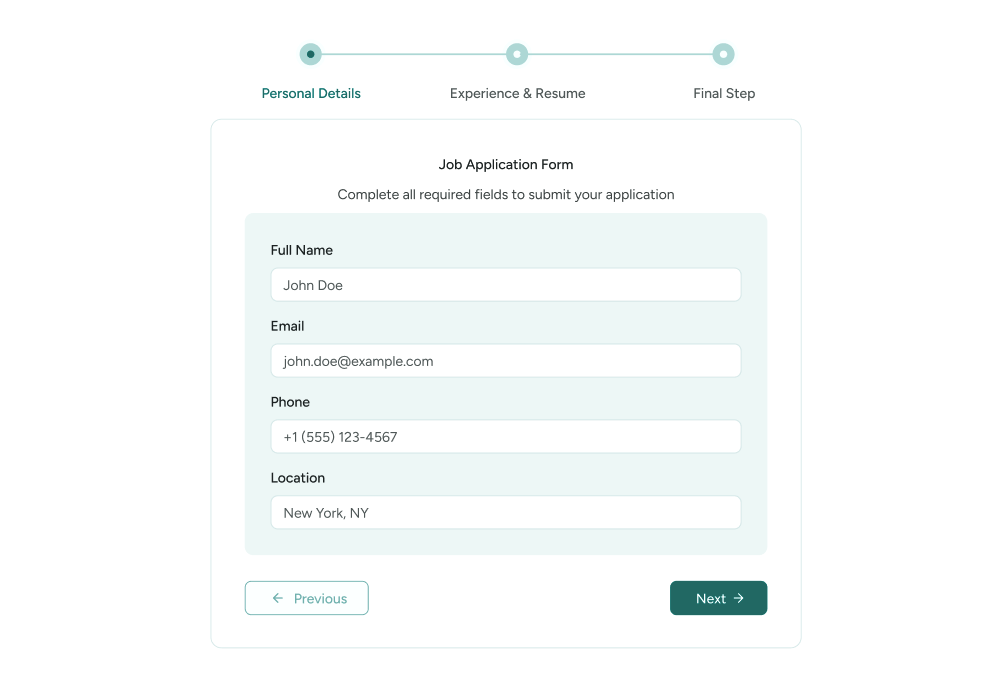
- Multi Step Forms
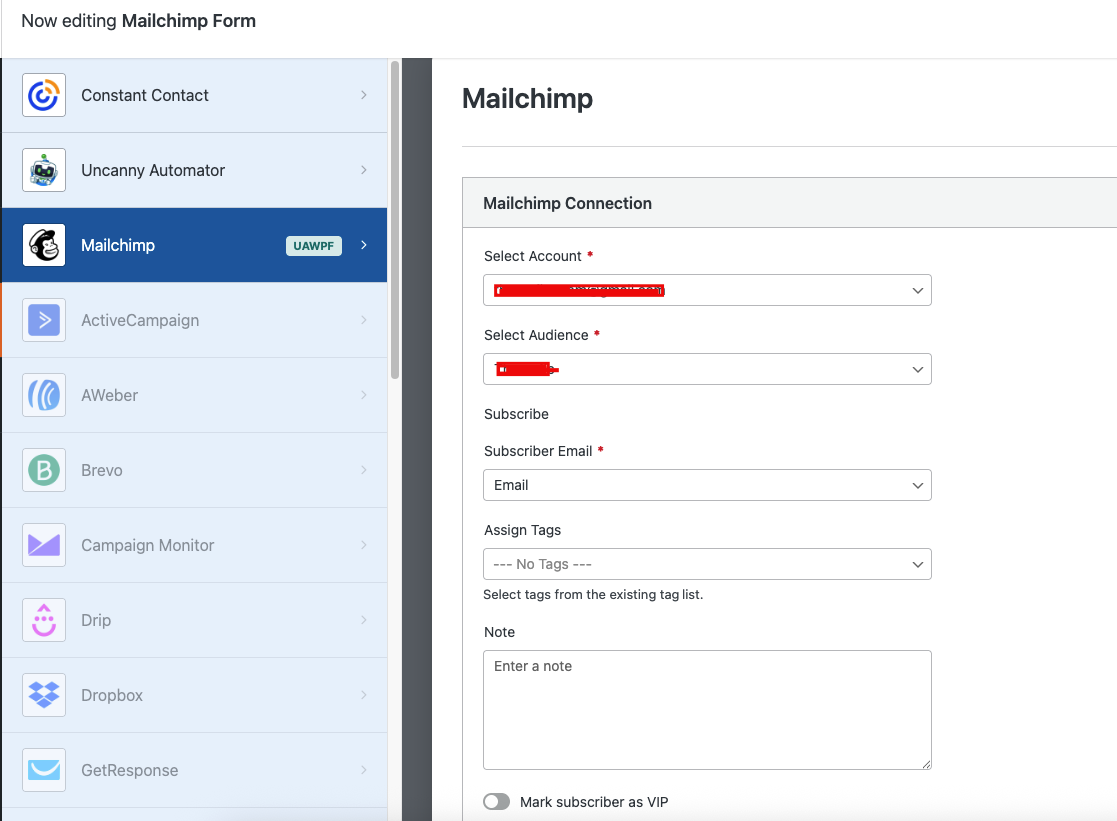
- Mailchimp Addon
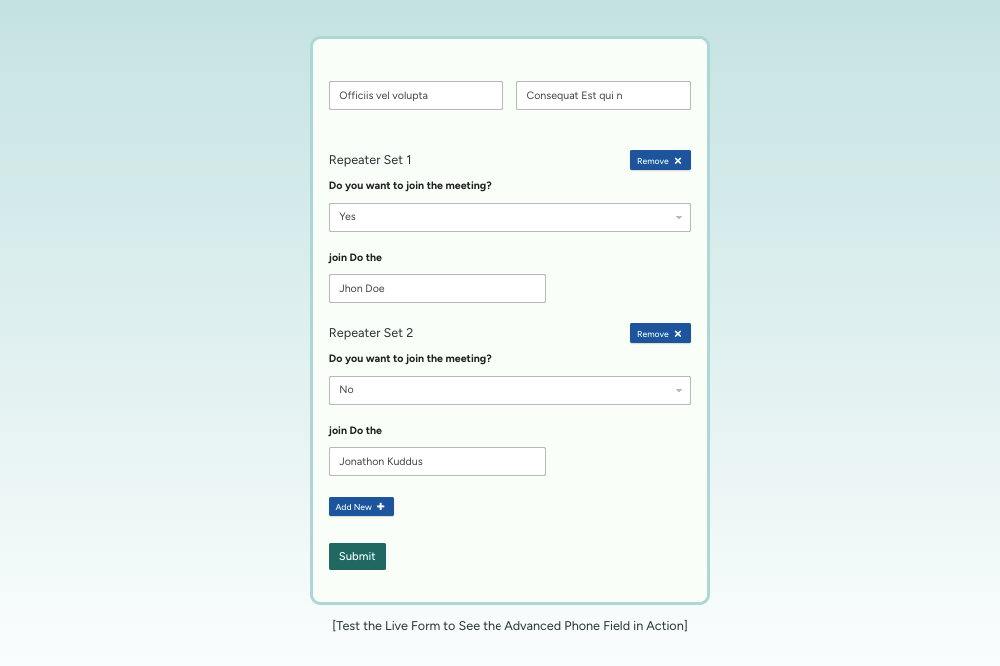
- Repeater Fields
- Rich Text Field
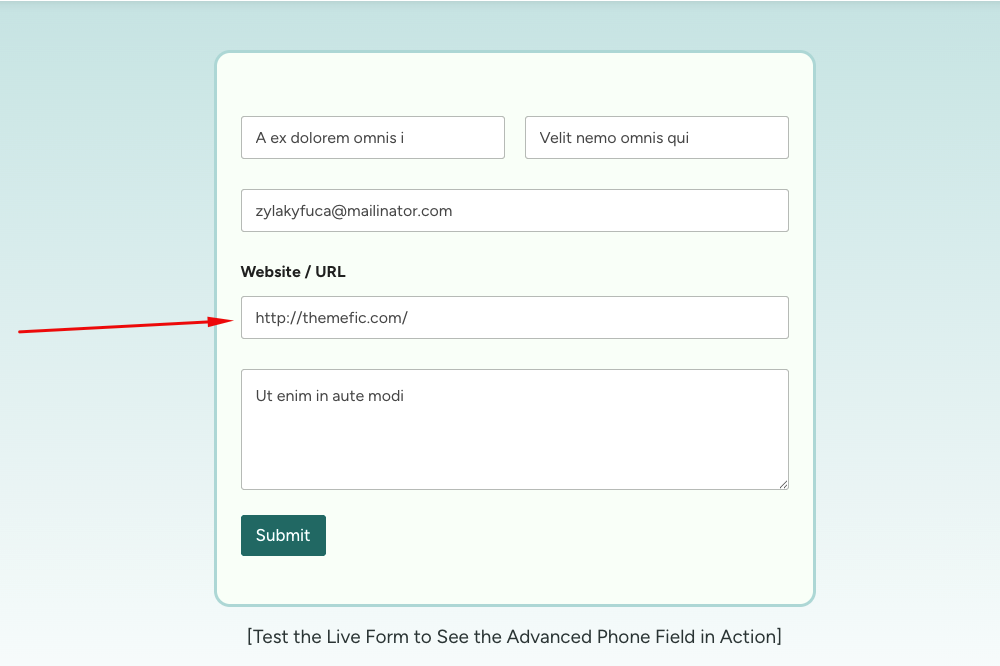
- Website / URL Field
- Google Sheets Addon
- Conditional Fields
- Post Submissions
- User Registration
- Google Calendar Addon
- Google Sheets Connector - Pro
- Google Drive
- HubSpot Connector
- Webhooks Addon
- Zapier Integration
- AWeber Integration
- Save & Resume
- Digital Signature
安装:
- Download and unzip the plugin. Upload the unzipped folder to the wp-contents/plugins folder of your WordPress installation.
- Active the plugin from the WordPress Plugins administration page OR, Go to the WordPress admin panel, click 'Plugins' -> 'Add new'. In the search input box, type 'Ultra Addons for WPForms'.
- Install and activate the plugin.
- Go through the Quick setup wizard for the basic setup.
- Check our Documentation & YouTube videos for further instruction.
- Go to Plugin Settings (Dashboard -> WPForms Addons) and enable the addon you need.
屏幕截图:
常见问题:
Where do I report security bugs found in this plugin?
Please report security bugs found in the source code of the undefined plugin through the Patchstack Vulnerability Disclosure Program. The Patchstack team will assist you with verification, CVE assignment, and notify the developers of this plugin.
What is WPForms
WPForms is a popular WordPress form builder plugin that allows you to create contact forms, registration forms, surveys, payment forms, and more without writing code.
Why do we need a WPForms add-on plugin?
A WPForms add-on plugin extends the core functionality of WPForms by adding advanced features such as conditional logic, file uploads, integrations, and automation. It helps you build more powerful, interactive, and customized forms tailored to your website’s needs.
How To Create a Multi-Step Form Using WPForms Plugin
You can create a multi-step form with WPForms with Ultra Addons for WPForms’ Multi-Step Add-on, which lets you split long forms into clear, manageable steps. This improves user experience and helps increase form completion rates.
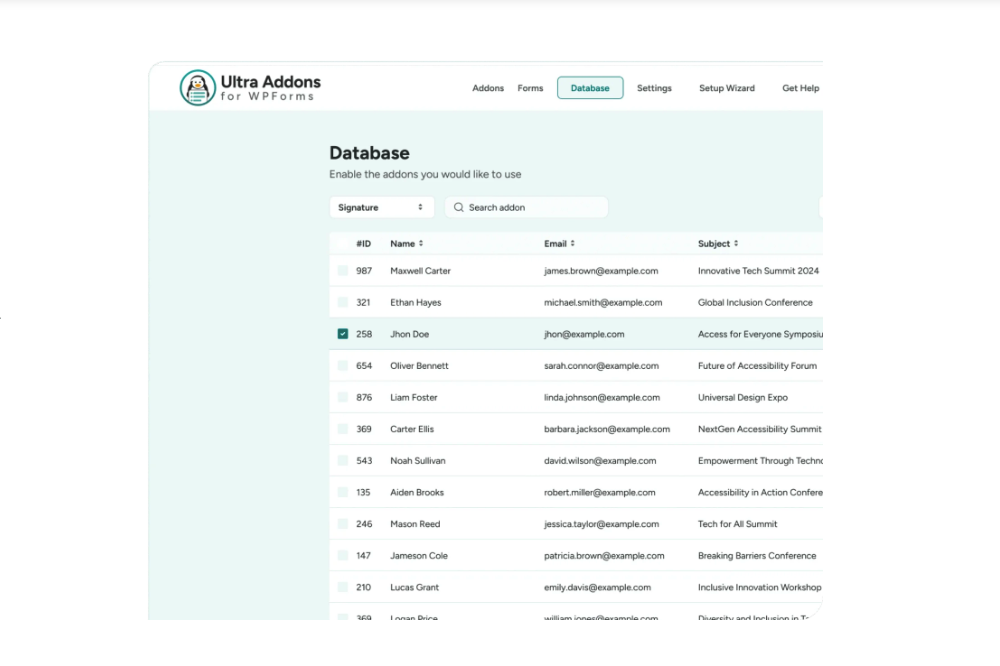
How to Save WPForms Data in WordPress Dashboard
Our WPFormsDB add-on helps you save all submitted data inside your WordPress dashboard. Just install the Ultra Addons for WPForms plugin and activate the WP Forms Database add-on.
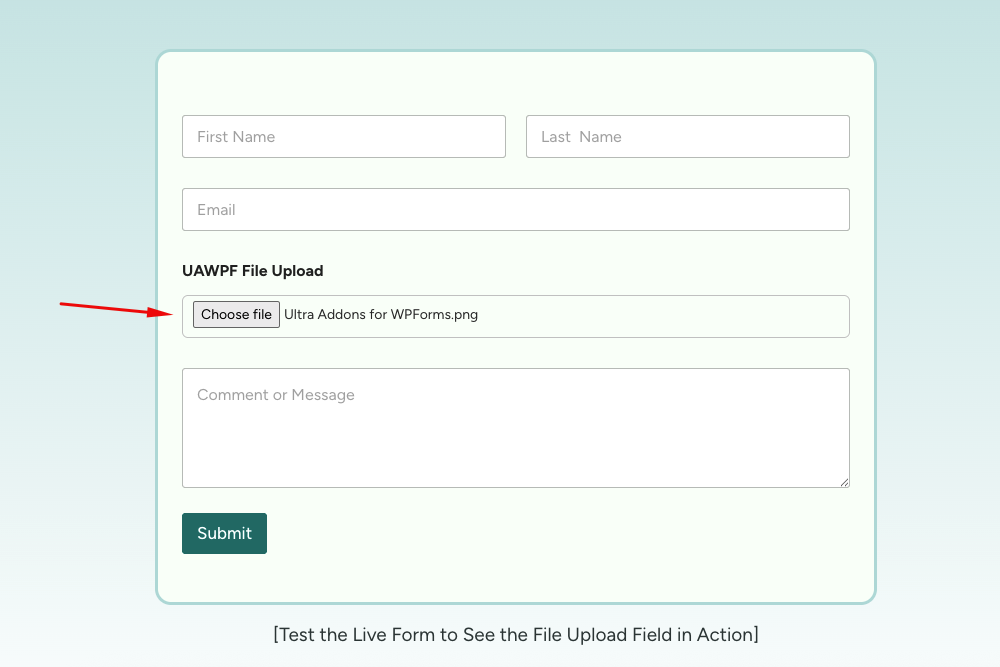
How to add a File Upload Field in WPForms
You can add a File Upload field in WPForms using the File Upload Add-on of Ultra Addons for WPForms, which lets users upload documents, images, and media files directly through your forms. It’s secure, easy to set up, and ideal for collecting files from users.
How to Use Conditional Logic with WPForms
You can use conditional logic with WPForms by enabling Conditional Fields addon of Ultra Addons for WPForms and set rules to show or hide form fields based on user selections. This helps create more interactive, user-friendly forms that adapt to each user’s input.
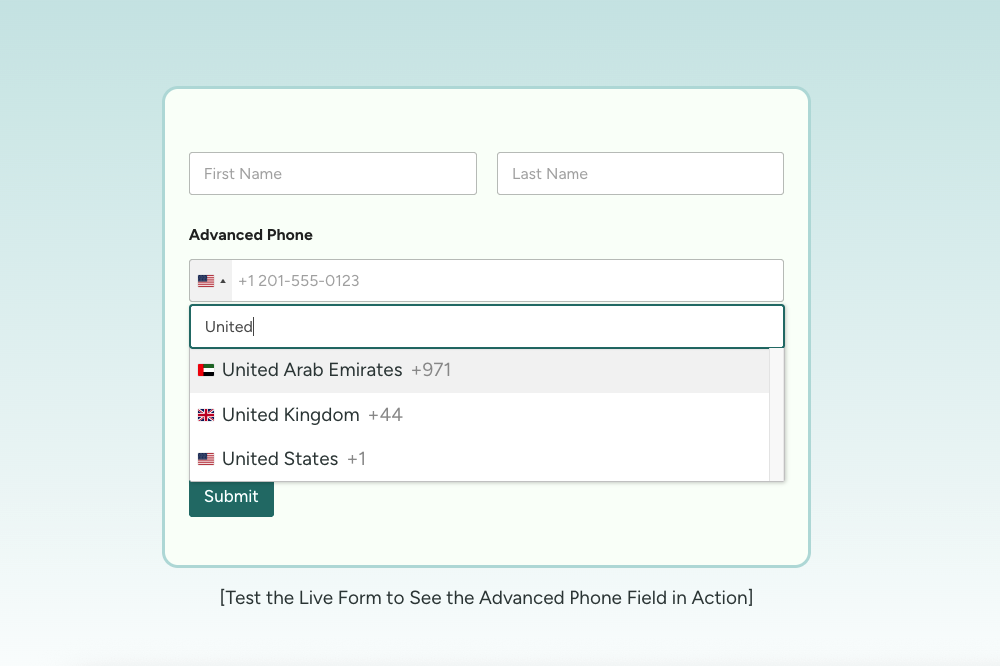
How to Use the Phone Field with WPForms
You can use the Phone Field with WPForms by enabling the Phone Field add-on of Ultra Addons for WPForms. It allows users to select country codes with flags and automatically formats phone numbers correctly.
How to Add a Date & Time Picker in WPForms
You can add a date and time picker in WPForms by enabling the Date & Time add-on of Ultra Addons for WPForms. It provides a modern calendar interface with customizable formats and validation options.
How to Add a File Upload Field in WPForms
You can allow file uploads in WPForms by enabling the File Upload add-on of Ultra Addons for WPForms. This lets users securely upload documents, images, and other files directly through your forms.
How to Connect Mailchimp with WPForms
You can connect Mailchimp with WPForms by enabling the Mailchimp add-on of Ultra Addons for WPForms. This automatically adds users’ email addresses to your Mailchimp lists when forms are submitted.
How to Use Repeater Fields in WPForms
You can use repeater fields in WPForms by enabling the Repeater add-on of Ultra Addons for WPForms. It allows users to dynamically add or remove repeated sets of fields within a form.
How to Enable Rich Text Submissions in WPForms
You can enable rich text submissions in WPForms by activating the Rich Text add-on of Ultra Addons for WPForms. It adds a WYSIWYG editor so users can format text, add links, and create structured content.
How to Validate Website URLs in WPForms
You can validate website URLs in WPForms by enabling the Website Links add-on of Ultra Addons for WPForms. This ensures only properly formatted URLs are accepted in form submissions.
How to Send WPForms Entries to Google Sheets
You can send WPForms entries to Google Sheets by enabling the Google Sheets add-on of Ultra Addons for WPForms. It automatically syncs every form submission to a spreadsheet for easy tracking and sharing.
How to Sync WPForms with Google Calendar
You can sync WPForms with Google Calendar by enabling the Google Calendar add-on of Ultra Addons for WPForms. This automatically creates calendar events from form submissions.
How to Store WPForms Uploads in Google Drive
You can store WPForms uploads in Google Drive by enabling the Google Drive add-on of Ultra Addons for WPForms. It automatically saves form entries and uploaded files to your Drive account.
How to Send WPForms Leads to HubSpot
You can send WPForms leads to HubSpot by enabling the HubSpot add-on of Ultra Addons for WPForms. This transfers form submission data directly into your HubSpot CRM.
How to Accept Frontend Post Submissions with WPForms
You can accept frontend post submissions by enabling the Post Submissions add-on of Ultra Addons for WPForms. It allows users to submit WordPress posts without accessing the dashboard.
How to Create User Registration Forms with WPForms
You can create user registration forms in WPForms by enabling the User Registration add-on of Ultra Addons for WPForms. It automatically creates WordPress user accounts from form submissions.
How to Send WPForms Data Using Webhooks
You can send WPForms data to external services by enabling the Webhook add-on of Ultra Addons for WPForms. This allows you to build custom integrations with third-party platforms.
How to Automate WPForms with Zapier
You can automate WPForms workflows by enabling the Zapier add-on of Ultra Addons for WPForms. It connects WPForms with thousands of apps to trigger automated actions.
更新日志:
- New Addon: Save and Resume Added.
- New Addon: Digital Signature Added.
- Added: FAQ information related to security details.
- Added: Date & Time Picker Addon.
- Added: Rich Text Editor Addon.
- Added: HubSpot Integration.
- Added: Google Calendar Addon (Pro).
- Added: Google Sheets Addon (Pro).
- Added: Post Submissions Addon (Pro).
- Added: User Registrations Addon (Pro).
- Compatibility: Fully compatible with WordPress (v6.9).
- Added: Conditional Fields addon.
- Fixed: Phone number field console error.
- Updated: Readme information updated.
- Added: Google Sheets Integration addon.
- Added: AWeber Integration (Pro).
- Added: Google Drive Integration (Pro).
- Added: Webhook Integration (Pro).
- Added: Zapier Integration (Pro).
- Updated: Addons list in readme.txt.
- Updated: Readme information updated.
- Compatibility: Now compatible with WPForms v1.9.8.4.
- Updated readme information.
- Updated roadmap details.
- Addons Introduced
- Advanced Phone Field
- Database Addon
- File Upload Field
- Multistep Form Addon
- Mailchimp Integration
- Repeater Field
- Website URL Field