
Underpixel Quote Request for WooCommerce
| 开发者 | shadowz0098 |
|---|---|
| 更新时间 | 2026年10月21日 22:28 |
| PHP版本: | 8.0 及以上 |
| WordPress版本: | 7.1 |
| 版权: | GPLv2 or later |
| 版权网址: | 版权信息 |
详情介绍:
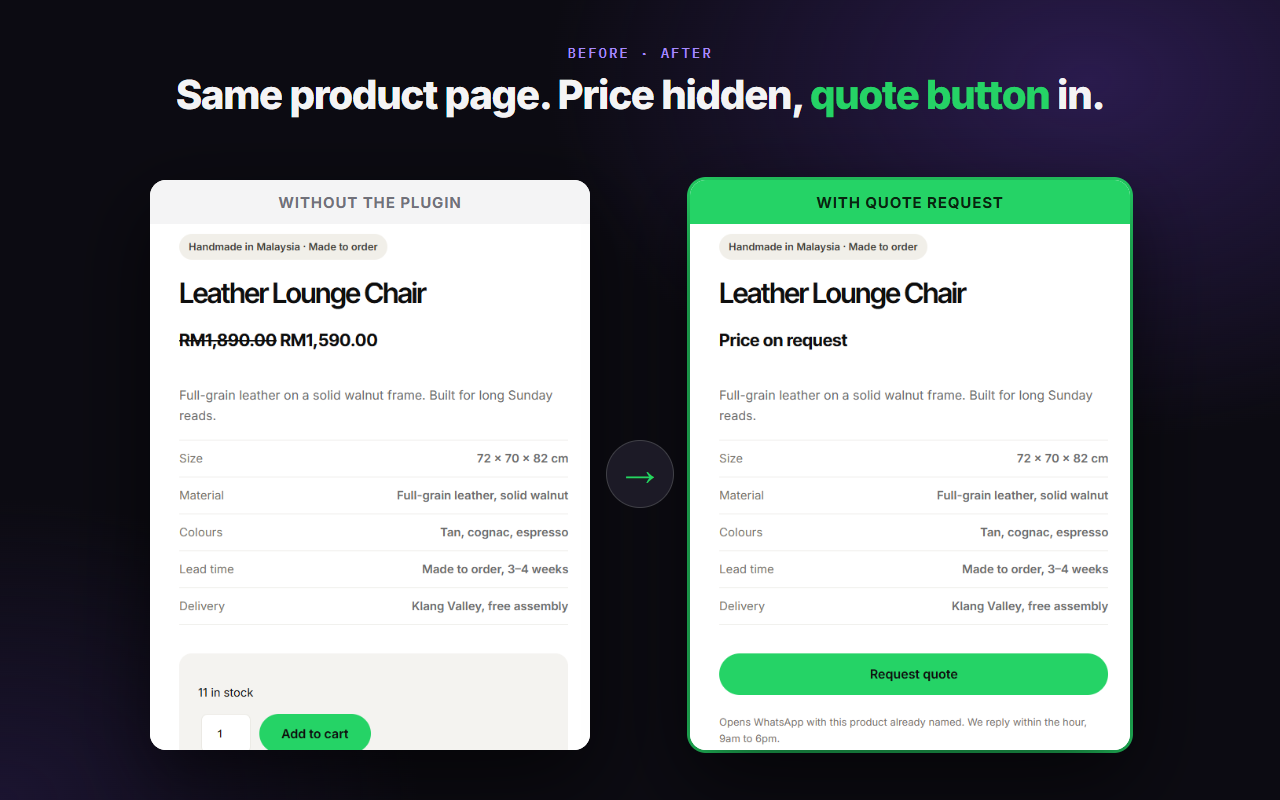
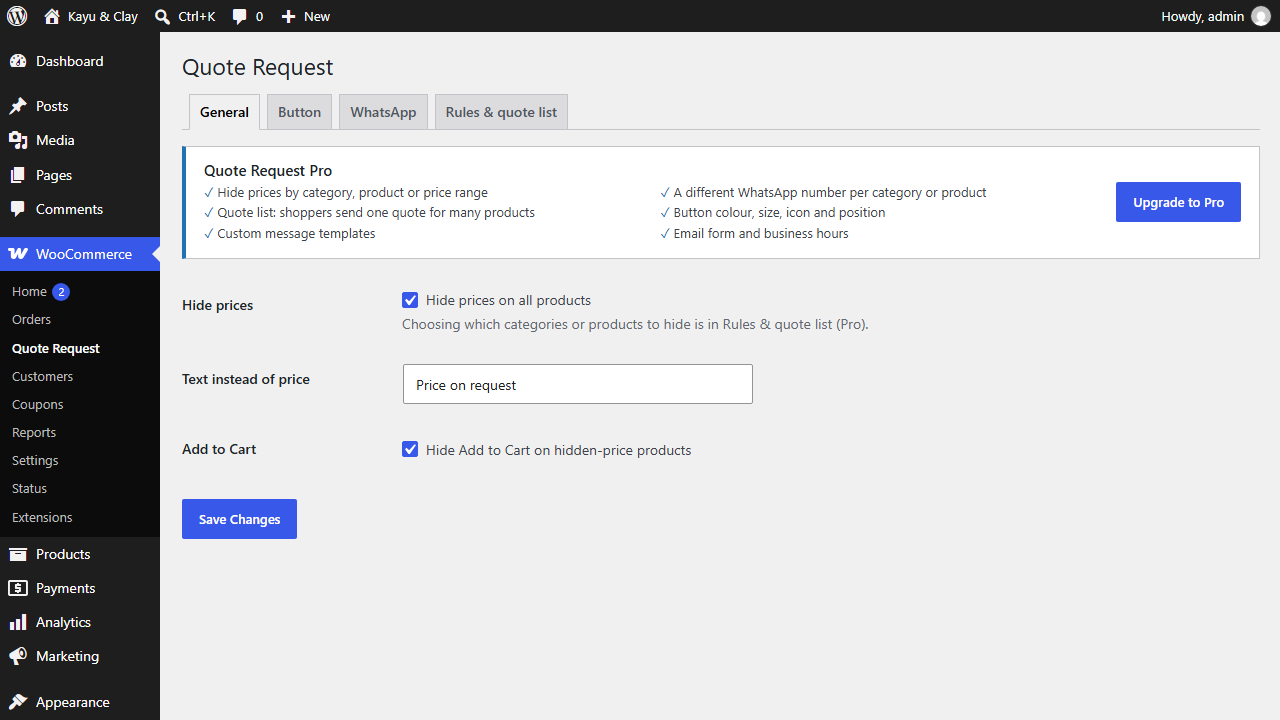
- Hide prices on all products with one switch. Hiding is off until you turn it on.
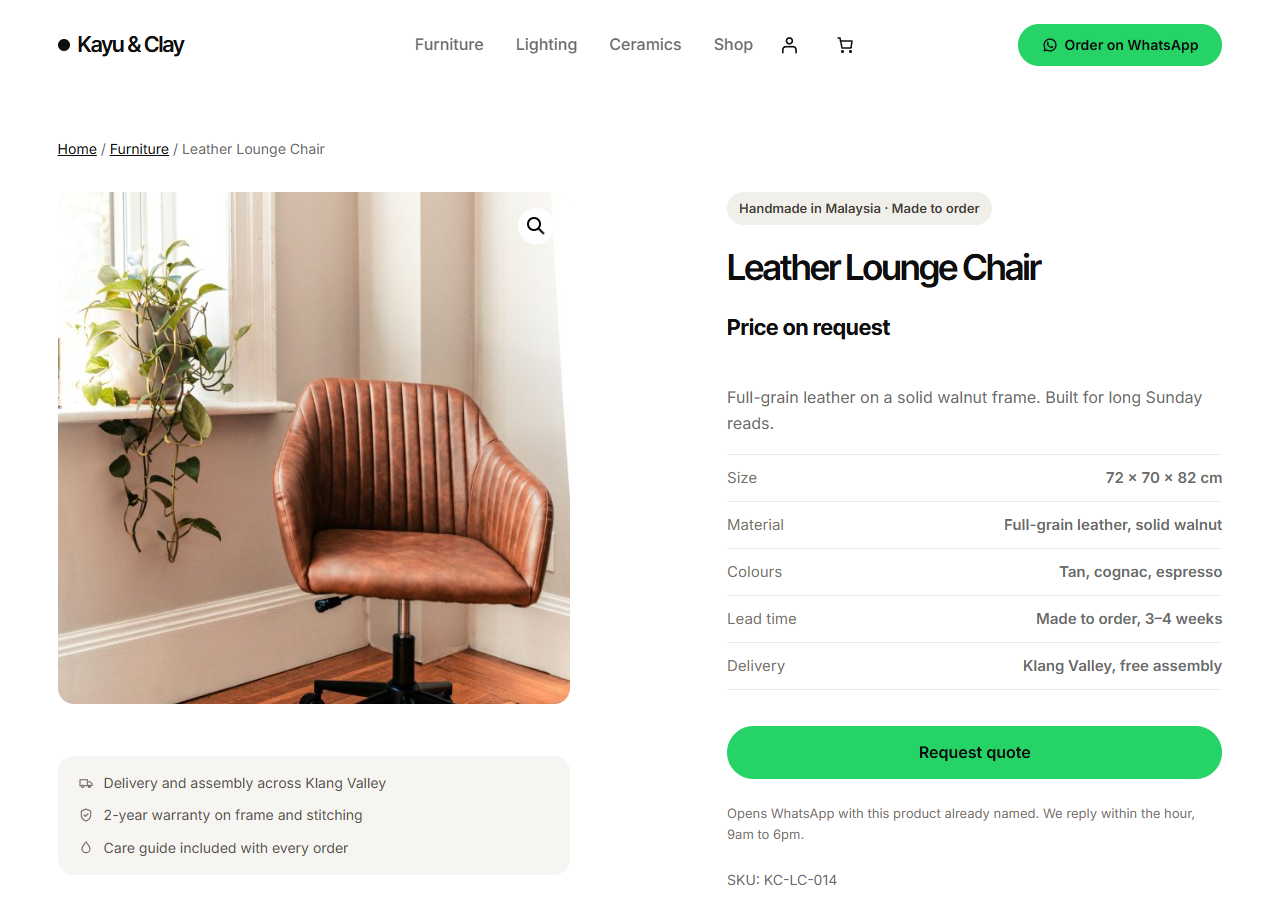
- Replace the price with your own text.
- Hide the Add to Cart button on products with a hidden price.
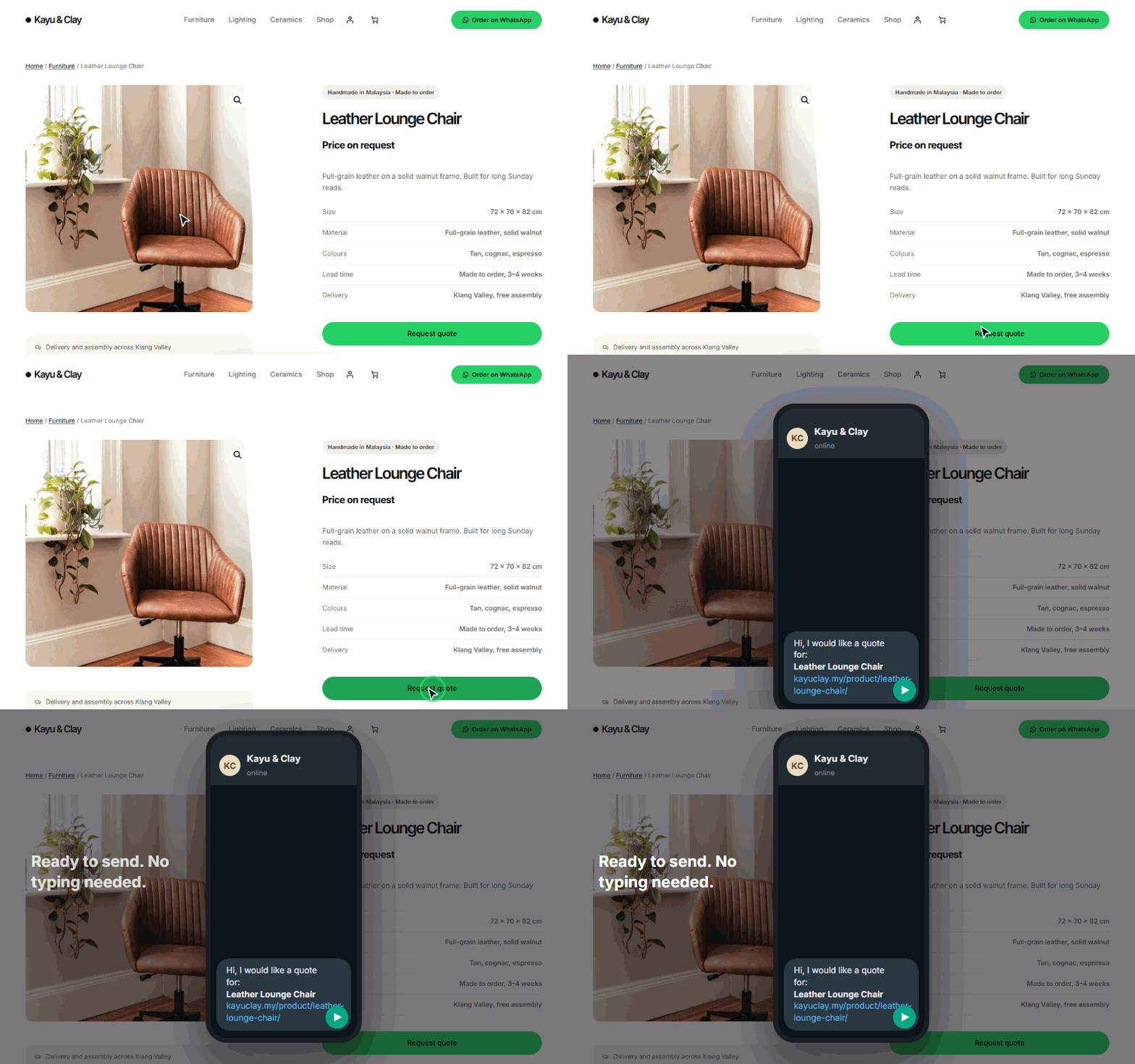
- "Request quote" button on the product page, and optionally on the shop grid. You choose the button text.
- Set your own greeting for the first line of the WhatsApp message.
- Per product: choose "Don't hide price on this product" or "Always hide price on this product".
- Price removed from the structured data (JSON-LD) when it is hidden.
- Works with Storefront, Astra, Kadence and block themes such as Twenty Twenty-Five.
- If no WhatsApp number is set, no button is shown, and you get a notice in the admin.
- Hide prices only for chosen categories or products.
- Rules by visitor: logged-out visitors only, user roles that still see prices, country, price range, out-of-stock products.
- Quote list: shoppers collect several products and send one WhatsApp message.
- Message templates with tags such as {product}, {sku}, {link}, {qty}, {variation}.
- A different WhatsApp number per category or per product.
- Button design: colour, size, chat icon and position.
- Email form instead of WhatsApp for chosen categories.
- Business hours with a different greeting when you are closed.
安装:
- Install and activate WooCommerce.
- Upload the
underpixel-quote-requestfolder to/wp-content/plugins/, or install the zip from Plugins > Add New. - Activate Underpixel Quote Request.
- Go to WooCommerce > Quote Request. On the WhatsApp tab, enter your number with country code.
- On the General tab, switch on "Hide prices on all products" if you want prices hidden.
屏幕截图:

常见问题:
Why does the button not show?
No WhatsApp number is saved yet. The plugin never shows a button that goes nowhere. Enter the number on the WhatsApp tab.
What format should the WhatsApp number have?
Digits with the country code, no leading 0 after the country code. Example for Malaysia: 60123456789. Spaces, dashes and the + sign are removed when you save. A number must have 8 to 15 digits.
Does it hide the price from Google?
Yes. When a price is hidden, the plugin removes the price (the "offers" part) from the product's JSON-LD structured data, so it is not printed there either. Note that the WooCommerce Store API (/wp-json/wc/store/v1/products) can still return prices; if you hide prices from competitors, restrict that endpoint. Also, a cache or SEO plugin that writes its own structured data is outside this plugin's control.
Does it work with page caching?
Mostly, with one limit. The plugin decides on the server, on each page load, what the visitor sees. Pro rules that depend on the visitor (user role, logged-out visitor, country) and the Pro after-hours greeting are decided this way. A full-page cache (host cache, a caching plugin, a CDN) saves one version of the page and shows it to everyone. A visitor can then see the wrong price state, or the greeting for the wrong time of day. If you use these Pro features, exclude product and shop pages from the full-page cache, or make the cache vary by login state and country. The simple Free setting (hide on all products) is the same for everyone and is safe to cache.
The Pro email form does nothing.
The email form needs JavaScript. Without JavaScript, a link is shown instead: it opens WhatsApp with the request already written when a number is set, and otherwise the shopper's own email program.
Does it work if WooCommerce is not active?
It does nothing on the front end and shows one notice in the admin.
Where are quotes stored?
Nowhere on your site. See the privacy note below.
更新日志:
- The "Upgrade to Pro" link now opens the plugin page on underpixelstudio.my.
- Initial release (renamed from Quotely to Underpixel Quote Request).