
UnlockForge
| 开发者 | shivaacharjee |
|---|---|
| 更新时间 | 2026年10月11日 14:22 |
| PHP版本: | 7.2 及以上 |
| WordPress版本: | 7.1 |
| 版权: | GPLv2 or later |
| 版权网址: | 版权信息 |
详情介绍:
- Protect WordPress posts and pages.
- Show a configurable preview before the unlock gate.
- Lock content until the configured unlock requirements are met.
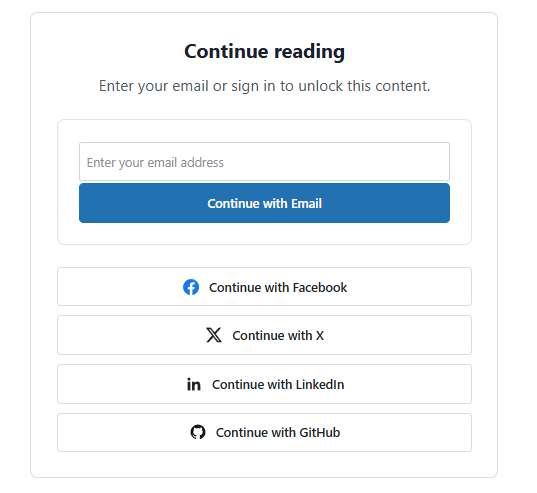
- Offer Social Login through supported OAuth providers.
- Let visitors verify their email using a one-time code.
- Configure paid content using Razorpay.
- Customize unlock gates with titles, messages, images, and emoji.
- Target Unlock Messages by WordPress category and schedule.
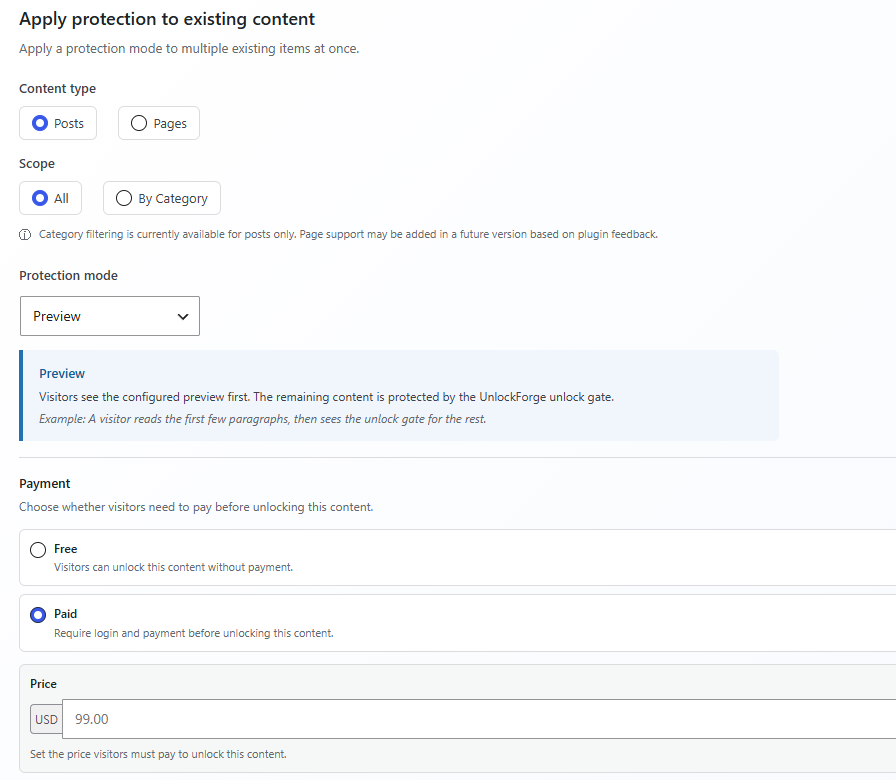
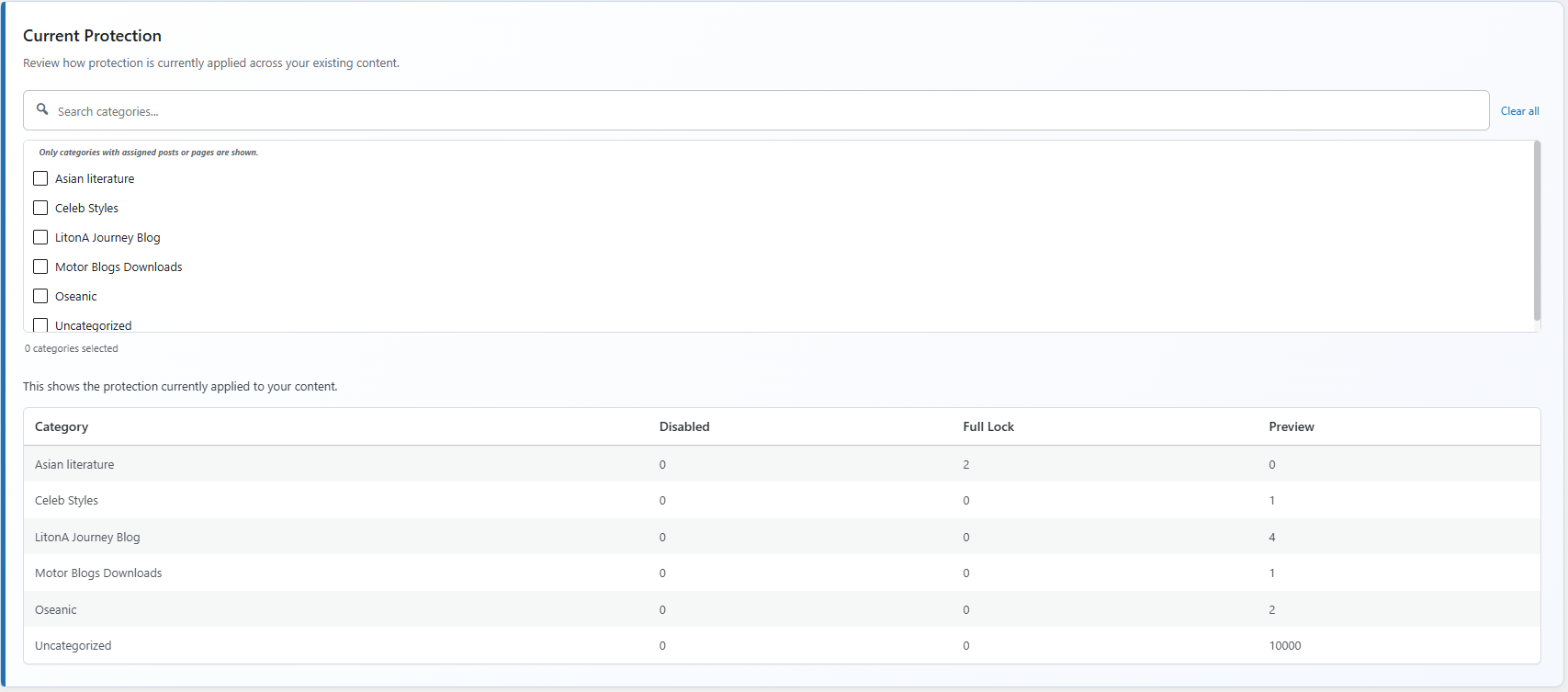
- Apply protection settings to multiple posts and pages in bulk.
- Review authentication and content-unlock analytics.
- Manage external authentication identities separately from content-access decisions.
安装:
- Upload the
unlockforgefolder to the/wp-content/plugins/directory. - Activate UnlockForge from the WordPress Plugins screen.
- Open Settings → UnlockForge.
- Configure the features you want to use.
- Apply protection to a post or page and test the visitor-facing experience.
屏幕截图:




常见问题:
Does UnlockForge support paid content?
Yes. Version 0.4.0 introduces Razorpay integration for paid content. Payment availability depends on installing the version that includes the feature and configuring the site's Razorpay account and payment settings.
Does logging in automatically provide access to paid content?
No. Authentication and payment entitlement are separate. A logged-in user must still satisfy the access requirements configured for the protected content.
Can visitors unlock content using email?
Yes. Email Unlock allows visitors to verify an email address using a temporary one-time verification code.
Can I use Social Login and Email Unlock together?
Yes. Site administrators can enable and configure the supported authentication methods for their site.
Can a WordPress user have multiple social-login providers?
Yes. UnlockForge is designed to allow multiple external identities to be associated with the same WordPress user.
Can I protect both posts and pages?
Yes. UnlockForge supports protection for WordPress posts and pages.
Can I show a preview instead of completely locking content?
Yes. Preview mode can display a configurable portion of the content before the visitor is required to unlock it.
Can I customize the unlock message?
Yes. Unlock Messages support custom titles, messages, emoji, images, categories, and scheduling.
Can I protect content in bulk?
Yes. Bulk Protection allows administrators to apply Disabled, Preview, or Full Lock protection to multiple posts and pages.
Do I need a Razorpay account?
Yes. The site owner must have a Razorpay account and configure the credentials and webhook settings required for the payment flow. Any Razorpay onboarding or verification requirements are handled by Razorpay.
Does UnlockForge require a specific email provider?
No. Email Unlock uses the WordPress mail system. Site administrators can configure their preferred SMTP or transactional email delivery solution.
更新日志:
- Added Razorpay payment integration for paid content.
- Added payment settings for gateway credentials, currency, and test or live mode.
- Added Razorpay webhook configuration and payment event handling.
- Added payment notification email templates for supported payment outcomes.
- Kept authentication separate from paid-content entitlement.
- Fixed payment validation and error-handling issues.
- Improved payment status handling to support reliable entitlement decisions.
- Improved webhook handling and payment verification.
- Updated setup, security, privacy, troubleshooting, and external-service documentation.
- Added Razorpay Terms and Conditions, Privacy Policy, API key, and webhook documentation links.
- Added Email Unlock with one-time email verification codes.
- Added configurable OTP email subject and message.
- Added configurable OTP email placeholders.
- Added OTP expiration and temporary verification challenges.
- Added hashed OTP storage.
- Added browser-bound OTP verification.
- Added email-based OTP rate limiting.
- Added IP-based OTP rate limiting.
- Added improved authentication request validation.
- Improved OAuth security with browser-bound state validation.
- Improved privacy handling for stored identity information and analytics data.
- Added Email Unlock configuration and documentation.
- Improved authentication and content-unlock flows.
- Improved Preview Settings with clearer preview method controls and visual representations.
- Improved Bulk Protection with clearer content scope selection, protection mode guidance, and action summaries.
- Improved Social Login settings with a cleaner provider configuration interface and OAuth integration guidance.
- Improved Unlock Messages with an improved management interface.
- Improved admin interface styling, usability, and responsive layouts.
- Added basic guidance and visual improvements across plugin settings.
- Initial development release.
- Added content protection for posts and pages.
- Added Disabled, Preview, and Full Lock protection modes.
- Added social login support.
- Added Google, Facebook, X, LinkedIn, and GitHub OAuth providers.
- Added external identity management.
- Added Unlock Messages.
- Added Unlock Message scheduling and category targeting.
- Added configurable preview controls.
- Added bulk protection.
- Added analytics.
- Added About & Help documentation.
- Added RTL support.
- Added translation-ready strings.