
UNO External Article Showcase
| 开发者 |
wpglide
mushfiqsaikat |
|---|---|
| 更新时间 | 2026年11月23日 21:56 |
| PHP版本: | 7.4 及以上 |
| WordPress版本: | 7.1 |
| 版权: | GPLv2 or later |
| 版权网址: | 版权信息 |
详情介绍:
- One-Click URL Fetcher: Paste any public URL (Medium, Forbes, Substack, TechCrunch, client blogs, etc.) and auto-extract rich OpenGraph, Twitter Cards, and JSON-LD metadata.
- Bulk Importer: Paste a long URL list and follow live progress, pause or resume, and retry failures. Choose article status, category, showcase, and how existing URLs are handled.
- 4 Professional Layouts:
- Responsive Card Grid: Clean, multi-column grid with subtle hover animations and publication badges.
- Featured Grid: The first story spans the full row for a clear lead article.
- Editorial List: Sleek horizontal split layout designed for dense resumes, CVs, and press archives.
- Touch-Friendly Carousel: Responsive slider with navigation arrows, dots, touch swiping, and optional autoplay.
- Per-Device Layout: Set columns and spacing separately for desktop, tablet, and mobile, with a live preview in the builder.
- One Editorial Dashboard: Manage articles, showcases, imports, and settings from a single screen.
- Live Category Filtering: Zero-page-reload filter pills allow visitors to browse by topic (e.g., SEO, Copywriting, Tech).
- Live Search: Instant keyword search across article titles, excerpts, and publication names.
- Attribution & SEO Safety: Direct links to the original publication with
rel="noopener noreferrer", optionalrel="nofollow", and clear publisher badges. - Gutenberg Block & Shortcode: Pick a saved showcase in the block editor, or use the shortcode. Layout and article curation stay in the showcase builder.
- Optional AI access: Connect MCP-compatible AI tools through the free MCP Adapter plugin. Off by default; connected tools can only do what the connecting user is allowed to do.
安装:
- Upload the
uno-external-article-showcasedirectory to/wp-content/plugins/directory, or install directly through the WordPress plugins screen. - Activate the plugin through the 'Plugins' menu in WordPress.
- Navigate to External Article in your admin menu to begin adding or fetching articles.
- Use the Gutenberg block or
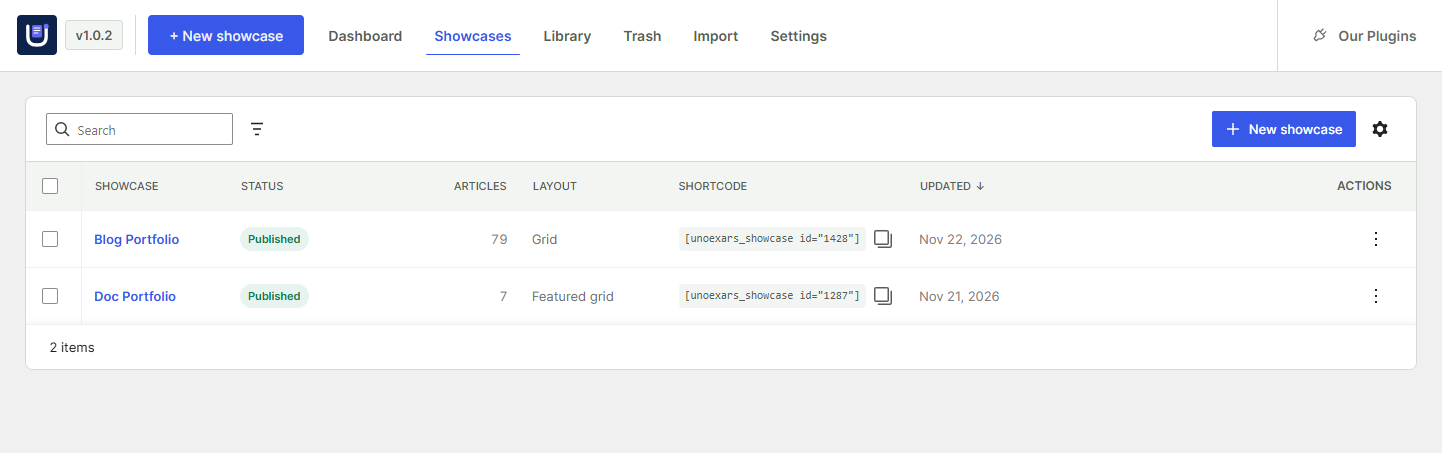
[unoexars_showcase]shortcode to display your article portfolio on any page or post.
屏幕截图:


常见问题:
Does this plugin copy the full content of external articles?
No. UNO External Article Showcase stores summary metadata (title, excerpt, image URL, date, author, and publisher) and links to the original publication. Make sure you have permission to use any excerpts and images you display.
Can I manually edit the fetched metadata?
Yes! After fetching, you have full control over the title, excerpt, featured image, author name, publication name, and publication date before publishing.
Can I bulk import multiple articles at once?
Yes. Open the Import page and paste one URL per line. There is no fixed limit on the list length; the page sends short requests automatically. Keep the page open until it finishes. You can pause after the current article, resume pending URLs, or retry failed entries without repeating successful imports. The queue is kept in the open page and does not continue after you close or reload it.
How are duplicate articles handled during import?
Repeated links within a pasted list are removed. By default, the importer skips URLs already in the library, checking both the submitted URL and the publisher's canonical URL. Existing records, categories, and showcase assignments stay unchanged. You can explicitly choose to create a new copy instead. Retry keys prevent a lost response from creating another copy. Detection compares URLs, not article text across different websites.
更新日志:
- Initial public release