UpdateGuard - Safe Update Manager
| 开发者 |
elearningevolve
adeelraza_786hotmailcom |
|---|---|
| 更新时间 | 2026年9月29日 23:49 |
| 捐献地址: | 去捐款 |
| PHP版本: | 7.4 及以上 |
| WordPress版本: | 7.0 |
| 版权: | GPLv2 |
| 版权网址: | 版权信息 |
详情介绍:
- Site Administrators - Manage WordPress plugin updates with clear major, minor, patch, and hold policies.
- Agencies - Apply the same update rules across client sites.
- Developers - Test updates safely before production changes.
- Business Owners - Keep security patches applied without surprise breaking changes.
安装:
- Upload the plugin files to
/wp-content/plugins/updateguard, or install through the WordPress plugins screen. - Activate the plugin through the Plugins menu in WordPress.
- Go to UpdateGuard in the admin menu.
- Set your default update level (Major, Minor, or Patch).
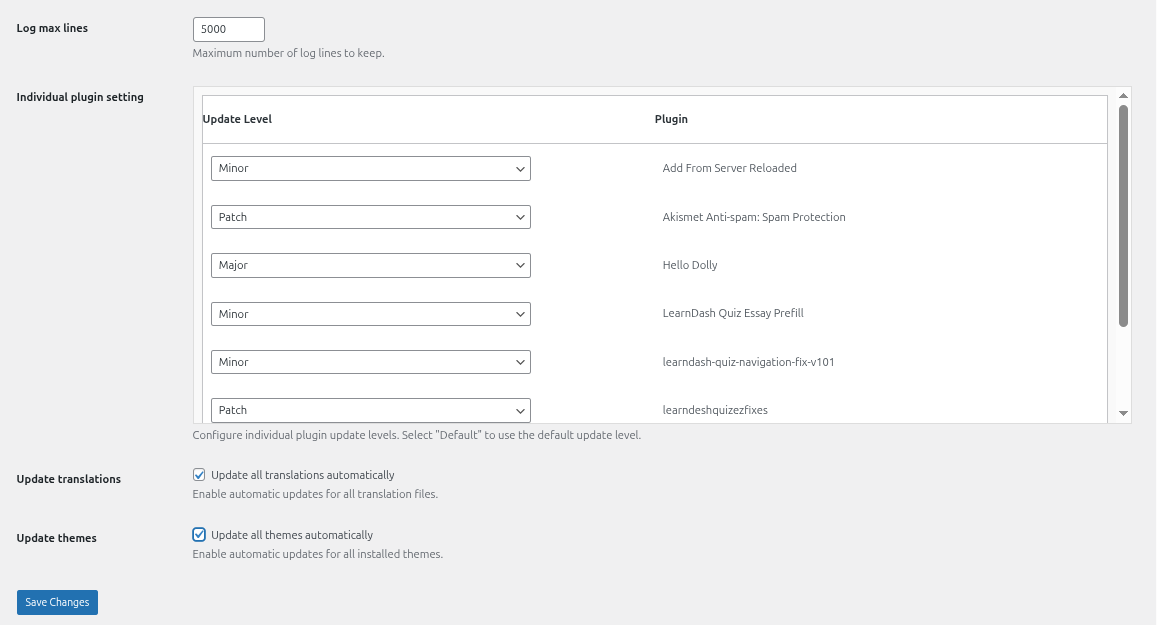
- Optionally configure per-plugin update levels and save.
屏幕截图:
常见问题:
What is UpdateGuard?
UpdateGuard is a WordPress update manager plugin and safe WordPress updates tool that controls automatic plugin, theme, and translation updates using semantic versioning.
How do I disable automatic updates WordPress applies?
Set your global policy to Patch or Minor to block major updates. Use Hold on individual plugins to prevent automatic plugin updates WordPress would otherwise apply to those plugins.
Is this a WordPress update control plugin?
Yes. Configure global and per-plugin rules, block manual bulk updates that violate your policy, and manage WordPress plugin updates from one dashboard.
Is UpdateGuard a WordPress core update blocker?
UpdateGuard is a WordPress core update blocker companion for plugin and theme maintenance. It controls plugin, theme, and translation updates with semantic versioning. Use WordPress built-in core settings alongside UpdateGuard for full site protection.
Can UpdateGuard rollback WordPress updates?
No. UpdateGuard is not a rollback WordPress updates plugin. It prevents risky major updates before they are applied, reducing the need for rollbacks. Always back up your site before updating.
Is this the best WordPress staging and update plugin?
UpdateGuard is a free WordPress site maintenance plugin for safe update management. Use it with a staging site: test updates on staging first, then apply the same policy on your live site.
How do I manage WordPress plugin updates per plugin?
Open UpdateGuard settings and set each plugin to Major, Minor, Patch, or Hold in the per-plugin table. Overrides apply on top of your global default.
What is semantic versioning?
Semantic versioning uses MAJOR.MINOR.PATCH (e.g. 4.2.1). Major means breaking changes, minor adds compatible features, patch contains fixes and security updates.
Why should I block major updates?
Major updates can break themes, plugins, or custom code. Blocking them lets you review and test before applying.
Will this work with all plugins?
It works best with plugins that follow semantic versioning and have official WordPress.org slugs.
How often are updates checked?
WordPress checks for updates every 12 hours via cron. UpdateGuard filters these checks against your policy.
Can I update inactive plugins?
No. WordPress only auto-updates active plugins.
Does UpdateGuard block manual updates too?
Yes. It blocks both automatic and manual or bulk updates from the Plugins page if they violate your policy.
What does the Hold setting do?
Hold blocks all updates for that plugin: major, minor, and patch.
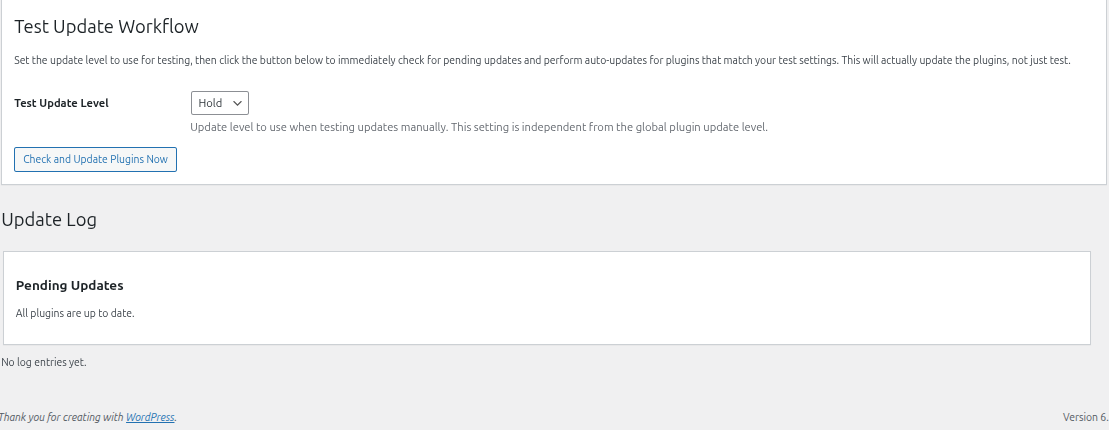
How does the Test Update Workflow work?
The "Check and Update Plugins Now" button runs an immediate bulk check using a separate test update level, independent from your global policy.
Does UpdateGuard work with WordPress Multisite?
Yes. UpdateGuard registers in Network Admin and settings apply network-wide.
Can I get email notifications for updates?
Yes. Notifications cover applied updates, blocked updates, and new pending updates. Changelog links are included.
What happens when I uninstall the plugin?
All settings and data are removed from the database.
Does UpdateGuard update themes and translations too?
Yes. Enable automatic theme and translation updates independently via checkboxes in settings.
更新日志:
- Small (patch) updates are no longer blocked by mistake
- Medium (minor) and large (major) updates work correctly when testing
- Your chosen test update level is now saved and used properly
- Plugins set to "Default" now follow your main update setting
- The settings page displays correctly again
- Updated: Readme optimised with UK SEO keywords, concise FAQs, and proper markdown links.
- Updated: Shorter plugin name "UpdateGuard" for cleaner WordPress.org listing.