
Updatronix - Update Manager Enhanced
| 开发者 | quentinldd |
|---|---|
| 更新时间 | 2026年10月9日 00:25 |
| 捐献地址: | 去捐款 |
| PHP版本: | 8.1 及以上 |
| WordPress版本: | 7.1 |
| 版权: | GPLv2 or later |
| 版权网址: | 版权信息 |
详情介绍:
- Solo site owners: Keep your site up to date with peace of mind. You'll always know what changed.
- Freelancers: When a client asks what you did, the answer is right there.
- Developers: Real control over automatic updates and scheduling, with the full detail behind every event.
- Agencies: The same update policy you trust, running on every client site, each with its own log.
安装:
- Search for "Updatronix" in Plugins → Add New, or upload the plugin files to
/wp-content/plugins/updatronix/. - Activate the plugin from the Plugins screen.
- Open Tools → Updatronix (or Dashboard → Update logs) to see the history and adjust the settings.
屏幕截图:


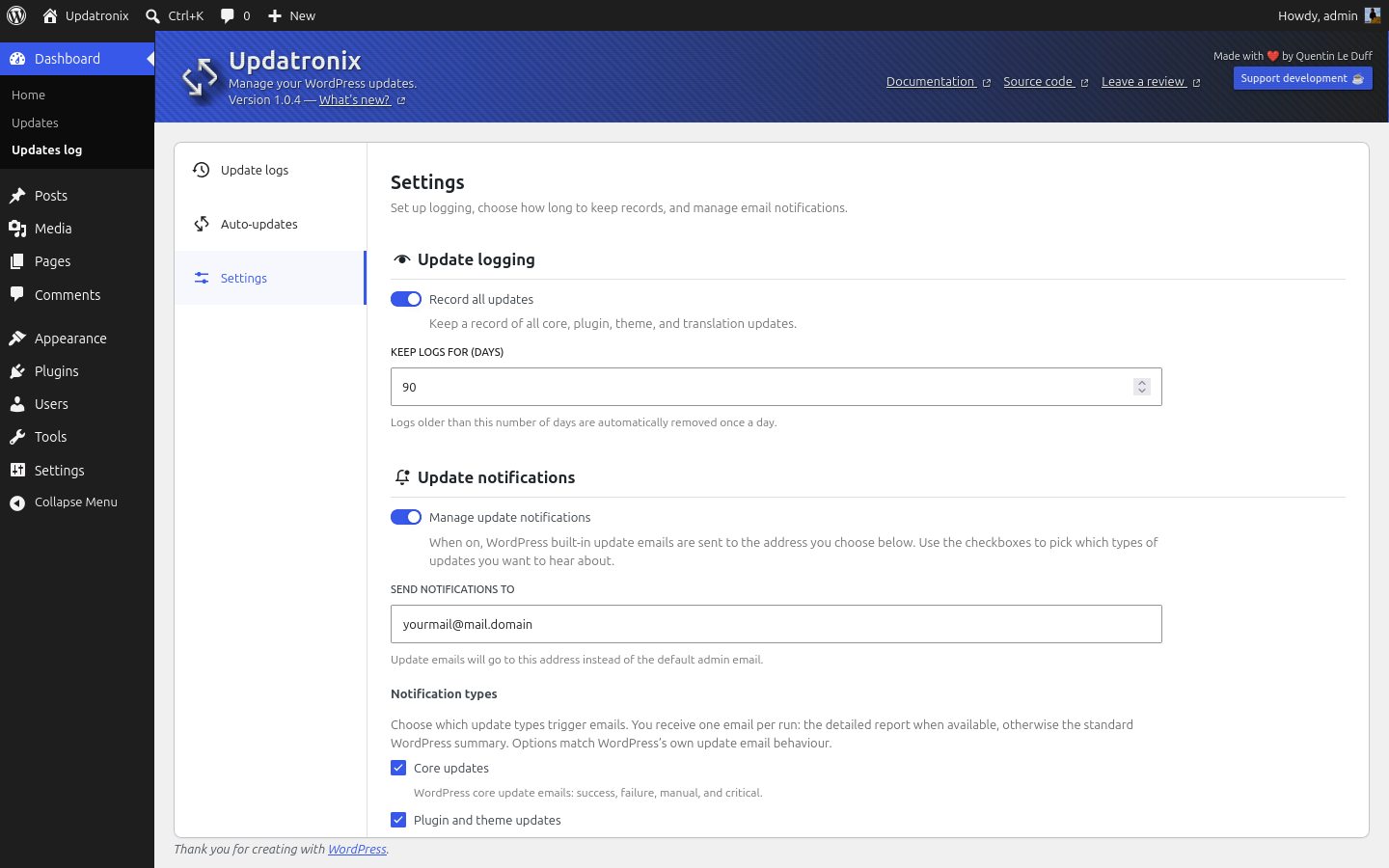


常见问题:
Where do I see the history of updates on my site?
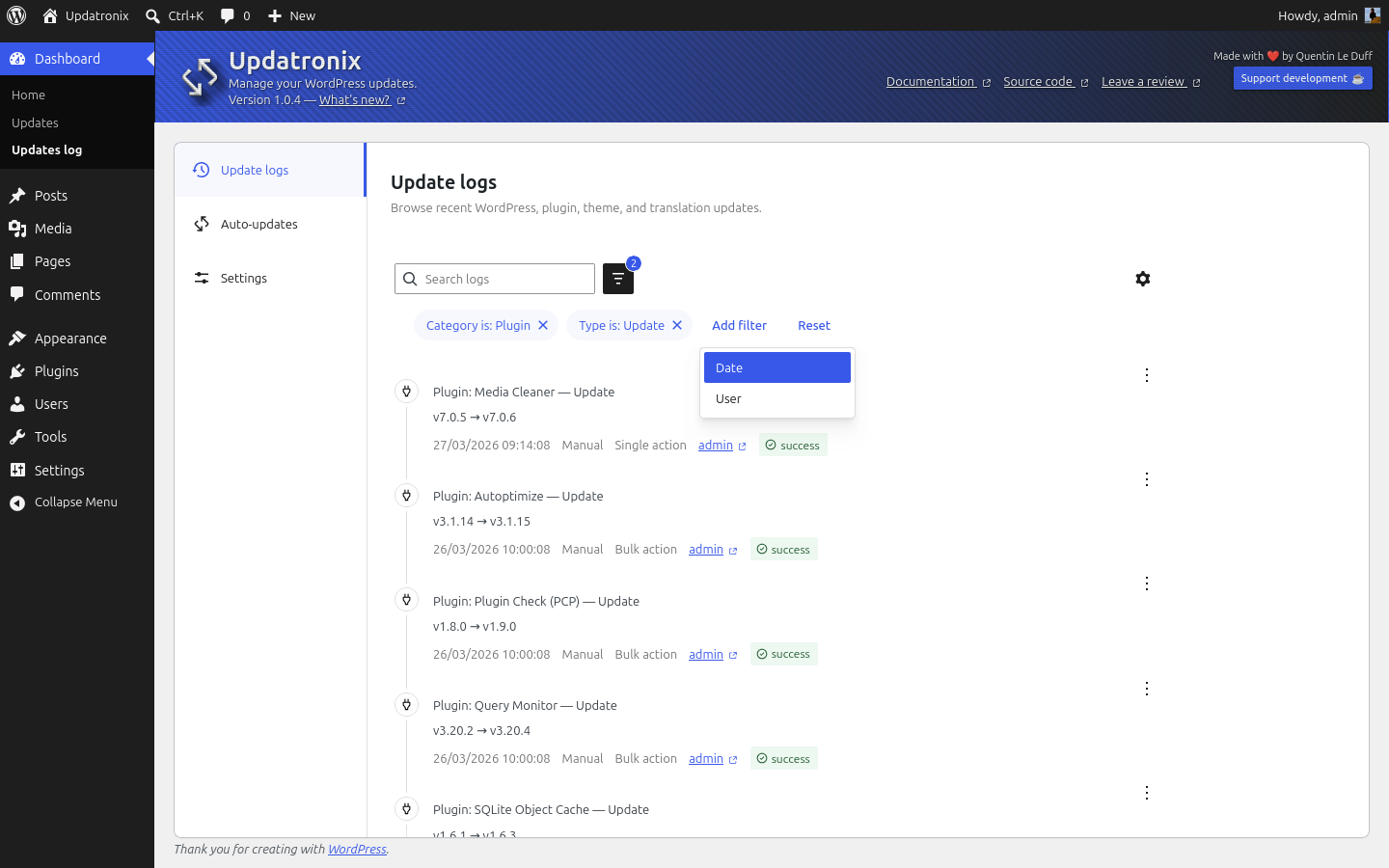
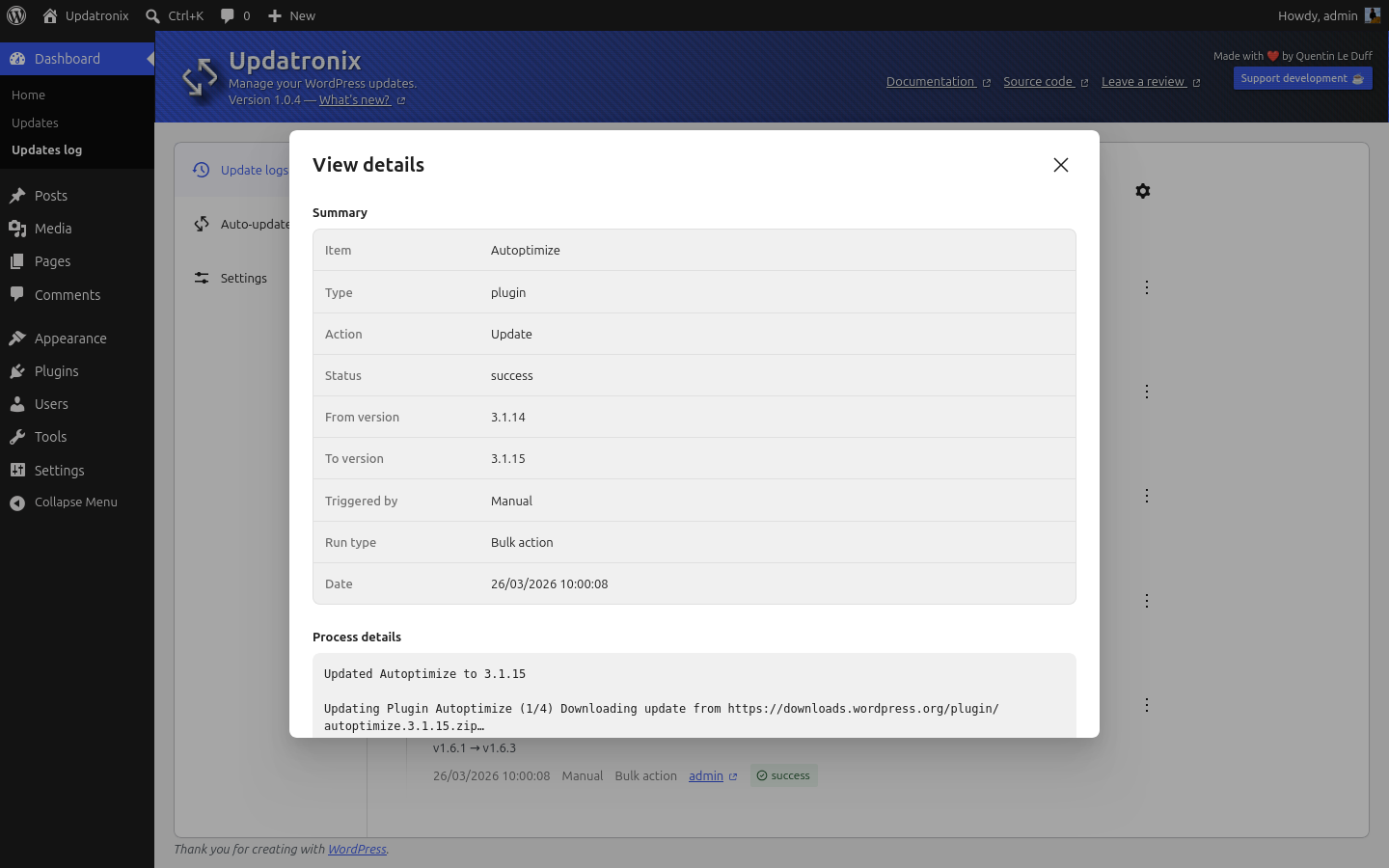
Open Tools → Updatronix. The first tab is the log: date, item, version change, and outcome. Click any row to see the full detail. Logging is on by default.
Can I export my update log?
Yes. Filter the log however you like, then click Export logs. You get a clean report you can drop into an email to your team, a client, or whoever you've called in to help.
Can I turn off WordPress update notification emails completely?
Yes. In Settings, turn on Disable all update notification emails. Recovery mode emails are deliberately kept on: without them, you could lock yourself out of your own site.
Can I delay automatic updates?
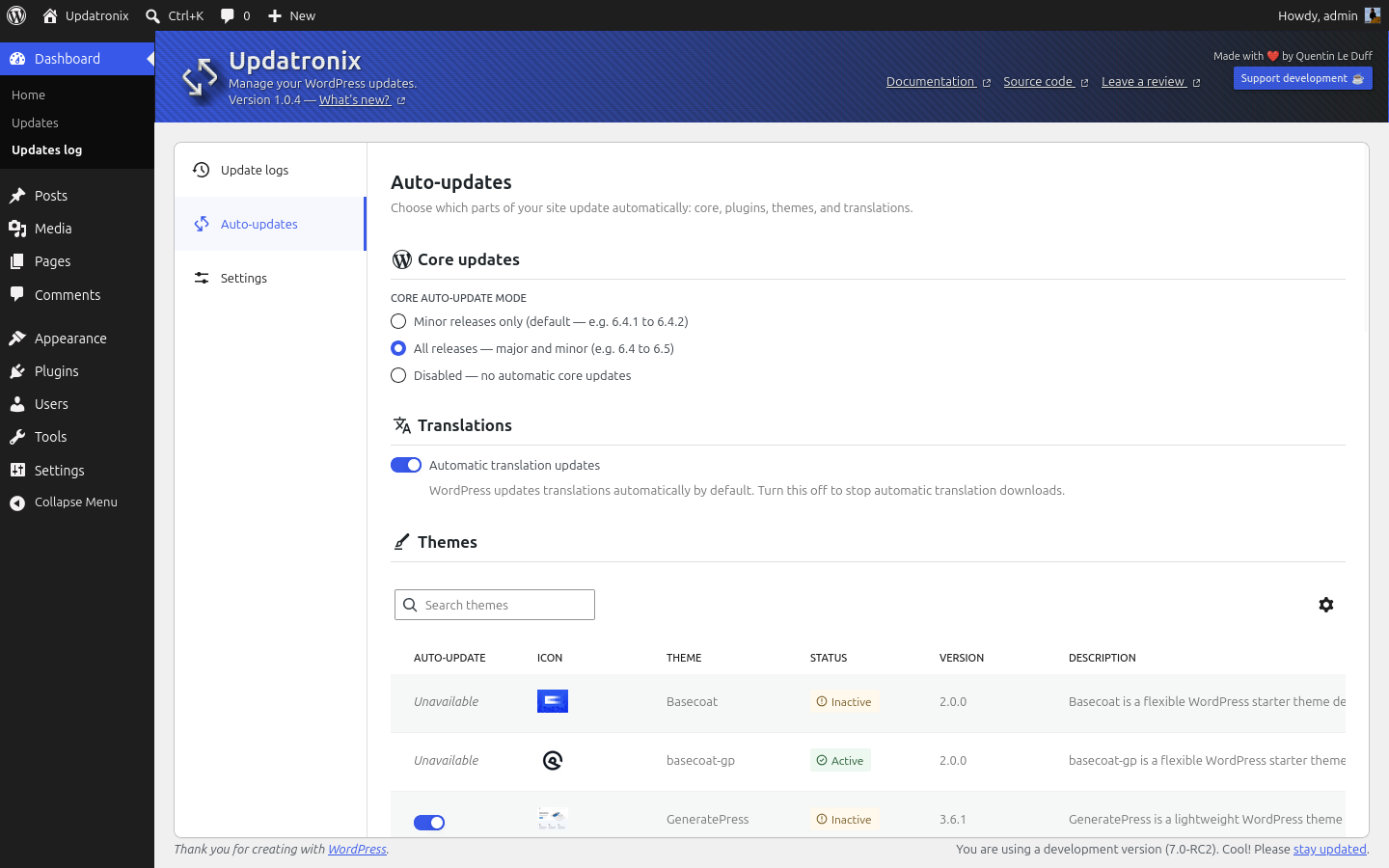
Yes. In Schedule, enable Delay updates and choose how many days WordPress should wait after a release appears. Updates stay automatic; they're simply deferred, so unstable builds get fixed before they reach you.
Does Updatronix work with my plugins, themes, and host?
Yes. Updatronix hooks into the same update pipeline WordPress already runs, so everything that updates through the standard system gets logged, whether it comes from WordPress.org, a private source, or your host's mirror.
Does Updatronix replace WordPress's native update system?
No. Updatronix builds on WordPress's update engine without replacing it. Everything that goes through the standard update system keeps working exactly as before; Updatronix logs and manages, nothing more.
Can Updatronix undo a failed update?
No, and that's not its purpose. When an update fails, Updatronix captures the WordPress error and the version snapshot before WordPress moves on. That's the data you need to recover by hand, or to hand to your host's support. For extra peace of mind, schedule updates right after a backup.
Where does my data go?
Nowhere. Logs and settings stay on your site. The plugin makes no outbound network calls of its own: every API it touches is one WordPress was already going to call without it.
How long are log entries kept?
Up to you. In Settings, set the retention window between 1 and 365 days. The default is 90 days; a daily cleanup drops anything older.
Does Updatronix work on multisite?
Yes. Network-activate Updatronix and manage everything as a Super Admin from the Network Admin. Settings, schedule, email controls, and update history are shared across every site in one unified log.
更新日志:
- Security: Harden security.
- Dev: Harden WordPress Coding Standards.
- Improvement: Update interface components.
- Documentation: Align the author name across the plugin header, the interface footer, and the package metadata.
- Fix: Builded JS not delivered.
- Improvement: Enforce multisite compatibility.
- Improvement: Update WordPress UI components.
- Documentation: Screenshots update.
- Documentation: Readme update.
- Dev: Harden tests suite.
- Tested up to WordPress 7.1.
- Fix: Auto-updates: Scheduled auto-updates no longer error when update delay is enabled.
- Documentation: Edit 1.1.1 changelogs.
- Dev: Adopt WordPress Coding Standards, plugin tested up to WP 7.0.3.
- New: Updatronix 3000 connector (Pro version).
- Fix: Keep the schedule recurrence, preferred time, and hold delay after visiting update pages or when external tools clear the cron table.
- Fix: Correct activity log filters, pagination, and totals, add the missing info and warning statuses, and show an error in log details when a fetch fails.
- Fix: Remove stale auto-update entries for deleted plugins and themes, and improve core version tracking.
- Improvement: Enforce WordPress auto-update restrictions server-side and stop admin notices from stacking.
- Improvement: Harden log exports, use the current view filters, stop at a safe limit, and keep data if the server stops part-way through.
- Security: Redact internal server paths and tokens stored in logs.
- i18n: Remove HTML markup from translation strings.
- Dev: PHP 8.3+ compatibility, internal code cleanup, and unit tests for log redaction.
- New: Schedule tab, set how often WordPress checks for updates (hourly, twice daily, daily, or weekly), pick a preferred time of day, and hold automatic installs for a chosen number of days. Active holds show a notice on the Updates, Plugins, and Themes screens, and WordPress schedule messaging stays in sync with your settings.
- New: Export update logs, generate merged or flat reports from your current filters, copy formatted or plain-text output to the clipboard, and access export from the activity log toolbar.
- New: One-click switch in Settings to turn off all WordPress update notification emails (recovery mode emails stay on).
- New: Multisite support, network-activate Updatronix and manage settings, update history, schedule, and email controls as a Super Admin from the Network Admin dashboard. Everything is shared across every site on the network, with one unified log. Single-site installs are unchanged.
- Improvement: Cleaner copy, smoother flow, and accessibility improvements across every tab, including keyboard focus in activity log modals.
- i18n: Save buttons use "Save Changes" to match native WordPress settings screens.
- Fix: Readme.txt text is now naturally wrapped.
- Change: Align plugin lifecycle with WordPress uninstall expectations.
- Fix: Nested document landmarks for accessibility.
- Fix: Automatic update failures now record the real WP_Error (e.g. filesystem unavailable) in log details, not only generic upgrader messages.
- Change: Update component dependencies and remove hardcoded values in style to use design-token.css instead.
- Change: Update readme.txt content, tone, and voice.
- i18n: Align plugin interface with WordPress interface tone and voice, improving accessibility.
- Fix: Wire js script translations for bundled files.
- Add: Load theme/plugin descriptions translated into the current admin language for the auto-update panel.
- Add: Translation for "Icon", "Success", "Error", and "Warning" labels.
- Change: Cache the merged Jed/JSON translation inline payload.
- Fix: Wire js script translations.
- Fix: Wrong logging behavior for minor core auto-update. Was logged as "Reinstall" instead of "Update".
- Change: Code-split the admin JavaScript bundle with lazy-loaded tab modules to keep all emitted chunks below Webpack's recommended size limit and improve wp-admin load performance.
- Change: Align user interface standards to WP 7.0.
- Change: Tested up to WP 7.0-RC2.
- Change: Update screenshots for WordPress.org.
- Change: Update of the logo and banners.
- Add: Updatronix release on WordPress.org.
- Fix: Close
ob_start()buffers safely.
- Fix: Better handling of updates logging.
- Change: Improve responsive, and plugin global UX.
- Change: Improve the readme.txt.
- Add: Initial release of Updatronix.