Scroll to Top Button, Reading Progress Bar & Read Time - Uply
| 开发者 |
sumuraka
shoiswp freemius |
|---|---|
| 更新时间 | 2026年5月31日 05:34 |
| PHP版本: | 6.0 及以上 |
| WordPress版本: | 7.0 |
| 版权: | GPLv2 or later |
| 版权网址: | 版权信息 |
详情介绍:
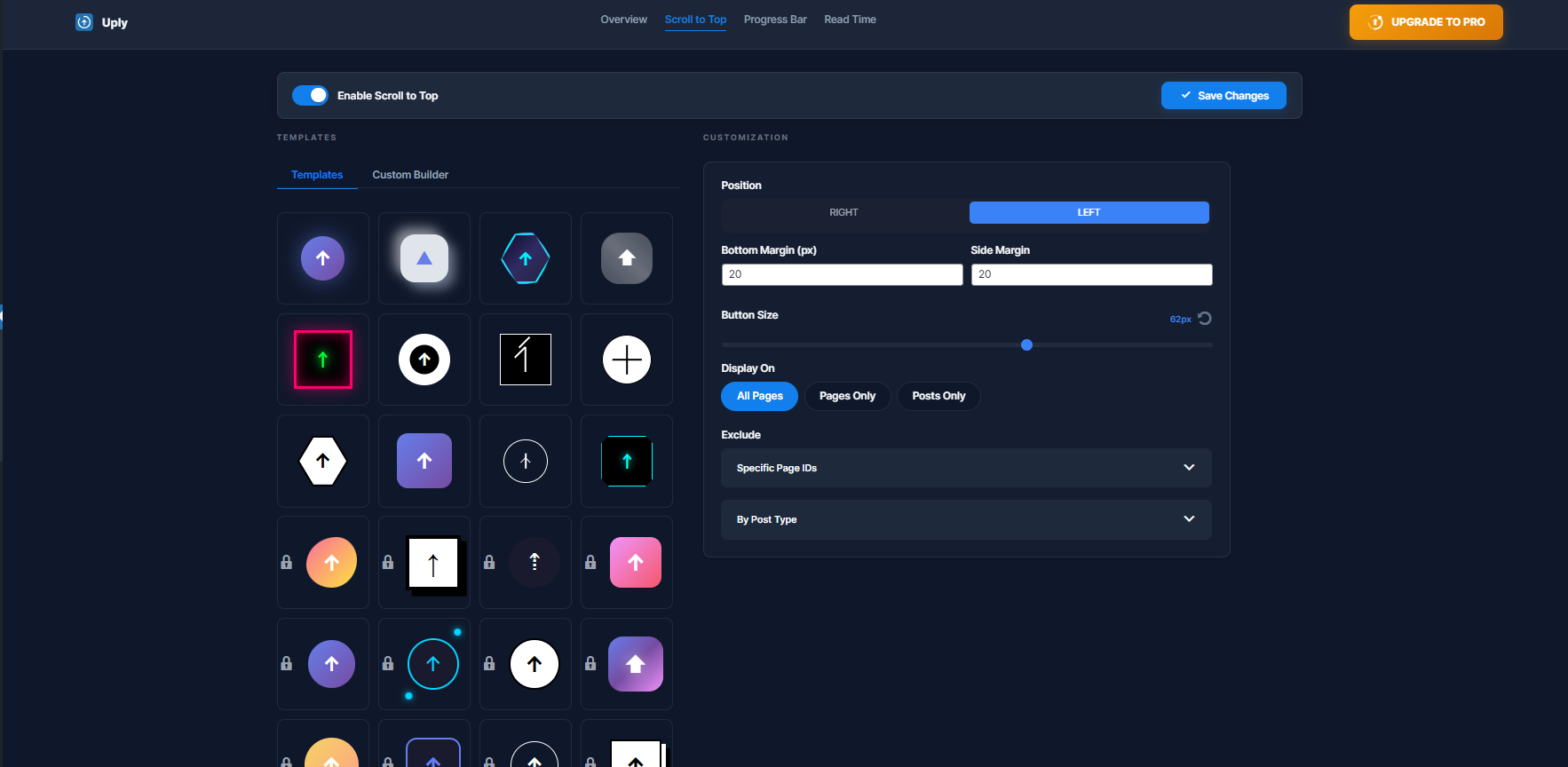
- Standard Icon Library: Choose from Arrows, Chevrons, and Circles to match your theme.
- Flexible Positioning: Toggle between Left or Right alignment with adjustable bottom margins.
- Custom SVG Icon Builder: Upload your own icon and fully customize background colors, borders, and hover effects.
- Mobile Visibility Control: Enable or disable the scroll to top button specifically on mobile devices.
- 58+ Premium Button Designs [PRO]: Unlock a massive library featuring Rocket icons, Paper planes, 3D animated buttons, and unique modern shapes.
- 10+ Special Progress Buttons [PRO]: A circular or square progress indicator built directly around the back-to-top button, filling up as the user scrolls.
- Unique Styles and Fluid Animations [PRO]: Every Pro button comes with stunning animations and designer-grade transitions.
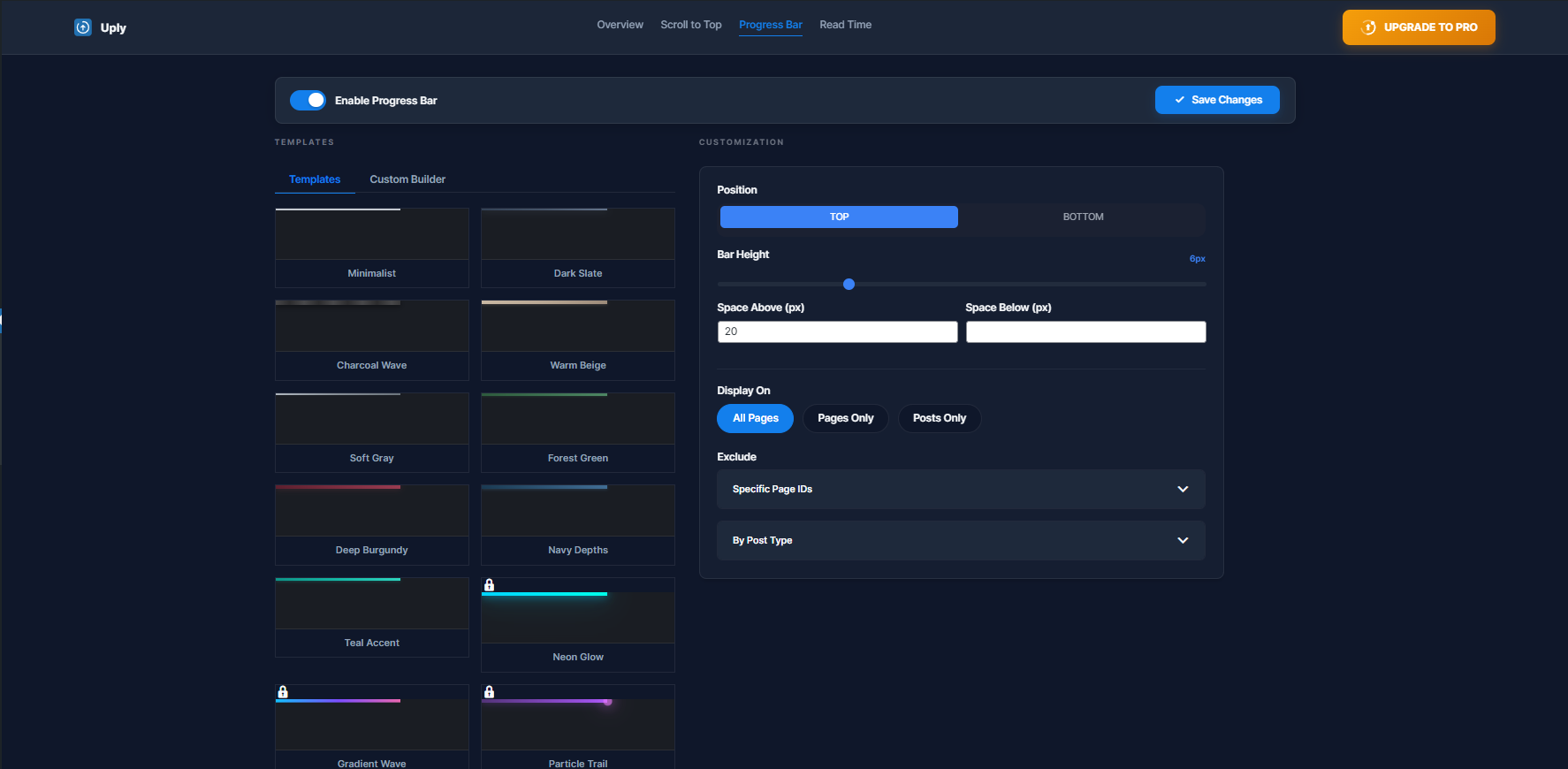
- Sleek Minimalist Styles: Solid, Segmented, or Rainbow progress bars that track scroll position in real-time.
- Top or Bottom Positioning: Fix the reading progress bar to the top or bottom of the viewport.
- Precision Height and Thickness: Use a range slider to adjust the bar thickness to match your brand.
- Intelligent Sticky Offset: Smart offset settings to prevent the progress bar from overlapping sticky headers or menus.
- 30+ Premium Animation Styles [PRO]: Neon Glow, Liquid Metal, Gradient Waves, Glitch effects, and more.
- Advanced Unique Designs [PRO]: Eye-catching progress bar designs that instantly elevate your website.
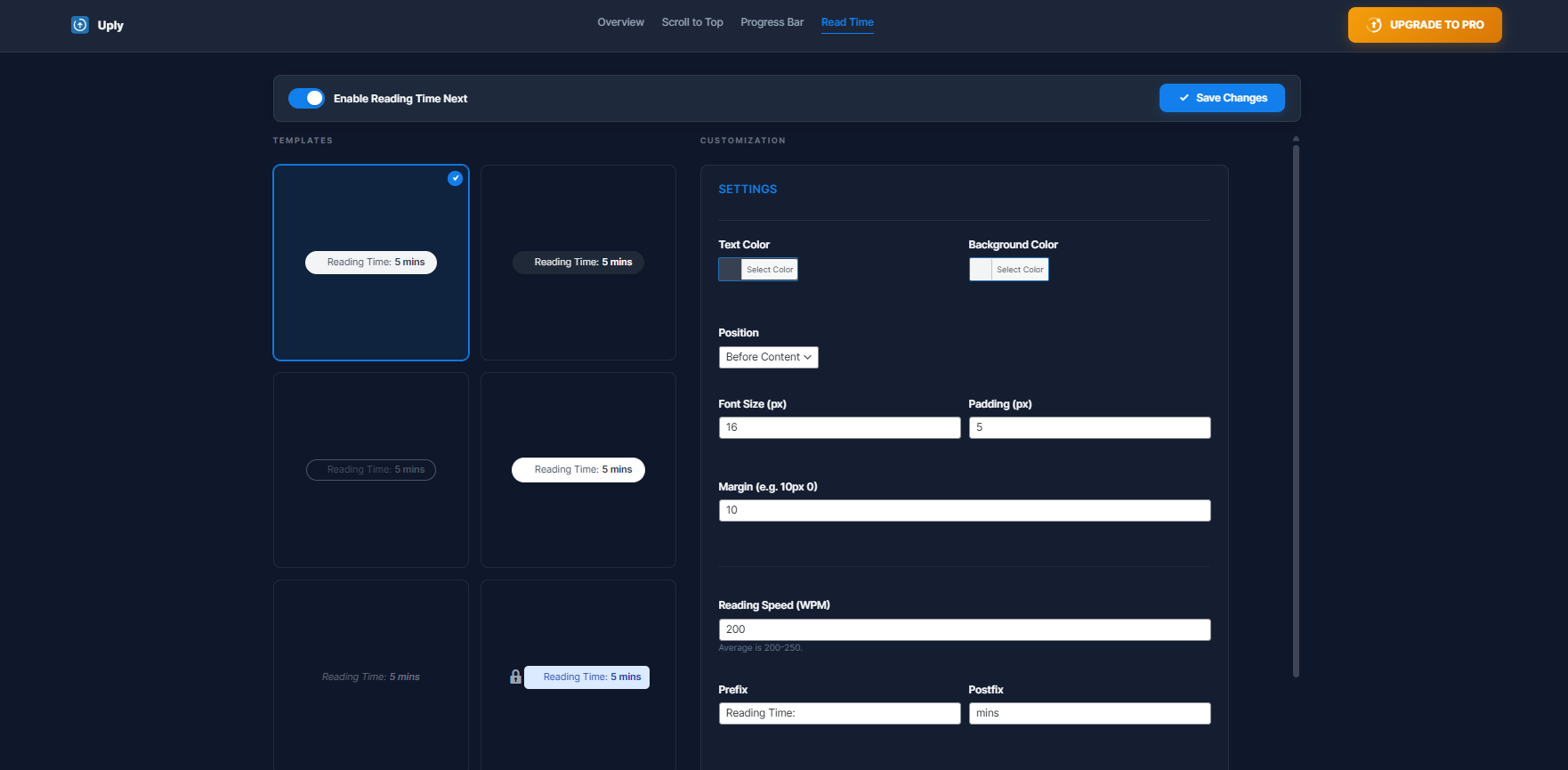
- Precision WPM Algorithm: Automatically calculates reading time based on a customizable Words Per Minute setting.
- Clean Text Layout: Displays a simple "X min read" label before or after your post content.
- Dual-Positioning Display: Show reading time Before Content, After Content, or in Both locations at once.
- Full Typography and Styling Suite: Control font size, colors, background, padding, and margins - no coding required.
- Custom Labels: Set your own Prefix (e.g., "Ready in:") and Postfix (e.g., "minutes") text.
- 25+ Designer Layouts [PRO]: Unique layouts featuring professional icons like Clocks, Books, Hourglasses, and Sand-timers.
- Stunning Layout Animations [PRO]: Animated entry and hover effects for the reading time badge.
- Vanilla CSS Animations: No heavy libraries like jQuery UI or GSAP. All animations use optimized CSS for zero performance impact.
- Conditional Display Logic: Enable or disable each feature globally or per Post Type (show on Posts, hide on Pages, etc.).
- Precise Page Exclusion: Use the built-in search tool to exclude specific pages or posts by ID.
安装:
- Upload the plugin files to the
/wp-content/plugins/uply-scroll-to-top-and-progress-bardirectory, or install the plugin through the WordPress plugins screen directly. - Activate the plugin through the Plugins screen in WordPress.
- Use the Uply menu in the dashboard to configure settings.
屏幕截图:
常见问题:
How do I add a scroll to top button in WordPress?
Install and activate Uply, then go to the Uply menu in your WordPress dashboard. Enable the Scroll to Top feature, choose your icon style and position, and save. The back-to-top button will appear on your site automatically.
Can I hide the scroll to top button on mobile?
Yes. Uply includes a dedicated toggle to enable or disable the scroll to top button specifically on mobile devices.
How does the reading progress bar work?
The reading progress bar fills from left to right as the visitor scrolls down the page. It is fixed to the top or bottom of the viewport and updates in real-time using pure CSS and lightweight JavaScript.
How is read time calculated?
Reading time is calculated based on the total word count of the post content divided by your configured reading speed (default: 200 words per minute). You can change the WPM value in the plugin settings.
Does Uply affect my site speed or Core Web Vitals?
No. Uply uses Vanilla CSS animations with no external libraries. Scripts and styles are only loaded on pages where features are active, keeping your site fast and lightweight.
更新日志:
- Moved Enable toggle and Save Changes button into each tab settings panel for a cleaner layout.
- Enable and Save section is now sticky and stays visible while scrolling through settings.
- Synced WordPress sidebar sub-menu active state with dashboard tab navigation.
- Fixed Read Time template icon visibility in admin dashboard preview.
- Updated Upgrade to Pro button and lock overlay styling to use consistent blue color scheme.
- Improved top navigation tab styling and removed focus outlines for a cleaner look.
- Minor alignment fixes for the settings panel width consistency.
- Added advanced premium templates for Scroll to Top, Progress Bar, and Reading Time.
- Introduced new branded custom SVG logos for better visual identity.
- Enhanced UI/UX with modern Toast notifications replacing browser popups.
- Improved sidebar visibility and active state icons for better navigation.
- Optimized CSS performance and fixed minor layout bugs in the admin dashboard.
- Initial release with premium dashboard UI.
- Refactored codebase for strict WordPress compliance.
- Enhanced security with robust nonce and permission checks.