
useClick
| 开发者 | useclick |
|---|---|
| 更新时间 | 2026年10月14日 03:45 |
| PHP版本: | 7.4 及以上 |
| WordPress版本: | 7.1 |
| 版权: | GPLv2 or later |
| 版权网址: | 版权信息 |
详情介绍:
- Create a short link for any URL on the built-in short domain or on your own branded domain.
- Pick a custom slug or let UseClick.io generate one.
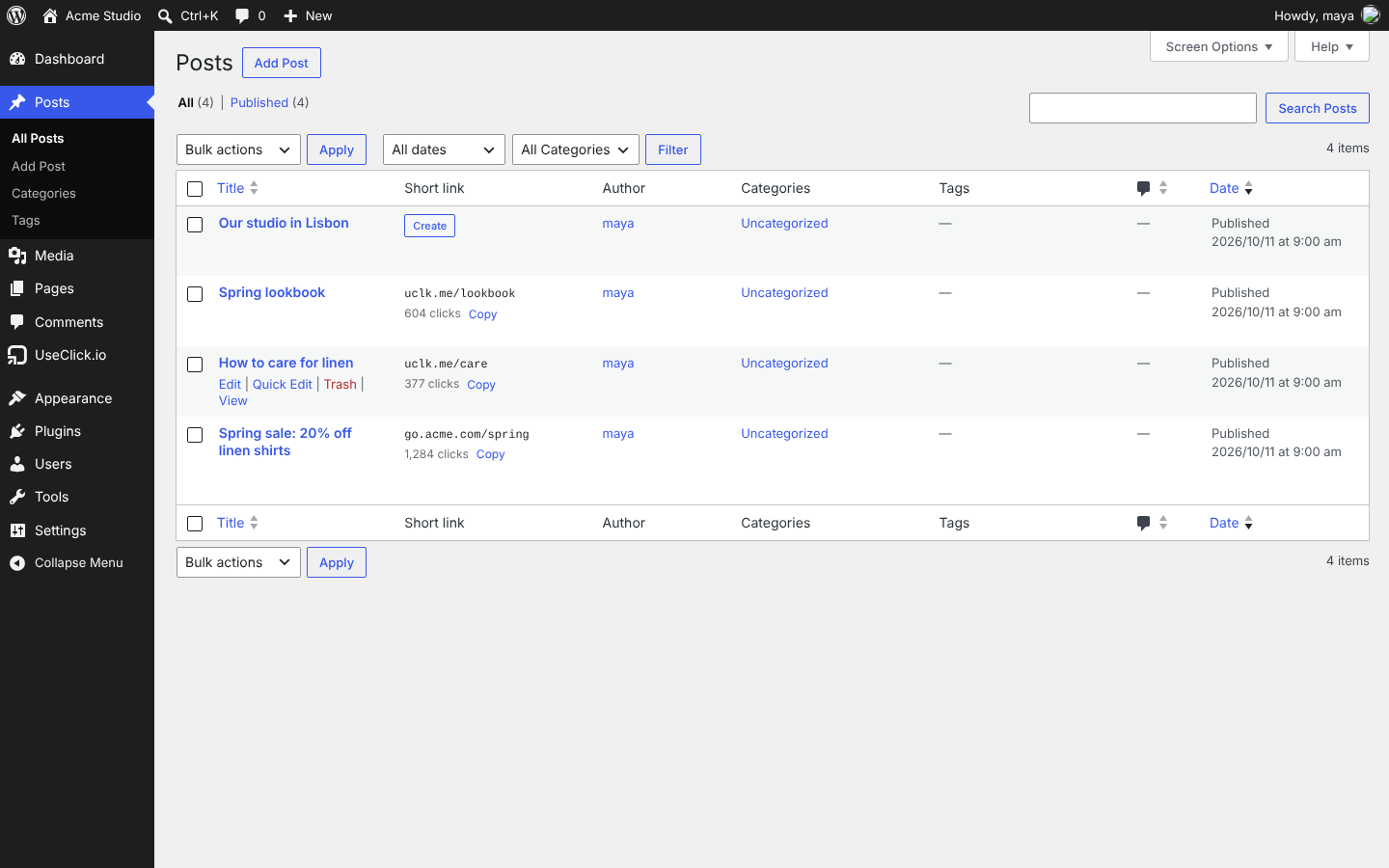
- A Short link box in the post editor and a Short link column in the post and page lists, with click counts.
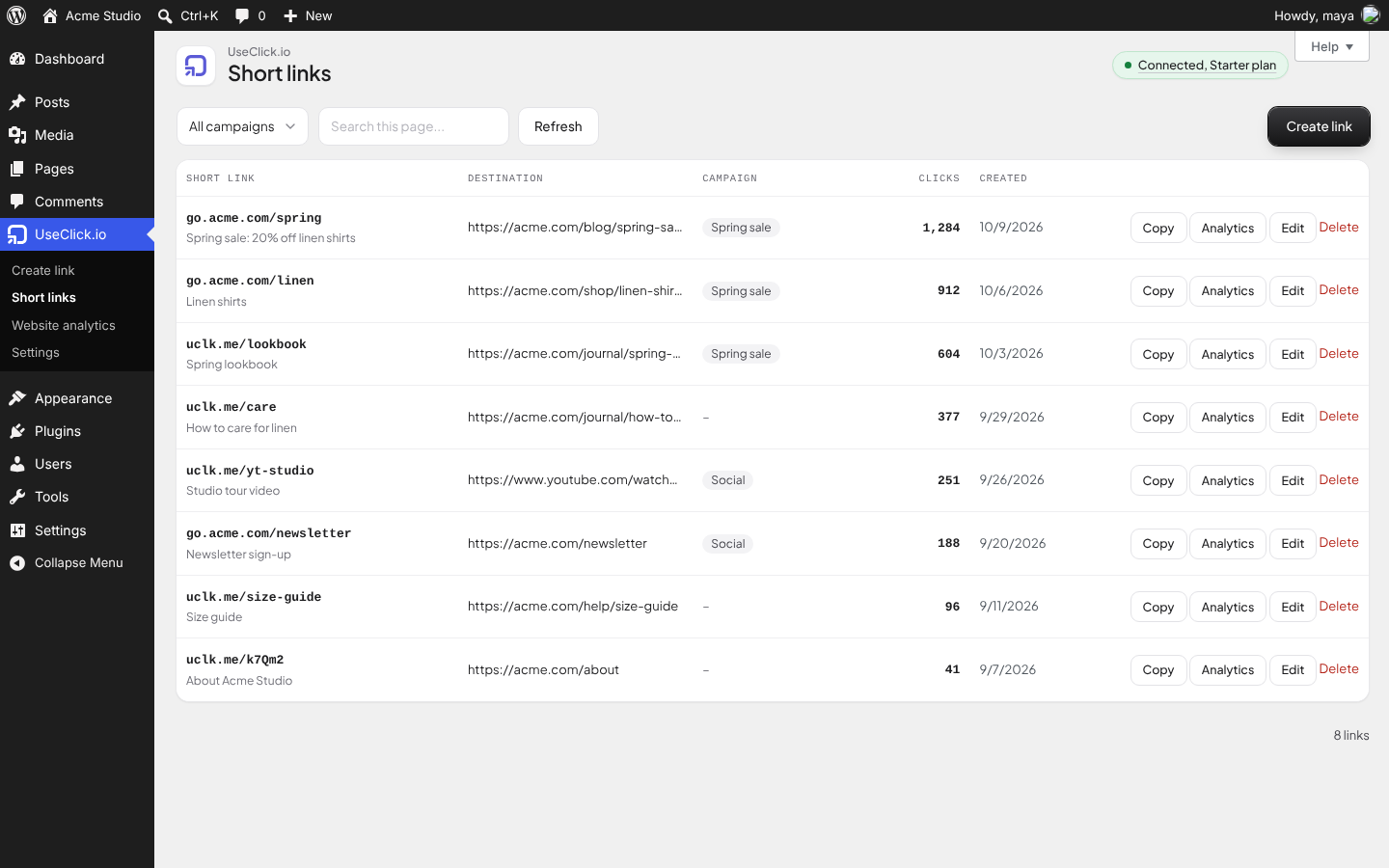
- A Short links screen with search, campaign filter, click counts, copy, edit and delete.
- Campaigns, UTM parameters and geo-targeting (send visitors from chosen countries to a different URL) on the Starter plan and above.
- Detailed click analytics (countries, devices, browsers, referrers) open in your UseClick.io dashboard.
- Pick one of your UseClick.io websites and switch tracking on. The plugin adds the UseClick.io tracker to the head of every public page.
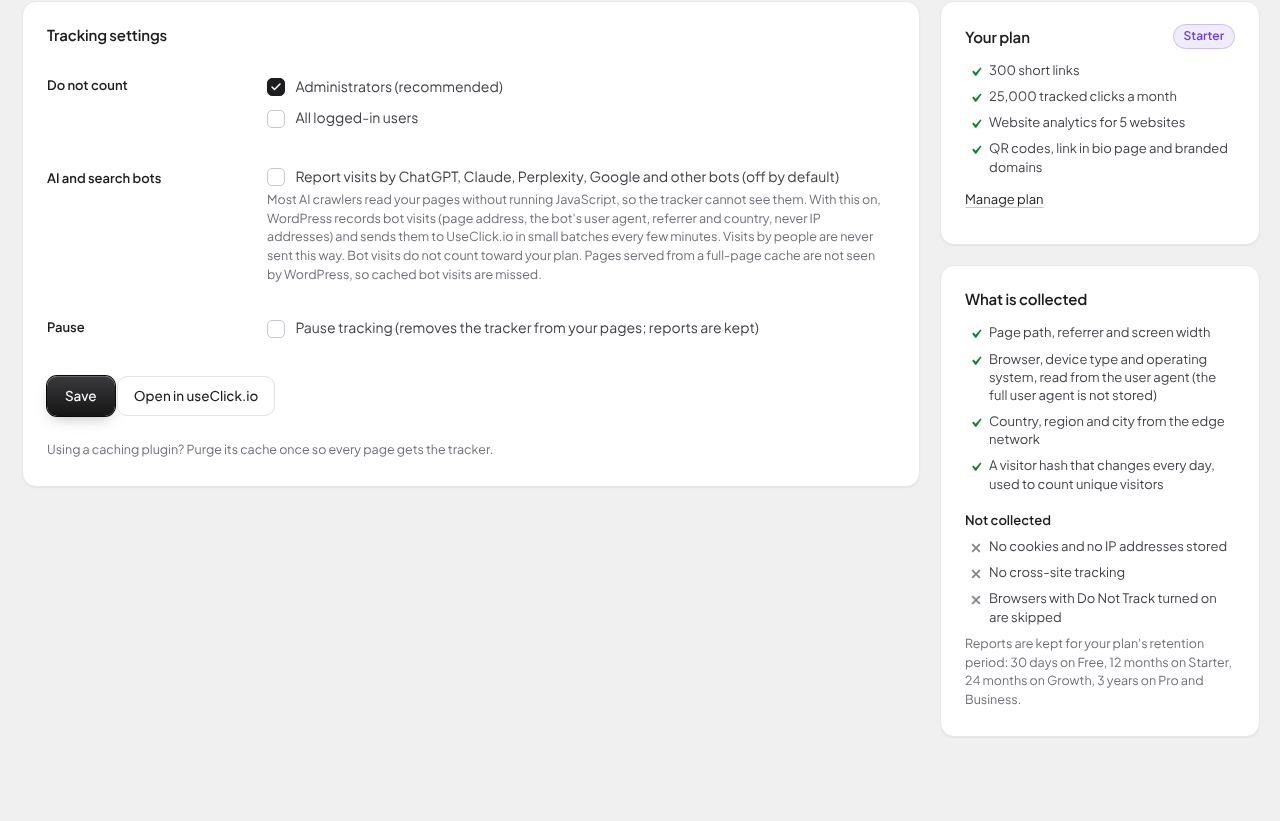
- No cookies. IP addresses are not stored. Browsers with Do Not Track turned on are skipped.
- Administrators are not counted by default; you can also skip all logged-in users.
- Free plan: one website as a 14-day trial. Starter and above: 5 to 100 websites.
- Optional, off by default: report visits by AI assistants and search bots (ChatGPT, Claude, Perplexity, Google) that never run JavaScript.
安装:
- Install and activate the plugin.
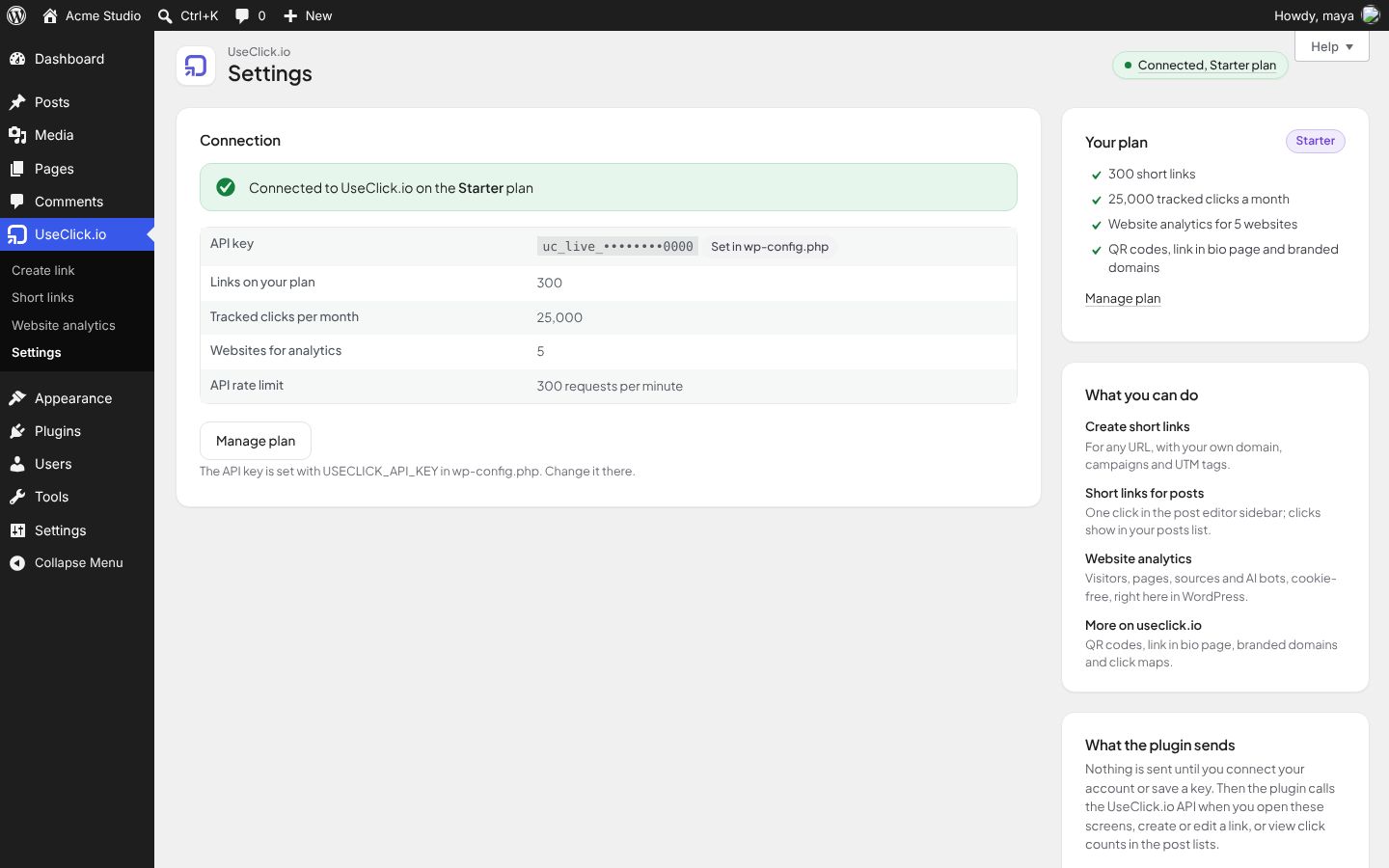
- Click "Connect with useClick.io" (in the notice on the Dashboard or under UseClick.io > Settings).
- Sign in on useclick.io, or create a free account (only an email address is needed), and click Connect. You come straight back to WordPress, connected. No key to copy: the plugin receives its own API key, named after your site, directly from UseClick.io.
- Create links under UseClick.io > Create link, or from the Short link panel when you edit a post.
- Website analytics starts by itself when you connect: the plugin adds this site's domain to your UseClick.io account (or uses the website you already have for it), adds the cookie-free tracker, and shows the reports under UseClick.io > Website analytics.
屏幕截图:

常见问题:
Do I need a UseClick.io account?
Yes. The plugin connects to your UseClick.io account with an API key. The free plan includes 10 links and 1,000 tracked clicks per month.
Do I need an API key?
No. Click "Connect with useClick.io", sign in or sign up, and confirm: the plugin gets its own key automatically. If you prefer, create a key under Account > API keys in your UseClick.io dashboard and paste it under UseClick.io > Settings > "Or paste an API key". The full guide is at https://useclick.io/docs/wordpress-plugin.
Which features need a paid plan?
Campaigns, UTM parameters, geo-targeting and changing a link's destination after it is created need the Starter plan or above. Website analytics is included on Free as a 14-day trial for one website (visits are recorded for 7 more days after the trial), and on Starter and above. The plugin marks these features when your plan does not include them.
Who can create short links?
The UseClick.io screens need the manage_options capability (administrators). The Short link box and column are available to users who can edit other people's posts (editors and administrators), for posts they can edit. Developers can change both with the useclick_capability and useclick_post_link_capability filters.
Does the tracker set cookies?
No. Unique visitors are counted with a hash that changes every day, and IP addresses are not stored. Whether your site needs a consent banner depends on everything else it loads, so check with your own legal advice.
Does the tracker count me while I test?
Not while you are logged in as an administrator, unless you untick "Administrators" under Do not count.
Can I use my own domain for short links?
Yes. Add a branded domain in your UseClick.io dashboard. It then appears in the domain list when you create a link.
What happens to my links if I remove the plugin?
Your links keep working; they live in your UseClick.io account. Deleting the plugin removes its settings and the short links saved on your posts from the WordPress database.
Can I point the plugin at a different server?
For testing, define USECLICK_API_BASE_URL in wp-config.php or use the useclick_api_base_url filter. The tracker URL can be changed with USECLICK_TRACKER_URL or the useclick_tracker_url filter.
更新日志:
- New: Short link panel in the block editor sidebar (the classic Short link box stays for the Classic Editor).
- New: redesigned screens in the useClick.io look, while buttons and links follow your admin colour scheme.
- New: Free plan users can use the 14-day website analytics trial; the screen shows trial days left, the grace week and when tracking stops.
- Changed: the plugin's folder and text domain are now "useclick". If you installed an earlier version from a zip file, deactivate and delete the old copy after installing this one; your settings are kept.
- New: Connect with useClick.io: sign in or create a free account on useclick.io, confirm, and come back connected. No API key to copy. A setup notice on the Dashboard and Plugins screens points new installs to it until the site is connected (dismissible).
- New: the plugin screens use the useClick.io dashboard look (fields, buttons, type). A Your plan card shows what your plan includes, the 14-day website analytics trial on Free and what Starter adds, with an upgrade button. A What you can do card lists the features.
- Fix: the plan badges next to Campaign, UTM parameters and Geo-targeting were empty; they now read Starter+.
- New: website analytics starts automatically when you connect, and the reports (visitors, pages, sources, countries, devices, AI bots) are shown right in wp-admin under UseClick.io > Website analytics.
- New: website analytics in one click: Start tracking adds this site's domain to your UseClick.io account (or finds the existing website for it) and switches the tracker on. No need to add the site in the dashboard first.
- Fix: unticking "Administrators" under Do not count did not save on a fresh install.
- New: step-by-step help for getting an API key on the Settings screen, a Help tab on every UseClick.io screen, and links to the setup guide at useclick.io/docs/wordpress-plugin.
- New: Site Health check for the connection, a UseClick.io section in Site Health > Info, and suggested text for your privacy policy.
- New: set the API key in wp-config.php with define( 'USECLICK_API_KEY', '...' ) to keep it out of the database.
- Changed: reporting bot visits is now opt-in and off by default. If it was on in 1.4.0, it is switched off by this update until you turn it on again.
- Changed: bot visits are recorded only for bot user agents and sent in batches every few minutes by WP-Cron, instead of one request per visit; the bot list is refreshed daily in the background, never during a visitor's request.
- Changed: the tracker is loaded with the WordPress defer strategy (requires WordPress 6.5 or newer).
- Fix: click counts in the post lists for posts whose short link is older than the 100 newest links.
- Fix: admin screens no longer wait for a slow connection: failures are remembered for a minute and reads time out sooner.
- Accessibility: the edit dialog keeps focus inside, copy actions are announced to screen readers, and links that open a new tab say so.
- New: see which AI assistants and bots read your site. WordPress reports visits by ChatGPT, Claude, Perplexity, Google and other bots to UseClick.io (most of them never run the JavaScript tracker). One background request per bot visit, never for people, no IP addresses. On by default; switch it off under Website analytics.
- New: Short link box in the post editor and Short link column (with click counts) in post and page lists.
- New: settings show the connected plan, limits and rate limit; the key is checked before it is saved and can be disconnected.
- New: errors from the API name the plan a feature needs and link to pricing; rate limit errors say how long to wait.
- Fix: geo-targeting rules were lost when a link was created from WordPress.
- Fix: quotes and apostrophes in campaigns and UTM values were saved with backslashes.
- Fix: editing a link sends only the fields you changed, so unchanged values never trigger a plan check.
- Fix: Free plan users see that the destination cannot be changed instead of an error.
- The tracker is now added with wp_enqueue_script, and skipped in previews and the Customizer.
- The API key is no longer printed into admin pages or passed to JavaScript.
- Security: all output escaped, all input unslashed and sanitized, nonces and capability checks on every action.
- Text domain changed to useclick-link-shortener to match the plugin slug.
- UTM parameters can be edited after a link is created.
- Short links display and copy with the correct domain (branded or built-in).
- Plan-aware interface and account summary.
- Uninstall cleanup.
- Website analytics module.
- Initial release.