
UseMinted Analytics for WooCommerce
| 开发者 | useminted |
|---|---|
| 更新时间 | 2026年9月30日 23:10 |
| PHP版本: | 7.4 及以上 |
| WordPress版本: | 7.1 |
| 版权: | GPLv2 or later |
| 版权网址: | 版权信息 |
详情介绍:
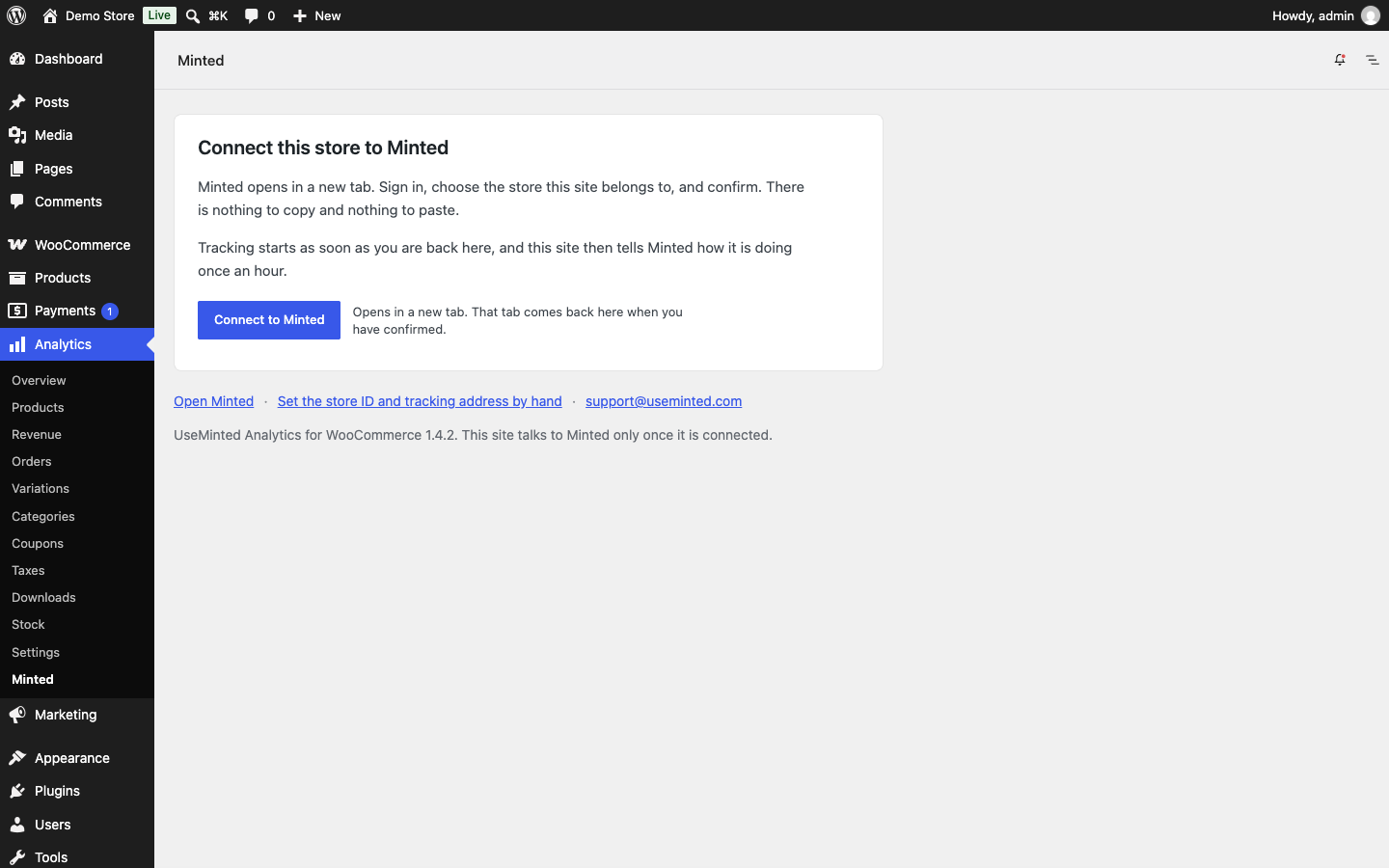
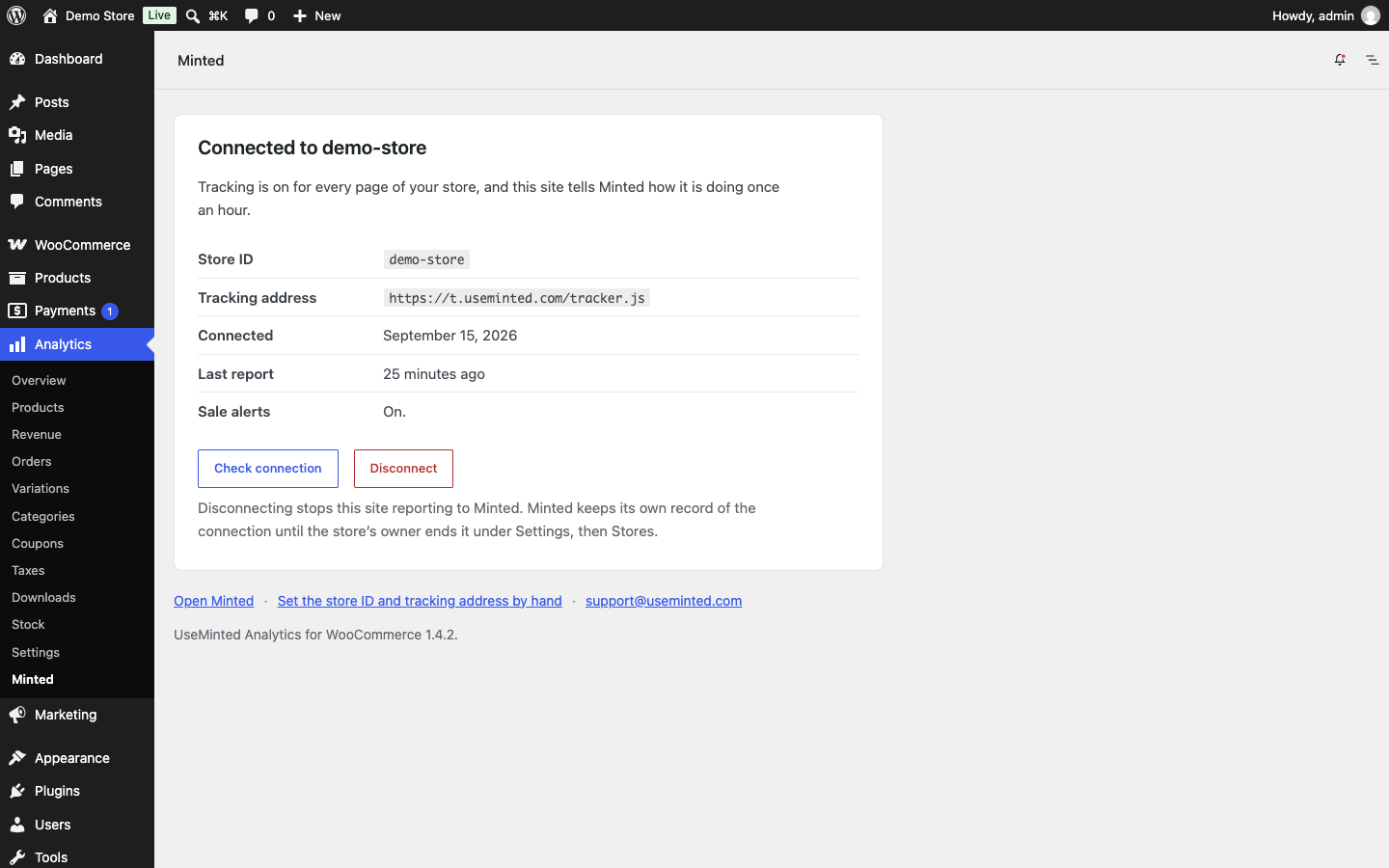
- Connects your store to Minted from WordPress. Go to Analytics → Minted and select Connect to Minted. Sign in, choose the store this site belongs to, and confirm. Nothing to copy or paste, and no keys or secrets in the plugin file.
- Adds the Minted tracking script automatically. No theme editing and no code snippets.
- Keeps returning visitors recognised. Some browsers limit how long a script-set identifier lasts, so returning visitors are counted as new. The plugin sets the identifier from your own site's server instead, so a visitor who returns weeks later is still the same visitor.
- Makes sure Minted hears about every order change. Orders reach Minted through WooCommerce's own webhooks. Some stores filter those webhooks so that email tools only see paid orders; that also hides cancellations, holds and refunds from Minted. The plugin delivers Minted's own order webhooks whatever those filters decide. Every other integration still receives only what your filters allow, and checkout drafts are never sent.
- Reports how the store is doing, once an hour. Plugin version, WordPress version, WooCommerce version, your site address, and whether Minted's order webhook is in place. Nothing else. A copy that is not connected sends no report at all.
- Cookies. The plugin stores two cookies in the visitor's browser: a random visitor identifier, and the time it was last set. Neither holds a name or contact details. The identifier is what lets Minted recognise a returning visitor.
- Activity on your store. The Minted tracking script records the pages each visitor views, searches on the store, products viewed, cart and checkout activity, and where the visit came from, including the ad or link that brought it.
- Email addresses. The tracking script records email addresses that visitors type into email fields on your store, including at checkout, in account forms, and in newsletter and contact forms, as they are entered and before the form is sent. Minted uses them to link a visitor's earlier visits to the customer who later orders.
- IP address. Minted receives each visitor's IP address with every request, and uses it to estimate their location, to recognise a returning visitor whose cookie is gone, and to filter out automated traffic.
- Orders. Order details reach Minted through WooCommerce's order webhooks: the whole order as WooCommerce provides it, including the customer's name, email address, phone number, billing and shipping addresses, the items, totals, discounts and payment method, any note the customer left, and the IP address and browser WooCommerce recorded with the order.
- Endpoints. The plugin adds two public API endpoints under
/wp-json/minted/v1/: one that sets the visitor identifier and one that reports the plugin's version information. Neither exposes user or customer data.
- Tracking script. Once the plugin is connected, every page of your store loads Minted's tracking script, either from
t.useminted.comor from your store's own tracking address,t.followed by your domain, once that is set up in Minted. It loads from no other address. The script sends the visitor identifier, page views, searches, product, cart and checkout activity, and email addresses typed into your store's email fields to Minted, as described under Data and privacy, so they appear in your Minted dashboard. - Orders. When your store is connected, Minted subscribes to your WooCommerce order webhooks, so each order and each later change to it is sent to
https://api.useminted.com/webhook/. That is the whole order as WooCommerce provides it, including the customer's contact details and addresses. This plugin's part is to make sure those webhooks are delivered even when other code on your site filters them; it does not send orders itself. - Connecting. When you select Connect to Minted, your browser opens
https://app.useminted.com/connect/wordpresswith your site address so Minted can show you which site you are connecting. When you confirm, your site sends your site address and the plugin version tohttps://api.useminted.com/plugin/connect/exchangeand receives a key that is kept on your site and never shown on screen. - Hourly report. Once an hour a connected store sends the information listed above to
https://api.useminted.com/plugin/status. - Daily status report. A store connected the older way, by entering a store ID and tracking address by hand, sends that information once a day to
https://api.useminted.com/plugin/healthinstead.
安装:
- In WordPress, go to Plugins → Add New Plugin, search for "UseMinted", and select Install Now, then Activate.
- Go to Analytics → Minted and select Connect to Minted. Sign in to Minted in the tab that opens (or create your account there), choose the store this site belongs to, and confirm. Tracking starts as soon as you are back in WordPress.
屏幕截图:
常见问题:
Do I need a Minted account?
Yes. The plugin connects your store to your Minted account, where the figures are shown. Create one at useminted.com; the first 14 days are free and no card is needed.
What does Minted cost?
Minted is a paid service after the free trial. Plans and current prices are at useminted.com/pricing. You can cancel at any time; the plugin stays installed and simply stops reporting once the store is disconnected.
Do I need to enter anything to connect?
No. Go to Analytics → Minted, select Connect to Minted, sign in, and confirm the store. Nothing is typed into WordPress and no keys or secrets are put in the plugin file.
Where is the plugin in my WordPress menu?
Under Analytics, beneath WooCommerce's own reports. A site without WooCommerce has no Analytics menu, so Minted has a top-level menu of its own there instead. Either way the page is also linked from Settings → UseMinted and from the Plugins screen.
Which ad platforms does it cover?
Google Ads and Meta Ads (Facebook and Instagram) connect to Minted directly for spend and campaigns. Any other source, including TikTok, Pinterest, email and organic search, is recorded from the click itself, so every order still shows where it came from.
Does it rely on the ad platforms' own tracking?
No. Visits, carts and orders are matched to each visitor on your own store, using your store's data. The ad platforms' reported figures are shown alongside for comparison.
What about iOS, Safari and ad blockers?
Three things, each on your own store. Safari caps cookies set by scripts at seven days; this plugin sets the visitor identifier from your site's server, which Safari allows to last for over a year, so returning visitors stay recognised. Ad blockers block third-party requests; Minted's script can load from a subdomain of your own shop instead, so far fewer visits are lost. And when a person has opted out of the platforms' tracking on iOS, Minted still reads the ad's click signature on your store, so the order is credited to the right campaign even though the platform never saw it.
What happens if I copy my site to a staging server?
The copy stops reporting to Minted and its Minted page says that this copy of the site is not connected. Your real store's figures are unaffected. If you have moved your store to a new web address for good, open the Minted page on the new site and connect again.
Where do I find my store ID and tracking address?
Both are shown in Minted under Settings → Stores. Copy them exactly as displayed. The tracking address is t.useminted.com, or your store's own tracking address (t. followed by your domain) once you have set up tracking on your own domain. The plugin accepts no other address.
Do I need to set up tracking on my own domain?
No. Returning visitors are recognised by a cookie this plugin sets from your own site, so that works whichever tracking address you use. Loading Minted from a subdomain of your own shop is optional: it makes ad blockers less likely to block the tracking code, so a few more visits are recorded. You can set it up at any time in Minted under Settings → Stores, and a connected store picks up the new address on its own.
Does the plugin slow my site down?
No. The tracking script loads with the defer attribute, so it does not block your pages from rendering. The identifier endpoint is called at most about once per visitor per month.
Do I need to change my caching settings?
No. When the plugin is activated, and whenever its settings change, it clears the page cache of common caching plugins and hosts (WP Rocket, W3 Total Cache, WP Super Cache, LiteSpeed Cache, SiteGround, WP Engine, Breeze, WP Fastest Cache, Nginx Helper, Hummingbird) so your pages include Minted straight away. It also tells those caches never to store the visitor identifier response.
Is it GDPR compliant?
Minted processes your visitors' and customers' data on your behalf, under your Minted account's terms and privacy policy, linked above. The plugin's two cookies hold no name or contact details. The tracking script does record email addresses typed into your store's email fields, and orders reach Minted with the customer's details, as described under Data and privacy, so include Minted in your privacy notice. Whether your site needs consent for analytics cookies and tracking depends on your jurisdiction.
Does the plugin change what my other integrations receive?
No. It only acts on the webhooks whose delivery address is Minted's (https://api.useminted.com/webhook/...). Any filter you use for other tools keeps working exactly as before. To let your filters decide for Minted's webhooks too, a developer can add add_filter( 'minted_analytics_guarantee_order_webhooks', '__return_false' );.
What happens when I uninstall the plugin?
The plugin's settings, its delivery count and its scheduled reports are removed. Tracking stops. Visitor cookies remain in visitors' browsers and expire on their own. Your Minted account and its history are unaffected.
更新日志:
- The tracking code loads only from Minted's address or your store's own tracking address.
- The data and privacy section describes everything Minted collects, including email addresses entered on the store and the order details sent by WooCommerce.
- A tracking address entered under Settings → UseMinted is saved.
- More time to finish connecting, so a Minted account can be created on the way.
- A clearer message when a connection has to be started again.
- First release on WordPress.org.