
Utility for GeneratePress
| 开发者 | wpids |
|---|---|
| 更新时间 | 2026年11月10日 11:15 |
| PHP版本: | 7.4 及以上 |
| WordPress版本: | 7.1 |
| 版权: | GPLv2 or later |
| 版权网址: | 版权信息 |
详情介绍:
2.8.0+) in sync without duplicate setup:
- Two-Way GP Global Colors ↔ Design Tokens Sync: Saving the GeneratePress Customizer automatically creates and updates matching color Design Tokens under the
GeneratePresscategory in GenerateBlocks Pro. Updating those token values in the GenerateBlocks Design Tokens panel syncs changes right back to your GeneratePress Global Colors. - Color Shades & Variants Token Sync: Automatically exposes all generated Color Shades, tints (
10–90), and color harmony tokens from Color Management under theVariantscategory in GenerateBlocks Design Tokens. - Fluid Typography Token Sync: Automatically registers your
--utilfoge-step-*clamp()scale asunitDesign Tokens scoped tofontSizeunder theFluid Typographycategory for one-click selection inside GenerateBlocks typography controls. - One-Click "Sync Now" & Safe Checksum Architecture: Trigger a manual sync anytime from Appearance > Utility. Built on GenerateBlocks Pro's native
:rootchecksum validation and snapshot history — user-created tokens are never overwritten or deleted. - Gutenberg Editor CSS Sync: Automatically enqueues your active Child Theme stylesheet and Customizer Additional CSS inside the Gutenberg block editor for a true WYSIWYG editing experience (works with or without GenerateBlocks Pro).
- Automatic Color Shades & Tints (
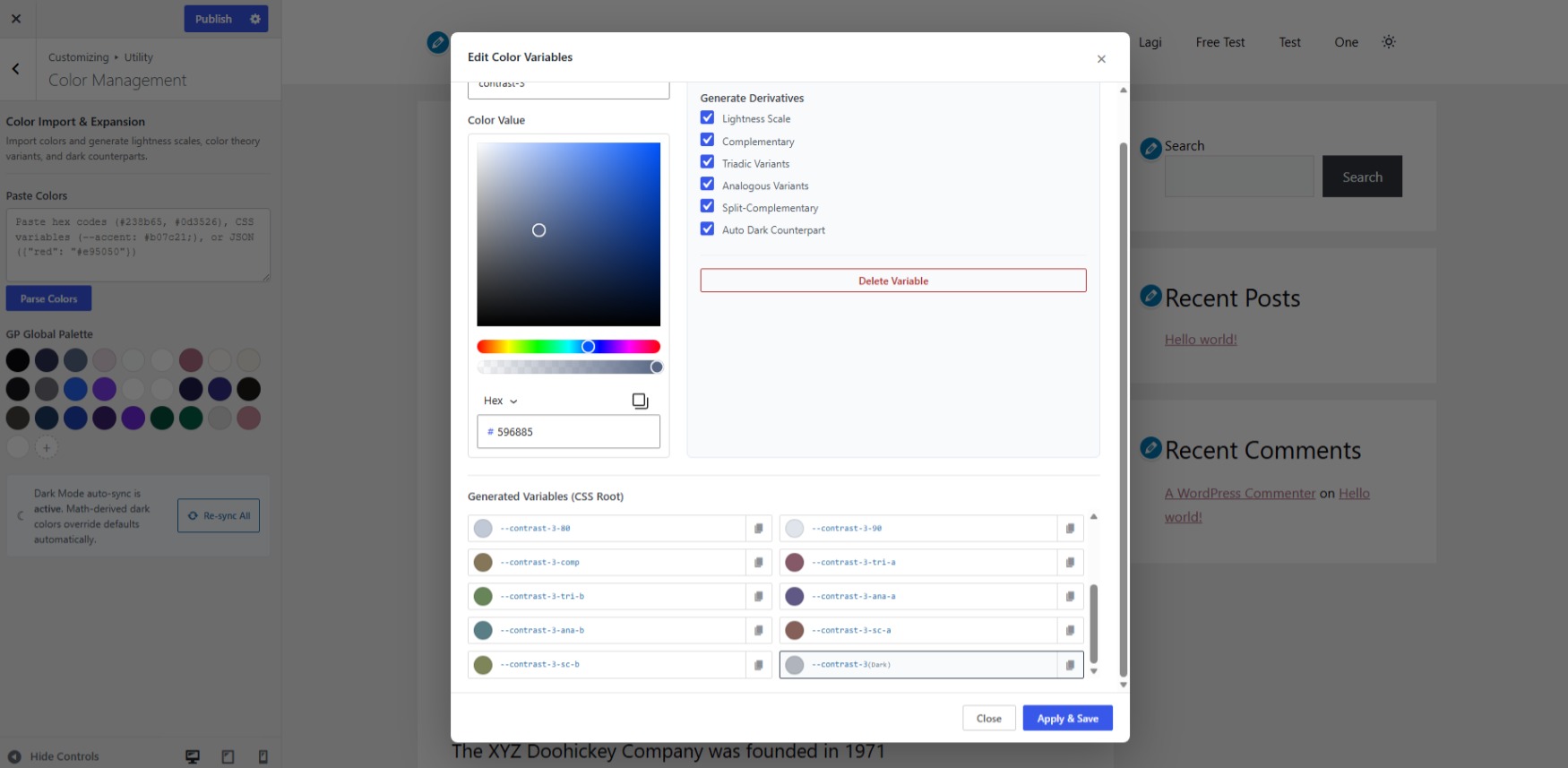
10–90): Generate full 9-step lightness scales (--slug-10through--slug-90) from any base color in your palette. - Mathematical Color Harmonies: Generate Complementary, Triadic, Analogous, and Split-Complementary color variables with one click.
- Bulk CSS Variable Import: Paste any
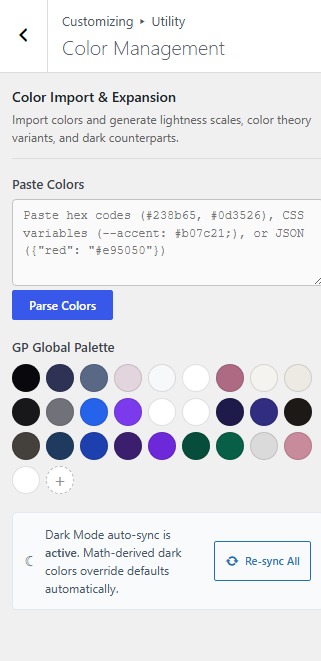
:rootCSS block to parse, map, and import colors straight into GeneratePress Global Colors and Design Tokens.
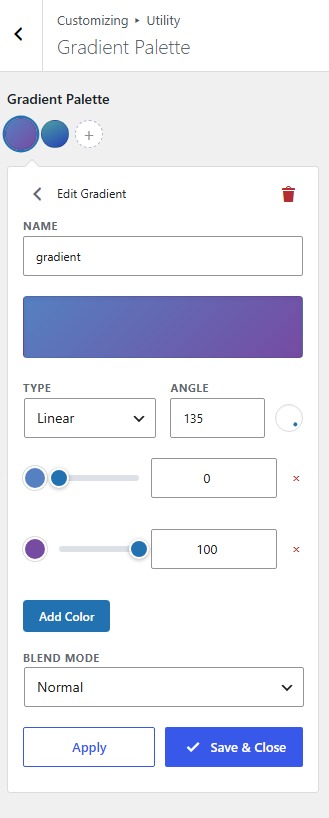
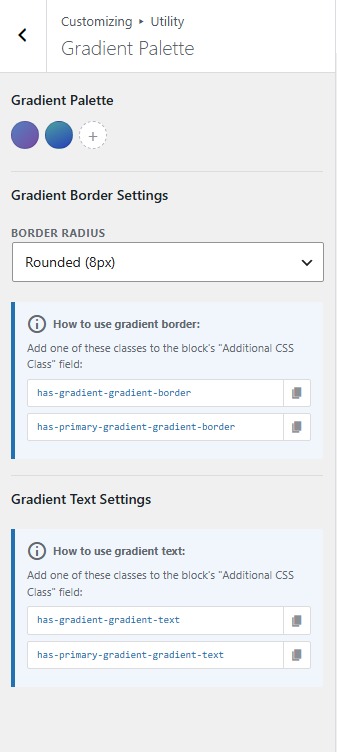
- Visual Drag-and-Drop Gradient Palette Builder: Create linear and radial CSS gradients using the native WordPress React ColorPicker with full alpha transparency support.
- Native Gutenberg & theme.json Integration: Automatically injects custom gradients as native WordPress presets (
--wp--preset--gradient--*) plus.has-{slug}-gradient-textand.has-{slug}-gradient-borderutility classes with dark mode variant support.
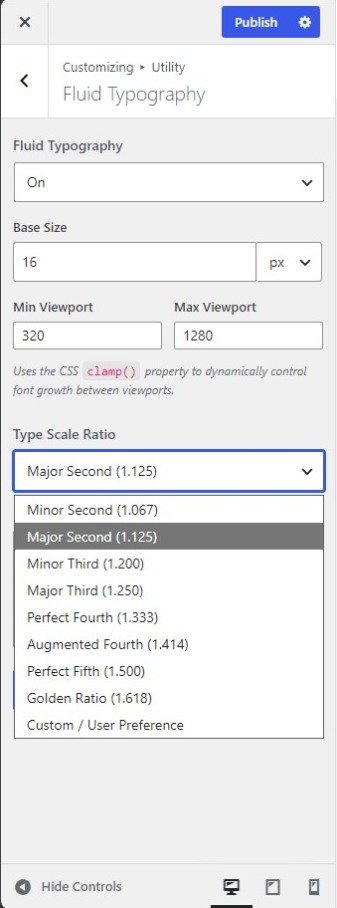
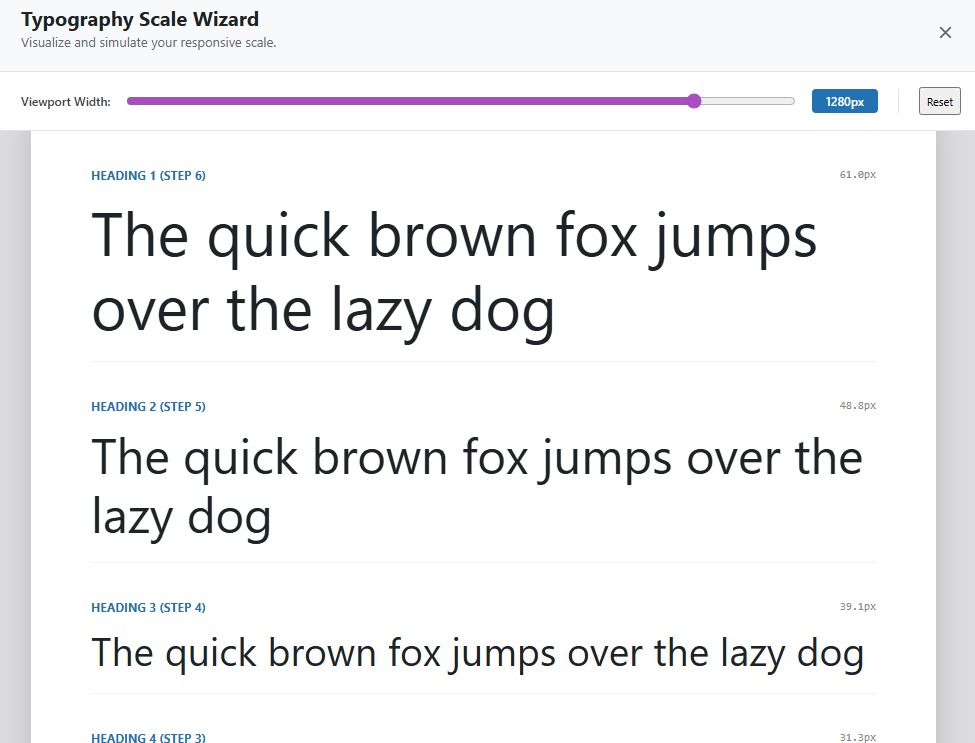
- Zero-Media-Query Fluid Typography: Automatically calculate responsive font sizes using CSS
clamp()based on your base size, min/max viewport widths, and modular scale ratios (Minor Third, Major Third, Perfect Fourth, Golden Ratio, or custom). - Automatic Heading & Token Mapping: Maps
--utilfoge-step--1through--utilfoge-step-8tobodyandh1–h6, and syncs them directly to GenerateBlocks Pro Design Tokens.
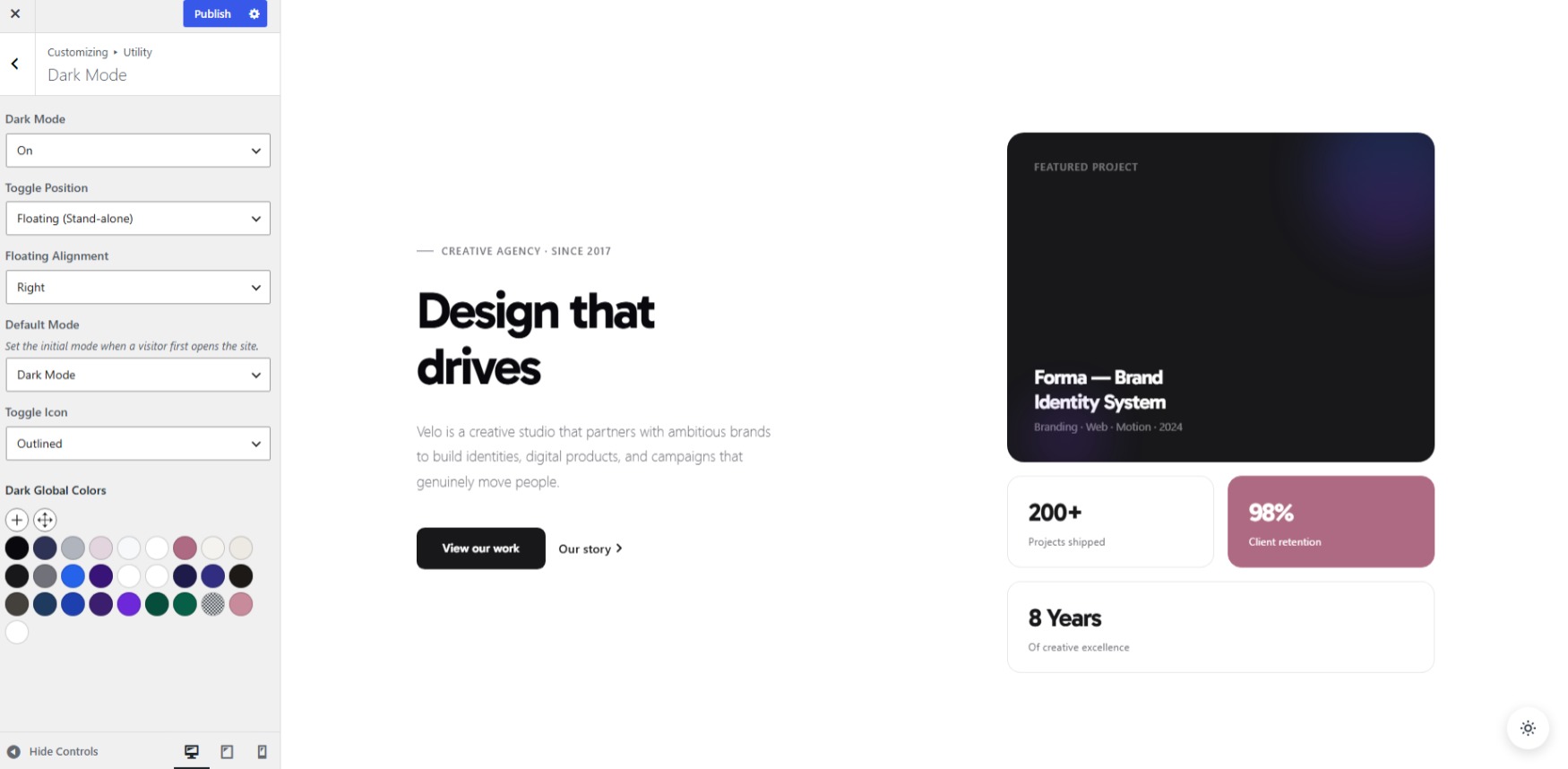
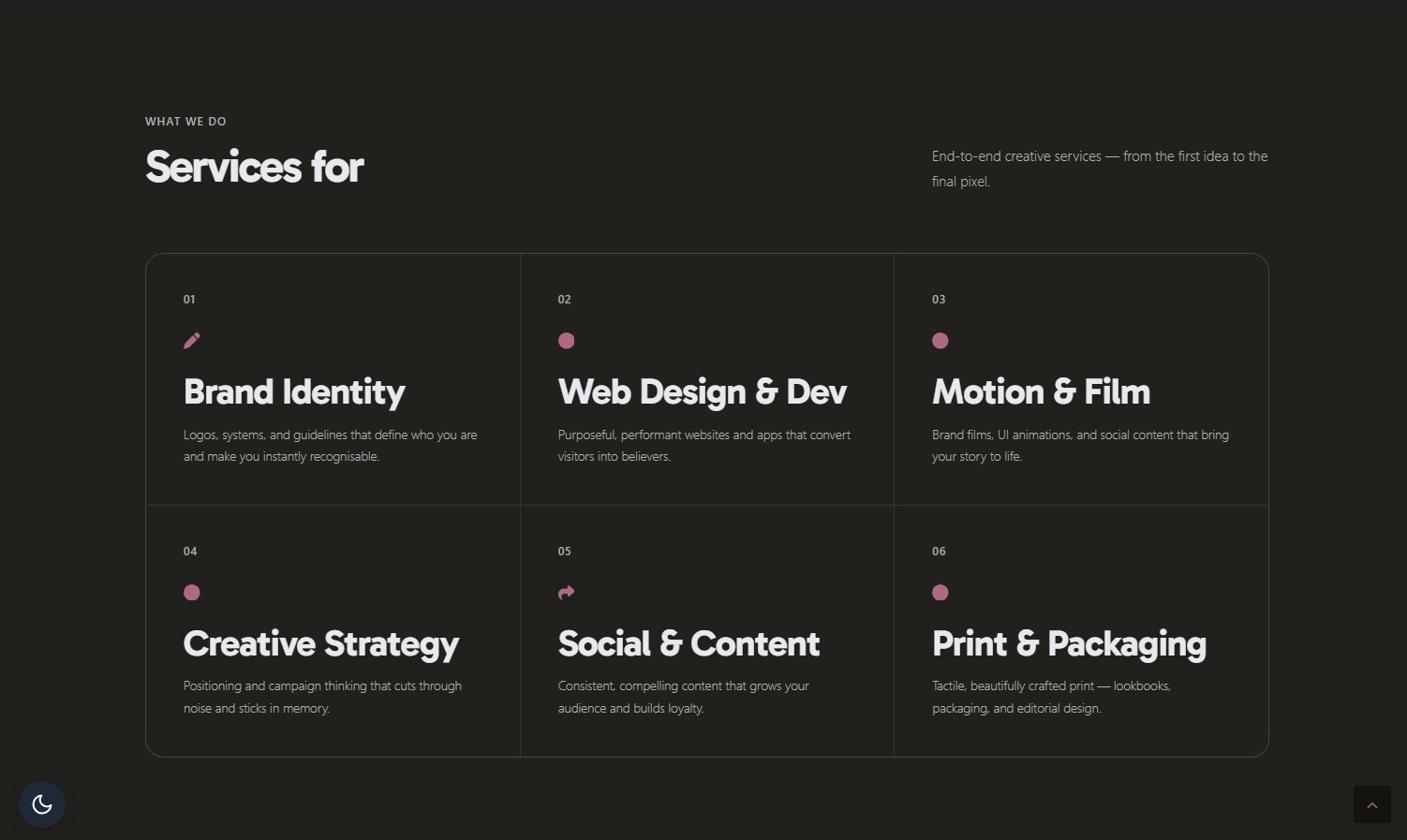
- Zero-Duplication CSS Variable Override: Overrides your existing GeneratePress Global Colors inside the
.darkscope so every block usingvar(--contrast),var(--base), or Design Tokens adapts to Dark Mode automatically. - HSL Contrast Boosting & Auto-Desaturation: Automatically calculates eye-friendly dark counterparts for your entire color palette.
- Dark Mode Logo Replacement: Dedicated Customizer controls for desktop, mobile header, and GP Premium sticky navigation dark mode logos with zero-FOUC early script execution.
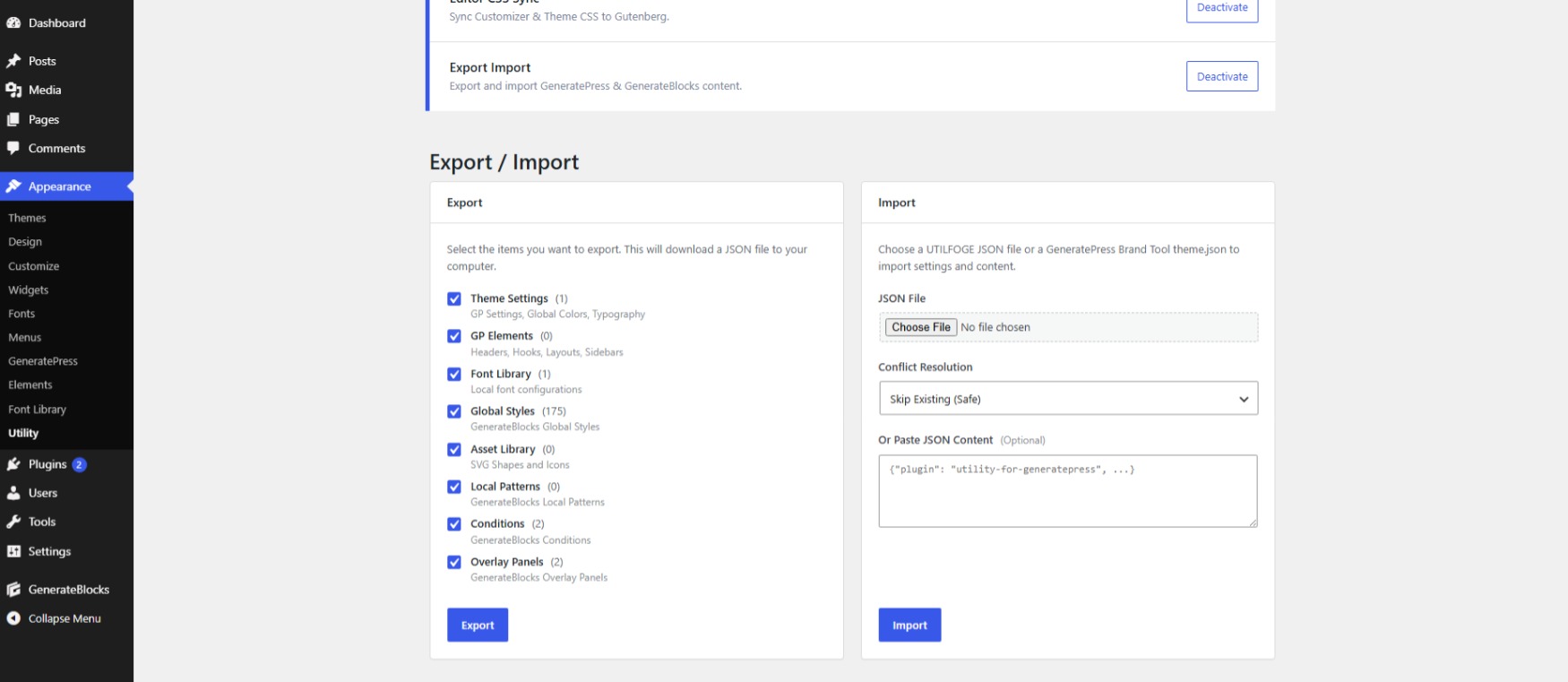
- GP Export & GP Import: Export and import GeneratePress theme settings, Global Colors, Typography, and customizer configurations.
- GP Elements Export/Import: Backup and migrate custom GeneratePress Elements (
gp_elements— Block, Header, Hook, and Layout Elements) across sites. - GenerateBlocks Export & GenerateBlocks Import: Migrate Global Styles, Design Tokens (
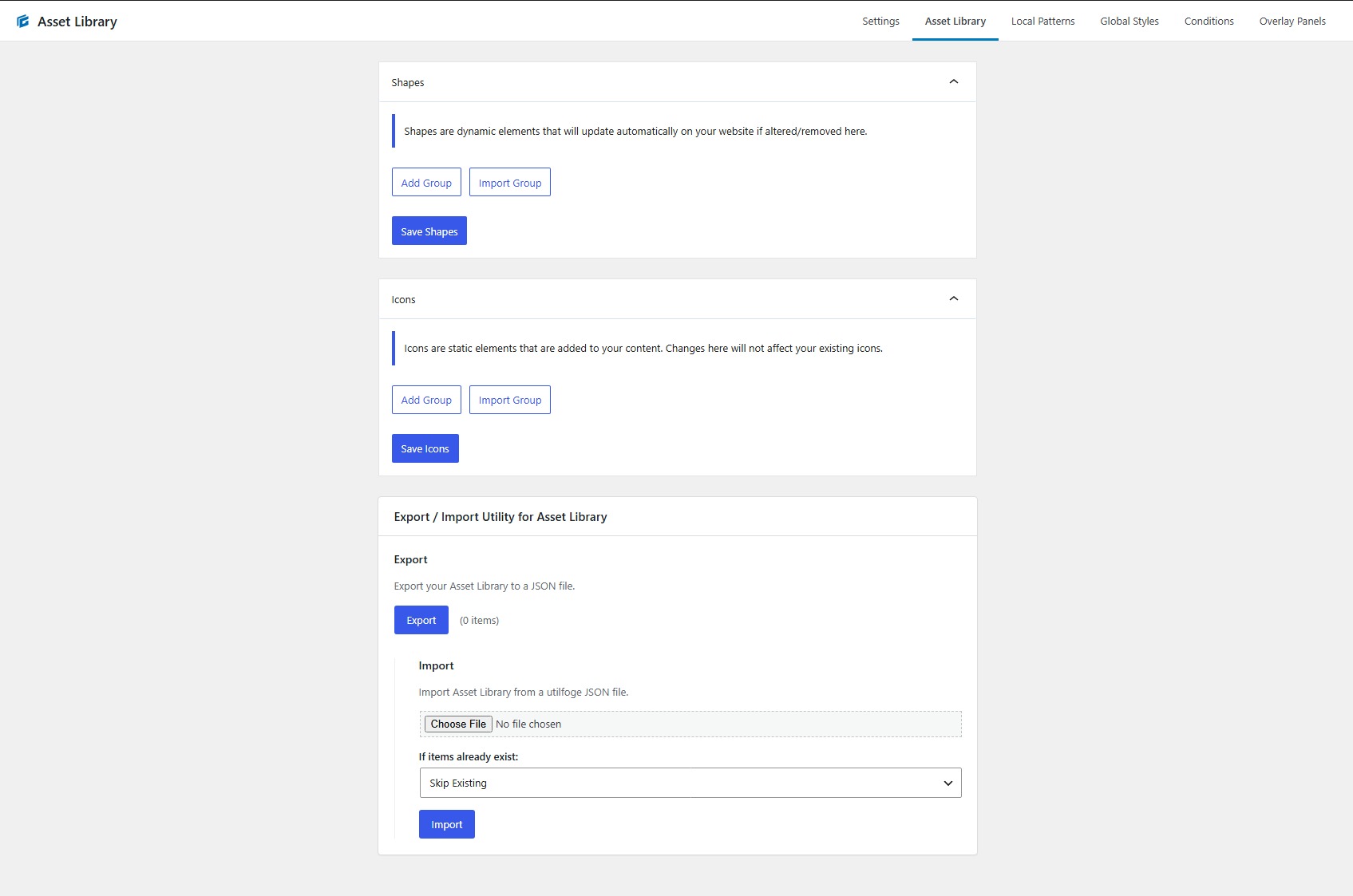
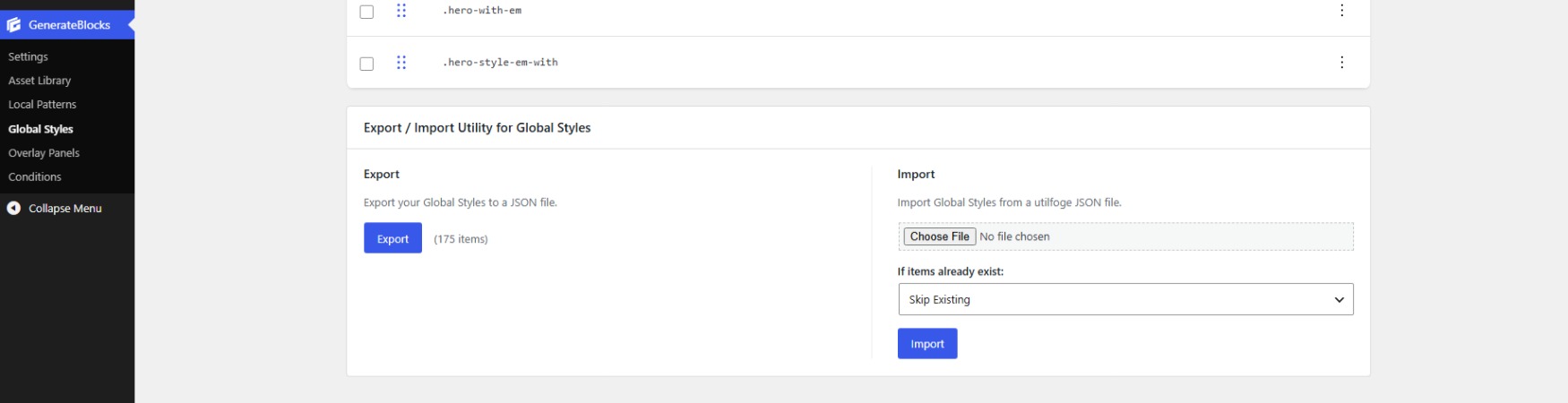
gb_style_tokens), Style Categories, Local Patterns, Asset Library SVGs & Icons, Overlay Panels, Display Conditions, Forms, and Editor Access Profiles with automatic CSS cache rebuilding. - GeneratePress Brand Tool
theme.jsonImport: Import palettes and typography directly fromtheme.jsonfiles.
安装:
- Upload the plugin files to the
/wp-content/plugins/utility-for-generatepressdirectory, or install the plugin through the WordPress Plugins screen directly. - Activate Utility for GeneratePress through the Plugins screen in WordPress.
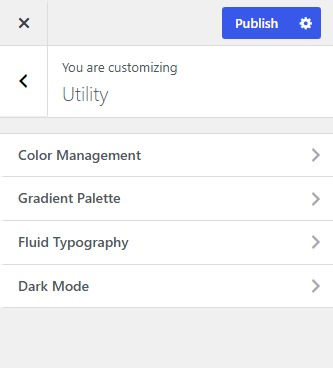
- Navigate to Appearance > Utility to toggle modules, run Customizer Sync, or use the GP / GenerateBlocks Export & Import tools.
屏幕截图:
常见问题:
How does Customizer Sync and Design Token Sync work with GenerateBlocks Pro?
When GenerateBlocks Pro 2.8.0+ is active, the Customizer Sync module connects the GeneratePress Customizer with GenerateBlocks Design Tokens. Your GeneratePress Global Colors sync two-way with the GeneratePress token category, while Color Shades / Variants (--slug-10 to --slug-90, harmonies) and Fluid Typography steps (--utilfoge-step-*) sync one-way into the Variants and Fluid Typography categories. If GenerateBlocks Pro is not installed, Customizer Sync continues to work as an Editor CSS Sync tool for Gutenberg.
Does this plugin require GeneratePress Premium or GenerateBlocks Pro?
No! It only requires the free GeneratePress theme. However, it deeply integrates with GP Premium (Elements, Sticky Navigation Dark Mode Logo) and GenerateBlocks / GenerateBlocks Pro (Design Tokens, Global Styles, Local Patterns, Forms, and Asset Library migration) when they are active.
How do Color Management and Color Shades work?
Inside the Customizer, the Color Management module lets you select any GeneratePress Global Color (or import :root CSS variables) and automatically generate 9-step Color Shades and tints (10 through 90), harmony variants, and dark mode counterparts. All generated variables are immediately available in Gutenberg and synced to GenerateBlocks Design Tokens.
Can I use this for GP Export, GP Import, and GP Elements Export/Import?
Yes! The built-in Export / Import module lets you perform a selective or full GP Export and GP Import — including GeneratePress theme settings, Global Colors, Fluid Typography, and GP Elements Export/Import (gp_elements) — in a single JSON file.
Does it support GenerateBlocks Export, GenerateBlocks Import, and Global Styles?
Yes! You can export and import GenerateBlocks Global Styles, Design Tokens, Style Categories, Local Patterns, SVG Shapes & Icons, Display Conditions, Overlay Panels, Forms, and Editor Access Profiles with automatic dynamic CSS cache regeneration on import.
How does the Dynamic Dark Mode work with Global Colors and Design Tokens?
Instead of creating separate dark classes for every block, our Dark Mode engine overrides your original CSS variables (--contrast, --base, --accent, etc.) inside the .dark selector. Any GeneratePress element or GenerateBlocks block styled with Global Colors or Design Tokens automatically switches to its dark counterpart with zero extra configuration.
How does the Gradient Palette builder integrate with Gutenberg?
The Gradient Palette module provides a drag-and-drop multi-stop gradient builder in the Customizer and automatically registers your presets into WordPress's native theme.json palette (--wp--preset--gradient--*) as well as .has-{slug}-gradient-text and .has-{slug}-gradient-border utility classes.
更新日志:
- Feature: New Customizer Sync module (evolves Editor CSS Sync). Syncs GeneratePress Global Colors two-way with GenerateBlocks Pro Design Tokens (2.8.0+), and exposes Color Management variants and Fluid Typography steps as tokens.
- Feature: Added manual 'Sync Now' action and live sync status feedback directly on the Utility dashboard card.
- Tweak: Expanded color token scope to include borderTopColor, borderRightColor, borderBottomColor, and borderLeftColor for complete GenerateBlocks Pro border color picker support.
- Tweak: Context-aware module hint displaying 'Sync customizer with design tokens.' when GenerateBlocks Pro is active, or a non-intrusive hint when it is not.
- Tweak: Repositioned 'Appearance > Utility' submenu directly above Theme Editor and below all GeneratePress / GP Premium items.
- Compliance: Achieved 100% clean pass on automated WordPress.org Plugin Check (synced Stable tag, standard English short description, removed redundant Tested up to from PHP header).
- Compatibility: Replaced deprecated ReactDOM.unmountComponentAtNode with createRoot() and root.unmount() for React 19 forward compatibility.
- Cleanup: Removed deprecated Elite dashboard navigation link and cleaned up legacy utilgp-* files.
- Docs: Comprehensive documentation and discovery overhaul for Design Tokens, Customizer Sync, Global Styles, and GP / GenerateBlocks Export & Import.
- Compatibility: Fully tested and certified compatible with WordPress 7.1.
- Compatibility: Added full Export/Import support for GenerateBlocks Pro 2.7.0 and 2.8.0, including Editor Access Profiles (
gb_access_profile), Control Sets (gb_access_set), Design Tokens (gb_style_tokens), and Style Categories. - Compatibility: Added GeneratePress Premium 2.5.6 sticky navigation logo dark mode support via
generate_sticky_navigation_logo_outputfilter. - Performance: Optimized SVG Asset Library import with
autoload = falseto eliminate autoload overhead. - Tweak: Raised minimum supported WordPress version to 6.7 following GenerateBlocks 2.5.0 core standards.
- Feature: Added Dark Mode Logo support (Desktop and mobile headers).
- Tweak: Changed default Dark Mode floating toggle position to Left.
- Feature: Added Export/Import support for GenerateBlocks Pro 2.6.1 Forms Custom Post Type (
gblocks_form) and form integrations option data.
- Stable Release: Consolidation of all major modules into a production-ready stable build.
- Feature: Added powerful Export/Import backup and migration module with native support for GenerateBlocks Pro settings, elements, global styles, and SVG libraries.
- Security: Backported strict radial gradient shape whitelisting and position regex validation to prevent any potential CSS injection.
- UI: Updated Settings Dashboard to inherit native '--wp-admin-theme-color' for a flawless WordPress integration.
- Fixed: Removed invisible UTF-8 BOM bytes that caused Customizer saving/publishing failures.
- Security: Implemented strict shape whitelisting (circle, ellipse) and regex-based position validation for radial gradients.
- Maintenance: Cleaned up legacy translation strings and finalized prefix migration to 'utilfoge_'.
- Initial release of the GeneratePress utility suite.