
UtilityKit
| 开发者 |
kaizencoders
mikeatkaizencoders |
|---|---|
| 更新时间 | 2026年8月24日 19:15 |
| PHP版本: | 7.4 及以上 |
| WordPress版本: | 7.1 |
| 版权: | GPL-3.0+ |
| 版权网址: | 版权信息 |
详情介绍:
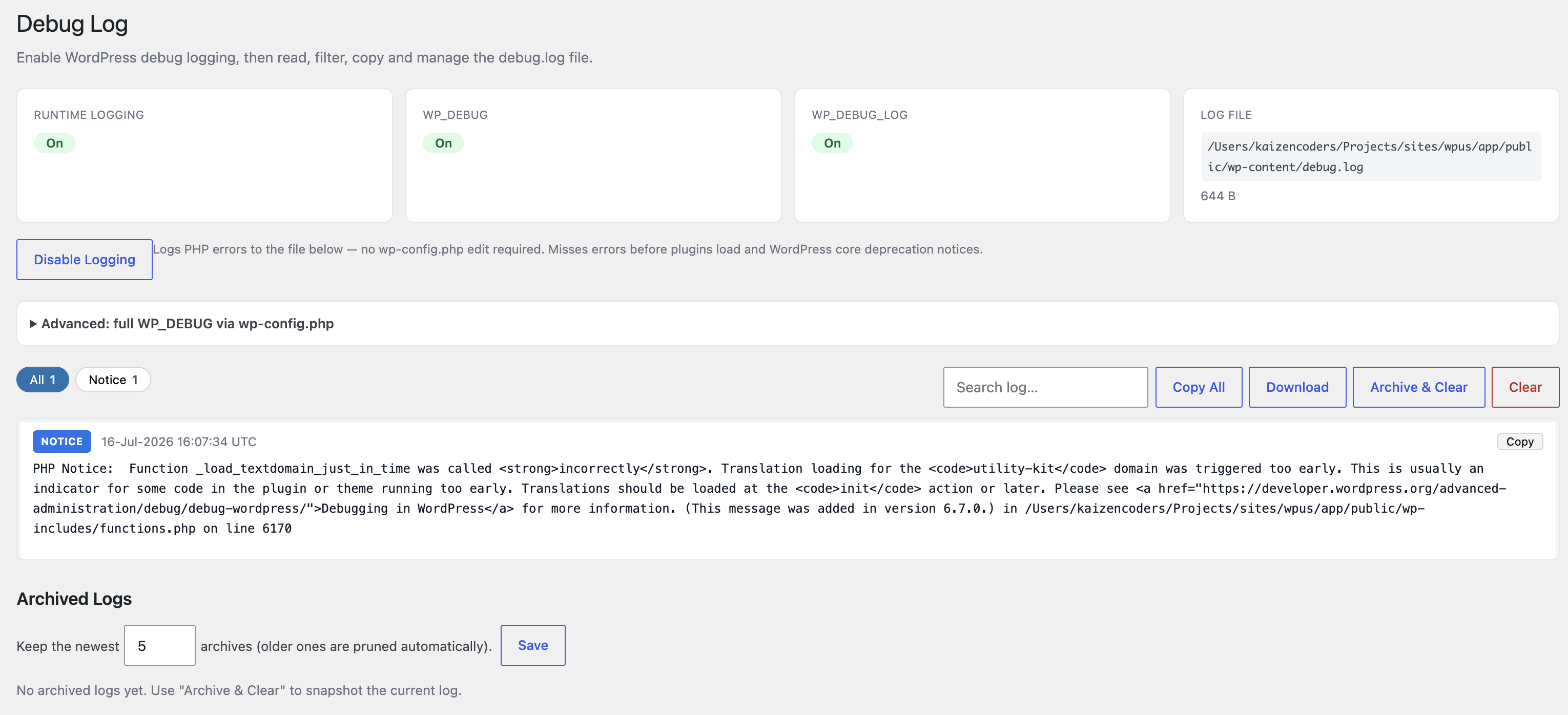
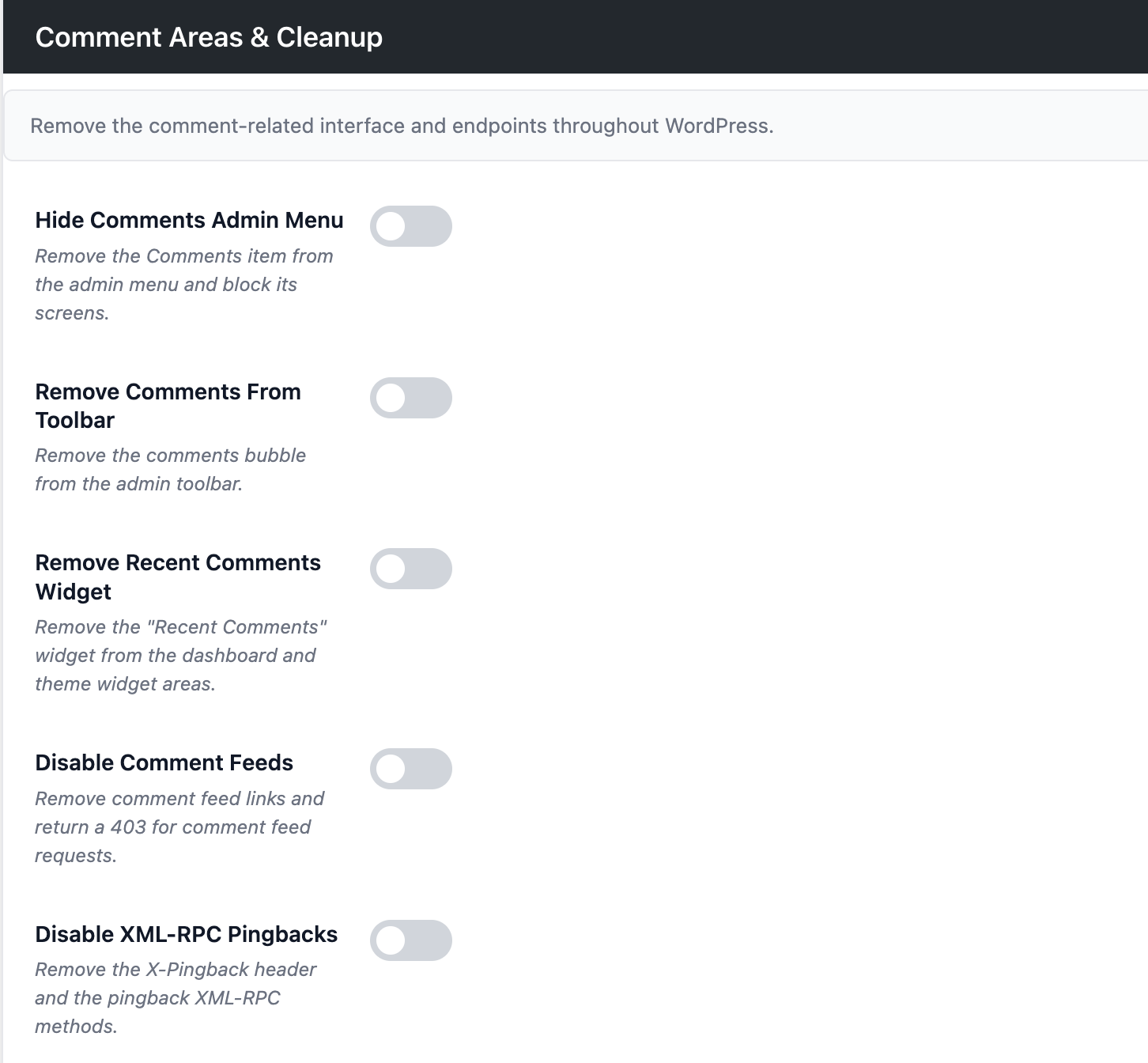
👉 Turn Comments Off Switch comments off across your whole site, or only for the types of content you choose — posts, pages, products, and so on. Existing comments stop showing, and new ones can't be left. 👉 Clear Away The Comment Clutter Once comments are off, the leftovers can go too: the Comments menu in your dashboard, the comments icon in the toolbar, the "Recent Comments" dashboard widget, comment feeds, and pingbacks. 👉 See What Went Wrong Turn on error logging with one click — no need to edit any files — then read the log right inside your dashboard. Errors are sorted into Fatal, Warning, Notice, Deprecated and Database, so you can spot the serious ones at a glance. 👉 Search, Filter And Copy Your Log Filter the log by error type or search it for a word or file name. Copy a single error to your clipboard to paste into a support ticket, or copy everything you're looking at at once. 👉 Keep Your Log Tidy Download the log, or archive it and start fresh so new errors are easy to spot. Older archives are cleaned up automatically — you decide how many to keep. 👉 Download Any Installed Plugin Every plugin on your Plugins page gets a Download link. Click it and you get a zip of that plugin, ready to install somewhere else. Handy when you need the same plugin on a test site and no longer have the original file. 👉 Download Any Installed Theme The same for themes. Hover a theme on your Themes page and click the download icon to get it as a zip. 👉 Hide The Admin Toolbar Hide the black toolbar while you're working in your dashboard, for a cleaner screen.GOOD TO KNOW
- Downloading a plugin or theme gives you a copy of it exactly as it is on your site, including any changes you've made to it.
- Only people who are allowed to install plugins and themes — normally administrators — can see the download links or use them.
- Downloads are for your own sites. Please check a plugin or theme's licence before passing it on to anyone else.
安装:
- Go to WordPress Dashboard. Locate Plugins -> Add New
- Search UtilityKit plugin using the search option
- Find the plugin and click Install Now button
- After installation, click on Activate Plugin link to activate the plugin.
- Download the plugin utility-kit.zip
- Go to WordPress Dashboard. Locate Plugins -> Add New
- Click on Upload Plugin link from the top
- Upload the downloaded utility-kit.zip file and click on Install Now
- After installation, click on Activate Plugin link to activate the plugin.
屏幕截图:
常见问题:
How do I turn comments off?
Go to UtilityKit -> Settings and open the Comments tab. Switch on "Disable Everywhere" to turn comments off across the whole site, or leave that off and pick just the types of content you want them gone from.
Will turning comments off delete the comments I already have?
No. Your existing comments stay in the database — they just stop being shown, and nobody can leave new ones. If you switch comments back on, everything reappears.
Do I have to edit wp-config.php to see my error log?
No. Go to UtilityKit -> Debug and click Enable Logging. That covers most problems. If you need to catch errors that happen very early on, before the plugins load, there's an advanced option that sets things up in wp-config.php for you.
Where do I find the Download link for a plugin?
On your Plugins page, next to the usual Activate and Delete links for each plugin.
Where do I find the Download button for a theme?
On your Themes page, hover over a theme and click the download icon, or open a theme's details and use the download button there.
Can I download a theme's parent theme too?
The download gives you just the theme you clicked. If it's a child theme, download its parent separately from the same page.
Who can download plugins and themes?
Only users who are already allowed to install them, which normally means administrators.
Does hiding the admin toolbar hide it on my live site too?
No. This only hides the toolbar while you're in your dashboard. Visitors to your site are not affected.
更新日志:
- Update: WordPress 7.1 compatibility.
- New: Download any installed plugin as a zip from the Plugins page.
- New: Download any installed theme as a zip from the Themes page.
- Fix: Removed duplicate Hide Admin Bar options from the settings page.
- Update: Banner image.
- New: Disable Comments on every pages.
- New: Added Debug mode on/off option.
- Compatibility: Tested up to WordPress 7.0.
- Update: Readme.txt file.
- Fix: Make required changes.
- Update: Make required changes in readme.txt file.
- Initial Release