
UTM Tracker for Gravity Forms
| 开发者 | auxanoglobalservices14 |
|---|---|
| 更新时间 | 2026年10月19日 14:33 |
| PHP版本: | 7.4 及以上 |
| WordPress版本: | 7.1 |
| 版权: | GPLv2 or later |
| 版权网址: | 版权信息 |
详情介绍:
- Install the plugin and run the Get Started wizard. Pick a form and the values you want to capture.
- The hidden fields are added for you. No code, and no parameter names to copy by hand.
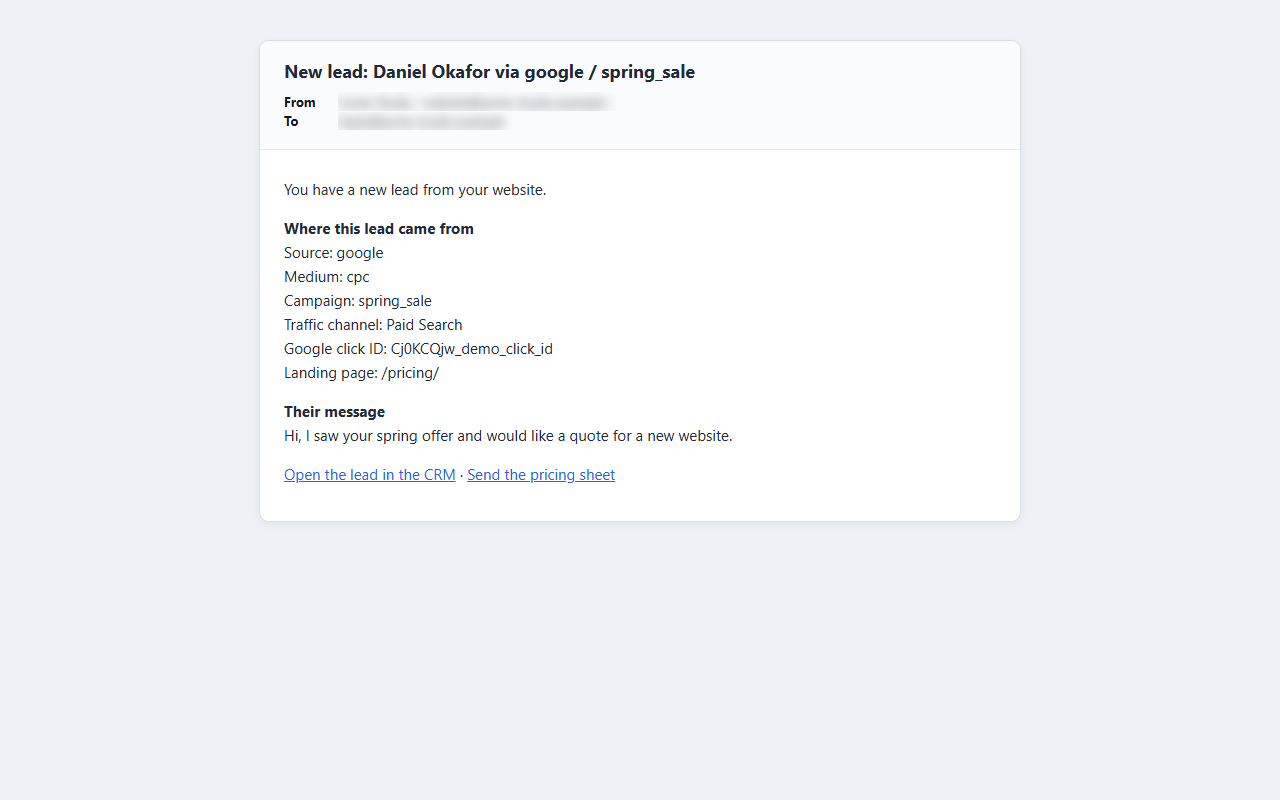
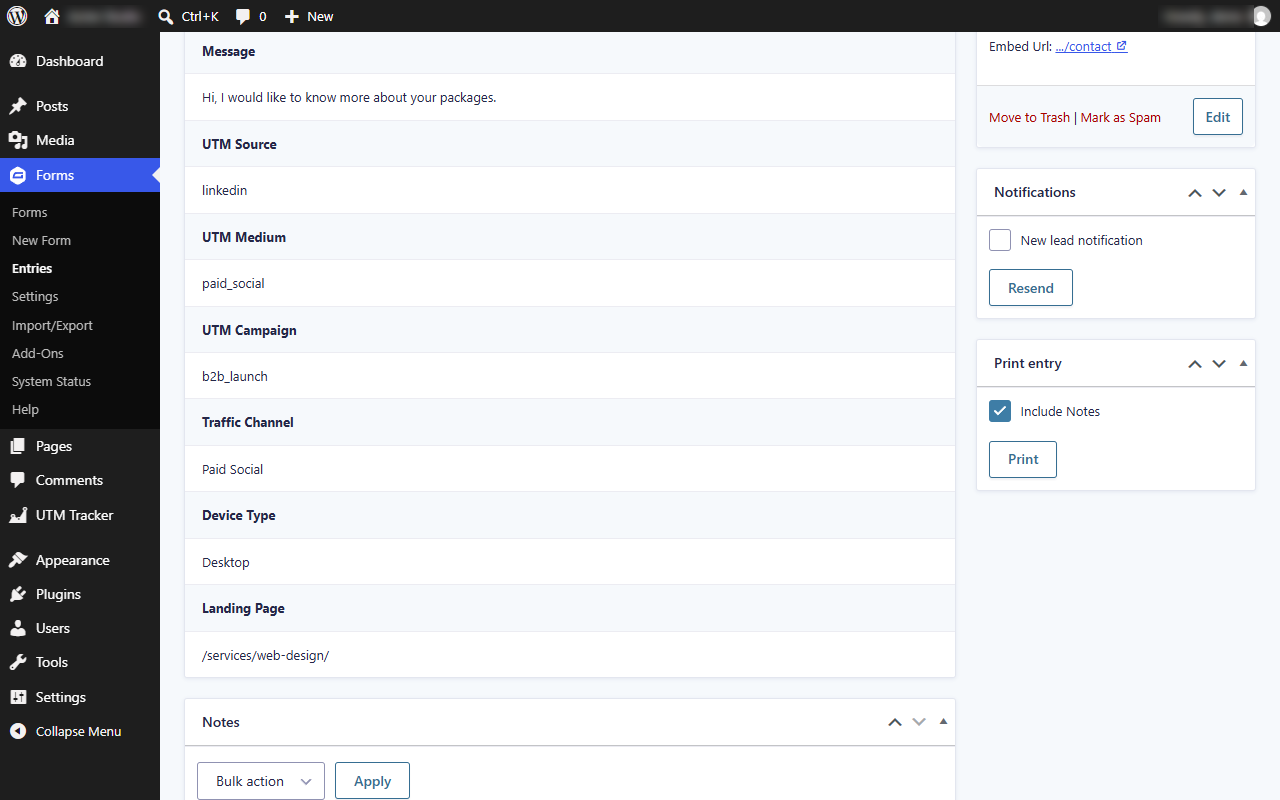
- Every new entry shows where the lead came from: in the entry itself, in your notification emails, and in the Reports dashboard.
- UTM parameters:
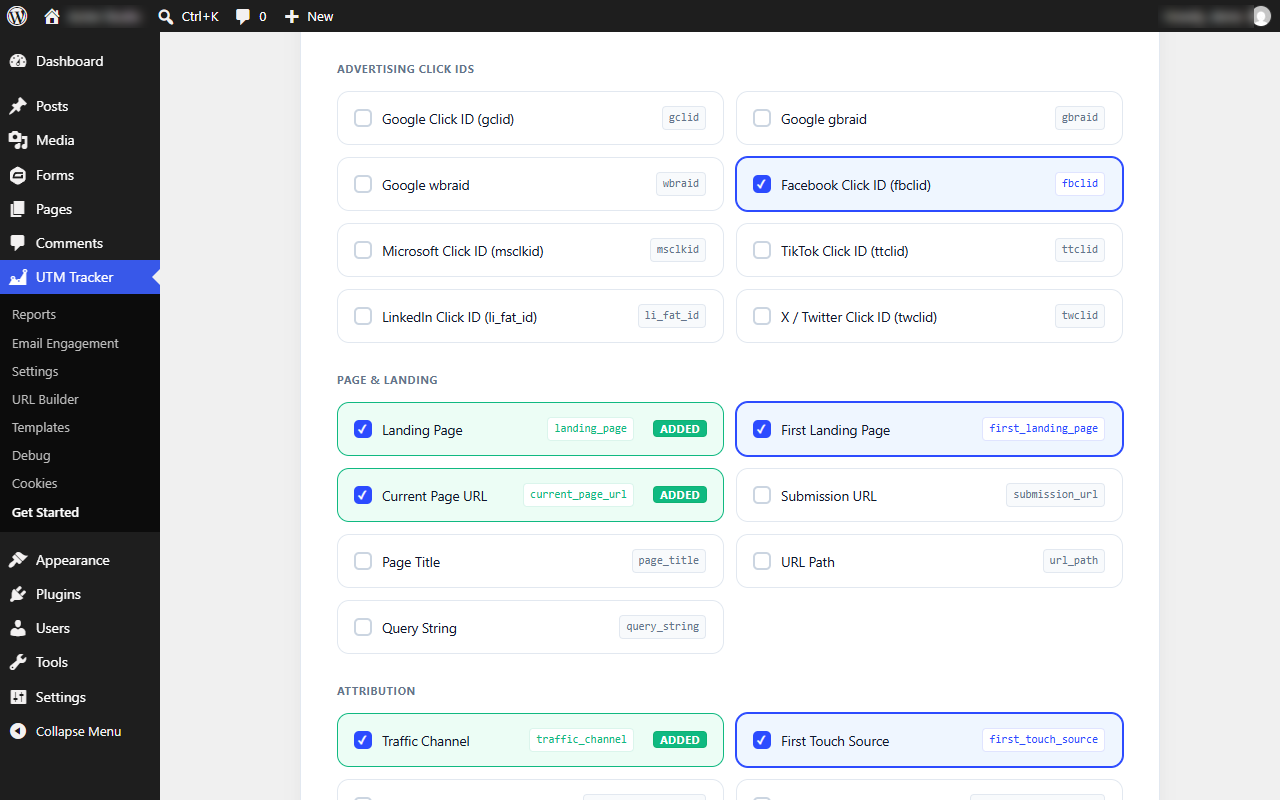
utm_source,utm_medium,utm_campaign,utm_term,utm_content,utm_id - Ad click IDs: Google Ads (
gclid,gbraid,wbraid), Meta (fbclid), Microsoft (msclkid), TikTok (ttclid), LinkedIn (li_fat_id), and X/Twitter (twclid) - Your own parameters: add keys such as
affiliate,coupon, orsalesperson - Landing page and page context: first and latest landing page, page URL, title, path, and query string
- Visitor details (optional): referrer, device type, browser, operating system, session ID, visit date, time, and time zone
{utm_tracker:utm_source} to a notification subject, or {utm_tracker:summary} to the message for the full attribution block. The tags are listed in the Gravity Forms merge tag picker, so there is nothing to memorize.
Email engagement (beta)
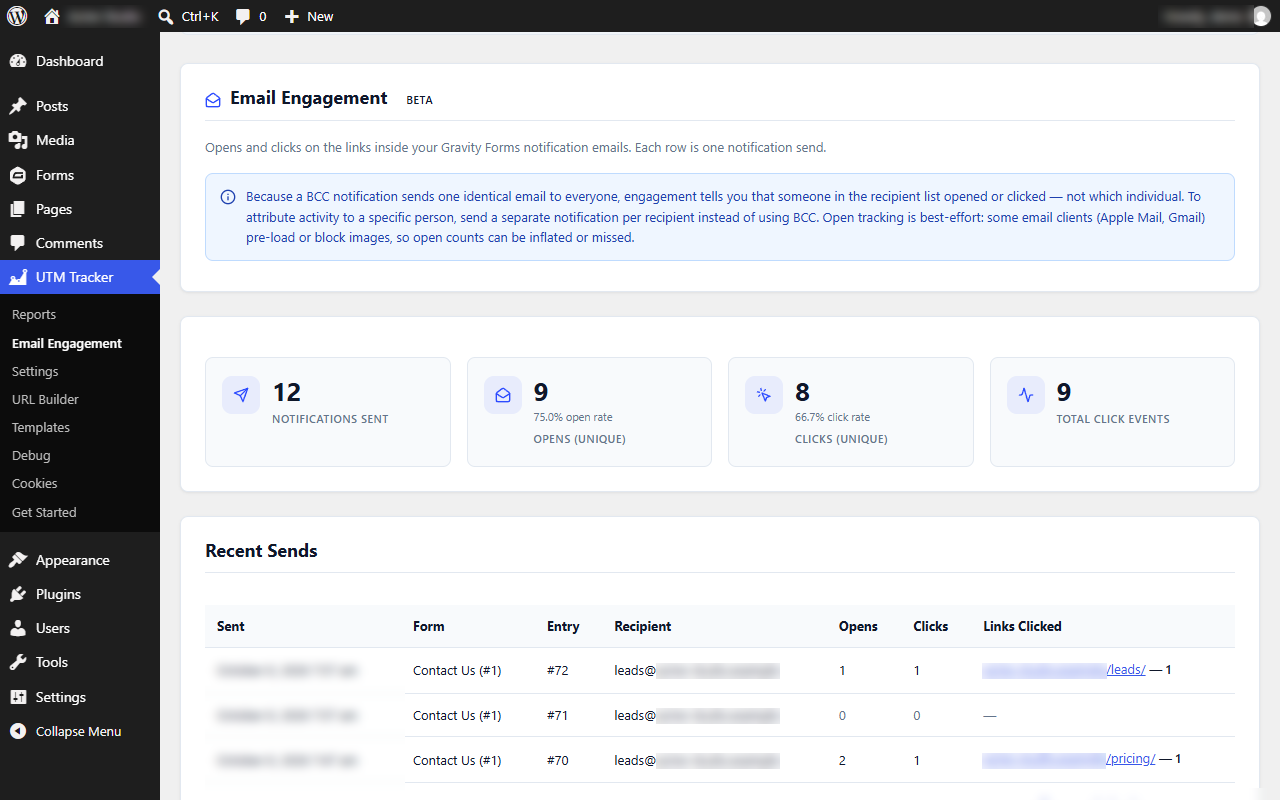
Optionally see which links in your HTML notification emails are clicked and, with a separate open-tracking option, whether they are opened, right inside WordPress. Both are off until you turn them on. Opens are best-effort, and with BCC recipients you see that someone on the list acted, not who.
Campaign tools
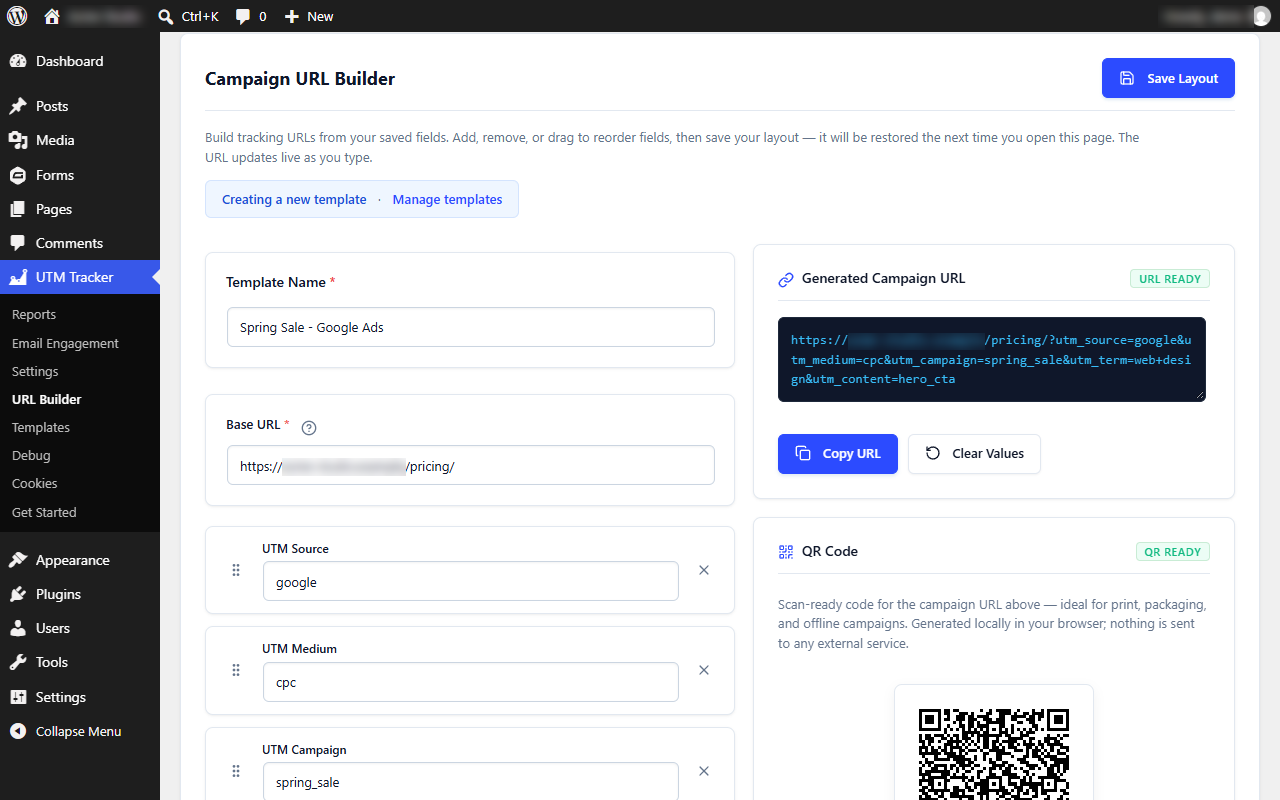
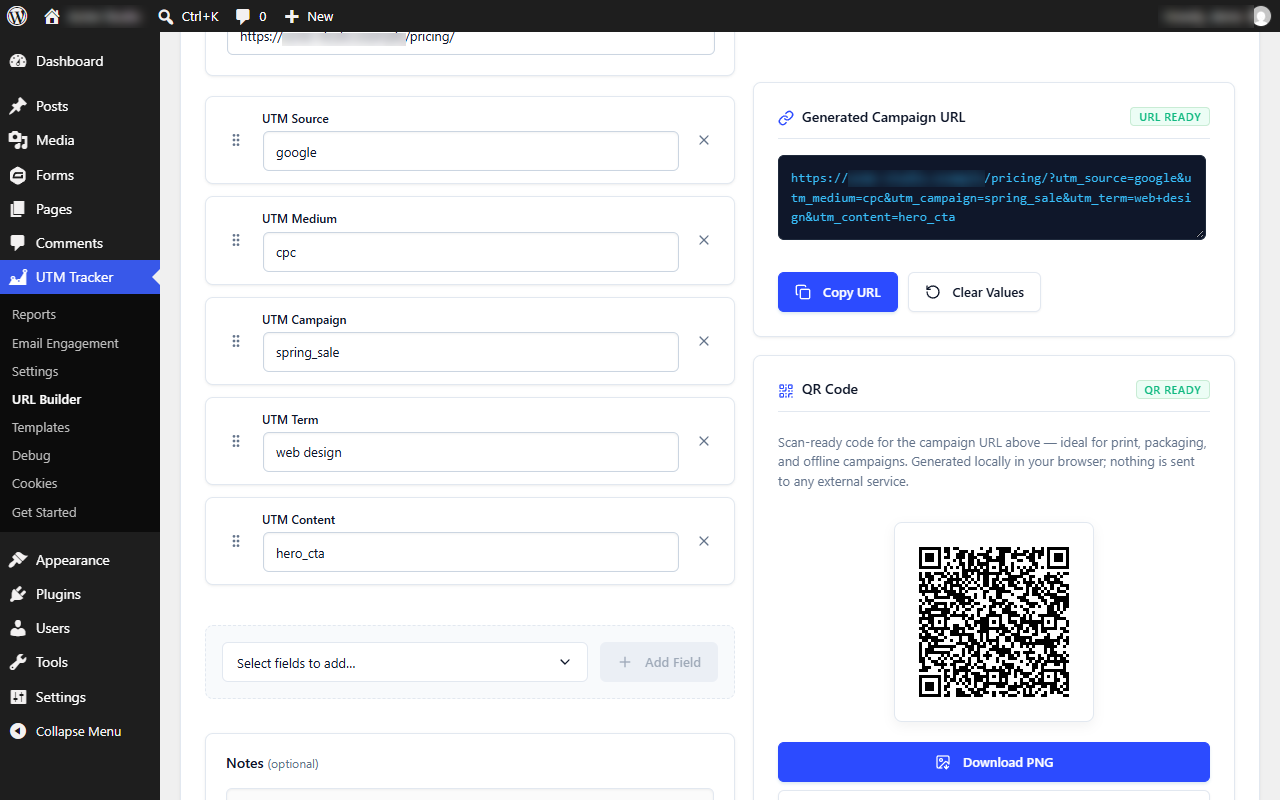
- URL Builder: build campaign links with a live preview and one-click copy
- Templates: save the campaign links you reuse, with search and a default template
- QR codes: a print-ready PNG or SVG for every link, generated in your browser
?utgf_debug=1 to any page while logged in as an administrator) show exactly what was captured in your browser. The Cookie Manager lets you inspect and clear stored values between tests.
For developers
A UTMTracker JavaScript object, shortcodes such as [utm_source], a REST endpoint (/wp-json/utm-tracker/v1/current), and action and filter hooks. The full reference is in the plugin's Developer tab.
Privacy
- Tracking data is stored in first-party cookies and the browser's session storage on the visitor's device and, when a form is submitted, in the Gravity Forms entry in your own database.
- Tracking never sends data to third parties and loads no external scripts. Admin pages load only files bundled with the plugin or with WordPress itself; nothing is loaded from external servers.
- In the Query String and Current Page URL values, the value of any parameter whose name looks sensitive (for example token, password, code, key, email, phone, or session) is saved as
[redacted]. Detection goes by the parameter name, not its value; parameters you track individually, including custom parameters, are saved exactly as received. - If you turn on email engagement, it stores, for each notification sent, the recipient address, the related form, entry, and notification, when it was sent, open and click counts with the time of the first open and click, and the links that were clicked, all in your own database. IP addresses and user agents are not stored.
- If you opt in to product-update emails, a local copy of the signup (email address, consent, and time) is kept in your database as well.
- The only outside request the plugin can make is the optional product-update signup in the Get Started wizard, and only if you tick its consent box. See External Services below.
安装:
- Install and activate Gravity Forms.
- Install UTM Tracker for Gravity Forms from Plugins → Add New, or upload the folder to
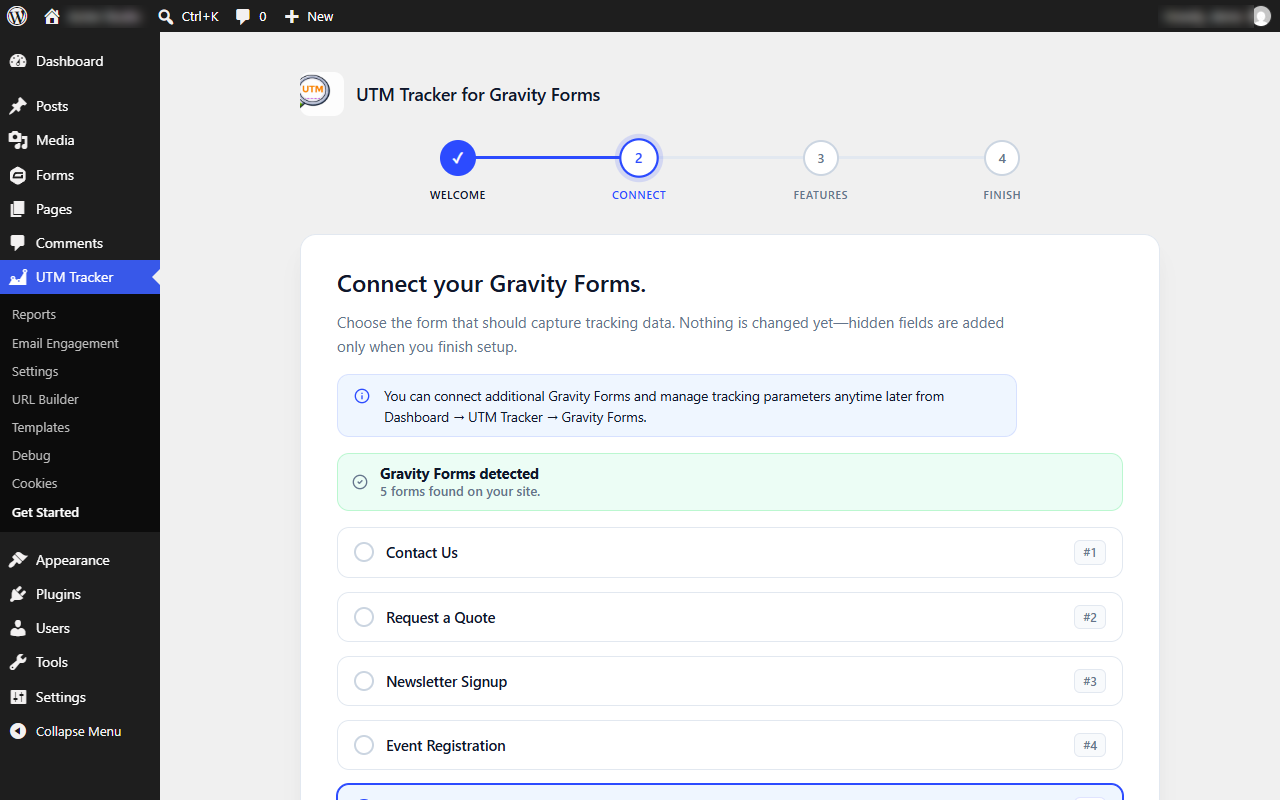
/wp-content/plugins/, then activate it. - The Get Started wizard opens on first activation (you can open it any time from UTM Tracker → Get Started). Pick a form, choose the values to capture, and click Finish setup. The hidden fields are created for you and tracking is on.
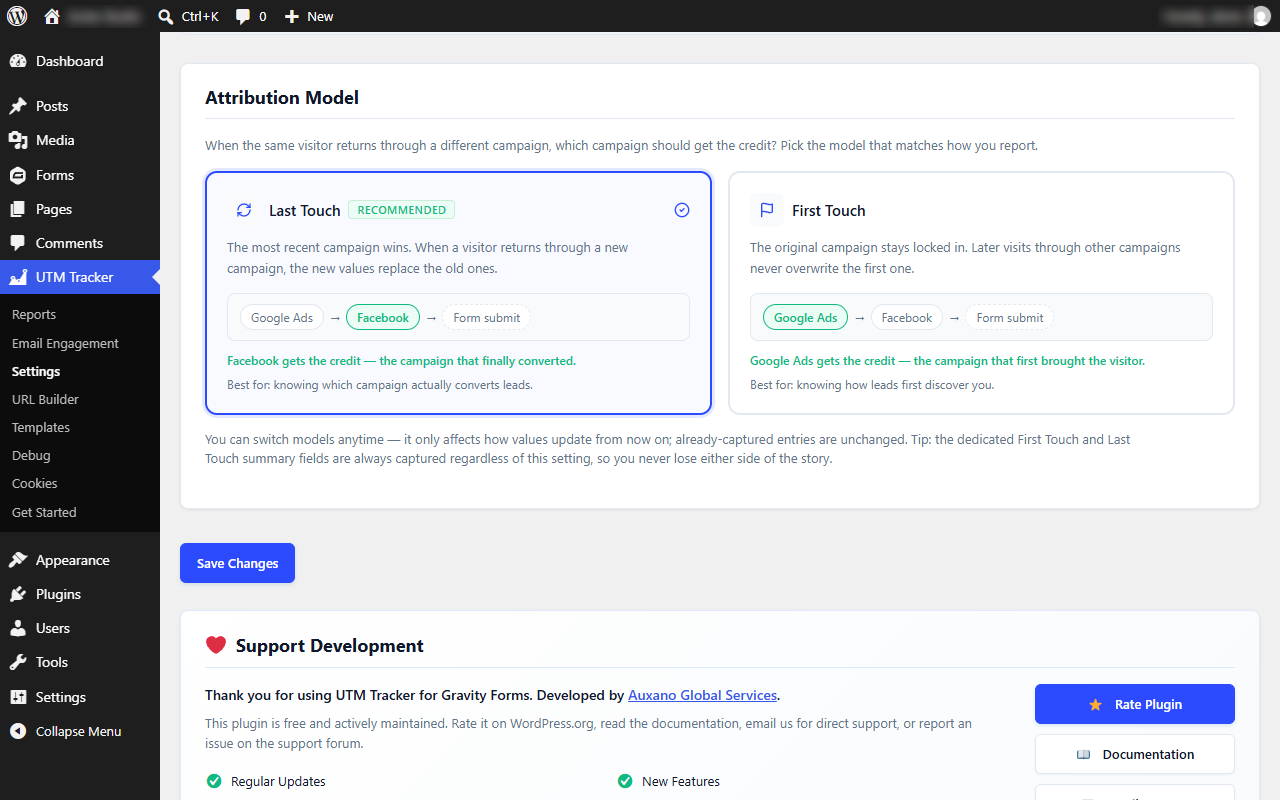
- Open UTM Tracker → Settings and set your cookie duration and attribution model.
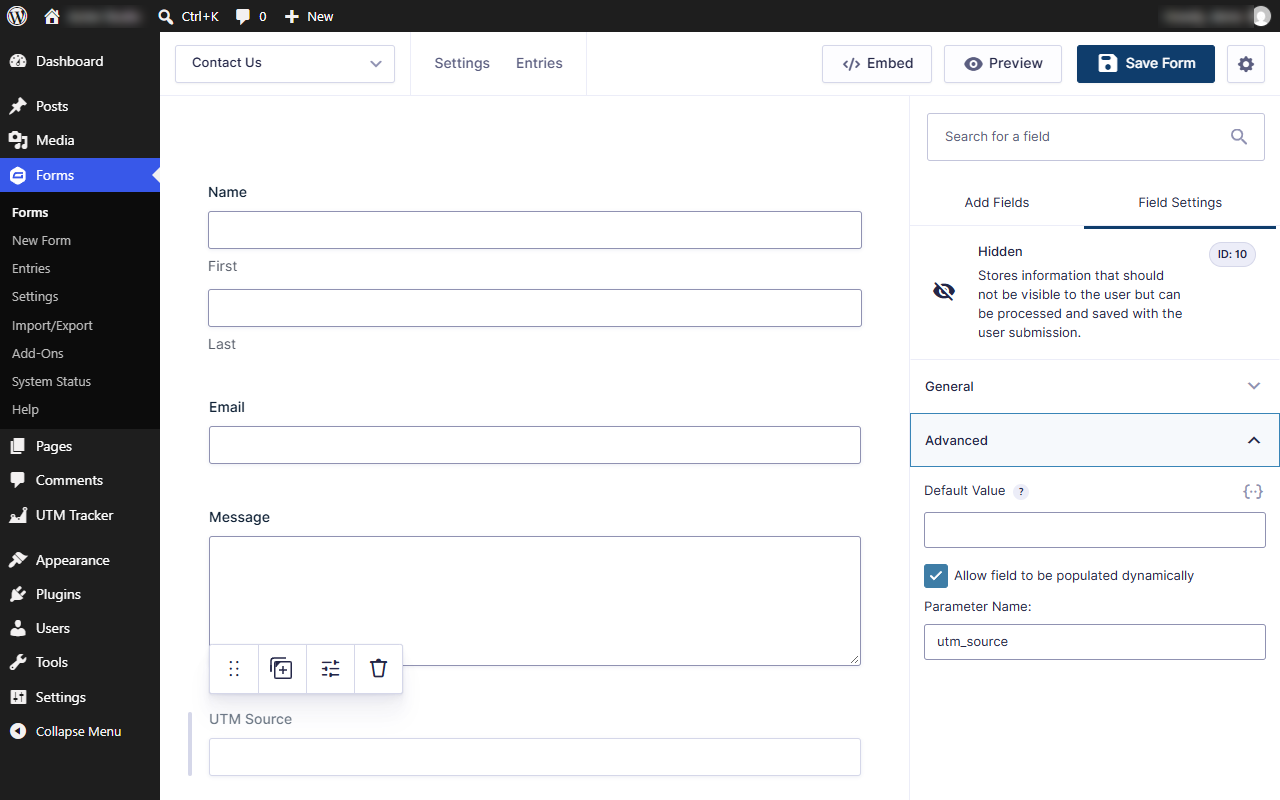
- In Gravity Forms, add a Hidden field for each value you want to capture.
- On each hidden field, enable Allow field to be populated dynamically and enter the exact Parameter Name (for example
utm_source,gclid, ortraffic_channel). The field label can be anything. - Test with a campaign URL such as
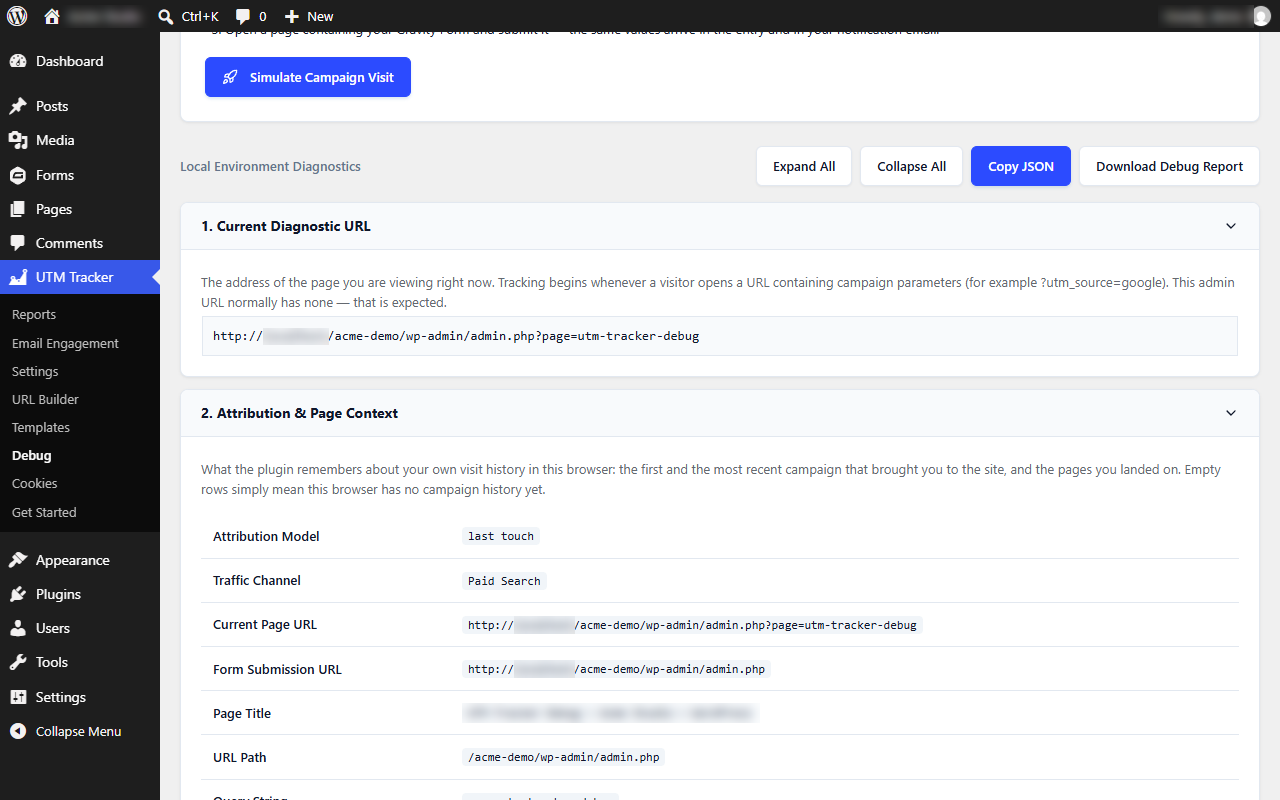
https://example.com/contact/?utm_source=google&utm_medium=cpc&utm_campaign=summer_sale, then check UTM Tracker → Debug.
屏幕截图:
常见问题:
Do I need to know how to code?
No. The Get Started wizard and One-Click Field Setup create the hidden fields for you, and everything is configured from the admin screens. The developer tools are optional extras.
Is it really free?
Yes. There is no Pro version and no feature is held back. Support is free on the WordPress.org forum and by email.
Does the field label matter in Gravity Forms?
No. Only the Parameter Name has to match the tracking key exactly (for example utm_source). The label can be anything you like. One exception: on fields whose Visibility is set to Hidden, a label that names a tracking value (such as "Device" or "Referrer") is also filled automatically, so give such fields a different label if they are meant for something else.
Does it work with caching plugins?
Yes, with one precaution. Each visitor's values are filled in by the tracker script in their browser, including at the moment of submission. The form is also pre-filled when WordPress builds the page, so exclude pages that contain tracked forms from page caching, or make sure your cache does not store pages requested with campaign parameters. Otherwise a visitor with no campaign data of their own could submit values left in the cached copy.
Does it work with AJAX and multi-page forms?
Yes. Hidden fields are refreshed when a form is rendered, on each page of a multi-step form, and again at submission, including AJAX forms and several forms on one page.
Can I see the campaign in my notification emails?
Yes. Use merge tags in any Gravity Forms notification or confirmation, for example {utm_tracker:utm_source} in the subject or {utm_tracker:summary} in the message. They are listed in the merge tag picker.
Does the data reach my CRM, Zapier, or webhooks?
Yes. The values are saved as ordinary Gravity Forms fields, so anything that uses entry data, such as Gravity Forms add-ons, Zapier, webhooks, and CSV exports, receives them like any other field.
What is the difference between First Touch and Last Touch?
First Touch keeps the first value seen for each parameter; later visits never overwrite a stored value, though they can fill in a parameter the first visit did not carry. Last Touch replaces each value that a new campaign link carries. Values the new link does not include, such as utm_term or an earlier ad click ID, are kept until their cookie expires, and a stored click ID keeps the traffic channel as Paid Search or Paid Social.
How does it detect AI Search traffic?
It checks the UTM source and the referrer against known AI assistants. Many of them add a source such as chatgpt.com or perplexity.ai to their links, which the plugin recognizes.
Do I need a cookie consent banner?
UTM Tracker sets first-party cookies on every front-end page as soon as it loads, for every visitor (for example landing page, referrer, traffic channel, visit date and time, and session ID, plus any campaign parameters). It has no built-in consent banner, does not wait for consent, and does not integrate with the WP Consent API. If you need consent first, configure your consent tool to block the tracker script until consent is given; until then, hidden fields are not filled for that visitor. Whether you need consent depends on where you and your visitors are and how you use the data.
Where is the data stored, and what happens when I uninstall?
In first-party cookies and session storage in the visitor's browser and, once a form is submitted, in the Gravity Forms entry in your own database. If you use them, URL Builder templates and email engagement records (including recipient addresses) are stored in the plugin's own database tables. Nothing is deleted on uninstall unless you first enable Delete all plugin data when the plugin is uninstalled under UTM Tracker → Settings → Import / Export. That option removes the plugin's settings and tables; tracking values already saved in Gravity Forms entries, and the hidden fields on your forms, stay in Gravity Forms.
Will it slow down my site?
No. The frontend tracker is a single small script with no dependencies. It loads without blocking the page and makes no external requests.
How do I test that tracking is working?
Open UTM Tracker → Debug, or add ?utgf_debug=1 to any page URL while logged in as an administrator. Use UTM Tracker → Cookies to inspect and clear stored values.
How do I get support?
Post on the support forum or email admin@auxanoglobalservices.com.
更新日志:
- Security: the admin Debug panel now escapes every cookie name, cookie value, detected parameter and discovered field before showing it, so a crafted link such as ?utm_source= can no longer run script in a logged-in admin's browser.
- Security: secret-looking URL parameters (token, password, code, key, email, phone, session and similar) are now replaced with [redacted] in the Query String and Current Page URL values before they are stored in cookies or saved to entries. The list can be adjusted with the utgf_sensitive_param_substrings and utgf_sensitive_param_words filters.
- New: a dismissible rating banner at the top of the plugin's own admin pages. It links to the same review page as the Rate Plugin button; closing it, or clicking its link, hides it for good for that user. It never appears elsewhere in the admin or in the Get Started wizard.
- Changed: "Select all" in the Get Started wizard and Settings no longer ticks the Query String field; it must be chosen deliberately.
- Fixed: the Reports page could stop with a fatal error on sites with 200 or more recent entries when a Landing Page field was mapped.
- Fixed: in the Get Started wizard, a slow response for one form could overwrite the field list of another form.
- Fixed: with two Gravity Forms on one page, a tracked value could be written into a visible field of the other form that happened to have the same field ID. Fields are now filled only inside their own form.
- Fixed: the Landing Page and First Landing Page values were overwritten on every page view, so they recorded the form page instead of the page the visitor arrived on. The first landing page is now written once, and the landing page only changes when the visitor arrives from outside the site or with campaign parameters. The Reports "Top Landing Pages" chart benefits from this too.
- Fixed: traffic channel detection matched referrers by substring, so sites such as microsoft.com (matched "t.co") or netflix.com (matched "x.com") were counted as Organic Social. Referrers are now matched by hostname. LinkedIn and X ad click IDs now count as Paid Social.
- Fixed: visits referred by Grok, Meta AI, Mistral, and DeepSeek are now recognized as AI Search (previously only tagged links were).
- Fixed: on AJAX-enabled forms (Gravity Forms 2.9+), the Current Page URL, Submission URL, URL Path, and Page Title fields recorded the AJAX endpoint instead of the page.
- Fixed: the Reports "Leads Over Time" chart and the totals used different 7-day windows, so the chart did not add up to Total Leads.
- Fixed: finishing the wizard reset a recorded update-email subscription to "skipped"; the install-date option is now removed on uninstall with "Delete all plugin data".
- Changed: the optional product-update email on the first step of the Get Started wizard now needs an explicit opt-in. A new checkbox is unticked by default, and with it unticked Continue sends nothing.
- Changed: the External Services section of this readme now lists every detail the optional signup sends.
- Fixed: a tracked value could still be written into an unrelated Gravity Forms field that a visitor can see — for example the visitor's operating system ("Windows", "macOS") appearing in a field labelled "Deposit" or "Choose a plan". The legacy label-based guess is now limited to fields whose Gravity Forms Visibility is set to Hidden, and there it requires the key to appear as a whole word or phrase. Fields a visitor can see and type into are never filled by label. Fields mapped by Parameter Name (the documented method) are unaffected.
- Improved: the Get Started wizard now asks for the optional update-email on the first step (one "Continue" action, never required) and the last step simply finishes setup.
- Security: the optional "Stay Updated" email signup no longer sends a fixed API key with the request. The receiving service (AGS Newsletter API) now accepts these requests without a key by default, protected by server-side rate limiting instead, so no shared key ships inside the plugin. No change to what is sent (still only with your explicit consent) or to any tracking, attribution, or form data.
- New: Email Engagement tracking (beta) for Gravity Forms notification emails — see opens and link clicks on your notifications right inside the plugin (UTM Tracker → Email Engagement), including a per-link click breakdown. Opt-in and OFF by default; tracking links are signed to prevent open-redirects, opens are de-duplicated so a single view counts once, and no data leaves your site.
- Fixed: with some front-end page builders (for example Divi 5) and certain themes, the tracker could copy tracked values — such as the visitor's operating system ("macOS") or campaign — into unrelated fields on the page, including a page's title and excerpt when saving from a front-end builder. Field population is now strictly limited to Gravity Forms fields and uses exact parameter-name matching only, so no other inputs on the page are ever touched.
- Fixed: saving a layout in the URL Builder (and saving, duplicating, or deleting in Templates) could fail with a "Cookie check failed" message. The REST requests now send credentials with the request so the security nonce validates correctly.
- Improved: the optional "Stay Updated" email signup now also sends your database (MySQL/MariaDB) version, site time zone, and whether your site uses HTTPS, so update emails and support can be better tailored. This is only sent with your consent, and is disclosed in the External Services section. No changes to tracking, attribution, or form data.
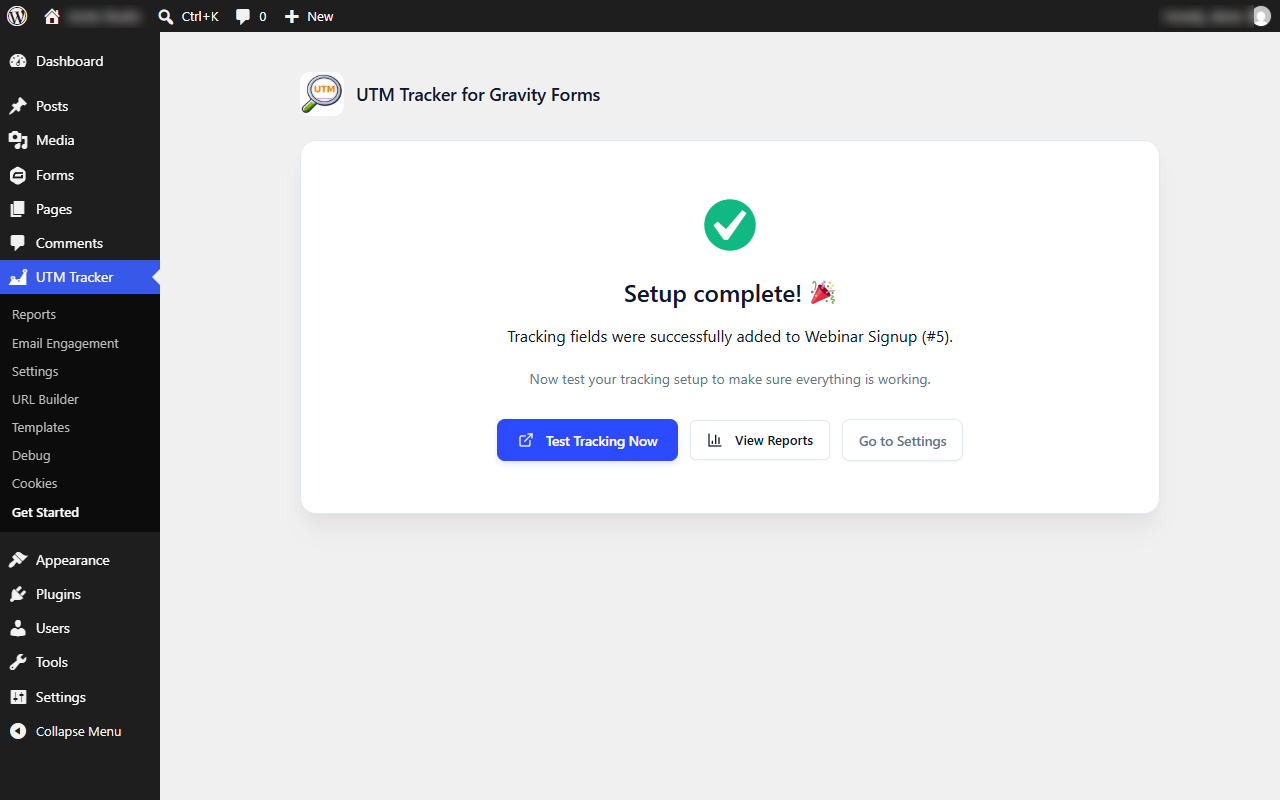
- New: Post-wizard success screen with dynamic form name and a Simulate Campaign Visit test tracking link, plus custom dual-burst confetti fireworks animation on onboarding completion.
- New: Unsaved changes settings protection showing a floating sticky save changes bar and warning before navigating away or closing browser tabs.
- New: Deep contextual cross-linking linking Reports and Cookies pages to the Debug tool, and Mapping Matrix to the One-Click Setup.
- Improved: Submenu ordering and layout header navigation tabs reordered to put Reports first, Settings second.
- Improved: Developer sub-tab keyboard and screen-reader accessibility with WAI-ARIA tab/tabpanel semantics and arrow key controls.
- Improved: Wrapped all wide admin tables in scrollable responsive containers with minimum width safety limits.
- Improved: Custom Parameters on the Tracking tab now uses the one-per-line textarea by default again — the tag-style pill editor and bulk-edit toggle were removed. Popular-parameter chips and the live count pill are unchanged.
- New: UTM merge tags for Gravity Forms notifications and confirmations. Every tracked value is available as
{utm_tracker:<key>}(for example{utm_tracker:utm_source},{utm_tracker:traffic_channel},{utm_tracker:landing_page}), and{utm_tracker:summary}prints the lead's whole attribution block with labels. - Tags appear in the merge tag drop-down of the form editor, work in subjects, bodies, and confirmations, and resolve from the entry's hidden fields with a fallback to the visitor's live tracked values — so they work even on forms without tracking fields.
- New developer filter:
utgf_merge_tag_valueto adjust a resolved value before output. - Improved: the Debug page now opens with a plain-language "How to test tracking in 3 steps" guide and a one-click Simulate Campaign Visit button, and every diagnostic section explains in simple words what it shows and why it may be empty. The Cookies page description was clarified the same way.
- No changes to tracking, attribution, cookies, REST/JS APIs, shortcodes, or Gravity Forms field population — fully backward compatible.
- New: optional "Stay Updated" email signup on the final step of the Get Started wizard — opt in to hear about new features and security updates. Fully opt-in: nothing is sent without a valid email, a ticked consent checkbox, and Finish; Skip completes setup without subscribing, and subscriptions are also kept locally as a backup.
- With consent, your email and basic site information are sent so we can notify you about plugin updates — see the External Services section for details.
- New developer filters:
utgf_subscription_endpointandutgf_subscription_api_key; the existingutgf_process_subscriptionfilter still lets an external provider take over. - Fixed: on forms containing a File Upload field, the tracker could throw an error while filling fields at submit time, blocking the AJAX submission. The tracker now never writes into file, checkbox, radio, password, or button inputs, and field filling can no longer interrupt a submission.
- Improved: the frontend tracker (renamed
utgf-tracker.js) is versioned by file modification time, so browsers and CDNs always fetch fresh copies after updates. - No other changes to tracking, attribution, cookies, REST/JS APIs, or shortcodes — fully backward compatible.
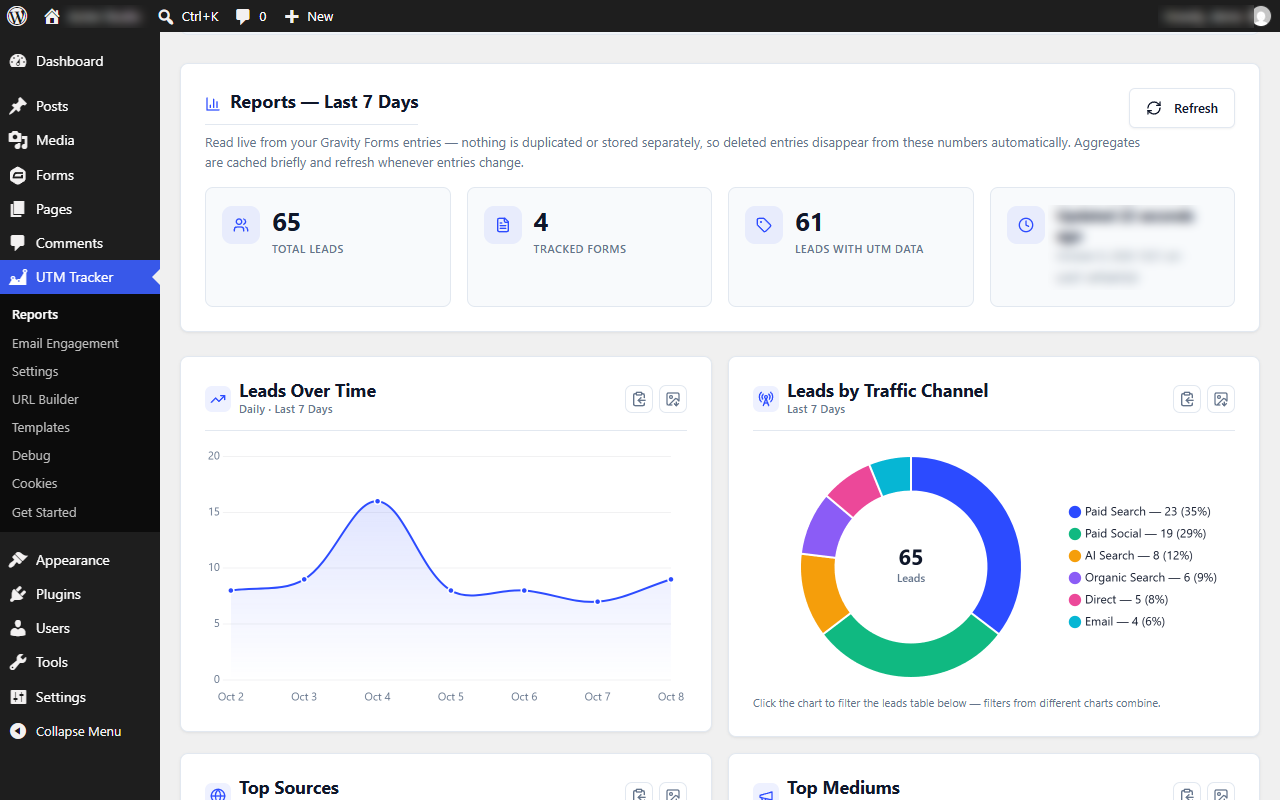
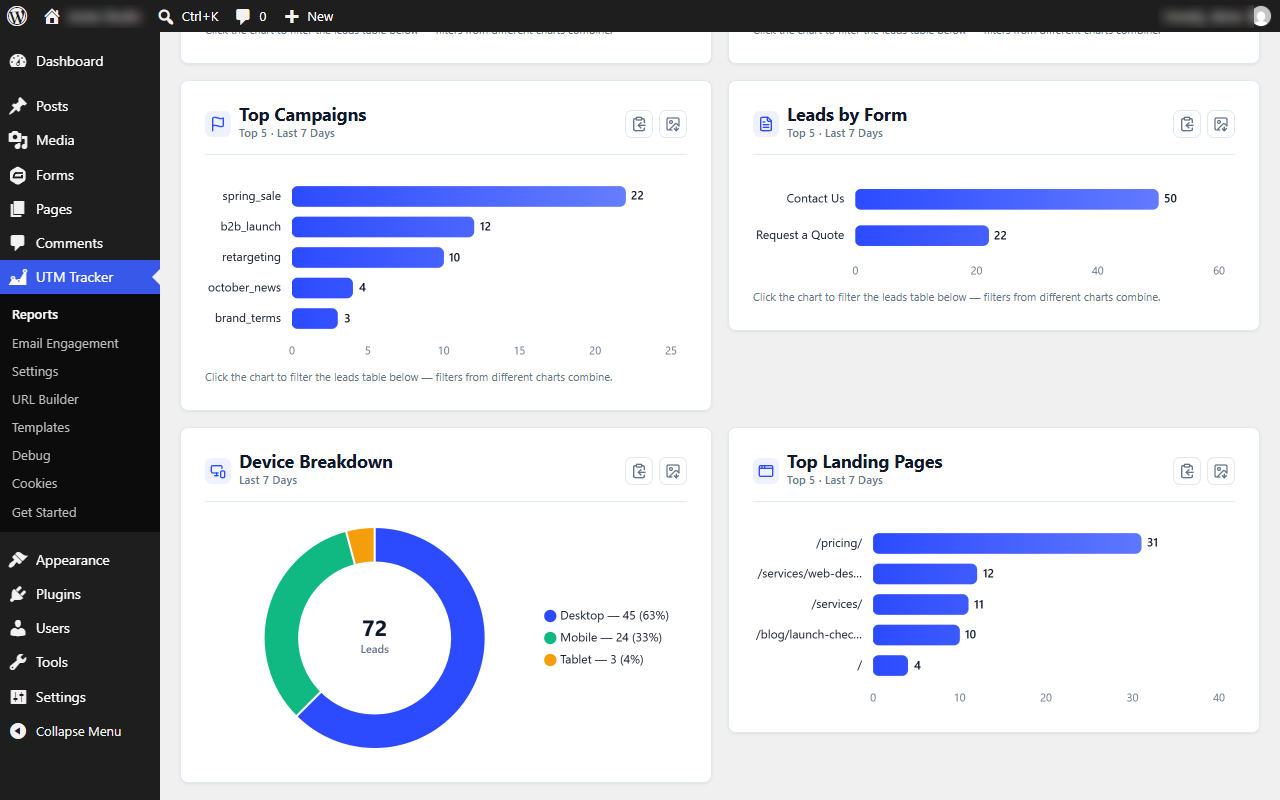
- Reports upgrades: full-width Leads Over Time trend chart, Device / Leads by Form / Top Landing Pages breakdowns, channel doughnut with clickable legend, combinable click-to-filter on the leads table, PNG download and copy for every chart, and a Refresh button.
- URL Builder design refresh: three-column responsive layout with a sticky preview, multiselect "Add Field" picker, resizable URL preview, and improved spacing and focus styles.
- Fixed a QR code race condition so it renders instantly on page load.
- New Reports dashboard (UTM Tracker → Reports) — a 7-day lead attribution summary read live from Gravity Forms entries: totals, channel/source/medium/campaign breakdowns with interactive charts, and a searchable recent leads table. No new database tables; cached with automatic refresh.
- Fixed traffic channel misclassification of direct visitors as Referral; the channel detected on arrival now stays stable across internal navigation.
- Improved AI Search detection with domain-style sources (
chatgpt.com,perplexity.ai,claude.ai, and more).
- Added a QR Code generator to the URL Builder with print-quality PNG and scalable SVG downloads, generated entirely in the browser.
- Added an opt-in uninstall cleanup setting (off by default) under Settings → Import / Export.
- Rewrote the plugin documentation and expanded the FAQ.
- Removed development-only tooling from the plugin package. No functional changes.
- Templates list upgraded with DataTables — instant search, column sorting, and pagination, bundled locally.
- Redesigned URL Builder: choose your fields, drag to reorder, add notes, and save complete campaign links as named templates.
- New Templates management screen with search, pagination, duplicate, set default, and per-row actions.
- Added a centralized field registry, a templates database table with a repository layer, and REST endpoints under
utm-tracker/v1.
- Added the Get Started onboarding wizard and One-Click Field Setup with duplicate detection.
- Frontend and admin scripts now load with the defer strategy; assets load only on plugin pages.
- Fixed Query String tracking to work independently of Landing Pages.
- Major attribution update: first/last touch models, landing page tracking, automatic traffic channel detection including AI Search, and custom parameter tracking.
- Added the REST API endpoint,
UTMTrackerJavaScript API, dynamic shortcodes, Cookie Manager, Debug Panel, URL Builder, and settings export/import. - Improved Gravity Forms integration with server-side population, field aliases, and AJAX/multi-page support.
- Admin UI refresh with Lucide icons, redesigned navigation, and bug fixes.
- Rebuilt with a namespaced OOP architecture; expanded tracking, attribution models, debug tools, and removed the jQuery dependency.
- Added a settings page and configurable cookie duration.
- Initial release.