Vachr Short-Term Rental Reservations
| 开发者 | chuckumi |
|---|---|
| 更新时间 | 2026年4月12日 05:33 |
| PHP版本: | 7.2 及以上 |
| WordPress版本: | 6.9 |
| 版权: | GPLv2 or later |
| 版权网址: | 版权信息 |
详情介绍:
The Vachr Short-Term Rental Reservations is the ultimate, all-in-one booking and management solution for WordPress, designed specifically for property owners and managers who need full control without complexity. It transforms your WordPress site into a professional rental platform for apartments, vacation homes, or rooms, offering everything you need for effortless property management in one place.
[youtube https://www.youtube.com/watch?v=ss2JD-JexpM]
Video tutorial: https://www.youtube.com/watch?v=ss2JD-JexpM
Watch this video to see how to manage and use the system.
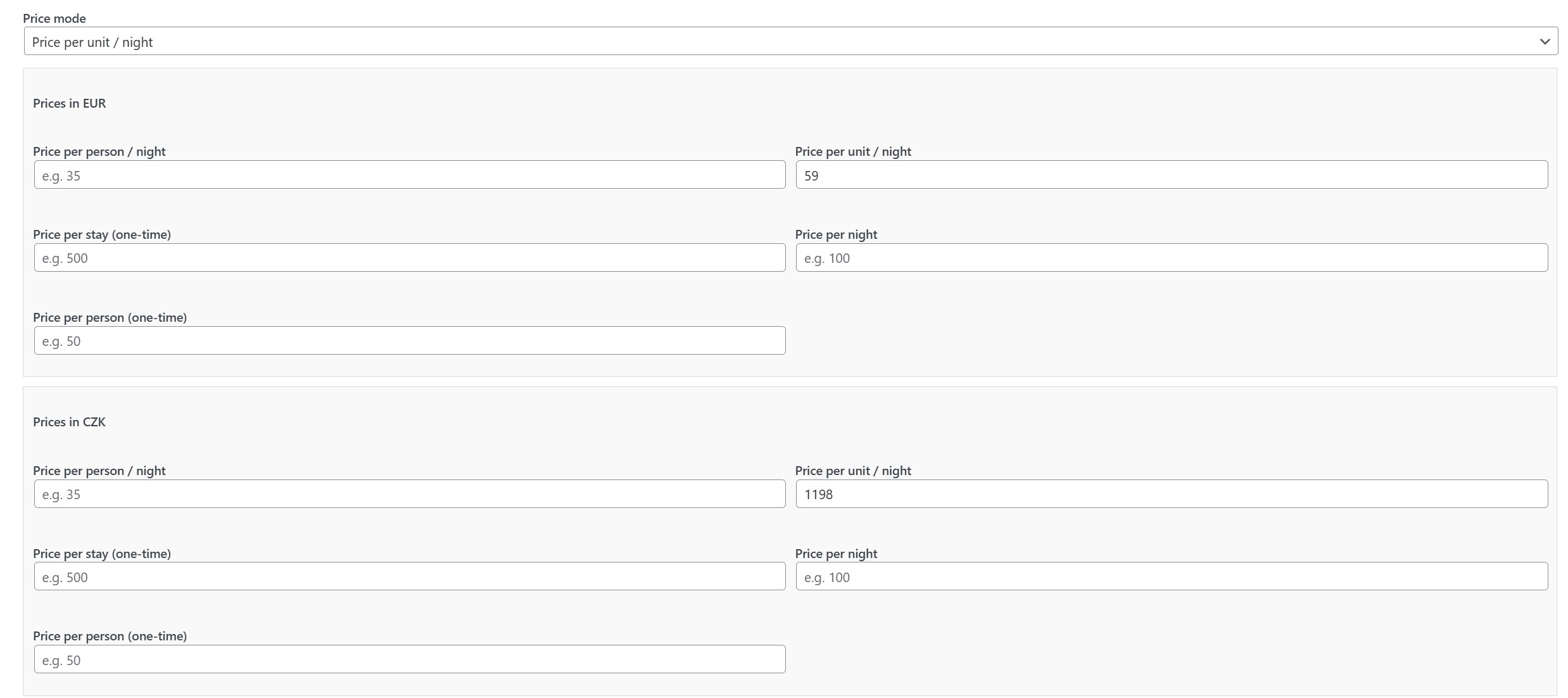
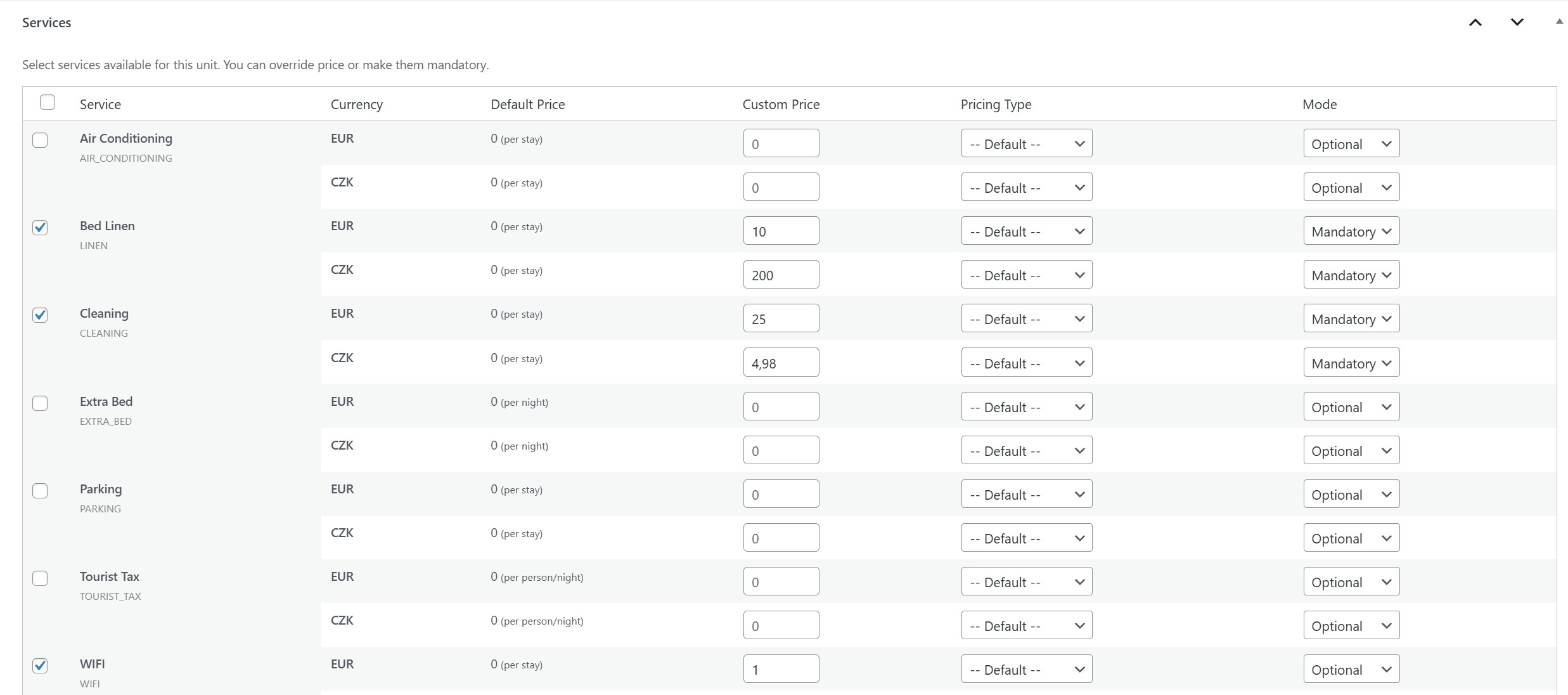
This plugin is a complete powerhouse that handles everything from initial booking to guest registration. It features a highly flexible pricing engine for creating complex discounts and seasonal rates, fully customizable registration forms with custom fields, and the ability to offer additional services with their own pricing. The entire system is translatable and allows you to tailor the visual appearance of your forms to perfectly match your website's brand.
This plugin is completely free to use. However, if you find it helpful and would like to support its further development, any small donation (even just a few Euros) is greatly appreciated. Your support will help me implement upcoming features like automated arrival reminders and many others. You can manage an unlimited number of apartments, everything is fully translatable, and it offers all the essential tools without limitations. I use it myself and can personally vouch for its reliability and effectiveness.
Need help with setup? I offer one-time WordPress setup for short-term rentals, including connection to Booking.com, Airbnb, and more for 100 EUR, plus optional yearly light support for 20 EUR.
Key Advantages
- Ultimate All-in-One Tool: Manage everything from bookings and pricing to guest registration and custom services in one intuitive interface.
- Flexible Discounts & Pricing: Create advanced seasonal pricing, weekend rates, and dynamic discounts based on stay duration or specific conditions.
- Custom Registration Forms: Build your own registration forms with custom fields to collect exactly the guest data you need.
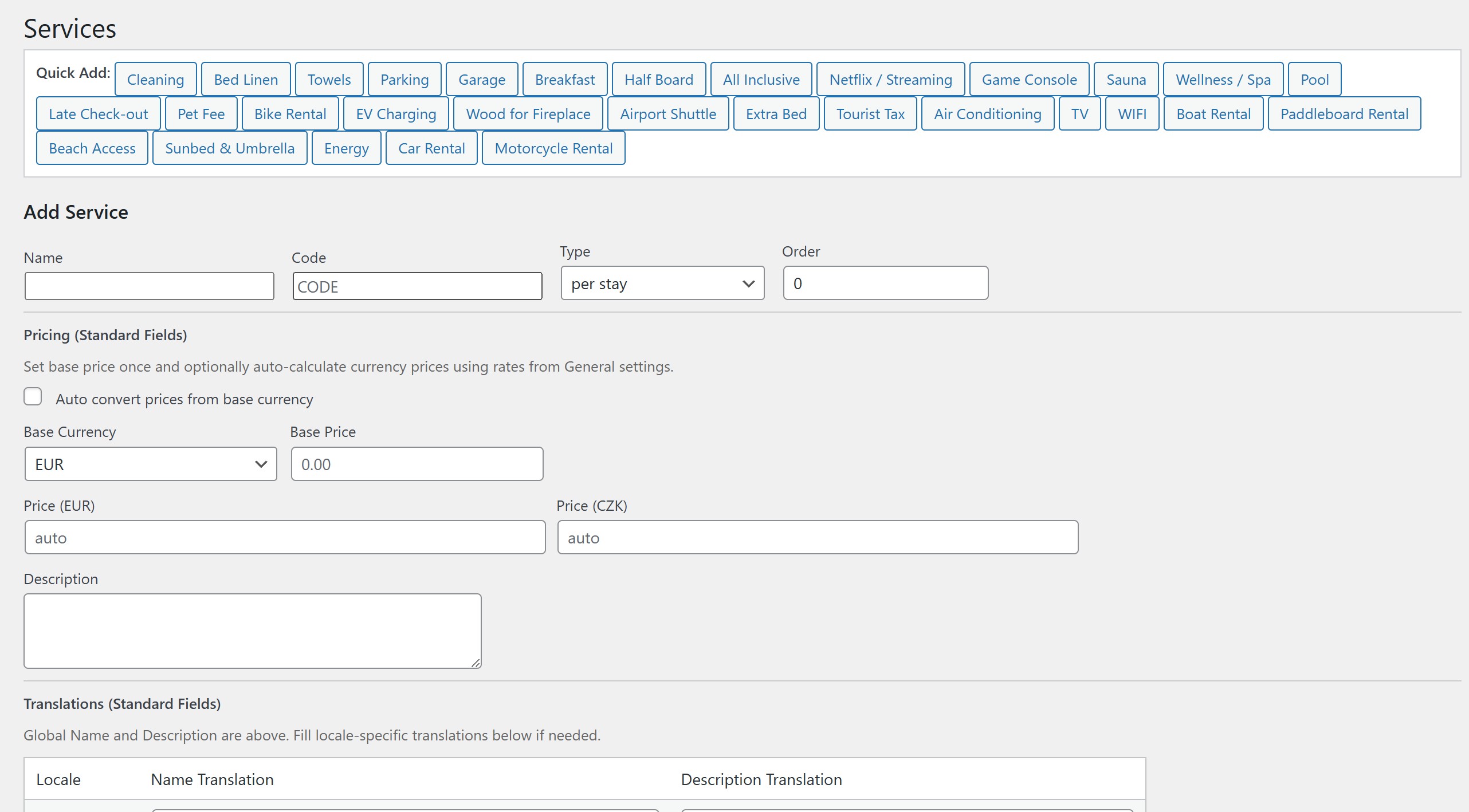
- Custom Services with Pricing: Offer and manage additional services (like cleaning, breakfast, or bike rentals) with their own configurable prices.
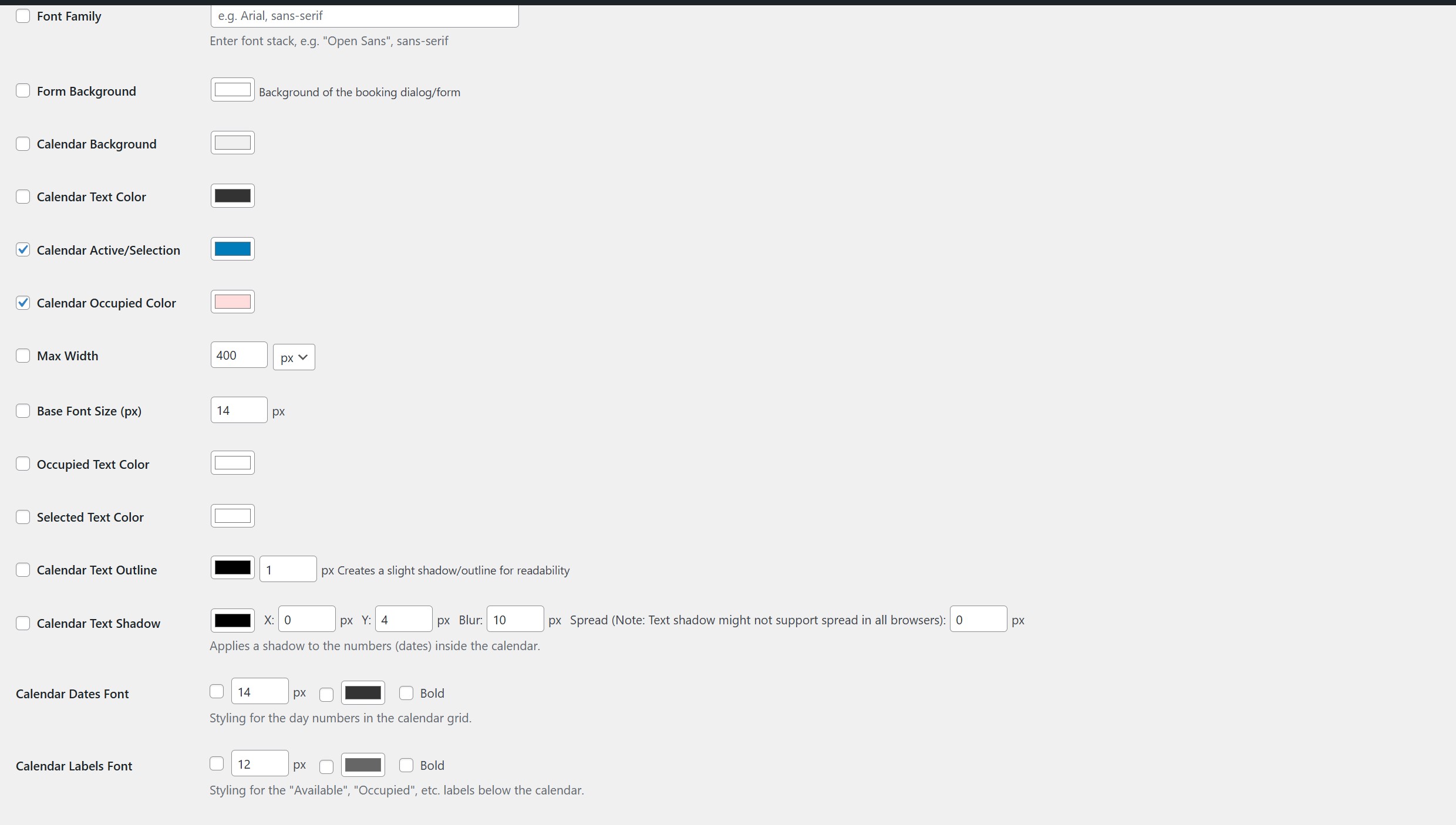
- Total Visual Control: Easily customize the look and feel of your booking calendars and forms to match your site's design.
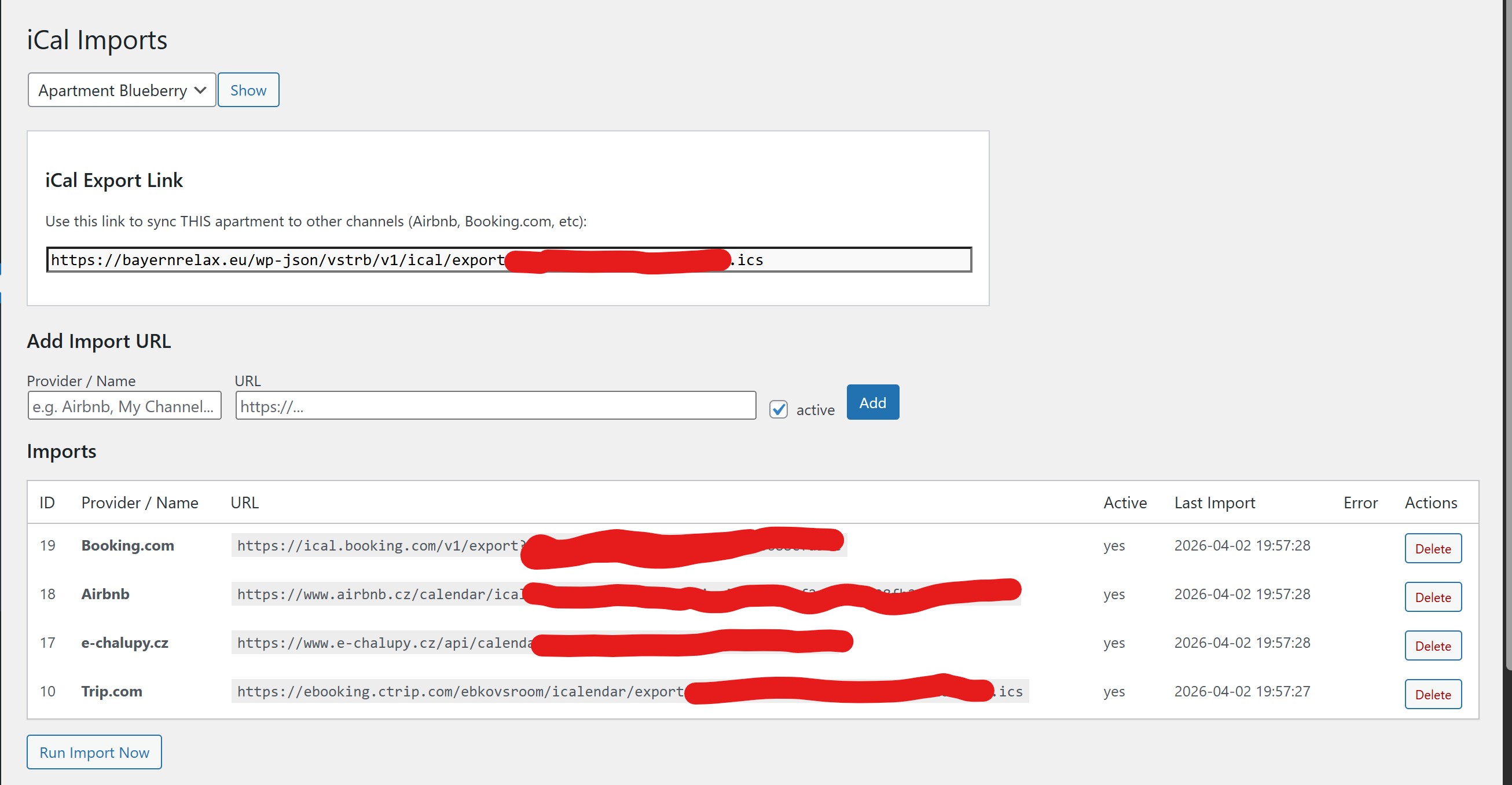
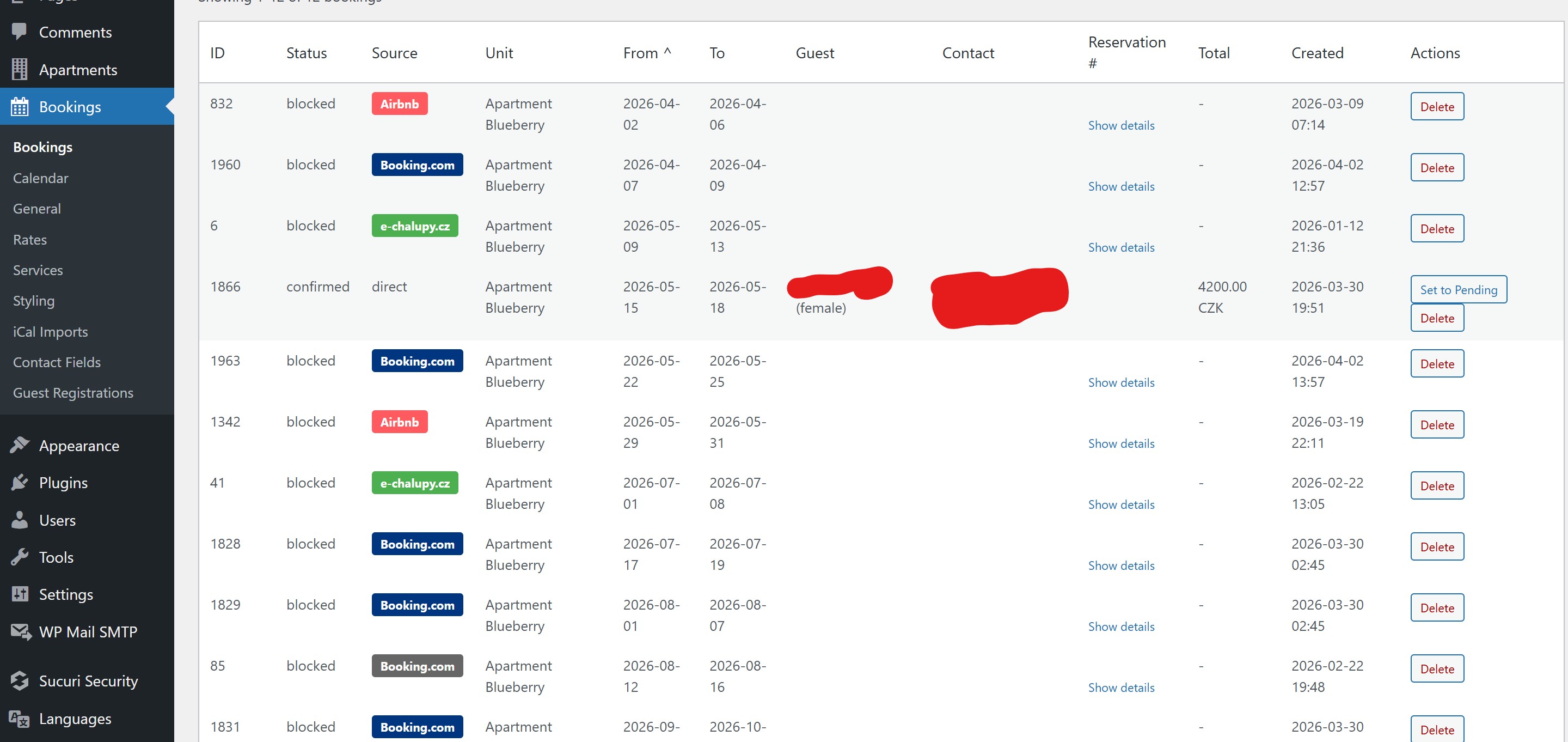
- Two-Way iCal Integration: Automatic synchronization with major travel agencies (Airbnb, Booking.com, VRBO) to eliminate the risk of overbooking.
- Fully Translatable: Ready for international guests with multi-language support and easy translation management.
- Lightweight & Fast: Optimized for performance to ensure your site remains quick for visitors.
安装:
[youtube https://www.youtube.com/watch?v=ss2JD-JexpM]
Video tutorial: https://www.youtube.com/watch?v=ss2JD-JexpM
Watch this video to see how to manage and use the system.
- Upload the plugin files to the
/wp-content/plugins/vachr-short-term-rental-reservationsdirectory, or install the plugin through the WordPress plugins screen directly. - Activate the plugin through the 'Plugins' screen in WordPress.
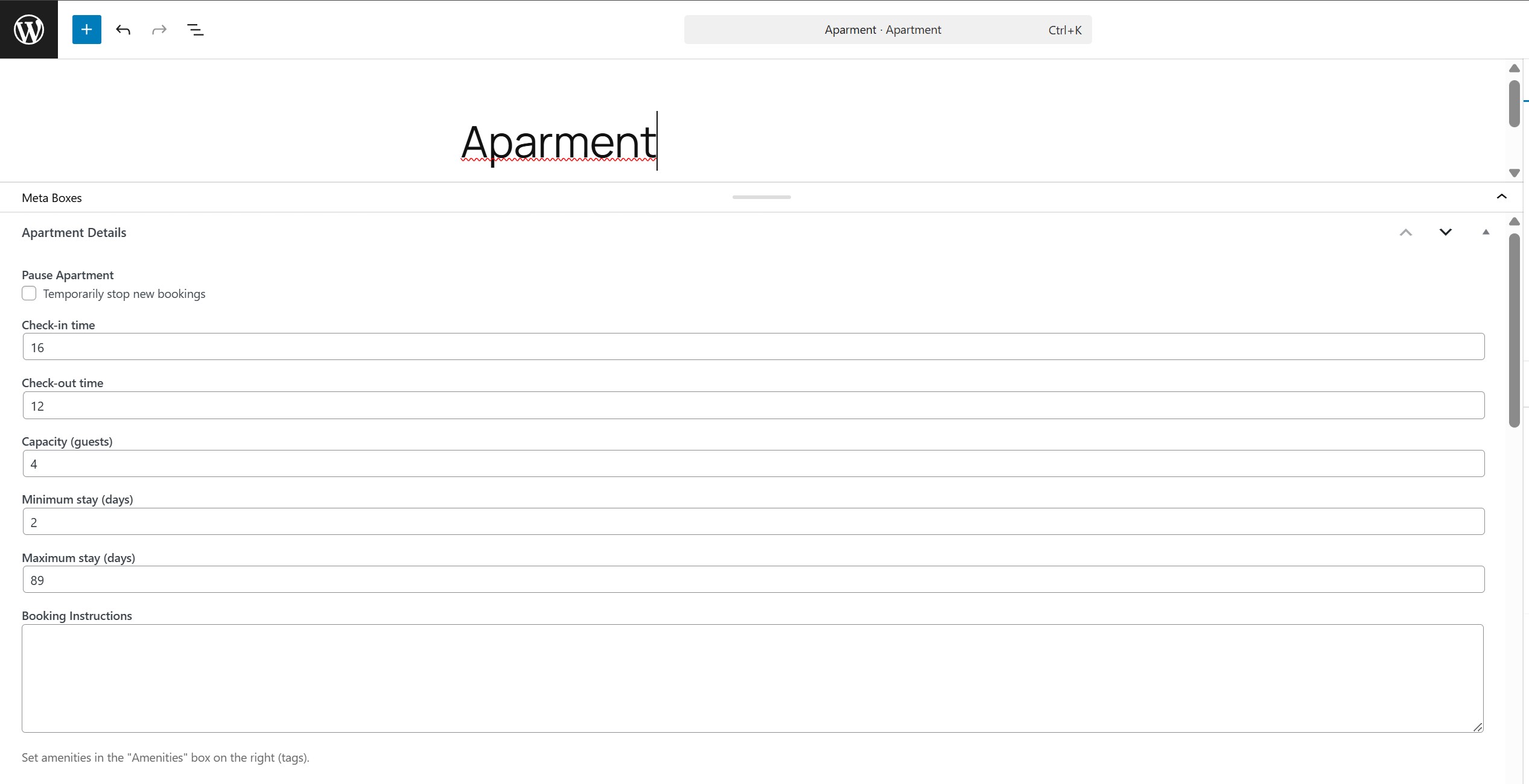
- Go to the 'Apartments' menu to create your first rental unit.
- Use the provided shortcodes to display the booking form or calendar on your pages.
屏幕截图:
常见问题:
How do I display the booking form?
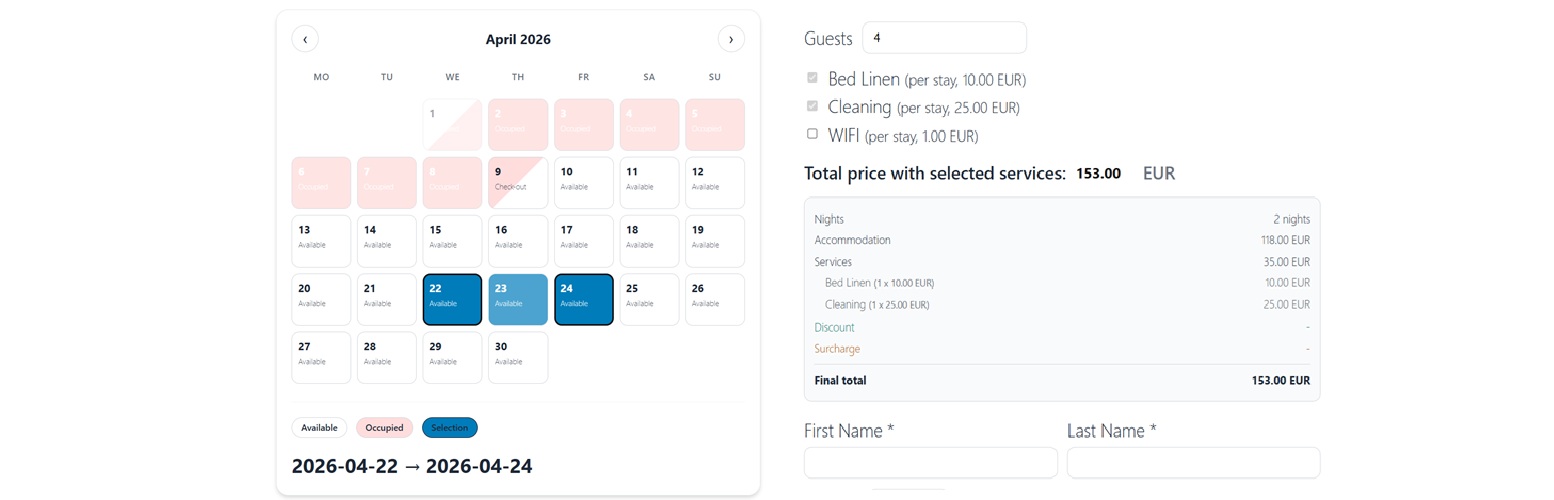
Use the shortcode [vstrb_booking_form unit="YOUR_ID"].
Optional parameters:
months="N"— number of calendar months to display (default:1).grid="N"— number of month columns in the calendar grid (default:1).currency="CODE"— currency code used in the price breakdown (default:EUR).language="CODE"— two-letter language code (e.g.cs,de,en) used for services, contact field labels, and the price quote. If omitted, the language of the current page (reflected in the<html lang>attribute, set automatically by multilingual plugins) is used; the visitor's browser language serves as a last resort fallback.
[vstrb_booking_form unit="YOUR_ID" language="de"]
How do I display the availability calendar?
Use the shortcode [vstrb_availability_calendar unit="YOUR_ID" months="3"].
How do I collect guest registration data (e.g. from Booking.com guests)?
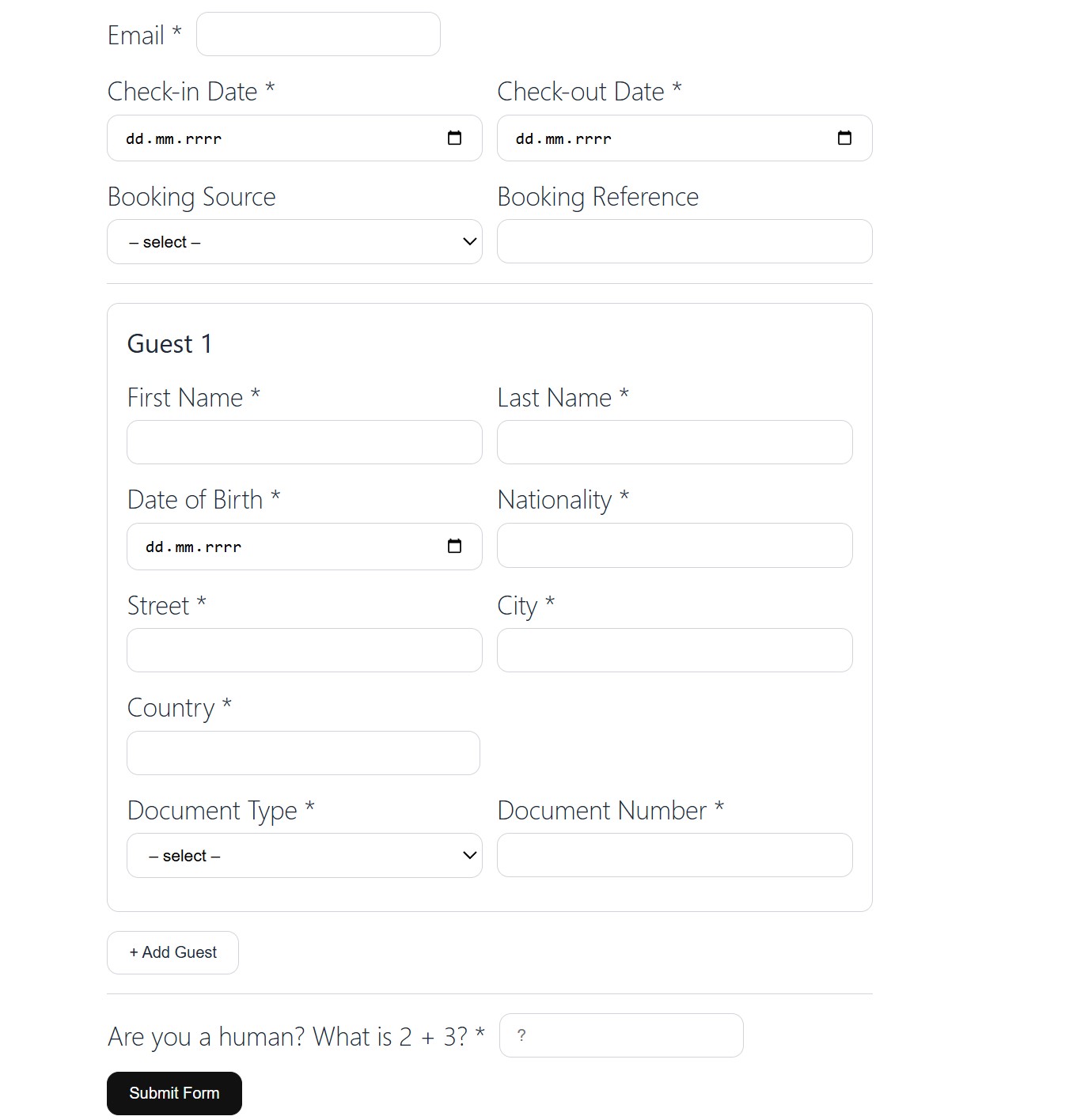
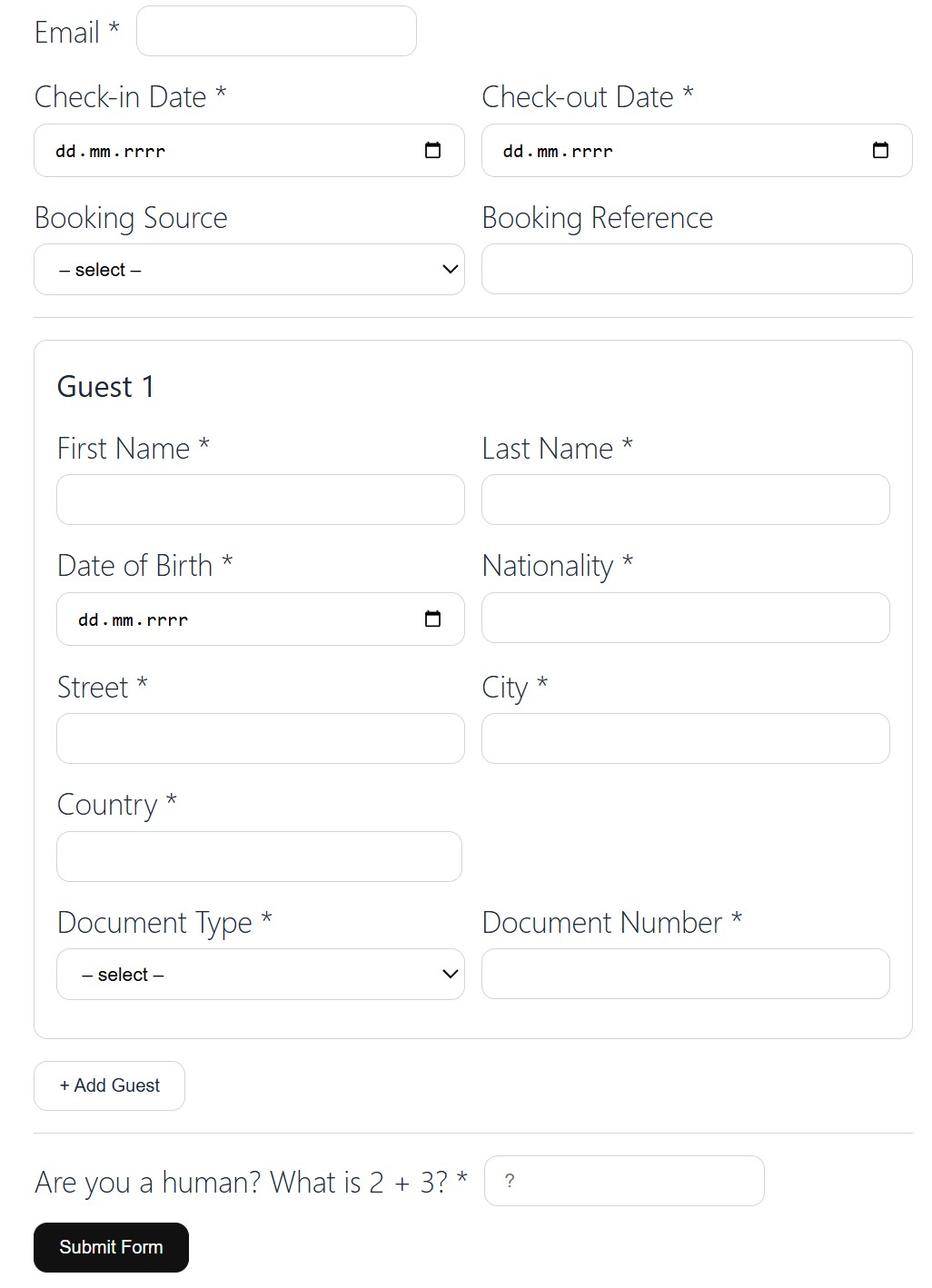
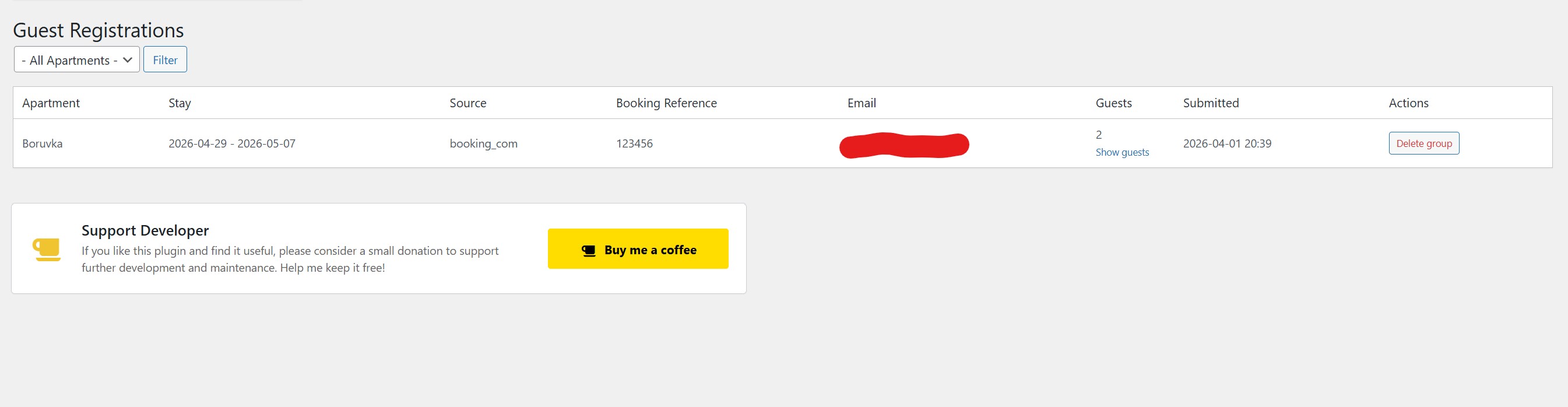
Use the shortcode [vstrb_guest_registration unit="YOUR_ID"] on any page. Share the link with your guest — they fill in their personal details without needing to register. Submitted data is saved to the database and sent by email to both the admin and the guest. You can review all registrations under Bookings → Guest Registrations in the admin panel.
Optional parameters:
title="TEXT"— custom heading displayed above the form. If omitted, the apartment name is used as the heading.language="LOCALE"— locale code (e.g.cs_CZ,de_DE,en_US) to render the form labels in a specific language. If omitted, the current site language is used.
[vstrb_guest_registration unit="YOUR_ID" title="Apartmán Modrý dům" language="cs_CZ"]
Can I pre-fill the guest registration form from a URL?
Yes. The [vstrb_guest_registration] shortcode reads the following GET parameters and pre-fills the corresponding form fields:
date_from— check-in date (format:YYYY-MM-DD)date_to— check-out date (format:YYYY-MM-DD)first_name— guest's first name (pre-fills the first guest block)last_name— guest's last name (pre-fills the first guest block)source— booking source; accepted values:booking_com,airbnb,vrbo,expedia,direct,otherbooking_ref— booking reference number
https://bayernrelax.eu/en/accommodation-registration-tourist-tax/?date_from=2026-07-01&date_to=2026-07-07&first_name=John&last_name=Doe&source=booking_com&booking_ref=1234567890
This is useful when sending a registration link directly from a booking confirmation email.
更新日志:
1.5.4
- Add offering details for WordPress setup
- Admin calendar booking form: CAPTCHA validation is now bypassed for users with
manage_optionsto preventcaptcha_invalidwhen creating bookings from wp-admin. - Admin calendar booking form: minimum stay restriction is no longer enforced for users with
manage_options, so admins can create manual short stays (e.g. 1 night) even if the apartment has a higher minimum.
- added missing translations
- fixed ical
- Fixed calendar nightly price preview to correctly use seasonal
replacerates (for exampleoff_season) instead of always falling back to apartment base price. - Fixed calendar price preview for seasonal rates with
Min Nights > 1so the expected seasonal nightly price is still shown in day cells. - Improved rate calculation chaining:
replacerate is now applied first and then matching discount/surcharge rate is applied on top (for example1000with-10%now shows900). - Moved calendar discount highlighting from a global setting to per-rate control (
Highlight in calendar) in Rates & Discounts. - Added rates cache version invalidation on rate save/delete to ensure calendar reflects updated rate values immediately.
- Fixed rule precedence for overlapping
replacerates: explicit finite date-window overrides (e.g. September/Autumn) now correctly take precedence over broad seasonal windows likeoff_season. - Fixed calendar preview sorting when
Min Nightsis ignored:min_nightsno longer incorrectly dominates rule ordering in day-cell price calculation.
- feat: Enhance iCal export functionality and improve price label localization
- update: Optimize calendar day cell layout and styling
- feat: Add
cal_onlymode for accurate surcharge and discount calculations - update: Simplify plugin references and add styling enhancements with external link
- Added optional per-night price display directly in calendar day cells. Configure in General Settings → Calendar Price Display (global default) or override per apartment in the apartment editor (Details metabox). Three modes: hidden (default), show nightly price, or show discount/surcharge delta only. For per-person pricing modes, the nightly price is calculated using the apartment's configured capacity. Rates with a minimum stay requirement higher than 1 night are excluded from the calendar display.
- Added minimum price support for calendars and new "from price" labels to clarify displayed pricing context.
- Added configurable styling options for calendar price badges, including badge background/text colors, badge size, discount strip color, surcharge strip color, and price-mode label color/size/style.
- Added bold and italic styling options for the calendar price-mode label.
- Added support for distinguishing discount and surcharge badges in calendar rendering.
- Improved diff price display in calendar and enhanced badge visibility/readability.
- Added localization strings for calendar price display settings.
- Added localization strings for pricing labels across all bundled language files.
- Fixed service names displaying in wrong language when using a multilingual plugin (e.g. Polylang): REST endpoints now correctly switch locale using the full locale code resolved via the active multilingual plugin.
- Replaced static CAPTCHA (
2 + 3) with a server-signed dynamic math challenge (random addition or subtraction of small numbers). The correct answer is HMAC-signed with a 30-minute expiry — impossible to bypass by hardcoding the answer.
- Added
languageattribute to[vstrb_booking_form]shortcode — sets the locale for services, contact field labels, and price quote. Priority: shortcode attribute → page language (<html lang>) → visitor's browser language. - Extended API requests to include locale data for services, contact fields, and price quote.
- Added new youtube video tutorial
- Fixed multi-month calendar grid rendering in frontend booking form/calendar.
- The
gridshortcode attribute now consistently controls the number of month columns (e.g.grid="1"= one column). - Reworked calendar month container layout to CSS Grid for predictable month alignment across breakpoints.
- Added booking edit mode in Bookings admin list.
- Internal bookings can now be edited fully (dates, guest/contact details, status, pricing fields, note, etc.).
- Imported iCal bookings are now protected and allow editing only of the internal note.
- Updating internal booking dates now safely rebuilds occupied-day locks and refreshes calendar cache.
- Added registration-to-booking linking for guest document registrations.
- Automatic booking pairing now runs on guest registration submit only when an exact 100% match is found.
- Added manual pairing/unpairing UI for registration groups in Guest Registrations.
- Minor changes
- Minor changes
- Reworked JavaScript output to follow WordPress enqueue best practices: removed inline
<script>tags from PHP templates and moved logic towp_add_inline_script()attached to enqueued plugin handles. - Ensured admin assets are loaded not only on plugin submenu pages, but also on
vstrb_unitedit/list screens (edit.php,post.php,post-new.php) where plugin JS is needed. - Removed unnecessary
load_plugin_textdomain()call for WordPress.org-hosted translation loading. - Kept REST route
permission_callbackhandling explicit and unchanged for intended public endpoints. - Improved Plugin Check compatibility by normalizing line endings in core plugin files (
includes/shortcodes.php,includes/db.php,includes/admin.php,includes/cpt.php). - Refactored CPT POST array handling to use
filter_input()helper access, reducing false-positive nonce warnings while keeping nonce validation insave_meta(). - Security hardening: replaced non-sanitizing request reads with explicit sanitization/validation in admin and CPT input helpers (
get_param_*,request_param_int,post_array, checkbox handling, and meta save processing). - Security hardening: strengthened REST payload validation for JSON shape, dates (
YYYY-MM/YYYY-MM-DD), currency codes, scalar text fields, and email addresses before processing or storage. - Security hardening: improved output escaping of generated markup in admin/shortcodes (
wp_kses()with allowed markup map) and escaped conditional CSS class output in calendar rendering. - Security hardening: sanitized inline assets before enqueue (
wp_add_inline_script/wp_add_inline_style) to prevent unsafe tag injection. - iCal export endpoint now returns a proper
WP_REST_Responsewith calendar headers instead of directechooutput. - Email notification hardening: validate recipient addresses with
sanitize_email()+is_email()and sanitize dynamic summary/meta text values. - Normalized line endings in additional files flagged by Plugin Check (
includes/emails.php,includes/ical.php,includes/rest.php). - Synced
readme.txtStable tag with plugin version header (1.4.2).
- Project renamed from name Free Short-Term Rental Booking to Vachr Short-Term Rental Reservations
- Guest Registrations admin table now groups multiple guests from the same stay into a single collapsible row. Click "Show guests" to expand and see individual guest details (name, date of birth, nationality, document, address).
- Added "Delete group" action to remove all guests belonging to the same registration group at once.
- If no booking reference is provided during guest registration, a unique internal reference is automatically generated (format:
VSTRB-{unit}-{date}-{random}), ensuring guests submitted together are always correctly grouped. - Fixed undefined array key warnings on fresh installations when visual settings have not been configured yet (
cal_date_size,cal_date_color,cal_lbl_size,cal_lbl_color,cal_h_size,cal_h_color,cal_h_align,frm_h_size,frm_h_color).
- Added
titleattribute to[vstrb_guest_registration]shortcode — allows setting a custom heading above the form. Defaults to the apartment name. - Added
languageattribute to[vstrb_guest_registration]shortcode — renders all form labels in the specified locale (e.g.cs_CZ,de_DE). Usesswitch_to_locale()/restore_current_locale()so the rest of the page is unaffected. - Updated Shortcode Guide in the Apartments admin list with documentation and an example for both new attributes.
- Replaced single "Permanent Address" field in guest registration form with three separate fields: Street, City, and Country.
- Added
street,city,statecolumns to the guest registrations database table; existing installations are migrated automatically. - Updated admin Guest Registrations table, notification emails, and all 11 language translations accordingly.
- Extended guest registration form: added Booking Source dropdown (Booking.com, Airbnb, VRBO, Expedia, Direct, Other) and Booking Reference number field.
- Form fields can be pre-filled via GET parameters (
date_from,date_to,first_name,last_name,source,booking_ref) — useful for linking directly from booking confirmation emails. - Source and booking reference are stored in the database, shown in the admin Guest Registrations table, and included in admin notification emails.
- Fixed guest registration form layout: corrected CSS container class, added
vstrb-fieldflex styles and notice colours tofrontend.css. - Added full translations for guest registration feature in all 11 supported languages (cs_CZ, de_DE, es_ES, fr_FR, it_IT, ja, nl_NL, pl_PL, pt_PT, ru_RU, zh_CN).
- Added
[vstrb_guest_registration unit="ID"]shortcode — a standalone registration form for guests who book through external channels (e.g. Booking.com). No WordPress account required. - New database table
wp_vstrb_guest_registrationsstores: first name, last name, date of birth, permanent address, document type & number, nationality, accommodation dates, and email — linked to a specific apartment. - Submitted registrations trigger automatic email notifications to both the admin and the guest.
- New admin page Bookings → Guest Registrations with a filterable table overview and per-record delete action.
- Added
Available Languagessetting in General Settings (comma-separated language codes). - Service translation fields and Contact Fields language selectors now use only languages configured in General Settings.
- Improved language-list consistency between settings validation and admin forms.
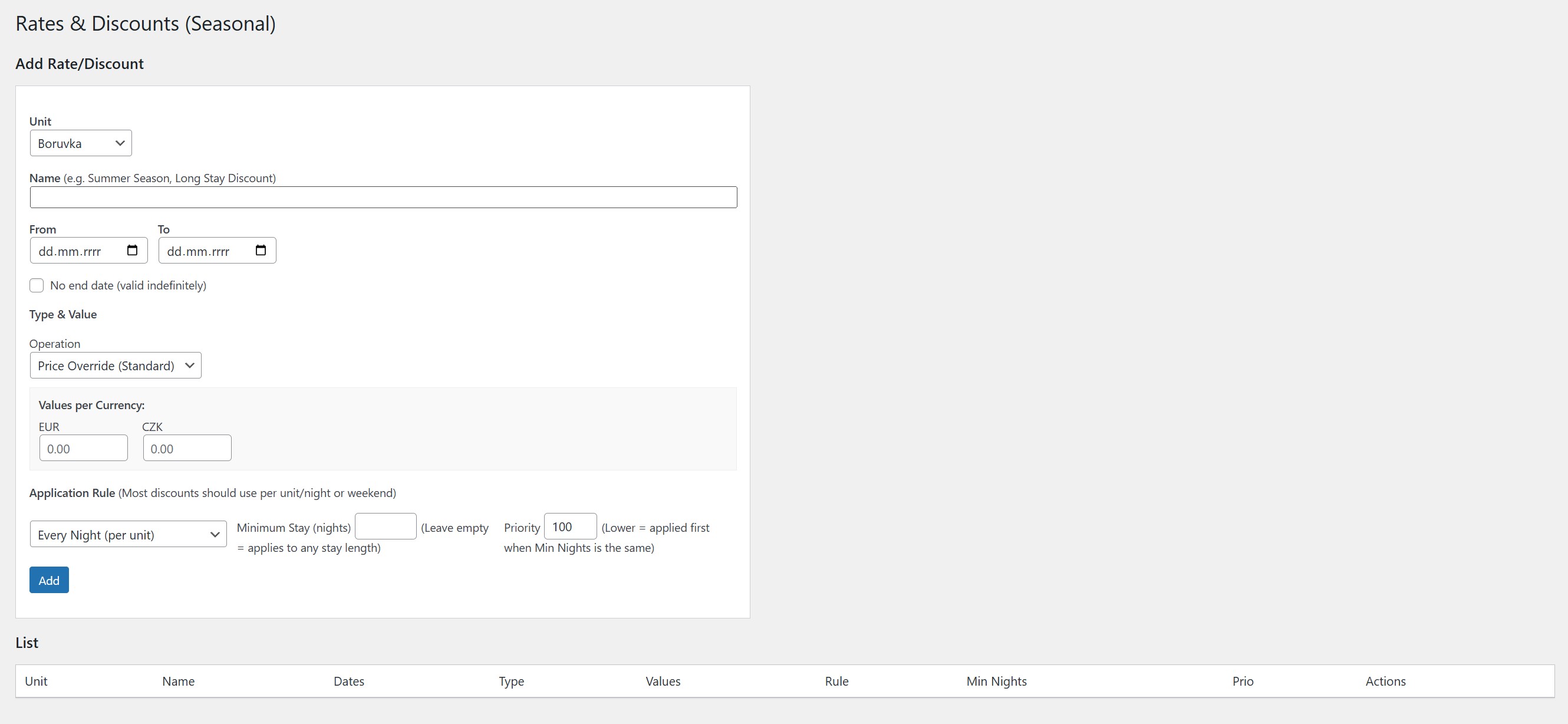
- Added surcharge operations (
Surcharge %andSurcharge $) in Rates & Discounts. - Added a
Single Night Onlyrule so you can target one-night stays precisely. - Extended live price breakdown with a dedicated surcharge line.
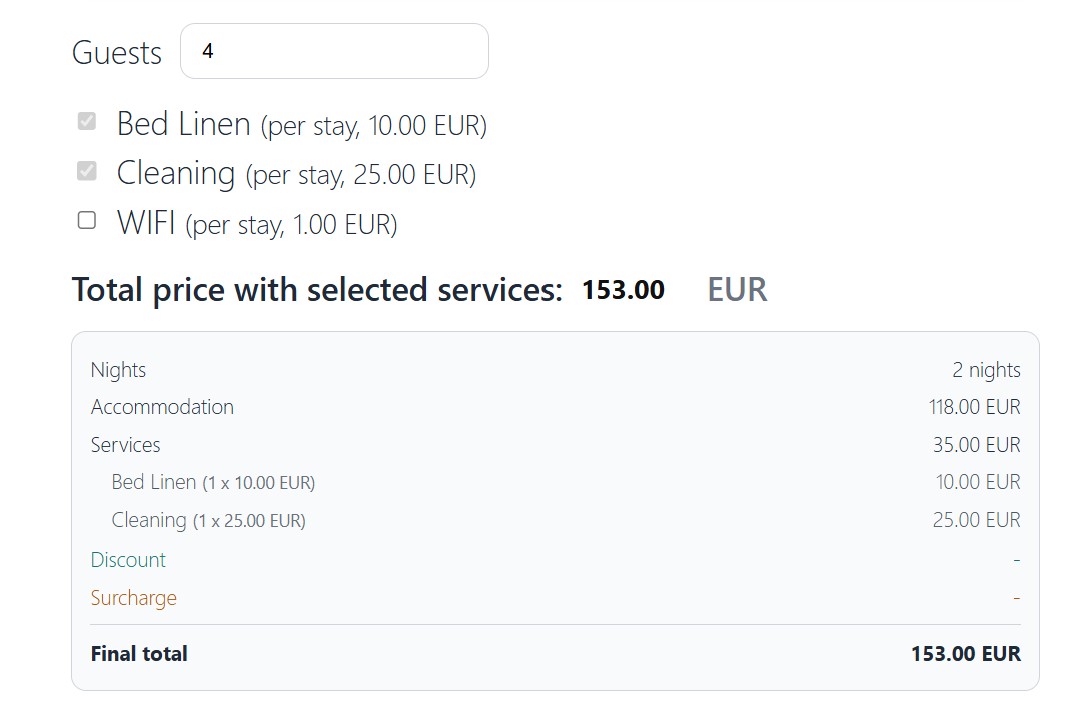
- Improved live price breakdown for services: each selected service is now shown on its own line with quantity, unit price, and line total.
- Added support for unlimited validity on rates and discounts with a new “No end date” option.
- Added minimum-stay discount tiers (e.g., weekly discounts), with longer stays taking precedence.
- Added a real-time price breakdown to the booking form so guests can see the final total before submitting.
- Fixed iCal date handling by properly applying time zones for DTSTART/DTEND and ensuring existing UID-matched imports update both booking ranges and occupied-day locks to prevent one-day discrepancies in the calendar.
- Improved iCal sync cleanup to remove only stale future imported blocked reservations (including cancellations from source channels) while preserving historical bookings.
- Fixed checkout/checkin design
- Update nonce handling in admin forms for improved security
- Set the backend bookings list to default Date From to today, include ongoing/future reservations (date_to >= today), and sort by start date ascending by default.
- Fixed iCal provider normalization so Airbnb calendar URLs are consistently detected and stored as airbnb (not other), including automatic migration of legacy
- Initial release on WordPress.org.