Variation Swatches for WooCommerce – Color, Image & Size Swatches
| 开发者 | brainstormforce |
|---|---|
| 更新时间 | 2026年3月10日 14:02 |
| PHP版本: | 5.6 及以上 |
| WordPress版本: | 6.8 |
| 版权: | GPLv2 or later |
| 版权网址: | 版权信息 |
详情介绍:
- Astra
- Spectra One
- Blocksy
- Kadence
- GeneratePress
- OceanWP
- Hello Elementor
- Storefront
- Flatsome
- Bricks Builder
- Hestia
- Neve
- Divi
- Avada
- And many more
- CartFlows: Pair visual variation swatches with CartFlows' optimized checkout funnels for a complete high-conversion WooCommerce experience
- Modern Cart: Display variation swatches alongside Modern Cart's slide-out cart for a seamless, visual shopping experience from product selection to checkout
- Cart Abandonment Recovery for WooCommerce: Recover lost sales while giving shoppers the best possible variation selection experience
- Power Coupons: Combine variation swatches with Power Coupons to offer targeted discounts on specific product variations and drive more conversions
- Spectra: Build stunning product pages with Spectra blocks alongside visual swatches
- Elementor: Design custom product layouts with Elementor and display swatches natively
- Beaver Builder: Fully compatible with Beaver Builder page layouts
- Bricks Builder: Works seamlessly within Bricks Builder templates
- Gutenberg: Compatible with the native WordPress block editor
- Oxygen Builder: Tested and supported with Oxygen Builder
- OttoKit: Automate your WooCommerce workflows alongside variation swatches
- WooCommerce Subscriptions: Supports variable subscription products
- WooCommerce Product Add-ons: Compatible with product add-on configurations
- TutorLMS, LifterLMS, LearnDash, LearnPress: Supported for course-related variable products
- MemberPress: Compatible with variable membership products
- WPML & Polylang: Multilingual ready; swatch attributes translate correctly
安装:
- Install the
Variation Swatches for WooCommerceeither via the WordPress plugin directory or by uploadingvariation-swatches-woo.zipto the/wp-content/plugins/directory - Activate the plugin through the 'Plugins' menu in WordPress
- Make sure to disable caching on your checkout and thank you steps
屏幕截图:
常见问题:
What are variation swatches for WooCommerce?
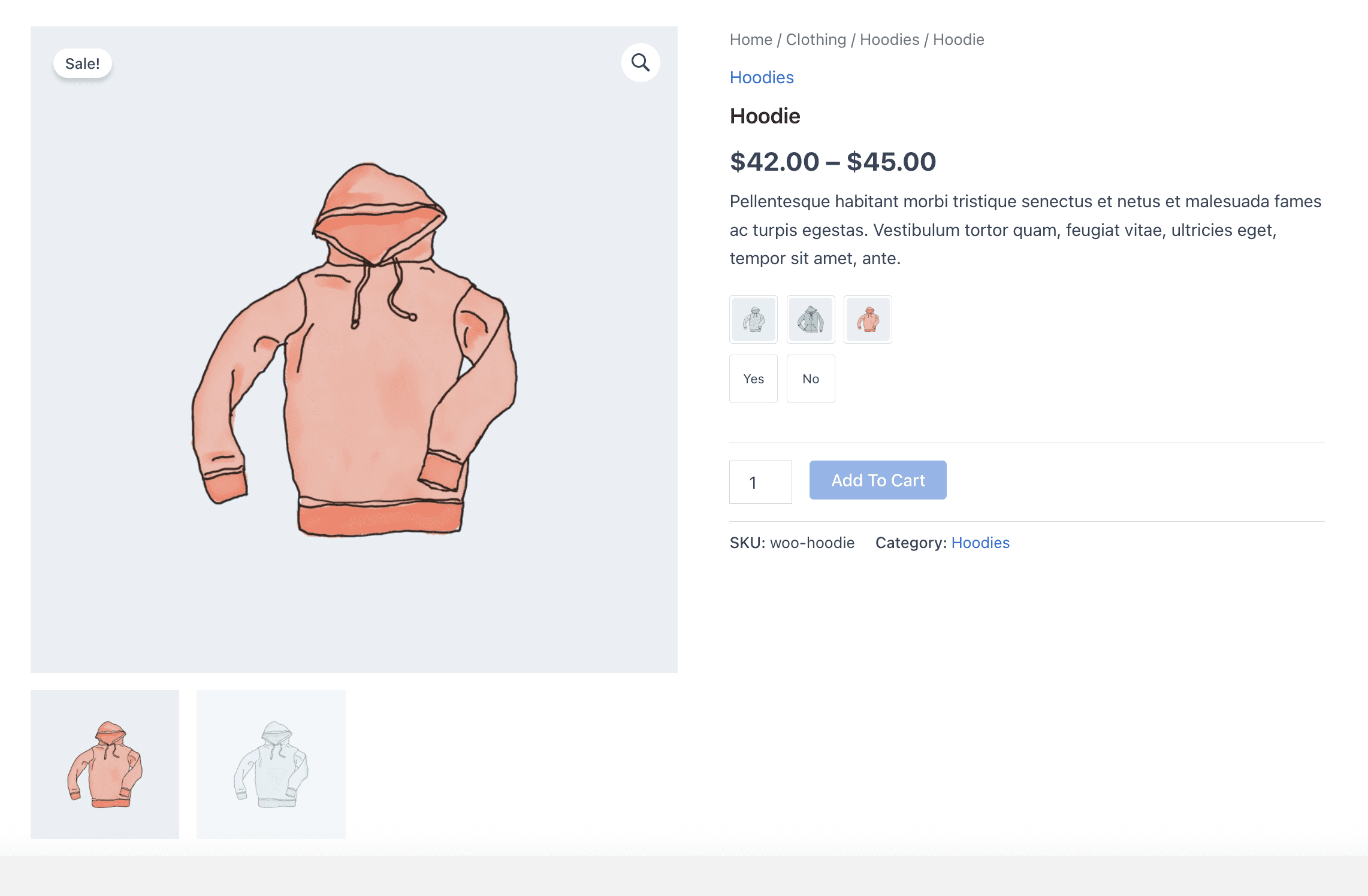
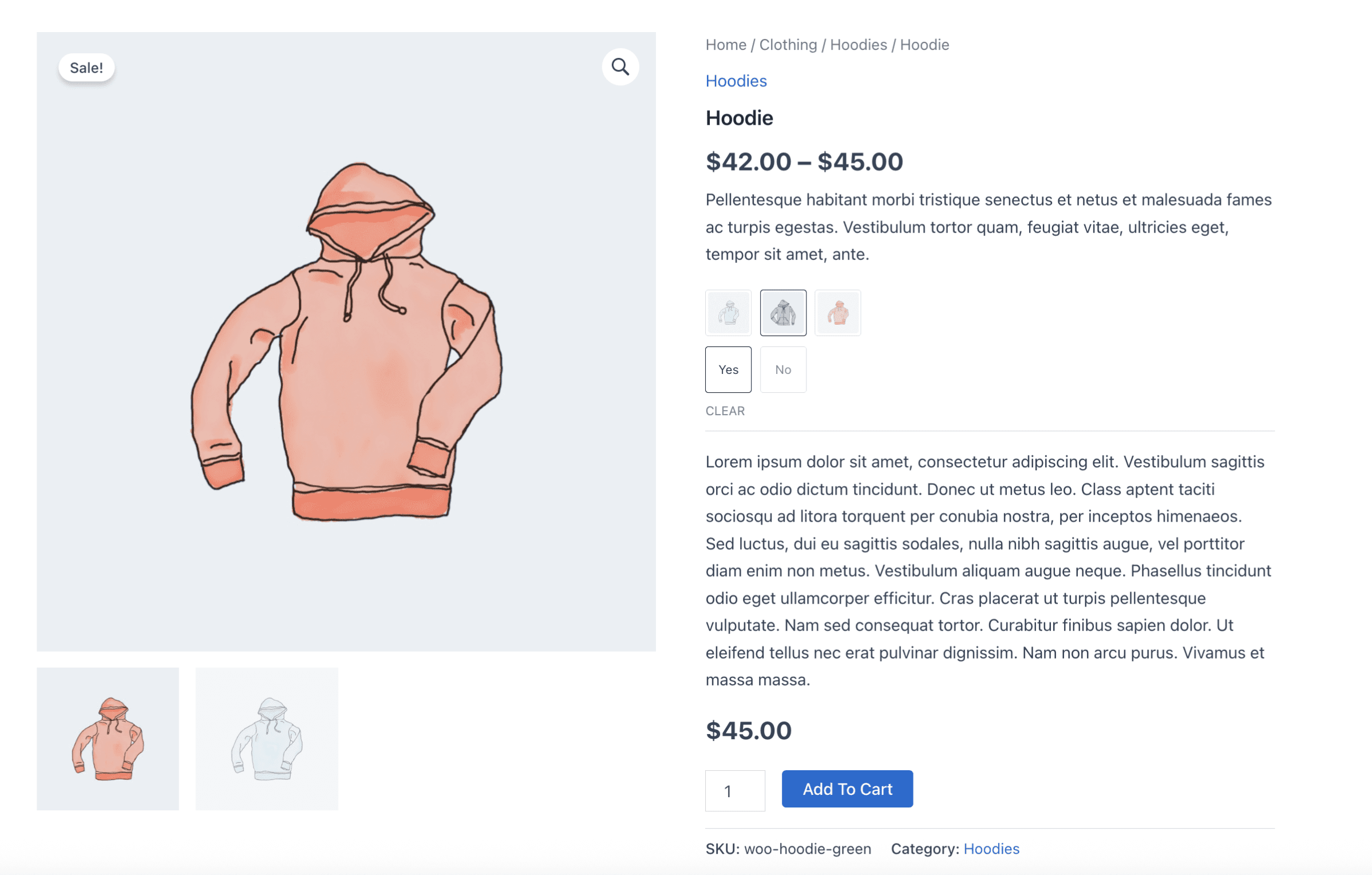
Variation swatches are visual, clickable alternatives to the default WooCommerce dropdown menus on variable product pages. Instead of selecting a color or size from a plain text list, customers click a color swatch, image thumbnail, or labeled button. This makes the shopping experience faster, clearer, and more engaging.
How do I add color swatches to my WooCommerce products?
After installing and activating the plugin, go to Products → Attributes in your WordPress dashboard. Edit any attribute such as "Color" and change its Type to Color Swatch. Then edit each attribute term and assign a hex color value. The plugin will automatically display color swatches on all products using that attribute. No per-product setup is required.
Can I show image swatches for WooCommerce product variations?
Yes. Set an attribute's Type to Image Swatch under Products → Attributes. Then upload a custom image to each attribute term. This works well for textures, patterns, and fabrics. You can also set the product variation's featured image to auto-populate as an image swatch to save setup time.
How do I replace WooCommerce dropdowns with size swatches or buttons?
Set your size attribute's display type to Label or Button in the attribute settings. The plugin will automatically replace the dropdown with clickable size buttons such as S, M, L, and XL. You can control button shape, size, and styling globally from the plugin settings.
Do variation swatches display on the WooCommerce shop page and category pages?
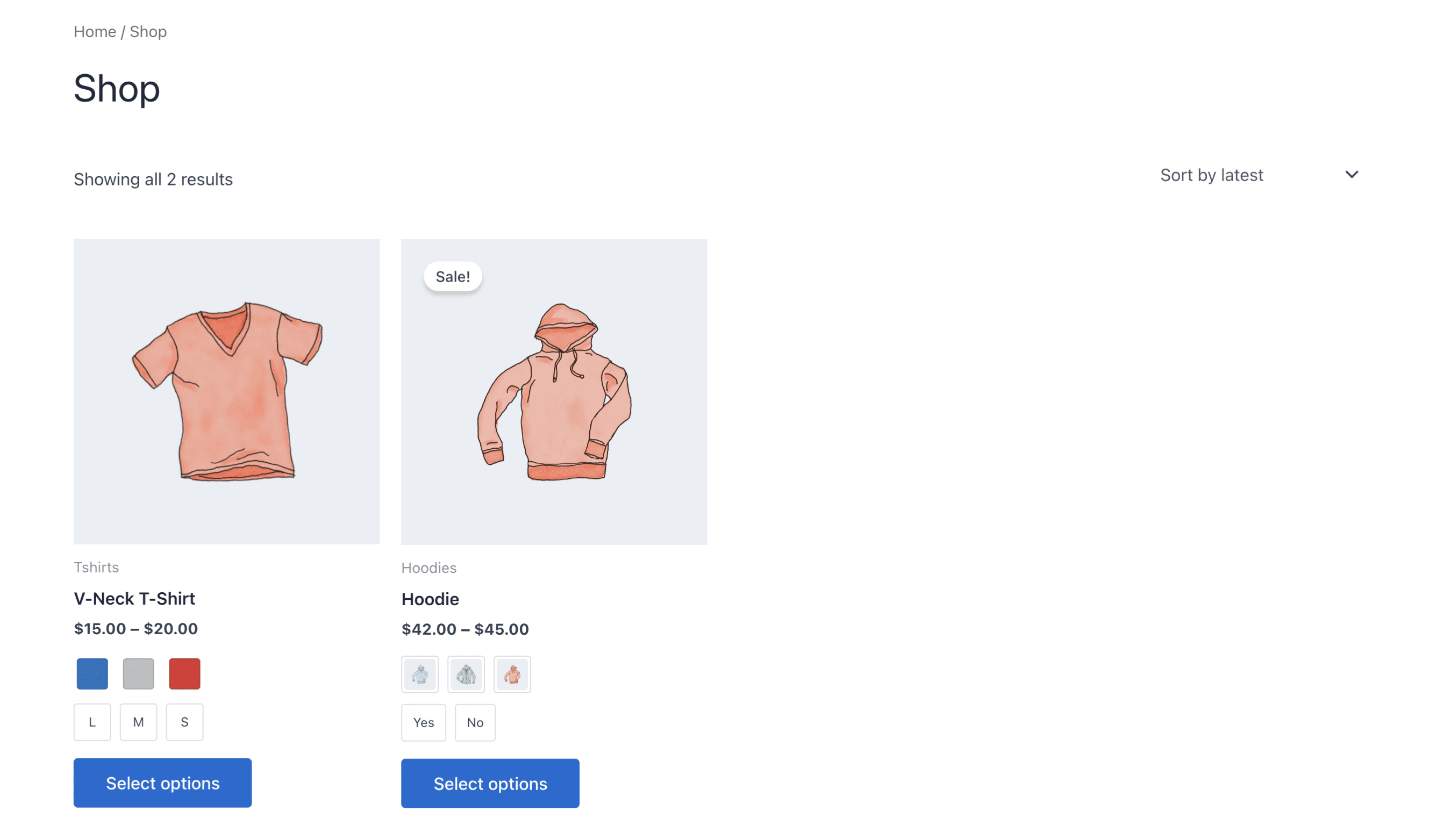
Yes. The plugin supports displaying color, image, and label swatches directly on your shop page, category pages, and archive pages. Enable this from the global settings. Customers can select variations straight from the product catalog.
Will this plugin slow down my WooCommerce store?
No. The plugin is built with performance as the priority. It loads lightweight assets only on pages where swatches are displayed. It does not add unnecessary scripts or styles across your site. It also works well with major caching and performance optimization tools.
Does this work with my WooCommerce theme?
Yes. The plugin is compatible with well-coded WooCommerce themes including Astra, Flatsome, Divi, Avada, OceanWP, Kadence, GeneratePress, Storefront, Blocksy, and Neve. In rare cases with heavily customized themes, minor CSS adjustments may be needed.
Can I customize the shape and size of the swatches?
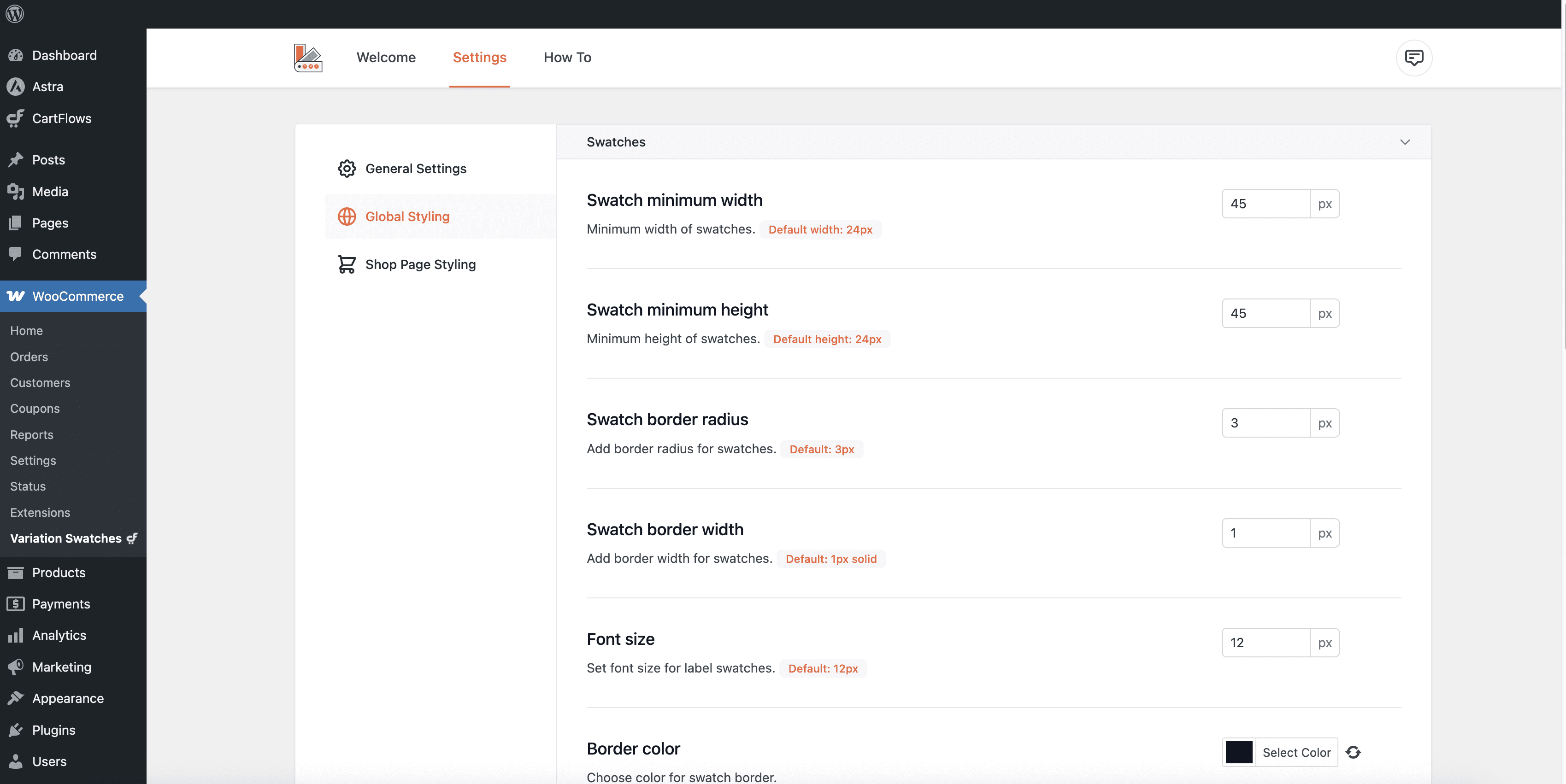
Yes. From the plugin settings, you can choose square or rounded shapes, control swatch width and height, set border width and color, adjust spacing, and enable or disable tooltips. No coding is required. You can also override these settings on individual products.
How do I handle out-of-stock variation swatches?
You can choose how out-of-stock variations appear. Options include blurring the swatch, displaying a cross or strikethrough, or hiding it completely. This prevents customers from selecting unavailable options and improves the shopping experience.
Does this plugin work with WooCommerce variable and bundled products?
Yes. The plugin works with standard WooCommerce variable products and supports variation swatches inside bundled product setups. If you face compatibility issues with specific bundle plugins, support is available.
Can I set different swatch styles for different products?
Yes. You can define a global swatch style for your entire store. You can also override settings on individual products and customize swatch type, shape, and display.
Is this plugin compatible with page builders like Elementor and Spectra?
Yes. The plugin works with Elementor, Spectra, Bricks Builder, Beaver Builder, Oxygen Builder, and Gutenberg. Swatches render correctly inside custom layouts and templates.
Does this plugin work with WPML or Polylang?
Yes. The plugin is compatible with WPML and Polylang. Swatch labels and attributes translate correctly across languages.
What is the difference between color, image, and label swatches?
Color swatches show a solid color or dual-color block for each variation. This is best for product colors. Image swatches display custom thumbnail images. This works well for textures, patterns, and materials. Label or button swatches display text values as clickable buttons. This is commonly used for sizes or text-based attributes. You can mix different swatch types across attributes on the same product.
Is Variation Swatches for WooCommerce free?
Yes. This plugin is completely free. Core functionality such as color, image, and label swatches, tooltips, shop page display, out-of-stock handling, and global or per-product customization is available without any paid upgrade. It is developed and maintained by Brainstorm Force.
Where can I get support or report a bug?
You can reach the support team at cartflows.com/support. For security issues, use the responsible disclosure process at brainstormforce.com/bug-bounty-program.
How do I configure WooCommerce attributes to use variation swatches?
Go to Products → Attributes. Edit any attribute and change the Type from "Select" to Color, Image, or Label. Save the attribute. Then edit its terms and assign colors or images to each value.
How can I report a security bug?
We take plugin security extremely seriously. If you discover a security vulnerability, please report it in a safe and responsible manner. You can report the issue through our Bug Bounty Program.
更新日志:
- New - Introduced a CartFlows info page to help users discover checkout optimization features.
- Improvement - Added filters cfvsw_is_required_screen_for_swatch_types and cfvsw_available_attributes for better customization.
- Fix - Swatches were not displaying for variation products when included in a bundled product.
- Fix - Fixed the conflict with 'WooCommerce Load More Products' plugin & disabled attributes of variations products.
- Fix - Fixed the conflict with Astra theme 'Swap image on hover" feature not working when swatches are disabled from shop/archive pages
- Fix - Resolved the issue where the variation swatch selection did not function properly when jQuery Migrate was disabled in Bricks Builder.
- Fix - Resolved the issue where the "Out-of-Stock Disable" feature did not work correctly with pagination.
- Improvement: Updated the WooCommerce HPOS Compatibility.
- Fix - Resolved the issue of "Swipe images on hover" feature was not working when using the Astra theme.
- Fix - Removed error messages related to undefined variables that were appearing on the frontend.
- Fix - Updated the codebase to better handle both array and non-array values.
- New: Introduced the border width option for the swatch. You can now set a custom border width to your swatches.
- Improvement - Refactored some code to harden the security of the plugin.
- Improvement - Added support for the taxonomy page.
- Improvement - Added support to populate swatches on ajax calls.
- Fixed - Wrong images were appearing on the swatches selection.
- Fixed - Plugin conflict with WP-Persian plugin.
- Fixed - Unable to save custom attribute data with the Cyrillic alphabet.
- Fixed - Compatibility issues with WP Sheet Editor – Taxonomy Terms Pro.
- Fixed - Fatal error with Astra theme.
- Fixed - Variation price disappears on shop page.
- Improvement - Supports WooCommerce shortcodes.
- Improvement - Astra's swap mode working on disabling swatches on shop page.
- Improvement - Increased variation threshold to 200.
- Fixed - Admin UI breaking on edit product page.
- Fixed - Settings page UI issue on attribute edit.
- Feature - Disable out of stock terms.
- Feature - Catalog mode for shop page.
- Improvement - Admin UI improvements.
- Improvement - Supports Astra's infinite scroll mode.
- Fixed - Issue selecting multiple options on shop page.
- Fixed - Thumbnail dimension on shop page.
- Feature - Customize variation swatches from the edit product page.
- Improvement - Updated swatches' spacing.
- Improvement - Maintain swatches order on frontend as per settings.
- Improvement - Added RTL support for the settings page.
- Improvement - Support for Astra upsells on cart page.
- Initial release.