
Video Player Block – play videos beautifully on any device
| 开发者 |
abuhayat
charlescormier bplugins himur98 freemius |
|---|---|
| 更新时间 | 2026年10月13日 19:44 |
| 捐献地址: | 去捐款 |
| PHP版本: | 6.5 及以上 |
| WordPress版本: | 7.1 |
| 版权: | GPLv3 or later |
| 版权网址: | 版权信息 |
详情介绍:
- Default HTML5 Video Player: A clean, lightweight, and responsive player for standard self-hosted MP4, WebM, and OGG formats.
- YouTube & Vimeo Native Support: Easily embed and play YouTube and Vimeo videos within the customizable player skin.
- Native Gutenberg Block: Add videos directly from the WordPress editor with a dedicated, easy-to-use block.
- Fully Responsive Design: Automatically adjusts the player for seamless viewing on desktops, tablets, and mobile devices.
- Customizable Player Controls: Show or hide basic controls like play, volume, and fullscreen.
- Rewind & Fast-Forward Buttons: Toggle dedicated seek backward and seek forward buttons on the player.
- Player Restart Button: Add a dedicated button to easily restart the video from the beginning.
- Download Button Toggle: Enable or disable the video download option for your viewers.
- Picture-in-Picture & AirPlay: Toggle PiP and AirPlay options directly from the settings panel.
- Shortcode Generator: Generate and insert video players anywhere using shortcodes for maximum flexibility.
- Poster Image Selection: Choose custom video poster images directly from the WordPress media library.
- Autoplay & Mute Options: Control video behavior on page load with simple toggle settings.
- Lightweight & Fast: Built for performance so your pages stay fast and user-friendly.
- Unlimited Video Players: Add multiple players anywhere on your website without restrictions.
- Cross-Browser & iOS Friendly: Fully compatible with Chrome, Firefox, Safari, Edge, and mobile devices (iPhone/Android).
- React Video Player Engine: A cutting-edge player with complete customization based on React and Media Chrome.
- Video.js Player Support: Industry-standard, high-compatibility media player layouts for professional websites.
- Vidstack Player Engine: A premium, state-of-the-art player layout optimized for high performance.
- Video Gallery: Showcase multiple videos in grid, masonry, carousel, and bento layouts with category filters and an integrated lightbox player.
- Video Playlist: Pair a video player with a clickable episode queue featuring chapters, auto-advance, watched-state persistence, and Netflix/YouTube-style sequential viewing.
- Video Lightbox: Add a click-to-play trigger (thumbnail, button, or play-icon overlay) that opens any supported video in a responsive modal, deferring heavy player assets until the visitor opts in.
- Video Reels: Build a vertical, swipe-driven short-form video feed (TikTok / Instagram Reels / YouTube Shorts style) for any post, page, or template.
- Video Comparison: Reveal a draggable before/after slider that synchronously plays two videos side-by-side in real time.
- Video Testimonial Card: Create conversion-focused social-proof cards pairing a customer photo, attributed quote, star rating, and an inline-playable video clip.
- Video Transcript: Display a synchronized, clickable transcript alongside any video so viewers can jump to any moment and search engines can index the spoken content.
- HLS (.m3u8) & DASH (.mpd) Streaming: Deliver high-quality, modern adaptive video efficiently.
- Mux Video Integration: Custom integration with Mux video servers for high-performance direct playback.
- External Video Sources: Amazon S3, DigitalOcean Spaces, BunnyCDN, and other external hosting services.
- Custom Aspect Ratios: Switch between 16:9, 4:3, 21:9, and custom dimensions.
- Glassmorphism UI Controls: Apply blur and glassmorphic styling effects to player control backdrops.
- Advanced Shadow & Borders: Custom player box shadows, border styles, and inner/outer border radius.
- Multiple Subtitle Support: Add multilingual subtitle tracks (VTT) for global accessibility.
- Playback Speed Control: Granular playback speed options (0.5x to 2.0x).
- Lazy Loading & Preloading: Defer video loading until visible in viewport to maximize Core Web Vitals.
- Google Cast & Chromecast: Wirelessly stream video from the browser player to any Chromecast-enabled TV.
- Install and activate the Video Player Block plugin.
- Open the Gutenberg editor and search for "Video Player Block".
- Add the block to your post or page.
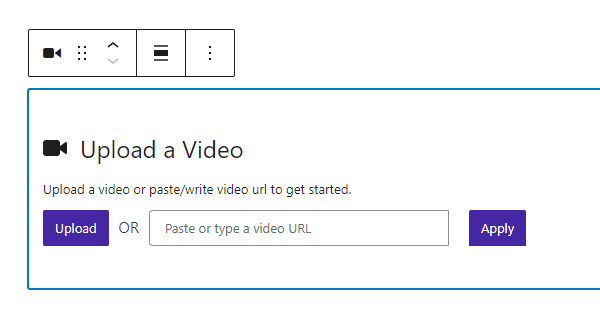
- Upload a video or paste a YouTube/Vimeo URL.
- Customize the player settings from the right sidebar.
- Publish the page and enjoy your responsive video player.
- Video Tutorials & Online Courses: Deliver lessons in a clean, distraction-free player.
- Product Demos & Marketing Videos: Showcase products with poster images and custom controls.
- Educational & Membership Sites: Publish unlimited videos across your content.
- Portfolio & Media Websites: Present video work in a consistent, professional player.
- Podcast Video Episodes: Embed episode videos alongside your show notes.
安装:
- Go to Plugins → Add New.
- Search for "Video Player Block".
- Click Install Now, then Activate.
- Add the Video Player Block to any post or page from the Gutenberg editor.
- Download the plugin ZIP file and upload the folder to the
/wp-content/plugins/directory (or upload the ZIP via Plugins → Add New → Upload Plugin). - Activate the plugin through the Plugins menu in WordPress.
- Add the block from the Gutenberg editor, or use the shortcode anywhere on your site.
屏幕截图:




常见问题:
Is Video Player Block free?
Yes. The free version includes a responsive HTML5 video player with YouTube and Vimeo support, customizable controls, poster images, autoplay, a shortcode generator, and unlimited players. A Pro version adds advanced player engines, streaming, and additional video blocks.
How do I add a video player in WordPress with Gutenberg?
Open any post or page in the Gutenberg block editor, click the + (Add Block) button, search for "Video Player Block", insert it, then upload or paste your video URL. No coding or page builder is required.
What video types can I play?
You can play self-hosted MP4, WebM, and OGG files, plus YouTube and Vimeo videos. The Pro version adds HLS (.m3u8) and DASH (.mpd) streaming and external sources like Amazon S3, DigitalOcean Spaces, and BunnyCDN.
Does it support YouTube or Vimeo?
Yes, Video Player Block fully supports YouTube and Vimeo. Simply paste the video URL, and the block will automatically handle the embedding using the integrated player engine for a consistent and professional experience.
Is the video player responsive and mobile-friendly?
Yes. The player is fully responsive and works across Chrome, Firefox, Safari, and Edge, as well as iPhone and Android devices.
Can I use the player outside the Gutenberg editor?
Yes. Use the shortcode [video_player id="123"] in classic content, widgets, or page builders that do not support Gutenberg blocks. Replace 123 with the ID of the Video Player post you created via the Video Player custom post type menu.
Can viewers download my videos?
That is up to you – the free version includes a download button toggle so you can enable or disable the download option for viewers.
How many players can I publish on my site?
You can publish unlimited videos – there are no limits.
How do I install this plugin?
You can install it like any other WordPress plugin. Please see the Installation tab for details.
Will this plugin work with the theme I use?
This plugin is compatible with most themes. Unfortunately, we cannot check it with all third-party themes (especially paid ones) for compatibility, therefore there are cases when this plugin does not work with a third-party theme. We constantly check this plugin for compatibility with third-party themes, and if we find an incompatibility we can fix on our part, we release an update. If you find a conflict between our plugin and a third-party theme, please let us know and we will definitely release an update to fix the problem.
Will this plugin work with other plugins that I use?
This plugin is compatible with most plugins. Unfortunately, we cannot check it with all third-party plugins (especially paid ones) for compatibility, therefore there are cases when this plugin does not work with a third-party plugin. We constantly check for compatibility, and if we find an incompatibility we can fix on our part, we release an update. If you find a conflict between our plugin and a third-party plugin, please let us know and we will definitely release an update to fix the problem.
Where can I get support?
You can post your questions on the support forum here.
更新日志:
- Update: Freemius SDK updated to 2.13.5.
- Fix: After activating the plugin, the page no longer says you are not allowed to access it. The Freemius opt-in now opens first, then the first page of the plugin.
- Fixed: every bundled section showed a black player. The posters were being set, but they are drawn inline as data URIs and their SVG attribute quotes were left raw. Plyr applies a poster as CSS —
background-image: url('...')— so the first apostrophe inside the URI closed that string early, the whole declaration was dropped, and each section opened on an empty black frame instead of its poster. The quotes are now encoded. - Fixed: the same raw quotes were in the block's inserter preview, so hovering the block in the inserter also showed a black player.
- Fixed: the two-column sections sat at the theme's content width instead of using the width of the section around them, rendering at roughly half the size intended.
- New — five ready-made sections. The block used to arrive from the inserter with no video at all, which is a long way from the hero, demo or lesson most people came here to build. Five patterns now ship under Video Players in the inserter: Full-width video hero, Product demo beside its copy, Lesson with restart and seek controls, Customer story with quote, and Podcast episode with show notes.
- Each arrives finished — heading, copy, aspect ratio, corner radius, accent colour and a control set chosen for the job. A lesson turns Restart on, a hero strips the controls back, a podcast episode turns Picture-in-Picture on, so the controls you already had are visible rather than buried in a settings panel.
- Fixed: the block had no usable inserter preview. Its example set two attributes that do not exist on the block —
previewandsourceType— while the video source itself defaults to empty, so hovering the block in the inserter showed an empty player. It now previews a real one. - Pattern posters are drawn inline rather than fetched, so a freshly inserted section renders instantly and can never show a broken poster.
- Add custom aspect ratios.
- UX Improved.
- Caption Support.
- Lazy load controls.
- Responsive design.
- Fix some bugs.
- Add 7 new Pro video blocks: Video Gallery, Video Playlist, Video Lightbox, Video Reels, Video Comparison, Video Testimonial Card, and Video Transcript.
- Add HLS (.m3u8) and DASH (.mpd) streaming support.
- Add Mux video integration and external source support (Amazon S3, DigitalOcean Spaces, BunnyCDN).
- Add lazy loading, preloading, and Google Cast / Chromecast support.
- Improve player styling: custom aspect ratios, glassmorphism controls, advanced shadow and border options.
- General performance improvements and bug fixes.
- Fix multiple render issue
- Add 3 new advanced video player blocks (React, Video.js, Vidstack)
- Fix build error
- Fix autoplay.
- Not loading the assets where the block is not added
- Add translate feature
- Reduce PHP Code.
- Performance Improvement
- Reduce PHP Code.
- Initial Release.