
Video Gallery for WooCommerce - Add Product Video & Featured Video
| 开发者 |
martinvalchev
nitramix |
|---|---|
| 更新时间 | 2026年10月9日 21:13 |
| 捐献地址: | 去捐款 |
| PHP版本: | 7.4 及以上 |
| WordPress版本: | 7.1 |
| 版权: | GPLv2 or later |
| 版权网址: | 版权信息 |
标签
下载
详情介绍:
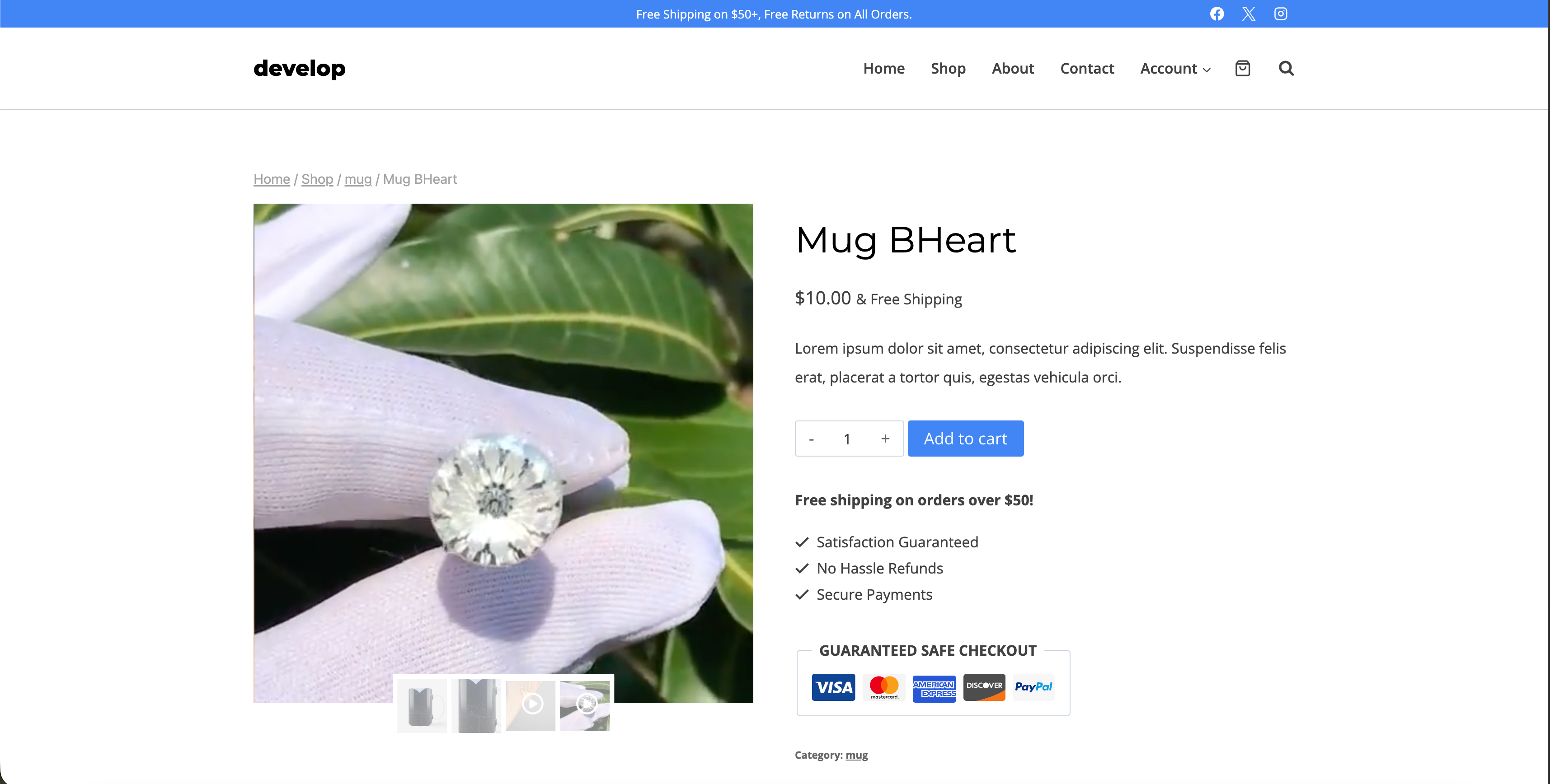
- Add video files from the WP library to your product pages
- Pick the video thumbnail by choosing any frame, or upload your own image
- Move videos around on the product page to your desired position
- Customize the video file icon and color
- Choose autoplay, sound, and loop options for video clips
- Show or hide video control options for a more personalized playback experience
- Enhance user engagement on your product pages with visually engaging video content
- Customize your video gallery to match your brand's aesthetic
- Manage your media library with ease
- Increase conversions by showcasing your products with multimedia content
- Compatible with WooCommerce for seamless integration with your online store
- Limited to 20 products with video
- Limited to 2 videos per product
- WordPress Media Library videos only (no YouTube, Vimeo or external video URL support)
- Basic video icons only
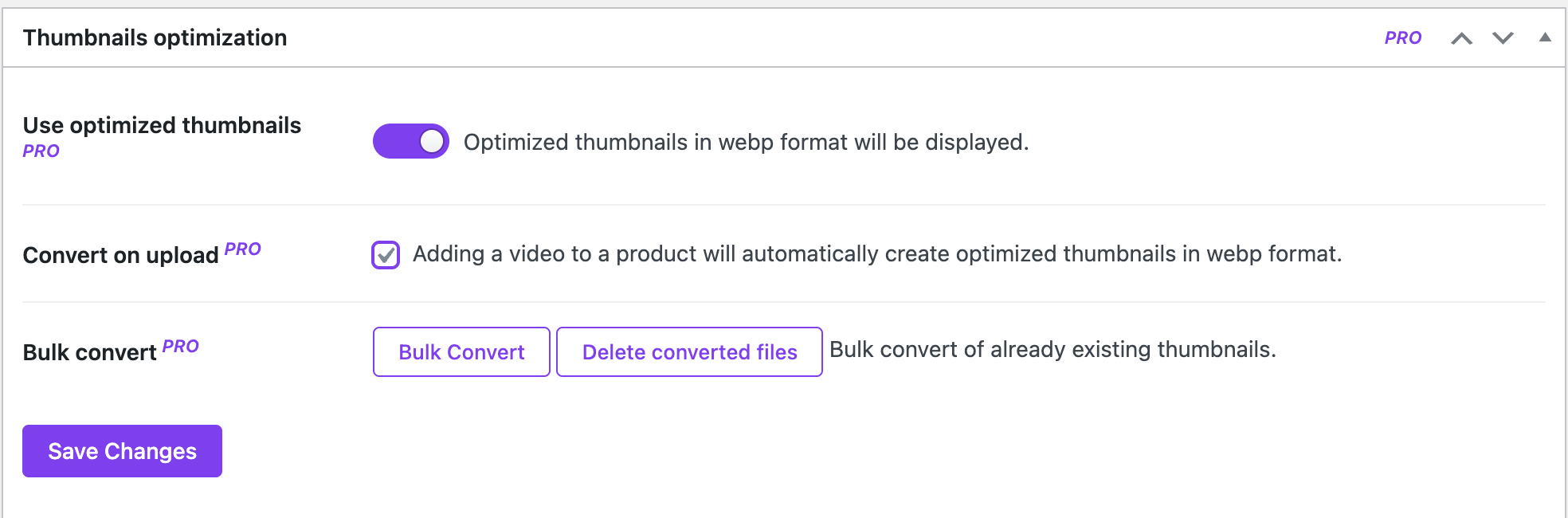
- Basic thumbnail generation
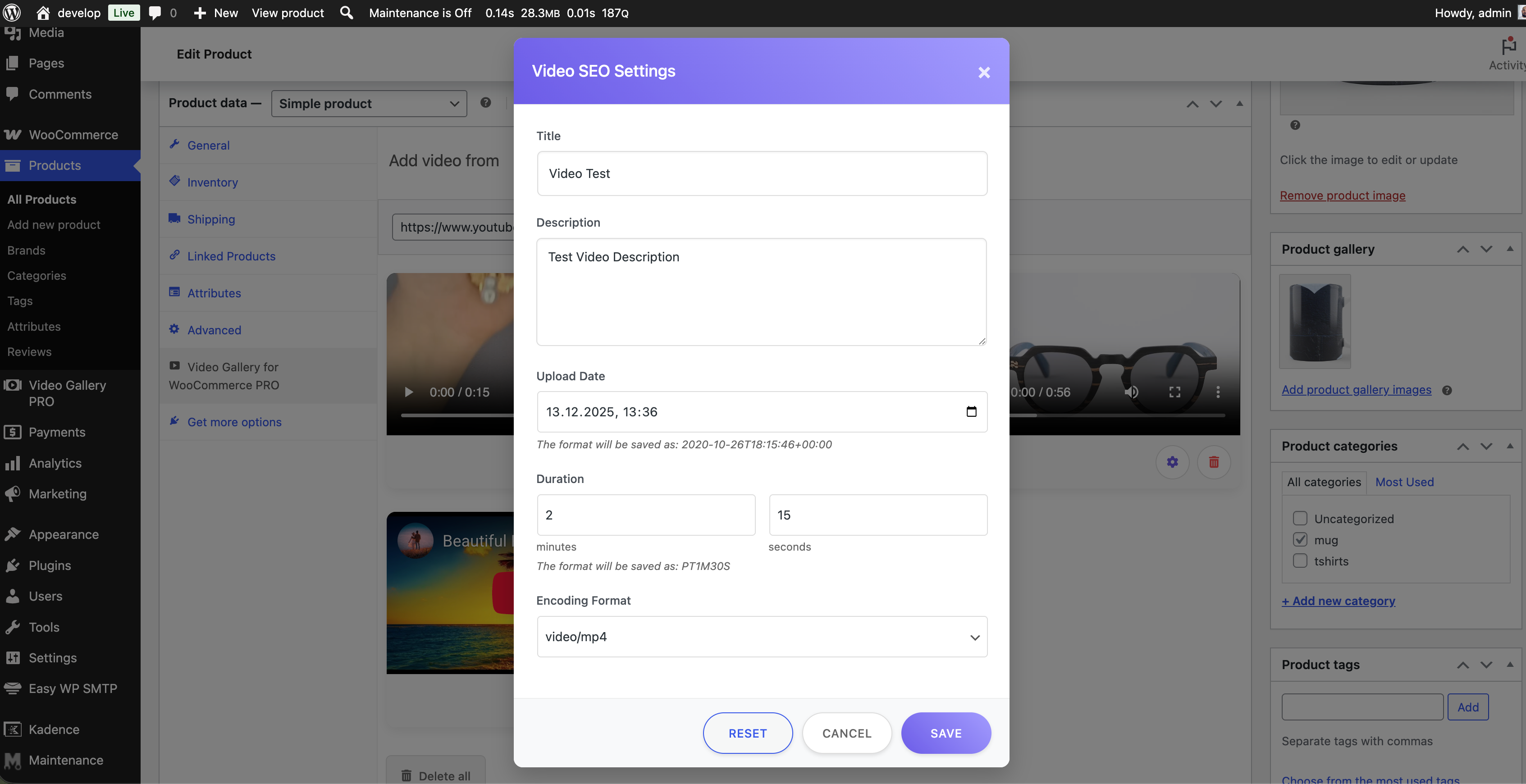
- Basic SEO video
- No analytics 🚀 Upgrade to PRO Version: Get access to advanced features including up to 6 videos per product, YouTube integration, custom SVG icons, optimized thumbnails, SEO settings, video analytics, and premium support!
- Unlimited products with video
- Up to 6 videos per product - Showcase products from multiple angles
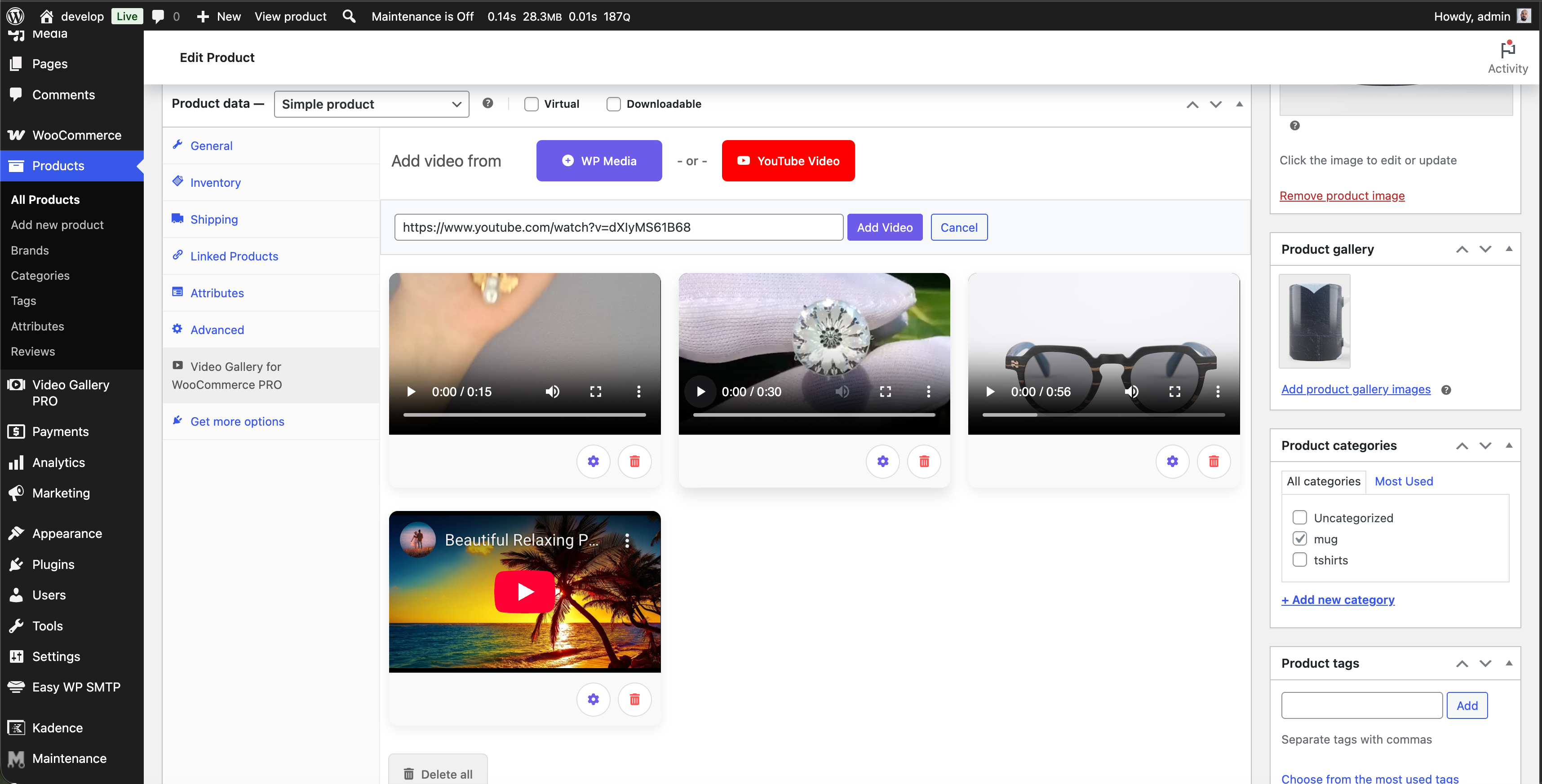
- YouTube video integration - Embed videos directly from YouTube
- Vimeo video integration - Add Vimeo videos by URL (all plans)
- External video URLs - Add direct video-file links, .mp4/.webm/.mov (Multiple Sites plan and above)
- Custom SVG icons - Use your own brand icons
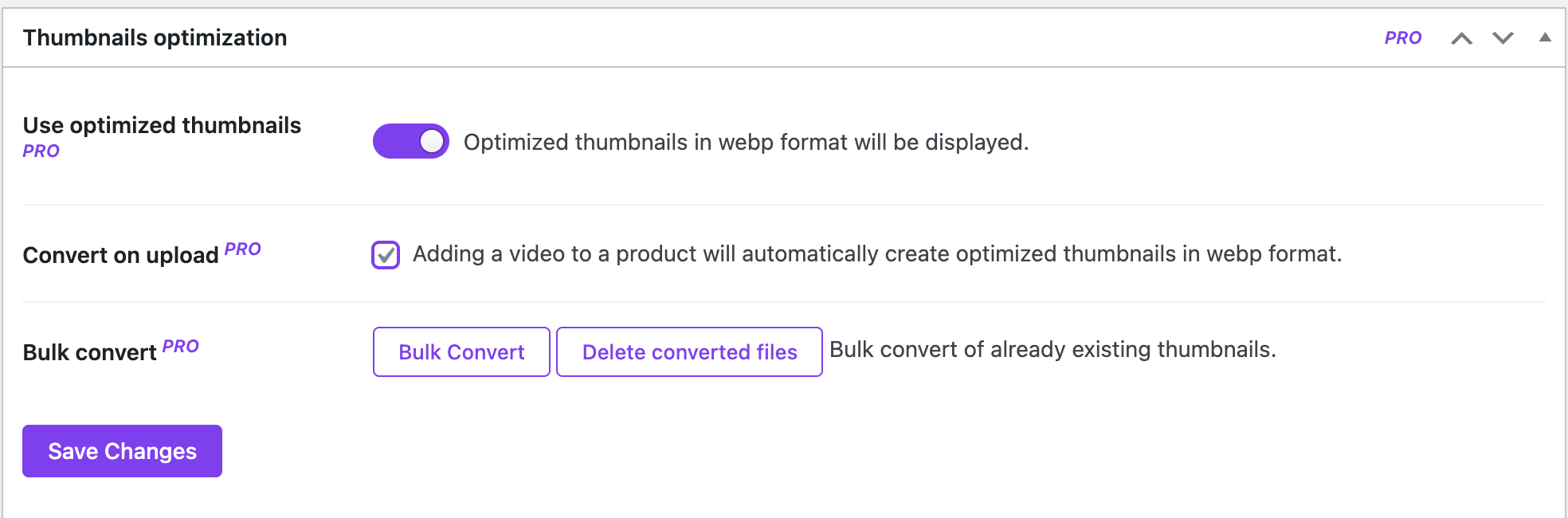
- Optimized thumbnails - Automatic thumbnail generation
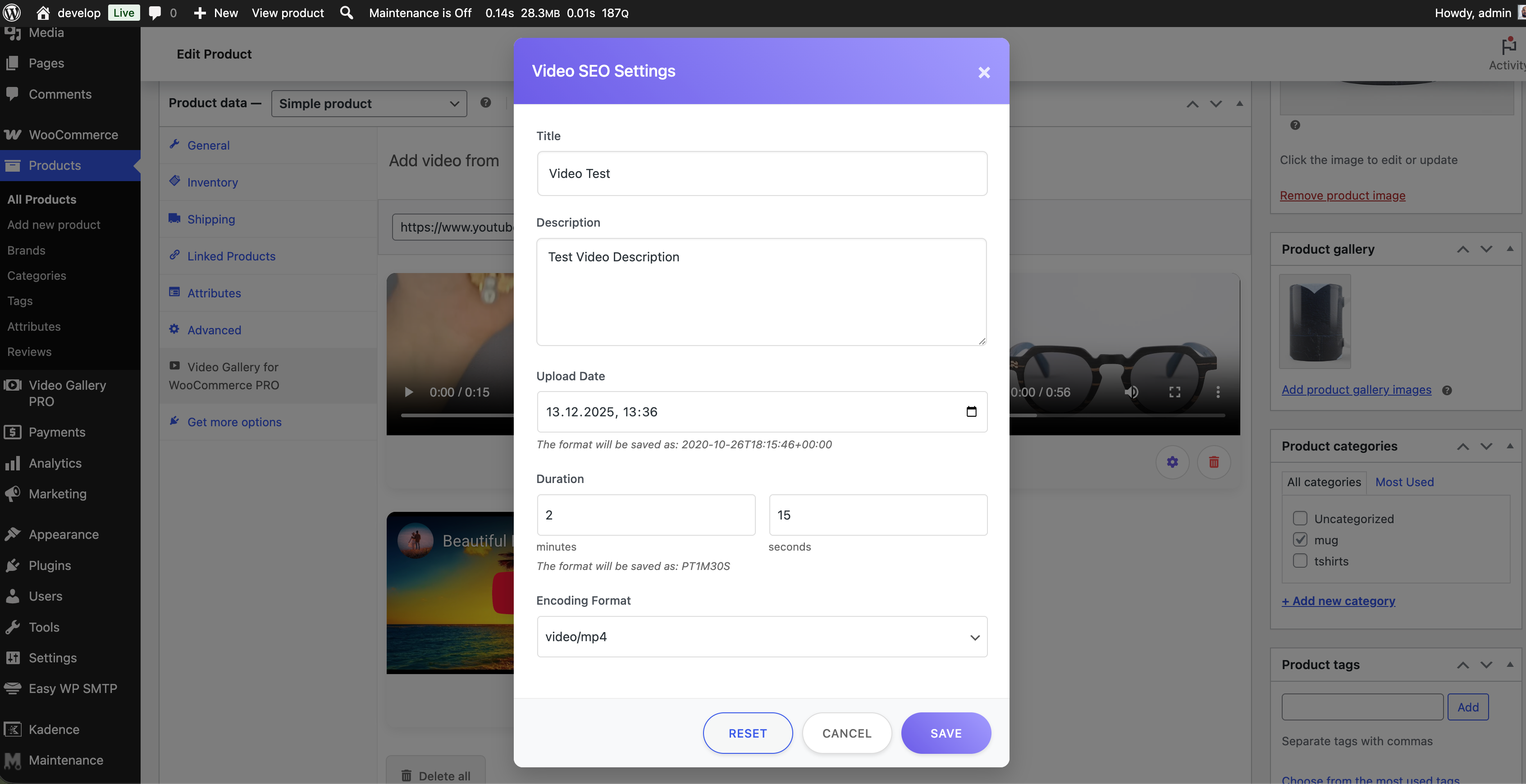
- SEO settings - Custom titles and descriptions per video
- Video Analytics (Basic) - Track video views and watch time per product (Single Site plan)
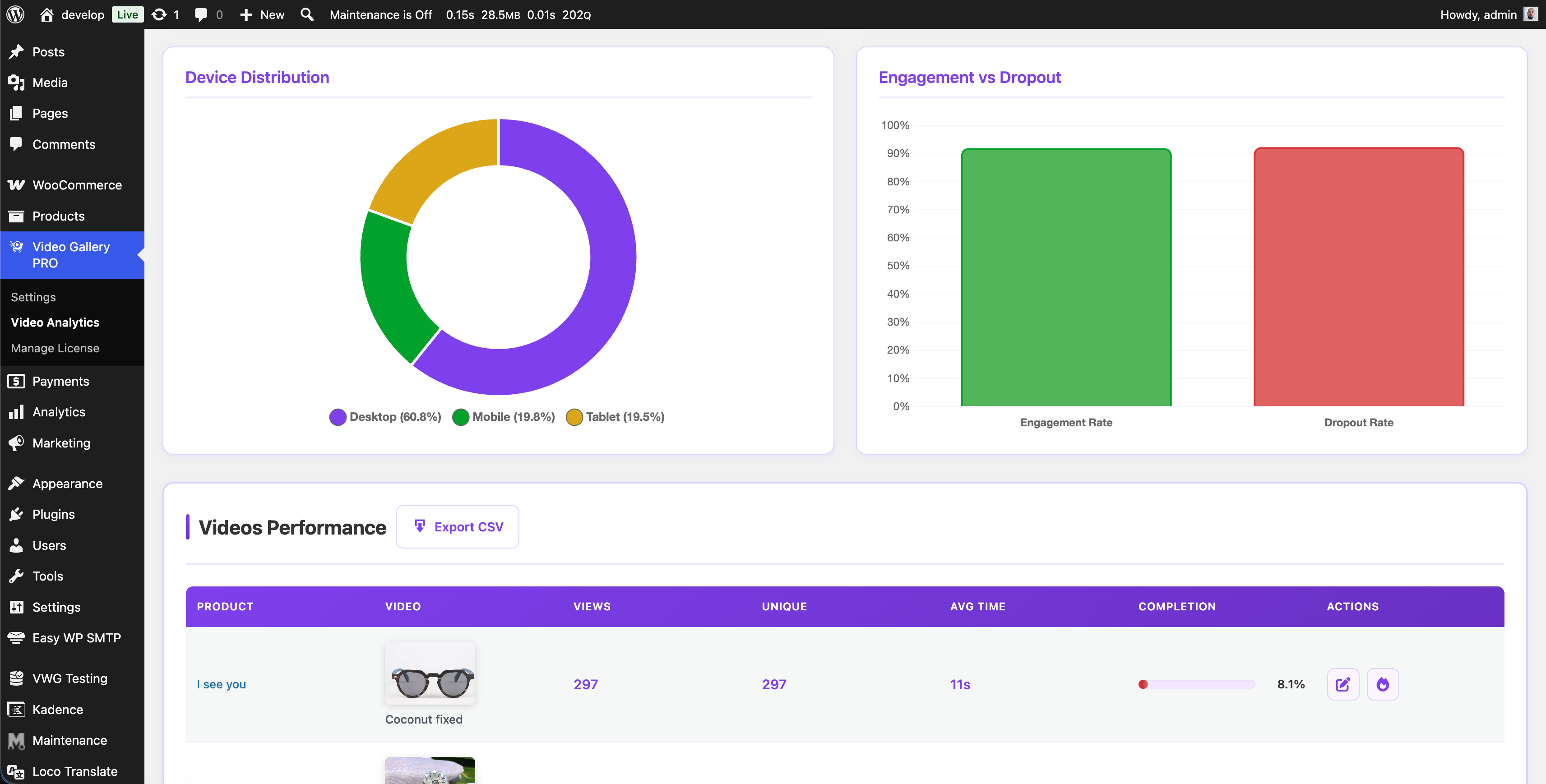
- Video Analytics (Advanced) - Device charts, engagement metrics, location analytics, browser/OS tracking, heatmap visualization, and CSV export (Multiple & Unlimited plans, or Advanced Analytics Add-on)
- Sticky video on scroll - When the active gallery slide leaves the viewport, the video stays visible in a small floating player anchored to the corner of your choice (top-left, top-right, bottom-left, bottom-right). Adapts to the source video's aspect ratio so the whole frame is always visible.
- Premium support - Priority email support Purchase PRO Version
- WooCommerce must be installed and activated. Install it first if you do not have it.
- Video files must be in a WordPress-supported format. MP4 and MOV work best.
- The plugin works with the default WooCommerce templates. We add extra support for known themes. If your theme breaks, contact support and we will check if we can make it compatible.
安装:
- Install the plugin through the WordPress admin interface, or upload the plugin folder to /wp-content/plugins/ using ftp.
- Activate the plugin through the 'Plugins' screen in WordPress. On a Multisite you can either network activate it or let users activate it individually.
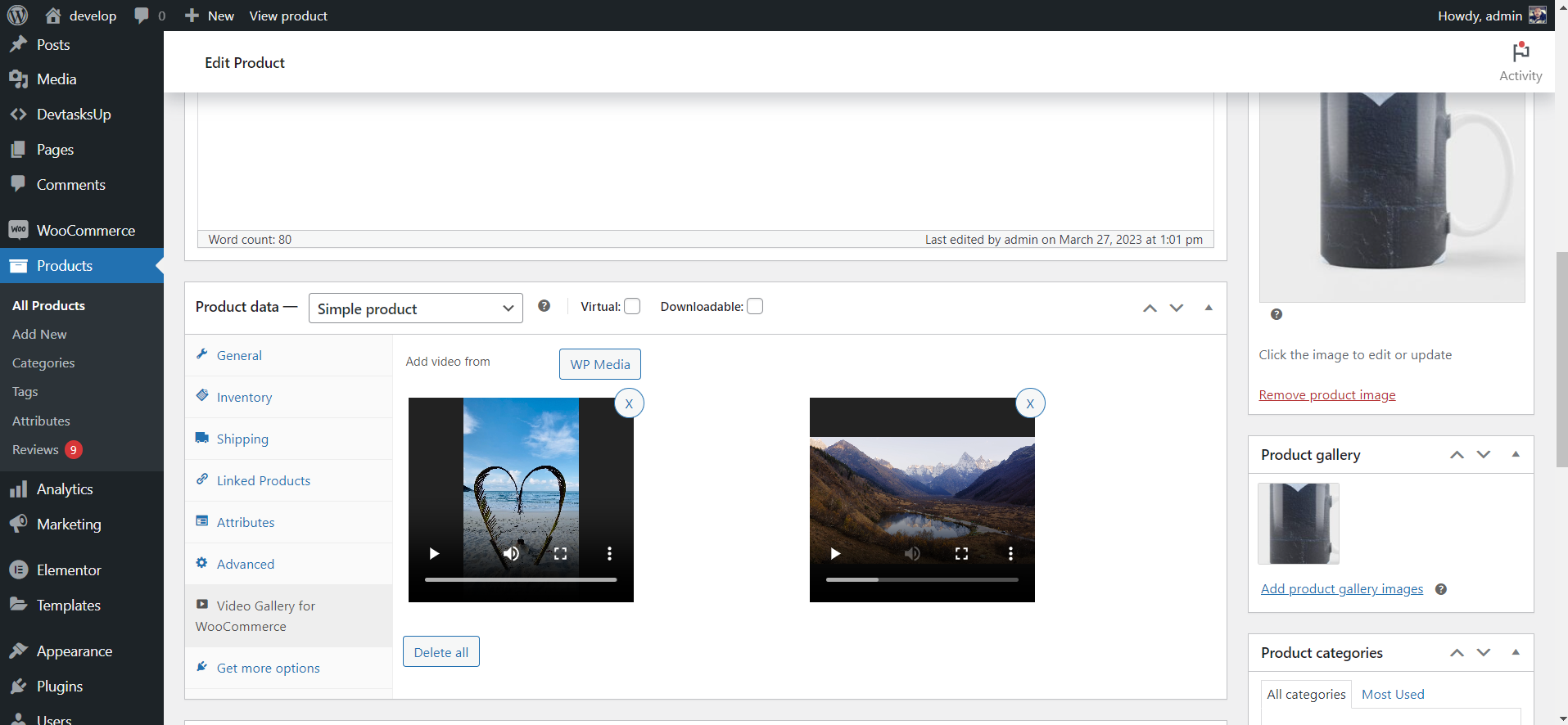
- Go to the "Video Gallery" admin menu in your WordPress dashboard
- Go to Products in WooCommerce.
- Click Edit on the product you want to add a video to.
- Scroll down to the Product Data section.
- Open the tab "Video Gallery for WooCommerce".
- You will see the option to add a video from your media library.
- After adding a video, make sure to click Update to save the changes.
屏幕截图:



常见问题:
What is Video Gallery for WooCommerce?
Video Gallery for WooCommerce is a plugin that allows you to add video files from your WordPress (WP) library to your product pages on your website. It comes with a range of customization options to enhance your video display and improve user engagement.
How do I add a product video to a WooCommerce product?
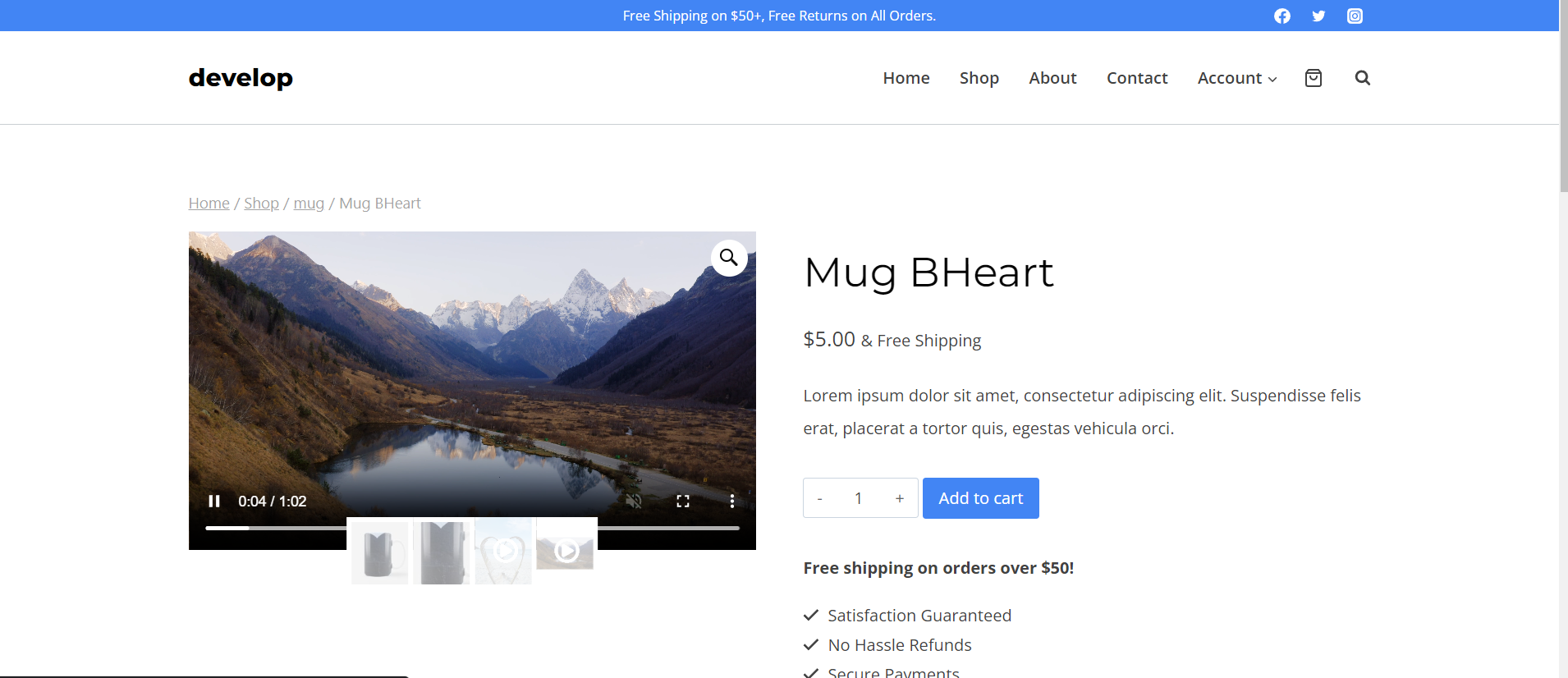
Open the product in WooCommerce. Go to the "Video Gallery for WooCommerce" tab in the Product Data box. Pick a video from the WP media library and click Update. The product video shows up inside the WooCommerce product gallery on the front end. No shortcodes, no theme edits.
Does the plugin work with the native WooCommerce product gallery?
Yes. Video Gallery for WooCommerce works with the default WooCommerce product gallery. It also supports the new WooCommerce Product Gallery Block. Your product video sits next to your product images, without breaking your theme's layout.
What types of video files can I use with Video Gallery for WooCommerce?
You can use any video format supported by WordPress. The most common ones are MP4 and MOV. The PRO version also lets you add YouTube and Vimeo videos, and direct external video URLs (.mp4, .webm, .mov).
Can I add YouTube or Vimeo videos, or a video from an external URL?
These are PRO features. The PRO version adds a YouTube button and a Vimeo button (available on every PRO plan), plus an "External URL" button for direct video-file links such as a CDN .mp4 (available on the Multiple Sites plan and above). External videos even get an automatic thumbnail, and behave just like an uploaded video (controls, autoplay, sticky, SEO, thumbnail editor). In the free version these buttons are visible but locked.
Can I customize the display of my video files?
Yes. You can change the video icon and color. You can also move each video to any position on the product page.
Can I control how my video clips play?
Yes. Each clip has its own settings for autoplay, sound, and loop. You can also show or hide the video controls.
Is Video Gallery for WooCommerce compatible with other WordPress themes and plugins?
Yes. Video Gallery for WooCommerce works with most WordPress themes and plugins. Some themes may need small tweaks. The plugin is built to integrate smoothly with WooCommerce.
Can I set a featured video for each product?
Yes. Any uploaded clip can be used as a featured video for a WooCommerce product. The featured video loads inside the product gallery. It plays through the built-in VideoJS player, with full control over autoplay, mute, and loop.
Is there a PRO version with more features?
Yes. The PRO version unlocks unlimited products with video and up to 6 videos per product. It also adds YouTube and Vimeo integration, external video URLs, custom SVG icons, optimized thumbnails, SEO settings, and video analytics. PRO users get priority support. Visit Video Gallery for WooCommerce PRO to learn more.
What's the difference between FREE and PRO versions?
The FREE version is limited to 20 products with video and 2 videos per product. The PRO version is unlimited. PRO also adds YouTube and Vimeo support, external video URLs, custom icons, advanced SEO, video analytics, and premium support.
What is Video Analytics and how does it work?
The PRO version includes a Video Analytics dashboard. It tracks how visitors interact with your product videos. Enable it from Video Gallery > Settings. All PRO plans include basic analytics (views and watch time). Advanced analytics (device charts, engagement, location data, heatmaps, CSV export) are part of the Multiple Sites and Unlimited Sites plans. Single Site holders can unlock them with the one-time Advanced Analytics Add-on.
Can I get advanced analytics on a Single Site license?
Yes. Buy the Advanced Analytics Add-on as a one-time payment from the Video Analytics dashboard. It unlocks device charts, engagement metrics, location analytics, heatmaps, and CSV export. No need to upgrade your full license.
What is the Sticky video on scroll feature?
Sticky video on scroll is a PRO feature. When a shopper scrolls past the active product video in the gallery, the video stays visible in a small floating player anchored to the corner of the screen you pick - Top left, Top right, Bottom left, or Bottom right. Playback continues exactly where it was: if the video was playing it keeps playing, if paused it stays paused. The floating player adapts to the source video's aspect ratio, so 16:9, 4:3, vertical (9:16), and square clips all show without cropping. A small × button sends the video back to the gallery on demand, and scrolling back up to the gallery returns it automatically. Pick the corner from Video Gallery > Settings.
更新日志:
- Fix: Product gallery printed more than once on the same page (for example separate desktop and mobile galleries in a Flatsome UX Builder product layout) - every copy now gets its own video player IDs. Before, both copies shared the same ID, so a player could end up in the hidden copy and the visible gallery collapsed when the video thumbnail was selected.
- Fix: Flatsome theme - on touch devices you can swipe away from the video slide again. The plugin was blocking the touch event the slider needs to start a swipe.
- Fix: Flatsome theme - when the page has more than one gallery, each thumbnail slider is now linked to the gallery next to it, so tapping a thumbnail changes the slide on phones too.
- Fix: Flatsome theme, vertical thumbnails - product pages with a single image and no video had a broken layout (the title and summary dropped below the image). The gallery template left one wrapper unclosed on those products. Release date: October 9, 2026
- Fix: Blocksy theme - the gallery's left/right navigation arrows disappeared as soon as a product had a video. They are back, using the theme's own arrow icons and hover behaviour, so a product with video now looks and works exactly like one without.
- Fix: Blocksy theme - clicking a gallery image on a product with video opened the raw image file in the browser. Clicks are inert now, matching what the theme does when its lightbox is switched off. With the lightbox on, nothing changes - it keeps opening as before.
- Improvement: Code cleanup - the Blocksy integration decides in one place whether the default WooCommerce gallery is in use, and its styles moved into their own stylesheet. Release date: September 6, 2026
- Improvement: Redesigned the "Add video from" button row — consistent rounded source buttons, a tidier layout and better behaviour on small screens.
- Improvement: The thumbnail editor now works with external-URL videos too (loads the clip, scrub to any frame and capture it).
- Improvement: Optimization code
- Tested with WordPress 7.0.2 Release date: July 31, 2026
- Added: Thumbnail editor for product videos. Each video in the Video Gallery tab now has an "Edit thumbnail" button that opens a popup where you can pick any frame of the video as the thumbnail by dragging a slider (no need to settle for the first frame, which is often black), upload your own image, or reset back to the first frame. Useful when the auto-generated thumbnail starts on a dark frame.
- Improvement: Code cleanup - moved the thumbnail editor into its own file for better maintainability Release date: June 18, 2026
- Fix: Allow gallery swipe on touch devices over YouTube iframe
- Fix: Design issues
- Added: Added basic support for Porto theme
- Tested with WordPress 7.0 Release date: May 28, 2026
- Added: New "Sticky video on scroll" PRO upsell setting on the Video Gallery settings page, with a visual position picker (preview cards for Top left, Top right, Bottom left, Bottom right). The actual sticky behaviour ships with the PRO version - on the product page, when the active gallery slide leaves the viewport, the first/active video flies into the chosen corner with a smooth animation.
- Updated: Pricing modal now shows "1 year of updates" (instead of "Free updates") with a hover tooltip that explains how updates work - free updates for 1 year from purchase, the plugin keeps working forever after expiry, optional renewal to unlock new versions.
- Tested with WordPress 6.9.4 Release date: May 8, 2026
- Fix: Video playback stopping on desktop when mouse is idle or hovering over the video in Flatsome theme
- Added: Added basic support for Astra theme
- Tested with WordPress 6.9.4 Release date: April 21, 2026
- Added: Product Gallery Block Support
- Improvement: By visualization and code
- Tested with WordPress 6.9.1 Release date: February 27, 2026
- Improvement: By visualization and code Release date: January 5, 2026
- Fix: Function to pause a video if we move to another slide in the gallery - optimized Release date: December 18, 2025
- Added: Added basic support for Blocksy theme Release date: December 12, 2025
- Added: Function to pause a video if we move to another slide in the gallery
- Added: Product list column indicator for videos
- Added: Show counter above products table for products with video
- Added: Delete videos from product by ID
- Added: Products with video 20 limit
- Improvement: Code cleanup and improvements Release date: December 10, 2025
- Added: Admin menu and redesign
- Fix: When the browser is Safari and the settings are to repeat the video and the controls are disabled
- Fix: crossorigin errors
- Improvement: Redesign admin products Video Gallery tab
- Improvement: Code cleanup and improvements
- Tested with WordPress 6.9 Release date: December 3, 2025
- Updated: Outdated templates Release date: June 30, 2025
- Fixed: Bugs fixes Release date: May 27, 2025
- Improved: Optimized handling of variable products with images
- Fixed: Issues with FlexSlider when displaying video in the first slide
- Optimized: Reworked functionality when changing variations that correctly preserves video attributes Release date: May 24, 2025
- Improved: Enhanced CSS styling for video thumbnails to ensure consistent sizing for Flatsome theme
- Fixed: Vertical gallery layout for Flatsome theme
- Added: Better support for video thumbnails in product galleries for Flatsome theme
- Improved: Code optimization for better performance Release date: March 12, 2025
- Fix: Fatal error when product object is not properly initialized by page builders or themes
- Added: Validation checks for product object to ensure compatibility with various page builders Release date: March 10, 2025
- Fix: Issue with Default Form Values in variable products
- Added: Better support for Flatsome theme for variable products
- Improved: Code optimization and improvements Release date: February 17, 2025
- Added: Explanatory information for two settings: "Show video first" and "Adjust video size"
- Updated: WooCommerce template files to ensure compatibility
- Tested with WordPress 6.7.2 Release date: February 12, 2025
- Added: New donate link
- Removed: Unused file from FontAwesome v6.6.0
- Tested with WordPress 6.7 Release date: November 19, 2024
- Fix: Issue with "srcset" attribute Release date: November 8, 2024
- Fix: Security issue
- Update: FontAwesome v5 to FontAwesome v6.6.0 Release date: November 5, 2024
- Fix: Fatal Error with admin notices
- Tested with WordPress 6.6.1 Release date: July 26, 2024
- Added: Admin menu for Video Gallery for WooCommerce
- Added: Required plugins the new option of WordPress 6.5
- Tested with WordPress 6.5 Release date: April 3, 2024
- Fix: If have problem with first loading classes
- Fix: Small Bugs
- Added: VideoObject schema all required properties
- Fix: When use option show first - and product is variable with set default variable value
- Added: VideoObject schema add "uploadDate"
- Fix: When use option show first - fix issue with variable product with image (basic support for Flatsome theme)
- Fix: When use option show first - fix issue with variable product with image
- Added: New function in settings "Adjust the video size according to the theme settings"
- Fix: Security fixes
- Fix: Visual fix
- Added: VideoObject schema for better SEO
- Fix: Video container on product page
- Fix: Height inheritance script
- Added: Image resizer for video thumbnails. Resize to sizes WooCommerce: "woocommerce_gallery_thumbnail_url" and "woocommerce_thumbnail"
- Added: In the function for deleting unused thumbnails - add delete additional generated sizes
- Added: Confirmation popup when deleting unused thumbnails
- Fix: Uniformity of video thumbnails (this fixes design issues for different themes)
- Tested: New functionality for Flatsome theme
- Fix: If the initialize event of all galleries on the page is missing
- Added basic support for Flatsome theme
- Stop function for Feedback when deactivate plugin
- Fixed: Clicking on the video icon for mobile devices
- Optimization of video preload
- Optimization of video events for Safari browser
- Fix: PhotoSwipe option if theme not support product gallery zoom
- Added new setting to show videos first
- Fix: Images and Videos click event
- Security fixes
- Fix: Autoplay function for Safari browser
- Added Function if mute is off automatically turn off auto play
- Fix: When have video element disabled click event to prevent open in popup
- Fix video loading for Safari browser
- Fix problematic loading of hidden items
- Changed the way of visualizing video in the front page of the product, it is now visualized with VideoJS, which will improve the user experience
- Stop support AVI video formats
- Fix: Multiple generated sections from WP Bakery with gallery elements
- Fix: Many elements coming from using different page builders - optimized loop
- Fix: Many elements coming from using different page builders
- Fix: If not use default uploads folder
- Optimization function add icons on product page
- Changed version SweetAlert2 to v11.4.8
- Return function check if theme contains any mediaelement-migrate-js and deregister script. Prevent broke design and conflict with some plugins
- Changed version SweetAlert to v11.7.10
- Fixed generate thumbnails
- Fixed edit product with Beaver Builder – WordPress Page Builder
- Remove check if theme contains any mediaelementJS import
- Change thumbnails not use e base64-encoded image, thumbnails saved in uploads folder
- Added a function in the settings that finds generated thumbnails that are not used and can be deleted so they don't take up space
- Added check if your theme contains any mediaelementJS import will be disabled to prevent conflicts and use default library which is in WordPress core
- Fixes in product page if style is vertical media gallery
- Visual fixes.
- Feedback fix.
- First release of the plugin.