
VidLog
| 开发者 | zzraz |
|---|---|
| 更新时间 | 2026年9月18日 23:52 |
| 捐献地址: | 去捐款 |
| PHP版本: | 7.0 及以上 |
| WordPress版本: | 7.1 |
| 版权: | GPLv2 or later |
| 版权网址: | 版权信息 |
详情介绍:
- Date and time
- IP address
- Country/City
- Page slug
- Video file
- Referrer source
- Pages viewed
- Watched time (minutes viewed per session)
.mp4, .webm, .mov, .m4v, .avi, or .m3u8, VidLog helps you understand what people are watching, where they are coming from, and which videos perform best. The plugin also logs instant visits on your site pages, logging the same metadata.
Page stats
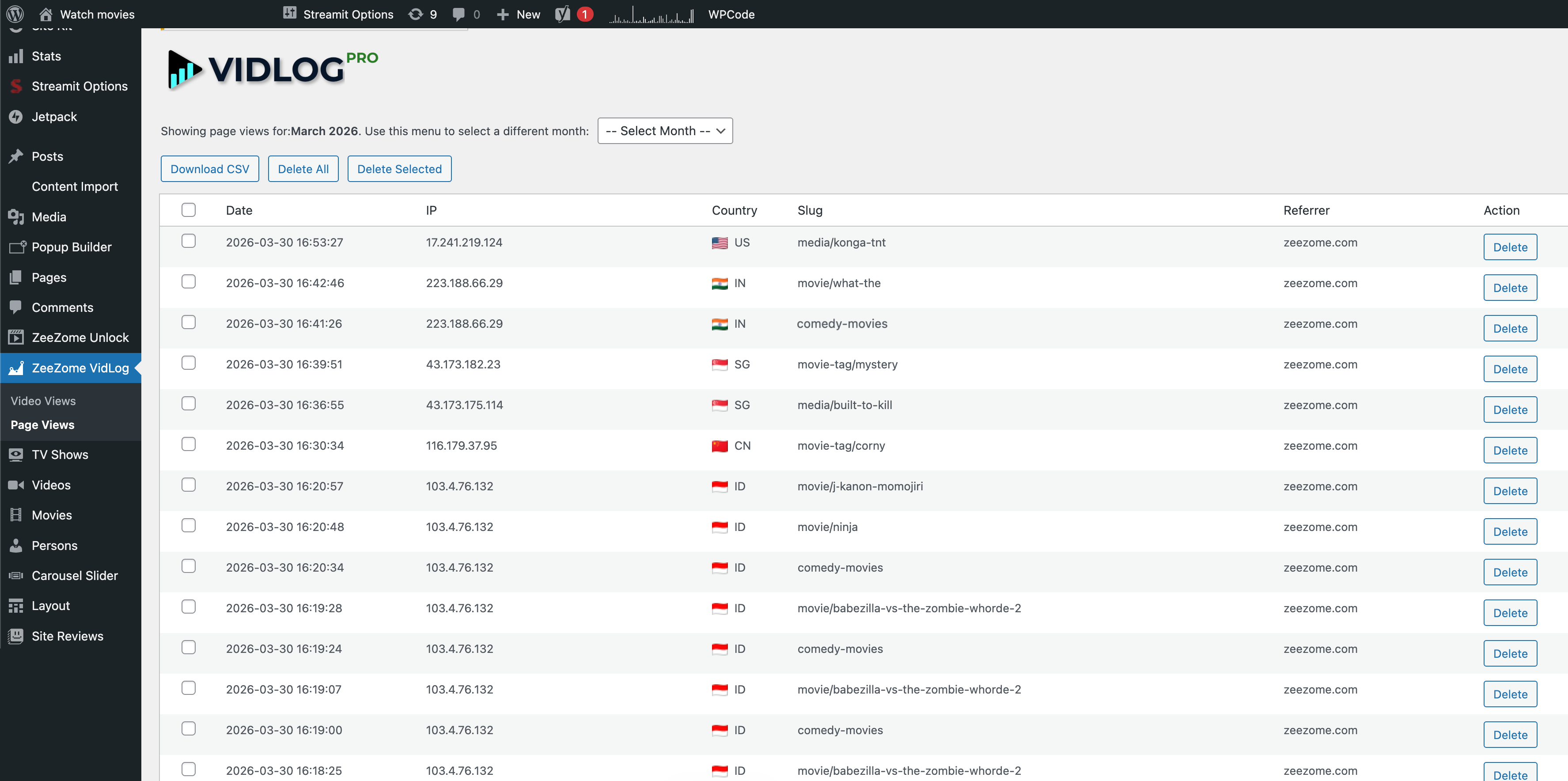
VidLog also instantly logs what pages visitors view on your site. The log contains the same metadata as video views. It counts all page visits, not only unique visits.
Why site owners use VidLog
- Instant logging the moment a visitor presses PLAY
- Instant logging the moment a page is visited
- Watched time tracking for self-hosted videos
- Clean monthly video and page logs inside WordPress
- CSV exports for reporting and backup
- Referrer tracking to see where visitors came from
- Lightweight setup with no external analytics dashboard required
- Simple dashboard for reviewing logs directly in WordPress
- Filmmakers and video creators
- Membership sites
- Online courses and educators
- Video tutorials
- Agencies managing client video content
- Any WordPress site using self-hosted videos
Important: VidLog tracks self-hosted video files. It does not track YouTube or Vimeo embeds.
安装:
- Upload the plugin folder to
/wp-content/plugins/, or install it through the WordPress Plugins screen. - Activate VidLog from the Plugins menu.
- Open VidLog in your WordPress dashboard.
- Add self-hosted videos to your pages or posts.
- When a visitor presses PLAY or visits a page, the log is recorded automatically.
屏幕截图:

常见问题:
Does VidLog work with YouTube or Vimeo embeds?
No. VidLog is built for self-hosted video files inside WordPress.
Does VidLog slow down my website?
No. Logging is lightweight and designed to happen immediately when a visitor starts playback or visits a page.
Can I export my logs?
Yes. You can export monthly logs as CSV files directly from the plugin dashboard.
What kind of videos can it track?
VidLog works with common self-hosted formats such as .mp4, .webm, .mov, .m4v, .avi, and .m3u8. It logs unique video plays and can also track watched time during playback sessions.
What kind of pages can it track?
VidLog works with all pages on your website. It logs every page visit directly inside WordPress, including repeat visits to the same page, so you can review monthly activity and export the data when needed.
Where do I see the stats?
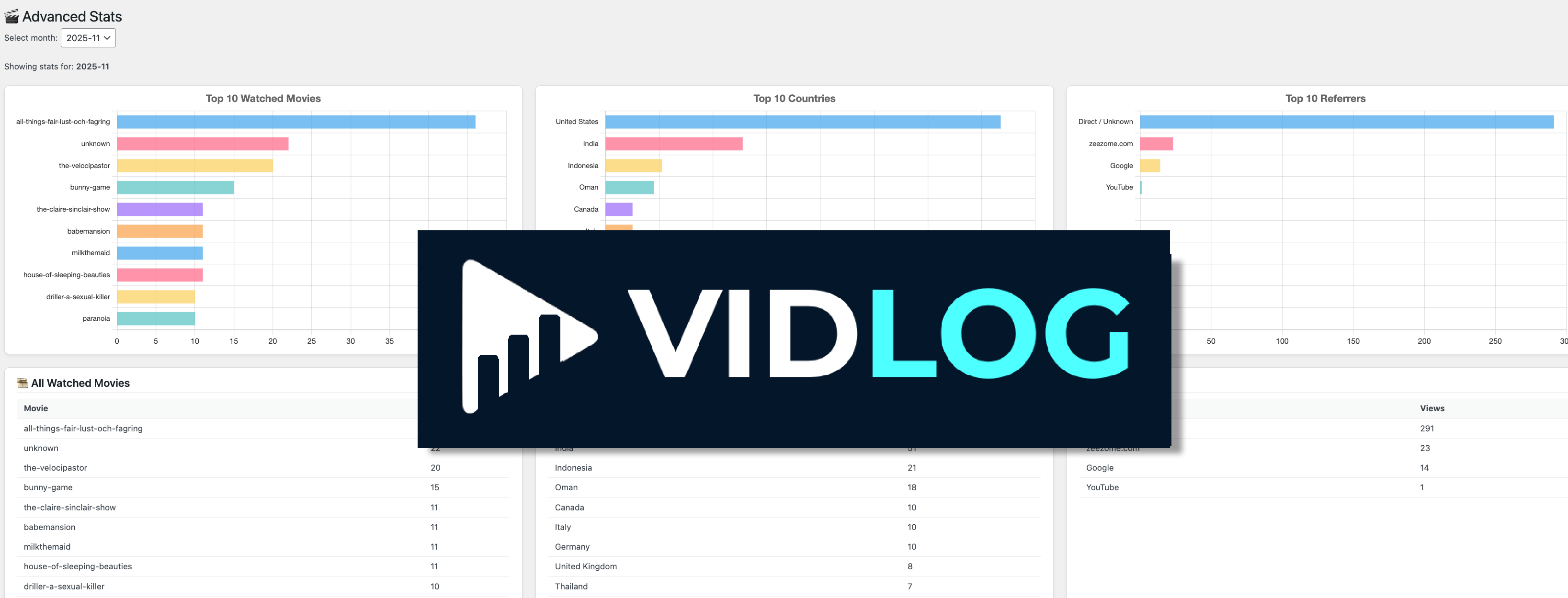
Inside your WordPress admin area under VidLog, where you can view video and page logs and export CSV files. Advanced Stats with top 10 charts and deeper analytics are available in VidLog PRO.
更新日志:
- Completely suppressed notices from other plugins on VidLog admin screens
- Added protection against notices injected after page load
- Prevented notices from other WordPress plugins from appearing inside VidLog admin headers
- Tested with WordPress 7.0.3
- Design changes
- Added link to website for more information
- Modernized plugin header metadata and asset versioning
- Improved admin screen styling for log filters, actions, and tables
- Fixed PHP 7 compatibility by removing PHP 8-only function usage
- Fixed admin pagination nonce handling
- Scoped upgrade page styles so they only load on the VidLog upgrade page
- Added a tutorial
- Added "Watched" tracking for self-hosted videos
- Added watched time logging in minutes per playback session
- Improved video analytics by tracking play-pause-play behavior
- Fixed CSV issue causing empty rows
- Added automatic cleanup of malformed CSV rows
- Improved CSV stability and data consistency
- Added Page Views tracking to the free version
- Added the Page Views admin screen with CSV export and log management
- Added city data to video and page view logs
- Improved CSV download handling for Video Views
- Initial public release of VidLog
- Instant logging for self-hosted video plays
- Instant logging for page views
- CSV export for monthly logs
- PRO version available with advanced stats charts and deeper analytics