VigIA - AI Visibility, Analytics & Control
| 开发者 |
fernandot
ayudawp |
|---|---|
| 更新时间 | 2026年10月3日 04:54 |
| PHP版本: | 7.4 及以上 |
| WordPress版本: | 7.1 |
| 版权: | GPLv2 or later |
| 版权网址: | 版权信息 |
标签
下载
详情介绍:
- Scores your AI visibility with a 100-point analyzer covering 20 checks across 5 categories
- Tracks AI crawlers visiting your site (GPTBot, ClaudeBot, PerplexityBot, and 60+ others)
- Provides detailed analytics with advanced filters, server-side pagination, and exportable reports with metadata banner
- Blocks unwanted crawlers via PHP (403 response)
- Manages robots.txt rules for AI crawlers with compliance monitoring
- Sends email alerts about crawler activity (daily, weekly, or monthly)
- Generates llms.txt files to help AI systems understand your site
- Serves markdown endpoints for posts, pages, taxonomy archives (categories, tags, WooCommerce product categories, custom taxonomies) and WooCommerce products with schema-like data
- Generates JSON-LD structured data with Site Identity and AI Discovery signals
- Exposes abilities for AI agents and automation tools (WordPress 6.9+)
- 100-point scoring system with letter grades (A+ to F)
- 20 individual checks across 5 categories
- Access & AI Discovery (37 pts): robots.txt, AI bot directives, Content Signals, llms.txt, sitemap, RSS feed
- Structured Data & Semantic Context (25 pts): JSON-LD schemas, Open Graph, Twitter Cards, meta description, canonical URL
- Content Structure & Readability (20 pts): heading hierarchy, semantic HTML5, image alt text, content/HTML ratio
- AI Interaction & Distribution (8 pts): markdown delivery, AI share buttons
- Access Performance (10 pts): TTFB measurement
- Smart recommendations with direct links to VigIA features and plugin suggestions
- Analyze any page on your site with URL autocomplete selector
- Results cached for 24 hours with manual re-analyze option Analytics Dashboard
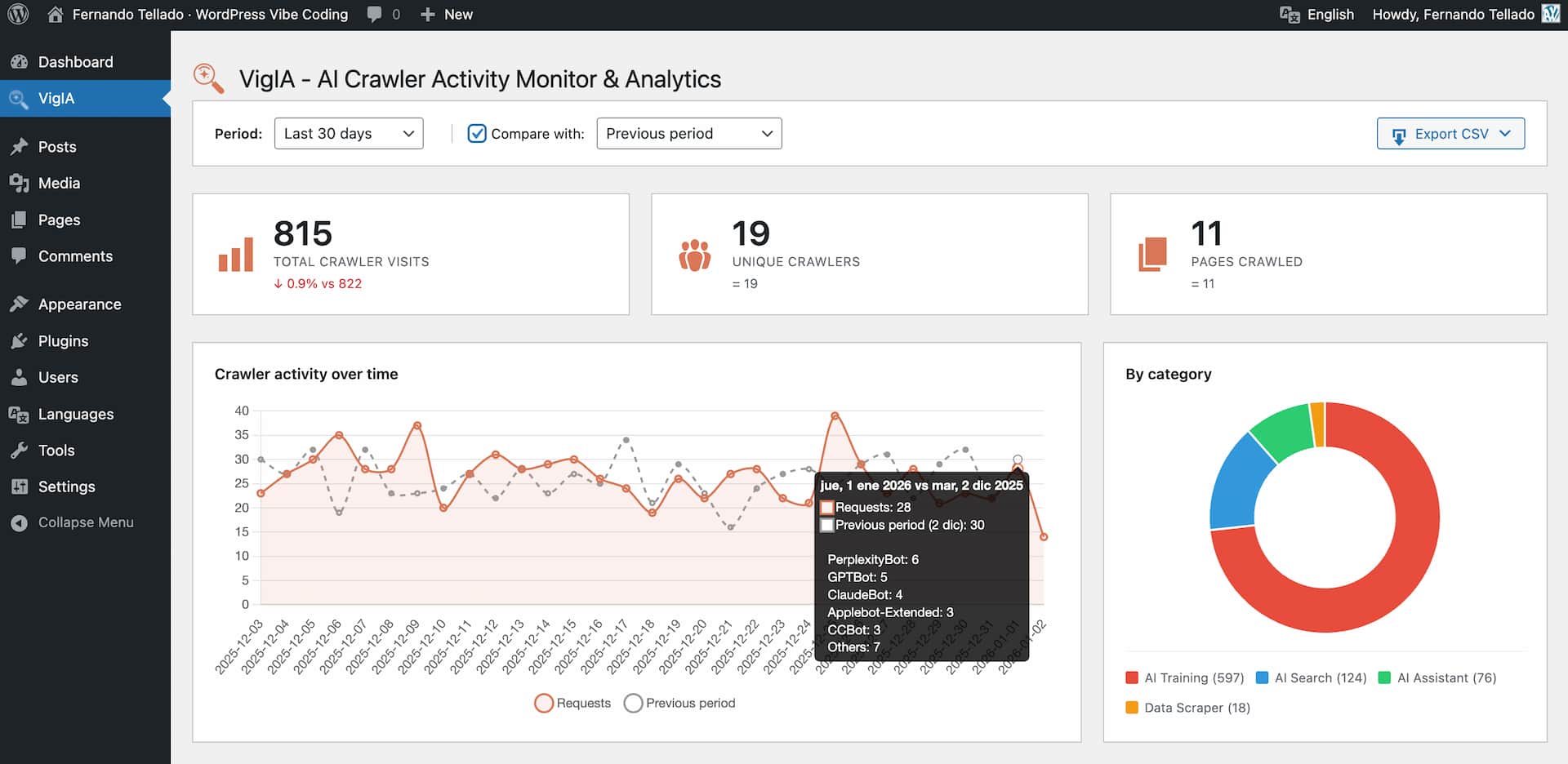
- Total visits, unique crawlers, and pages crawled statistics
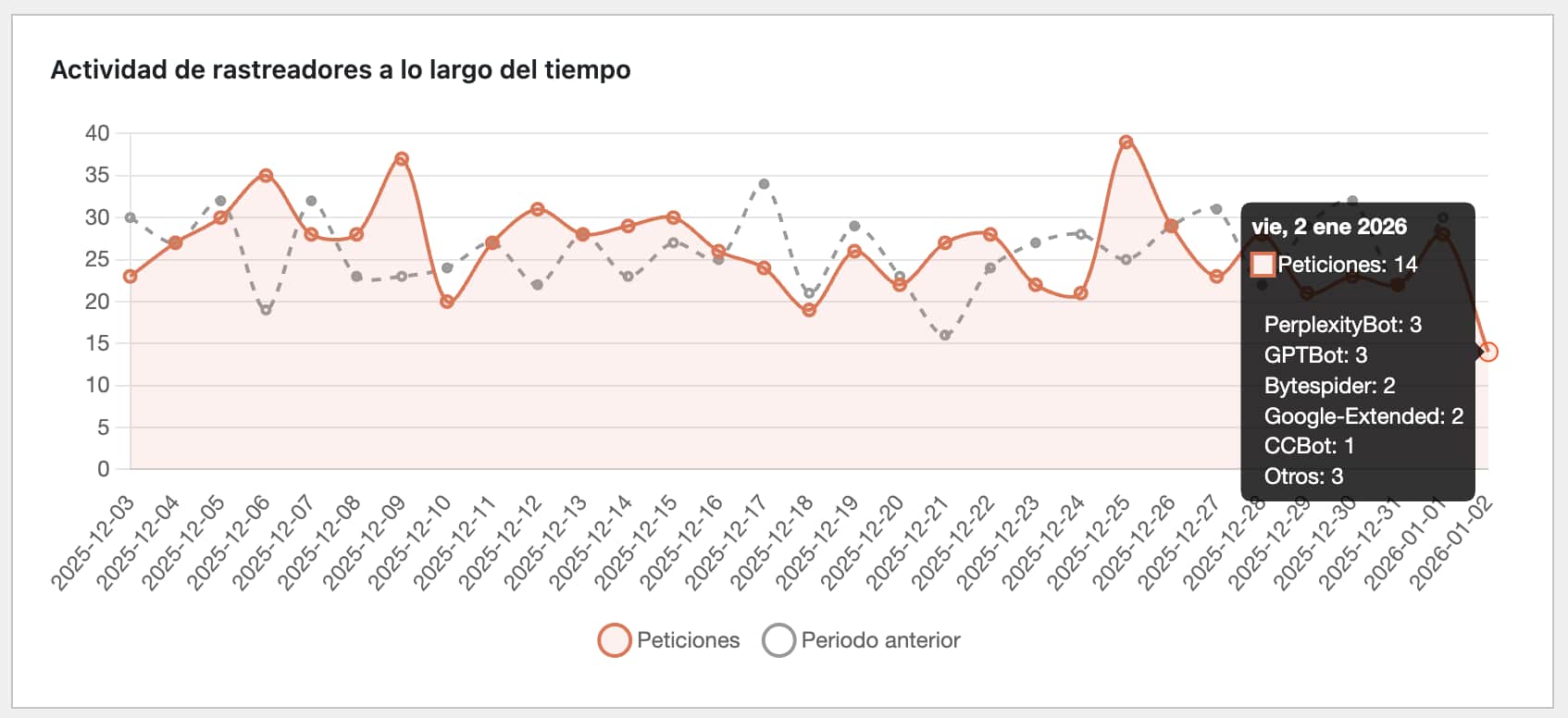
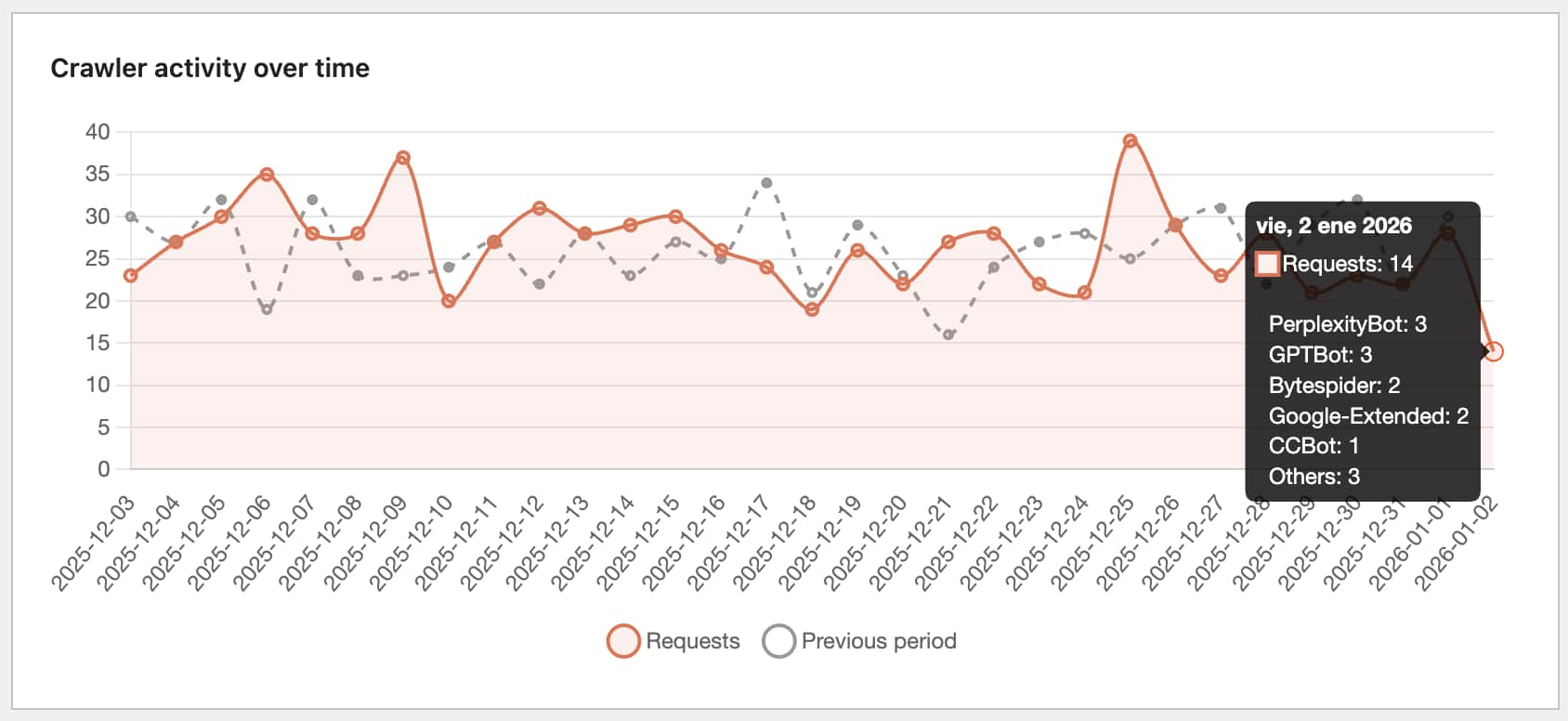
- Timeline chart with daily breakdown
- Category distribution (AI Training, AI Search, AI Assistant, Data Scraper)
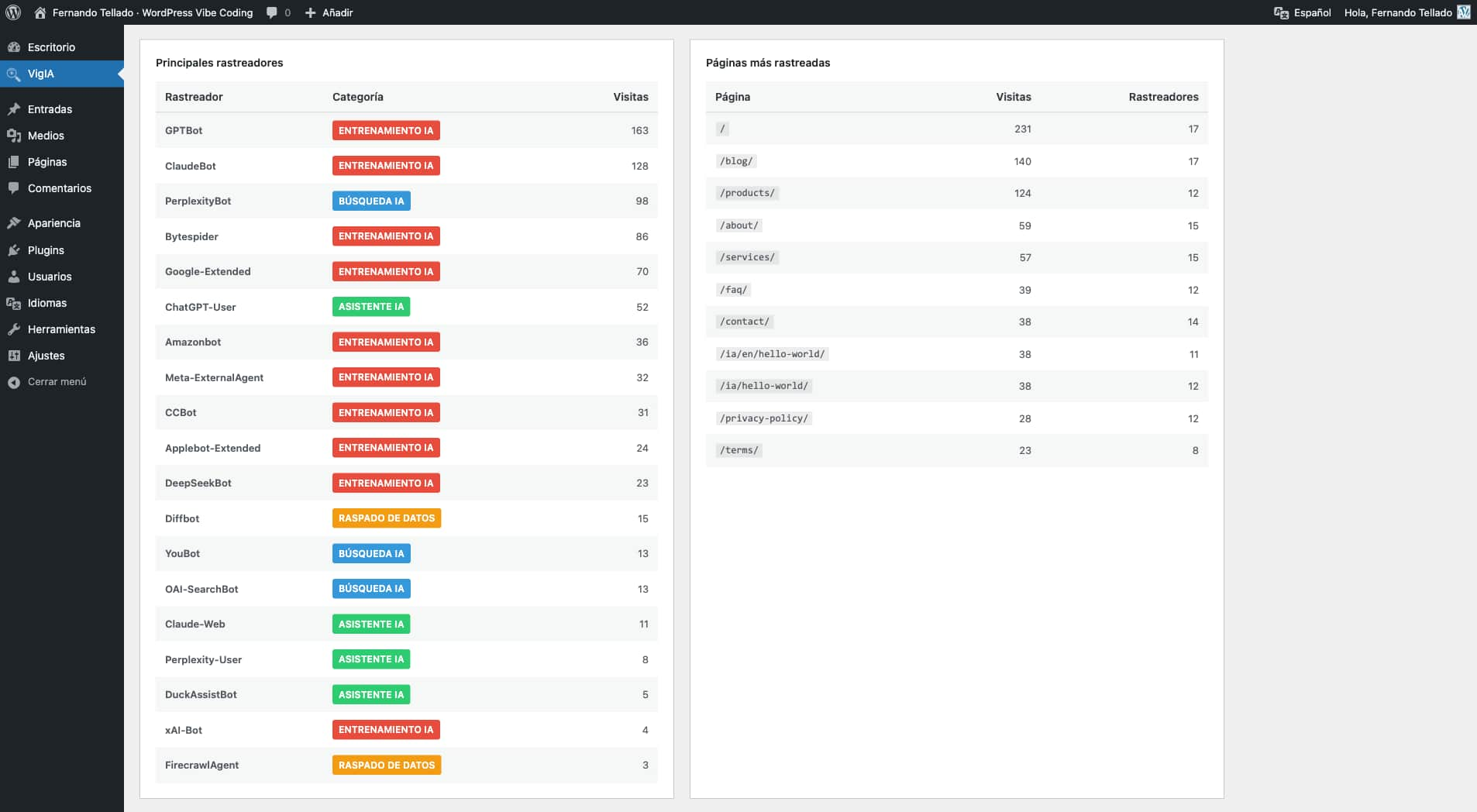
- Top crawlers and most crawled pages tables with paginated navigation
- Share Buttons & AI-powered Summaries integration: see share button clicks per page
- Recent activity log with content type and HTTP status columns (color coded by status family)
- Advanced filters: multi-select crawler picker, content type, HTTP status code, and configurable date range
- Server-side pagination with four-button pager (first, previous, next, last) — operates over the full database, not just the latest 500 rows
- Period comparison functionality
- CSV export with a metadata banner (site name, site URL, export type, date range, export timestamp, applied filters)
- "Export filtered CSV" button that downloads exactly what the active filters return, with
vigia-filtered-YYYY-MM-DD.csvfilename -
Content type detection distinguishes Home, Post, Page, Product, custom CPTs, Category archive, Tag archive, Date/Author archive, Feed, Sitemap, REST API, File, Admin / login attempts (
/wp-admin,/wp-login.php), WordPress system (admin-ajax, xmlrpc, wp-cron, wp-comments-post), 404 Not found, and Other Crawler Blocking - Block crawlers via PHP with 403 Forbidden response
- Quick block dropdown in analytics dashboard
- Manage blocks from Extras page
- Works on any server (Apache, Nginx, LiteSpeed, etc.) Robots.txt Management
- Add Disallow rules for AI crawlers
- Visual preview of your robots.txt
- Compliance monitoring: see which crawlers ignore your rules
- One-click blocking for non-compliant crawlers
- Works with both physical and virtual robots.txt Email Alerts
- Daily, weekly, or monthly reports
- Three detail levels: Minimal, Normal, Complete
- Non-compliant crawler warnings
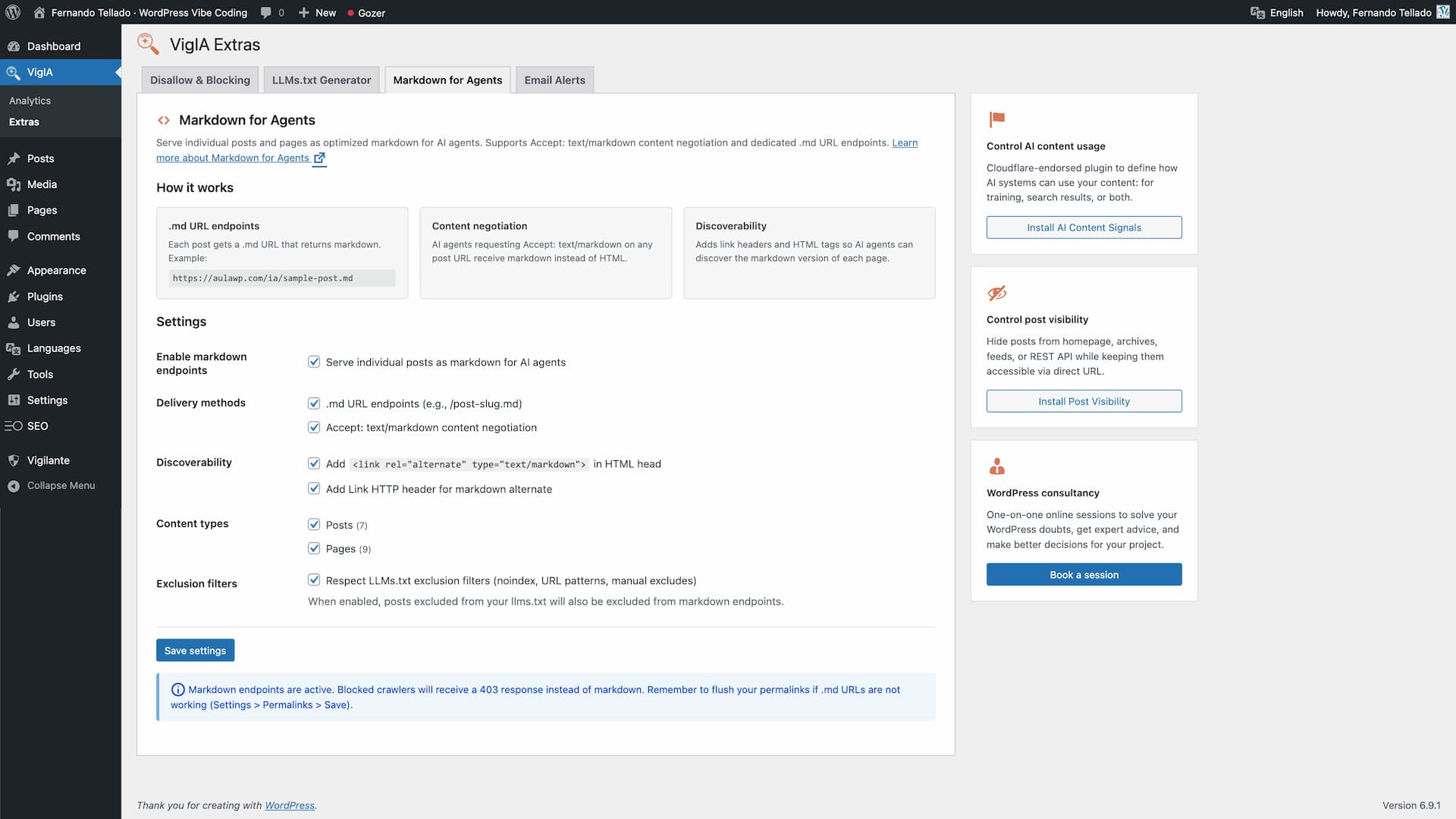
- Activity comparison with previous period Markdown for Agents
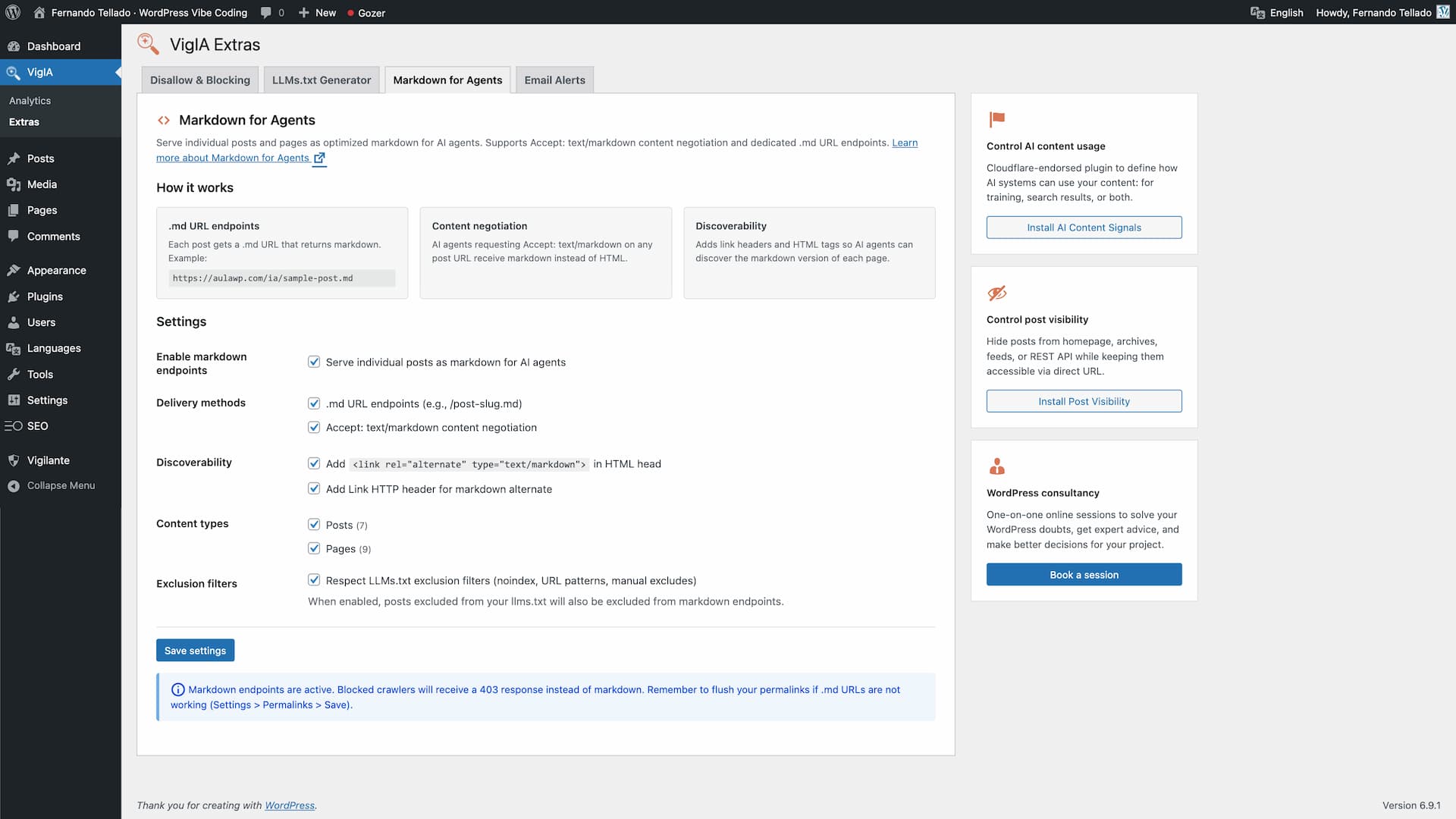
- Serve posts, pages and any public post type as optimized markdown for AI agents
- Serve taxonomy archive pages (categories, tags, WooCommerce product categories, custom taxonomies) as markdown — disabled by default, opt in per taxonomy
- Dedicated .md URL endpoints (e.g.,
/your-post.md,/category/news.md,/product-category/electronics.md) - Accept: text/markdown content negotiation on posts and taxonomy archive pages
- Discoverability via Link HTTP headers and
<link rel="alternate" type="text/markdown">HTML tags - YAML frontmatter for posts: title, date, modified, author, image, categories, tags, post type, lang
- YAML frontmatter for taxonomy terms: title, description, url, type, taxonomy, parent, count, image (term meta), lang
- WooCommerce product frontmatter adds schema-like fields: sku, product_type, price, regular_price, sale_price, currency, availability, stock_quantity, rating, rating_count, review_count
- Taxonomy term body includes the term description (rendered through
the_content), the list of direct child terms in hierarchical taxonomies, and an excerpt of the latest posts/products assigned to the term - Product listings inside
product_catarchives include an inline summary with formatted price, "was X" on sale items, star rating and out-of-stock flag - Respects blocking rules (blocked crawlers get 403) and LLMs.txt exclusion filters
- Per-term noindex detection from Yoast SEO, Rank Math, All in One SEO and SEOPress
- Analytics integration: tracks markdown requests per crawler
- X-Markdown-Tokens response header
- Filters:
vigia_markdown_post_eligible,vigia_markdown_term_eligible,vigia_markdown_term_posts_limit - Follows the Cloudflare Markdown for Agents standard LLMs.txt Generator
- Select content by post type with one click
- Filter by taxonomies (categories, tags, custom)
- Manual include/exclude with AJAX search
- Exclude by URL patterns (wildcards supported)
- SEO plugin integration (auto-exclude noindex content)
- Auto-regeneration (daily, weekly, monthly)
- Robots.txt integration (add llms.txt and llms-full.txt references)
- Generate llms.txt and llms-full.txt files
- Physical files at the site root, or served by WordPress when the root is not writable
- On multisite, every site gets its own files, mapped domains included
- Full content or excerpt mode
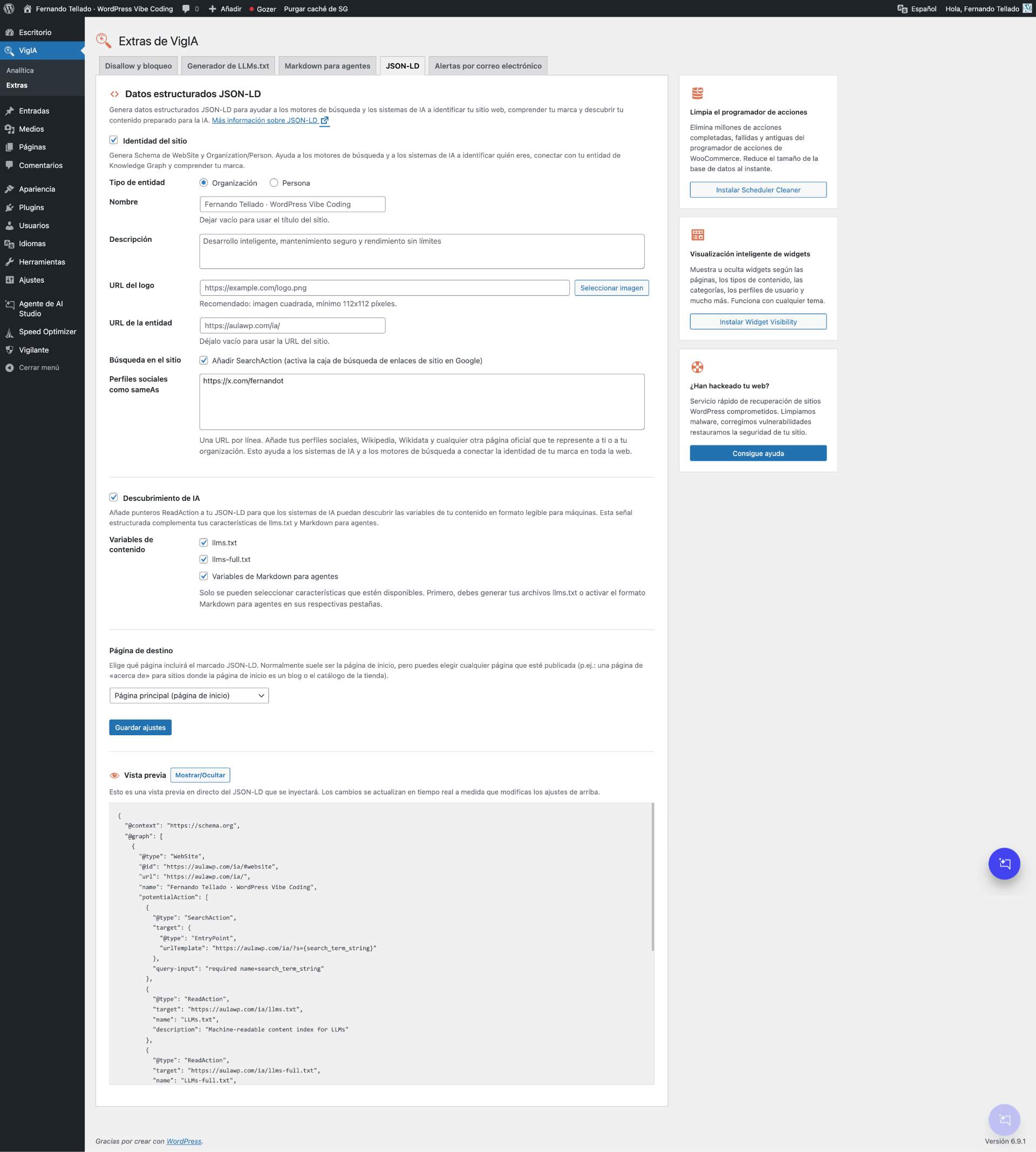
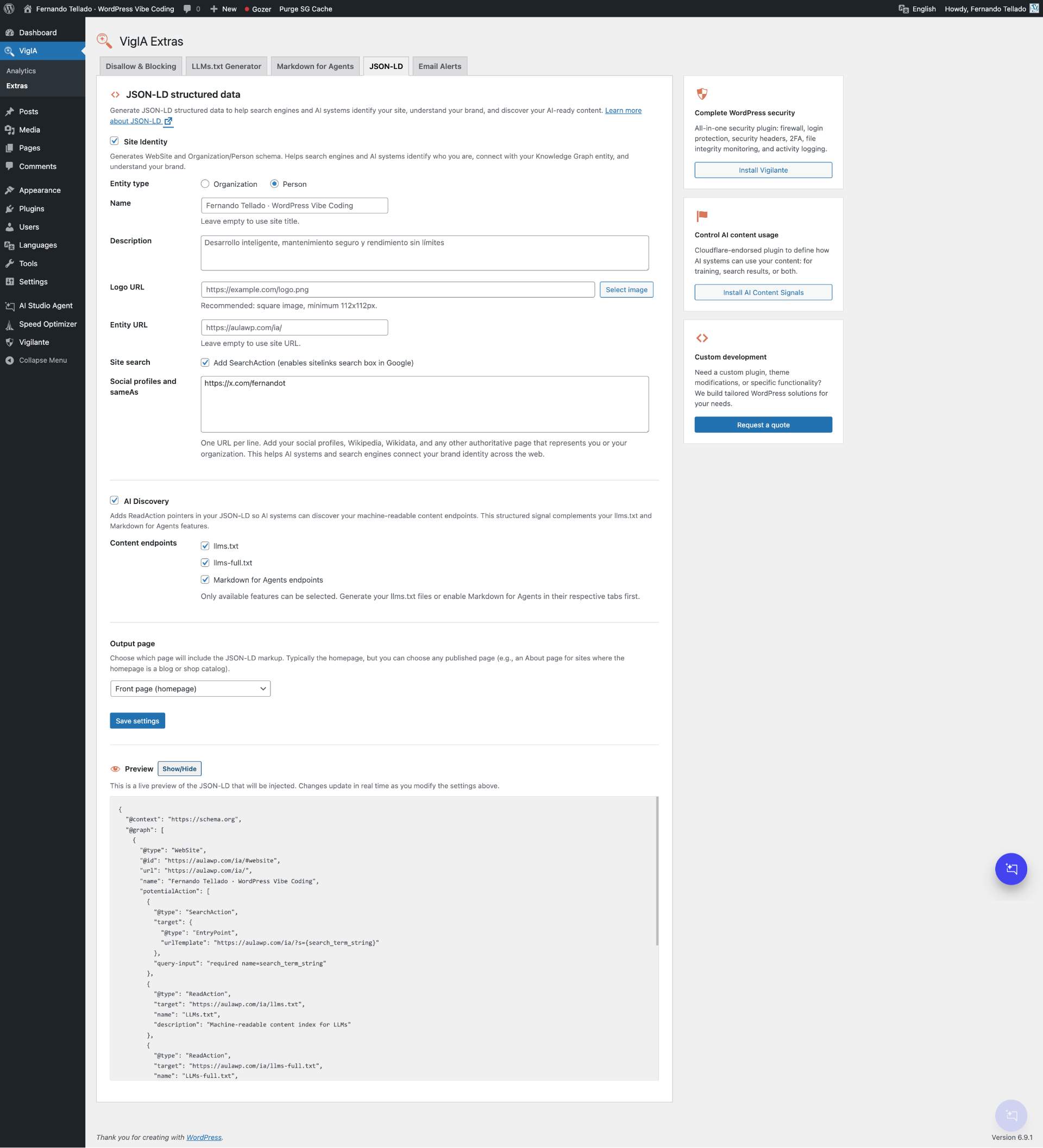
- Compatible with Yoast SEO, Rank Math, All in One SEO, SEOPress, The SEO Framework, and Native SEO NoIndexer JSON-LD Structured Data
- Generate WebSite and Organization/Person schema for site identity
- AI Discovery: ReadAction pointers to llms.txt, llms-full.txt, and Markdown for Agents endpoints
- Social profiles and sameAs links for brand identity across the web
- SearchAction for Google sitelinks search box
- Media library integration for logo selection
- SEO plugin conflict detection (Yoast, Rank Math, AIOSEO, SEOPress, The SEO Framework)
- Choose output page (front page or any published page)
- Live JSON-LD preview with real-time updates
- Smart integration with LLMs.txt and Markdown for Agents features
- OpenAI: GPTBot, OAI-SearchBot, OAI-AdsBot, ChatGPT-User
- Anthropic: ClaudeBot, Claude-SearchBot, Claude-User, Claude-Code
- Google: Google-Extended, GoogleOther, Gemini-Deep-Research, Google-NotebookLM
- Perplexity: PerplexityBot, Perplexity-User
- Meta: Meta-ExternalAgent, FacebookBot, Meta-WebIndexer
- Amazon: Amazonbot, Amzn-SearchBot, bedrockbot
- Mistral: MistralAI-User, MistralAI-Index
- Microsoft: BingBot
- ByteDance: Bytespider
- Apple: Applebot-Extended
- And many more...
安装:
- Upload the plugin files to
/wp-content/plugins/vigia/or install through the WordPress plugins screen - Activate the plugin through the 'Plugins' screen in WordPress
- Navigate to VigIA > AI Score to check your AI Visibility Score
- View crawler analytics in VigIA > Analytics
- Configure blocking rules, llms.txt, markdown, and JSON-LD in VigIA > Extras
屏幕截图:


常见问题:
What is the AI Visibility Score?
The AI Visibility Score is a 100-point rating system that measures how well your site is prepared for AI crawlers and AI-powered search. It checks 20 signals across 5 categories: access and discovery, structured data, content structure, AI interaction, and performance. You get a letter grade (A+ to F) and specific recommendations to improve.
Does this plugin slow down my site?
No. VigIA adds minimal overhead by checking the User-Agent string on each request. The check is very fast and only writes to the database when an AI crawler is detected.
What's the difference between robots.txt blocking and PHP blocking?
Robots.txt is advisory - crawlers should respect it but may choose to ignore it. PHP blocking returns a 403 Forbidden response, effectively preventing access regardless of whether the crawler respects robots.txt.
Will blocking crawlers affect my SEO?
Blocking AI training crawlers (like GPTBot or ClaudeBot) will not affect traditional search engine rankings. However, blocking AI search crawlers might affect how your content appears in AI-powered search results.
What is Markdown for Agents?
Markdown for Agents is a standard for serving web content as clean markdown to AI agents. Instead of processing full HTML, agents receive lightweight markdown with structured metadata. VigIA supports both dedicated .md URLs and Accept: text/markdown content negotiation. Enable it in VigIA > Extras > Markdown for Agents.
This feature also covers taxonomy archives (categories, tags, WooCommerce product categories, custom taxonomies) and WooCommerce products. Term archives include the term description, the list of child terms in hierarchical taxonomies and an excerpt of the latest entries; product .md endpoints embed schema-like data (price, sale price, SKU, stock status, rating) directly in the YAML frontmatter.
Which content types does the activity table classify?
VigIA classifies each crawler hit into one of these buckets, indexed in the database so filters and CSV exports are instant: Home (the / path), Post, Page, Product, any other public custom post type, Category archive, Tag archive, Date/Author archive, Feed, Sitemap, REST API, File (PDFs, images, downloads), Admin/login attempt (/wp-admin, wp-login.php — useful to spot bots probing the admin), WordPress system (admin-ajax, xmlrpc, wp-cron, wp-comments-post), 404 Not found, and Other.
Can I add custom crawlers to monitor?
Yes! In the main analytics page, scroll down to "Custom crawlers" and add your own User-Agent patterns to track.
Where is the data stored?
All data is stored in your WordPress database in a custom table (wp_vigia_visits). No data leaves your server.
What is llms.txt?
The llms.txt file is a standard for helping AI systems understand your website's content and structure. It provides a machine-readable overview of your site that AI can use to better represent your content. Learn more at llmstxt.org.
Can every site of a multisite network have its own llms.txt?
Yes. On a network each site keeps its llms.txt and llms-full.txt in its own uploads folder and WordPress serves them at that site's address, be it a subdomain, a subdirectory or a mapped domain. Generate them from VigIA > Extras > LLMs on each site. If the main site already has physical files at the network root, set its Delivery to Served by WordPress first: the web server answers a file in that folder on every domain of the network, ahead of each site's own. On a single site the files are physical files at the site root unless you choose Served by WordPress under Delivery, which is the option to pick when that folder is not writable.
Which SEO plugins are supported for noindex detection?
VigIA supports automatic noindex detection from: Yoast SEO, Rank Math, All in One SEO, SEOPress, The SEO Framework, and Native SEO NoIndexer.
What is the Abilities API?
The Abilities API is a new feature in WordPress 6.9 that allows plugins to expose their functionality in a standardized way. This enables AI agents, automation tools, and external systems to discover and use plugin features programmatically. VigIA implements 9 abilities for analytics, blocking, and robots.txt management.
How do I connect Claude Desktop?
Save the JSON block from Quick Connect as claude_desktop_config.json in your user Library (this is not the system Library at the root of the disk):
- macOS:
~/Library/Application Support/Claude/claude_desktop_config.json - Windows:
%APPDATA%\Claude\claude_desktop_config.json - Linux:
~/.config/Claude/claude_desktop_config.json
~/Library/Application Support/Claude/ and hit Enter. On Windows, press Win+R and run %APPDATA%\Claude.
Important: Claude Desktop only speaks stdio to local processes, so the snippet does not connect directly to VigIA over HTTP. Instead it launches a small bridge package (mcp-remote) via npx that proxies the connection. This means you need Node.js installed on the machine. The first run downloads mcp-remote automatically; subsequent runs use the npm cache.
If you do not want to install Node.js, connect from Claude Code or Cursor instead — both speak HTTP MCP natively and do not need a bridge.
Restart Claude Desktop after saving the file. If the app boots with default preferences, the JSON is malformed — review the file or restore your backup. If Claude Desktop says the entry is "not a valid MCP server configuration", npx is not in its PATH; check that Node.js is installed and accessible to GUI apps.
If the file already exists with other content, see the next question.
How do I add VigIA to an MCP config file that already exists?
If your claude_desktop_config.json or ~/.cursor/mcp.json already exists, do not paste the full Quick Connect block on top of it. Pasting on top discards everything else (preferences, other MCP servers) and the app will start with defaults.
Always make a backup of the file first. Then open it with any text editor that preserves JSON.
There are two scenarios.
Scenario 1 — the file has content but no mcpServers block yet.
This is common when you have used Claude Desktop before but never configured MCP servers. The file might look like this:
{ "preferences": { "menuBarEnabled": false, "...": "..." } }
Add mcpServers as a sibling property of preferences, separated by a comma. The result should be:
{ "preferences": { "menuBarEnabled": false, "...": "..." }, "mcpServers": { "vigia": { "command": "npx", "args": [ "-y", "mcp-remote", "https://your-site.example/wp-json/vigia/v1/mcp", "--header", "Authorization: Basic BASE64_OF_USER_AND_APP_PASSWORD" ] } } }
The order of preferences and mcpServers is not important, but the comma between them is required. Forgetting the comma makes the JSON invalid and Claude Desktop will start with default preferences.
Scenario 2 — the file already has mcpServers with other servers.
Add the vigia entry inside the existing mcpServers object, separated from other entries by a comma:
"mcpServers": { "other-server": { "...": "..." }, "vigia": { "command": "npx", "args": [ "-y", "mcp-remote", "https://your-site.example/wp-json/vigia/v1/mcp", "--header", "Authorization: Basic BASE64_OF_USER_AND_APP_PASSWORD" ] } }
For Cursor the entry is different — Cursor speaks HTTP MCP natively, so its block uses type, url and headers directly inside the server entry instead of the bridge command. The Quick Connect panel renders the right format for each client.
Can I use an MCP client other than Claude Code, Cursor or Claude Desktop?
Most MCP clients accept HTTP transport with a custom Authorization header. The Quick Connect panel exposes the two raw values you need — the server URL and the Authorization header — so you can drop them into whatever configuration format your client expects. Browser-only assistants without an MCP client (AI Studio, ChatGPT web) cannot connect. They need a desktop or CLI client that speaks MCP over HTTP.
What does JSON-LD do?
JSON-LD (JavaScript Object Notation for Linked Data) is structured data that helps search engines and AI systems understand your site identity and content. VigIA generates two types of JSON-LD: Site Identity (WebSite + Organization/Person schema with social profiles) and AI Discovery (ReadAction pointers to your llms.txt and Markdown for Agents endpoints). This makes your AI-ready content discoverable through structured signals. Enable it in VigIA > Extras > JSON-LD.
更新日志:
- New: llms.txt and llms-full.txt can be served by WordPress. The new Delivery setting in VigIA > Extras > LLMs keeps the physical files at the site root, as until now, or keeps them in the uploads folder and has WordPress answer at the same addresses. Use it when the site root is not writable. Served this way, the reads of AI crawlers show in your stats like any other visit, which a physical file never allowed because the web server answers it without WordPress. It needs pretty permalinks and a server that passes a request for a file it does not find on to WordPress, and the files are only answered while the plugin is active.
- New: On a multisite network every site can have its own llms.txt and llms-full.txt, answered at its own address, whether that is a subdomain, a subdirectory or a mapped domain. Until now only the main site could generate them. Each site keeps its files in its own uploads folder, served by WordPress, and its administrator generates and schedules them from that site.
- Improved: On a multisite network the physical llms.txt of the main site sits in the one root folder all the sites share, so the web server answers with it on every domain of the network, ahead of each site's own file. The main site can now be switched to Served by WordPress, which takes its files out of that folder, and a main site that generates them for the first time starts that way. A main site that already has physical files keeps them until it is switched: nothing moves on its own with the update, and the LLMs screen of every site says so while they are there.
- Fix: A subsite of a network presented the llms.txt of the main site as its own. The head of its pages, the Link header and its robots.txt pointed to it, the AI Visibility Score counted it, and the LLMs screen listed it as generated. A site now announces only a file of its own.
- Fix: The
.mdaddress of a post answered Not found wherever the permalink does not end in the slug, while the page kept announcing it: with an extension (/%postname%.html), with the date or the id next to the slug, with the Numeric structure of WordPress (/archives/%post_id%), or on a page that another plugin gives an extension. The address is now resolved through the rewrite rules of the site, the way WordPress resolves the page, and llms.txt links to it for those entries. A page announces its Markdown version only when that address will answer: with plain permalinks, or where the permalink carries a query parameter, there is no.mdaddress and the page no longer announces one. Two more cases come right with it: when two entries of different types shared a slug, a post and an entry of a custom type for instance, the.mdof one served the document of the other; and under PATHINFO permalinks (/index.php/) the.mdof a term archive could answer Not found, or with the document of a post.