Viraly - Blog to Social Media Auto Post, Scheduler & Analytics
| 开发者 | viraly |
|---|---|
| 更新时间 | 2026年8月7日 11:15 |
| PHP版本: | 7.2 及以上 |
| WordPress版本: | 7.0 |
| 版权: | GPLv2 or later |
| 版权网址: | 版权信息 |
详情介绍:
- Blog to social media - auto post new blog posts to all your social profiles on publish
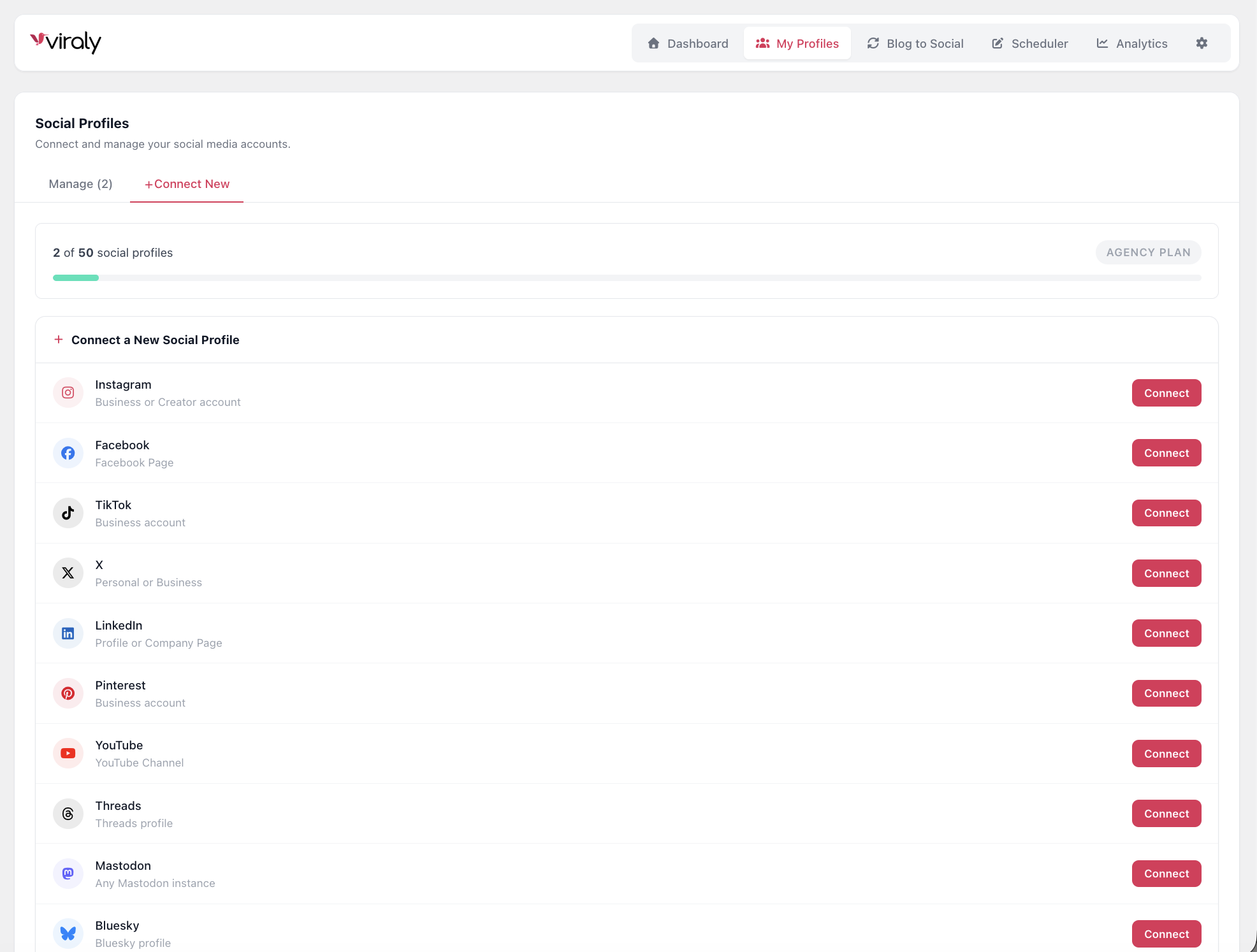
- Auto post to Instagram, Facebook, TikTok - and 7 more platforms, instantly or on a schedule
- Social media scheduler - create and schedule original posts with a visual content calendar
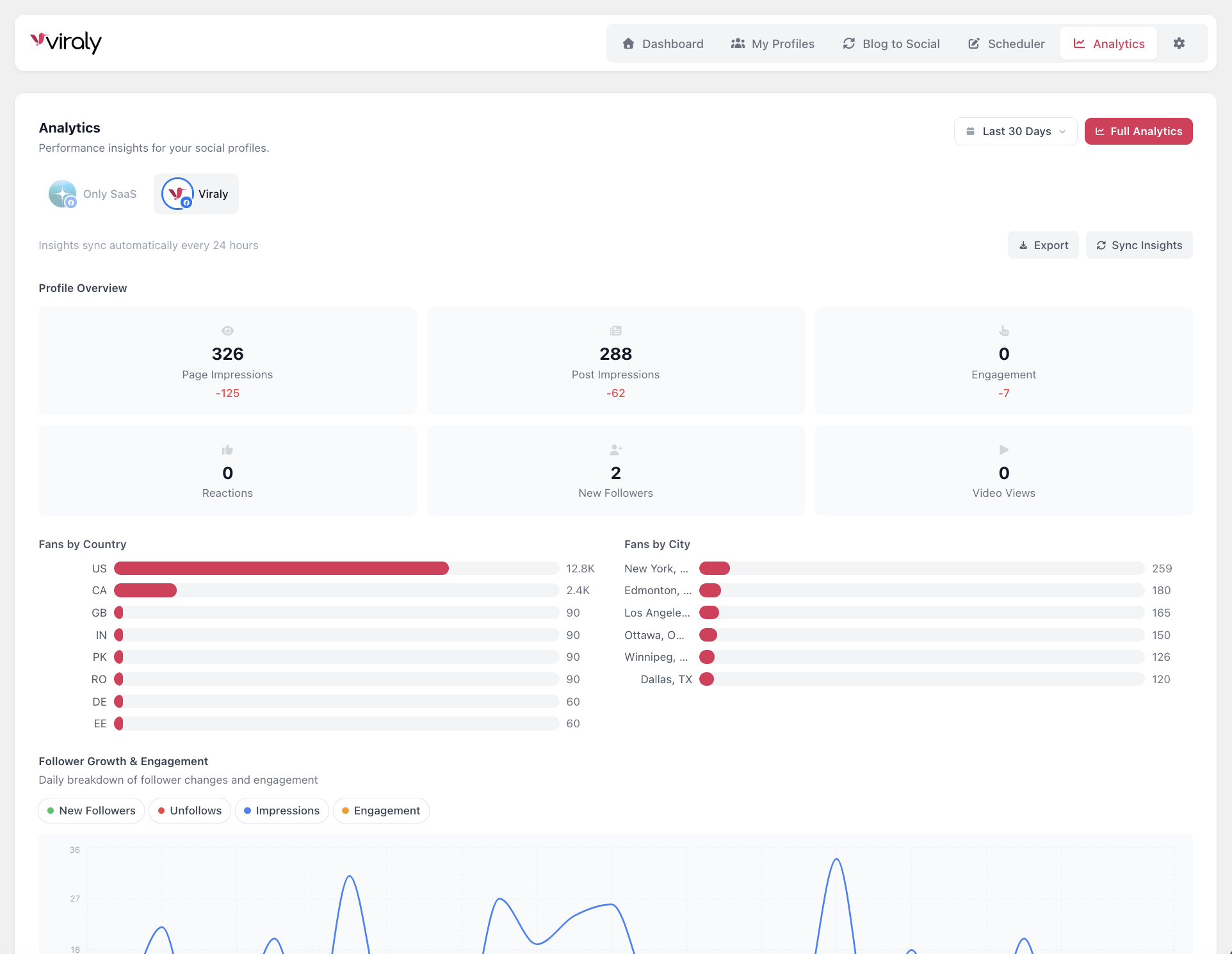
- Social media analytics - track performance across all 10 platforms with demographics and CSV export
- AI captions & hashtags - generate platform-optimized captions in one click
- Platform-specific post types - Reels, Stories, Shorts, Documents, Threads - not just text links
- Gutenberg integration - manage social sharing per post directly from the block editor
- Instagram - Posts, Reels, Stories (Business & Creator accounts)
- Facebook - Posts, Reels, Stories (Pages)
- TikTok - Videos with privacy controls (Business accounts)
- X (Twitter) - Posts with thread replies
- LinkedIn - Posts, Documents (Profiles & Company Pages)
- Pinterest - Pins with board selection (Business accounts)
- YouTube - Videos, Shorts with full metadata (Channels)
- Threads - Posts with thread replies
- Bluesky - Posts with thread replies
- Mastodon - Posts with spoiler text & sensitive content (Any instance)
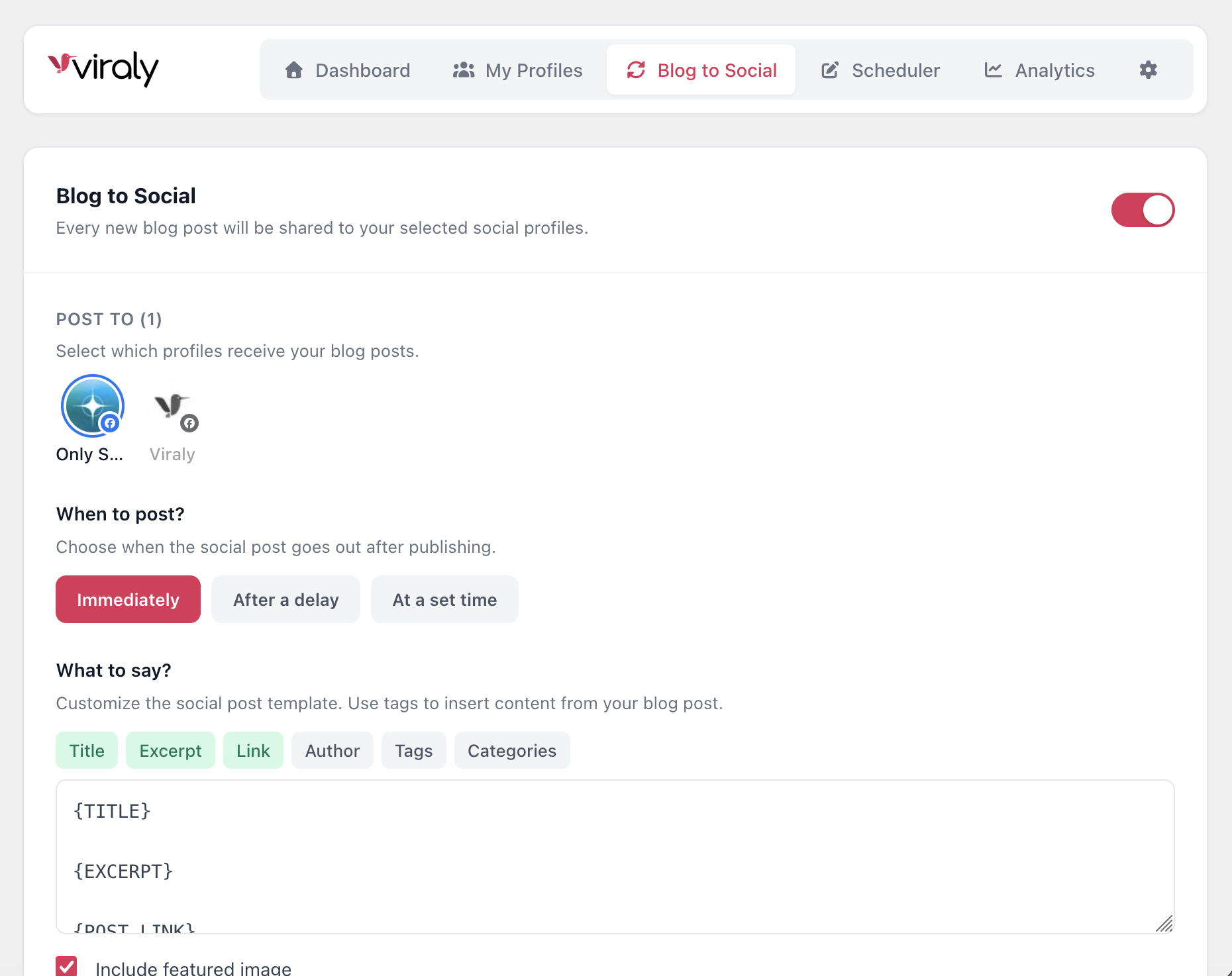
- Auto post on publish - share blog posts to social media the moment you hit Publish (learn more)
- Delayed or scheduled sharing - post after a delay (minutes/hours/days) or at a set daily time (scheduling guide)
- Smart content templates with merge tags: {TITLE}, {EXCERPT}, {POST_LINK}, {AUTHOR}, {TAGS}, {CATEGORIES}, {DATE}, {SITE_NAME} (writing captions)
- Category and post-type filters - only auto post content from categories you choose
- Featured image inclusion - automatically attach your blog post thumbnail (adding images)
- Duplicate prevention - never auto post the same article twice
- Per-post overrides - customize captions or disable auto posting for individual posts from the Gutenberg sidebar
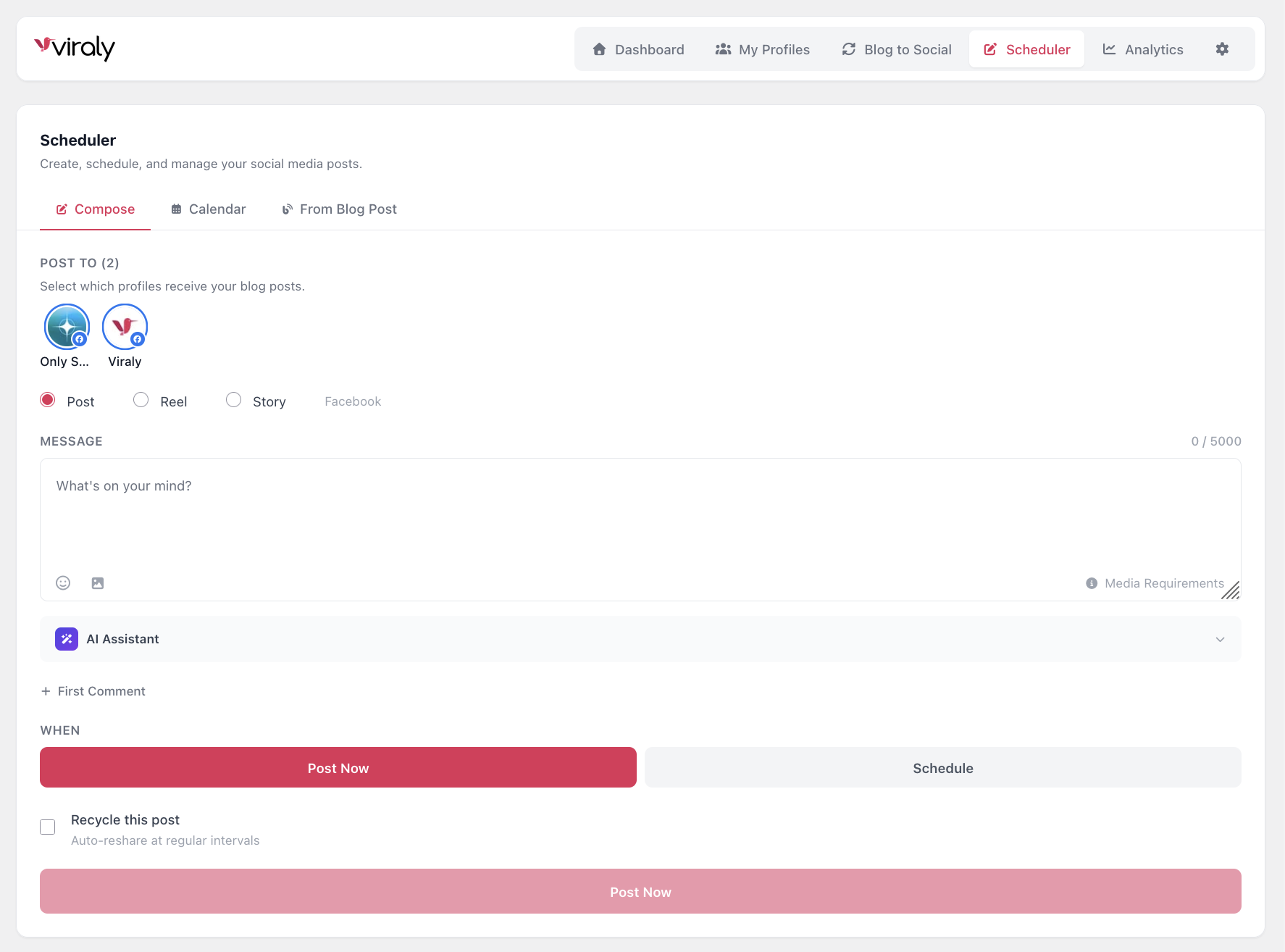
- Multi-platform composer - write once, customize per platform (multi-channel posting)
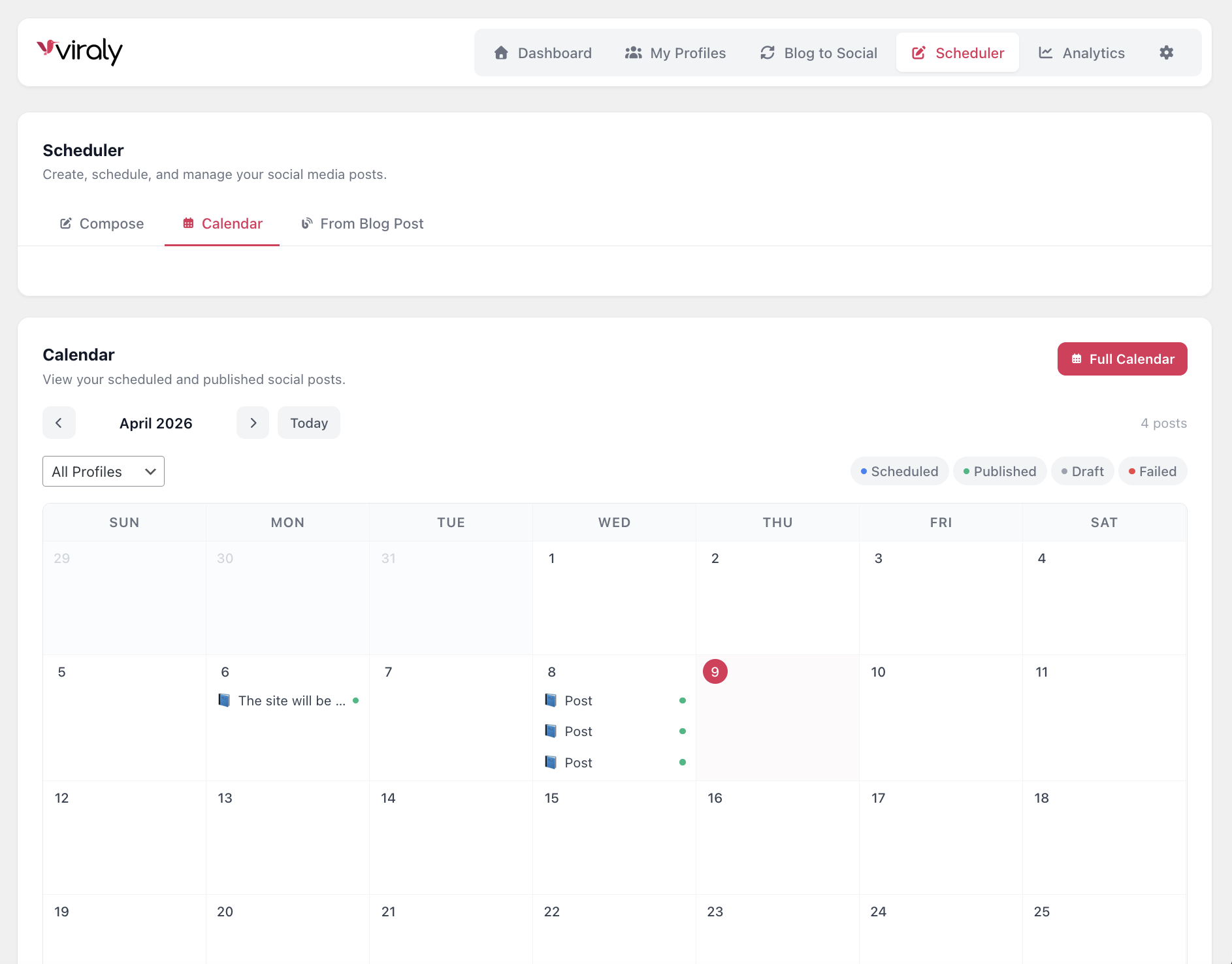
- Visual monthly calendar - see all scheduled and published posts at a glance (calendar view)
- Click to manage - view post details, filter by channel or status (filtering posts)
- Schedule for any date and time - timezone-aware scheduling (timezones)
- Draft auto-save - never lose your work (24-hour localStorage persistence) (saving drafts)
- Evergreen content recycling - automatically re-share your best content at set intervals (content recycler)
- 10 platform dashboards - Instagram, Facebook, YouTube, LinkedIn, Pinterest, TikTok, X, Threads, Bluesky, Mastodon
- Audience demographics - age, gender, location breakdowns
- Post performance tables - see metrics for every published post (post metrics)
- Metrics over time charts - track growth and engagement trends (analytics overview)
- CSV export - download analytics data with custom date ranges (exporting data)
- Flexible timeframes - from 7 days to 24 months of history
- AI caption generation - Generate new captions or rephrase existing ones (AI guide)
- Tone selection - Neutral, Casual, Formal, Humorous, Inspirational, Persuasive, Educational, Excited
- Context-aware - AI reads your blog post title and content for relevant captions
- Smart hashtag generation - auto-generates platform-appropriate hashtags
- Platform-specific limits - respects Instagram's 5-hashtag best practice, Threads' 1-hashtag limit, and more
- Instagram & Facebook - Post, Reel, or Story (Instagram posting, Facebook posting)
- YouTube - Video or Short, with custom title, category, and visibility settings (YouTube posting)
- TikTok - Video with privacy level selection (TikTok posting)
- LinkedIn - Post or Document with custom title (LinkedIn posting)
- Pinterest - Pin with board selection and link attachment (Pinterest posting)
- Mastodon - Sensitive content toggle with spoiler text (Mastodon posting)
- First comment - Auto-post a first comment on Facebook, Instagram, YouTube, and LinkedIn (first comments)
- Thread replies - Create threaded conversations on X, Threads, Bluesky, and Mastodon
- Per-platform character limits - real-time character counter adapts to each platform's limit
- Platform-specific aspect ratios - 1:1 (Instagram), 4:5 (Portrait), 9:16 (Stories/Reels), 16:9 (YouTube), and more
- Rotation controls
- Media requirements reference - built-in specs for every platform and post type
- Video thumbnail picker (video editing)
- Sidebar panel - toggle auto posting, select channels, customize captions per post
- Share Now button - instantly share any published post
- Schedule from editor - pick a date and time without leaving the post editor
- Template preview - see exactly what will be posted before publishing
- AI caption generation - generate captions from your post content in one click
- Auto-post results - see which platforms received your post and their status
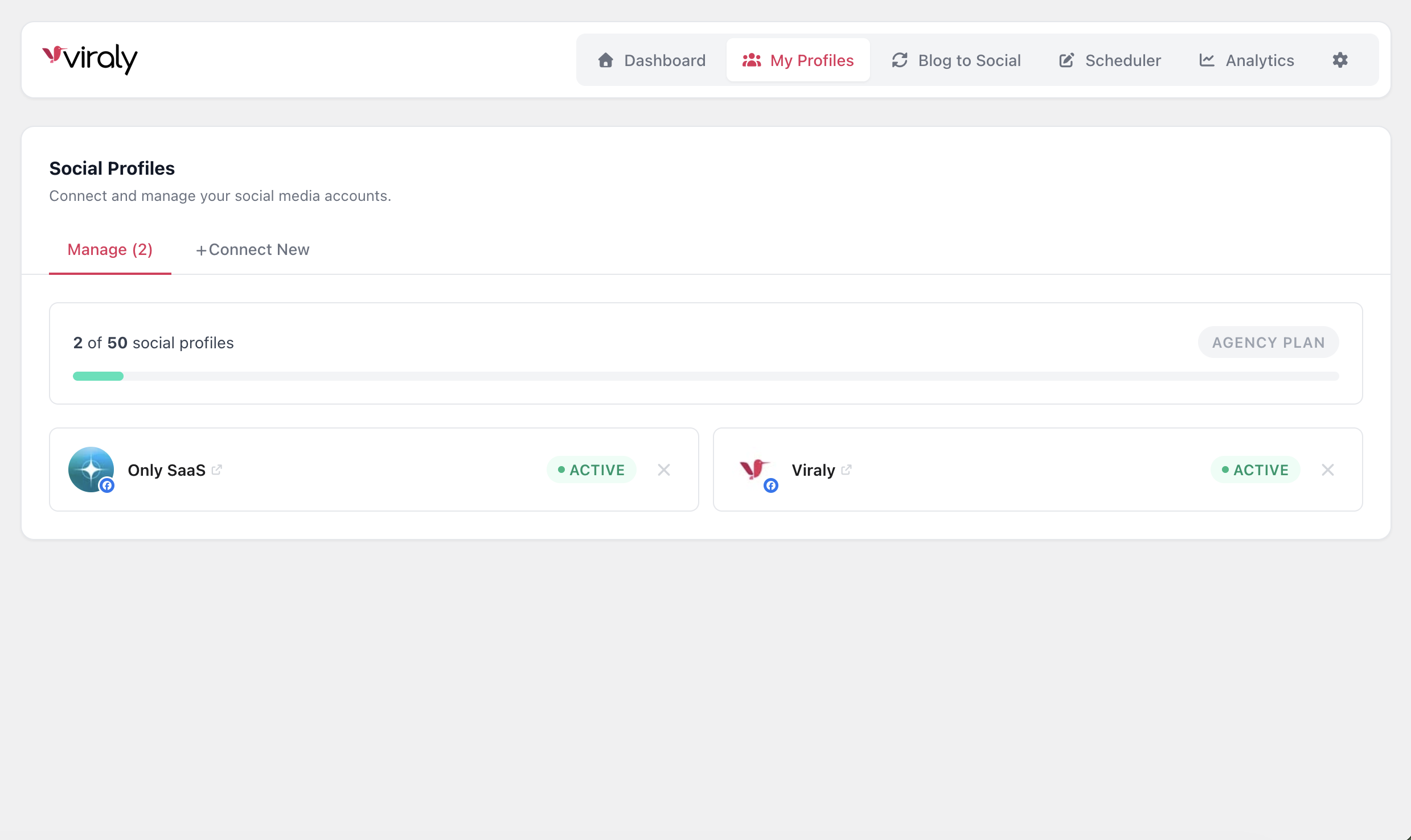
- Multi-channel selector with profile pictures and platform indicators
- Per-platform customization - different post types, privacy settings, and metadata per platform
- URL preview - Open Graph metadata preview for linked content
- Emoji picker built in
- Hashtag validation per platform
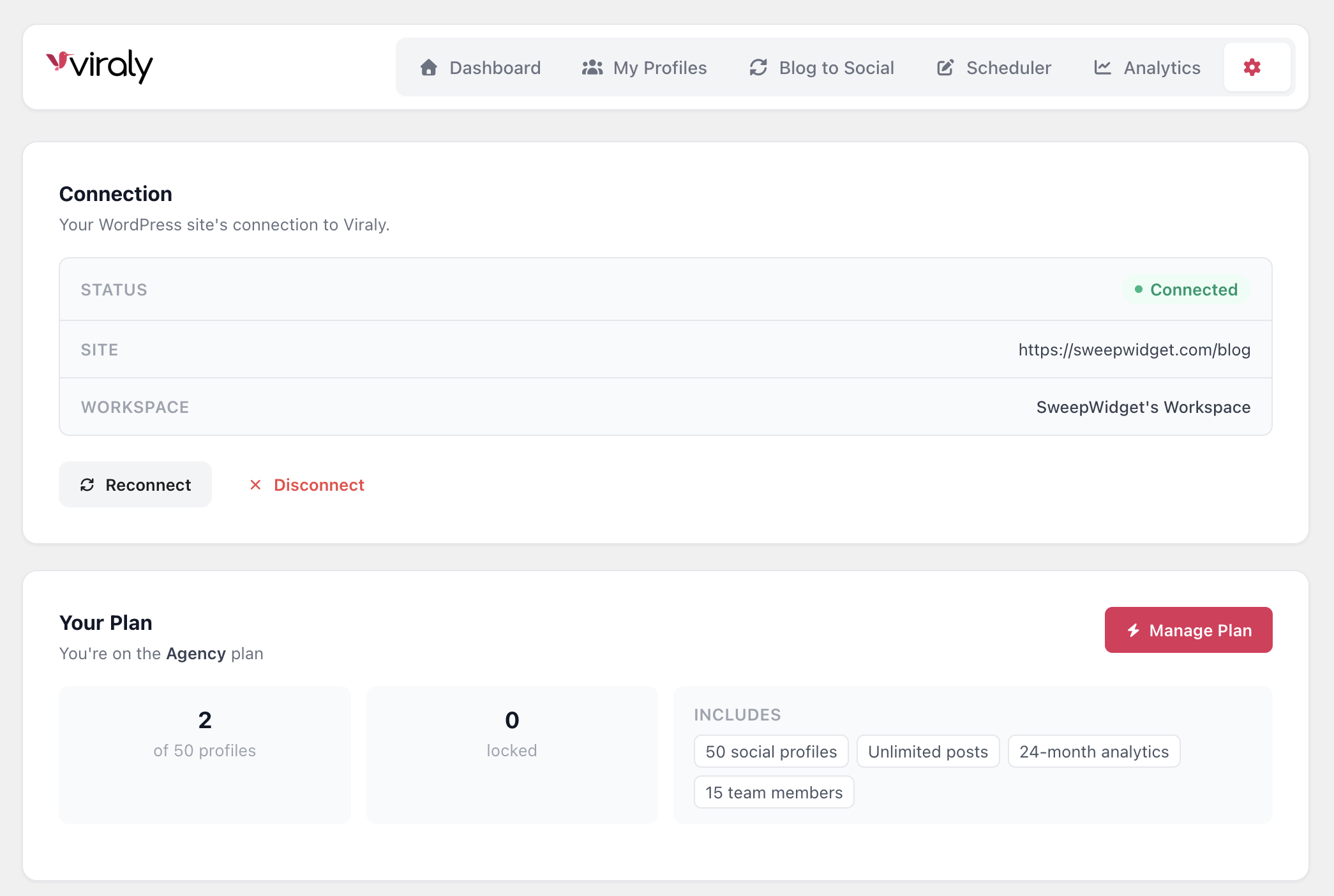
- Install & Connect - Install the plugin, create a free Viraly account, and connect with one click (getting started)
- Add Social Profiles - Connect your Instagram, Facebook, TikTok, LinkedIn, and other accounts via OAuth (connect a profile)
- Configure Blog to Social - Set your auto post template, choose which categories to share, and pick your timing
- Publish & Auto Post - Every new blog post automatically goes to all your connected social profiles
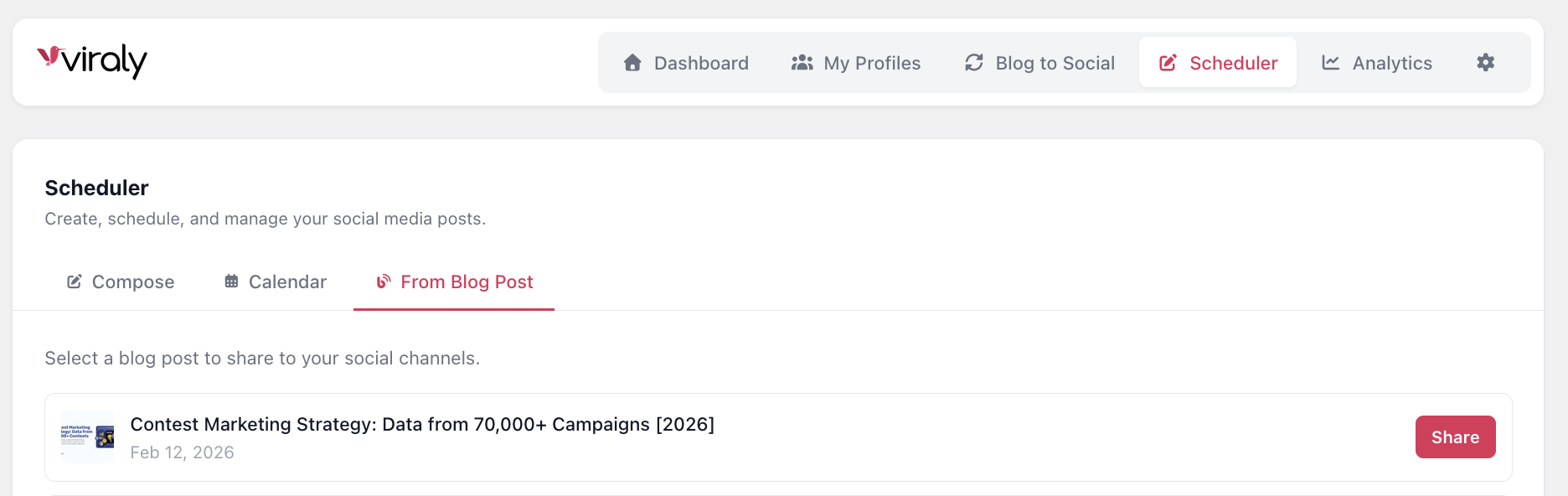
- Schedule & Compose - Use the built-in scheduler to create and schedule original social media posts (create your first post)
- Track Performance - Monitor analytics and insights for every connected profile (analytics overview)
- What it does: Manages social media connections, schedules and publishes posts to 10 social platforms, retrieves analytics data, generates AI captions, and stores your content calendar.
- When data is sent:
- When you click Connect: your site URL, admin email address, and display name are sent to app.viraly.io to create or link your Viraly account. Nothing is sent on plugin activation itself.
- On auto post or manual share: your blog post title, excerpt, featured image URL, and the generated caption are sent to be published to your connected social profiles.
- On analytics view: requests are proxied to retrieve metrics from each connected social platform (Instagram, Facebook, TikTok, X, LinkedIn, Pinterest, YouTube, Threads, Bluesky, Mastodon).
- On AI caption generation: your post title and content are sent to generate captions via OpenAI (processed server-side by Viraly).
- On URL preview: the URL you entered in the composer is sent to the Viraly API to fetch its Open Graph metadata.
- On scheduling: your post content, selected channels, and scheduled date/time are stored on Viraly servers until the publish time.
- What data is stored: Your site URL, connected social profile metadata (profile names, IDs, tokens), post content, scheduled posts, and analytics data are stored on Viraly servers. No end-user or visitor data from your WordPress site is collected.
- Viraly Terms of Use
- Viraly Privacy Policy
src/ directory, together with the build configuration (package.json, vite.config.ts, vite.config.editor.ts, tsconfig.json). Build tools used: Node.js, npm, Vite, and the TypeScript compiler. To regenerate the build files, run npm install && npm run build from the plugin root directory.
屏幕截图:
常见问题:
Is Viraly free?
Yes! The free plan includes 3 social profiles, 10 posts per month, and 2 weeks of analytics history. Paid plans unlock unlimited posts, more profiles, AI captions, evergreen recycling, and extended analytics. See pricing plans.
Which social media platforms does Viraly support?
Viraly supports 10 platforms: Instagram, Facebook, TikTok, X (Twitter), LinkedIn, Pinterest, YouTube, Threads, Bluesky, and Mastodon.
Does Viraly auto post when I publish a blog post?
Yes. Once configured, Viraly automatically shares your blog posts to Instagram, Facebook, TikTok, LinkedIn, and all your other connected profiles when you click Publish. You can auto post instantly, after a delay, or at a scheduled daily time.
Can I auto post blog content to Facebook and Instagram?
Yes. Viraly auto posts your blog content to Facebook and Instagram (plus 8 other platforms) with your featured image, custom caption templates, and the right post type for each platform. You can also auto post to TikTok, LinkedIn, Pinterest, YouTube, X, Threads, Bluesky, and Mastodon.
Can I schedule social media posts from WordPress?
Absolutely. Viraly includes a full social media post scheduler with a visual content calendar. Create posts for any future date and time, and Viraly publishes them automatically.
Does Viraly support Instagram Reels and Stories?
Yes. Viraly supports Instagram Posts, Reels, and Stories. It also supports Facebook Reels and Stories, YouTube Shorts, and other platform-specific post types. Learn about Instagram posting.
Can I customize what gets posted to each platform?
Yes. You can set different post types per platform (Post vs. Reel vs. Story), add first comments, create thread replies, and override captions on a per-post basis from the Gutenberg editor.
Does Viraly include social media analytics?
Yes. Viraly provides detailed analytics dashboards for 10 platforms, including audience demographics, post performance, engagement metrics, growth trends, and CSV export. Analytics overview.
Does Viraly use AI?
Yes. Viraly includes AI-powered caption generation that can write new captions or rephrase existing ones. Choose from 8 tones (Neutral, Casual, Formal, Humorous, Inspirational, Persuasive, Educational, Excited) and generate platform-appropriate hashtags automatically.
Is Viraly compatible with the WordPress block editor (Gutenberg)?
Yes. Viraly includes a dedicated Gutenberg sidebar panel for managing social sharing on a per-post basis, including channel selection, custom captions, AI generation, and share/schedule actions.
Does Viraly work with the Classic Editor?
Auto posting on publish works with any editor, including the Classic Editor. The per-post sharing panel (channel selection, custom captions, Share Now) is a block editor sidebar, so it requires Gutenberg.
What happens to my data if I uninstall Viraly?
All plugin settings and post metadata are removed from your WordPress database when you uninstall the plugin. Your Viraly cloud account and connected social profiles remain intact - you can reconnect anytime.
How is Viraly different from Blog2Social, Jetpack Social, or Buffer?
Viraly combines blog to social auto posting, a visual post scheduler, a content calendar, AI captions, and detailed analytics into a single plugin. Most alternatives only offer one or two of these. Viraly also supports platform-specific post types (Reels, Stories, Shorts, Documents) and advanced features like first comments and thread replies across 10 platforms.
更新日志:
- Fixed: Threads profile analytics never loaded (a required metrics parameter was missing from the request).
- Fixed: the Pinterest profile overview rendered empty due to a response field name mismatch.
- Fixed: AI hashtag generation failed for captions longer than 512 characters, and AI caption generation failed when no profile was selected yet.
- Fixed: the "Schedule" link on recent posts now opens the Viraly scheduler with your blog post preloaded; previously the destination was silently dropped.
- Fixed: connecting Mastodon now asks which server your account is on, so Mastodon connections can complete.
- Improved: when connecting a profile fails, the actual error now appears in WordPress instead of failing silently.
- Improved: the connect link stays valid for 60 minutes, so slower first-time signups no longer fail with an expired link.
- Improved: consistent branding with the Viraly app - real platform brand icons instead of emoji, unified brand colors, "Social Profiles" naming, corrected plan feature descriptions, and cleaned-up punctuation.
- Fixed: the Support link now reaches Viraly support.
- Changed: auto posting now runs in the background after publish instead of inside the publish request, so publishing stays fast and per-post sidebar settings (including "do not share this post") are always honored on first publish.
- Changed: auto post publishing uses the Viraly API's caption-based post creation, which fixes image posts to LinkedIn, Threads, and TikTok that previously failed, and publishes animated GIF featured images correctly on Facebook.
- Fixed: Pinterest board selection in the composer was not applied, so Pinterest posts were rejected. Channels that blog sharing cannot serve (Pinterest without a board, YouTube without a video, Google Business) are now clearly reported as skipped instead of failing silently.
- Fixed: composer posts with multiple images, single videos, or GIFs to Instagram, X (Twitter), Threads, Bluesky, and Mastodon could be rejected due to post type mismatches; TikTok privacy selection now applies correctly.
- Fixed: threads (X, Threads, Bluesky, Mastodon) with media attached were rejected; media is now assigned to the first post of the thread.
- Fixed: "Share Now" no longer reports success without posting when auto post platforms were never configured, and failed channels now show the API's actual error message.
- Fixed: scheduled shares from the blog post picker now respect the timezone shown in the UI, and the auto post schedule defaults to the WordPress site timezone instead of US Eastern.
- Fixed: the per-post sharing panel now works on Pages and custom post types enabled for auto posting.
- Fixed: auto post failures are now surfaced with an admin notice and can be retried; previously a failed run silently blocked all future sharing for that post.
- Fixed: captions no longer leak shortcodes, block markup, or HTML entities from the blog post content.
- Fixed: connect and sign-in errors (expired link, invalid key, service unavailable) now show clear messages instead of failing silently.
- Security: sharing endpoints now require publishing permissions and per-post access; AI generation is rate limited; media ingestion is restricted to this site's own files; connection state can no longer be reset by unauthenticated requests; stricter URL safety validation.
- Accessibility: dialogs can be dismissed with Escape and announce themselves to screen readers; navigation tabs have accessible names.
- Compliance: uninstall now removes all plugin options and post metadata; plugin assets only load on Viraly screens; unused legacy scripts removed; admin submenus use standard slugs; the uncompiled source code ships in the plugin zip.
- Fixed: the Connect to Viraly flow failed with "Missing required parameters" and looped back to the connect screen. The connect URL's query string was being HTML-entity encoded before JavaScript navigation, which dropped the site, state, and account parameters.
- Fixed: opening a second Viraly admin tab (or returning to WordPress) while a connect was in progress invalidated the connection attempt with an invalid state error. The connect state now persists for 15 minutes instead of regenerating on every page load. Versions 1.1.x and 1.2.0 were internal development builds and were never published.
- Initial release
- Auto post blog content to 10 social media platforms
- Social media post composer with platform-specific post types
- Visual content calendar with monthly grid view
- Social media analytics dashboard for 10 platforms with CSV export
- AI-powered caption generation and hashtag generation with 8 tone options
- Built-in image editor with platform-specific aspect ratios
- Gutenberg editor sidebar panel with per-post overrides
- First comment support for Facebook, Instagram, YouTube, LinkedIn
- Thread reply support for X, Threads, Bluesky, Mastodon
- Evergreen content recycling
- Emoji picker, URL preview, draft auto-save
- Secure OAuth connection flow for all platforms
- WordPress admin bar and submenu integration
- Full uninstall cleanup