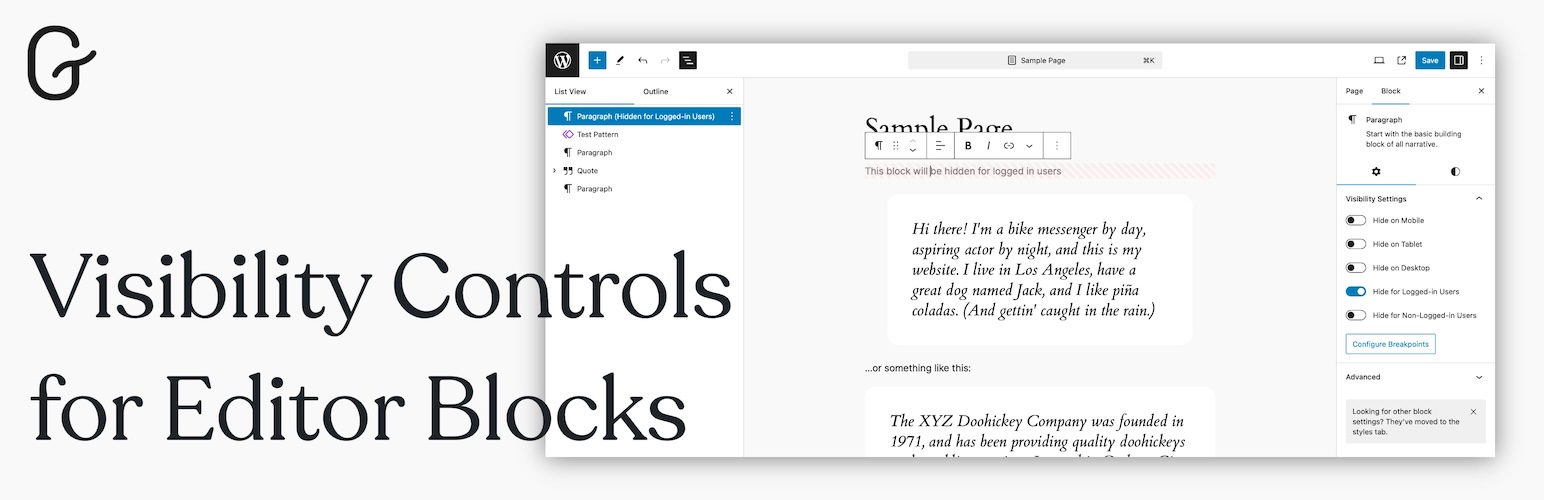
Visibility Controls for Editor Blocks
| 开发者 |
doroshchuk
denisdoroshchuk |
|---|---|
| 更新时间 | 2026年6月20日 00:32 |
| 捐献地址: | 去捐款 |
| PHP版本: | 7.4 及以上 |
| WordPress版本: | 7.0 |
| 版权: | GPLv3.0 |
| 版权网址: | 版权信息 |
详情介绍:
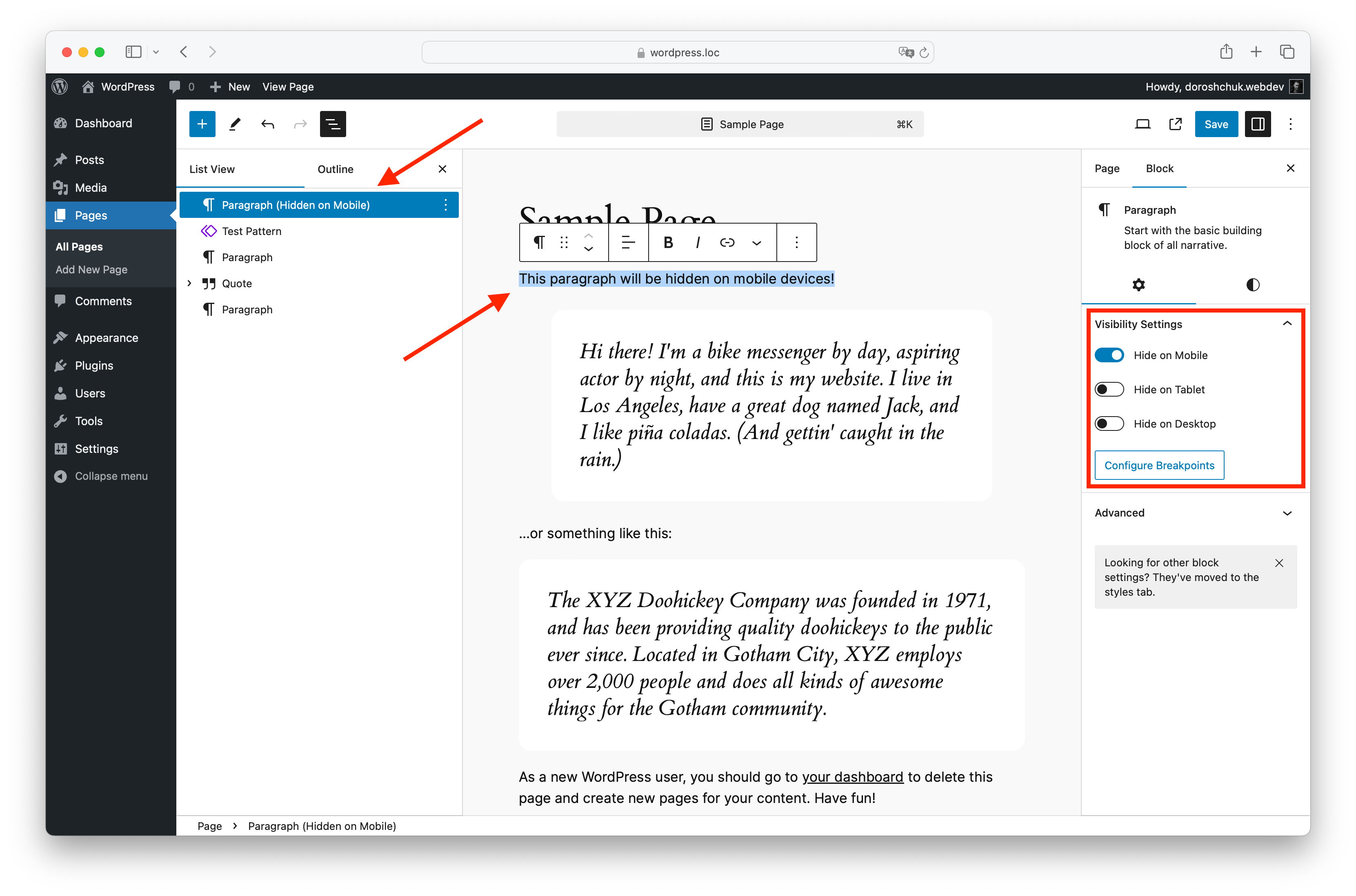
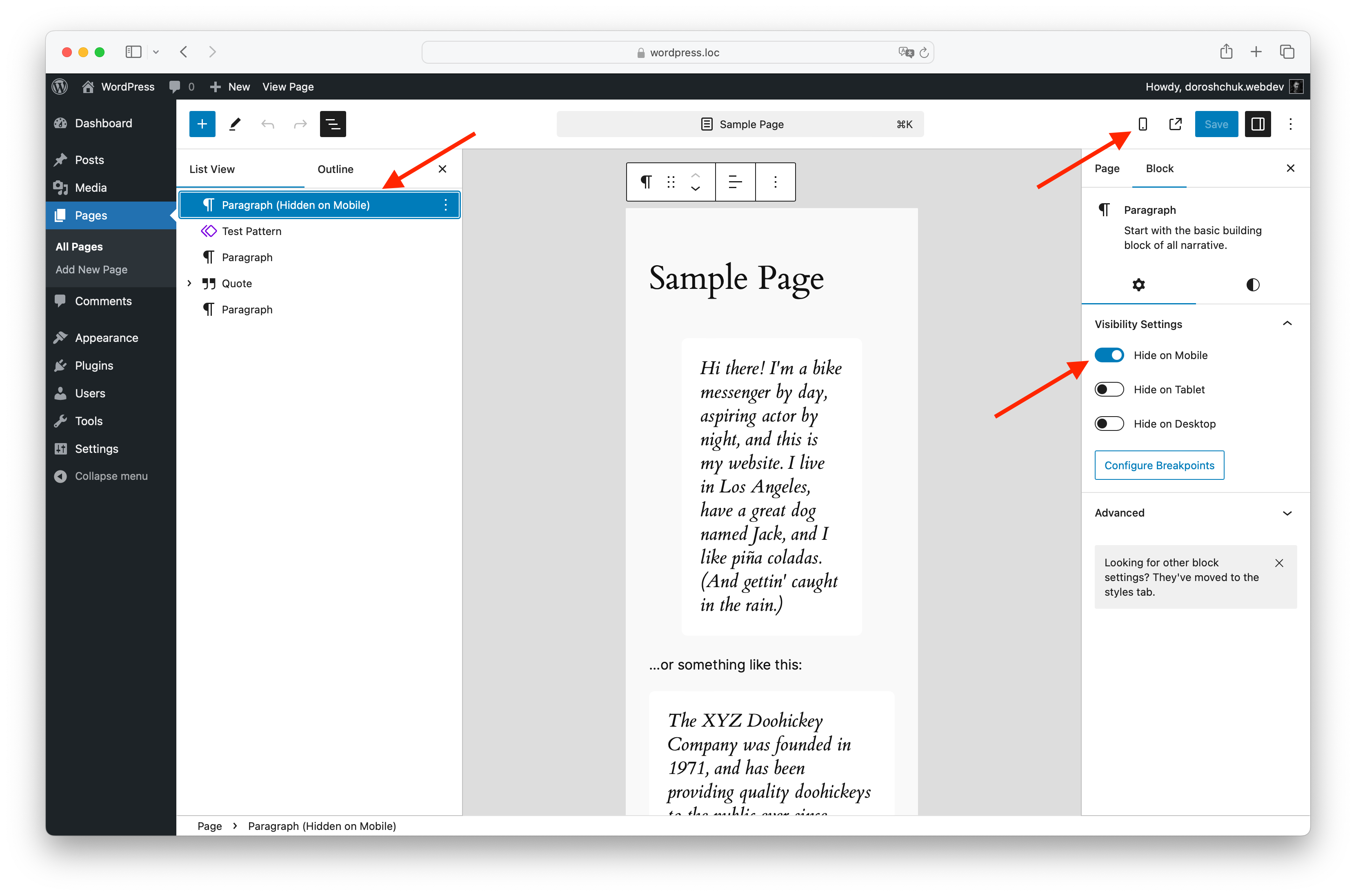
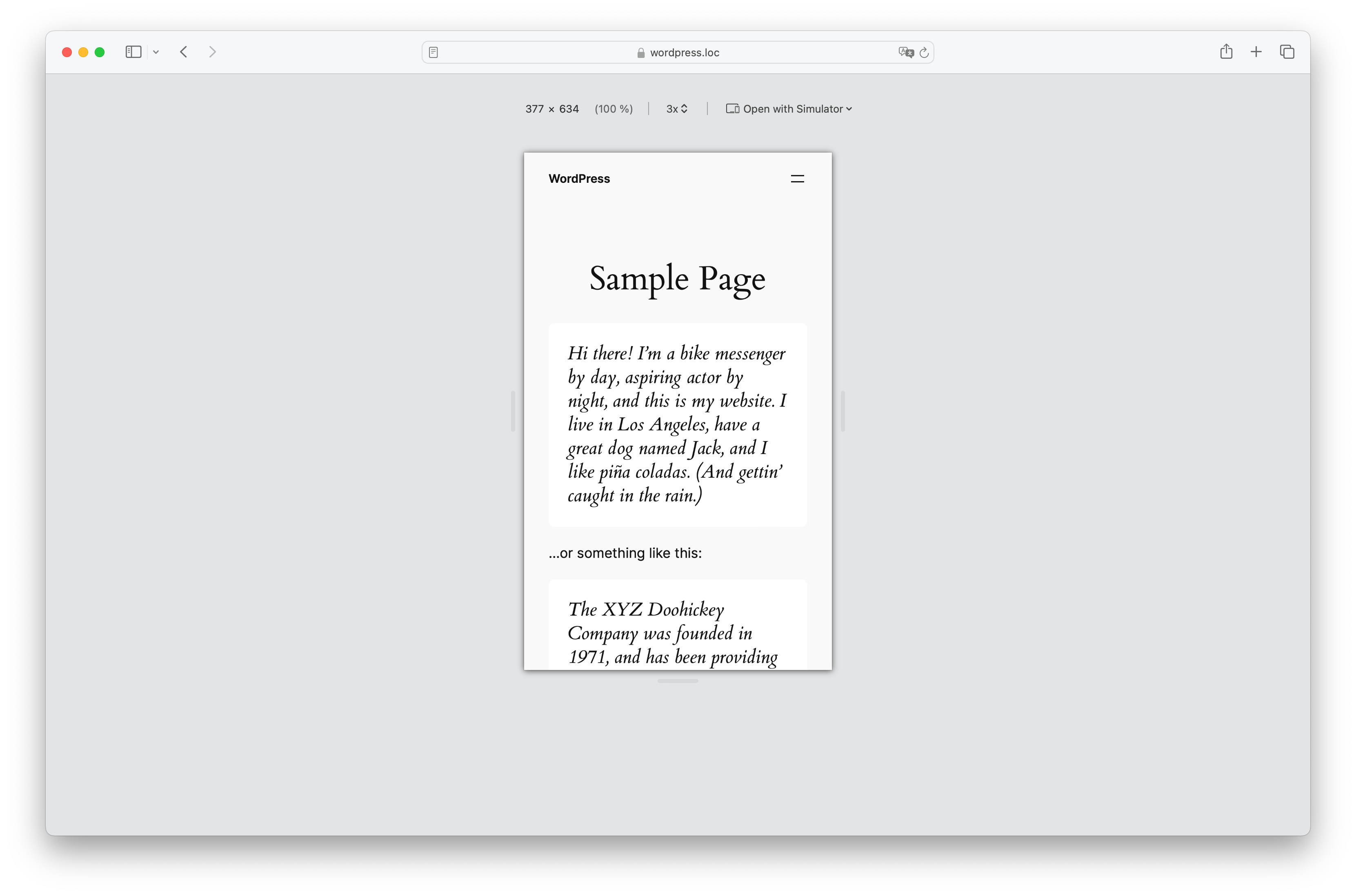
- Device visibility controls: Hide blocks on mobile, tablet, or desktop.
- Login status visibility: Show or hide blocks for logged-in users or non-logged-in visitors.
- Custom breakpoints: Define what counts as mobile and tablet for your own theme.
- WordPress Hide block sync: Keep device visibility controls aligned with the built-in Hide block modal in WordPress 7.0 and newer.
- No custom CSS needed: Manage block visibility directly from the editor sidebar.
- Gutenberg integration: Visibility options appear where you already edit block settings.
- Dynamic block support: Works with server-rendered blocks, block themes, and modern WordPress layouts.
- User role visibility: Show or hide blocks for selected WordPress user roles.
- Date and time scheduling: Display blocks only during a selected time window.
- URL and query rules: Show blocks only when a URL parameter is present or matches a specific value.
- Cache-friendly frontend mode: Optionally evaluate scheduled and URL rules in the visitor browser for cached pages.
- Role list control: Choose which WordPress roles appear in the block editor controls.
- Content creators who want to hide large or secondary blocks on smaller screens.
- Site owners who want to show different calls to action to guests and logged-in users.
- Designers who need responsive Gutenberg layouts without writing one-off CSS.
- Developers and agencies who want simple block visibility controls for client sites. With Visibility Controls for Editor Blocks, you can keep one clean editor workflow while tailoring the frontend experience for different devices and visitors.
安装:
- Upload the plugin files to the
/wp-content/plugins/visibility-controls-for-editor-blocksdirectory, or install the plugin through the WordPress plugins screen directly. - Activate the plugin through the 'Plugins' screen in WordPress.
- Go to "Settings > Gutenberg Blocks Visibility" to configure the breakpoints for mobile, tablet, and desktop devices.
屏幕截图:
常见问题:
How do I set custom breakpoints?
In the WordPress admin area, navigate to Settings > Gutenberg Block Visibility to configure custom breakpoints for mobile and tablet devices.
Can I hide a Gutenberg block on mobile only?
Yes. Select a block in the editor and enable Hide on Mobile in the Visibility Settings panel.
Can I show content only to logged-in users or guests?
Yes. You can hide blocks for logged-in users or hide blocks for non-logged-in visitors, which makes it easy to show different content to members and guests.
Does it work with dynamic blocks and block themes?
Yes. The plugin supports modern dynamic Gutenberg blocks and block theme rendering contexts.
Is there a Pro version?
Yes. The Pro version includes all free visibility controls and adds user role visibility, date and time scheduling, URL/query parameter rules, and cache-friendly frontend processing for selected rule types.
Can Pro visibility rules work with full-page cache?
Yes, with the Pro frontend cache-friendly mode. In that mode, scheduled visibility and URL/query rules are evaluated in the browser. Role-based rules remain server-side for privacy and should be used with cache rules that vary or bypass logged-in users.
Does this plugin support other block editors like Elementor or Beaver Builder?
No, this plugin is designed to work specifically with the Gutenberg block editor.
Will this plugin affect the performance of my website?
The plugin only adds small visibility classes and the CSS needed to hide matching blocks. It is designed to stay lightweight and avoid changing your block content structure.
更新日志:
- Added visibility controls for previously excluded dynamic core blocks, including Archives, Calendar, RSS, Latest Comments, and Tag Cloud.
- Registered visibility attributes on the server so dynamic block previews pass REST validation in the editor.
- Improved dynamic block rendering so plugin visibility classes are applied consistently on the frontend.
- Fixed frontend device visibility when synced with the WordPress Hide block modal, so custom plugin breakpoints remain authoritative.
- Prevented WordPress core viewport visibility CSS from overlapping with the plugin's mobile, tablet, and desktop breakpoint rules.
- Updated the bundled Freemius WordPress SDK to 2.13.2.
- Added synchronization between the plugin's device visibility toggles and the WordPress 7.0 Hide block modal.
- Existing device visibility settings are synced to WordPress block visibility metadata when supported.
- Updated editor scripts for better compatibility with the built-in block visibility controls.
- Tested with WordPress 7.0.
- Updated the plugin metadata to require PHP 7.4 or higher, matching the WordPress 7.0 minimum supported PHP version.
- Improved the editor sidebar integration for the WordPress 7.0 block editor.
- Removed a generated translation cache file from the release package.
- Added Pro upgrade information to the block editor visibility panel.
- Added a Pro feature card to the plugin settings page.
- Verified visibility controls in the WordPress Site Editor and template part editing flow.
- Added a Pro upgrade path for role visibility, scheduled visibility, and URL/query visibility rules.
- Improved the settings page layout and removed extra branding from the page header.
- Moved the review prompt into a standard WordPress admin notice on the plugin settings page.
- Added a 7-day delay before showing the review prompt to new and existing users.
- Replaced the external Buy Me a Coffee script with a regular support link.
- Updated plugin author metadata.
- Tested with WordPress 6.9.
- Fixed dynamic block visibility handling for WordPress 6.9.4 and newer block rendering contexts.
- Fixed the settings button URL in the block editor for subdirectory installs.
- Improved visibility CSS loading for block themes and block widget contexts.
- Fixed a problem with index.js
- Refactored JavaScript build system to use @wordpress/scripts.
- Removed legacy Gulp-based setup for cleaner and more maintainable builds.
- No functional changes for end users
- Fixed a problem with renaming blocks
- Fixed a problem with some dynamic blocks
- Tested up to WordPress 6.8
- Tested up to WordPress 6.7.1
- Tested up to WordPress 6.7
- Added wp.blockEditor.InspectorControls instead wp.editor.InspectorControls
- Added video tips to the settings page
- Small fix
- Added option to hide blocks for logged-in users.
- Added option to hide blocks for non-logged-in users.
- Added visual indication (strikethrough and overlay) for blocks hidden based on user login status in Gutenberg editor.
- Added support for dynamic Gutenberg block, for example: Navigation, Site Logo, Post Content etc.
- Added new language - ru_RU.
- Fixed a small bug.
- Added new option - Disable CSS loading on pages without Gutenberg.
- Initial release with functionality to hide blocks on mobile, tablet, and desktop devices.
- User-configurable breakpoints for each device type.