
Visibility Logic for Elementor
| 开发者 |
seventhqueen
kierantaylorio codezz rtynio staxwp geowrge |
|---|---|
| 更新时间 | 2026年9月8日 20:06 |
| PHP版本: | 7.4 及以上 |
| WordPress版本: | 7.1 |
| 版权: | GPLv3 |
| 版权网址: | 版权信息 |
标签
下载
详情介绍:
- Restrict content to logged-in users, specific roles, or subscribers
- Control membership content with Elementor sections for members, subscribers, guests, or specific roles
- Schedule content to appear during a sale, event, or launch window
- Personalize pages based on user meta, ACF custom fields, or device type
- Show/hide Elementor elements for Desktop, Tablet, or Mobile visitors
- A/B test layouts by showing different content to different user segments
- Hide empty sections automatically when all child widgets are hidden
- ACF Fields (NEW) — Show/hide based on Advanced Custom Fields values on the current post or page. 7 operators: is empty, is not empty, equals, not equals, contains, is true, is false.
- Device Type (NEW) — Target Desktop, Tablet, or Mobile users with server-side User-Agent detection. Hidden elements are fully removed from HTML.
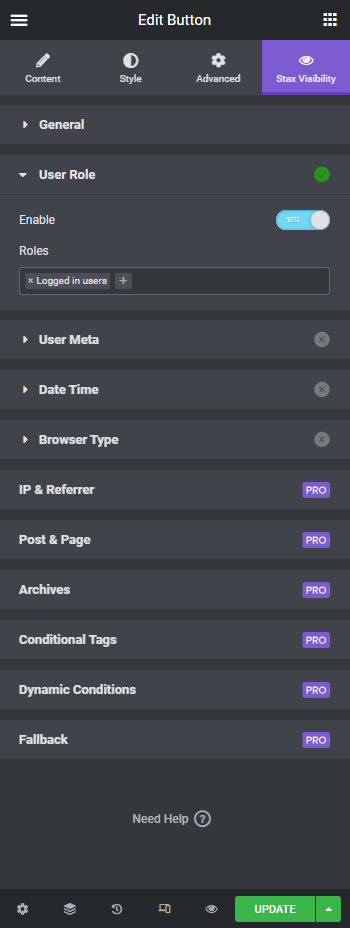
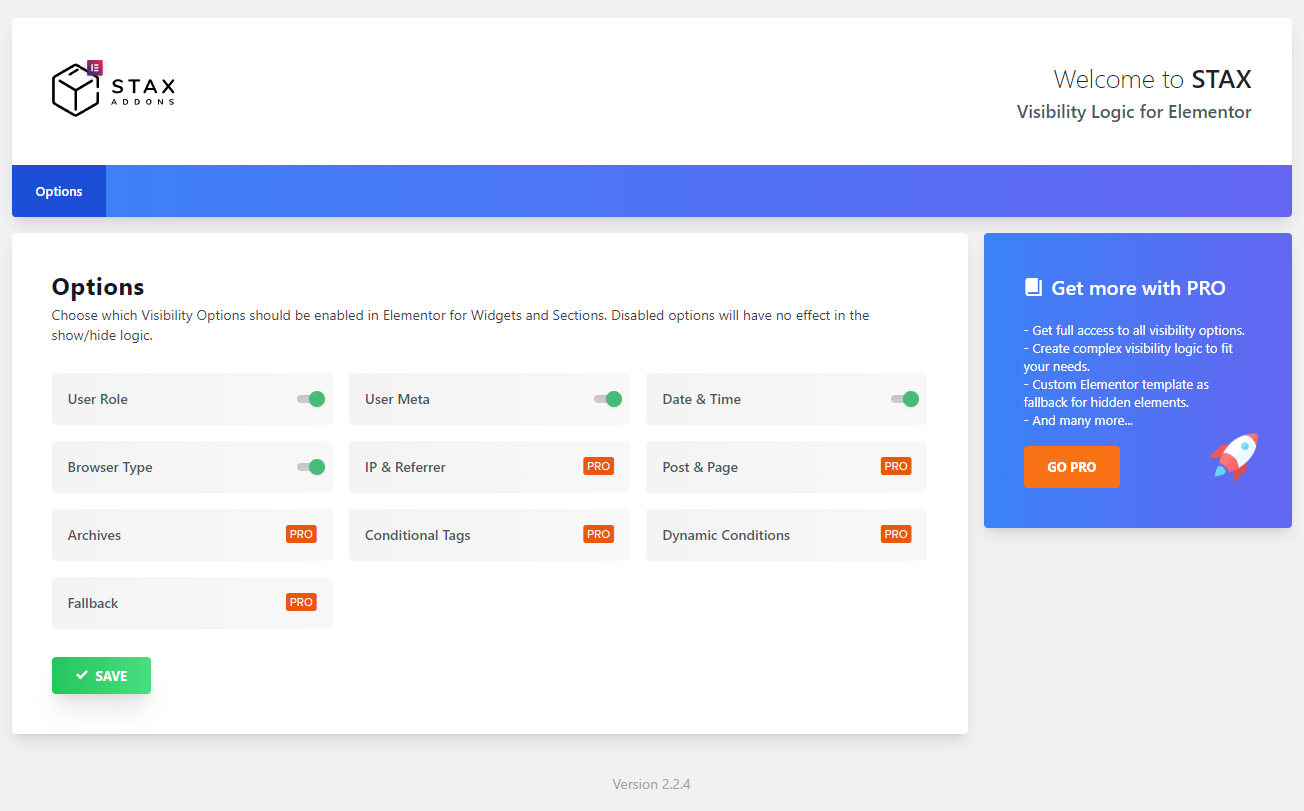
- User Role — Logged in, logged out, or specific roles (Administrator, Editor, Subscriber, custom roles).
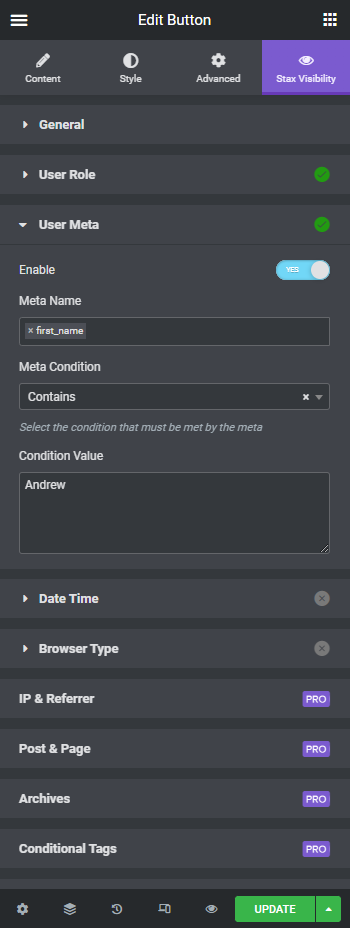
- User Meta — Show/hide based on any user meta field value.
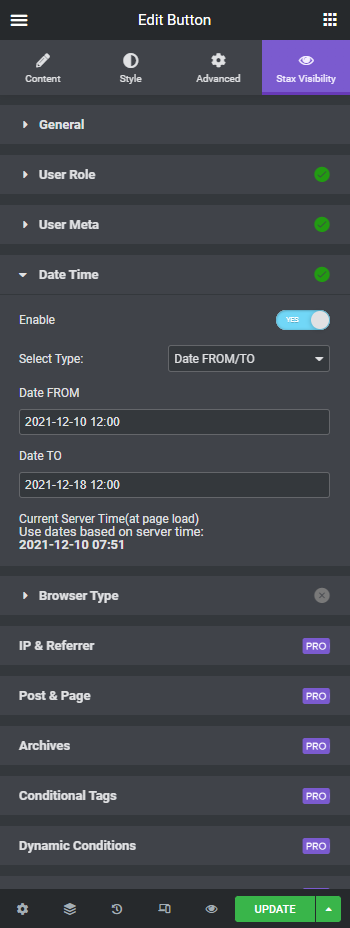
- Date & Time — Schedule visibility with "from" and "to" dates. Perfect for sales, events, and time-limited content.
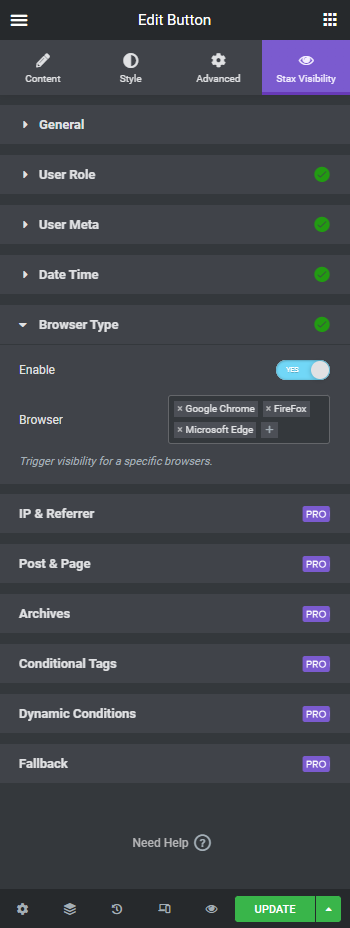
- Browser Type — Target Chrome, Firefox, Safari, Edge, Opera, iPhone, Android, and more.
- Flexbox Containers — Full support for Elementor's Flexbox containers, classic sections, and nested containers.
- Hide When Empty — Automatically hide a parent section/container when all child widgets are hidden by visibility conditions.
- Advanced ACF — Repeater fields, options page, term meta, user fields, specific post/user sources, AND/OR logic with 17 operators.
- Language — Show/hide based on current language. Supports WPML, Polylang, and TranslatePress.
- URL Parameters — URL parameter visibility and standalone query string conditions with repeater support and 9 operators.
- Geo Location — Display elements based on visitor's country using MaxMind geolocation.
- Dynamic Conditions — Use all Elementor Pro Dynamic Tags as visibility conditions.
- WooCommerce — Restrict content based on order history, active subscriptions, or customer status.
- Easy Digital Downloads — Restrict based on purchase history or subscription status.
- Advanced User Meta — Multiple user meta conditions with AND/OR logic.
- Post & Page, Taxonomy — Show/hide based on current post type, specific pages, or taxonomy terms.
- Archive — Conditions based on post type archives and taxonomy archives.
- IP & Referrer — Target visitors by IP address or referral source.
- WordPress Conditional Tags — Use any WordPress conditional tag as a visibility condition.
- Fallback Content — Replace hidden elements with a custom text message or an Elementor template.
- Copy/Paste — Right-click to copy visibility settings between widgets or sections. Get Visibility Logic Pro and unlock all conditions.
- Edit any page with Elementor
- Select a widget, section, or container
- Go to the Visibility tab (or Advanced → Visibility Control)
- Enable conditions and configure your display rules
- Save — elements are shown or hidden on the live site based on your rules
- BuddyBuilder — BuddyPress Builder for Elementor — Build stunning BuddyPress communities with Elementor.
安装:
- Install directly from WP Admin → Plugins → Add New by searching for "Visibility Logic for Elementor", or upload the free plugin folder to your
wp-content/pluginsdirectory. - Activate the plugin.
- Edit a page using Elementor, select any widget, section, or container, then go to the Visibility tab.
- Enable conditions and configure your display rules.
- Save and preview your page. Visibility Logic Pro:
- Purchase Pro from StaxWP and download the Pro zip file from your StaxWP account.
- In WP Admin, go to Plugins → Add New → Upload Plugin, upload the Pro zip file, then install and activate it.
- Go to Settings → Visibility Logic → Pro Version and choose Add your License Key.
- Enter your API key/license key from your StaxWP account and save your changes.
屏幕截图:
常见问题:
How do I show or hide an Elementor widget based on user role?
Edit your page with Elementor, select any widget, go to the Visibility tab, enable Visibility Logic, then open the User Role section. Select the roles you want to target (e.g., Administrator, Subscriber, Guest). You can choose to show or hide the element when the condition is met, including common setups such as hide Elementor by user role or show a section only to logged in members.
Can I restrict content to logged-in users only?
Yes. Enable Visibility Logic on any widget, section or container, go to User Role conditions and select "Logged in users". The element will only be visible to authenticated users. Guests will see nothing (or a fallback message with Pro).
How do I schedule content to show at a specific date and time?
Use the Date Time condition. You can set a "From" and "To" date to display content only during a specific period — perfect for sales, events, promotions or limited-time offers. All times are based on your WordPress server time.
Does it work with Elementor containers and Flexbox?
Yes. Visibility Logic fully supports Elementor's Flexbox containers, classic sections, and nested containers. You can also enable "Hide when empty" on a container to automatically hide it when all child widgets are hidden by visibility conditions.
Can I combine multiple conditions (AND / OR)?
Yes. You can enable multiple condition types at once (e.g., User Role + Date Time). In the General settings, choose All (all conditions must be met) or At least one (any single condition triggers the action). The Pro version extends this with advanced AND/OR logic for user meta conditions.
Can I show or hide content based on ACF field values?
Yes! The free version supports ACF (Advanced Custom Fields) visibility on the current post or page with 7 operators. The Pro version extends ACF support with repeater fields, options pages, user fields, term meta, and AND/OR logic with 17 operators.
Can I show different content on mobile vs desktop?
Yes. The Device Type condition detects Desktop, Tablet, and Mobile visitors using server-side User-Agent detection. Unlike CSS-based solutions, hidden elements are completely removed from the HTML — not just visually hidden.
Can I show different content based on the visitor's country?
Geolocation-based visibility is available in Visibility Logic Pro. It uses MaxMind to detect the visitor's country and dynamically show or hide elements — great for localized offers, compliance notices, or region-specific content.
Does it work with WooCommerce?
The Pro version includes WooCommerce conditions — restrict content based on a user's order history, active subscriptions, or customer status. Perfect for showing exclusive content to paying customers.
What happens when an element is hidden? Is the HTML removed?
By default, hidden elements are completely removed from the page HTML. If you need the HTML to remain in the DOM (hidden via CSS), enable the Keep HTML / Hide by CSS option. The Pro version also offers a Fallback feature to replace hidden elements with a custom message or an Elementor template.
Will this slow down my website?
No. Visibility Logic processes conditions server-side during page render with minimal overhead. Hidden elements are removed before the page is sent to the browser, so there's no extra HTML, CSS, or JavaScript loaded for hidden content.
Is it compatible with caching plugins?
Visibility Logic automatically disables Elementor's element caching for pages that use visibility conditions, ensuring dynamic content renders correctly. For full-page caching plugins (WP Rocket, LiteSpeed, etc.), make sure to exclude pages with user-specific conditions from the cache or use the "Keep HTML / Hide by CSS" option with client-side cache.
更新日志:
- Fix: Corrected the Pro/admin URL used on the settings page.
- Improved: Refreshed readme positioning around Display Conditions for Elementor, conditional display, user role, ACF, device, and membership visibility use cases.
- Improved: Clarified installation steps for the free plugin and separate Visibility Logic Pro zip/license activation flow.
- NEW: Device Type condition — show/hide elements for Desktop, Tablet, or Mobile (server-side User-Agent detection)
- NEW: ACF Field condition — show/hide based on Advanced Custom Fields values on the current post/page with 7 operators: is empty, is not empty, equals, not equals, contains, is true, is false
- Advanced ACF features available in Pro: user fields, repeater fields, options page, term meta, specific post/user sources, AND/OR logic with 17 operators
- WordPress 6.9 compatibility
- Elementor 3.35 compatibility
- Fix: Replace deprecated current_time('timestamp') with current_datetime()
- Fix: Browser detection now properly detects Edge, iPhone and Android browsers
- Fix: PHP 8.x warnings for undefined HTTP_USER_AGENT
- Fix: PHP 8.x TypeError when using strpos() on non-string user meta values
- Fix: Early translation loading notice on WordPress 6.7+
- Improved: Minimum PHP version raised to 7.4
- Fix compatibility with Elementor 3.12.0
- Latest WordPress compatibility
- Latest Elementor compatibility
- Fix PHP noticies
- Add compatibility with Elementor element caching experimental feature.
- Other fixes and improvements.
- Update readme.txt to include patchstack.com report bug link
- Add extra security checks when saving plugin options.
- Upgrade Appsero SDK
- Fix Elementor deprecation warnings
- Fix Datetime render
- Add support for Elementor's experimental containers
- Fix user meta when selecting data from the user table; eq. email.
- Fix require plugin message display in admin page
- Register query control - use to register_control method for previuous Elementor versions compatibility.
- Fix state markers for applied options in Elementor editor
- Add support for new Pro options
- Fix css render for hiding sections
- Added new variation for Date & Time option - Weeks Days + Time
- Fixed a bug on Date & Time option where server time was not fetch correctly. fixed date-time condition over midnight
- Tested on WP 5.9
- Improved admin UI
- Fix error when using Elementor version older than 3.3.0
- New Section option: Hide section when all the widgets inside it are hidden
- Fix printed styles for hidden elements of the same type.
- Added extra compatibility with Visibility Logic Pro older versions
- Added Enabled/Disabled icons on all sections to inside Stax Visibility tab to see at a glance which options are in use.
- Added Dynamic conditions based on all Elementor Pro Dynamic tags (in PRO version)
- Date and time conditions UI improvement to show current server time in editor
- Fix Section restriction when used with Hide HTML option
- Fix integration with Paid Memberships Pro plugin for section restrictions
- Improved logic and fixed Condition type when set to "At least one" to match the restrictions
- Improvement: Added AJAX control for User meta select to improve editor speed
- Fix Fallback text so it shows correct escaped HTML
- Moving from version 1.2.0 is won't change anything on your site. We added safe fallback settings for older setting from v1. Old settings are now being taken into consideration and are available in the Widget settings. You can switch to nee new settings if you like or just leave those in place.
- Added more User meta conditional operators
- Added icon next to Widgets and Sections with conditions enabled in Elementor editor
- Admin settings page improvements
- Update migration logic to be less memory demanding
- New free feature : User Meta content restriction
- New free feature: Restrict content based on User Browser(Chrome, Mozilla, Safari, etc)
- New free feature: Date & Time restrictions for content
- Old settings migration logic update for inner elements.
- Make the settings migration automatic on plugin update.
- Fix PHP version compatibility in Updates logic
- Code logic refactoring and introducing Pro features.
- Fixed the edge case when you combined hiding elements for guests and user role
- Made the selectors full width since there was a bug with Select2 control
- Made changes to the hiding logic and the element is fully hidden, no extra empty wrapping divs shown
- Visibility settings added for Section
- Added translation pot file
- Initial release