
VisionForgeX – Ad Management & Yield
| 开发者 | visionforgex |
|---|---|
| 更新时间 | 2026年11月20日 18:49 |
| PHP版本: | 7.4 及以上 |
| WordPress版本: | 7.1 |
| 版权: | GPLv2 or later |
| 版权网址: | 版权信息 |
详情介绍:
- Your tag on every page. No theme editing, no copy and paste. It survives theme changes and updates.
- Speed plugins handled. The tag carries the attributes WP Rocket, LiteSpeed Cache, Autoptimize, Perfmatters, SiteGround Optimizer and Cloudflare honour, so it is never delayed or combined.
- ads.txt kept right. Every line VisionForgeX needs is added next to your own lines, never removing anyone else's. With no ads.txt file on your server, WordPress answers /ads.txt itself; with a real file, the plugin keeps its lines in a marked block at the end.
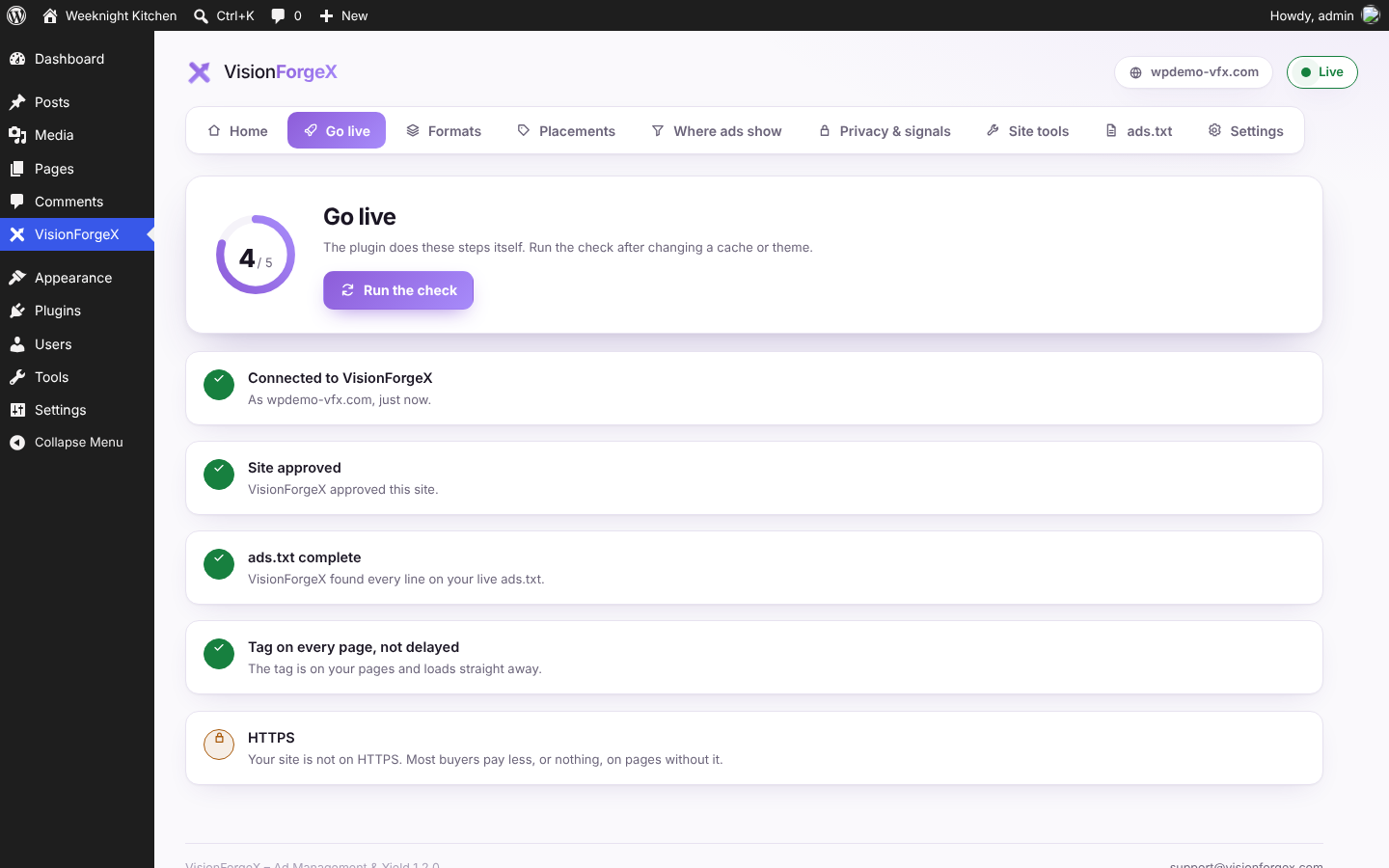
- Go live checklist. The plugin loads your home page and ads.txt the way a visitor does and tells you what it found: the tag there and not delayed, ads.txt complete, HTTPS. VisionForgeX checks your ads.txt at the same moment, so your account turns green in seconds.
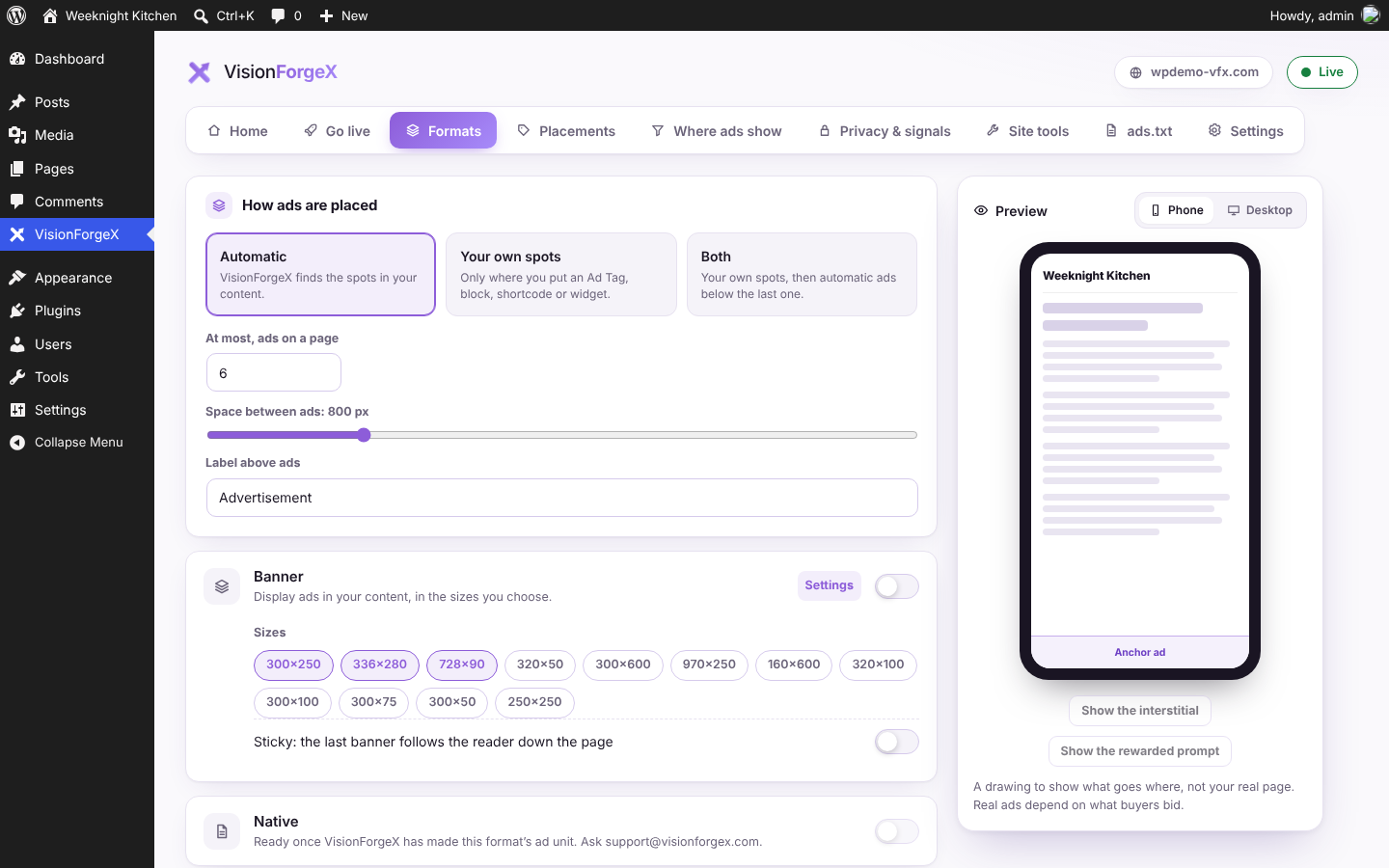
- Your ad formats from WordPress. Banner, native, anchor, interstitial and rewarded ads, refresh, how ads are placed and how many, with a live preview of a page on a phone and a desktop. Changes go live on your site at once.
- Ad Tags, a block, a shortcode and a widget. Put a named ad spot exactly where you want it: the "VisionForgeX ad" block in the editor,
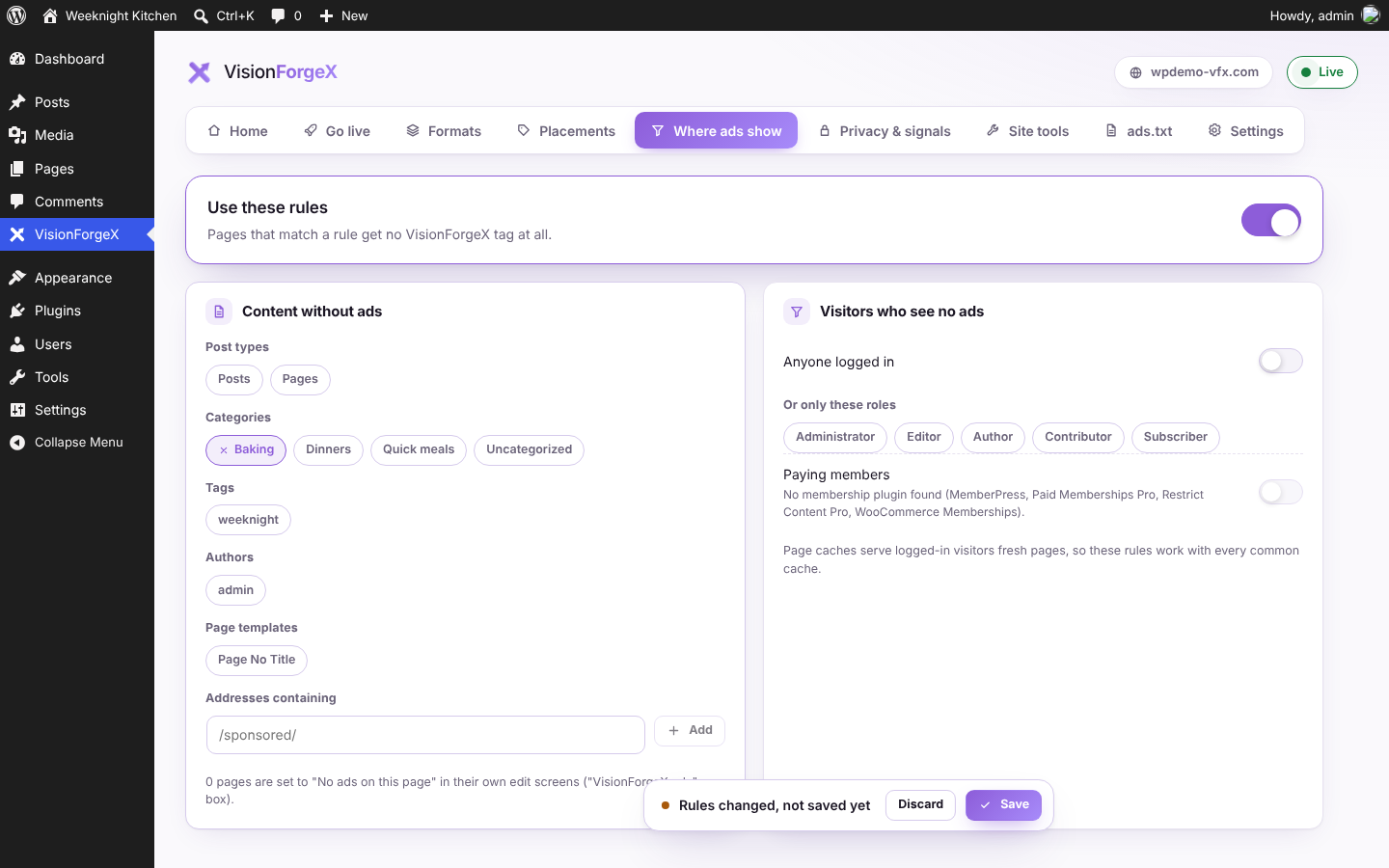
[visionforgex tag="…"]anywhere shortcodes work, or the widget in a sidebar. - Where ads show. No ads on chosen post types, categories, tags, authors, page templates or addresses; none for logged-in visitors, chosen roles or paying members (MemberPress, Paid Memberships Pro, Restrict Content Pro, WooCommerce Memberships); never on WooCommerce's cart, checkout and account pages; and a "No ads on this page" box on every post.
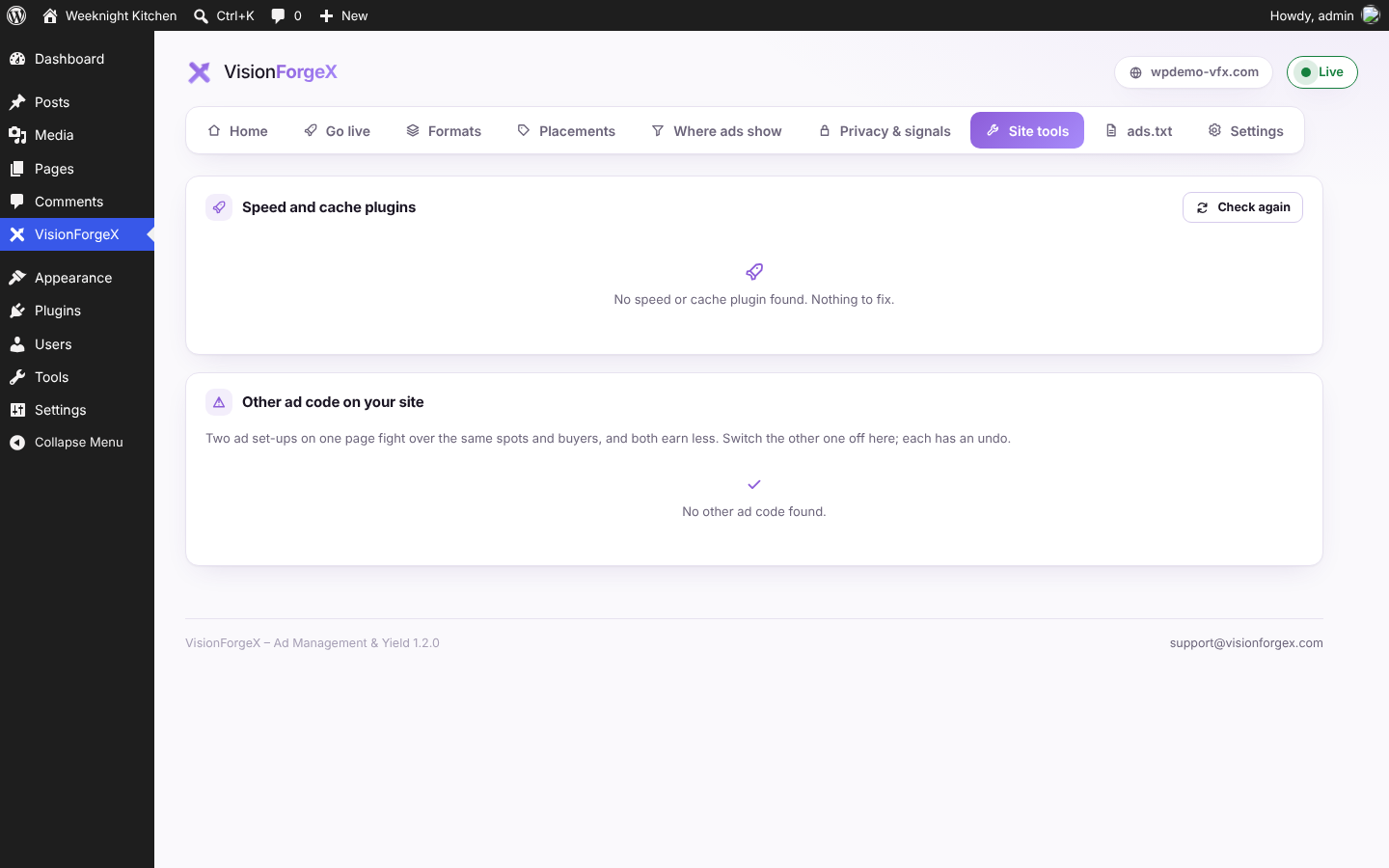
- Site tools. The speed and cache plugins on your site, kept off the tag, with a button to clear each one's cache; other ad code that would fight with VisionForgeX (AdSense, Ezoic, Mediavine, Raptive, Ad Inserter and more) found, with a one-click switch-off and undo.
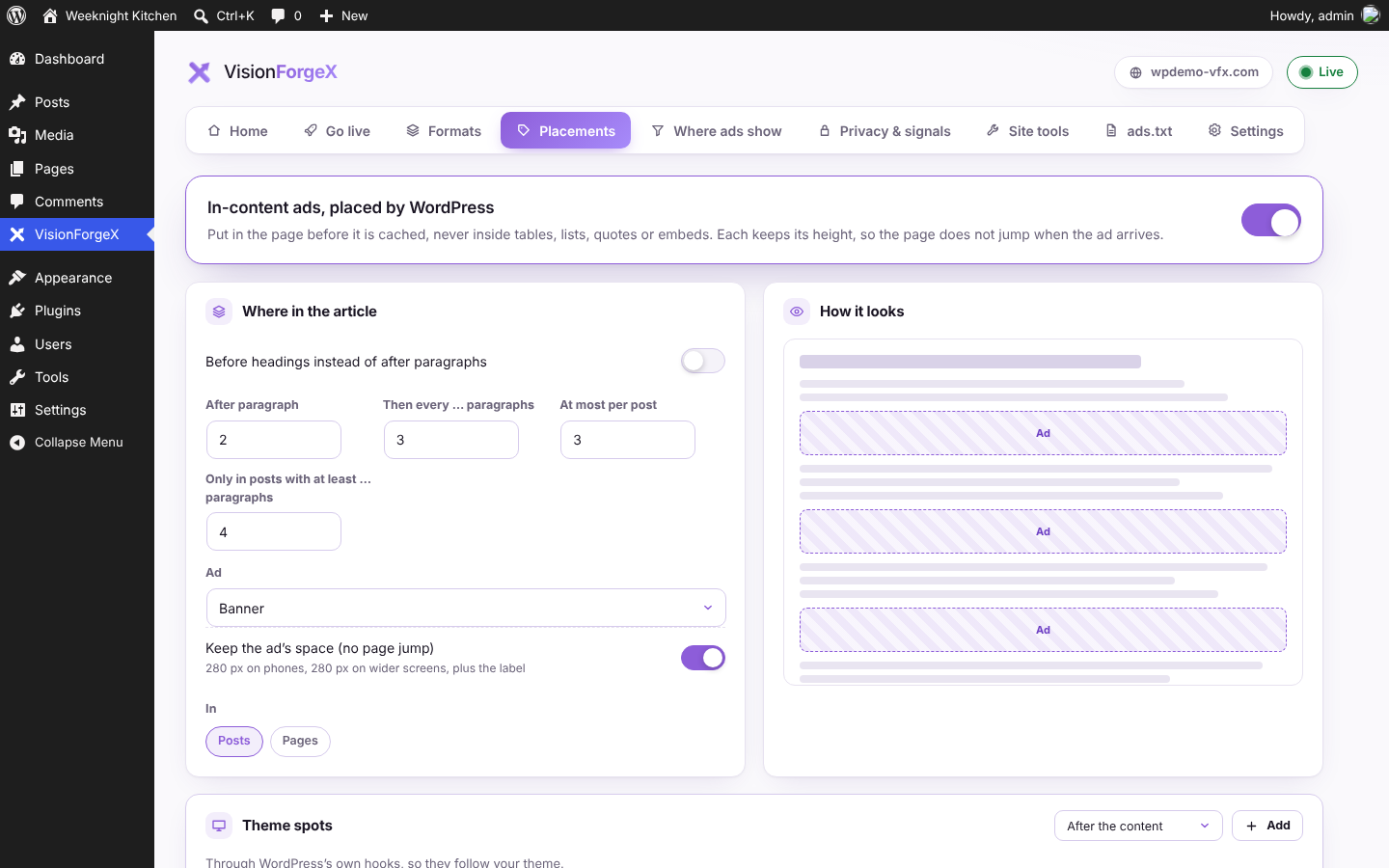
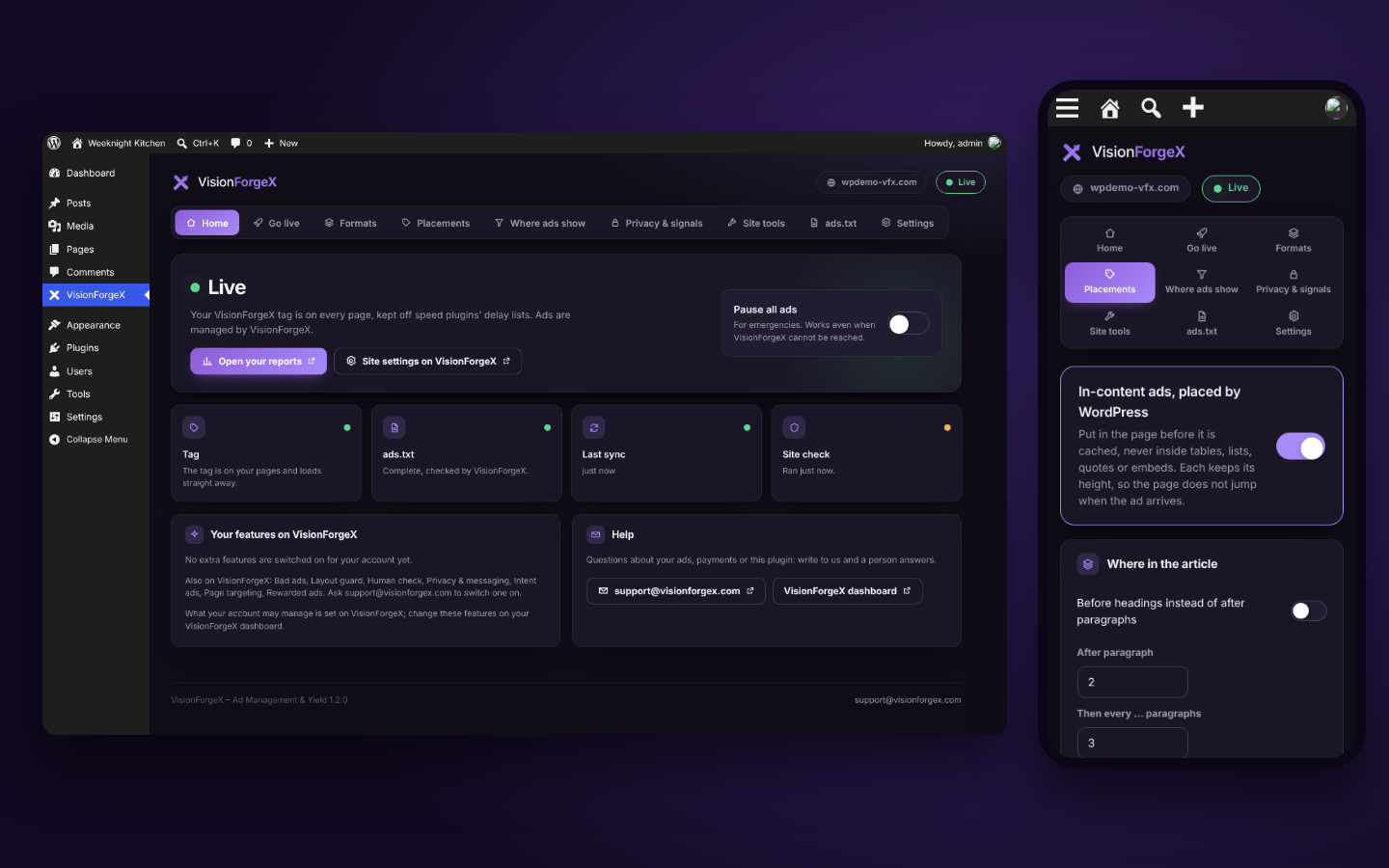
- In-content ads placed by WordPress, with no page jumps. After paragraph 2, then every 4, at most 3 per post (your numbers), or before headings; never inside tables, lists, quotes or embeds. Each spot keeps the height of its ad in the page, so nothing moves when the ad arrives.
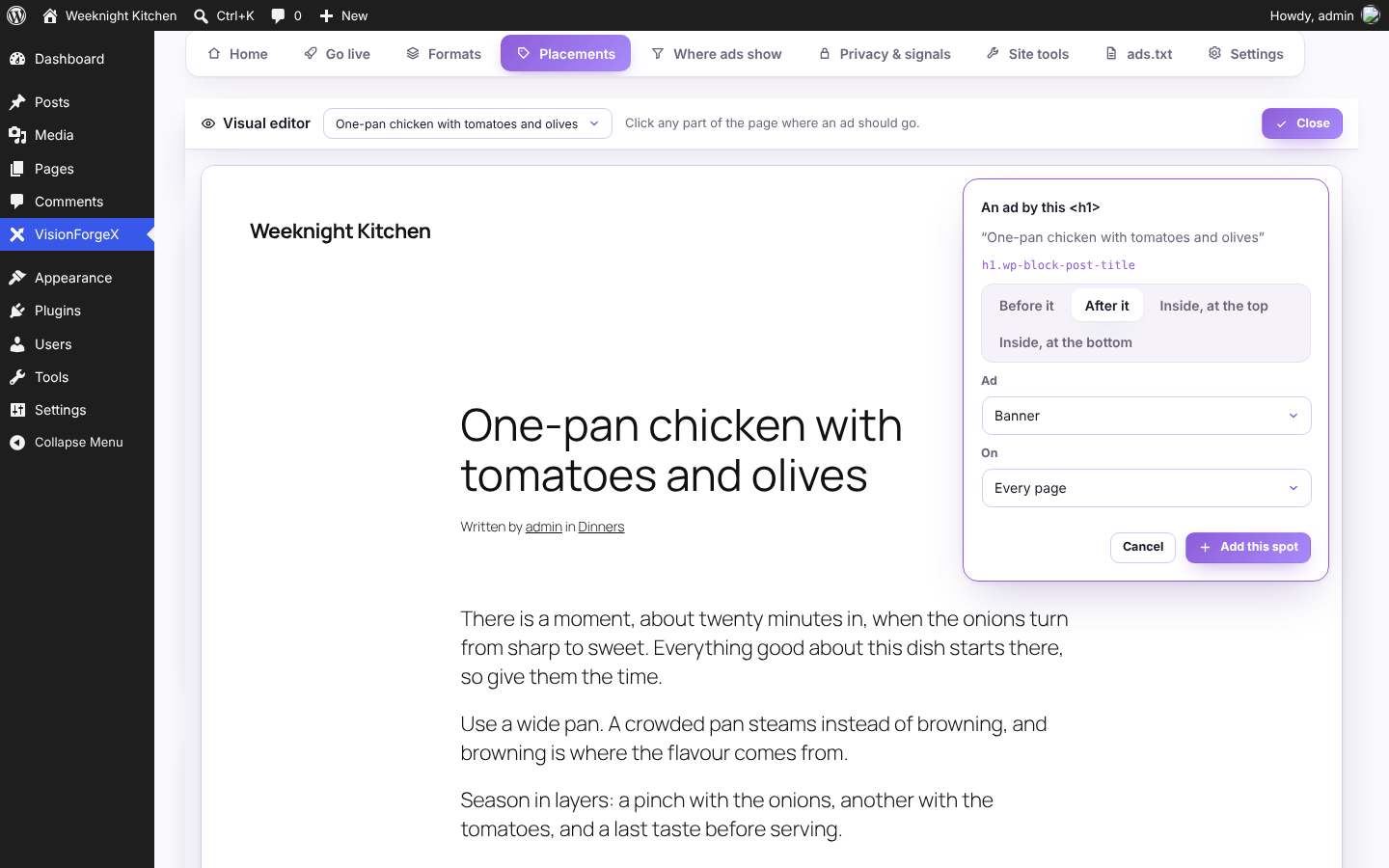
- Theme spots and your own spots. Top of the page, after the title, before and after the content, before the comments, in the footer; or any part of your theme: open your page in the visual editor, click where the ad goes, choose before or after it.
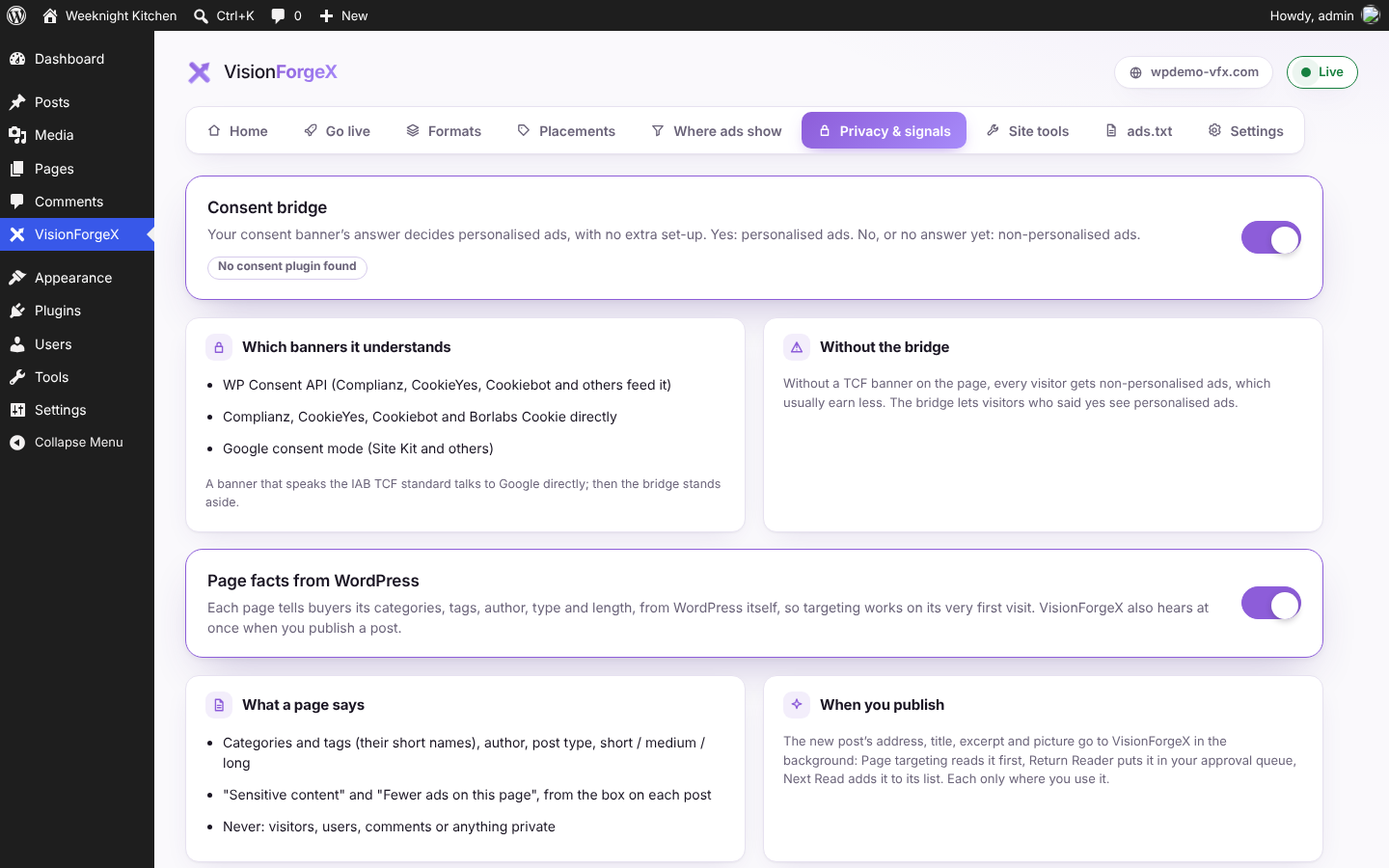
- Consent bridge. Your cookie banner's answer decides personalised ads, with no set-up: WP Consent API, Complianz, CookieYes, Cookiebot, Borlabs Cookie and Google consent mode are understood.
- Page facts from WordPress. Categories, tags, author, post type and length go to buyers on a page's very first visit; "Sensitive content" and "Fewer ads on this page" on each post. VisionForgeX hears at once when you publish.
- Test ads for administrators. While you are signed in, your pages show Google's test ads, so you can check placements without clicking real ones.
- Instant sync. A change made on your VisionForgeX dashboard reaches WordPress within a minute, signed, and the page cache is cleared.
- For agencies and hosts. WP-CLI commands (
wp visionforgex status,sync,check,pause,adstxt,spotsand more), Multisite with a network overview, and staging addresses of your own. - Move over from Ad Inserter. Its blocks' places become VisionForgeX spots, made switched off for you to check.
- Pause all ads in one click, for emergencies. It works even when VisionForgeX cannot be reached.
- Safe by design. Your WordPress server never calls VisionForgeX while visitors load your pages: the plugin prints your tag's address from a copy kept in WordPress (refreshed twice a day, and at once when you change something). Your visitors' browsers then load the tag from VisionForgeX's content delivery network and Google's ad scripts, which show the ads, as with any ad tag (see External services). A staging or local copy of your site stays quiet. Uninstalling puts everything back.
src/ folder and at https://github.com/VisionForgeX/visionforgex-wp.
安装:
- Install and activate the plugin from Plugins → Add New.
- Open VisionForgeX in the WordPress menu and click Connect with VisionForgeX.
- Sign in (or sign up), allow the site, and you are back in WordPress, connected. The Go live checklist shows what is left.
屏幕截图:
常见问题:
Do I need a VisionForgeX account?
Yes. You can create one when you click Connect. New sites are reviewed before ads show, usually within a day.
Will it remove my AdSense or other lines from ads.txt?
No. Your lines stay exactly as they are. The plugin only adds and updates its own lines, in their own marked block.
My WordPress files are in a sub-folder. Where does ads.txt go?
ads.txt must be at the root of your site's address. When WordPress's own files are in a sub-folder of that root (two different addresses in Settings → General), the plugin writes to the folder above them. If your host arranges folders differently, name the folder in wp-config.php, for example define( 'VISIONFORGEX_ADSTXT_DIR', '/home/you/public_html' );. When the plugin cannot tell, it writes nothing and the dashboard shows the lines to add yourself.
What happens if VisionForgeX is down?
Your site and its ads carry on: the plugin never calls VisionForgeX while a visitor loads a page. The dashboard says it cannot reach VisionForgeX and that nothing has changed on your site.
What happens on a staging copy of my site?
The plugin recognises staging and local copies (and WordPress's environment type) and keeps the tag and ads.txt changes off there.
What does uninstalling do?
It tells VisionForgeX the site let go of its key, takes the plugin's lines out of a real ads.txt file (everyone else's stay), and removes every setting and scheduled job the plugin kept.
Can I put an ad in a specific place?
Yes. Add an Ad Tag in VisionForgeX → Ad Tags, then use the "VisionForgeX ad" block, the shortcode it shows you, or the VisionForgeX ad widget.
Will in-content ads make my page jump?
No: each spot keeps the height of its ad in the page from the start ("Keep the ad's space", on by default), so the text below does not move when the ad arrives.
Does it work with my cookie banner?
Switch on the consent bridge (Privacy & signals). Visitors who say yes see personalised ads, the others non-personalised ones. A banner that speaks the IAB TCF standard talks to Google directly, and the bridge stands aside.
Can I manage many sites?
Yes: WP-CLI (wp help visionforgex), Multisite (Network Admin → VisionForgeX lists every site), and your own staging addresses in Settings.
I use Ad Inserter. Can I move over?
Yes. Placements shows "Move over from Ad Inserter" when it finds its settings: its blocks' places become VisionForgeX spots, switched off for you to check. Ad Inserter itself is left as it is (or run wp visionforgex import-adinserter).
Will it switch off my other ad plugins by itself?
No. Site tools lists them, and only switches one off when you click, with an undo.
Where are my earnings?
On your VisionForgeX dashboard. The plugin's Home screen has an "Open your reports" button.
更新日志:
- The round icons on the Connect page and the Go live checklist sit in the middle of their circles again, and the Pause all ads switch's knob in the middle of its track.
- ads.txt: whether WordPress may write the file is checked on the folder the file goes in, not on WordPress's own folder (the two can differ when WordPress's files are in a sub-folder).
- The description says plainly what is loaded where: your server makes no call to VisionForgeX on a visitor's page load; visitors' browsers load the tag and Google's ad scripts.
- ads.txt is written at the root of your site's address even when WordPress's files are in a sub-folder; the folder can be named with VISIONFORGEX_ADSTXT_DIR in wp-config.php, and when it cannot be told the lines are shown to add by hand.
- The plugin's own CSS and JavaScript go through WordPress (wp_add_inline_style, wp_add_inline_script) instead of being printed directly.
- In-content ads placed by WordPress, with the ad's space kept (no layout shift); theme spots; your own spots on any part of the theme, picked in the visual editor on a live preview of your page.
- Consent bridge (WP Consent API, Complianz, CookieYes, Cookiebot, Borlabs Cookie, Google consent mode), page facts for buyers, "Sensitive content" and "Fewer ads" on each post, test ads for administrators. Each off until switched on.
- Publish events, and instant sync from VisionForgeX (signed, replays refused).
- WP-CLI commands, Multisite (network activation, Network Admin overview, one ads.txt per network), staging addresses, import from Ad Inserter.
- Where ads show: tags, authors and page templates too.
- Formats from WordPress with a live preview (banner, native, anchor, interstitial, rewarded, refresh, placement).
- Ad Tags, the "VisionForgeX ad" block, the [visionforgex] shortcode and the widget.
- Where ads show: content, visitors, paying members, WooCommerce, and "No ads on this page" on each post.
- Site tools: speed and cache plugins kept off the tag (with undo and cache clearing); other ad code found, with one-click switch-off and undo.
- First release: Connect with VisionForgeX (sign-in or sign-up, no keys to copy), the tag on every page kept off speed plugins, ads.txt served or merged, the Go live checklist and daily site check, Pause all ads, light and dark dashboard, clean uninstall.