W3A11Y Artisan
| 开发者 | w3a11y |
|---|---|
| 更新时间 | 2026年1月12日 18:51 |
| PHP版本: | 7.4 及以上 |
| WordPress版本: | 6.9 |
| 版权: | GPLv2 or later |
| 版权网址: | 版权信息 |
详情介绍:
- Automatic alt text on upload: Enable one-click setting to generate alt text for all new images automatically
- One-click generation: Generate descriptive alt text for any image in your Media Library instantly
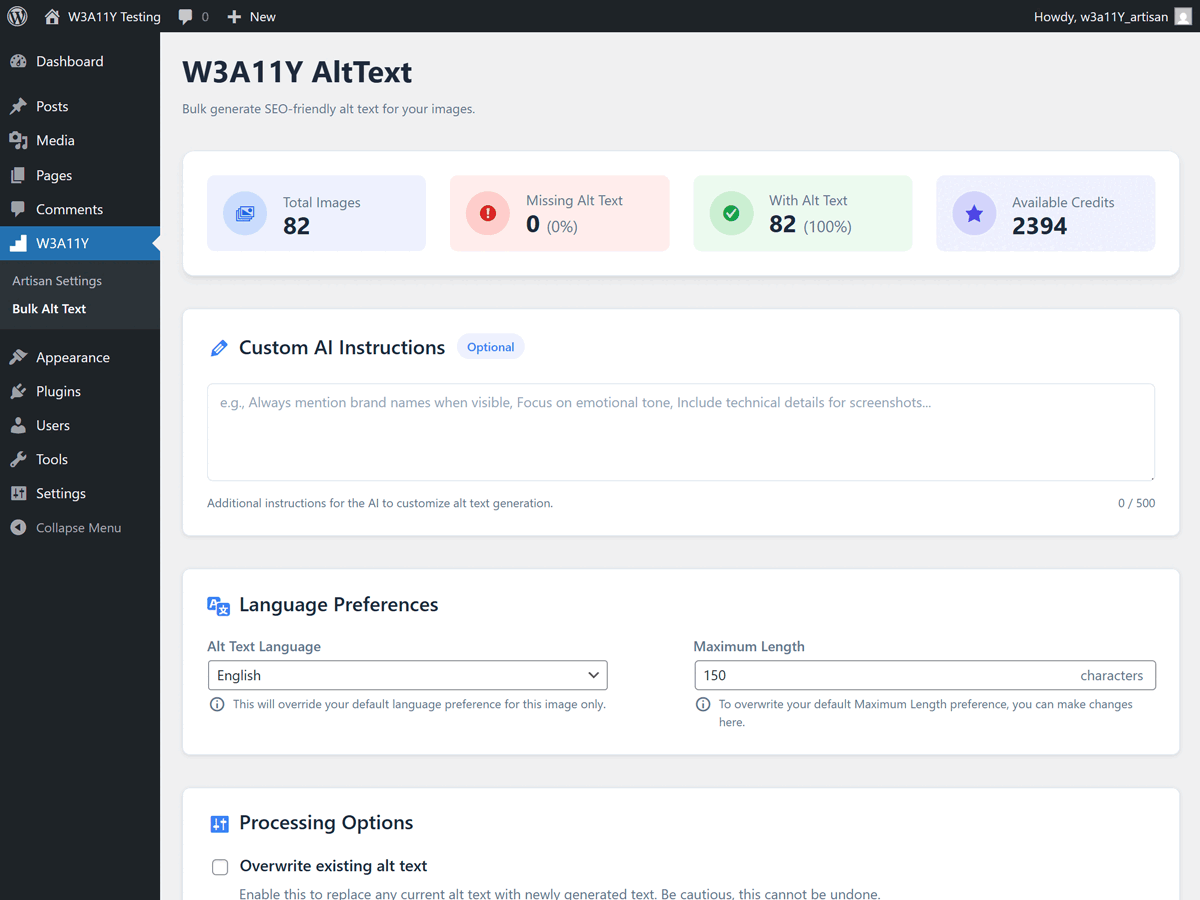
- Bulk processing: Generate alt text for multiple images at once with our dedicated Bulk Alt Text page
- Contextual and accurate: AI analyzes images to create meaningful, accessible descriptions
- Customizable output: Choose from detailed, concise, or functional alt text styles
- Multi-language support: Generate alt text in 100+ languages
- SEO-optimized: Improve search engine rankings with quality image descriptions
- Accessibility compliance: Meet WCAG 2.1 AA standards automatically
- Custom instructions: Add specific guidelines for your brand or content needs 🎨 AI Image Generation
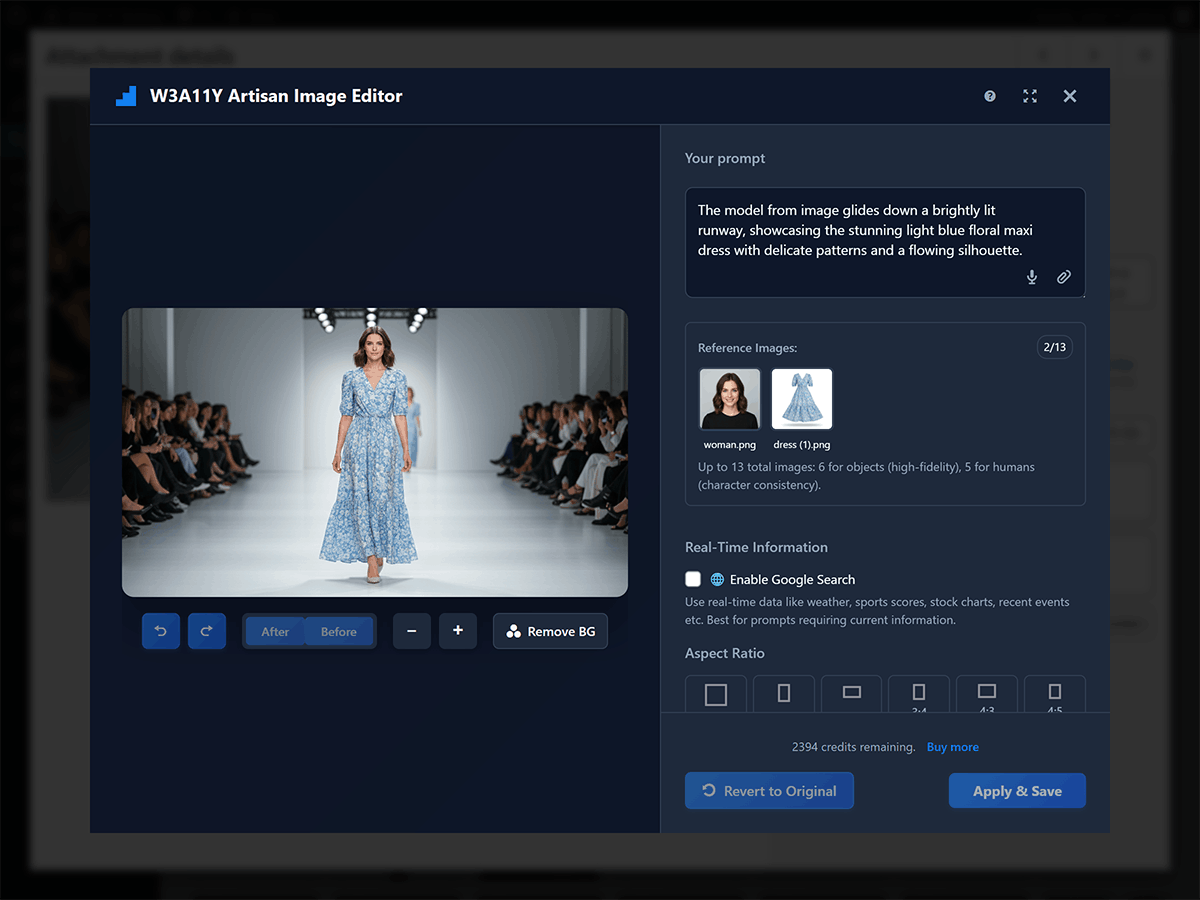
- Generate high-quality images from text descriptions along with your voice input
- Multiple resolution options: 1K (1024px), 2K (2048px), and 4K (4096px) for optimal quality
- Variety of aspect ratios: square (1:1), portrait (2:3), landscape (3:2), classic portrait (3:4), classic landscape (4:3), social portrait (4:5), social landscape (5:4), mobile portrait (9:16), widescreen (16:9) and ultra-wide (21:9) - each with resolution-specific dimensions
- Real-time Google Search grounding: Generate images with accurate, current information pulled from live web searches
- Variety of styles: photorealistic, illustrations, artistic, minimalist, product and logo
- Professional results in seconds
- Direct integration with WordPress Media Library 🖼️ Intelligent Image Editing
- Edit existing images using simple text prompts
- Upload up to 13 reference images for guided generation and style matching
- Advanced AI-powered modifications
- Non-destructive editing workflow
- Maintain original image quality 🎯 Smart AI Inspiration
- Get AI-powered creative suggestions based on your content
- Contextual recommendations for better results
- Overcome creative blocks with intelligent prompts
- Learn from successful image generation patterns ⚡ Seamless WordPress Integration
- Works directly in Media Library
- Easy access from WordPress Block Editor
- Professional modal interface
- Secure API key management 🔧 Professional Tools
- Undo/redo, Before/After and Zoom in/out functionality
- Intelligent background removal
- Multi-language support
- Generation history tracking
- Batch processing capabilities
- Save to multiple image formats (JPG, PNG, WebP)
- Setup: Add your W3A11Y API key in plugin settings
- Generate: Click "Generate Image With W3A11Y Artisan" in Media Library or editor
- Describe: Text description of what you want via text or voice input
- Create: AI generates your image in seconds with various settings
- Edit: Use prompts to modify your generated images or existing ones
- Save: Images save directly to your Media Library with optimization and conversion options For Alt Text Generation:
- Setup: Add your W3A11Y API key and optionally enable auto-generation in plugin settings
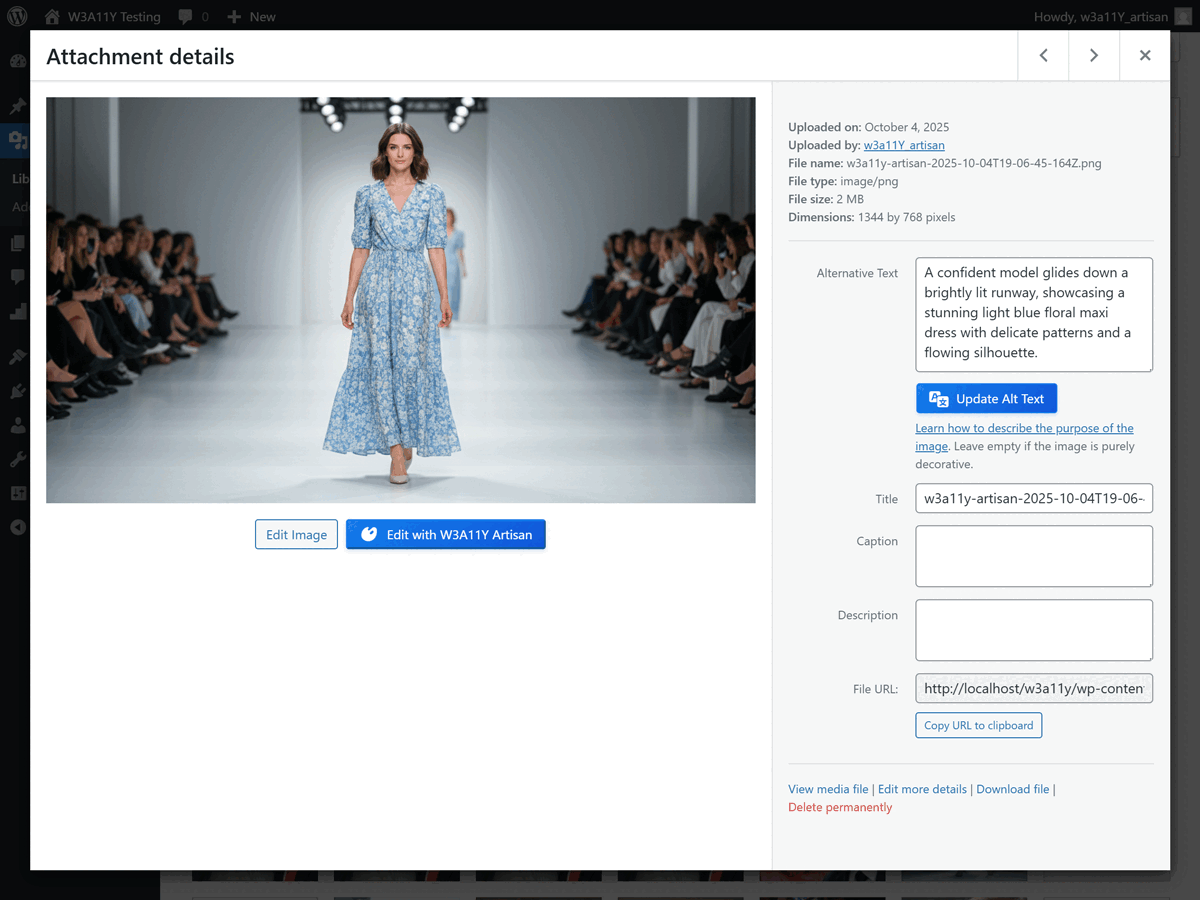
- Single Image: Click "Generate Alt Text" button on any image in Media Library
- Bulk Generation: Use the Bulk Alt Text page to generate for multiple images at once
- Automatic: Enable auto-generation to create alt text for all new uploads automatically
- Customize: Adjust language, style, and length preferences in settings
- Done: Alt text is instantly applied to your images
- Accessibility Advocates: Ensure all images meet WCAG compliance with AI-generated alt text
- SEO Professionals: Improve image search rankings with optimized alt text
- Content Creators: Generate unique images AND alt text for blog posts and articles
- Ecommerce: Create product images with descriptive alt text for better accessibility and SEO
- Marketers: Create eye-catching visuals with SEO-friendly descriptions
- Designers: Rapidly prototype and iterate on visual concepts with automatic accessibility
- Small Business: Professional images and accessibility without expensive software
- Agencies: Streamline client deliverables with AI efficiency and built-in accessibility
- Industry-Leading AI: Powered by advanced machine learning models for both images and alt text
- WordPress Native: Built specifically for WordPress workflows
- User-Friendly: No technical knowledge required
- Time-Saving: Generate professional images AND alt text in seconds
- Cost-Effective: Reduce reliance on stock photos, designers, and manual alt text writing
- Accessibility First: Built with web accessibility best practices - automatic WCAG compliance
- SEO Boost: Quality alt text improves image search rankings and overall SEO
- Bulk Processing: Generate alt text for hundreds of images at once
- Multi-Language: Support for 100+ languages for global accessibility
- Secure API communication with encryption
- No images stored on external servers after processing
- WordPress security best practices
- Regular security updates and monitoring
- ✨ Alt Text Generation: Just 1-2 credits per image (Standard formats: 1 credit; Enhanced formats: 2 credits)
- 🎨 Image Generation (upto 4k): Only 10 credits for 1k-2k resolution images and 18 credits for 4k resolution images Get Your API Key | View Pricing | Documentation
安装:
- Go to your WordPress admin area
- Navigate to
Plugins > Add New - Search for "W3A11Y Artisan"
- Click "Install Now" and then "Activate"
- Go to
Settings > W3A11Y Artisanto configure your API key
- Download the plugin ZIP file
- Go to
Plugins > Add New > Upload Plugin - Choose the downloaded ZIP file and click "Install Now"
- Activate the plugin
- Configure your API key in plugin settings
- Get API Key: Register at W3A11y.com and generate new API key at API Keys
- Add API Key: Go to
W3A11Y > Artisan Settingsin your WordPress admin - Test Connection: Use the "Validate" button to verify API key and connection, then save settings
- Configure Alt Text (Optional): In AltText Settings section, customize language, style, max length, and enable auto-generation on upload
- Start Generating Images: Visit Media Library and click "Generate Image With W3A11Y Artisan"
- Edit Images: Select any image from Media Library and click "Edit with W3A11Y Artisan"
- Generate Alt Text: Select any image from Media Library and click "Generate Alt Text" to get AI-generated alt text
- Bulk Alt Text: Go to
W3A11Y > Bulk Alt Textto generate alt text for multiple images at once
屏幕截图:
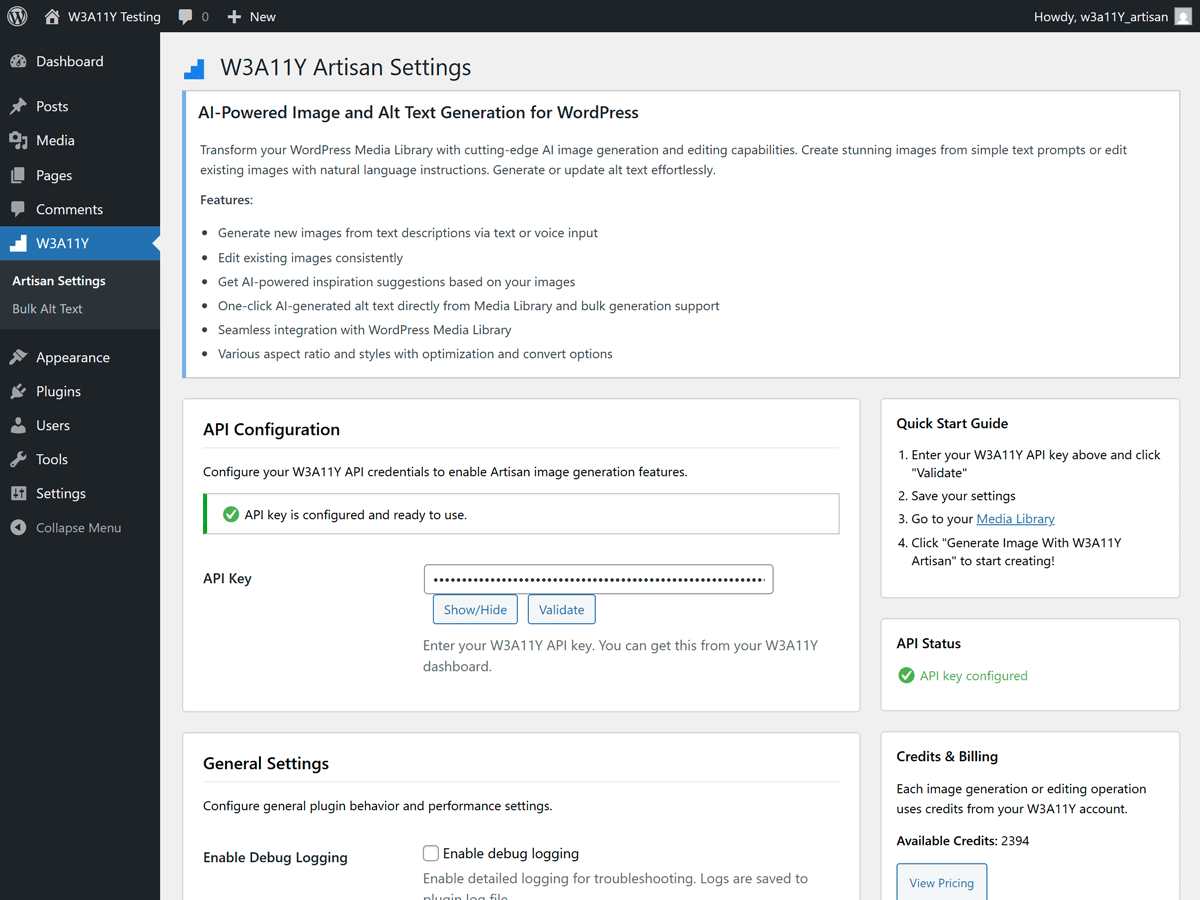
常见问题:
Do I need an API key to use this plugin?
Yes, you need a W3A11Y API key to generate and edit images and alttext. You can get a free account at W3A11y.com with 40 free credits included.
What image formats are supported?
The plugin supports JPG, PNG, and WebP formats for both generation and editing. Generated images are typically provided in high-quality PNG format. You can convert to JPG or WebP along with optimization during the save process.
Is there a limit to how many images or alttext I can generate?
Usage limits depend on your credits. Per image generation or editing consumes 6 credits. Per alttext generation consumes 1-2 credits based on the formats. Standard formats (jpg, png, gif and webp) cost 1 credit and Enhanced formats (svg, avif, bmp, dng, tiff, tif, heic, heif, and ico) cost 2 credits. You can monitor your credit usage during generation, plugin settings and on the Profile Credits.
How does automatic alt text generation work?
When enabled in settings under "AltText Settings > Auto-Generate on Upload", the plugin will automatically generate descriptive alt text for all newly uploaded images. The AI analyzes each image and creates contextually appropriate, accessible descriptions that meet WCAG standards. You can customize the language, style, and length in the settings.
Can I generate alt text for existing images?
Yes! You can generate alt text for existing images in three ways: 1) Click "Generate Alt Text" button on any individual image in the Media Library, 2) Use the Bulk Alt Text page (W3A11Y > Bulk Alt Text) to process multiple images at once, or 3) Enable auto-generation and re-upload images. The bulk processor can handle hundreds of images efficiently.
Will alt text generation overwrite my existing alt text?
No, by default the plugin will not overwrite existing alt text when using auto-generation on upload. For manual generation (single or bulk), you have control over whether to overwrite existing alt text. This ensures you never accidentally lose carefully crafted descriptions.
Can I edit images that weren't generated by the AI?
Yes! You can use the AI editing features on any image in your Media Library. Simply click the "Edit with W3A11Y Artisan" button on any image.
Does this plugin work with page builders?
Currently only support WordPress block editor only. Later versions we will add support for others page builders.
What happens to my original images when editing?
Original images are preserved. The AI editing creates a new version, so you never lose your original files. You can always revert to the original if needed.
Can I use generated images commercially?
Yes, images generated through W3A11Y Artisan can be used for commercial purposes according to our terms of service. Always review the latest terms for specific usage rights.
Is technical knowledge required?
Not at all! The plugin is designed for users of all skill levels. Simply describe what you want in plain English, and the AI handles the technical aspects of image creation and editing.
How secure is my data?
We prioritize security with encrypted API communications, secure data handling, and no permanent storage of your images on external servers after processing. All operations follow WordPress security best practices.
What if I need help or support?
We offer comprehensive support through multiple channels:
- Plugin support forum on WordPress.org
- Email support for account holders
- Documentation and tutorials at W3A11y.com
更新日志:
- Initial release
- AI image generation from text descriptions with voice input support
- AI-powered image editing capabilities
- Intelligent alt text generation with one-click and bulk processing
- Automatic alt text generation on image upload (optional)
- Multi-language alt text support (100+ languages)
- Customizable alt text styles: detailed, concise, and functional
- WordPress Media Library integration
- Professional modal interface with dark theme
- Generation history tracking
- Accessibility optimized with WCAG 2.1 AA compliance
- Security hardened with WordPress best practices