
W3NetLab Debug Log Console
| 开发者 | w3netlab |
|---|---|
| 更新时间 | 2026年7月31日 12:36 |
| PHP版本: | 7.4 及以上 |
| WordPress版本: | 7.0 |
| 版权: | GPLv2 or later |
| 版权网址: | 版权信息 |
详情介绍:
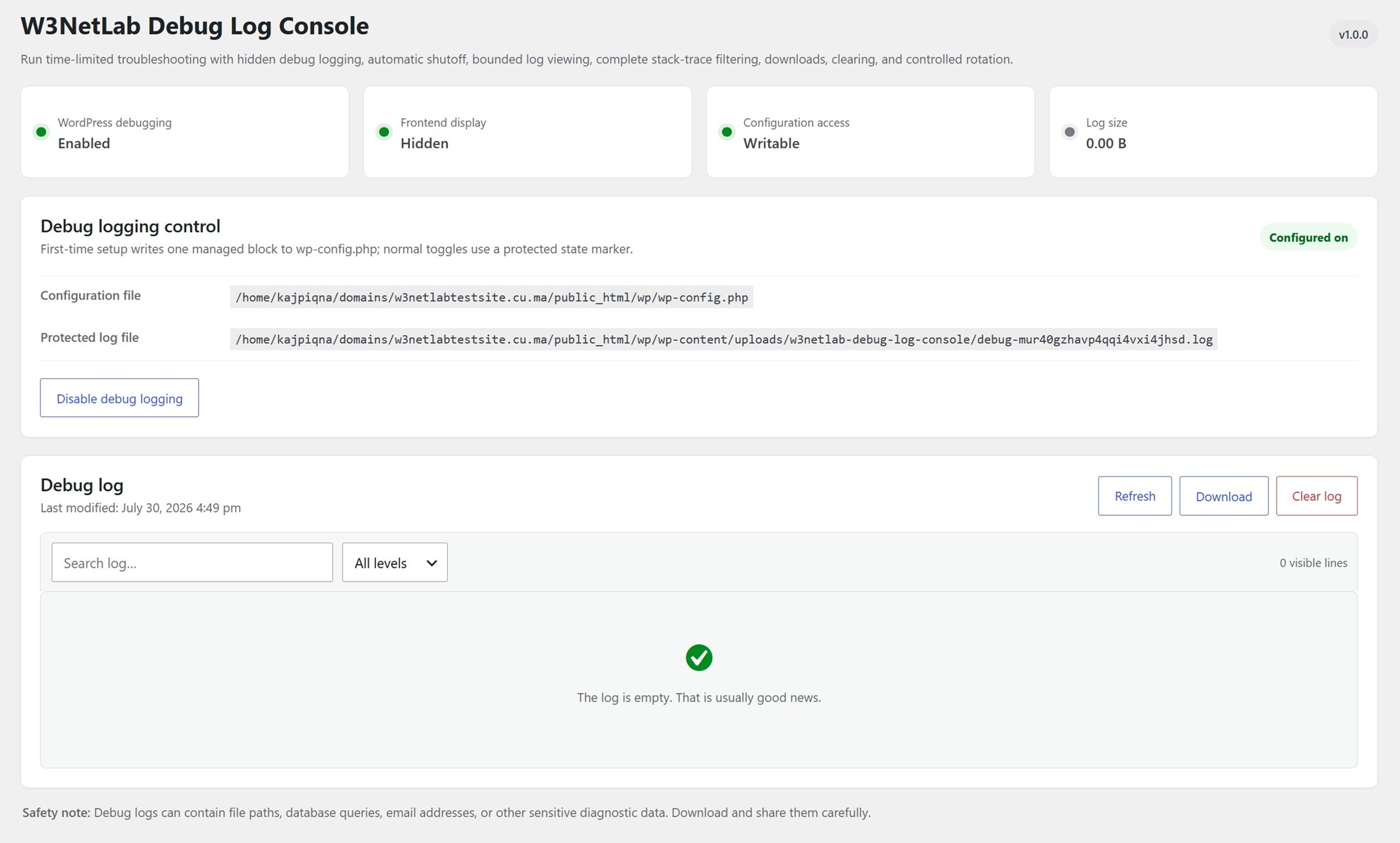
- Enable or disable debug logging from Tools > Debug Log Console.
- Keep frontend error display disabled while logging is active.
- Automatically stop logging after 10 minutes, 30 minutes, 1 hour, 6 hours, or 24 hours.
- See the local shutoff time and a live
hh:mm:sscountdown. - Search and filter complete multi-line entries without losing stack traces.
- Read only the newest 512 KB and display up to 1,500 lines to avoid large-log memory exhaustion.
- Download, clear, or rotate the active log through protected administrator actions.
- Verify that the loaded debug constants match the requested state and fail safely when they do not.
- Detect existing debug definitions and resolve only supported cases after explicit administrator approval.
- Store logs locally with no telemetry, tracking, remote assets, or external log service.
w3netlab-debug-log-console folder under the runtime uploads directory resolved by WordPress. The active log uses a randomized filename.
The plugin creates Apache/OpenLiteSpeed and IIS access-control files plus an index file. It validates paths, rejects symbolic links, and never creates temporary PHP files beside wp-config.php.
Configuration safety
Automatic setup is available only when WordPress has safe direct access to a regular, writable wp-config.php file. Updates are limited to recognized debug definitions and the plugin-owned block, then read back and verified. If verification fails, the plugin attempts to restore the original content.
Normal enable, disable, and automatic-shutoff operations use a protected marker. If the requested configuration does not take effect, the marker is removed and logging is not reported as enabled.
安装:
- Install and activate W3NetLab Debug Log Console.
- Open Tools > Debug Log Console.
- Choose a shutoff duration and click Enable debug logging.
屏幕截图:

常见问题:
Are errors displayed to website visitors?
No. The managed configuration keeps WP_DEBUG_DISPLAY disabled.
How are large logs handled?
The viewer reads only the final 512 KB and displays no more than 1,500 lines. Downloads are streamed in small chunks. Logs larger than 10 MB can be moved into one protected previous-log archive.
Why might the enable button be unavailable?
Safe direct configuration access or protected uploads storage may be unavailable, or unsupported debug definitions may already control WordPress. The plugin remains disabled and shows the detected condition. For host-managed configuration, contact the hosting provider.
What happens when the plugin is deactivated?
The enable marker is removed first. The plugin then removes its managed configuration block and restores any supported definitions it previously preserved. Existing log data remains available if the plugin is activated again.
What happens when the plugin is deleted?
Uninstall removes plugin options, protected log storage, the standard managed configuration block, and any supported definitions the plugin previously preserved.
Does the plugin send data anywhere?
No. Logs and settings stay on the WordPress installation.
更新日志:
- Initial release.