Vendor Onboarding W9-1099 Chaser by Mypowerly
| 开发者 | mypowerly |
|---|---|
| 更新时间 | 2026年5月6日 16:39 |
| PHP版本: | 7.4 及以上 |
| WordPress版本: | 6.9 |
| 版权: | GPLv2 or later |
| 版权网址: | 版权信息 |
详情介绍:
Stop chasing vendors for W-9s. Automate it inside WordPress.
If your WordPress site pays affiliates, contractors, or vendors — you are legally required to collect a signed W-9 before issuing a 1099 at year-end. Most store owners handle this over email, in spreadsheets, or not at all — until the IRS deadline hits.
⚠️ One missing W-9 can trigger an IRS penalty of $310 per form. Intentional disregard carries penalties with no maximum cap.
W-9 1099 Chaser is the only WordPress-native plugin that automates the full compliance workflow — from the first W-9 request to the final IRS e-file — without a single data export or CSV upload.
The Problem This Solves
Without this plugin, collecting a W-9 means emailing a blank IRS PDF, waiting for your contractor to print it, fill it by hand, sign it, scan it, and email it back — if they ever do.
Not every contractor has a printer. Not every gig worker has PDF software. And almost none of them want to figure out how to digitally sign a PDF on their phone at midnight.
W-9 1099 Chaser lets your affiliates and contractors self-serve: visit your site, fill out the web form, sign it digitally, and download a completed W-9 PDF — in minutes, on any device, with no software to install. Your onboarding starts immediately instead of stalling in someone's inbox.
Free: Standalone W-9 Tool (No Account Needed)
Use your WordPress site as an instant W-9 station. No account required to get started.
Three Access Modes — Deploy the W-9 Form Your Way
- Public Mode — The W-9 webform is freely available to any visitor. They can fill it out, sign it, and download their completed W-9 PDF at any time.
- Protected Mode — Share access selectively via a PIN or secret key. Ideal if you only work with approved contractors or affiliates and want to control who can submit a form.
- Private Mode — For internal use only. Only the store owner can access the form — perfect for generating your own W-9s without making anything public.
- Electronic Signature — Built-in e-signature included free; no third-party tool needed
- Two PDF Output Options
- Official IRS W-9 PDF — auto-filled from your web form entries
- Print-to-PDF version — a reliable backup if needed (consult your legal counsel on which format suits your use case)
- Gutenberg Block — Embed the form natively in the block editor; no shortcode required
- Shortcode Support — Works in any page builder or classic editor via
[w91099ch_w9_form] - Responsive Design — Mobile-friendly; gig workers can complete and sign their W-9 from any phone with no printer or PDF software needed
- Frontend & Backend Display — Responsive form accessible from both the admin panel and public-facing pages
- Auto-detects new affiliates and vendors the moment they join your store
- W-9 request sent automatically — no manual work required
- Send W-9 requests via Email, SMS, WhatsApp, or VoIP
- Smart follow-up reminders chase non-responsive vendors automatically
- You never have to write another "please send your W-9" email
- Real-time status dashboard — see who has signed, who is pending, who is overdue
- Flag vendors who hit the $600 IRS reporting threshold without a W-9 on file
- Freeze payments to non-compliant vendors before you pay them in error
- TIN Matching validates every tax ID before filing — eliminates the most common cause of IRS B-Notices and penalties
- Optional 1099 e-filing at industry-low per-form pricing — no re-entry, no accountant required
- Google Sheets sync — export your full vendor and W-9 status to your own Google Drive
- White-label vendor portal with your logo, colors, and domain
- Invite your accountant or bookkeeper to manage filings under their own login
- WooCommerce marketplace owners paying sellers or affiliates
- WordPress sites using AffiliateWP, Dokan, WC Vendors, SliceWP, or YITH
- Bookkeepers and CPAs managing compliance for multiple client sites
- Any WordPress site paying independent contractors over $600/year
- AffiliateWP
- SliceWP
- YITH WooCommerce Affiliates
- WP Affiliate Manager
- WC Vendors
- Dokan
- WCFM Marketplace
- Affiliate for WooCommerce
- Ultimate Affiliate Pro
- Easy Affiliate
- Tapfiliate
- WP Affiliate Platform
- Google Sheets
- Google Drive
- Outlook
- Gmail
- Automated W-9 form collection
- Contractor compliance tracking
- 1099 electronic filing preparation
- Vendor management workflows
- Official website: https://wp-1099.com/
- Primary service used by this plugin: https://www.mypowerly.com/
- Partner platform: https://wp-1099.com/become-a-partner
- Support email: support@mypowerly.com
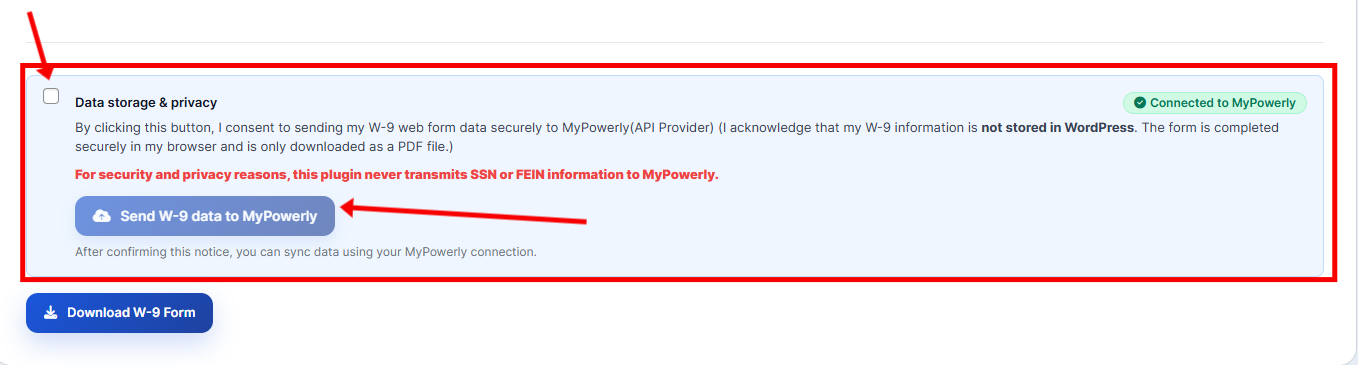
- Includes a W-9 PDF fill/download tool (client-side) for convenience and easy sharing.
- For advance automation and features:
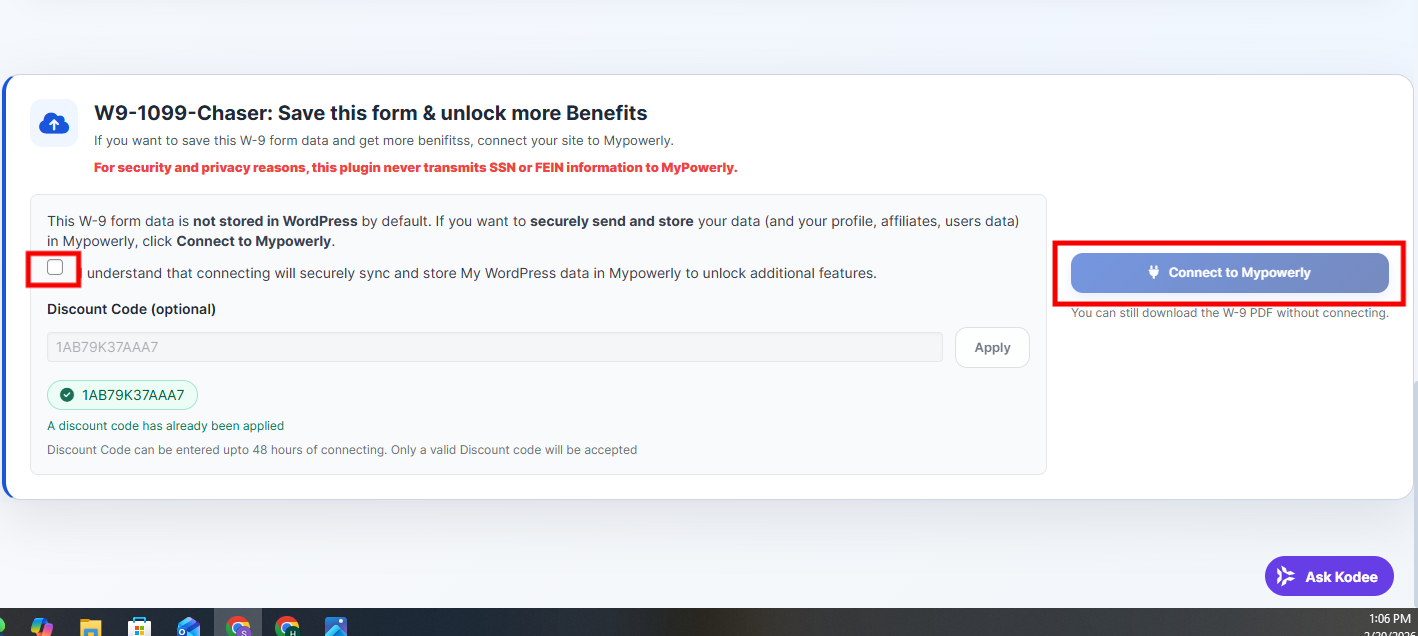
- Connects your WordPress site to an external MyPowerly account using the new External Connect API.
- Automatically configures secure webhook endpoints for real-time data synchronization.
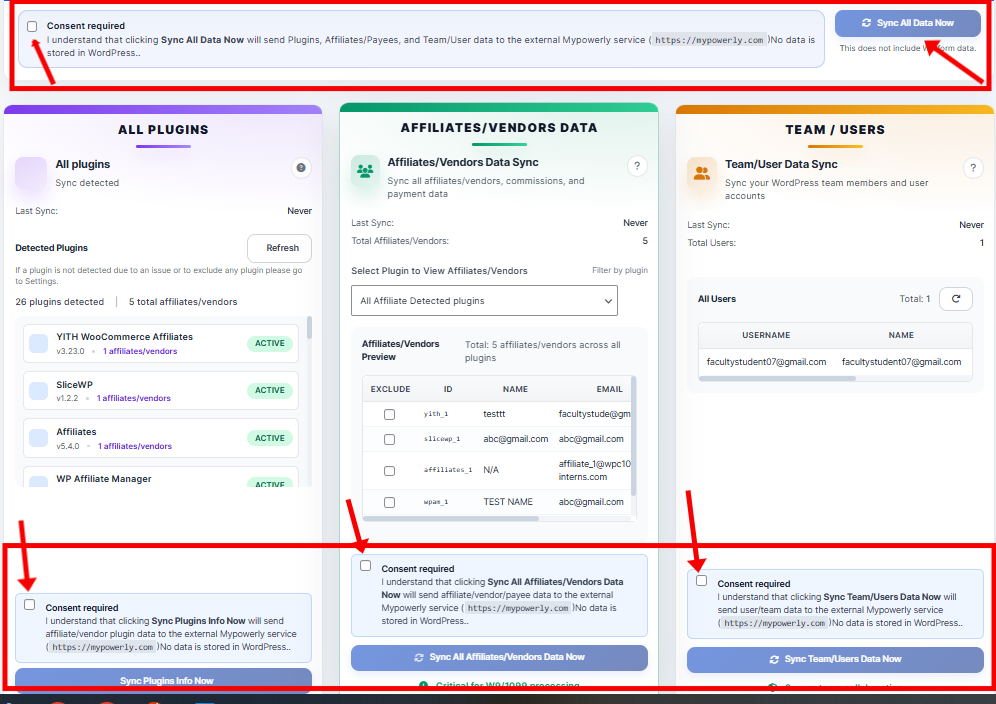
- Lets administrators run manual, user-initiated sync actions (for example: site profile, team members, and payees / affiliates / vendors / independent contractors records).
- Provides comprehensive webhook event tracking for all sync operations.
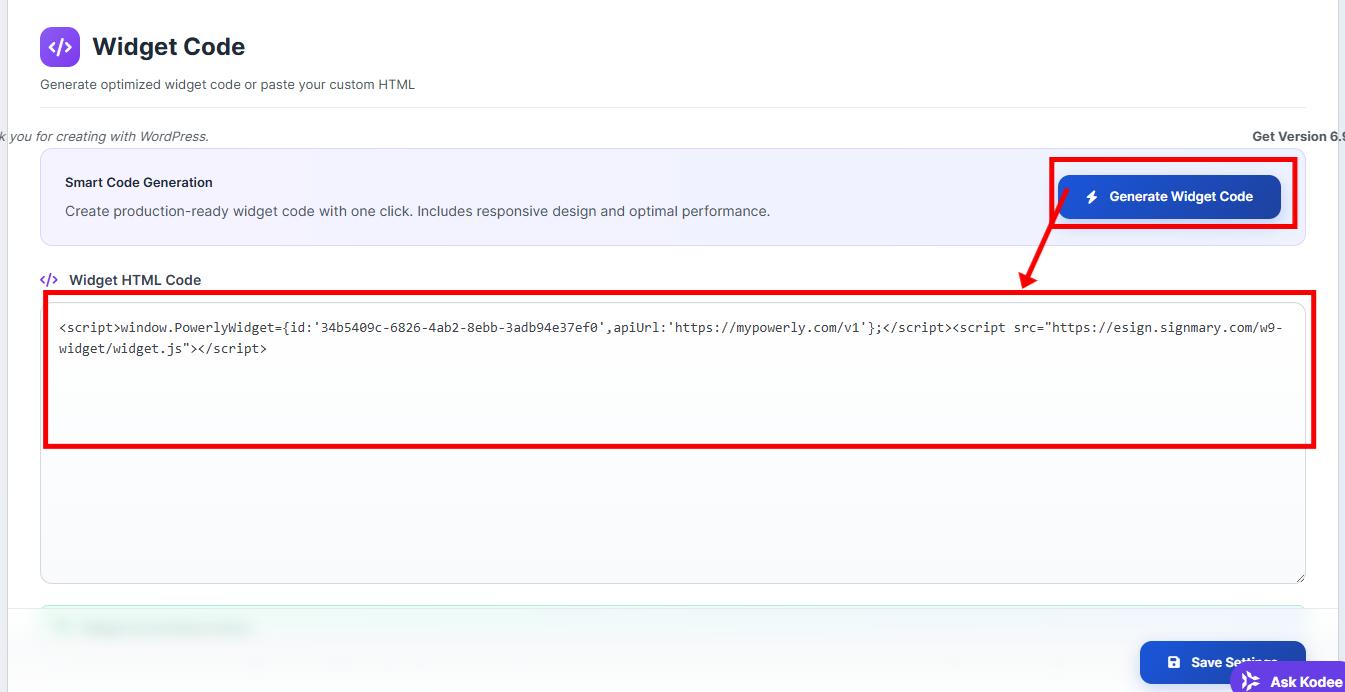
- Optionally helps generate and embed a W9 data collection widget provided by the external service.
- Includes built-in webhook testing and verification tools for easy troubleshooting.
- It does not file tax forms.
- It does not submit 1099s.
- It does not file 1099 forms.
- It does not provide tax advice.
安装:
- Upload the plugin folder to
/wp-content/plugins/or install it via the WordPress Plugins screen. - Activate the plugin through the "Plugins" menu in WordPress.
- In the WordPress admin menu, open W9 - 1099 Chaser.
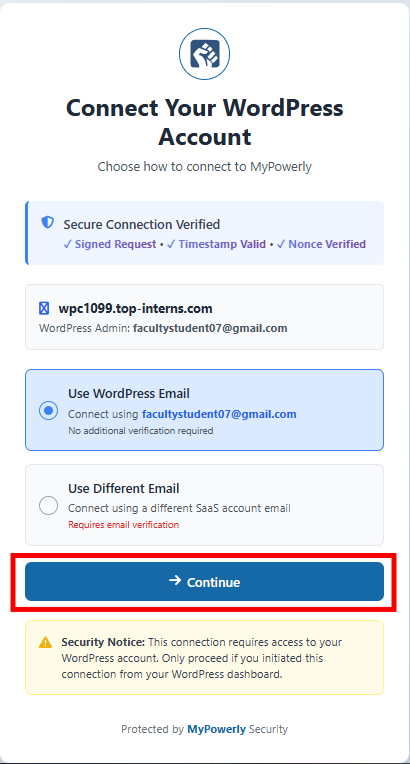
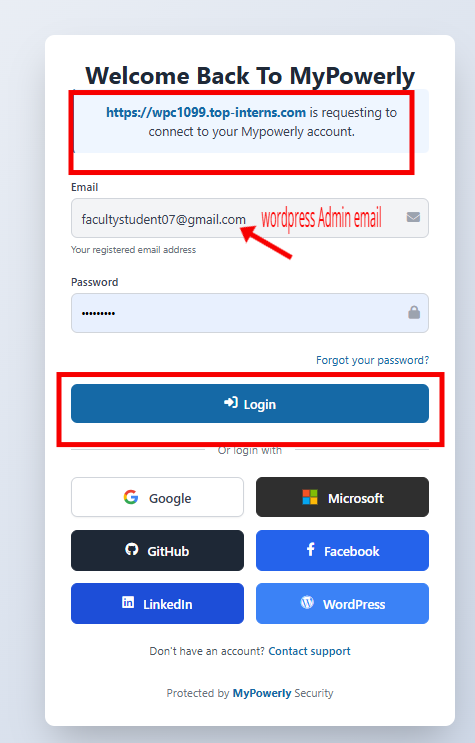
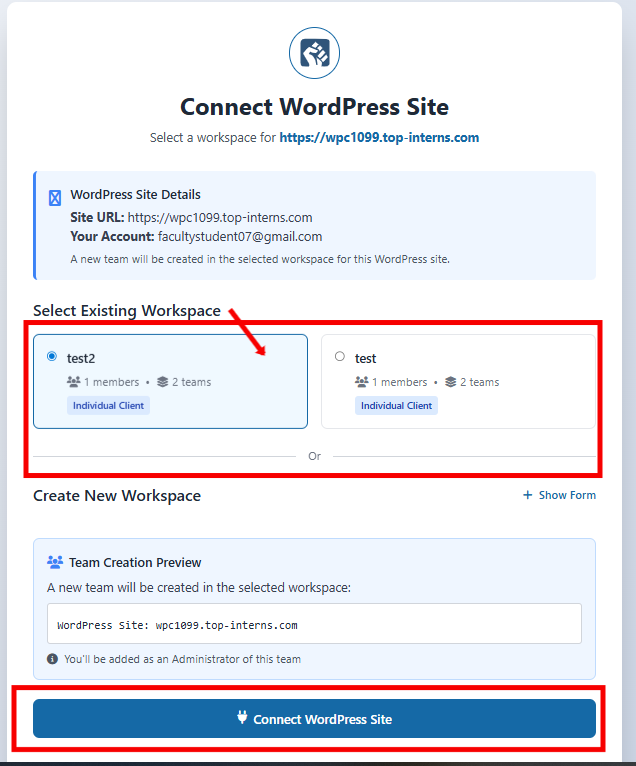
- (Optional) Connect the plugin to your MyPowery / eSign account by following the on-screen steps.
- NEW: Connection now automatically configures secure webhooks for real-time sync
- NEW: Uses the improved External Connect API for enhanced security
- Use the dashboard sync actions as needed (administrator-initiated).
- (Optional) Configure webhook settings in Settings → Webhook Settings for advanced customization.
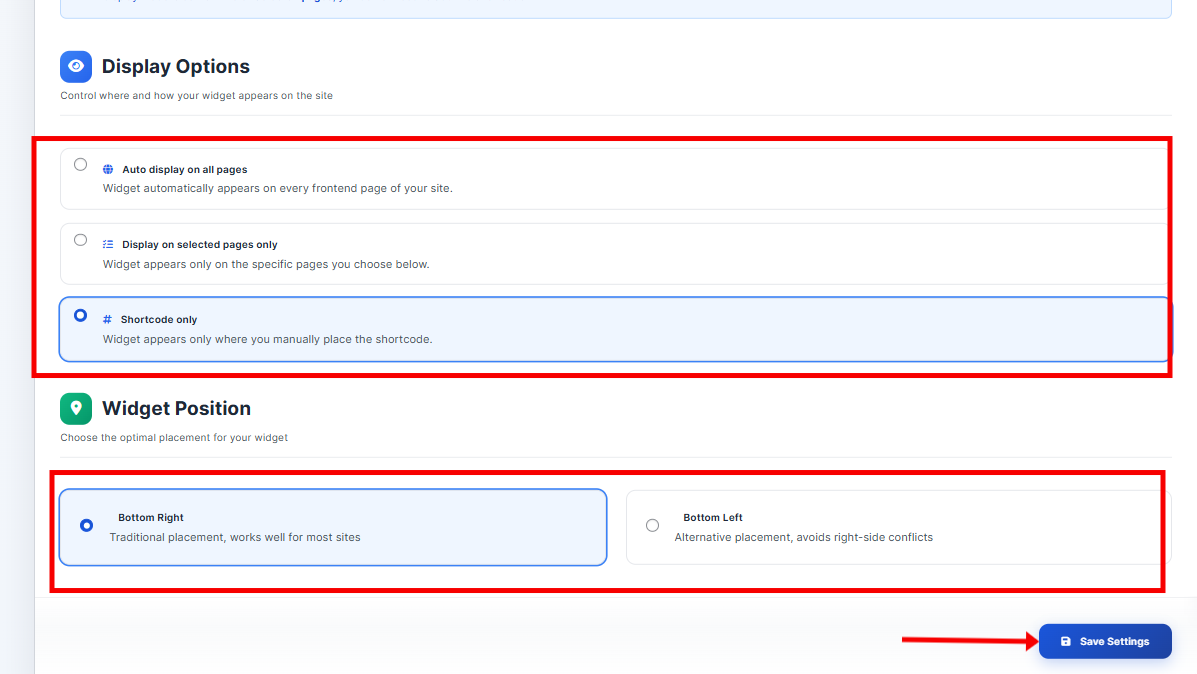
- (Optional) Configure the widget from the Widget submenu.
- To use the standalone W-9 PDF tool on the front-end, add one of these shortcodes to a page:
-
[w91099ch_w9_form] - To embed the MyPowerly widget on the front-end (when Widget Display Mode is set to Shortcode only), add this shortcode to a page:
-
[w91099ch_widget]
屏幕截图:
常见问题:
Does this plugin store tax data in WordPress?
The plugin is not intended to store completed W-9 values, signatures, or completed W-9 PDFs in the WordPress database.
Is a MyPowerly account required?
Yes. The connector features require an external MyPowerly account (MyPowery / eSign).
Does the plugin work without internet access?
No. Connection and sync features require access to the external service.
Does this plugin generate or file 1099 forms by itself?
No. It is a connector. 1099 workflows occur in the connected MyPowerly service.
更新日志:
1.0.5
- NEW: Automatic webhook integration with MyPowerly platform
- NEW: External Connect API for enhanced security and reliability
- NEW: Comprehensive webhook event system for real-time data sync
- NEW: Built-in webhook testing and verification tools
- NEW: Automatic webhook configuration during connection setup
- NEW: HMAC-SHA256 webhook authentication for security
- NEW: Support for multiple webhook targets (manual + automatic)
- NEW: Enhanced wallet/payout plugin synchronization
- NEW: Improved error handling and debugging capabilities
- NEW: Comprehensive webhook documentation and testing guides
- IMPROVED: Connection flow now uses authorization codes instead of encrypted credentials
- IMPROVED: Enhanced data scrubbing to exclude sensitive tax information
- IMPROVED: Better fallback handling for webhook URL variations
- IMPROVED: More robust credential validation and token refresh
- SECURITY: Enhanced webhook signature verification
- SECURITY: Improved credential encryption and storage
- Updated readme with comprehensive feature descriptions and FAQ
- Removed IRS dependencies for standalone PDF generation
- Enhanced privacy disclosures and service descriptions
- Bugfix: ensure the W-9 admin sync button triggers the sync handler.
- Documentation and packaging fixes.
- Documentation and disclosure updates.
- Initial release.