Wallet Up - Cash App, Venmo, PayPal, Zelle & QR Code Payments
| 开发者 |
walletup
freemius |
|---|---|
| 更新时间 | 2026年10月11日 13:23 |
| PHP版本: | 8.1 及以上 |
| WordPress版本: | 7.1 |
| 版权: | GPLv3 |
| 版权网址: | 版权信息 |
标签
下载
详情介绍:
- Grouped mode - all methods under one "Wallet Up" gateway
- Individual mode - each method as its own checkout option
- Mixed mode - choose which methods appear individually vs. grouped
- Per-method discounts - offer percentage or fixed discounts for specific payment methods
- Custom titles, descriptions, and instructions per payment method
- Payment Button - a single button that opens the payment app.
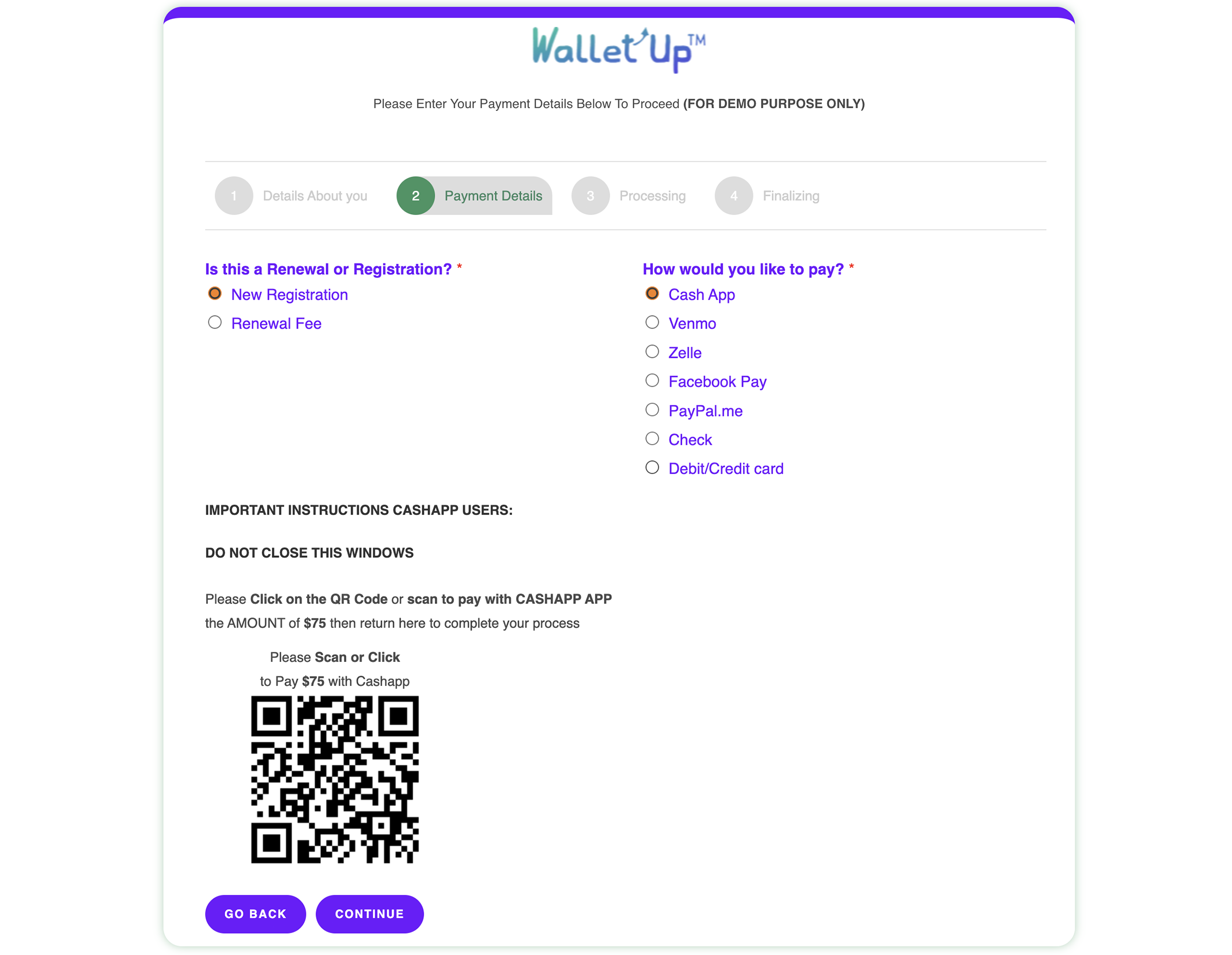
- Payment QR Code - a scannable QR for the page or for print.
- Tip Jar - preset amounts ($3 / $5 / $10) plus a custom amount field.
- Pay Link - a plain text link, ideal for navigation menus or footers.
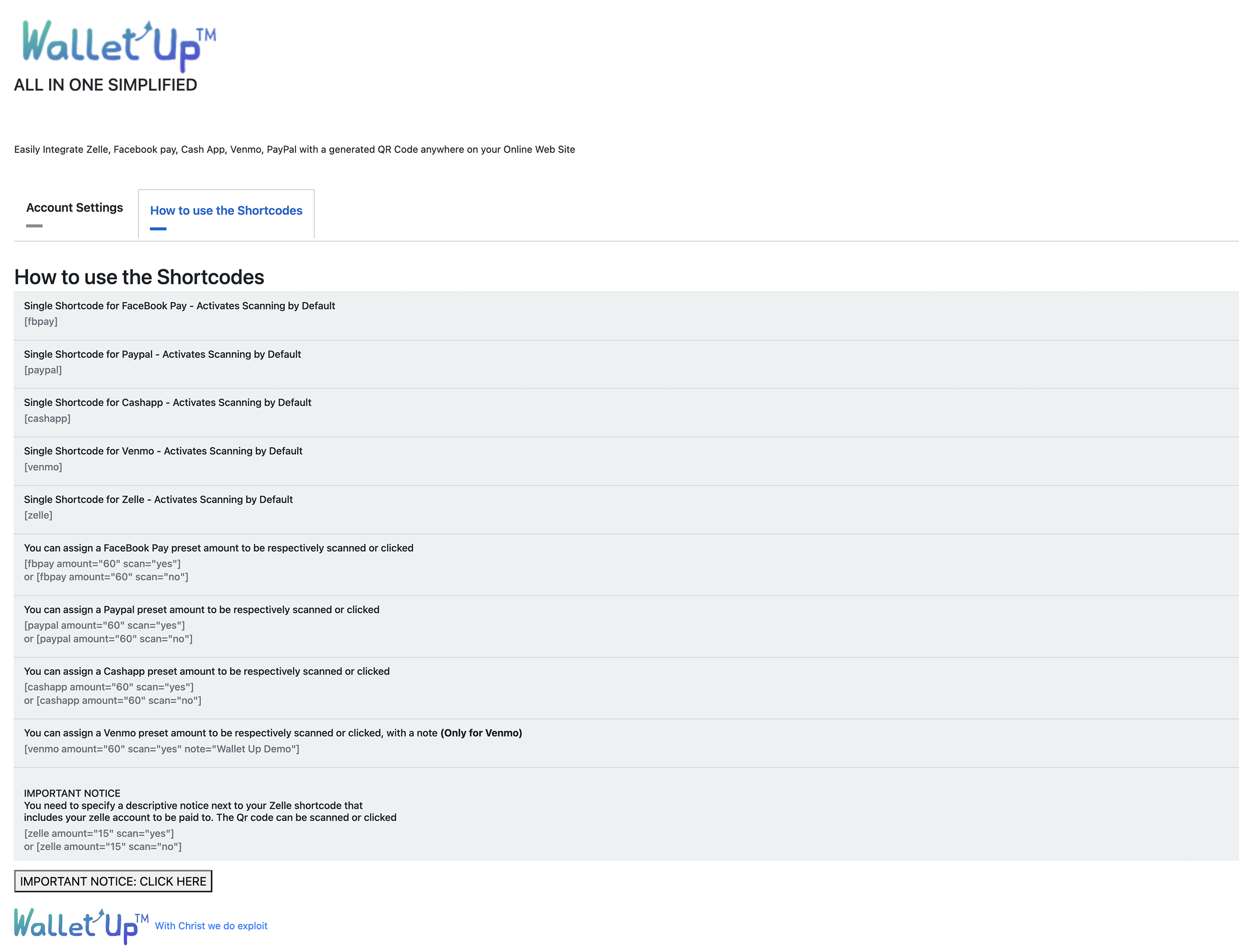
[wallet_up method="cashapp" amount="25"]
[wallet_up method="venmo" amount="50"]
[wallet_up method="paypal" amount="100"]
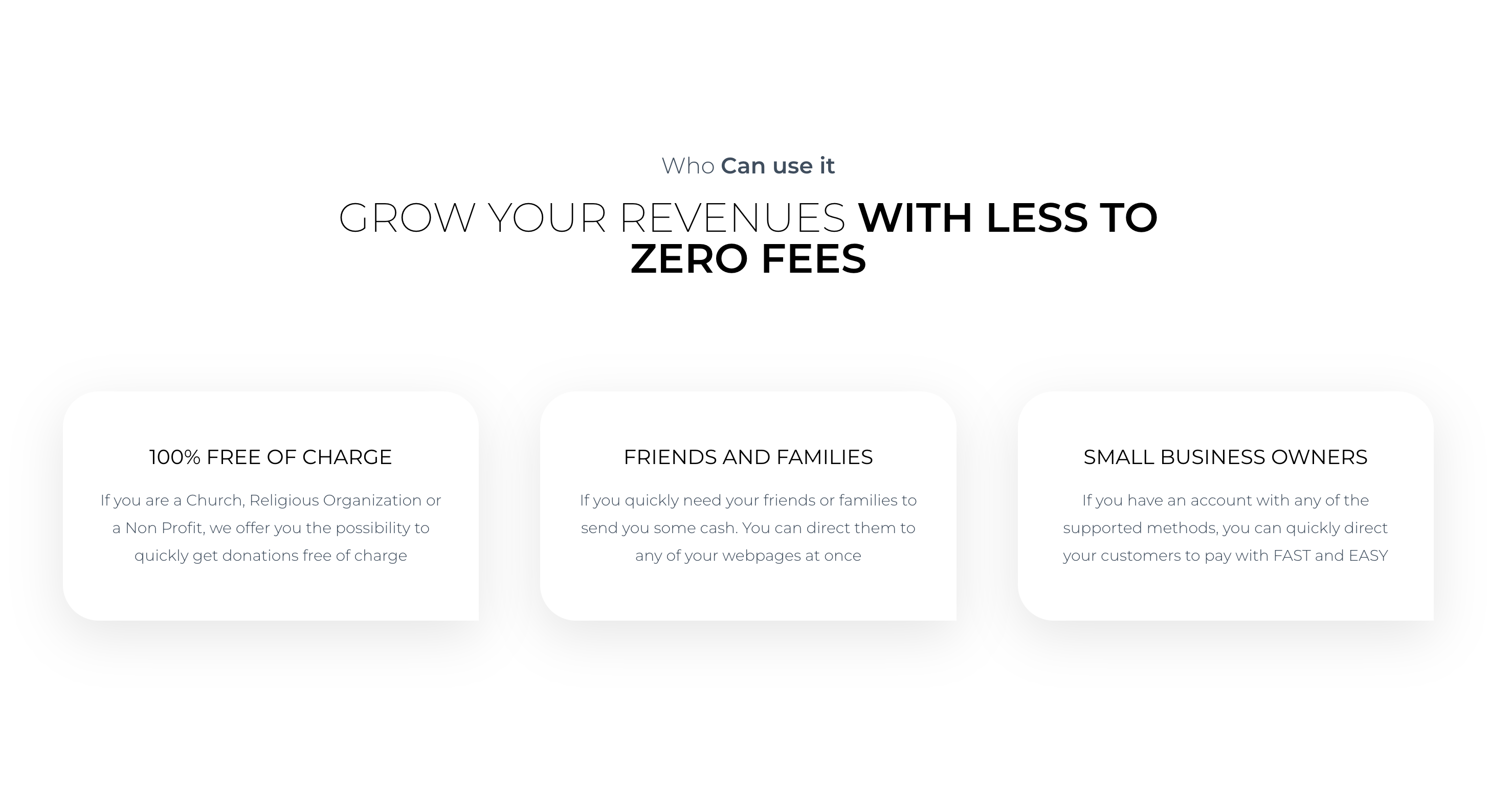
Who Is Wallet Up For?
- Freelancers - add a payment QR code to your portfolio or invoicing page
- Small businesses - accept mobile payments without processing fees
- Nonprofits - collect donations via Cash App, Venmo, or PayPal
- WooCommerce stores - take cards at checkout with Stripe, and add Cash App or Venmo at checkout with Wallet Up Pro
- Service providers - let clients pay via QR code after a consultation
- Event organizers - collect registration fees or ticket payments
- Content creators - accept tips and support from your audience
- 24 payment methods - add Zelle, Meta Pay, Interac e-Transfer, PayID, BPAY, PayTo, Bitcoin, Ethereum, USDT, USDC, BNB, Dogecoin, and 8 African mobile money providers
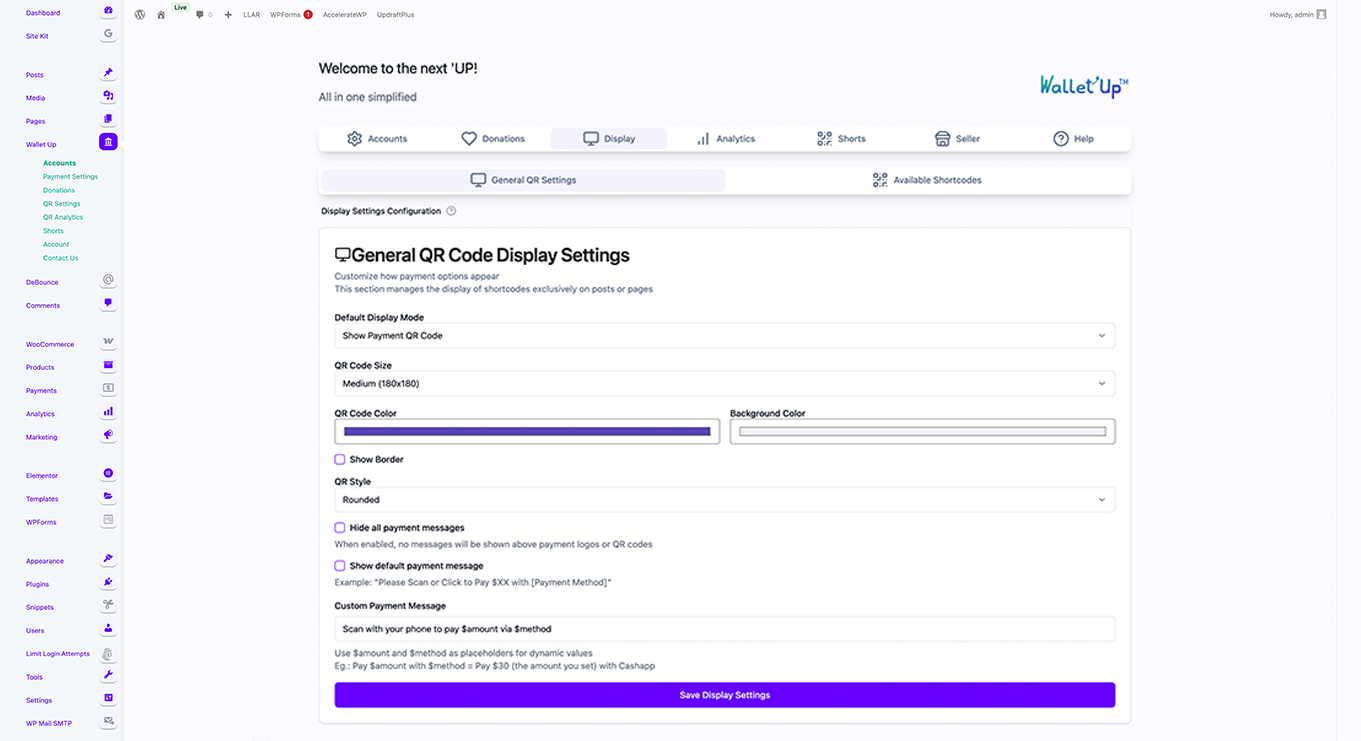
- Advanced QR Code Studio - custom logos, colors, styles (rounded, dot, circular), SVG export
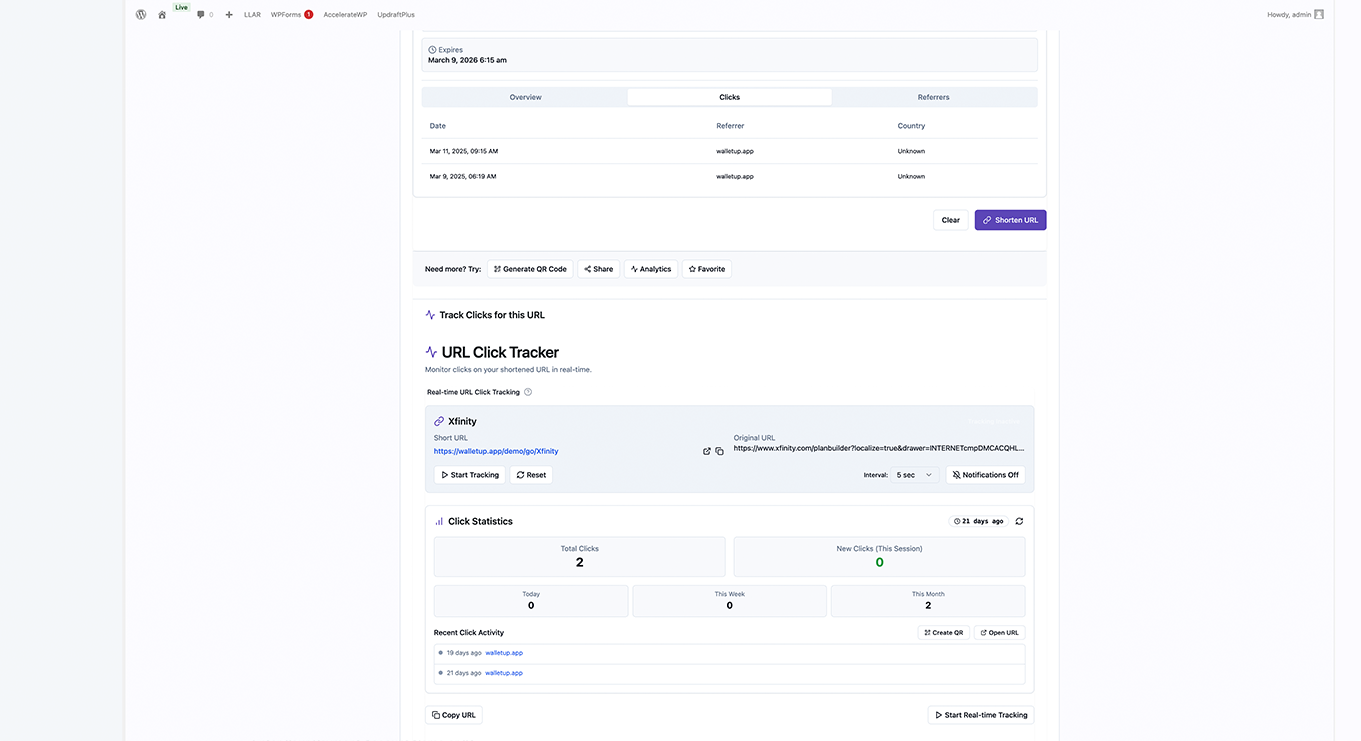
- URL Shortener - branded short links with real-time click analytics
- Donation System - customizable donation pages with campaigns, donor management, and tax receipts
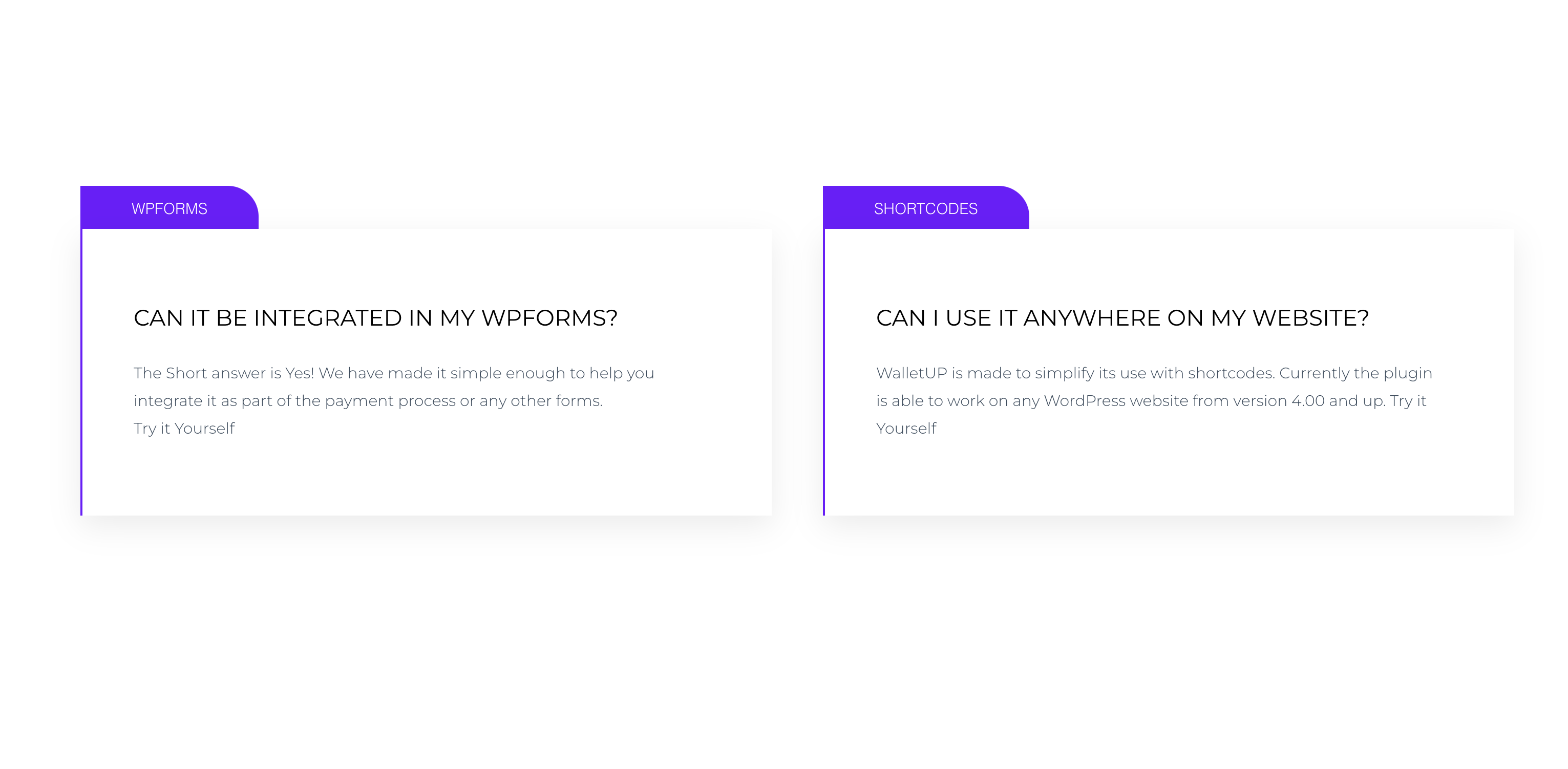
- WPForms Integration - add payment options to any form
- Digital Business Cards - scannable vCards with embedded payment links
- Analytics Dashboard - track QR scans, link clicks, impressions, and conversion rates
- Peer-to-peer WooCommerce checkout - Cash App, Venmo, PayPal and more as checkout options, in grouped, individual or mixed layouts
- Per-method checkout customization - discount badges, custom order statuses, min/max amounts
- Automated payment verification - Stripe card payments with 3D Secure
- Mobile Money for Africa - M-Pesa, Orange Money, MTN MoMo, Wave, Airtel Money, and more
- Memberships - recurring tiers with a guided setup, ready-made tier sets, a one-click sign-up page, and member management with search and filters
- Every method Stripe offers - switch on the Stripe Payment Element to show cards, Apple Pay, Google Pay, Link, Klarna and the local methods your connected account supports
- WalletUp Pay express checkout - one-tap Apple Pay and Google Pay at the top of cart and checkout
安装:
- WordPress 5.8 or greater
- PHP version 8.1 or greater
- MySQL version 5.6 or MariaDB version 10.5 or greater
- PHP Memory limit of 256 MB or greater
- WordPress Memory limit of 256 MB or greater
- WordPress 7.0 or greater
- PHP version 8.3 or greater
- MySQL version 8.0 or MariaDB version 10.6 or greater
- PHP Memory limit of 512 MB (768 MB for best performance) or greater
- WordPress Memory limit of 512 MB (768 MB for best performance) or greater
- Go to Plugins > Add New in your WordPress dashboard
- Search for "Wallet Up"
- Click "Install Now" then "Activate"
- Go to Wallet Up in your admin menu
- Enter your Cash App, Venmo, or PayPal username
- Use the shortcode
[wallet_up method="cashapp" amount="25"]on any page
- Activate WooCommerce
- Connect Stripe under Wallet Up > Payments to take cards at checkout
- Customers see the card option on both the classic and block checkout
- Add the peer-to-peer methods as checkout options with Wallet Up Pro
- WordPress 5.8+
- PHP 8.1+
- MySQL 5.7+
- SSL certificate recommended
屏幕截图:


常见问题:
Which payment methods does Wallet Up support?
The free version supports Cash App, Venmo and PayPal, plus card payments through a Stripe account you connect. The Pro version adds Zelle, Meta Pay, Interac e-Transfer, PayID, BPAY, PayTo, WalletUp Pay, Bitcoin, Ethereum, USDT, USDC, BNB, Dogecoin and 8 mobile money providers - 24 methods in total.
Do I need a merchant account or API keys?
For Cash App, Venmo, PayPal and the other peer-to-peer methods: no. Wallet Up uses the username you already have to generate payment links and QR codes, and payments go directly to your own account. No API keys, no merchant account, no monthly fee. For card payments: you connect a Stripe account, which takes about a minute and needs no API keys. Stripe pays out to your bank on its own schedule.
What does it cost?
The plugin is free, and Cash App, Venmo, PayPal and every other peer-to-peer method carry no WalletUp fee at all - no monthly fee, no per-transaction fee, nothing. That does not change. Card payments are optional. If you connect Stripe to take them, they carry a WalletUp platform fee of 2% of each successful card transaction, collected automatically as a Stripe application fee. It comes out of your payout and is not added to what your customer is charged. Stripe's own processing fees are separate and set by Stripe. The platform fee applies to every connected Stripe account on every plan, Free, Pro, Lifetime and Business alike. Pro licence holders have a second route: enter your own Stripe API keys in the plugin and card payments run between your site and Stripe without WalletUp's platform, with no platform fee. The current rate is set out in the Fee Schedule in the Payment Platform Terms at https://pay.walletup.app/merchant/terms and may change on notice.
Does it work with WooCommerce?
Yes. Connect Stripe to take cards at WooCommerce checkout in the free version, on both the classic and block checkout. Wallet Up Pro adds Cash App, Venmo, PayPal and the other methods as checkout options too.
Can I offer discounts for specific payment methods?
Yes (Pro). You can set a percentage or fixed-amount discount per payment method. For example, offer 5% off for Cash App payments to encourage customers to use your preferred method.
How do customers pay?
Customers scan a QR code with their phone camera or click a payment link. The payment app (Cash App, Venmo, PayPal) opens with the amount pre-filled. After paying, they confirm on your site.
Is it secure?
Payments are processed entirely through the official payment provider apps (Cash App, Venmo, PayPal). Wallet Up never touches or stores card numbers or bank details. The plugin has been audited for OWASP Top 10 vulnerabilities.
Can I customize the QR code appearance?
The free version generates standard QR codes. Pro users can customize colors, add logos, choose from multiple styles (rounded, dot, circular), and adjust sizes.
Does it work with WPForms?
Yes (Pro). You can add Wallet Up payment fields to any WPForms form.
Can I accept donations?
Yes (Pro). The donation system includes customizable donation pages, campaign management, donor tracking, and tax receipt generation.
Do you offer support?
Yes. Free users can post in the WordPress.org support forum. Pro users receive priority email support.
更新日志:
- Improved: Activating Pro after purchase takes fewer steps, with a one-click download of the Pro version from the upgrade prompt.
- Improved: Reliability and consistency fixes across trials and all plan tiers.
- Improved: Upgrading and activating Pro now happen right inside WordPress, for a smoother, more reliable setup.
- Improved: If you have already purchased Pro, a clear in-dashboard prompt helps you activate it on your site without buying again.
- New: Set up several payment methods at once, each with its own handle.
- New: Guided first-run welcome, with optional free setup help.
- Improved (Pro): Payment methods on your WooCommerce checkout, cards and wallets together.
- Improved: Setup adapts to your business type and plan.
- Improved: Cleaner, more consistent admin.
- New: Collect donations from setup: a quick Tip Jar, or (Pro) a full form and campaigns with goals and donor management.
- New: A matched offer on deactivation, based on how you use Wallet Up.
- New: Pause 30 days instead of deactivating, keeps taking payments with one-click resume.
- Improved: Security and reliability updates to licensing and setup.
- New: Add Wallet Up to your WPForms forms as a payment field, so a form can take card, bank and wallet payments right where visitors fill it in.
- New: The admin dashboard and every settings page now adapt to phones and tablets, with a slide-in menu for small screens.
- New: "More by WalletUp" is available in the free admin, introducing the Widewalk accessibility toolbar and the Beacon theme.
- Improved: Manage every Wallet Up payment option for WPForms from one settings page, with the form builder previewing the exact methods your visitors will see.
- Improved: A smoother card step on WPForms forms, with a clear status while a payment goes through and an easy retry if a card is declined.
- Improved: The order confirmation page names the exact card or wallet used for the payment.
- Improved: The setup assistant highlights Stripe Connect as the one-step way to take cards at your WooCommerce checkout, and makes clear which options the checkout supports.
- New: When you set up donations, choose where supporters land: a quick Tip Jar, or a full donation form page with suggested amounts, recurring gifts and tax receipts.
- Improved: Setup checks your payment username as you enter it, so the link and QR you share always point to a working page.
- Improved: Wallet Up points out when a setting still needs attention while you are setting up, so nothing is quietly left half done.
- Improved: A smoother experience when trying Wallet Up from the WordPress.org plugin preview.
- New: A "More by WalletUp" page introduces free companion tools, the Widewalk accessibility toolbar and the Beacon theme.
- Improved: Cash App, Venmo and PayPal shortcodes guide you straight to turning the method on, so setup is clear from the first try.
- Improved: Steadier handling of payment notifications for sites that are still completing their setup.
- Improved: Security hardening now applies only where it belongs, so your cart, theme and other plugins load and work exactly as they should.
- Improved: The payment QR appears instantly and always matches your checkout total, including shipping, for every payment method.
- Improved: The checkout payment QR sits perfectly centered at every screen width, with a steady payment area and no layout shift.
- Improved: A cleaner, consistent WordPress toolbar and admin menu that line up neatly with your theme and other plugins, on desktop and mobile.
- Improved: Full payment options on Pay for order pages and payment links.
- Improved: Accurate per-method checkout analytics.
- Improved: Orders in Activity show customer, shipping and items, and open in full.
- New: Find a transaction by order number; open any from its reference.
- Improved: Order alerts open straight to that order in Activity.
- Improved: Activity totals and charts count active orders, methods named correctly.
- Improved: Uploaded payment QR shows in the same framed card as built-in codes.
- New: A one-click setup check that names what is missing when payments are not showing up yet.
- Improved: A single site can now run more than one set of payment credentials, for agencies and multi-brand stores.
- Improved: Card setup on the donation form and the pay page explains where it stands at every step, with a retry if you need one.
- Improved: Typing a custom donation amount is smoother, with the card prepared once you have finished rather than on every keystroke.
- Improved: Fee wording is read from one place, so the plugin, the merchant portal and the terms always say the same thing.
- Improved: Card payments offer whatever your connected Stripe account supports, including Klarna, Link and Cash App Pay where Stripe allows them.
- Improved: Setup names the account format each wallet expects, so a PayPal.Me handle, a Cashtag or a Venmo username is clear at the point you enter it.
- New: A licence you have already paid for is recognised on Wallet Up screens, with a one-click download of the Pro version and the steps to install it.
- Improved: Payment account fields accept a pasted wallet link or handle, so setup takes your details in the form your wallet presents them.
- Improved: Zambian mobile money accounts accept both the local and the international number format.
- Improved: Crypto payout addresses accept the full range of Bitcoin, BNB and Dogecoin formats.
- Improved: The PayPal connection check recognises a configured PayPal.Me account.
- Improved: Wallet Up notices stay on Wallet Up's own screens, keeping the rest of your admin clear.
- Improved: Locked payment methods point to one clear upgrade path wherever they appear.
- New: (Pro) Canadian and Australian payments built in — accept Interac e-Transfer, PayID, BPAY and PayTo, each with clear pay-and-confirm instructions for your customers and donors.
- New: (Pro) Memberships — offer recurring membership tiers with a guided setup that takes you from zero to a live sign-up page in a few clicks.
- New: (Pro) Ready-made tier sets for nonprofits, creators, clubs and professional bodies — start from a template and adjust names and prices to fit.
- New: (Pro) One-click membership page — publish a branded sign-up page, or drop the form into any page or post with a shortcode.
- New: (Pro) Member management — search across thousands of members by name, email or ID, filter by tier and status, page through the list, and open any member to see their full record.
- New: (Pro) More ways to give in one step — donation forms present card, Klarna, Cash App and Link right in the form, matched to the donor's country.
- Improved: (Pro) Consistent Stripe experience everywhere — card availability and Test/Live mode follow your connected Stripe account across WooCommerce checkout, express checkout, donations and forms.
- Improved: (Pro) Activity → Transactions brings every payment into one place — WooCommerce, donations, memberships and payment links, across every method, with filtering and search.
- Improved: (Pro) Worldwide currency support — amounts are handled correctly for every currency, including zero-decimal currencies such as Japanese yen and Korean won.
- New: Card payments in the free version — connect Stripe in about a minute and take Visa, Mastercard and Amex on your WooCommerce checkout. A 2% platform fee applies to card transactions only; the peer-to-peer methods stay free.
- New: A card switch on the Sell with cards screen — turn card payments on for your checkout when your Stripe account is ready, and see at a glance whether they are showing.
- New: (Pro) Show every payment method Stripe offers — one switch swaps the card fields for Stripe's Payment Element, so cards, Apple Pay, Google Pay, Link and the local methods your account supports all appear at checkout.
- New: Pay-by-bank instruction pages now carry the amount and the reference your bank asks for, including the BPAY Customer Reference Number.
- Improved: The setup assistant reads your live payment catalogue, so every method you can use appears in it, and it offers the right steps for your plan.
- Improved: The assistant can put your chosen method straight onto your WooCommerce checkout as you finish setup.
- Improved: The admin reads and works properly on a phone — scrollable tabs, readable tables, and dialogs that fit the screen.
- Improved: PayPal Commerce now carries its own PayPal mark at checkout, distinct from PayPal.me.
- Improved: Updated styles and scripts reach your visitors as soon as they ship.
- Improved: (Pro) Display methods WooCommerce checkout conflicts resolution
- Improved: (Pro) Minor Fixes
- Improved: (Pro) One polished, uniform WooCommerce checkout — every payment method in a single clean list with centered QR codes, consistent across all themes and checkout styles.
- Improved: (Pro) Stripe connection status in Payments shows connected, verifying, and action-needed states at a glance.
- Improved: Cleaner payment method layout on mobile checkout — gateway logos and labels stay tidy and easy to tap on smaller screens.
- New: Activate your Pro license right from the plugin if you've already purchased it — no need to buy again.
- New: A Get Help page where you can share secure, temporary access with our team and copy a diagnostics summary in one click, so support can sort things out fast.
- New (Pro): Build multi-column donation forms — drag a Columns block (2, 3, or 4 columns) into the form and drag any field into it. Add your logo and group fields into named sections too, all from the drag-and-drop builder.
- New (Pro): Full color control for donation forms, including a surface color for inputs and cards, with a live preview.
- Improved (Pro): Refined donation form styling — clearer amount selection, tidier spacing, and brand-matched focus states.
- New (Pro): Confirmation Display (Beta) under Seller lets you set the order and content of every section on the order confirmation page, with a live preview.
- New (Pro): Branded, professional email design — set your logo, accent color, and footer address in Emails > Settings.
- New (Pro): Audit Log under Activity records who changed key settings, and when.
- Improved: Security and stability improvements.
- Improved: Minor improvements and fixes.
- New (Pro): Send all your site's email — WordPress and WooCommerce included — through your chosen provider (SMTP, Resend, SendGrid, Mailgun, or Postmark). Turn it on in Emails > Delivery. Attachments, Cc and Bcc are supported, and it steps aside if you already run a dedicated email plugin.
- New (Pro): Card and PayPal donations without WooCommerce. Add your keys and turn on card payments in Payments > Stripe.
- New (Pro): Recurring monthly card and PayPal donations.
- New (Pro): App-based donations (Cash App, Venmo, Zelle, and more) now show a scannable QR code and a pay button so donors can complete payment.
- New (Pro): App-based donations are held as "Awaiting confirmation" and kept out of the raised total until confirmed from the Activity page.
- New (Pro): A Donations tab under the Donations menu lists your donation transactions, where you can confirm app-based payments (other transactions are not shown there).
- New (Pro): Full form appearance control — background, text and accent colors, corner radius, and a Custom CSS field.
- Improved (Pro): Donation and receipt emails populate all placeholders and apply your From name, reply-to and test mode from Email Settings.
- Improved (Pro): Receipts > Customize opens an editor for your tax receipt template.
- Improved (Pro): Email Settings load reliably and keep your saved values.
- Improved (Pro): Tax receipts use a dedicated table (migrated automatically), with receipt list paging and emailed receipts.
- Improved (Pro): Fundraising thermometer shows live progress toward your goal.
- Improved (Pro): Donors screen shows full donor details, history, notes and segments; overview counters cover your whole donor base.
- Improved (Pro): CSV and PDF export with working report filters.
- Improved (Pro): Donation forms and campaign pages load with full styling.
- Improved (Pro): Form builder Preview shows your live form, including configured amounts, custom fields, multi-option checkboxes and file-type limits.
- Improved (Pro): Embed shortcode and iframe embed.
- Improved (Pro): Campaign-page donations save donor name and email; duplicating a campaign gives the copy its own URL.
- Improved (Pro): Analytics estimates processing fees and net amount for card payments.
- Improved (Pro): Public campaign page is fully translatable; anonymous donors are never named on the public donor list.
- Security (Pro): Server-side amount validation and rate limiting on public donation endpoints.
- Performance (Pro): Donation database setup runs once instead of on every request.
- New (Pro): Option to show only your Zelle QR code and keep your Zelle phone or email off the checkout page. Turn on "Show QR only" in the Zelle settings — customers pay by scanning the code from their banking app.
- FIX: Resolved issues with custom variables in venmo processing
- Optimization: Additional minor fixes
- Update: Freemius SDK
- Improved: Zelle and Cash App confirmations accept a payment without a Transaction ID/Reference.
- Performance: Lower memory use on sites running Redis or Memcached object caching.
- Improved: Steadier caching during updates and daily cleanup.
- New (Pro): Connect your own Stripe account with one click - no API keys to copy. Card payments at WooCommerce checkout then run on your connected account and confirm automatically.
- New (Pro): Option to show the WooCommerce payment QR on the order confirmation page instead of the checkout page. Turn off "Show payment QR on the checkout page" in the seller settings, and customers pick a method at checkout, then see the QR and instructions after they place the order.
- Fixed (Pro): Zelle now shows a single code that scans in any bank's Zelle scanner.
- Removed (Pro): Unused Zelle code from the old bank-selector feature.
- Fixed (Pro): Your Zelle name and uploaded code now stay in place after you save.
- Improved (Pro): Setting your exact Zelle name builds a code that scans directly in your bank's app.
- Fixed (Pro): The generated Zelle code now opens correctly when scanned in your bank's app.
- New (Pro): Zelle shows a scannable code that opens your customer's banking app to pay you, built from your Zelle email or phone. A "See how" guide is included, and you can upload your bank's own code instead.
- New (Pro): Option to show the order number in checkout payment details so customers can add it to their note. Toggle it next to the discount-label setting.
- Fixed: Counted text like "1 item" / "2 items" no longer reverts to English alongside other translated plugins.
- Fixed: Adding your account details on the Payments page now turns that method on right away. Existing sites are corrected automatically on update.
- Fixed: Removing the free plugin while Pro is active no longer causes an error.
- New: Payment setting changes now clear caches automatically, so updates show right away.
- New: Choose when customers see payment details at checkout - on the page, or after the order is placed.
- Fixed: The Seller tab's Save Settings bar now stays pinned while scrolling.
- New (Pro): Cryptocurrency payments now show the wallet address with a one-tap Copy button under the QR code. Pay from the same device showing the code, or paste the address into any wallet app - no need to scan.
- Improved: The dashboard recognizes your configured methods and completes setup, showing your payment link and QR code.
- Added: After you buy Pro, a clear reminder now shows you the one step left - installing the Pro version - so your features unlock right away. The reminder disappears on its own once Pro is active.
- Improved: Compatibility with certain other plugins (such as SliceWP) — translation handling safely ignores anything that isn't regular text.
- Fixed: A turned-off payment method no longer prints its shortcode as plain text on the page. Site admins now see a short note on how to turn it on; visitors see nothing.
- Fixed: Corrected the shortcode examples in this readme to the right format.
- Fixed: The dashboard payment preview shows the QR code for every method again.
- Improved: PayPal is now labeled "PayPal.me" to match the link it uses.
- Fixed: A turned-off method's block now says to turn it on, instead of an upgrade message.
- New (Pro): WalletUp Pay - a one-tap express checkout button at the top of your cart and checkout. It shows each shopper your best payment options and takes them straight to pay. With Stripe connected, Apple Pay and Google Pay finish the order in one tap; otherwise it opens your WalletUp methods. Turn on or off under Wallet Up → Payments.
- New (Pro): Apple Pay works with no extra setup - your store's domain is verified with Stripe automatically.
- Improved: Turning off "Enable Wallet Up gateway" from the dashboard hides every Wallet Up payment option at checkout, including individual methods (Cash App, Venmo, Zelle, and others). Your per-method settings are kept, so switching Wallet Up back on restores everything.
- Improved: When Wallet Up is switched off from the dashboard, the WooCommerce > Settings > Payments screen now shows a clear note on the Wallet Up rows explaining they are paused from the Wallet Up dashboard, with a one-click link back to re-enable.
- Improved: When the gateway is on, the "Enable Wallet Up at WooCommerce checkout" admin notice shows a green "Wallet Up is enabled" indicator with a one-click Disable button, keeping the global enable/disable control on WC Settings. Disabling here turns off the grouped gateway and every per-method gateway in one step.
- Fixed: Selected payment method radio at WooCommerce checkout no longer shows the harsh black browser-default focus outline. Focus state now uses a soft Wallet Up purple ring, keeping keyboard accessibility intact while looking right inside the checkout.
- Improved: At the legacy WooCommerce checkout, cart totals refresh only when you switch into or out of a discounted method, so toggling between non-discounted methods is silent.
- Improved: In Grouped display mode, a Wallet Up sub-method (Cash App / Venmo / Zelle / etc.) stays selected through the cart refresh.
- Improved: The "Enable Wallet Up at your WooCommerce checkout" admin notice hides on WC Settings → General once any Wallet Up gateway is enabled (grouped, individual, or card).
- Improved: Payment method icons on the legacy WooCommerce checkout show at a compact inline 32 × 32, keeping each radio row on a single tidy line — across all three display modes (Grouped, Individual, Mixed).
- Improved: Payment method radios at the WooCommerce checkout (Zelle, Card, Klarna, Affirm, Wallet Up, and others) stay selected after the page recalculates, on stores with multiple gateways enabled.
- Improved: Payment QR codes on the WooCommerce checkout and thank-you pages open Cash App, Venmo, Zelle, PayPal, and other apps directly — including on sites with aggressive page caching or a CDN.
- Fixed: Dashboard "Your payment page" card now uses a tab strip - pick any of your configured methods, see its QR, link, and actions instantly. Stays compact whether you have 1 method or 20.
- New: Per-method "Add only this" action - drop just the selected method onto a fresh draft page.
- New: "Build full payment page" button creates a page with one block per configured method, respecting your display preference (QR / Button / Link).
- New: Shortcode Builder step 3 now has a "Create a page with this shortcode" action that drops the shortcode onto a fresh draft page.
- Improved: Dashboard payment card, onboarding details, and block notices are fully translatable.
- New: Four blocks for the WordPress editor - Payment Button, Payment QR Code, Tip Jar, Pay Link. Search "Wallet Up" in the block inserter.
- New: Setup is goal-first - pick what you want to accept payments for, and we set it up in three questions.
- New: A shareable link, a downloadable QR, and an "Add to a page" button appear when setup finishes.
- New: Dashboard now opens with your payment page front-and-center.
- New: Wallet Up notices on WPForms, WooCommerce, Elementor, Gravity Forms, Fluent Forms, and Forminator admin pages - see how Wallet Up plugs in.
- Improved: Setup reminder for installs that never finished setup.
- Improved: A backup setup form when the visual wizard can't load.
- Improved: Tip Jar - visitors pick a preset amount or type a custom one.
- Improved: Plugin description lists every supported payment method.
- Improved: Shortcode Builder defaults to QR Code display.
- Fixed: Setup Assistant requires the necessary fields before continuing.
- Fixed: Payment QR codes at checkout open the correct payment app when scanned.
- Improved: WooCommerce email preview on PHP 8.
- Fixed: Free version no longer shows shortcode templates with Pro-only methods.
- Fixed: Clearer error when previewing a Pro-only shortcode on the free version.
- New: Two-week dismissible review request.
- Tested up to WordPress 7.0.
- Fixed: Free version no longer shows the WooCommerce step in the Setup Assistant.
- Fixed: Clicking Place Order completes a PayPal card payment in one step.
- Fixed: PayPal orders place automatically once approved.
- Improved: Card payment shows "Completing order…" progress.
- Improved: Card payments at checkout complete smoothly through to the order.
- Improved: Card payments authorize correctly with PayPal.
- Improved: Card errors are shown clearly; the Pay button resets after a failure.
- Improved: Pro activates cleanly when the free version is installed.
- Improved: Removing the free version keeps your Pro subscription active.
- Improved: Free version goes dormant automatically when Pro is active.
- New: PayPal at checkout now shows the official PayPal button and card fields
- New: Cash App Pay at checkout now shows the official Cash App Pay button
- New: Venmo at checkout now shows the official Venmo button
- Fixed: Browser cache could keep showing old payment buttons after an update
- New: Payments page shows how many methods are enabled, set up, and live at checkout
- Improved: Setup Assistant only enables a method at checkout when its account details are filled in
- Improved: Methods missing account details are clearly marked during setup
- Fixed: Methods now appear at checkout as soon as they're set up
- Fixed: WooCommerce → Payments no longer lists methods that aren't configured
- Fixed: Per-Method Customization now correctly overrides the title and description shown at checkout
- Improved: Individual-mode checkout now shows the step-by-step "How to pay" guide
- New: Clear step-by-step "How to pay" guide on the WooCommerce thank-you page - shown for every payment method, even without admin configuration
- Improved: Payment instructions now show your actual username, cashtag, or address automatically
- New: Dedicated Shortcodes menu with a built-in builder and templates
- New: Seller menu for WooCommerce sites
- Changed: Default QR style is now square with a white background
- Improved: Setup Assistant clearly separates Free and Pro features
- Improved: Wallet Up logo appears in the loading screen
- New: Guided Setup Assistant for first-time activation
- Fixed: Short URL redirects (/go/*) now work correctly
- Fixed: Free version no longer shows Pro payment methods during setup
- Improved: Admin settings save instantly on first load.
- Improved: Plugin deletes cleanly.
- Improved: Faster admin page load times.
- New: Per-method discounts now work across all three checkout display modes (Grouped, Individual, Mixed)
- New: Discount badge in payment method labels - shows "(5% off)" or "($5 off)" next to the method name at checkout
- New: Global toggle + per-method override for discount badge visibility (Pro)
- New: Server-authoritative discount calculation eliminates race conditions between QR display and cart total
- Fixed: Discount applied correctly in WC Blocks checkout via Store API namespace registration
- Fixed: Stale discount no longer persists after page refresh - session cleared on fresh checkout load Variable Substitution
- New: Template variables ({amount}, {method}, {currency}, {site_name}, {order_id}, {customer_name}) now work in all three contexts: checkout description, thank-you instructions, and order emails
- Fixed: {amount} renders as "$97.85" instead of "$97.85" in React text contexts
- Fixed: {amount} renders bold in QR card and email HTML Order Status Sync
- Improved: WooCommerce orders advance from on-hold to processing when payment is confirmed, across all display modes (Grouped, Individual, Mixed)
- Fixed: WC Analytics tab excluded checkout-draft and failed orders from totals
- Fixed: "Completed" counter now includes both processing and completed WC order statuses Thank You Page
- Improved: QR code, order reference chip, confirmation button, and verify form now stack in a centered 480px column instead of spreading across the full width Admin
- Improved: Unified save orchestration - single "Saved" pill transition and single toast notification after all settings (accounts, display, WC, per-method) finish saving
- Fixed: Save button no longer shows "Saved" badge before all child saves complete
- New: Payment method logo now appears above the QR code
- New: Method-colored accent bar at the top of the payment card
- New: Three new display toggles: Method Logo, Accent Color Bar, Powered by WalletUp
- New: Sticky save bar on the Payments page Auto-Save Reliability
- Fixed: Rapid toggling of multiple switches no longer triggers overlapping saves Shortcode Builder
- Fixed: Empty amount fields no longer produce invalid shortcodes
- Improved: Templates only show shortcodes for configured methods
- New: Each recipient can have its own payment addresses
- New: CSV import/export for bulk management
- New: "All Links" view for copying payment links WooCommerce Checkout
- Fixed: Only configured payment methods appear at checkout
- Fixed: Confirmation form works correctly on thank-you page
- Fixed: Duplicate transaction prevention on payment confirmation
- New: Wave (Cote d'Ivoire) as 8th mobile money provider (Pro)
- New: Native mobile money payment processing via provider APIs (Pro)
- New: Merchant balance dashboard (Pro)
- New: Shareable payment links from merchant portal (Pro)
- New: Complete Donation V2 admin experience (Pro)
- Security: Webhook signature verification, encrypted credential storage, strengthened access control
- Improved: Compatibility on sites without WooCommerce
- Improved: Responsive layout on payment method grids
- Major Release: Redesigned admin with unified Dashboard
- New: WooCommerce checkout display modes (Grouped, Individual, Mixed)
- New: Per-method checkout customization (title, description, instructions, order status)
- New: Live crypto exchange rates for 6 coins (Pro)
- New: Zelle deep linking to banking apps
- New: Mobile Money for Africa - 8 providers across Kenya, Cote d'Ivoire, Zambia (Pro)
- New: Stripe card payments at WooCommerce checkout (Pro)
- Fixed: URL shortener save and redirect reliability
- Compatibility adjustment
- Enhanced: ZenithQR Generator redesigned with responsive layout (Pro)
- WordPress 6.9+ compatibility
- New: Multi-language translation system (6+ languages)
- New: Cryptocurrency exchange rate management (Pro)
- New: ZenithQR Preview (Pro)
- New: SEO configuration for donation pages (Pro)
- Fixed: WooCommerce install link for subdomain installations
- New: Premium Hub dashboard with health monitoring (Pro)
- Enhanced: Payment method performance tracking
- New: Digital Business Card Generator (Pro)
- New: Advanced QR Code Customization with logo support (Pro)
- New: URL Shortener with real-time analytics (Pro)
- Enhanced: WooCommerce Blocks API support
- Major release: Complete React-based admin interface
- Requires WordPress 5.8+ and PHP 8.1+
- Replaced deprecated QR code API
- New: Meta Pay (formerly Facebook Pay) integration
- New: Zelle integration
- Initial release with Cash App, Venmo, and PayPal support