
wAnswers - SEO-First Q&A
| 开发者 | mcnallen |
|---|---|
| 更新时间 | 2026年4月15日 05:54 |
| PHP版本: | 7.4 及以上 |
| WordPress版本: | 6.9 |
| 版权: | GPLv2 or later |
| 版权网址: | 版权信息 |
详情介绍:
/questions/my-question/). Every page ships with the structured data Google and AI search engines need to surface your content in search results, rich snippets, and AI citations.
GEO (Generative Engine Optimisation)
AI search engines like Perplexity, ChatGPT Browse, and Google AI Overviews favour content with clear Q&A structure, explicit authorship, date signals, topic tagging, and Speakable content markers. wAnswers outputs all of these automatically on every question page.
Core Q&A Features
- Ask questions with a title and optional body text
- Categorise questions by topic (custom taxonomy with live AJAX filter)
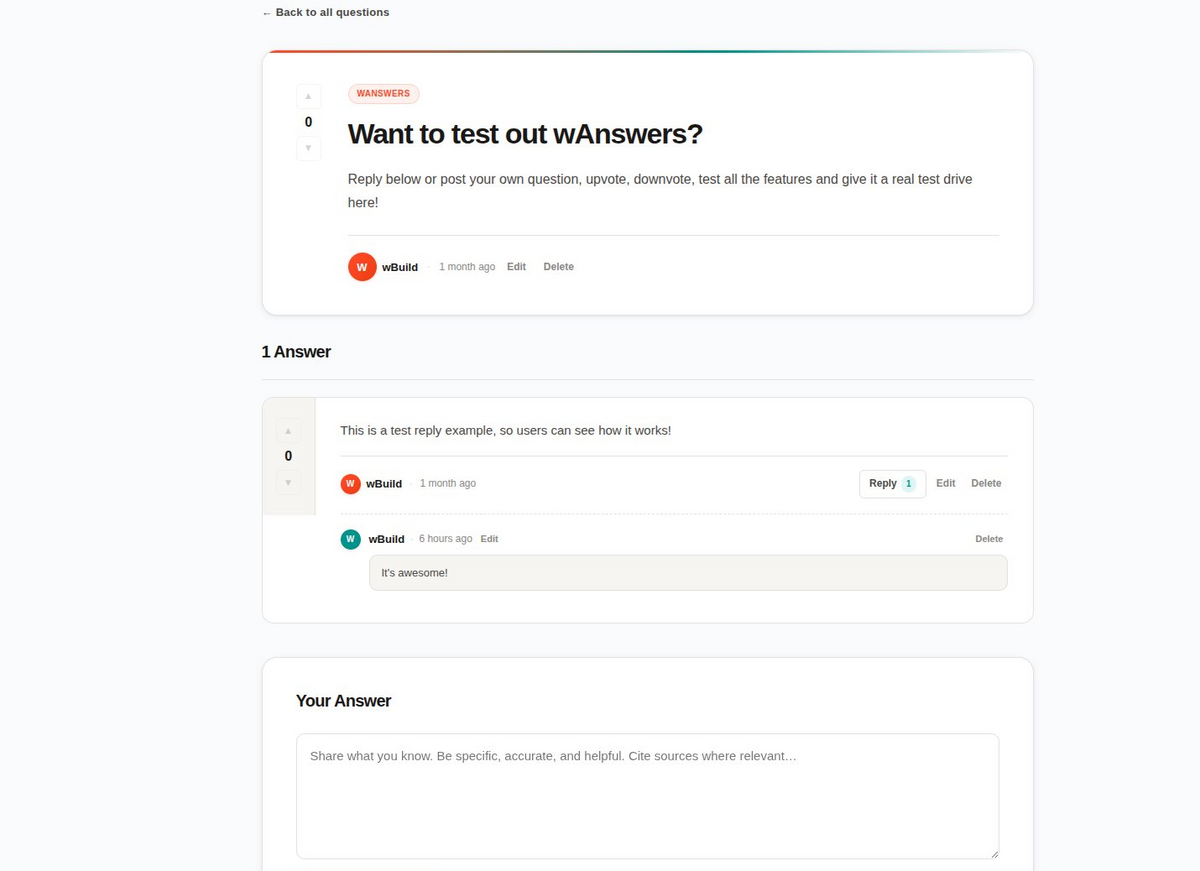
- Answer questions inline with no page reload
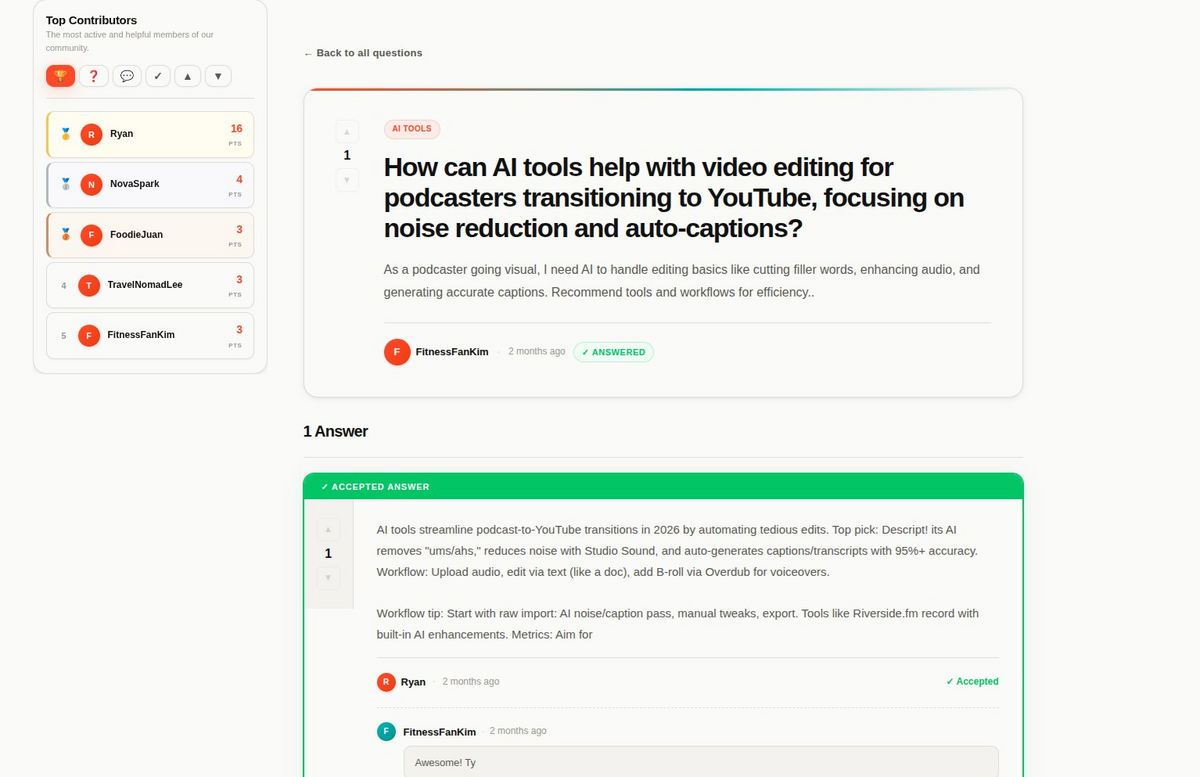
- Accept an answer (question author or admin only)
- Threaded replies on answers - one level deep
- Sort questions: Newest, Top Voted, Most Answered, Unanswered
- Filter by topic with instant AJAX
- Live search within the feed
- Load-more pagination - no full page reloads
- Edit questions and answers within a 1-hour window
- Delete your own questions and answers
- Upvote and downvote questions and answers
- Cannot vote on your own posts
- Lifetime vote tracking that persists across leaderboard resets
- Automatic backfill for users who existed before vote tracking was added
- Four tabs: Top Score, Most Questions, Most Answers, Most Accepted
- Five position options: none, above feed, below feed, sidebar left, sidebar right
- Optional sticky sidebar
- Configurable max users shown (3 to 50)
- Transient-cached and busted on every vote, answer, and reset
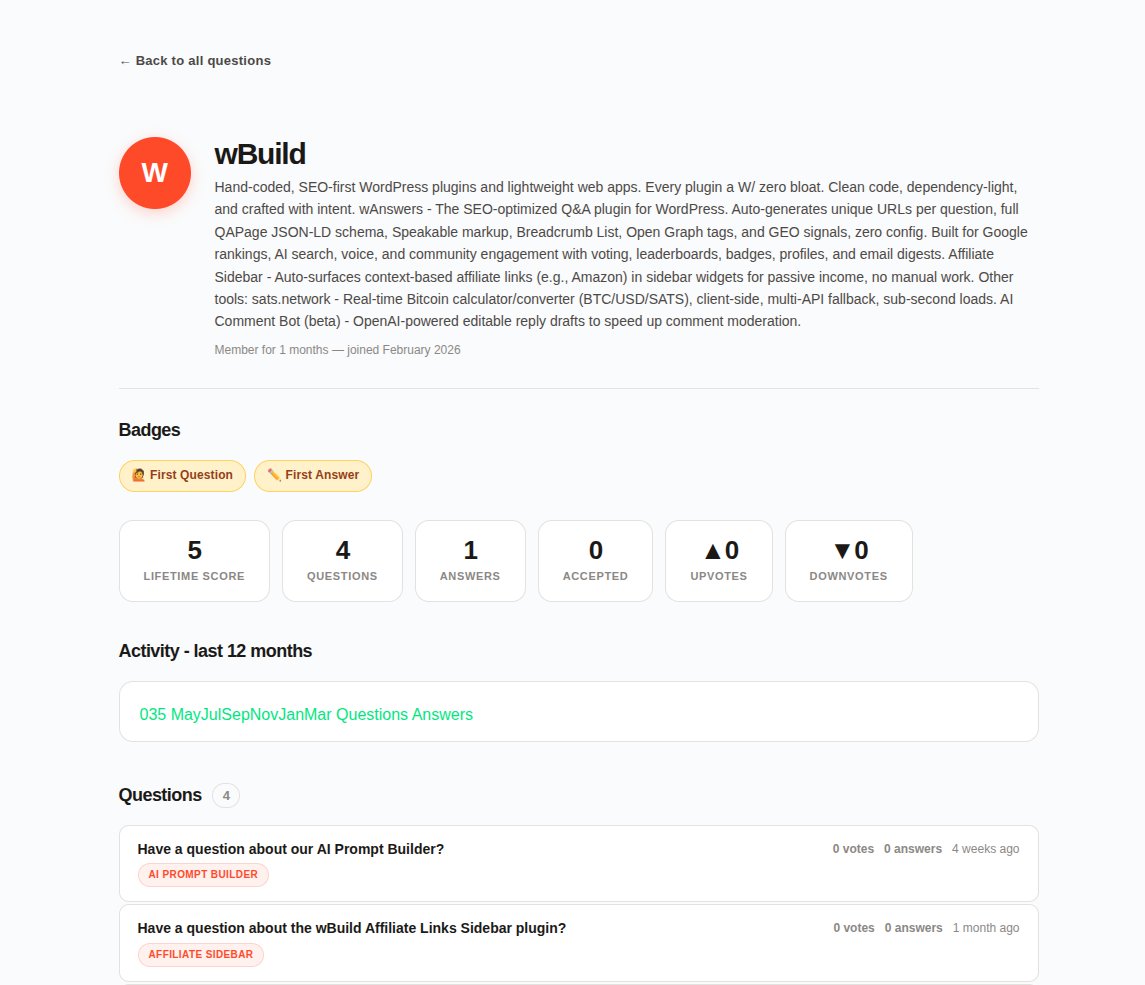
- Unique profile URLs at /questions/author/username/
- Gravatar support with letter-initial fallback
- Lifetime score, coloured upvote and downvote counts
- 10 badges across 4 tiers: Bronze, Silver, Gold, Diamond
- SVG 12-month activity chart
- Recent questions and answers list
- Topic badge links navigate to the filtered tag archive
- Notifies question author when a new answer is posted
- Notifies answer author when a reply is posted
- Weekly digest email via WP-Cron on a configurable day
- Token-based one-click unsubscribe - no login required
- Admin button to send digest immediately for testing
- Configurable maximum recipients per send
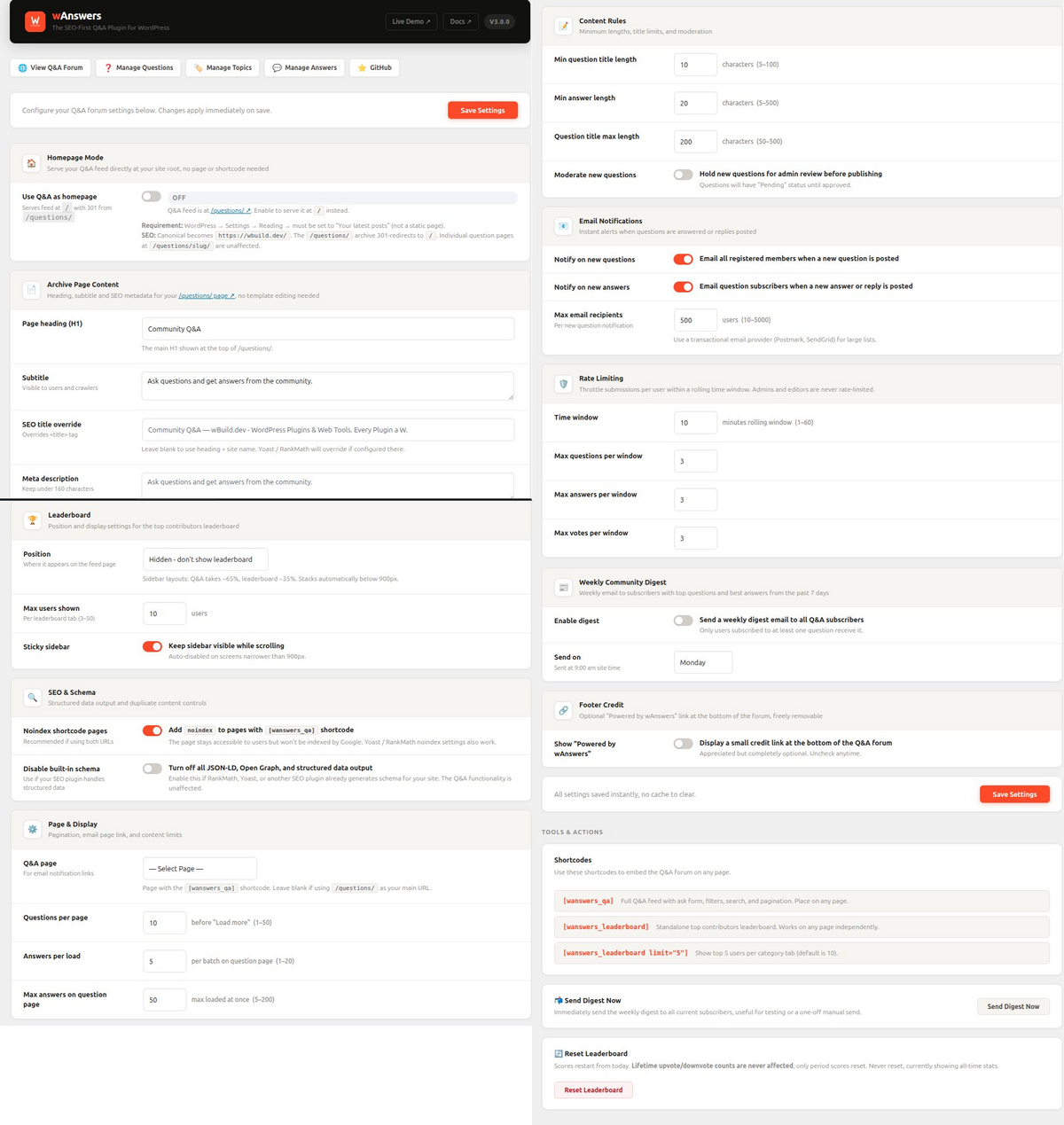
- Homepage Mode - serve Q&A at your site root with automatic 301 redirect from /questions/
- Admin-editable heading, subtitle, SEO title, and meta description for the archive page
- Questions per page, answers per page, max answers per question page
- Minimum and maximum content length validation
- Rate limiting per user for questions, answers, and votes
- Custom CSS field - override plugin styles without editing files
- Question moderation mode - hold new questions for admin approval
- Noindex shortcode pages to prevent duplicate content with the CPT archive
- Footer credit toggle - shown by default, completely optional and freely removable
- Full compatibility with Yoast SEO and RankMath
- QAPage JSON-LD on every single question page
- Question and Answer entities with author, dates, and vote counts
- acceptedAnswer marked in schema when set
- BreadcrumbList on single, archive, and taxonomy pages
- CollectionPage schema on archive and topic pages
- Organization schema sitewide for brand entity recognition
- WebSite and SearchAction for Google Sitelinks Searchbox eligibility
- Speakable specification on question pages - AI and voice citation signal
- Open Graph and Twitter Card meta on every question page
- Explicit canonical link on every page type
- dateModified updated on every edit, answer, and reply
- Microdata itemscope and itemprop on question cards in the feed
安装:
- Download the plugin zip file.
- Go to Plugins > Add New > Upload Plugin in your WordPress admin.
- Upload the zip file and click Install Now.
- Click Activate Plugin.
- Go to Settings > Permalinks and click Save Changes. This flushes rewrite rules and is required once after first installation.
- Visit Questions > Settings to configure the plugin.
- Unzip the plugin folder into
/wp-content/plugins/wanswers/ - Activate the plugin from the Plugins screen.
- Go to Settings > Permalinks and click Save Changes.
- Your Q&A feed is live at yoursite.com/questions/
- Individual questions are served at yoursite.com/questions/question-title/
- User profiles are served at yoursite.com/questions/author/username/
- Add topics at Questions > Q&A Topics
- Customise the archive page heading and description at Questions > Settings
屏幕截图:
常见问题:
Does it work with any theme?
Yes. The plugin uses its own page templates that call get_header() and get_footer() from your active theme. All styles are self-contained. You can override any template by placing a copy in your theme root folder - for example yourtheme/single-wanswers_question.php.
Will it conflict with Yoast SEO or RankMath?
No. If either plugin is active, their title and meta description tags take precedence on Q&A pages. The plugin's JSON-LD schema blocks output independently and do not conflict with SEO plugin schema output.
How do I prevent duplicate content if I use both /questions/ and a shortcode page?
Enable "Noindex shortcode pages" in Questions > Settings. This adds a noindex meta tag to any page containing the [wanswers_qa] shortcode so only the CPT archive at /questions/ is indexed. Alternatively, enable Homepage Mode - your Q&A then has only one canonical URL at your site root.
What is Homepage Mode?
Homepage Mode serves the Q&A feed directly at your site root (yoursite.com/) instead of at yoursite.com/questions/. To use it, go to Settings > Reading and set "Your homepage displays" to "Your latest posts", then enable Homepage Mode in Questions > Settings. The /questions/ archive issues a 301 redirect to / automatically. Individual question pages at /questions/slug/ are unaffected.
Can users edit their questions and answers?
Yes, within a 1-hour window after posting. After that window, only administrators and editors can edit content. The time limit is enforced server-side.
How does email delivery work?
Notifications are sent via wp_mail() using your site's configured mail settings. For reliable delivery it is recommended to use a transactional email plugin such as WP Mail SMTP, Postmark for WordPress, or SendGrid.
Is jQuery required?
No. The plugin JavaScript is written in vanilla JS with no jQuery dependency.
Does it create custom database tables?
Yes. Two tables are created on activation: one for vote records and one for email subscriptions. Both are prefixed with your WordPress table prefix. Data is removed if you uninstall the plugin via the Plugins screen.
Can I remove the "Powered by wAnswers" credit?
Yes, absolutely. Go to Questions > Settings > Footer Credit and uncheck the option. The credit is shown by default but is entirely optional and not required.
Does it work with WordPress Multisite?
The plugin has not been tested on Multisite installations and is not officially supported in that environment.
更新日志:
- Admin settings CSS moved to enqueued stylesheet (no more inline style block)
- All admin POST handlers properly sanitized with sanitize_text_field and wp_unslash
- All user-facing strings wrapped in translation functions for i18n
- Replaced deprecated current_time('timestamp') with time() throughout
- Template output escaping improvements
- Credit link updated to include noreferrer on external links
- Added "Disable built-in schema" toggle in SEO settings for compatibility with RankMath, Yoast, and other SEO plugins.
- Added Settings link on the Plugins page.
- Plugin name updated for WordPress.org compliance (removed restricted terms).
- Replaced date() with gmdate() for timezone-safe date handling.
- Replaced wp_redirect with wp_safe_redirect.
- Removed unused Domain Path header.
- Demo links updated to wbuild.dev/questions/.
- GitHub links updated to new wbuilddev organization.
- Author updated to wBuild.dev.
- Fixed theme compatibility: all CSS colour and typography variables are now self-contained - no longer inherited from an external stylesheet. Plugin now renders correctly on Divi, Extra, Disputo and other themes that previously caused text, button colour, or font bleed-through issues.
- Added defensive CSS resets on all buttons and inputs so Divi/Extra global button styles cannot override plugin elements.
- Plugin rebranded to wAnswers - SEO-First Q&A.
- All public-facing references updated to wAnswers branding.
- Plugin homepage and author URL updated to wbuild.dev.
- Bugfix: Topic badges in user profiles now correctly link to the tag-filtered archive page. Fixed an anchor-inside-anchor HTML invalidity using a CSS overlay and JavaScript delegation pattern so the row click and the tag link click are fully independent.
- Settings page visual refresh with branded section headings, orange save button, and styled footer credit card.
- Removed the search icon character from the main Q&A feed search box.
- Code audit: fixed undefined variable errors in the schema class ($is_tax and $is_homepage).
- Replaced all hardcoded /register/ URLs with wp_registration_url() for full portability.
- Generic default archive title and subtitle - no site-specific copy baked in.
- Settings page footer with live demo and GitHub links.
- Footer credit toggle added to Settings - checked by default, freely removable.
- Bugfix: Profile pages had no horizontal padding on mobile screens.
- Bugfix: Lifetime vote counts showed 0 for users who existed before vote tracking was added - now lazily backfilled from the votes table on first profile visit.
- Bugfix: Leaderboard position setting was ignored on profile pages - now respects all five position options.
- Homepage Mode: serve the Q&A feed at the site root with automatic 301 redirect from /questions/.
- Explicit canonical link tag output on the archive template.
- Rewrite rules are flushed automatically when homepage mode is toggled.
- Profile question titles now wrap correctly on mobile instead of being clipped.
- Hero stats: Total Questions links to the feed anchor; Unanswered activates the unanswered filter tab.
- New setting: leaderboard max users (3 to 50).
- New setting: sidebar sticky toggle.
- Leaderboard now appears on profile pages with full position awareness.
- Expanded profile stats: lifetime score, coloured upvote and downvote counts.
- Topic badge fix: clicking a tag on a question card now activates the AJAX topic filter instead of navigating away.
- Load-more pagination added for answers on single question pages.
- Bugfix: Edit forms were visible on page load due to a CSS specificity conflict.
- Bugfix: Leaderboard profile links were using the wrong URL format.
- User profile pages at /questions/author/username/.
- 10 badges across 4 tiers: Bronze, Silver, Gold, Diamond.
- SVG 12-month activity chart on profiles.
- Gravatar support with letter-initial fallback.
- Rate limiting for questions, answers, and votes with configurable window.
- Question moderation mode - hold new questions for admin approval.
- Leaderboard with four tabs and configurable position.
- Threaded replies on answers - one level deep.
- Weekly digest email via WP-Cron with configurable day and manual send.
- Email notifications for new answers and replies with token-based unsubscribe.
- Initial release: questions, answers, voting, topics, archive template, QAPage schema.