Wappbiz
| 开发者 | wappbiz2024 |
|---|---|
| 更新时间 | 2026年10月16日 18:55 |
| PHP版本: | 7.2 及以上 |
| WordPress版本: | 7.1 |
| 版权: | GPLv2 or later |
| 版权网址: | 版权信息 |
详情介绍:
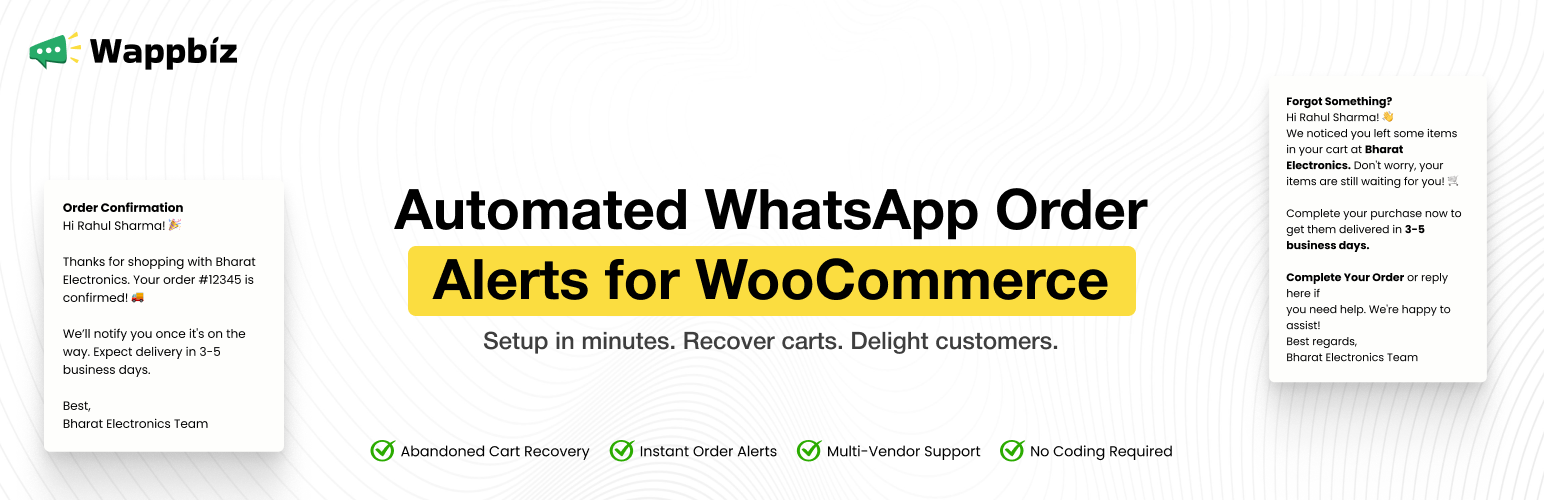
- Order confirmation messages when an order is placed.
- Order status update messages (processing, completed, on-hold, failed, cancelled and more).
- Shipment tracking number and tracking link included in notifications (works with WooCommerce Shipment Tracking and Advanced Shipment Tracking).
- Cart notifications for logged-in customers, including the billing details a customer enters at checkout.
- Optional vendor notifications for WCFM Marketplace multi-vendor stores.
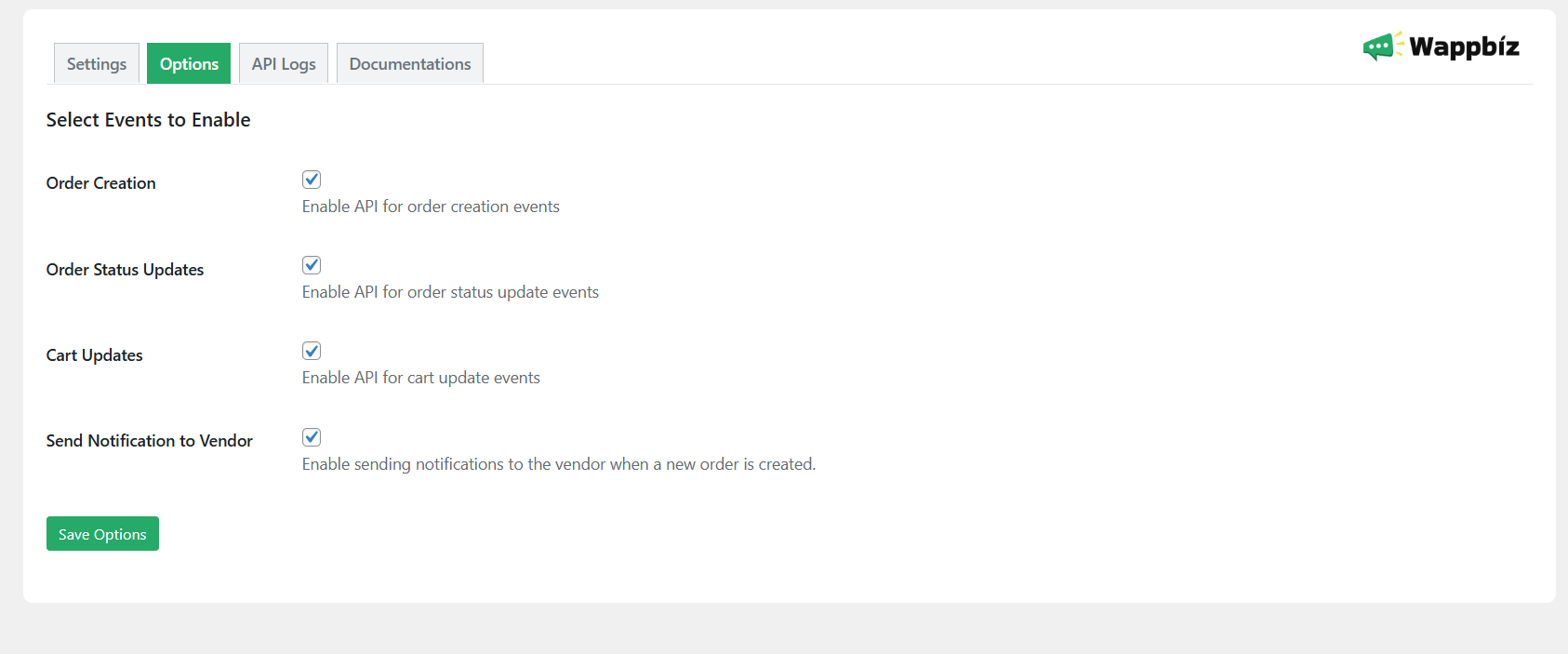
- Choose exactly which events are sent (Order Creation, Order Status Updates, Cart Updates).
- Compact, paginated API Logs screen (times shown in IST) so you can see what was sent and what the service replied.
- Requests are sent in the background with automatic retries, so a slow response from the service never slows down your checkout.
- Works with WooCommerce High-Performance Order Storage (HPOS), classic checkout and the block checkout.
安装:
- Make sure WooCommerce is installed and active.
- Upload the plugin to the
/wp-content/plugins/directory, or install it from the Plugins screen. - Activate it through the 'Plugins' menu in WordPress.
- Open the "Wappbiz" admin menu, enter your API key on the Settings tab and save.
- On the Options tab, choose which events should be sent.
屏幕截图:
常见问题:
Do I need an API key to use this plugin?
Yes. You must configure your Wappbiz API key in the plugin settings for the integration to work. You can register and get your key at https://app.wapp.biz/register
Can I enable or disable specific events?
Yes. The Options tab has switches for Order Creation, Order Status Updates and Cart Updates.
How many messages does a new order send?
One. The order-creation message already tells the customer the order status, so the status message for that same moment is skipped. Later status changes (shipped, completed, refunded and so on) and tracking updates each send their own message.
When is a cart treated as abandoned?
The plugin decides, not the Wappbiz service. After the last change to a customer's cart (adding an item, changing a quantity, typing billing details at checkout) it waits the number of minutes set on the Options tab (10 by default). Every new change restarts the wait. When the wait ends the plugin checks whether the customer ordered in the meantime, from this or any other device. Only if they did not is one abandoned-cart event sent to Wappbiz. Customers need a valid phone number: logged-in customers use the phone saved on their account, and anyone can be reached once they type one at checkout.
What if a customer closes the payment window without paying?
The order stays pending and no order messages are sent. When the wait ends and the order is still unpaid (or the payment failed), a checkout reminder is sent with a link straight to that order's payment page. If the payment completes before then, nothing is sent. If WooCommerce later cancels the unpaid order, no "cancelled" message is sent, because the customer never received an order confirmation. Cancellations of confirmed orders (paid online, or placed as Cash on Delivery) are still sent.
Are messages sent immediately?
Requests are queued with WooCommerce's bundled Action Scheduler and sent in the background, usually within seconds. If the service is temporarily unavailable, the plugin retries up to three times.
A customer has no phone number. What happens?
The order is skipped for notifications and a note is added to the API Logs tab. Phone numbers are converted to international format using the customer's billing country.
What is sent when a customer is still checking out?
If Cart Updates are enabled and a customer enters a valid phone number at checkout, their cart and billing details are sent once, shortly after they stop editing. This is cancelled automatically if they place the order first. Developers can disable this for guests with add_filter( 'wappbiz_send_guest_checkout_details', '__return_false' );.
Does the plugin work with multi-vendor marketplaces?
Vendor notifications are supported for WCFM Marketplace. Select "Multi-Vendor" on the Settings tab and enable "Send Notification to Vendor" on the Options tab.
What happens to my data if I uninstall?
Uninstalling the plugin removes its settings, logs and queued requests. Deactivating keeps them.
更新日志:
- Changed: no "cancelled" message is sent for an order that was never confirmed to the customer (for example an unpaid order cancelled by WooCommerce's unpaid-order timeout). Cancellations of confirmed orders are still sent.
- Changed: a new order now sends one message (order creation) instead of two; the status message for the same status is skipped. Later status changes and tracking updates still send their own messages.
- New: redesigned admin screen with Wappbiz branding, responsive layout, toggle switches and a status indicator (Active / Inactive).
- New: API Logs are now a compact, paginated table with result badges, mobile layout, a details view and times shown in IST. Log history is kept for up to 200 entries.
- New: notifications are queued in the background (Action Scheduler) with automatic retries, so a slow API response no longer slows down checkout.
- New: abandoned carts are detected by the plugin itself. After the last change to a cart (add, quantity, removal, billing details typed at checkout; classic and block checkout) it waits a configurable period of inactivity (Options tab, 10 minutes by default; every change restarts it), checks that the customer did not order from any device, and only then sends one abandoned-cart event. An order that was started but never paid produces a checkout reminder with a link to that order's payment page. Nothing is sent when the customer orders first, empties the cart, or pays before the wait ends.
- New: billing details entered at checkout (classic and block checkout) are sent with the cart, once, shortly after the customer stops editing.
- New: support for Advanced Shipment Tracking, including its tracking links. Tracking updates are sent once per tracking number.
- New: order and status messages now include payment details (payment_method, payment_method_title, payment_status, transaction_id, date_paid), added after the existing fields so the message structure is unchanged. Cash on Delivery orders are reported as unpaid until completed.
- New: phone numbers are normalised to international format using the billing country; orders without a phone number are skipped and logged.
- New: notifications for orders placed with block checkout and for orders created by admins, the REST API or imports.
- New: WooCommerce HPOS compatibility declared; "Requires Plugins: woocommerce" header added; privacy policy suggestion added.
- Fixed: a missing API key could turn storefront pages into raw JSON because of a cart hook; that hook has been removed.
- Fixed: the API key and logs were deleted when the plugin was deactivated; they are now only removed on uninstall.
- Fixed: failed, cancelled and draft orders no longer trigger an "order created" message.
- Fixed: an order saved before its items or phone number were added could be marked as notified and never sent.
- Fixed: duplicate notifications from simultaneous requests, and duplicate tracking messages.
- Fixed: the "Cart Updates" option was ignored (cart events followed "Order Creation").
- Fixed: cart notifications for variable products used the lowest variation price instead of the selected variation.
- Fixed: add-to-cart no longer errors if the product or customer cannot be loaded.
- Fixed: vendor notifications no longer treat the site administrator as a vendor.
- Fixed: the "View Response" details window showed "[object Object]".
- Fixed: saving the Options tab in single-vendor mode reset the vendor notification preference.
- Fixed: vendor type is validated and the event settings accept both form and programmatic values.
- Removed: the cart "getCardItems" polling and the public AJAX endpoint, which sent no cart data and ran on ordinary page loads.
- Improved: the API Logs option is no longer autoloaded; internal code reorganised into separate classes.
- Fixed: order-creation and order-status notifications could fail to send for orders whose status is set during checkout (e.g. Cash on Delivery, bank transfer).
- Fixed: API/order errors are now recorded in the plugin's own API Logs tab.
- Added: shipment tracking number and tracking URL in order status notifications when the WooCommerce Shipment Tracking extension is active.
- Added: notification is sent immediately when tracking info is added or changed on an order.
- Fixed: order notification could be re-sent on every thank-you page refresh; now sent exactly once per order.
- Fixed: order-creation notification could go out with an empty order details payload.
- Fixed: order status update could be sent before the order creation notification.
- Fixed: frontend script was never loaded on the storefront.
- Fixed: vendor WhatsApp notifications now respect the "Send Notification to Vendor" setting and single/multi-vendor mode.
- Fixed: "Clear Logs" button now works.
- Fixed: API errors are now detected and logged with the actual error message.
- Added: plugin action links (Settings, Documentation) on the Plugins page.
- Fixed: API logs now display consistently for all log types.
- Initial release of the Wappbiz Plugin.