
Warranty Cart – Extended Warranty, Claims & Renewals for WooCommerce
| 开发者 | mralaminahamed |
|---|---|
| 更新时间 | 2026年10月18日 23:45 |
| PHP版本: | 7.4 及以上 |
| WordPress版本: | 7.1 |
| 版权: | GPLv2 or later |
| 版权网址: | 版权信息 |
详情介绍:
- Beside the product: offer a warranty on the product page, where the customer is already deciding. Choose which products each warranty covers — everything, chosen categories, or named products.
- A page of its own: the
[warranty_cart]shortcode, in a grid or a list, for stores that would rather sell cover separately. - Bundles: a main warranty with optional add-on services, priced together as the customer chooses.
- Fixed or percentage pricing: charge a flat fee, or a percentage of whatever the warranty covers — with a floor and ceiling so a percentage of a very cheap or very expensive item stays sensible.
- Any payment gateway: warranties are created when an order completes, which WooCommerce does whatever took the payment — card, PayPal, bank transfer, cash on delivery. After the sale
- A warranties tab in My Account: every policy a customer owns, with its order, expiry and status — and a page per policy showing what it covers, the terms, what was paid, and every renewal it has been through.
- Claims: customers file against active cover from their account; you work through them on a dedicated admin screen, and every status change emails them.
- Renewals: a Renew button appears as cover approaches expiry, and for a configurable grace period afterwards. Renewing goes through the cart, so it is a real order and you get paid for it. Renewing early keeps the time already paid for rather than restarting the clock.
- Renewal history: every extension recorded — when it happened, how far the term moved, what it cost and which order paid for it. Visible to you on the record, and to the customer on theirs.
- Reminders and expiry notices: sent automatically, on a schedule you set.
- PDF certificates: what is covered, the term, when cover begins and ends, and the coverage terms — issued in your shop's name, and attached to the confirmation email. Running the shop
- Admin dashboard: sales, orders and warranty totals, a twelve-month trend, and recent activity.
- Warranty records: every policy sold, filterable by status, customer and product.
- CSV import and export: set up a catalogue in bulk, and export any list — warranties, records, claims, orders, reports — as a spreadsheet that opens correctly, filters and all.
- Plan images: give each warranty a picture from your media library, shown wherever the plan is offered.
- Custom checkout fields: ask for whatever a warranty needs — a serial number, an install date.
- Settings that say what they do: grouped by Selling cover, After the sale, Checkout, Notifications, Payments and Import.
- Serial numbers: the customer registers the number on the item after it arrives, and you find the policy by searching it.
- HPOS compatible: works with WooCommerce High Performance Order Storage. Requirements:
- WordPress 6.0+
- WooCommerce 8.0+
- PHP 7.4+
- MySQL 5.6+
- StoreSeeder - realistic test data for WooCommerce and Fluent Cart. Products, customers, orders and coupons in seconds, with one-click cleanup.
- StoreSheet - sync WooCommerce products, orders and coupons to a Google spreadsheet, automatically and one-way.
- EasyCommerce FakerPress - the same idea for an EasyCommerce store, with a live preview before you generate.
- Vendor Tasks for Dokan & ClickUp - automate Dokan vendor management through ClickUp.
- Swift Menu Duplicator - duplicate menus in one click, snapshot revisions, export and import, WP-CLI and REST.
- Author Profile Blocks - author and team profiles as Gutenberg blocks: grid, carousel, list and single.
- Donation Router for GiveWP & PayPal - route GiveWP donations to different PayPal Business accounts by donor country.
- AI Provider for OpenCode Zen - one API key, 57 models including GPT-5, Claude and Gemini 3.
- AI Provider for MiniMax - MiniMax M2 and M3 models for text generation.
安装:
- Upload the plugin files to the
/wp-content/plugins/warranty-cartdirectory, or install the plugin through the WordPress plugins screen directly. - Activate the plugin through the 'Plugins' screen in WordPress.
- Install and activate WooCommerce (8.0+) if not already installed.
- Use the
[warranty_cart]shortcode to display warranty products on any page. - Access the warranty management dashboard at the top-level Warranty Cart menu in the WordPress admin sidebar.
- Set up warranty products via the Warranty tab on each WooCommerce product, then configure email templates and checkout fields under Settings.
- Dashboard: warranty sales, orders, a twelve-month trend and recent activity
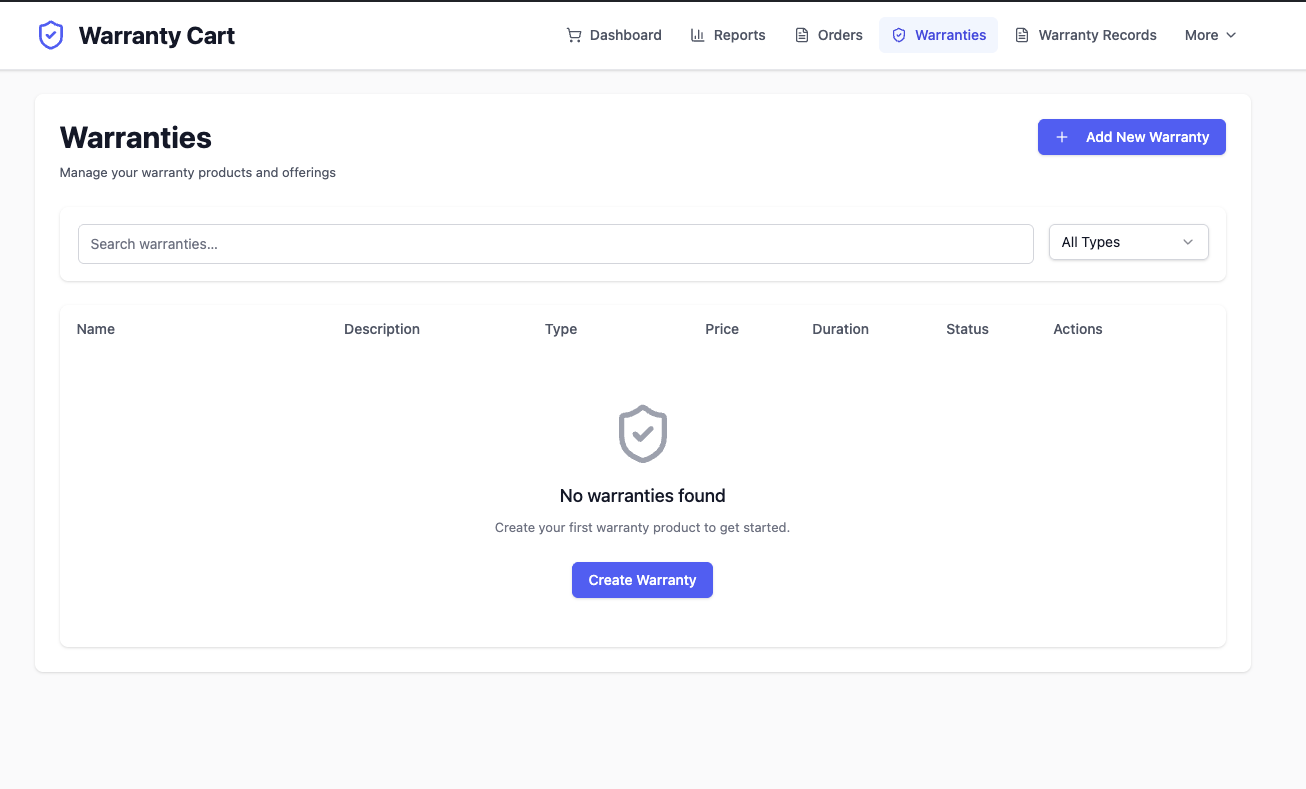
- Warranties: your warranty products, their terms, and which products each one covers
- Records: every policy sold, filterable by status, customer and product
- Claims: claims customers have filed, with status and your reply
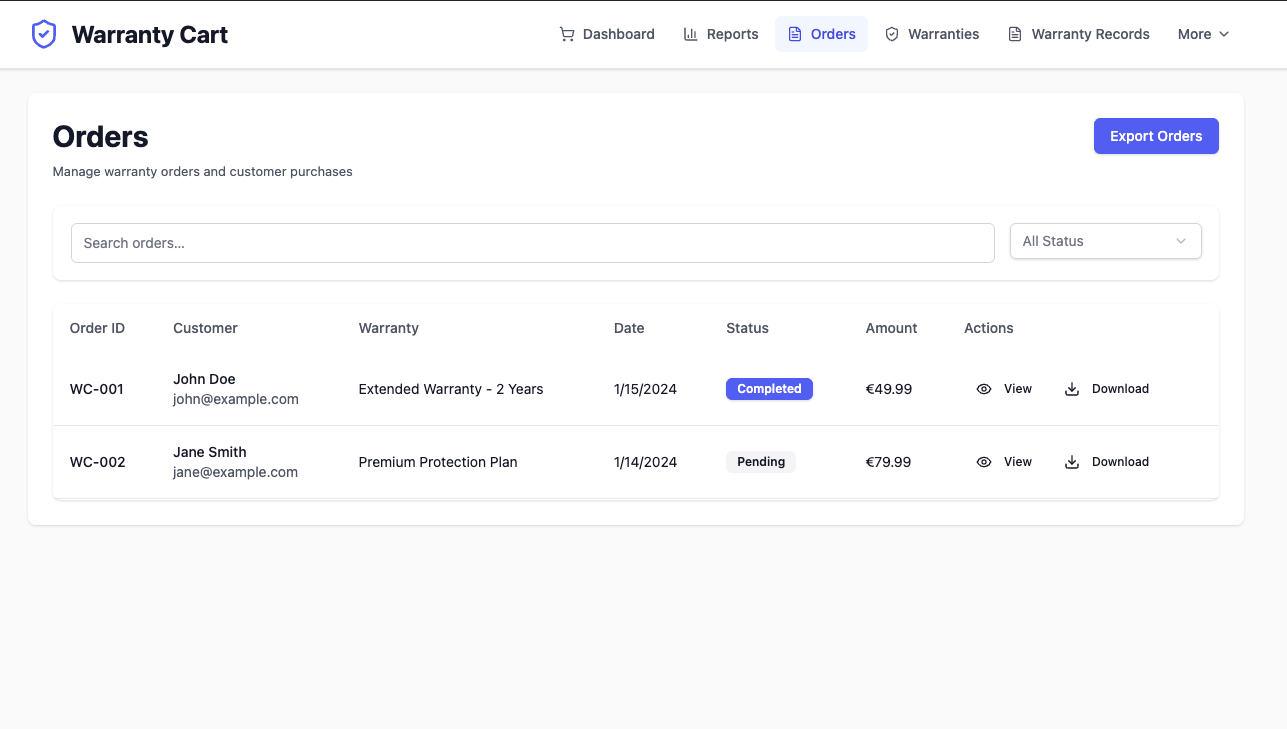
- Orders: warranty orders and customer details
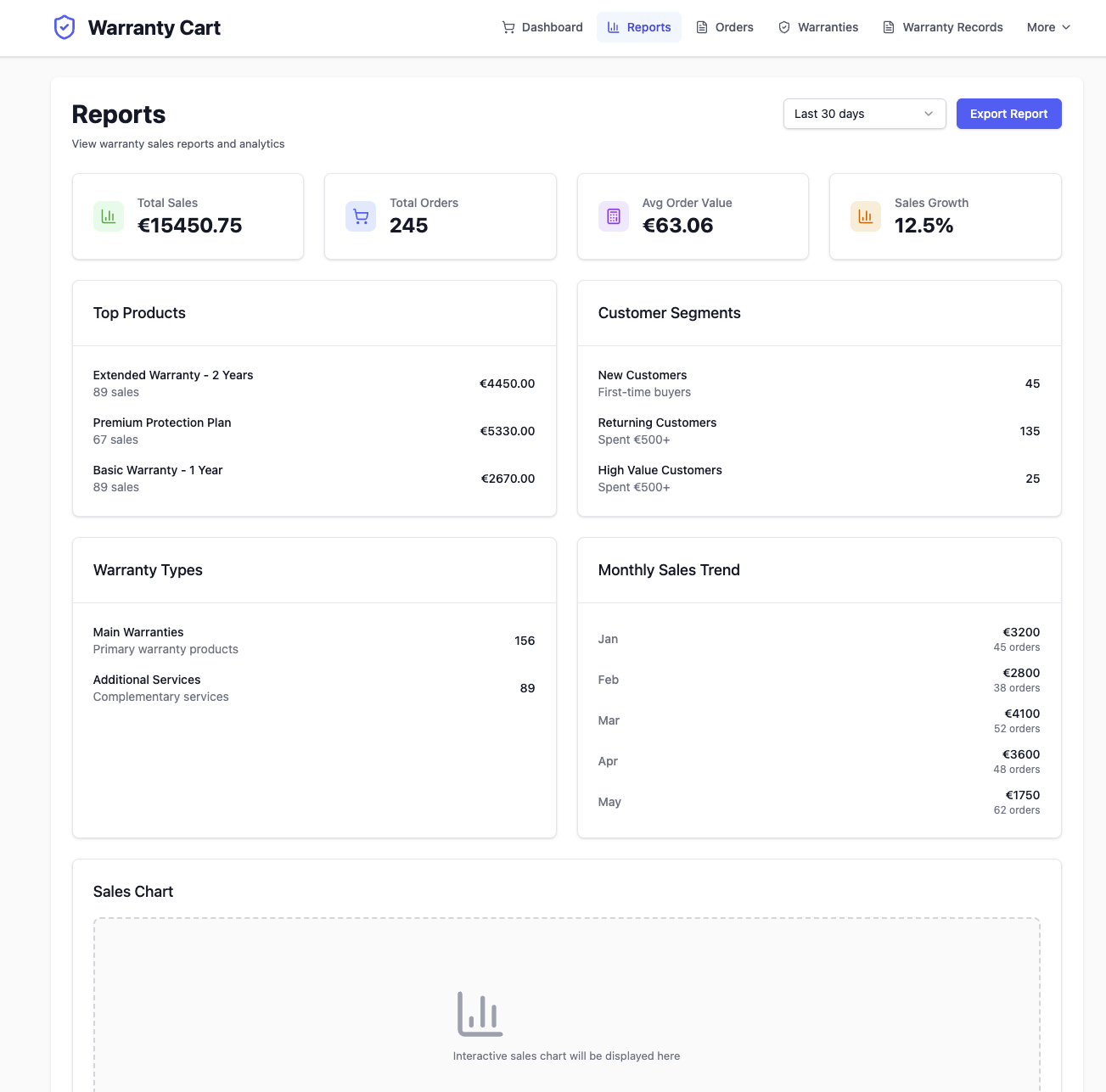
- Reports: sales performance over time, and what claims cost against what cover earned
- Settings: where cover is offered, claims, renewals, emails, checkout fields
- Checkout fields: what to ask the customer when they buy cover
- Getting started: a checklist of what is left to configure
- Tools: CSV import, diagnostics and maintenance
屏幕截图:


常见问题:
How do I set up my first warranty product?
- Open Products → Add New (a regular WooCommerce product).
- Give it a title, description and price. Tick Virtual so the order completes automatically.
- Click the Warranty tab in the Product data box.
- Set Status: Enabled, Type: Main warranty, Duration: 1, Duration unit: years, and fill in Coverage details.
- Under Offer alongside, choose which products this cover is sold with — any product, chosen categories, or named products.
- Publish. The warranty now appears on the product page of everything it covers.
- Optionally create Additional service products the same way (set Type: Additional service and pick the main warranty under Associated warranty), and drop
[warranty_cart]on a page to sell cover separately as well.
How do I offer a warranty on the product page?
Open the warranty product, go to the Warranty tab, and set Offer alongside:
- Any product — the cover appears under Add to cart on everything in the shop.
- Products in chosen categories — and in any category beneath them, so a rule on "Appliances" covers "Appliances → Kitchen".
- Chosen products only — naming a variable product covers all of its variations, and naming a single variation covers only that one. On a variable product the offer waits until the customer has chosen their options, then shows the price of cover for that exact variation.
Can I include a warranty free, without selling anything?
Yes, and you do not need to sell cover at all to use the plugin this way. On the warranty product, tick Included free in the Warranty tab and set Offer alongside to the products it applies to. Nobody is asked to buy it. The product page states the cover instead of offering it, and when an order completes a warranty record is written for every product in it that the rule covers. From there it behaves like any other policy: the customer sees it under My Account → Warranties, can file a claim against it, and gets the expiry reminders. This is how to record a guarantee you already give — "twelve months, parts and labour" — so that both sides can see it and a claim against it goes somewhere other than an inbox. The price fields stop applying while it is ticked, and the plan does not need a price at all. Cover that came free is recorded as such, so your warranty list still tells what you sold from what you gave away.
Can I price a warranty as a percentage of the product?
Yes. On the warranty product, set Price to Percentage of the covered product and enter the percentage — 10%, say. Optional Minimum and Maximum keep it sensible at both ends: 10% of a £40 kettle is not worth administering, and 10% of a £5,000 television asks for more than anybody will pay.
A fixed price works for a catalogue where everything costs about the same, and breaks immediately where it does not — £29 of cover is most of the value of a £40 item and a rounding error on a £2,000 one.
The price is worked out against the product being covered at the moment cover is added to the cart, and held there: if you reprice the product afterwards, a customer's existing cart keeps the figure they were quoted. Rounding follows your store's own currency settings.
On the [warranty_cart] selector page there is no product to take a percentage of, so the warranty's own price is shown, with a note saying what the rule is.
Can customers file a warranty claim?
Yes. Customers see their cover under My Account → Warranties and can file a claim against anything still active, describing what has gone wrong. Claims arrive on the Claims screen in the admin, where you move them through Pending, In progress, Approved, Rejected and Resolved — and the customer is emailed at every change, with whatever note you wrote.
Can someone who checked out as a guest file a claim?
Yes. Put the [warranty_claim] shortcode on a page and link to it from your order emails.
The customer enters the order number from their confirmation email and the address they ordered with — the same pair WooCommerce's own order tracking asks for — and sees the cover on that order, with a button to claim against anything still active. The shop's replies are emailed to that address.
An order that belongs to a registered account is never reachable this way; those customers are sent to My Account → Warranties instead, where their claim history already is. A wrong order number and a wrong email address are refused with the same message, so the page cannot be used to find out which order numbers exist, and repeated failures from one address are made to wait.
Turn it off under Warranty Cart → Settings → After the sale → Claims if you do not take guest orders.
Can I turn off one email without turning off all of them?
Yes. Settings → Notifications → Scheduled emails has a switch each for the reminder before cover ends and the notice after it has ended. They used to share the single "enable email notifications" setting with claim replies, so a shop that wanted the nudge and not the obituary had to silence everything — including the message telling a customer their claim had been approved. Turning the expiry notice off stops the email and nothing else. The warranty still expires, because a claim must not be accepted against cover that ended months ago.
My shop does not sell anything with a serial number.
Turn the field off under Settings → After the sale → Customer account → Serial numbers. A field asking for the serial number of a shirt is a question nobody can answer, and the same panel sets how many warranties a customer sees per page.
What columns does the warranty product CSV take?
name, description, price and type are required; type is either main_warranty or additional_service. duration, duration_unit (days, months or years), sku and coverage_details are optional.
A plan imported without a duration falls back to the default term under Settings → Selling cover, so a catalogue of one, two and three-year cover needs the duration columns to arrive as three different plans.
Imported products are filed under the category named in Settings → Import, and that category is created if it does not exist — so a typo there quietly adds a category to your catalogue.
The import reports how many rows it could not use and why, with line numbers.
Where are the claim upload limits?
Under Warranty Cart → Settings → After the sale → Claims: the largest file a customer may attach, how many files one claim carries, and whether evidence is required at all. These used to share one number with the CSV importer, filed under Import and labelled as an import setting — so tightening it to keep imports small also stopped customers photographing a fault. They are separate now. A store that had changed the old setting keeps that value for claims until it sets its own.
Can I see whether selling warranties is actually worth it?
Yes. Warranty Cart → Reports now opens with what cover costs to honour: the loss ratio, what cover sold for, what claims cost, and how much cover is still running and therefore still owed. The loss ratio is claim cost as a share of what cover earned in the same period, counting claims by the date they were decided rather than filed — a claim settled in May costs the shop in May, not in the month it arrived. Refunded cover is left out of both halves, so money you gave back does not flatter the figure. Where a cost was not recorded on every decided claim, the panel says so and says the real figure is higher. A ratio built from a fifth of your decisions reads as though it covered all of them, and that is the number that gets a shop into trouble. Record the cost when you resolve a claim and the figure becomes worth acting on. All of it exports with the rest of the report.
Can I write to a customer about their claim?
Yes. Open the claim under Warranty Cart → Claims and use the Correspondence box. A message marked Send to the customer is emailed to them and appears with the claim on their account page — or, for a guest, at the order lookup they filed it from. A message marked Internal note is stored with the claim and never leaves the shop. This is separate from the decision below it on purpose: a question is not a status change, so asking one does not tell the customer their claim has been approved or rejected. Replies come back by email rather than into the claim. A customer cannot yet write into the thread.
Can a customer register the serial number of what they bought?
Yes. Each warranty has its own page under My Account → Warranties, with a Serial number field on it. It is asked for after the purchase rather than at checkout, because the customer does not have the item in front of them when they buy the cover — the number is on a plate they can only read once it has arrived. Serials are stored and matched with the spaces removed and in upper case, so a customer copying "gd 7741-x" off a label finds the cover the shop recorded as "GD7741-X". You can then find a policy from the item itself: search the serial on Warranty Cart → Records, which now matches serials as well as customers, products and SKUs. That is the search you actually need when somebody arrives holding a broken appliance and no order number. A serial already recorded against another warranty is allowed and flagged, not refused — replacing a unit under warranty legitimately puts the same number on a second policy.
Can customers renew a warranty before it expires?
Yes. A Renew button appears on their account page as cover approaches expiry, and for a grace period afterwards; both windows are settings, 30 days each by default. The expiry reminder email links straight to it. Renewing goes through the cart, so it produces a real order and you are paid for it. Renewing early adds the new term to the time already left rather than restarting the clock — a customer with two months remaining who renews for a year ends up with fourteen months, not twelve. Every warranty renewal is recorded against the policy: when it happened, how far the term moved, what it cost and which order paid for it.
Can I upsell a warranty in the cart as well as the product page?
Yes. Under Warranty Cart → Settings → Selling cover, choose where the offer appears: the product page, the cart, both, or nowhere. Product page only is the default. The product page catches the customer while they are still deciding what to buy; the cart catches the ones who skipped past it. An extended warranty upsell is pure margin either way — there is no stock to buy and nothing to ship.
Is this an RMA or returns plugin?
No. Warranty Cart sells product warranty cover and runs what follows it — claims, renewals, expiry and reminders. Whether a claim ends in a repair, a replacement or a refund is your decision to make; you record it as the claim's resolution and the customer is emailed it. What the plugin does not do is issue return authorisations, print return labels or restock inventory, so if you need a returns workflow, an RMA plugin is the right tool and the two sit alongside each other.
Can I ask for a serial number or an install date?
Yes, that is what checkout fields are for. On the Checkout Fields screen you define what a warranty needs registering — serial number, model, install date, engineer's name — and the answers are stored against the policy, so the product registration details are on the record when a claim arrives.
Does this work with variable products?
Yes. Naming a variable product under Offer alongside covers every one of its variations, so you set the rule once rather than per size or colour.
Will this work with my theme?
The offer renders through WooCommerce's own template system and is styled in relative units, so it takes your theme's type scale rather than fighting it. Every template can be overridden from your theme in the usual way — copy it into yourtheme/warranty-cart/.
How do I display warranty products?
Use the [warranty_cart] shortcode on any page or post. The shortcode accepts one attribute, layout:
[warranty_cart layout="grid"] or [warranty_cart layout="list"]
To scope which products show (category, custom meta, etc.) use the warranty_cart_shortcode_products_query filter.
What payment methods are supported?
Whatever your store already takes. Warranty records are created when a WooCommerce order reaches Completed, so any gateway WooCommerce supports works — Stripe, PayPal, Square, Mollie, WooPayments, bank transfer, cash on delivery. The plugin handles no payment itself and has no gateway-specific code. Warranty Cart → Settings → Payments lists every gateway on your store and what each one supports.
Do I need to do anything to support my payment gateway?
No. Warranties are created when an order is marked complete, which WooCommerce does whatever took the payment — card, PayPal, bank transfer, cash on delivery. Settings → Payments lists every gateway on your store and what each one supports.
How do I access the admin dashboard?
After installation, click the top-level Warranty Cart menu in your WordPress admin sidebar (shield icon). This provides access to all warranty management features: dashboard, warranty product catalog, warranty records, orders, reports, settings, and tools.
What are the different admin sections for?
- Dashboard: sales metrics, recent orders and popular warranties
- Warranties: create warranty products, set their terms, choose what they cover
- Records: every warranty sold and its current status
- Claims: work through customer claims and reply to them
- Orders: warranty orders with customer details
- Reports: charts showing sales performance and trends
- Settings: offer placement, claims, renewals, emails, checkout fields
- Tools: import and export data, diagnostics, maintenance
How do warranty certificates work?
The plugin automatically generates PDF certificates for purchased warranties using DomPDF. They are attached to the order completion email and can be re-downloaded from Warranty Cart → Orders. PDFs are stored under wp-content/uploads/warranties/. Toggle the feature on or off under Warranty Cart → Settings → Enable PDF certificates.
When are warranty records created?
When a WooCommerce order containing one or more warranty products reaches the Completed status. That is a WooCommerce core event, so it fires whatever took the payment. Each warranty product in the order produces a row in wp_warranty_cart_warranties with status active and an expiration_date calculated from the duration.
How are the reminder and expiration emails scheduled?
Two daily WP-Cron events handle the lifecycle:
warranty_cart_check_expirations— marks active warranties asexpiredon or after theirexpiration_dateand sends the Warranty Expired email.warranty_cart_send_reminders— emails customers N days before expiration (default 30, filterable via thewarranty_cart_reminder_daysfilter).
wp-cron.php) and add define('DISABLE_WP_CRON', true); to wp-config.php.
How do I import warranty products in bulk?
Go to Warranty Cart → Tools, download the sample CSV, fill it in, and upload via the Import CSV card. Each row creates a WooCommerce product with the Warranty tab pre-filled.
I activated the plugin but emails or PDFs aren't sending — what now?
Common fixes:
- Make sure Warranty Cart → Settings → Enable email notifications and Enable PDF certificates are on.
wp_mail()is unreliable on default WordPress installs. Install an SMTP plugin (WP Mail SMTP, FluentSMTP) and connect a real transactional provider.- DomPDF needs the PHP
gdorimagickextension and ~128 MB memory. - Ensure
wp-content/uploads/warranties/exists and is writable by your web server user.
Is the plugin secure?
- All input is sanitized and validated, and REST requests are nonce-checked.
- Customers can only see, claim against and renew their own warranties. Ownership is enforced in the domain layer, so it holds however the request arrives.
- The plugin processes no payments and stores no card data — WooCommerce and your gateway handle that, so there is nothing sensitive here to leak.
- Uploads are validated and restricted to safe types.
更新日志:
- The plugin could not be activated: the release package was missing files its dependencies need, so activation ended in a fatal error. 2.2.1 ships them. If 2.1.0 would not activate for you, update and activate again
- An extension layer for the admin: eight JavaScript filters covering routes, navigation, table columns, claim panels, row and bulk actions, and settings tabs — with a declaration file and a developer guide Claims
- Select claims on the claims screen and export the selection as CSV Fixed
- The admin no longer tries to highlight submenu entries this plugin does not register
- Prices in the admin now show your store's own currency symbol — a store selling in euros had been seeing a hardcoded dollar sign
- The dashboard header no longer claims to be running version 1.0.0
- The claims export endpoint returned every claim for an
includeof "0" instead of none
- File attachments — photographs and receipts, stored outside the media library and served only to the customer who filed the claim or to staff
- Optionally require evidence before a claim can be filed, with your own limits on size and number
- Typed outcomes: repair, replace, refund, credit, goodwill or denied, with what it cost, in which currency, and the order raised to replace the goods
- Write to a customer about a claim without deciding it, and keep internal notes on the same thread that the customer never sees
- Claims from customers with no account, by order number and the email address the order was placed with Cover
- Included free: record the guarantee you already give, without selling anything
- Serial numbers, registered by the customer once the item arrives and searchable from the records screen
- Issue a warranty by hand — a phone order, goodwill, or a record brought across from another system
- A refunded order now voids its cover instead of leaving it live, claimable and renewable Reports
- What cover costs to honour: loss ratio, claim rate, attach rate, and the value of cover still running. Where a cost was not recorded on every decided claim, the panel says so rather than quietly understating the figure Running the shop
- Shop managers can work warranties and claims without an administrator account
- Settings regrouped by what they do — Selling cover, After the sale, Checkout, Notifications, Payments, Import — with a search box for finding one
- Separate switches for the expiry reminder and the end-of-cover notice, so one can be sent without the other
- Choose whether deleting the plugin removes your warranty records. Off by default Fixed
- A percentage-priced plan on a variable product quoted and charged the price of the cheapest variation, whichever one the customer chose
- A category rule covered no variation of any product in that category, so the offer appeared and the cart then refused it
- Naming a single variation in a coverage rule offered cover nowhere
- The CSV importer ignored the
typecolumn it requires, so every imported product became an additional service and appeared nowhere on the storefront; it also discarded the warranty term, and reported rows it had skipped as successes - Claim attachment limits shared one setting with the CSV importer, so tightening one silently tightened the other
- The uninstall routine had never run
- Expiry and reminder sweeps stopped for good if anything cleared their schedule
- A warranty issued by hand told the customer it belonged to order #0
- The mandatory-proof setting existed with no control on the settings screen
- The setup checklist reported settings configured before anything had been
- Sell cover with a picture: choose a plan image from the media library, shown on the product-page offer and the selector
- A page per warranty in My Account, with cover terms, what was paid, claims and full renewal history
- Renewal history recorded and shown to both the shop and the customer
- Rewritten PDF certificate: what is covered, the term, cover dates and terms, issued in the shop's name
- CSV export from every list, with filters carried through and figures a spreadsheet can add up
- Fixed: the warranty orders list showed an empty table while its pager reported rows
- Fixed: Reports showed no sales, ignored the date range, and counted cancelled orders
- Fixed: average warranty duration always read zero
- New: Our plugins screen, listing the author's other plugins from the WordPress.org directory
- Add public CSV validation helpers and create_product_from_csv() on Import class
- Expose cart_has_warranty_products() as public on CheckoutFields
- Fix PHP unit test suite: DB credentials, Brain\Monkey migration, deprecated assertions
- Admin UI: dark mode and navbar improvements
- Admin UI redesign: horizontal navbar, dark mode toggle, Shadcn slate palette
- Build tooling: flat ESLint config, TypeScript strict checks, Stylelint
- CI/CD: fix SVN deploy workflow action versions
- Initial release with comprehensive warranty cart functionality
- Shortcode-based product display with dynamic pricing and responsive layouts
- Modular payment architecture with Stripe & PayPal integration
- Advanced admin dashboard with modern React interface and Shadcn UI components
- Comprehensive warranty management system with order tracking
- Custom checkout fields for warranty-specific information
- Bulk CSV import functionality for efficient product setup
- Analytics & reporting dashboard with interactive charts and key metrics
- PDF warranty certificate generation and automated email attachment
- Email notification system for order completion, reminders, and expiration
- Bundle management for main warranties and additional services
- Security hardening with input sanitization and nonce verification
- HPOS compatibility with WooCommerce High Performance Order Storage
- Modern UI/UX with Framer Motion animations and smooth transitions
- Comprehensive testing framework with PHP and E2E tests
- Code quality improvements and PHPCS compliance