
Watchman Tower
| 开发者 | watchmantower |
|---|---|
| 更新时间 | 2026年8月16日 17:58 |
| PHP版本: | 7.4 及以上 |
| WordPress版本: | 7.1 |
| 版权: | GPLv2 or later |
| 版权网址: | 版权信息 |
详情介绍:
Watchman Tower helps agencies and multi-site managers monitor multiple WordPress client websites from a single dashboard.
Track uptime, response time, SSL certificates, domain expiry, and WordPress health signals, before your clients notice problems.
Designed for growing agencies, Watchman Tower lets you start with 10 sites for free and upgrade as your portfolio expands.
Installation takes seconds. Create a Watchman Tower account directly from the plugin settings (no password required to start) or connect instantly using an existing integration token.
Once connected, your WordPress site sends lightweight heartbeat signals including performance metrics, version information, update statuses, and health diagnostics. All monitoring results and alerts are visible in your Watchman Tower dashboard.
All monitoring results and alerts are visible inside your Watchman Tower dashboard:
https://app.watchmantower.com\
More details: https://www.watchmantower.com
Watchman Tower is ideal for individual site owners, developers, and agencies.\
The platform supports up to 10 monitored sites for free, making it one of the most accessible monitoring solutions for WordPress users.
This plugin is lightweight, secure, cron-friendly, CDN-compatible, and optimized for high-performance environments.
⭐ Key Features
Core Monitoring
- 24/7 uptime monitoring
- Response time tracking
- Latency breakdown (DNS, TLS, TTFB)
- SSL certificate expiry alerts
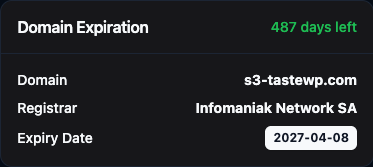
- Domain expiry alerts
- Multi-region monitoring (global probe checks)
- WordPress core update alerts
- Plugin update visibility
- Theme update visibility
- PHP version tracking
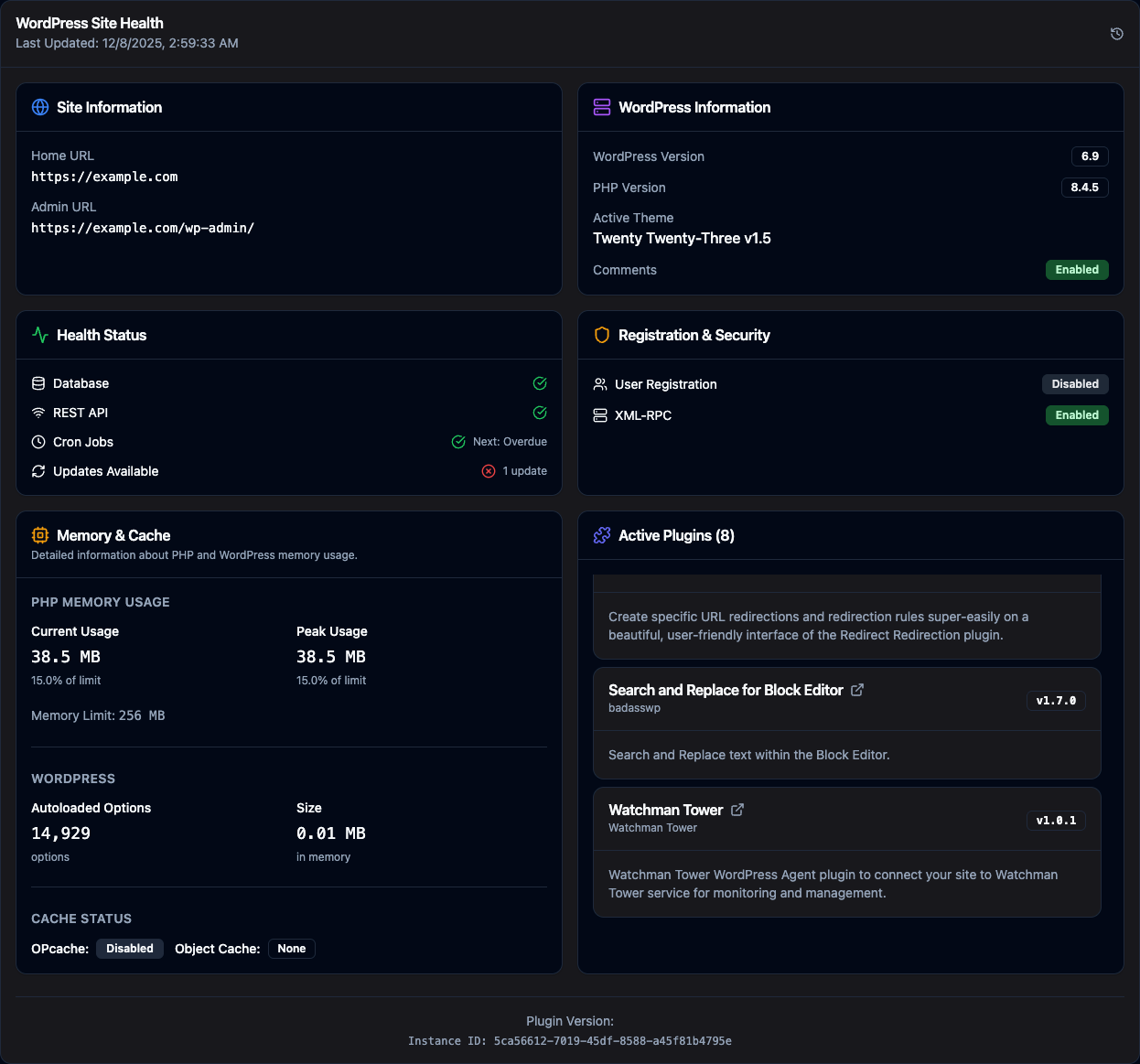
- Active plugin list reporting
- Cron health checks
- Security posture visibility (XML-RPC, open registration)
- Automatic site registration with Watchman Tower
- Secure token-based communication
- Lightweight heartbeat system (no performance impact)
- Cache-compatible and CDN-safe request structure
- Manual “Send Heartbeat Now” action
- One-click unlink functionality
- Manage all client WordPress sites from one centralized dashboard
- Start with 10 monitored sites for free
- Upgrade seamlessly as your agency grows
- Share public status pages with clients
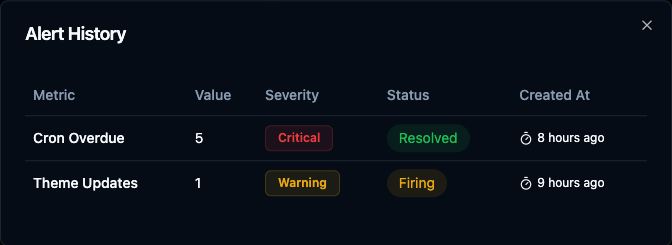
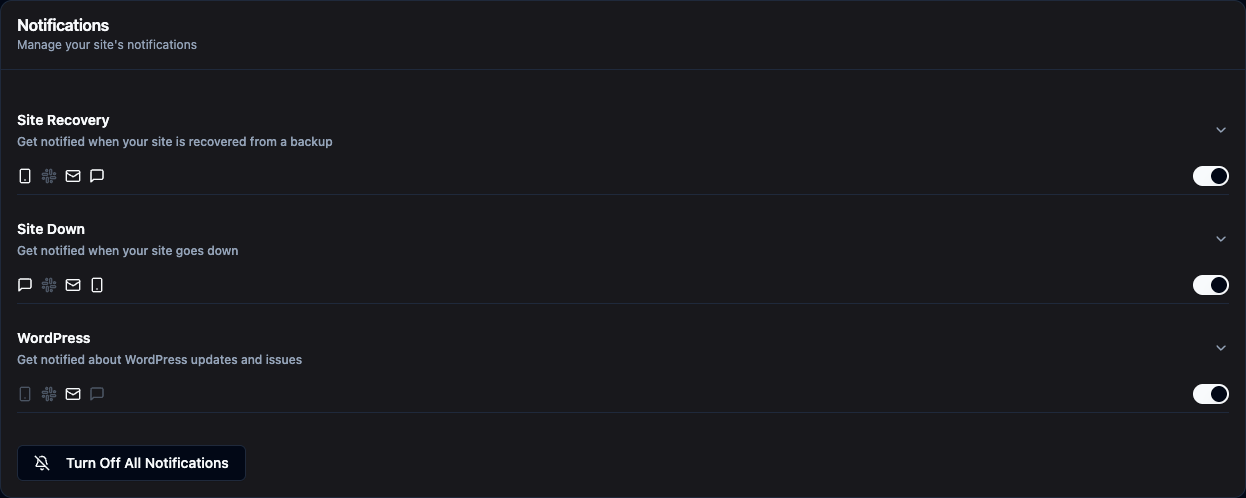
- Configure alerts via Email, Slack, Push, and SMS
安装:
- Upload the plugin ZIP via Plugins → Add New → Upload Plugin
- Activate the plugin
- Go to Settings → Watchman Tower
- Choose one of two options:
- Create a new account: Sign up directly with your email (password optional)
- Use existing token: Paste your Watchman Tower integration token
- Complete the connection setup
- Heartbeat and performance metrics will begin automatically
屏幕截图:
常见问题:
Do I need a Watchman Tower account?
You can create one directly from the plugin settings page, or use an existing account with an integration token.
Can I create an account from the plugin?
Yes! You can create a new Watchman Tower account directly from the plugin settings page using just your email address (password is optional).
Does this slow down my site?
No. All requests are lightweight and run on a controlled schedule via WordPress Cron.
What metrics are collected?
Heartbeat signals including uptime, performance data, WordPress version, PHP version, active plugins, and security posture (XML-RPC and open-registration state).
Is my data secure?
Yes. Tokens are stored securely in your WordPress database and all communication happens via HTTPS with Bearer token authentication.
更新日志:
2.1.2
- Security: removed authentication debug details from unauthorized heartbeat responses.
- Security: removed the built-in fallback signing key; requests are now rejected outright when no site secret is configured.
- Fixed the REST health metric so it reflects an actual measurement instead of a hardcoded value.
- Fixed the manual-send flag so scheduled heartbeats are no longer reported as manual.
- Added the "Send Heartbeat Now" button to the Connected screen; it was documented but missing from the UI.
- Confirmed compatibility with WordPress 7.1.
- Added domain validation during registration to block tokens from being connected to the wrong WordPress site.
- Improved connection error handling so domain mismatch responses are shown clearly in the plugin UI.
- Added setup guidance on the account creation and existing token screens to remind users to use a token for the current site domain.
- Refactored the Connected screen Quick Actions area into a dedicated component.
- Added domain monitoring details to the Quick Actions status widget.
- Added SSL monitoring details to the Quick Actions status widget.
- Added visual severity badges for domain expiry, SSL expiry, and certificate trust state.
- Improved Connected screen status rendering with cleaner client-side structure.
- Major release with complete UI overhaul and enhanced monitoring features.
- Added ability to create Watchman Tower account directly from WordPress settings.
- Improved connection flow with step-by-step guided screens.
- Enhanced heartbeat system with real-time status updates.
- Added manual "Send Heartbeat Now" functionality.
- Improved connection status tracking and display.
- Added one-click site unlinking capability.
- Enhanced error handling and user feedback.
- Optimized API communication for better performance.
- Updated admin interface with modern, user-friendly design.
- Added comprehensive site health reporting.
- Improved security with enhanced token management.
- Added custom header metadata to all outgoing API requests for improved request tracking.
- Minor code cleanup and stability improvements.
- Initial release
- Lightweight heartbeat system
- Plugin settings page
- Secure authentication
- Scheduled metric sending