WBJet-HelloTap
| 开发者 | dhirasharma |
|---|---|
| 更新时间 | 2025年12月11日 20:27 |
| PHP版本: | 5.0 及以上 |
| WordPress版本: | 6.9 |
| 版权: | GPLv2 or later |
| 版权网址: | 版权信息 |
详情介绍:
Are you missing out on potential customers? Make it incredibly easy for your visitors to connect with you. WBJet-HelloTap adds a professional, floating contact button to your site, allowing visitors to start a WhatsApp chat or call your business with a single click. Turn your website traffic into paying customers!
For more information and other plugins, visit our website at WBJet.com.
Key Features:
- WhatsApp & Call Buttons: Provide instant contact options for your visitors.
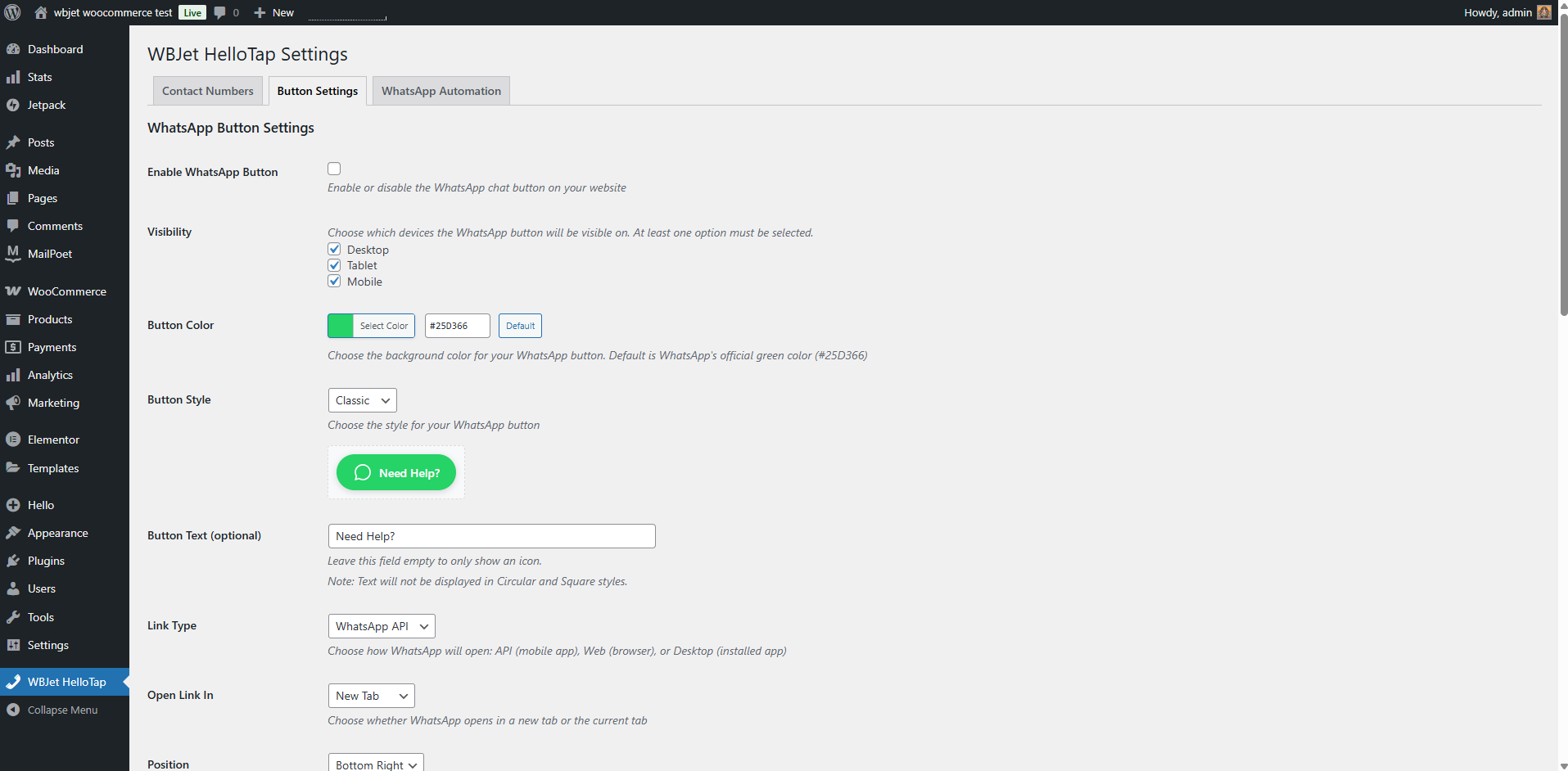
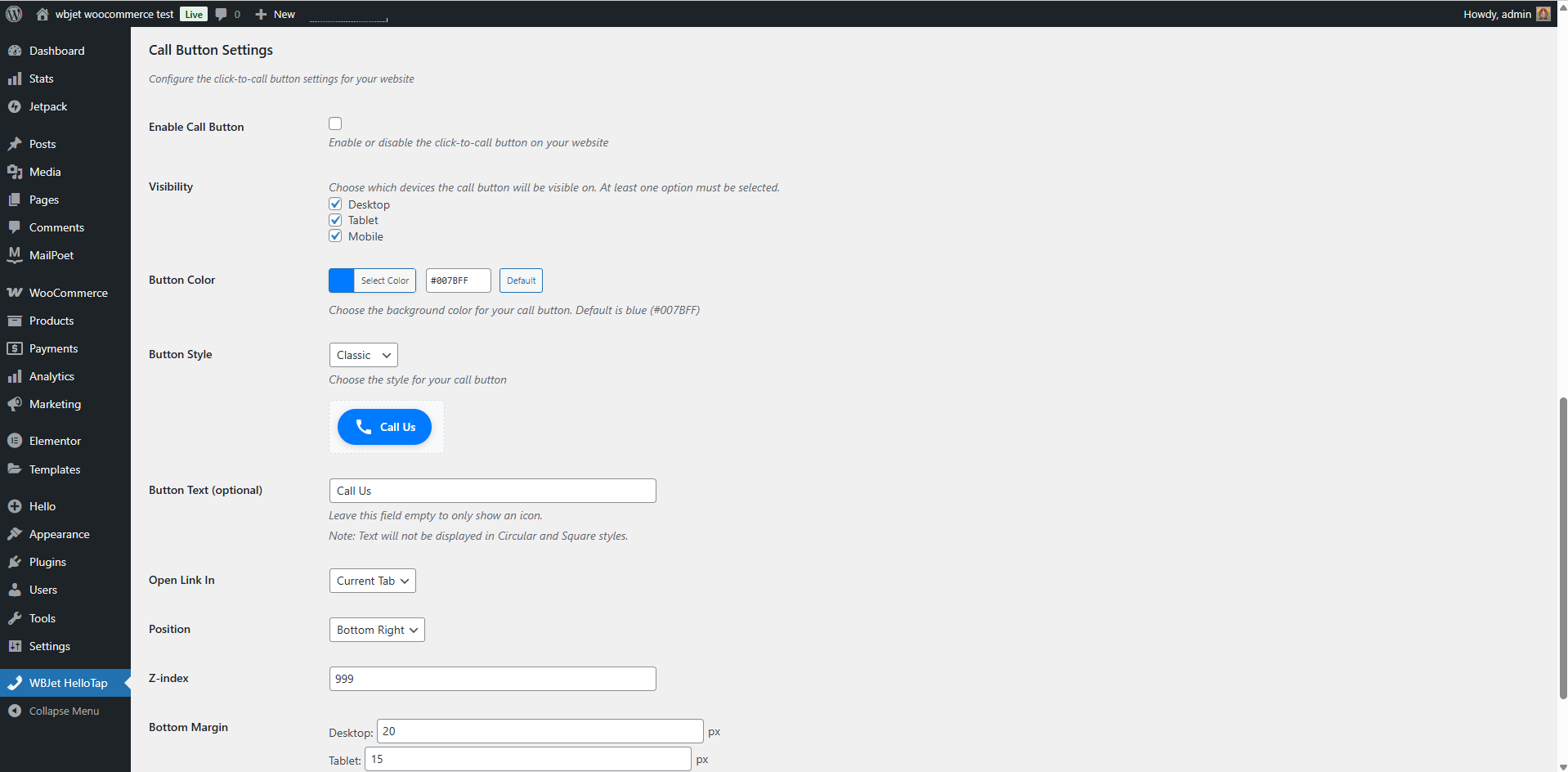
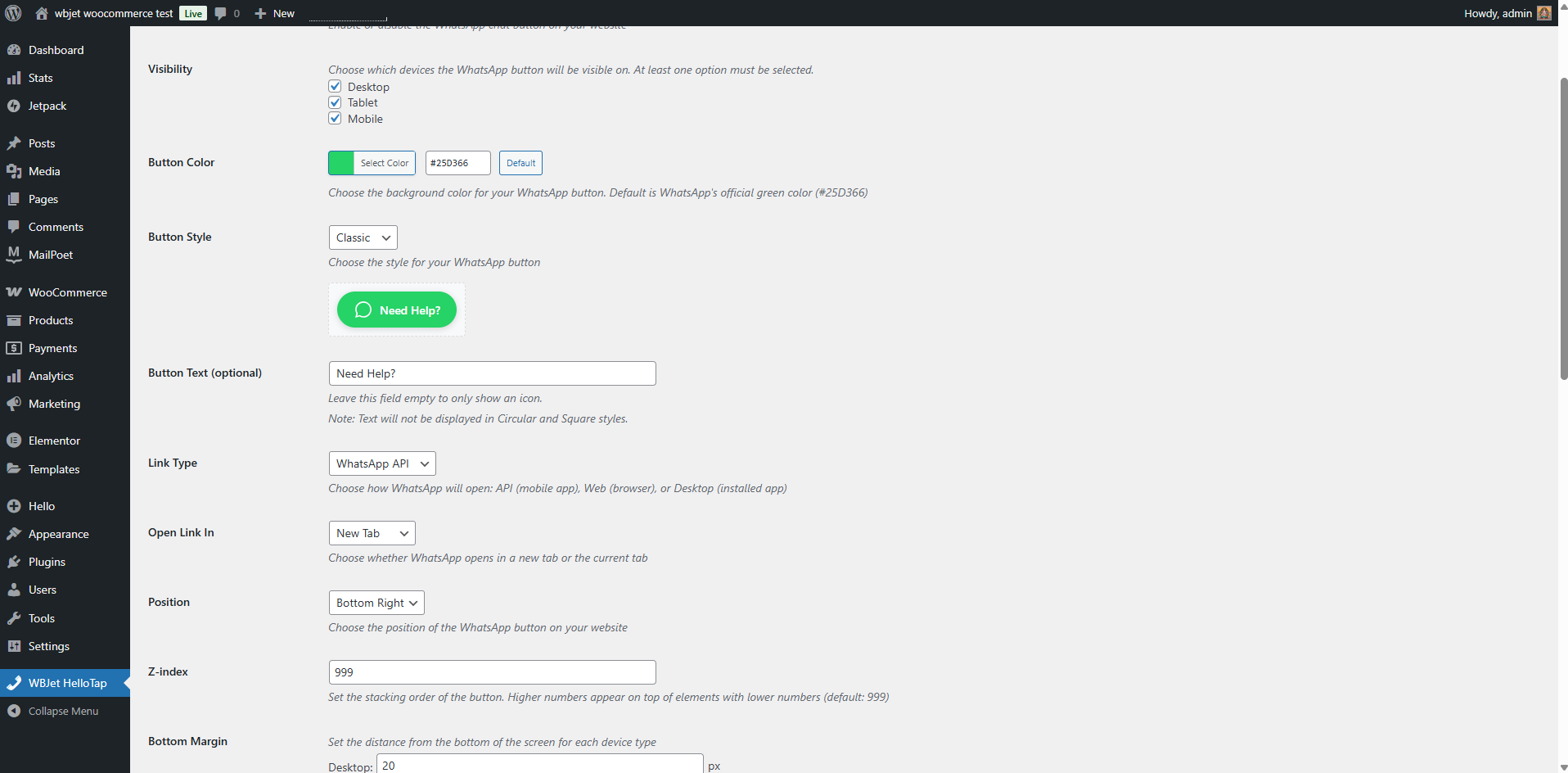
- Highly Customizable: Match your brand perfectly. Customize colors, position (left/right), button text, and more.
- Device Visibility Control: Choose to show buttons on desktop, tablet, or mobile devices—or all three.
- Multiple WhatsApp Link Types: Use a simple link or a pre-filled message to make it even easier for customers.
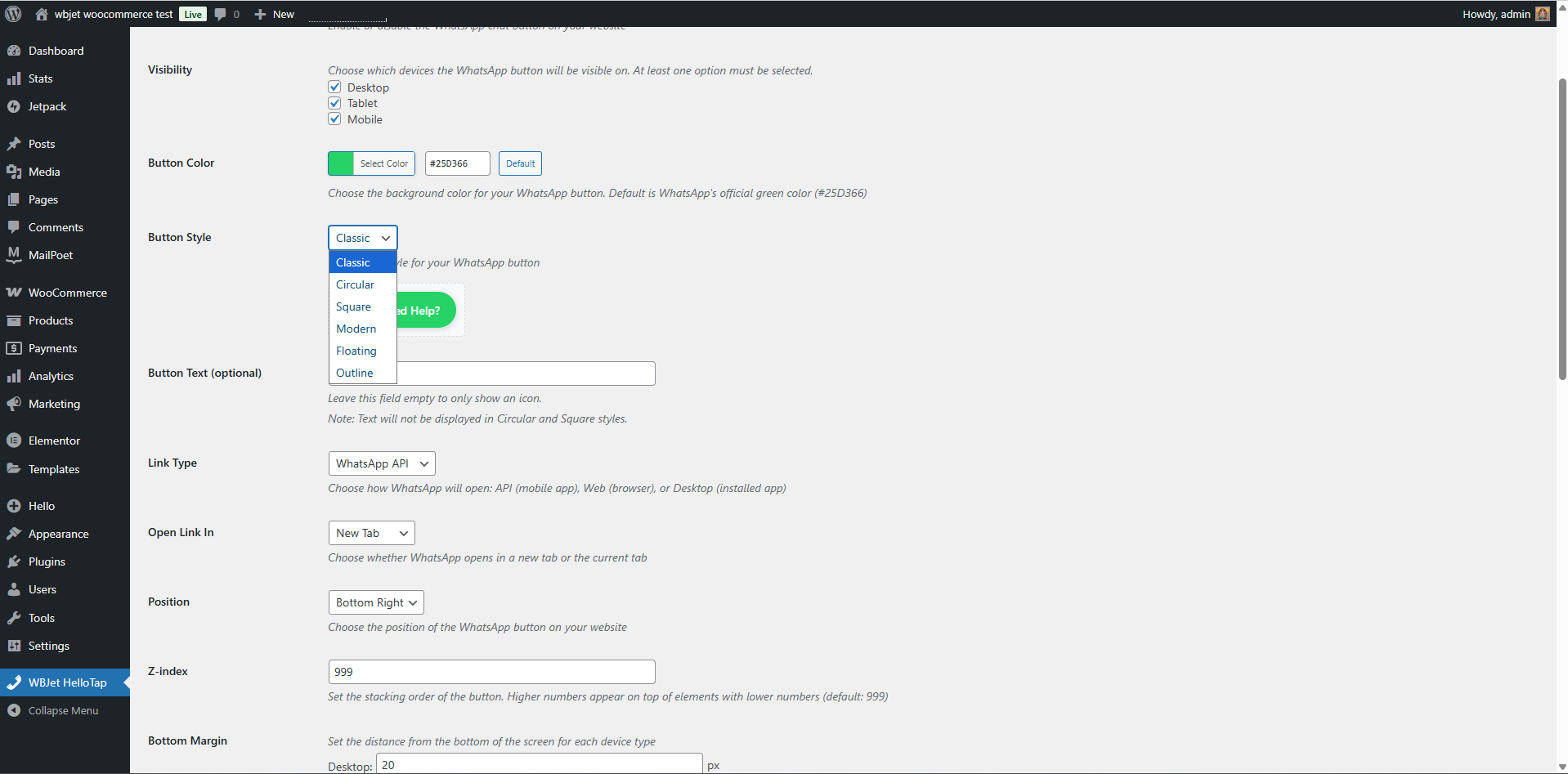
- Advanced Styling Options: Select from multiple button styles (Classic, Circular, Modern, etc.) and fine-tune margins and Z-index for perfect placement.
- Lightweight & Fast: Built for performance. WBJet-HelloTap won't slow down your website.
- Easy to Use: No coding required! A simple and intuitive settings page makes configuration a breeze.
安装:
- Upload the plugin files to the
/wp-content/plugins/wbjet-hellotapdirectory, or install the plugin through the WordPress plugins screen directly. - Activate the plugin through the 'Plugins' screen in WordPress.
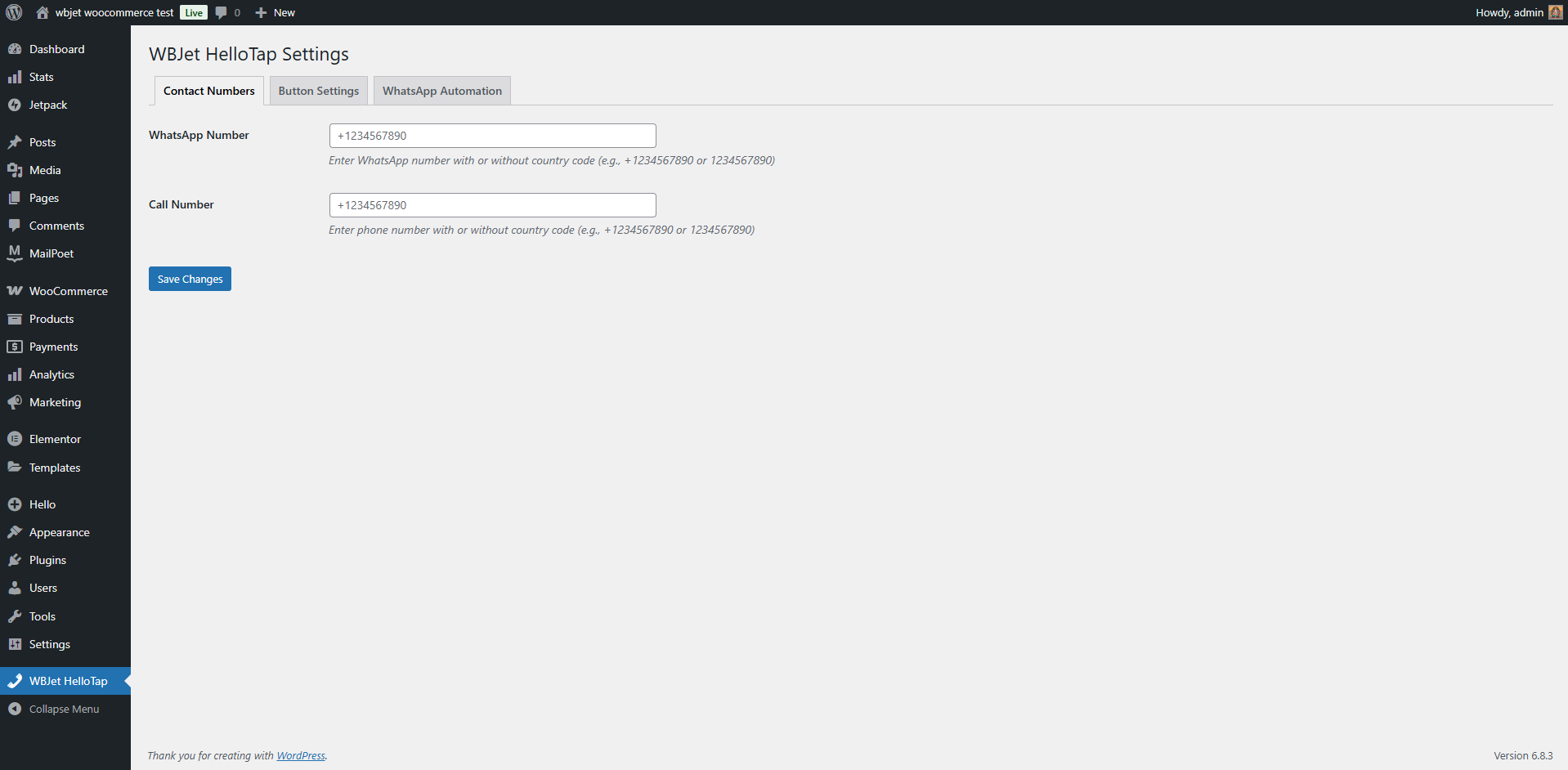
- Navigate to Settings > WBJet HelloTap to configure the plugin and bring your contact buttons to life!
屏幕截图:
常见问题:
Can I customize the button colors and style?
Yes! You have full control over the colors, text, and style of both the WhatsApp and Call buttons from the settings panel.
Can I control where the buttons appear?
Absolutely. You can set the buttons to appear on desktop, tablet, and mobile devices independently. You can also adjust their position on the screen.
Will this plugin slow down my website?
Not at all. WBJet-HelloTap is designed to be lightweight and optimized for speed.
Can I use a pre-filled message for WhatsApp?
Yes, you can configure a default message that will automatically appear when a user clicks the WhatsApp button, making it even faster for them to contact you.
更新日志:
1.0.5
- Fixed missing readme.txt header and updated 'Tested up to' version.
- Added Hindi translation. Internationalized the plugin.
- Added author website link to description.
- Fixed bug where too many tags were used, causing a warning in the plugin directory.
- Optimized plugin description and details for better visibility.
- Initial release