WC Entity Mapper
| 开发者 | spk100 |
|---|---|
| 更新时间 | 2026年8月13日 14:27 |
| 捐献地址: | 去捐款 |
| PHP版本: | 8.0 及以上 |
| WordPress版本: | 7.1 |
| 版权: | GPLv2 or later |
| 版权网址: | 版权信息 |
详情介绍:
yourdomain.com/entitymap.json- a structured, entity-first knowledge index that AI retrieval systems can read directlyyourdomain.com/entitymap.html- a human- and crawler-readable companion view
- Scans your published posts and pages and automatically extracts entity candidates - the named concepts, products, people, and topics your site covers
- Pulls descriptions from your existing SEO meta (Yoast, RankMath, or All in One SEO), falling back to excerpts and content
- Builds evidence chunks - short, attributed passages from your content - for each entity
- Suggests relationships between entities that share tags or categories
- Lets you review, edit, and refine everything in a clean admin interface
- Validates your entitymap against the spec before publishing
- Serves both files live via WordPress - no static file generation needed
- Injects discovery signals automatically: a
<link rel="entitymap">tag in every page's<head>, anEntityMap:directive in yourrobots.txt, and a footer reference to the HTML companion file
sitemap.xml tells crawlers what pages exist, entitymap.json tells AI systems what your site knows - which entities you cover, how you define them, and what evidence backs them up. It also keeps your publisher name attached to every passage, so attribution survives when AI systems extract and redistribute your content.
Compatibility:
The plugin reads SEO meta descriptions from Yoast SEO, RankMath, and All in One SEO if installed. It works without them too.
Privacy:
This plugin does not collect, transmit, or store any user data. It does not make external HTTP requests. All processing happens locally on your server.
安装:
- Upload the
wc-entity-mapperfolder to the/wp-content/plugins/directory, or install directly through the WordPress Plugins screen. - Activate the plugin through the Plugins screen in WordPress.
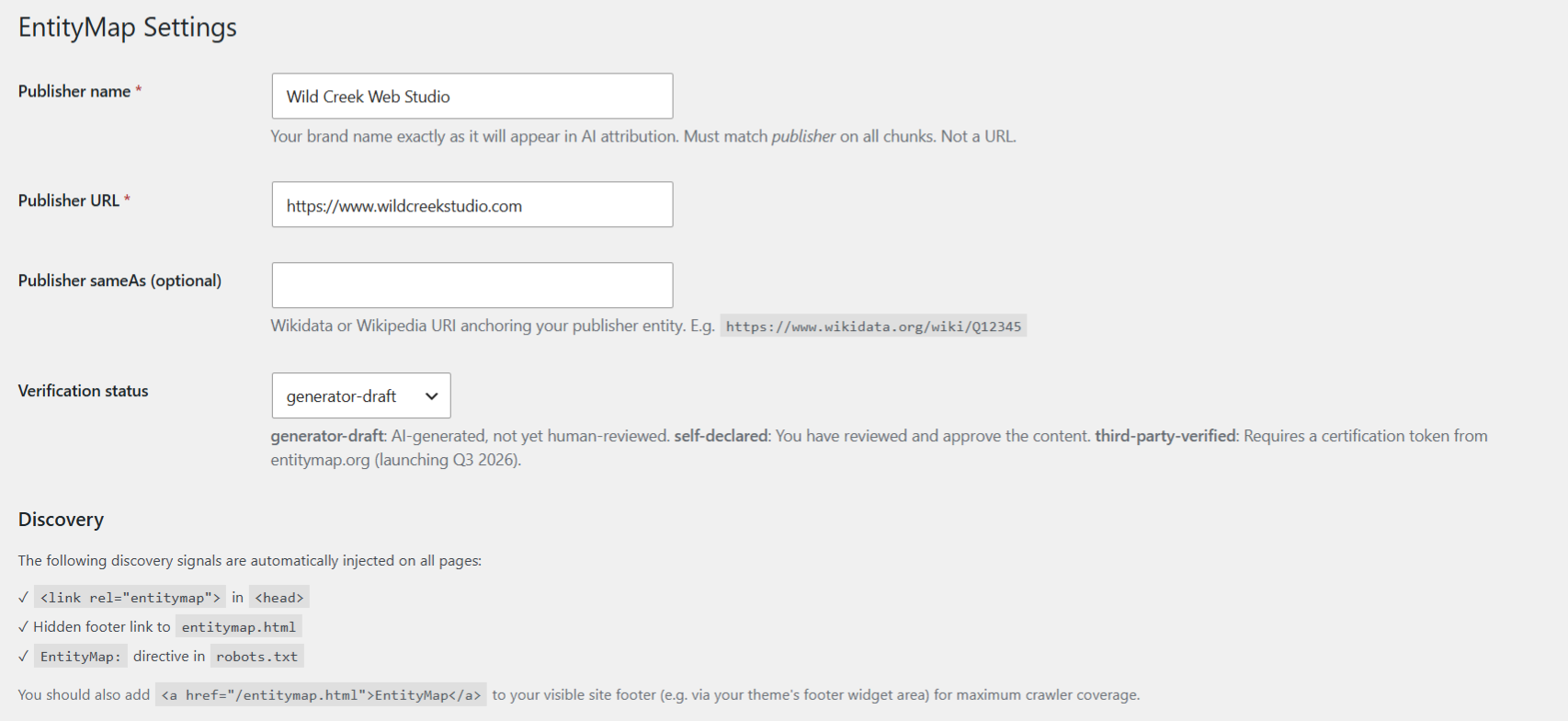
- Go to WC Entity Mapper → Settings and confirm your publisher name - this is the name that will appear in AI attribution on every content chunk.
- Go to WC Entity Mapper → Dashboard and click Re-extract from site content to generate your initial entity list.
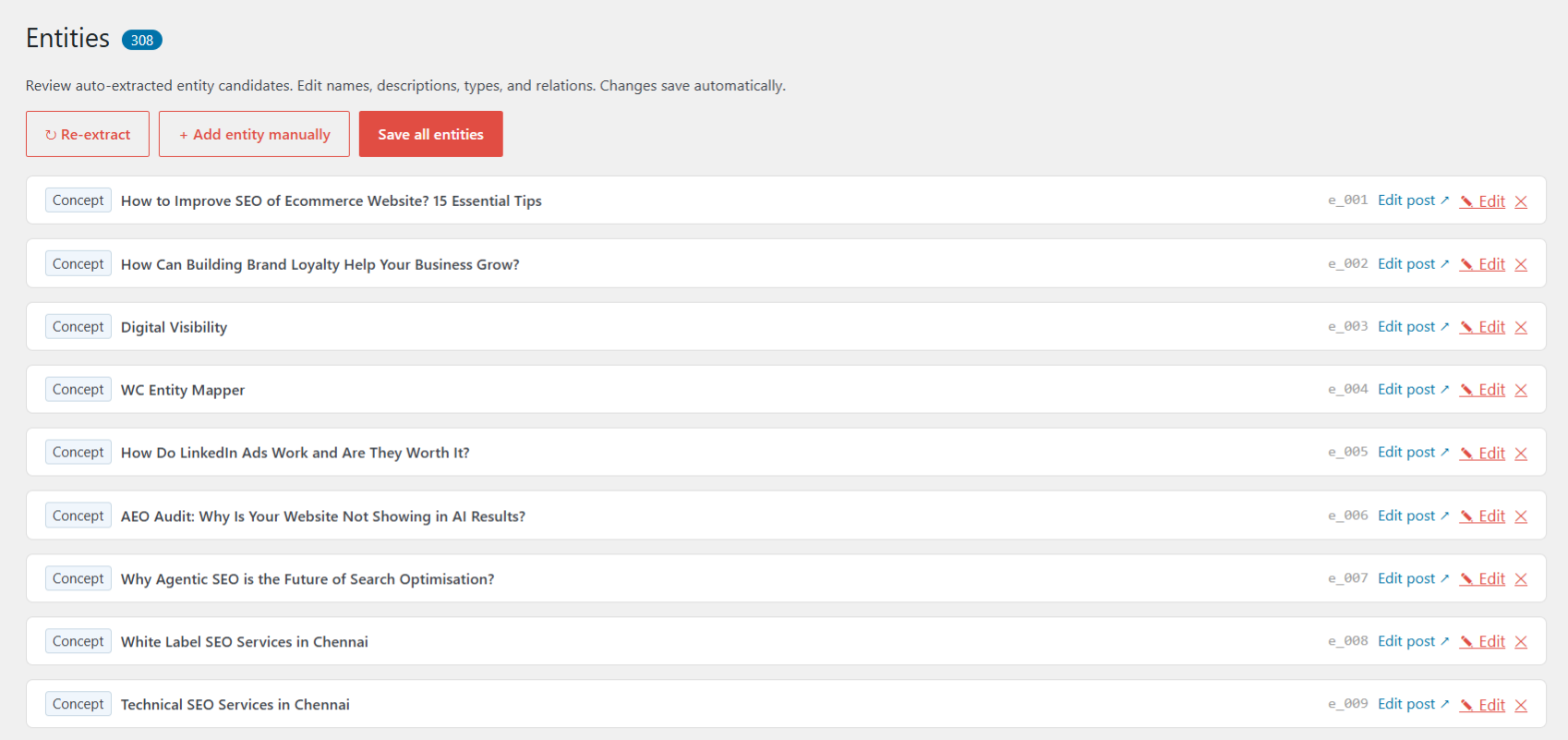
- Go to WC Entity Mapper → Entities to review, edit, and approve the extracted entities and their relationships.
- Click Validate & Publish to make your
entitymap.jsonlive.
yourdomain.com/entitymap.json to confirm the file is live.
Optional: Add a visible link to entitymap.html in your site footer via your theme's footer widget area or footer editor. This is recommended by the EntityMap spec as the most reliable discovery mechanism for crawlers.屏幕截图:
常见问题:
What is EntityMap?
EntityMap is an open standard for publishing a structured knowledge index of your website, designed for AI systems, large language models, and retrieval-augmented generation (RAG) pipelines. Where sitemap.xml tells crawlers what pages exist, entitymap.json tells AI systems what concepts your site covers, how they relate, and where the evidence is. The standard was created by Fred Laurent and Dixon Jones and is published at entitymap.org. This plugin is inspired by the EntityMap v1.0 spec.
Do I need to know JSON or coding to use this?
No. The plugin handles all the JSON generation. You review and edit your entities through a point-and-click admin interface.
How does auto-extraction work?
When you click "Re-extract from site content," the plugin scans your published posts and pages. For each post, it uses the title as the entity name, pulls the meta description from your SEO plugin (or the excerpt/content if no meta description exists), and builds evidence chunks from the post content. Relationships between entities are suggested based on shared tags and categories.
What are "chunks"?
Chunks are short evidence passages (up to 600 characters each) extracted from your post content. The EntityMap spec allows up to 5 chunks per entity. Each chunk carries the source URL, page title, and your publisher name - so AI systems know exactly where the information came from and who published it.
What are "relations"?
Relations are typed connections between your entities - for example, PART_OF, DEPENDS_ON, or RELATES_TO. The plugin auto-suggests RELATES_TO relations between posts that share tags or categories, marked with a ✦ symbol so you know which ones were machine-generated. You can edit, change the predicate, or delete any relation.
What is verificationStatus?
The spec defines three levels: generator-draft (AI-generated, not yet human-reviewed), self-declared (you've reviewed and approve the content), and third-party-verified (certified by the EntityMap registry, launching Q3 2026). The plugin defaults to generator-draft. Once you've reviewed your entities, you can upgrade to self-declared in Settings.
Does this replace schema.org structured data?
No - they serve different purposes. Schema.org markup helps search engines with rich results. EntityMap is specifically designed for AI retrieval systems and RAG pipelines. They complement each other and you should use both.
Does this plugin work with caching plugins?
Yes. The entitymap files are served dynamically via WordPress's query system. If you use a caching plugin that serves static files, you may need to exclude /entitymap.json and /entitymap.html from caching, or flush the cache after publishing.
Will this affect my site speed?
No. The discovery signals (head link tag, robots.txt directive, footer reference) add a negligible amount of output to each page. The entitymap files themselves are only loaded when specifically requested.
What if my publisher name changes?
Update it in WC Entity Mapper → Settings. The plugin will automatically update the publisher name on all chunks to keep attribution consistent. The EntityMap spec requires the publisher field on every chunk to exactly match the root publisher name - case, spacing, and all.
更新日志:
- Fixed: Finalise step still failing after v1.0.13. Root cause: wcem_ajax_extract_start wrote the complete entity list (~23 MB) to entities-snapshot.json, then finalise loaded both that snapshot AND the fresh draft file at the same time, pushing peak PHP memory to ~125 MB — above the 128 MB limit common on shared hosts. Fix: extract_start now writes a compact snapshot containing only manually-created entities and manually-added (non-auto-suggested) relations. For sites where all content is auto-extracted the compact snapshot is ~100 bytes. Finalise loads the compact snapshot first (tiny), then the draft, keeping peak memory well under any reasonable limit. Pass-by-reference added to suggest_relations_for_set and suggest_relations to avoid a second copy of the entity array during relation suggestion.
- Fixed: Finalise step was failing with a 500 error on sites with more than ~500 entities. The root cause was wcem_persist_entities() serializing the full entity array (~40 MB for 5,634 entities) and attempting a MySQL INSERT via $wpdb->replace(). MySQL's default max_allowed_packet (16 MB) rejects the write, which on PHP 8.x corrupts the AJAX response and returns HTTP 500. Entities are now persisted to the JSON file only when the set exceeds 500 — the DB write is skipped. wcem_get_entities_raw() already reads from the file first, so nothing changes for callers.
- Fixed: Finalise step was timing out on large sites because suggest_relations_for_set made 2 DB queries per entity (11,268 queries for a 5,634-post site). Replaced with a single bulk SQL join across all post IDs.
- Fixed: Added 512M memory limit and 300s time limit to the finalise handler.
- Fixed: Existing entity snapshot in extract_start was written to a transient (same MySQL size problem as the batch buffer). Now written to a JSON file on disk, eliminating the 500 error on sites with large existing entity sets.
- Fixed: Chunked extraction now writes each batch directly to a draft JSON file on disk instead of accumulating in a WordPress transient. This eliminates the silent failure at ~2300 entities caused by MySQL max_allowed_packet limits on the growing transient row.
- Fixed: Relation suggestion now runs across the full merged entity set at finalise time, so cross-batch tag/category relationships are correctly detected on large sites.
- Fixed: Use PHP 8 spread operator for $wpdb->prepare() on variable post type lists (cleaner than call_user_func_array)
- Updated minimum PHP requirement to 8.0
- Fix: Removed non-ASCII characters (UTF-8 box-drawing and arrow glyphs) from PHP comments -- these caused parse errors on PHP 7.4 hosts without full mbstring support.
- Fix: PHP 7.4 compatibility — removed spread operator and null coalescing shorthand that caused parse errors on PHP 7.4 hosts.
- Fix: Extract start now uses a direct COUNT SQL query instead of WP_Query — eliminates 500 errors on large sites caused by memory exhaustion on the very first AJAX call.
- Fix: Each extraction batch now raises memory limit to 256M and time limit to 60s as a safety net on constrained hosts.
- Fix: Diagnose output now shows robots.txt status (directive present/missing/not writable) directly on screen.
- Fix: Plugin now auto-refreshes rewrite rules and robots.txt after any update method — FTP, WP-CLI, or WP admin — without requiring deactivate/reactivate.
- Fix: EntityMap directive now written to physical robots.txt files on disk (previously only the virtual WordPress robots.txt was updated).
- Fix: Re-extraction no longer times out on large sites — extraction now runs in sequential batches of 50 posts per request instead of one blocking call.
- Tweak: Validate & Publish also refreshes the robots.txt directive.
- Initial release.
- Auto-extraction of entities from posts and pages.
- SEO meta description support (Yoast, RankMath, All in One SEO).
- Relation auto-suggestion from shared tags and categories.
- Built-in validator against EntityMap v1.0 spec.
- Admin interface for reviewing and editing entities, chunks, and relations.
- Live serving of entitymap.json and entitymap.html via WordPress rewrite rules.
- Discovery signal injection: head link tag, robots.txt directive, footer reference.