
WPHEKA Search & Filter Orders by Product
| 开发者 |
akshayaswaroop
wpheka |
|---|---|
| 更新时间 | 2026年11月13日 15:17 |
| 捐献地址: | 去捐款 |
| PHP版本: | 8.1 及以上 |
| WordPress版本: | 7.1.4 |
| 版权: | GPLv3 |
| 版权网址: | 版权信息 |
详情介绍:
- Product or a single variation. A variable product also finds orders of its variations.
- Product type
- Product category, including its sub-categories
- SKU or the start of a SKU
- Payment method
- Shipping method
- Billing country
- A "Purchased" column in the orders list showing the items of each order.
- Fast on large stores. Filters are added to WooCommerce's own order query. When WooCommerce Analytics data is available its indexed tables are used. Tested with 100,000 orders.
- Works with High-Performance Order Storage (HPOS) and with the older posts storage.
- Developer hooks to add your own filters. See Developer hooks in the documentation.
安装:
- WordPress 6.5 or later
- WooCommerce 7.9 or later
- PHP 8.1 or later
-
Install the plugin through the WordPress plugins screen or upload the plugin folder to the
/wp-content/plugins/directory. - Activate the plugin through the Plugins screen.
- Go to WooCommerce > Orders. The product, product type and category filters are shown straight away.
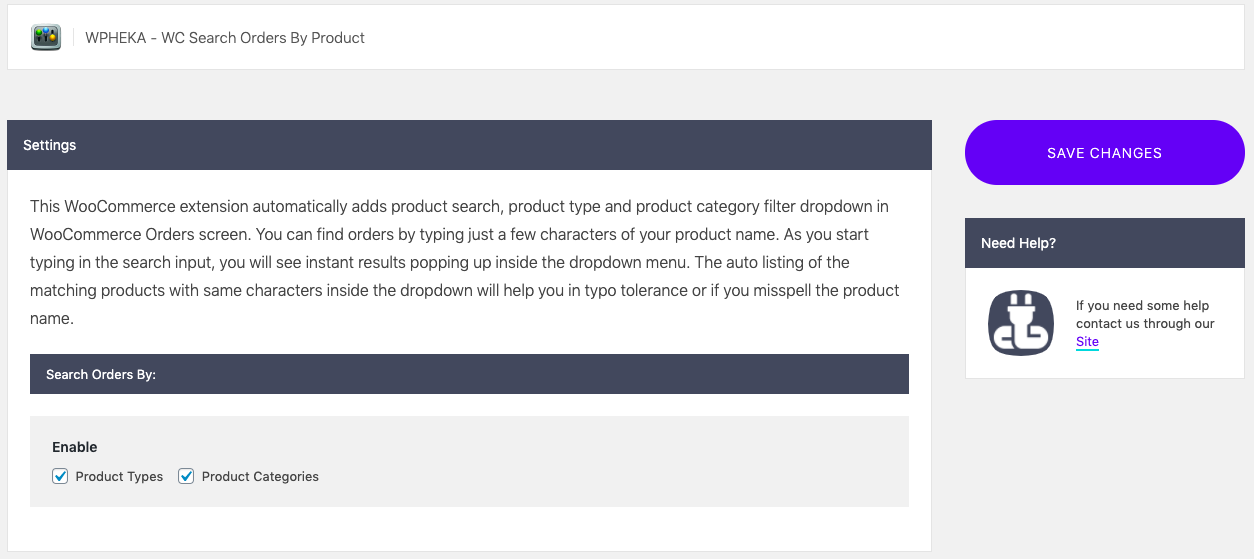
- To switch other filters or the Purchased column on or off, go to WPHEKA > Search Orders.
屏幕截图:


常见问题:
Why are some filters not shown?
SKU, payment method, shipping method and country filters are off until you switch them on under WPHEKA > Search Orders.
Does the SKU filter find renamed SKUs?
It matches each product's SKU as it is today, because WooCommerce does not save the SKU on the order. If you rename a SKU, search by the new one: the old orders still come back, because the match is made through the product. Orders of a product you have since deleted cannot be found by SKU.
Is it fast on a store with many orders?
Yes. Filters run inside WooCommerce's own order query instead of loading every order first. If WooCommerce Analytics has imported your order history, the plugin uses its indexed tables and its settings page shows Fast lookup as On.
Can shop managers use it?
Yes. Anyone who can manage orders can use the filters. Shop managers can also change the settings under WPHEKA > Search Orders.
Does the plugin send any data?
Only if you choose to. When you deactivate the plugin you can send an optional feedback form, which sends your reason, site address and email address (if you enter one) to wpheka.com. Nothing is sent unless you submit that form.
Can I filter by more than one product at once?
Not on the orders screen: there each filter takes one value. One product or variation, one product type, one category, one SKU or SKU start, one payment method, one shipping method, one billing country. What the filters do is work together, so "this product, paid by cash on delivery, from Canada" is one search.
Does it work with High-Performance Order Storage?
Yes. It also works with the older posts storage. The filters are added to WooCommerce's own order query either way, so the status tabs and pagination keep working. The Trash view is not filtered.
What is the Purchased column?
A column next to the order number listing the items of each order, so you can see what is in an order without opening it. It is on by default and can be switched off under WPHEKA > Search Orders.
更新日志:
- Tweak - The plugin is now called WPHEKA Search & Filter Orders by Product. New listing text.
- Enhancement - WordPress 7.1.4 compatibility.
- Enhancement - The Docs and Developer hooks links now open the documentation at docs.wpheka.com.
- Tweak - The deactivation feedback dialog uses
.trigger( 'focus' )instead of jQuery's deprecated.focus()shorthand.
- Requires WooCommerce 7.9 or later: the order filters on the HPOS screen need it.
- Fix - On sites in a right-to-left language the options under a switch on the settings page were indented on the wrong side. They now line up with the switch.
- Notices from WordPress and other plugins no longer show on the settings page, where they printed above the header and then jumped into place. They still show on every other screen.
- Fix - On sites in a right-to-left language (such as Arabic or Hebrew) the settings page sat 20px off the edge of the window and scrolled sideways. The page now mirrors fully.
- Fix - Keyboard focus now shows a ring on every control of the settings page.
- The old WooCommerce > Settings > Advanced > Search orders by product section no longer shows an unused Save button.
- Enhancement - Settings moved to one new page under WPHEKA > Search Orders, in the same design as our other plugins. Every option is there, including the categories the category filter lists, with a search box for stores with many categories. Your settings are kept as they are.
- Enhancement - The settings page shows which filters are on, whether fast lookup is in use and how many orders the store has, with a short getting-started list.
- Enhancement - WooCommerce > Settings > Advanced > Search orders by product now links to the new page.
- Enhancement - Shop managers find the page in the WPHEKA menu.
- Enhancement - Settings save with a normal form, so they also save with JavaScript off.
- Fix - A line removed from an order no longer matches a filter through out-of-date WooCommerce Analytics data.
- Fix - Filtering stays fast when many orders changed since the last check.
- Dev - New hooks wc_search_orders_by_product_settings_sections and wc_search_orders_by_product_settings_nav add sections to the settings page. The wc_search_orders_by_product_settings_fields filter no longer runs, as the WooCommerce section has no fields.
- Enhancement - WooCommerce 11.2.1 compatibility.
- Feature - New filters: SKU, payment method, shipping method and billing country. Switch them on in WooCommerce > Settings > Advanced > Search orders by product.
- Feature - A "Purchased" column in the orders list shows the items of each order.
- Feature - The category filter now includes sub-categories and shows the category tree. You can limit which categories it lists.
- Feature - Settings are also under WooCommerce > Settings > Advanced, where shop managers can change them.
- Enhancement - Much faster on large stores. Filters are added to WooCommerce's own order query instead of loading every order first. On a test store with 100,000 orders the plugin's filtering takes 0.1 to 1.2 seconds instead of 7 to 10 seconds. The product type filter no longer times out.
- Enhancement - The filters on the orders screen sit on their own line and use WooCommerce's searchable dropdowns.
- Enhancement - Redesigned settings page with a short description for each option.
- Enhancement - The product type and category filters are on by default, as the description always said.
- Enhancement - Developer hooks to add filters, conditions and settings (docs/hooks.md).
- Fix - Orders in statuses registered by other plugins are no longer dropped from filtered results.
- Fix - The review request could never appear on stores using High-Performance Order Storage.
- Fix - Removed an unused AJAX handler and a broken settings registration.
- Fix - Save Changes on the settings page works again. Since 3.3 every save was refused, so the product type and category filters could not be switched on or off.
- Fix - Saving the settings now requires the same permission as opening the settings page.
- Fix - Closing the review request with its X now hides it for 14 days for that user instead of returning on the next Dashboard load.
- Enhancement - WordPress 7.1.2 compatibility.
- Fix - The plugin no longer interferes with WooCommerce Subscriptions. The subscriptions list could come up empty, and Subscriptions could be handed orders where it expected subscriptions.
- Fix - On stores using High-Performance Order Storage, a filtered orders list now respects the selected status tab and pagination, and trashed orders show in the Trash view.
- Fix - The orders list is left untouched when no product filter is selected.
- Enhancement - WooCommerce 11.1.2 compatibility.
- Feature - Asks for a review on the Dashboard once the plugin has been used, with a link that pre-selects a five-star rating. Shown only after three filtered order searches, dismissed per user rather than for the whole site, and never shown again once dismissed.
- Security - The deactivation feedback handler required neither a nonce nor a capability. Both are now checked, and the nonce is compared correctly.
- Security - Escaped remaining admin output, including the settings screen and the deactivation dialog's inline script.
- Fix - Order filtering no longer produces an SQL error when a filter matches no products.
- Fix - Fourteen admin strings are translatable again. Twelve passed a variable as their text domain, which translation tools cannot extract, and two had no text domain at all.
- Fix - The deactivation dialog no longer leaves its button stuck on "Processing" when the request fails. Deactivation proceeds either way.
- Fix - The settings check returns a boolean and no longer warns when asked about an unknown setting.
- Enhancement - The settings screen now appears under the shared WPHEKA menu.
- Enhancement - Adopted the WPHEKA framework for the HPOS declaration, settings storage and the shared menu.
- Enhancement - Requires PHP 8.1 and WordPress 6.5. WordPress 7.1 and WooCommerce 11.0.1 compatibility added.
- Security - Fixed SQL injection vulnerabilities in product type filtering.
- Security - Added proper input sanitization for all $_GET parameters.
- Security - Added proper input sanitization for AJAX form submissions.
- Security - Improved output escaping in product category dropdown.
- Fix - Fixed HPOS filters to use woocommerce_order_items table instead of empty analytics table.
- Fix - Corrected all HPOS filter methods (product, category, type) to query correct tables.
- Fix - Fixed unclosed HTML option tag in product search dropdown.
- Fix - Fixed TypeError when filtering orders by product (sanitization compatibility issue).
- Enhancement - WooCommerce version 10.5.1 compatibility added.
- Enhancement - WordPress version 6.9.1 compatibility added.
- Enhancement - WooCommerce HPOS compatibility added.
- Enhancement - WooCommerce version 9.8.5 compatibility added.
- Enhancement - WooCommerce version 9.4.2 compatibility added.
- Enhancement - WordPress version 6.3 compatibility added.
- Fix - woocommerce trashed orders visibility.
- Enhancement - WordPress version 6.0 compatibility added.
- Fix - Trying to access array offset on value of type bool on plugin settings page.
- Enhancement - WooCommerce version 5.5.2 compatibility added.
- Enhancement - WordPress version 5.8 compatibility added.
- Enhancement - WooCommerce version 4.0 compatibility added.
- Enhancement - Search functionality updated.
- Enhancement - Deactivation feedback form updated.
- Enhancement - Deactivation feedback form added.
- Fix - Plugin structure updated.
- Fix - WooCommerce Version 3.8.0 compatibility added.
- Dependency fixes
- Search orders by product category functionality added.
- Initial release