
Web Directory plugin Free - AI powered
| 开发者 |
Shamalli
Mihail Chepovskiy salephpscripts mihail-chepovskiy |
|---|---|
| 更新时间 | 2026年11月12日 12:57 |
| 捐献地址: | 去捐款 |
| PHP版本: | 7.4 及以上 |
| WordPress版本: | 7.1 |
| 版权: | GPLv2 or later |
| 版权网址: | 版权信息 |
标签
下载
1.6.9
1.7.2
1.3.1
1.3.2
1.4.0
1.4.1
1.5.0
1.2.0
1.1.4
1.7.6
2.3.1
1.0.1
1.7.3
1.0.3
1.6.0
1.0.2
1.0.5
1.6.1
1.0.6
1.6.2
1.6.4
1.6.6
2.0.4
2.0.5
2.0.6
2.1.0
1.7.7
2.0
2.2.2
1.0.4
1.1.3
1.6.5
1.6.7
1.7.0
1.1.1
1.5.3
1.7.13
2.1.1
2.1.2
1.1.0
1.1.2
1.5.2
1.7.11
1.7.4
2.0.2
2.0.3
1.0.0
1.6.3
2.1.3
2.2.0
2.2.1
1.0.7
1.2.1
1.7.1
1.7.10
2.0.1
2.3.0
2.3.2
2.3.3
2.3.4
1.3.0
1.6.8
1.7.12
1.7.5
1.7.8
1.7.9
2.3.5
2.4.0
2.4.1
1.5.1
2.3.6
详情介绍:
Web Directory plugin Free is a WordPress directory plugin that turns your site into a searchable business directory. Sort listings into categories and locations, build your own listing form, drop the directory onto any page with a shortcode, and let visitors search and browse - as a list, as cards, or on an interactive map.
See Demo | Docs and Features | Get Support
Key Features
- Launch a directory in minutes - the setup wizard creates the pages and your first directory, or import one of the ready-made directories in one click.
- Design your own listing form - drag and drop the fields you need: address, photos and videos, prices, opening hours, files and more. No code.
- Show every listing on a map - pick Google Maps, Mapbox or MapLibre. Markers, clusters and popups appear on their own.
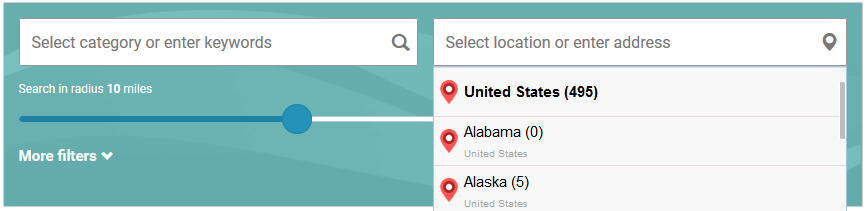
- Help visitors find what they need - build the search form the same drag-and-drop way. Any field you add can become a filter, and visitors can search within a radius of an address.
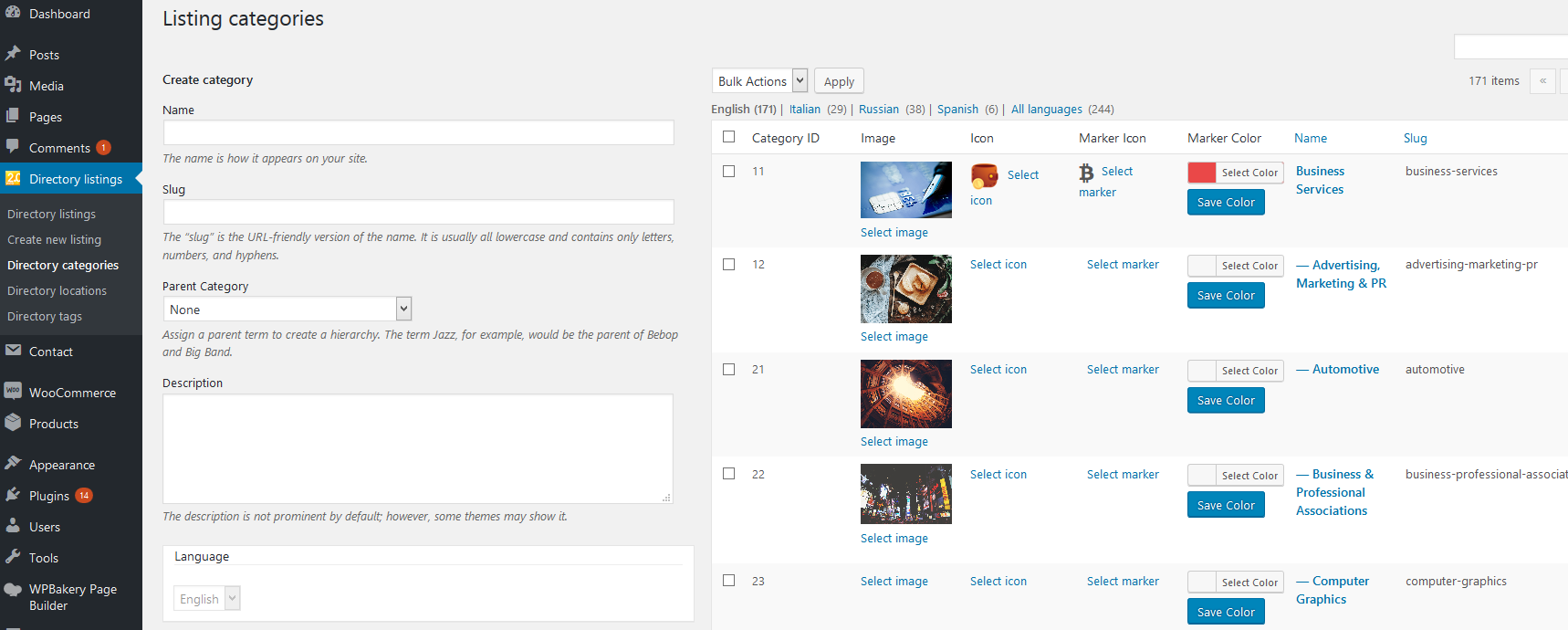
- Organise by category and location - nest them as deep as you like. Each one gets its own page, icon and map marker.
- Control how long listings stay - plans decide what a listing gets and how long it stays online. Reminder emails go out before it expires, any listing can be paused or renewed, and ownership claims wait for your approval.
- Put the directory on any page - lay it out in the built-in page builder, or drop it in as a block, a widget in Elementor and other page builders, or a shortcode.
- Rank well and stay fast - every listing and category page gets its own title, description, share image and structured data, alongside Yoast, Rank Math and other SEO plugins. A dedicated search index keeps tens of thousands of listings quick.
- Move your data in and out - import and export listings with CSV, images and categories included.
- Categories and locations are hierarchical, so Country, Region, City nests the way you expect, and each level gets its own page.
- Each category can carry its own marker icon and colour, so the map reads at a glance.
- Every category and location page is a real URL with its own listings, search and map.
- Title, Content, Excerpt
- Categories
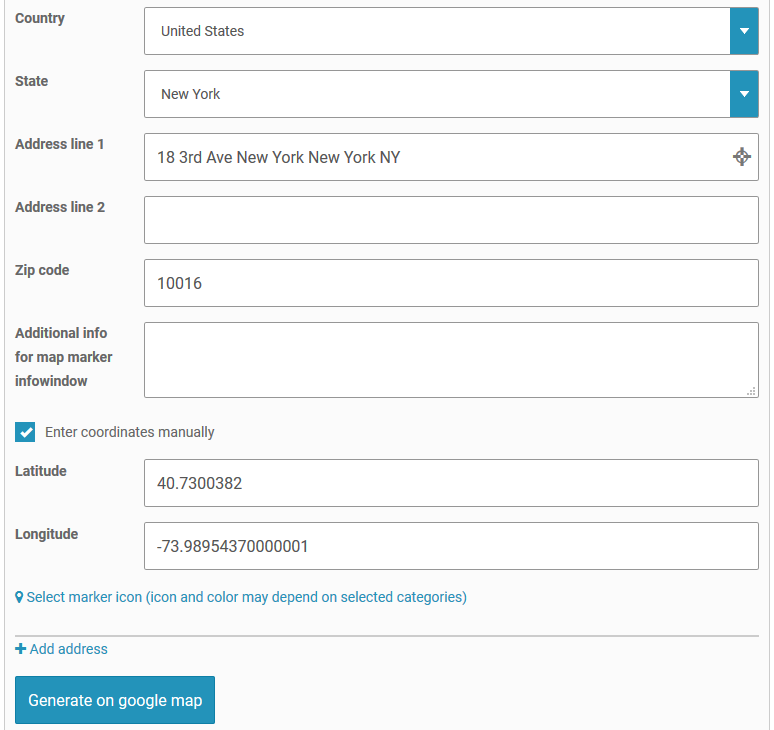
- Address and Map
- Images & Videos - photos plus YouTube or Vimeo links, shown in one gallery with a lightbox
- Contact info, Phone, Email, Website URL
- Text/string, Number, Price
- List - as a dropdown, radio buttons or checkboxes
- Date-Time
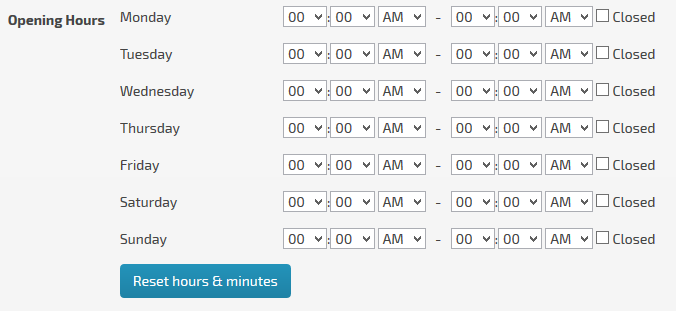
- Opening hours
- File upload
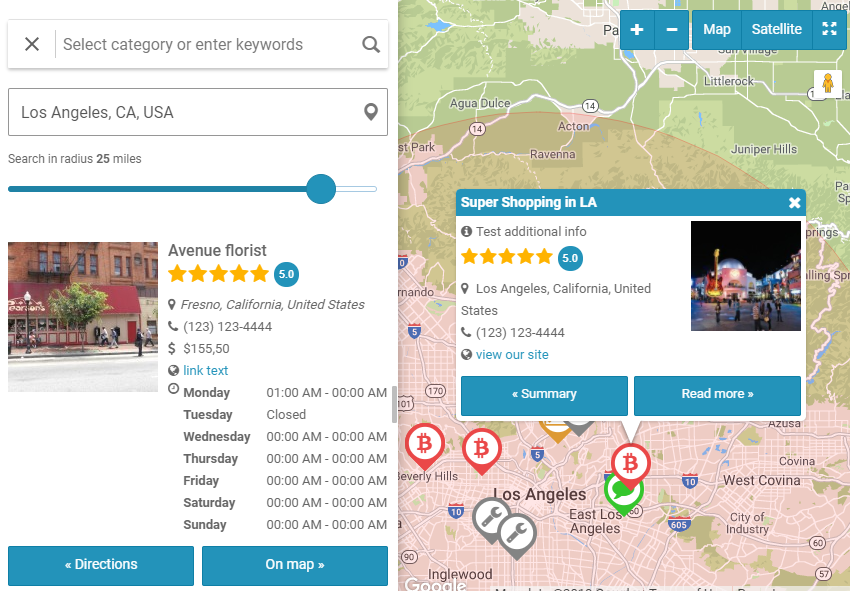
- Three engines: Google Maps, Mapbox and MapLibre with MapTiler tiles. Pick per site.
- Marker clustering, so thousands of listings stay usable.
- Per-category and per-listing marker icons.
- Rich popups built from the fields you chose, with the listing photo.
- A map sidebar that lists what is currently in view, and follows as the visitor pans.
- Radius search from an address, in miles or kilometres.
- Several layouts, including a full-width hero map and a sticky map beside the listings.
- Keyword, categories, locations, address plus radius, rating.
- Any custom field you added becomes a filter - a price range, a number range, a date, a dropdown.
- A "More filters" separator to keep the visible form short.
- Sorting by newest, oldest, title, rating, random, or any numeric or date field you defined.
- Grid and list views, with the visitor's choice remembered.
- With the AI Assistant Add-on, a whole sentence instead of a form: the filters above set themselves from it, and the visitor can drop any of them.
- CSV import and export for listings, including categories, locations, custom fields, images and video links. Import creates or updates; export round-trips.
- Demo content: 5 ready-made directories with their maps and pages, and a listing form template, imported in one click.
- A thumbnail regeneration tool for when you change image sizes.
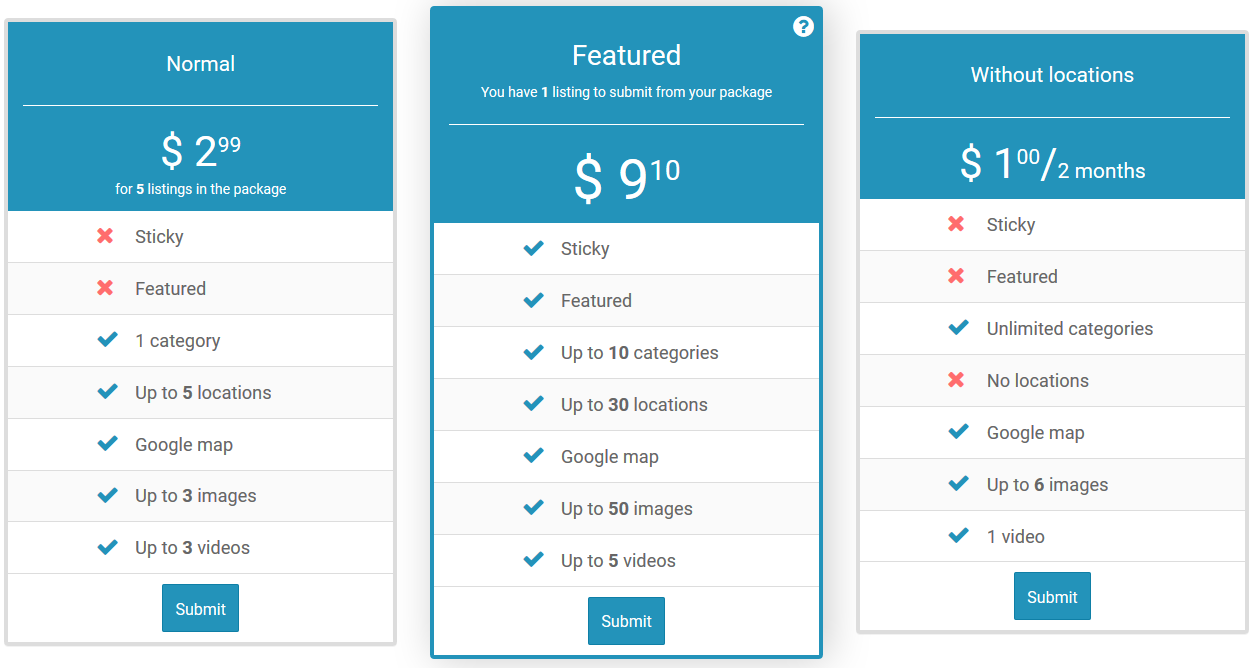
- Plans decide what a listing gets: how many categories, locations, images and videos, which fields, a logo, the map, ratings, and a sticky badge that keeps it first in the lists you choose.
- An active period per plan - days, weeks, months or years - or none at all. A listing whose period ends leaves the site on its own.
- Reminder emails before a listing expires, once or several times (for example 7, 2 and 1 day before), and an email when it expires.
- After expiration, a plan can hand the listing to another plan instead of taking it down: a featured period that falls back to a basic listing.
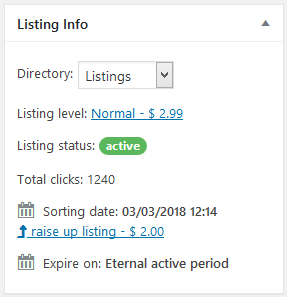
- Pause takes a listing off the site without spending its period. Renew an expired listing, or give any listing a date of its own, from its edit screen.
- An install wizard that creates the pages and the first directory for you.
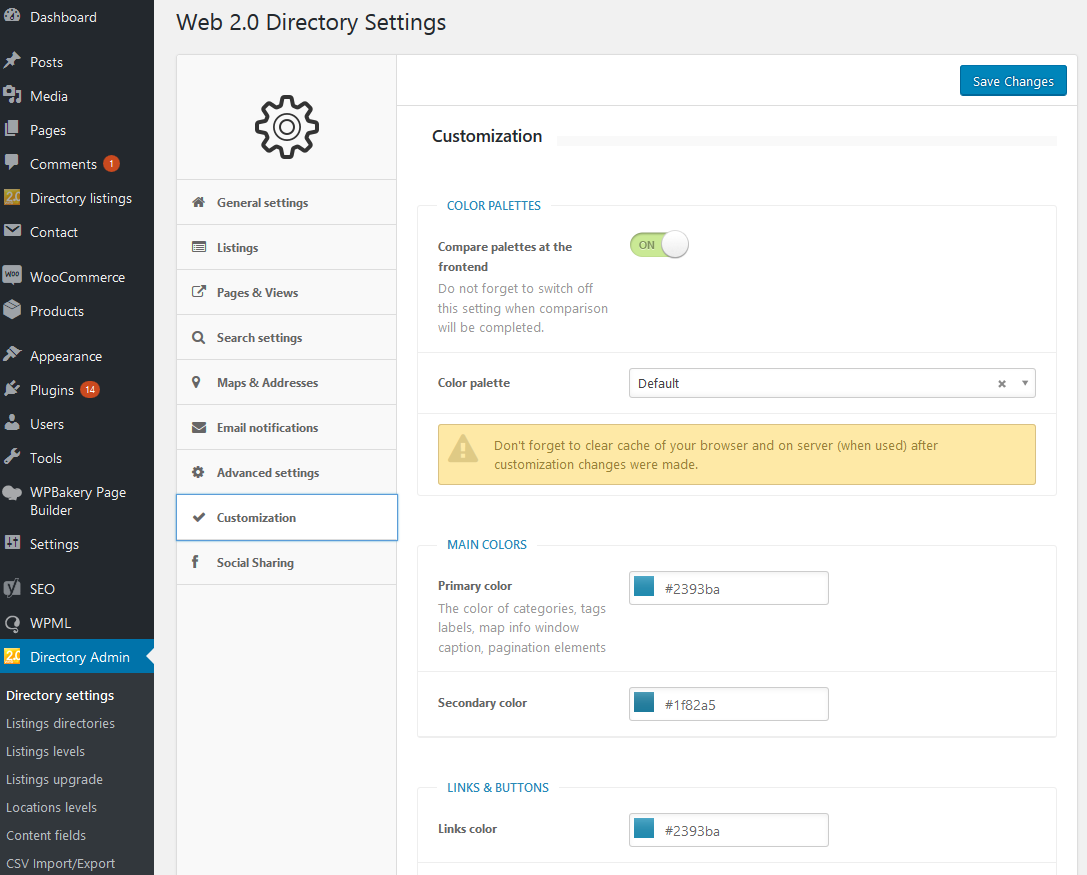
- Colour palette controls so the directory matches your theme, with several presets.
- Translation ready: ships a POT file for any standard gettext or PO editor.
- Email notifications with editable subjects and texts, each one switchable.
- Google reCAPTCHA (v2 or v3) on the listing contact form.
- A dedicated search index and sort index keep tens of thousands of listings responsive, and both rebuild in the background.
- A diagnostics page that checks the directory is wired up correctly and tells you what to fix if it is not.
安装:
- Upload the plugin folder to /wp-content/plugins/, or install the ZIP via Plugins -> Add New -> Upload Plugin.
- Activate Web Directory plugin Free from the Plugins menu.
- Open the settings page, pick your map engine and enter its API key/token (Google Maps API key, Mapbox token, or MapTiler key).
- Create your categories and locations, build the listing form, add listings, and place the directory on any page with the shortcode.
屏幕截图:


常见问题:
Who can add listings in the free edition?
Listings are created and edited from the WordPress admin. Front-end submission (with optional moderation, expiration and renewal) is part of the full version.
Do I need API keys?
For maps, yes - each map provider needs its own key/token, entered on the settings page. Keys are stored on your site and are never sent to us.
Which map providers are supported?
Google Maps, Mapbox, and MapLibre with MapTiler tiles. You pick one on the settings page.
Is it translation ready?
Yes. A languages/w2dc.pot template is included; translate it with any standard gettext/PO editor.
How do paid listings and membership plans work?
Paid submission, membership plans and WooCommerce checkout come with the full version of Web 2.0 Directory, not the free edition.
更新日志:
2.4.1 - 2026-11-10
- Improvement: in Settings > Plans and Edit Directory a click on any of a plan's chips opens or closes it.
- Improvement: the listing history shows 8 events at a time, with a pager.
- Improvement: an administrator can still open a listing hidden from visitors (paused, expired or unpublished) with Preview; the page then says that visitors do not see it.
- Improvement: an administrator can create a category or a location, under any parent, right in the listing form - "+ Create category" under the categories, "+ Create location" under the location dropdowns.
- Improvement: in the form builder the Address field's FontAwesome icon, PNG image and Upload PNG image options sit with the default marker, are hidden with it, and show or hide its tabs.
- Fix: multi-line text fields keep their line breaks, and with Enable HTML editor their HTML - it showed as tags and was removed on save. Textareas that had the HTML editor in the old version get the option back.
- Fix: listing ratings from the old version (its Ratings addon or Ratings & Reviews 1.x) carry over - after updating, run Tools > W2DC Migration again and listings show their ratings instead of 0.
- Fix: turning off a plan's Eternal active period gives its undated listings a new period instead of expiring them.
- Fix: a CSV import that keeps a listing's plan keeps its date.
- Fix: changing the plan of a paused listing keeps it paused - the new period counts from Resume - and an unfinished draft stays a draft.
- Fix: moving a category or location under another parent shows its listings under the new parent at once - they stayed under the old one until saved again.
- Fix: the listing sorts hold when another plugin reorders WordPress queries, and a sort by a custom field or by rating lists only the listings that have a value.
- Fix: multi-line text fields that a save in the new version flattened get their line breaks back from the old version's values, which the CSV import no longer deletes.
- New: block editor (Gutenberg) blocks for the directory, each of its elements and the listing page's elements, with their settings in the block sidebar.
- New: the [webdirectory-listing-map] shortcode and Listing map element - the listing on a map, for a listing page laid out by hand.
- New: the Search form, Categories, Locations and Tags lists, Front buttons, Listings slider, Listing plans, Listings and Map work on any page: they show the default directory or the one in their Directory option (directory="..."), their links lead into it, and the search form opens it with the search applied.
- New: Settings > Address settings > Location levels - name the levels of your Locations hierarchy (e.g. Federal state, District, City); the names label the location tokens of the Address format and the location dropdowns of the listing form.
- New: in Edit Directory the Map element takes Fly to hovered map marker and Marker hover effect for the listing cards: hovering a card pans the map to its marker and opens its popup.
- Improvement: Elementor and WPBakery offer the listing page's elements, the Tags list and the Term description too.
- Improvement: the Pricing table element is now Listing plans, and shows the directory's plans or all plans.
- Improvement: on a category or tag page the map opens where the previous directory page left it, or at the map's starting point.
- Improvement: on a location page the map frames every marker of that location.
- Improvement: in Edit Directory the Categories, Locations and Tags blocks take their depth and columns per page.
- Improvement: in Edit Directory the Delete key removes the selected element, and the selection stays when you switch to a page that has the same element.
- Improvement: in Edit Directory the map's height on a page can be a percentage: 100% runs the map down its row beside a taller element, never under a minimum height; a sticky map takes it of the window.
- Improvement: the listings grid remembers the visitor's grid or list view, like the sort; with the view switch turned off the element's own view applies.
- Improvement: dot markers and markers rendered as HTML (DOM) take the Marker hover effect too.
- Improvement: a popup opened by a click or a card hover has a tail pointing at its marker, like the auto popups.
- Improvement: saving an edited listing no longer needs the server to accept PUT requests, which some hosts and firewalls block.
- Improvement: wp-admin says when no page shows the directory yet - listing links then lead to the plain listing address and open in the theme's post template.
- Improvement: card images are sized for the view and screen the grid opens in - a list view thumbnail gets a variant of its own width rather than the whole row, and a grid on a phone one for its phone column count.
- Improvement: in grid view Images as the last Card fields row sits on the card's bottom edge and runs to its sides, as the top image does, lined up along a row of cards together with a Price row set to bottom right above it.
- Fix: on phones and on scaled (HiDPI) screens a tap or click on a marker opens it again - since the sharper markers it landed wide of the marker.
- Fix: a sticky element pins below the WordPress admin bar, and a full-height sticky map ends at the bottom of the window.
- Fix: with auto popups on, a hovered listing card always opens its listing's popup, out of turn and past the popup limit.
- Fix: an auto popup's tail reaches its marker - on dot markers and at a slant it stopped short in the air - and shows once the card has grown, not before it.
- Fix: in list view a card without an image (Images off in Card fields) no longer leaves an empty band where the image goes.
- Fix: a paid listing that waits for a moderator gets its whole period - the days until approval no longer come out of it, also when it is paid during the review.
- Fix: Settings > Address format - the + Field menu shows in full instead of being cut off at the edge of the settings panel.
- Fix: old sort links (?order_by=...&order=...) to a directory on the front page open the directory again, not the blog or a Page not found error.
- Fix: the space key works again in the listing description editor - a space typed at the end of a line was dropped.
- Fix: AI-assisted search applies the order a phrase asks for ("... with best rating") also when the phrase names a place, and the next phrase without one goes back to nearest first.
- Fix: a directory page built with Beaver Builder counts as the directory's page, also after it is saved, so listing links stay under it instead of falling back to the plain listing address.
- Fix: the same map placed twice on one page no longer leaves the first copy blank - the first one shows and the copy steps aside.
- Fix: the Search form and Breadcrumbs widgets show in Elementor's panel - Elementor's own widgets of the same name hid them.
- Fix: a Google map loads on a first visit or after the browser cache is cleared - it stayed blank when the map's settings arrived before Google's map library.
- Fix: activating the full version while this free edition is active no longer stops with a fatal error; the free edition is switched off and the full version stays.
- Fix: listing images in cards wider than 300px, such as a two-column grid, are sharp again - the card loads a variant as wide as itself instead of the 300px one, also on themes that strip the image srcset.
- Fix: in list view the image keeps its column on the left (on the right in right-to-left languages) wherever Images stands in Card fields, and runs to the card's edges again.
- New: tags get their own section - an address of their own, a page in Edit Directory with a Tags block, and listings and a map narrowed to the tag.
- New: Lazy load mode in Map Settings: a map loads with the page, when it scrolls into view, or on a click on its placeholder; until then none of its scripts or requests load, and a search made meanwhile shows once it does.
- New: in Edit Directory the map has its own lazy load mode and height for each directory page.
- Improvement: the reCAPTCHA diagnostics test a real token from the page, so they catch a key that does not cover this domain - the keys themselves can look perfect while every form says the captcha did not pass.
- Improvement: the Google Maps script is loaded the way Google asks for it now (loading=async), so it no longer holds the page up and its warning leaves the browser console.
- Improvement: address autocomplete asks Google's current Places service and falls back to the old one where a project has not enabled it, so a site on a Google project created after March 2025 - which no longer gets the old service at all - has working address suggestions.
- Improvement: routes ask Google's current Routes API and fall back to the old Directions service where a project has not enabled it, which is the same March 2025 cut-off.
- Improvement: on Mapbox and MapLibre maps a route is drawn the way it is on Google: its start and end marked A and B, and the map fitted to it.
- Improvement: a search in the page address reads plainly - ?address=Paris&radius=20 rather than sf_address=... - and carries the radius it ran with. Links with the old sf_ names still open the same search.
- Improvement: a route stays on the map until the new Reset button beside Go takes it off; closing the directions panel only hides the panel. Clicking the route on the map opens the panel again.
- Improvement: route steps and the map follow each other: pointing at the route lights up its step in the list, pointing at a step lights it up on the map, and clicking a step zooms the map to it.
- Improvement: each search filter chip has an x that removes that filter.
- Improvement: a cluster that zooming cannot break up - listings at one address, or a map already at its closest zoom - opens a list of its listings on click instead of doing nothing, and picking one opens its popup.
- Improvement: a listings grid shows placeholder cards of the right size while it loads - on every search, page and sort, and on the directory before the page's scripts have even run - instead of a spinner that collapsed the page.
- Improvement: the map diagnostics say whether Places API (New) and the Routes API are enabled for the Google key, and what it means when they are not.
- Improvement: the Google key fields name the APIs actually needed now: the browser key's link switches on the Routes API and Places API (New), and the server key no longer asks for Places, which it never used.
- Improvement: a hand-built directory home ([webdirectory custom_home=1]) shows the Edit directory button too.
- Improvement: the listing page's image gallery has its own Lightbox switch in Edit Directory.
- Improvement: search forms on one page stay in step: a search from one shows its values in the others.
- Improvement: beside a directory's Search element, the map's own search form opens on the same values, searches with all of the element's filters, and adds no second row of chips.
- Improvement: in Edit Directory the left column keeps the box you are working in when you switch page tabs, and a selected element's box is no longer hidden under the top bar.
- Improvement: the search form over the map can be folded on the page too, not only in fullscreen; each remembers its own state.
- Improvement: the AI-assisted search badge shows only on a search form that has a keyword field.
- Improvement: the grid / list view switch above the listings has drawn icons, the same in every browser and font.
- Improvement: the Google server API key says what it is for - geocoding the addresses of a CSV import - and the diagnostics test it with the Geocoding API that import uses.
- Fix: breadcrumbs start with Home, not the page's own title, when the directory is the front page.
- Fix: a directory used as the front page keeps its category and tag addresses. New directories start on slugs that do not collide with WordPress's own words there, old addresses still answer, and Edit Directory says when a word is taken.
- Fix: plan and term cards keep their look on themes that style every list item and underline every link.
- Fix: renaming a directory's category, location, tag or listing slug no longer leaves every address already published under the old one at 404: they redirect to the new address.
- Fix: the address field of the search form waits for the Google Maps script instead of staying a plain text box when the script arrives a moment late.
- Fix: a route is fitted into the part of the map the directions panel leaves free, so its start no longer lands under the panel.
- Fix: map markers and the auto-popups are sharp in Chrome on high-density screens and at page zoom.
- Fix: a category or tag page keeps the map's starting point instead of jumping to fit every listing in the world.
- Fix: a directory's map shows only that directory's listings in every page layout.
- Fix: in fullscreen, the address suggestions of the search form show. They opened behind the map.
- Fix: a search form dragged in fullscreen keeps its spot there, and no longer moves on the normal page after leaving fullscreen.
- Fix: on Mapbox and MapLibre maps, an open popup follows its marker into and out of fullscreen, instead of staying behind or seeming to close.
- Fix: the starting-address field of the directions panel no longer shows two bars at its sides when focused.
- Fix: on Mapbox and MapLibre maps, the list of listings at one place keeps answering clicks after other popups were opened.
- Fix: on Mapbox and MapLibre maps, markers and clusters near the edges no longer vanish while dragging after the map framed a search or its radius.
- Fix: clicking a cluster on Mapbox and MapLibre zooms in on that cluster instead of around the old centre.
- Fix: on narrow screens a map opens at its own height instead of starting at 400px and jumping.
- Fix: a theme that pads listing cards differently no longer pushes the card image past the card's edges.
- Fix: a listing page's map always opens on the listing, instead of where it was last panned to (the map's saved or URL camera).
- Fix: a map's auto-popup card leaves the map with its marker, instead of clinging to the edge while the map keeps moving.
- Fix: the Send message button of the map popup and the directions panel's Starting address, Go and Computing route can be translated.
- Fix: the built-in listing page layout shows the Print and PDF buttons too, not only a Buttons element added in Edit Directory.
- Improvement: the directory Slider starts on Contain too, so the listing logos it shows are no longer cropped.
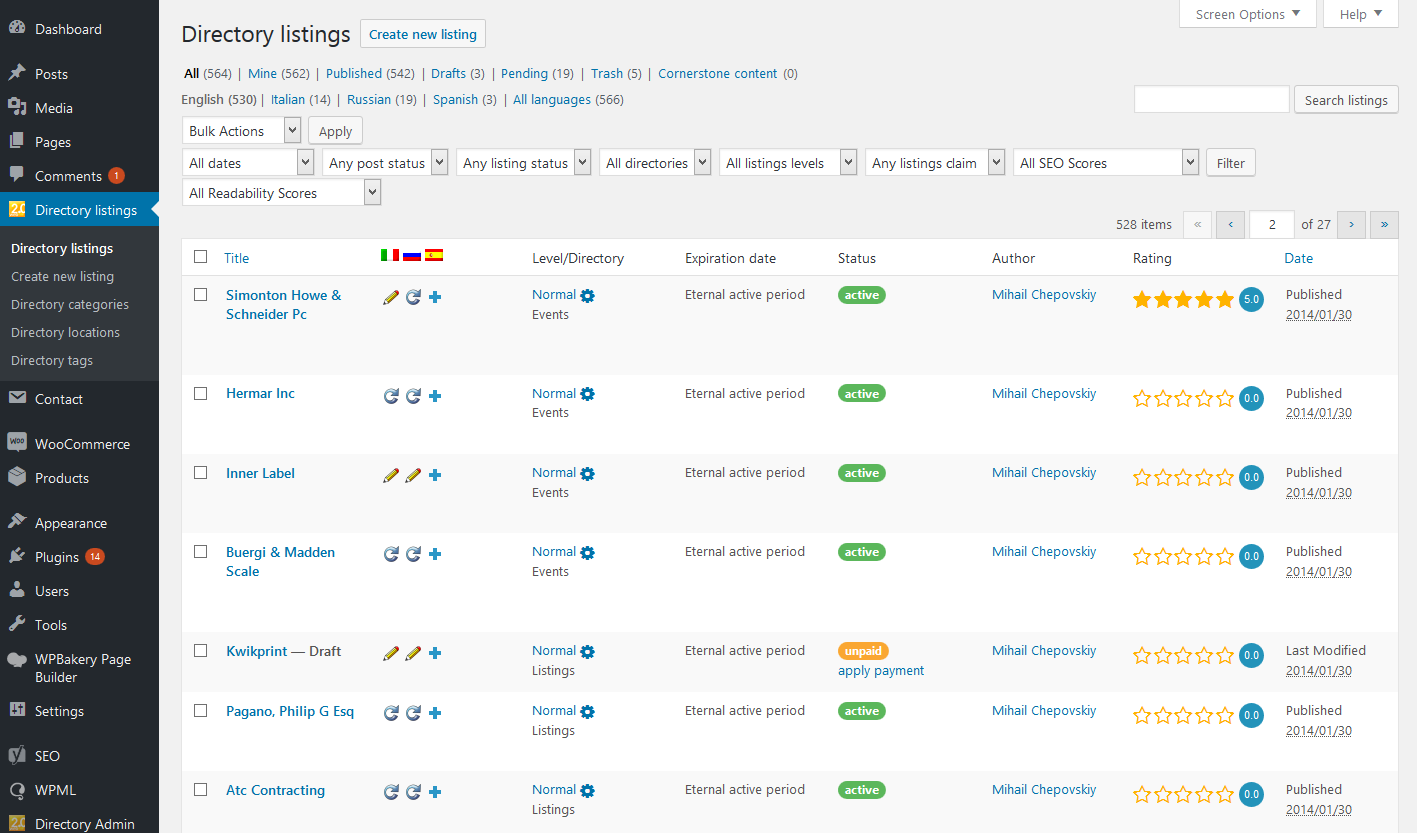
- Improvement: Quick Edit is back on the listings table, trimmed to what a listing needs: title, slug, author, tags and status. The publish date, the password and Allow Comments are not on it - a listing's own dates, audience and reviews are set elsewhere.
- Improvement: the Status column names two more states instead of leaving the cell empty: awaiting activation (a guest has not clicked the link in the activation email) and draft (the author has not submitted it yet).
- Improvement: the pre-expiration email can go out more than once: enter the days as a list, for example 7,2,1 (2,1 by default).
- Improvement: the default pre-expiration email now links to the renewal, and both expiration emails accept a [price] tag.
- Improvement: a plan with an "After expiration" plan is no longer renewed, and its reminder email says which plan the listing moves to.
- Improvement: time a listing spends paused or waiting for moderation no longer counts against its period: its expiration date moves on by that time.
- Fix: replacing or removing a listing's images now changes the picture it is shared with.
- Fix: images deleted from a listing no longer come back on sites moved over from the old version.
- Fix: directories no longer appear on their own. A directory sent to the trash counted as absent, so the next admin page load created a replacement named "Listings" and the trash filled up with them. The default directory is created once per site now, and never again.
- Fix: a company name made of very short words, like "AG of C", is found. Words under three letters cannot be in the search index at all, so a phrase of nothing but those used to return nothing; the search now falls back to matching the listing title, and then its text.
- Fix: on a big site, a keyword search inside one directory could miss listings that belong to it. The search took its best 2000 matches across the whole site and narrowed to the directory afterwards; it narrows first now.
- Fix: the renew link in the expiration emails renews the listing, also when the owner has to log in first.
- Fix: when a listing gets a new expiration date (a payment, Mark as paid, a date set by hand, a plan change), the reminder and expiration emails are sent again for the new period.
- Fix: a listing in the trash no longer gets expiration emails, and is no longer taken out of the trash when its date passes.
- Fix: with renewal turned off, the link in the expiration emails opens the listing instead of a renewal that did nothing.
- Fix: in fullscreen, the directory search form no longer joins the map on top of the map's own search form. When the map shows its own form, that one stays alone; without it, the directory form still comes along.
- New: Print and Save as PDF buttons for the listing page (switch them on in the Buttons element of Edit Directory) open a clean printable copy of the listing.
- Improvement: the grid / list switch sits right after the number of listings found.
- Improvement: the listing gallery takes a Slide ratio and an Image fit in the grid too, and both displays now start on Contain, so a wide logo is no longer cropped.
- Fix: a listing waiting for approval is no longer published when its plan period ends or when it is renewed.
- Fix: no "your listing has expired" email when the listing moves straight to another plan and stays on the site.
- Fix: a map placed beside taller fields on the listing form no longer grows past its Height.
- Fix: listings saved through the listing form are found when searching by their location. Existing listings are repaired automatically.
- Fix: saving a directory after an update from an older version no longer removes its plans.
- Fix: a listing keeps its plan when its directories don't offer that plan.
- The full version history is in changelog.txt, included with the plugin.