
Web3 - Crypto wallet Login & NFT token gating
| 开发者 |
miniorangesecurity
cyberlord92 |
|---|---|
| 更新时间 | 2024年4月3日 13:09 |
| PHP版本: | 7.0 及以上 |
| WordPress版本: | 6.5 |
| 版权: | MIT/Expat |
| 版权网址: | 版权信息 |
详情介绍:
安装:
- Visit
Plugins > Add New - Search for
WEB3 authentication plugin. Find and Install theWEB3 authentication pluginplugin by miniOrange - Activate the plugin
- Download the WEB3 authentication plugin.
- Unzip and upload the
WEB3 authentication plugindirectory to your/wp-content/plugins/directory. - Activate the WEB3 authentication plugin from your Plugins page.
屏幕截图:
常见问题:
Why should I use Web3 Login Plugin?
Our plugin utilizes the most reliable yet most secure Blockchain Technology to secure your data. Take full advantage of our blockchain-based security which is a protocol that is virtually impossible to break. Your information will always remain safe and secure.
How does Web3 Login Plugin work?
The outline is described in this TopTal post by Amaury Martiny. We have used database nonces which are refreshed every time they are used and append the user IP or Wallet Address to the login message to prevent replays from elsewhere.
How do I Login through metamask?
- Install the metamask extension in your browser.
- Install the WEB3 login plugin. Read the "Installation".
- A Login Button will be added in the WordPress Login window, where users can log in through the wallet public address.
What is signature verification?
When a user submits a signature, it needs to be verified on the server-side. We use libraries like Keccak, and Elliptic to verify the signature using the stored nonce in the database on the backend side.
How to configure the setting of solana blockchain in Plugin?
In plugin instead of configuring a single mint address, you can do configuration through anyone of the following options
- Import a list of mint address
- Configure the collection key
- Or you can configure the collection id
How to login through phantom wallet on mobile devices?
Use the built-in browser in the phantom wallet mobile app to log in.
I need to customize the plugin or need support and help?
Please email us at web3@xecurify.com or Contact us. You can also submit your query from the plugin's configuration page.
The web3 authentication plugin is not compatible with the plugins installed on my site. What can I do?
Please email us at web3@xecurify.com or Contact us. You can also submit your query from the plugin's configuration page.
I would like to change our license domain. How do we do this?
Yes, You can activate the license on your new domain. Write to us at web3@xecurify.com we will help you set up.
Is it possible to set a different redirect URL after login & logout?
Yes, with a standard license you can set different redirect URLs after logging in as well as after logout.
For any other query/problem/request?
Please email us at web3@xecurify.com or Contact us. You can also submit your query from the plugin's configuration page.
Are my crypto assets safe?
Yes. A wallet (e.g. MetaMask) does not leak your private keys. The plugin also doesn't have access to your private keys.
For any other query/problem/request?
Please email us at web3@xecurify.com or Contact us. You can also submit your query from the plugin's configuration page.
更新日志:
- Compatability with WordPress 6.5
- Readme Update
- Fixed NFT balance check Bug for Polygon
- Readme Update
- Compatability with wordpress 6.4.0
- Fixed Bug for enabling default wallet on activation
- Fixed Bug in phantom and alogrand wallet login flow
- Fixed nonce vulnerability
- Licensing update
- Fixed hidden form vulnerability
- Added Binance Blockchain support
- Free Demo Trial of paid plugins
- Added PHPCS Fixes and support phantom wallet login
- added support for solana
- Advertising add-on
- Loader class issue fixes.
- Advertising show nft hold by user feature in shortcode info tab
- Web3 library(Elliptic) fixes
- fixing purchasing plan UI
- Readme update
- Advertising Premium Tabs UI
- Web3 library(Elliptic) fixes
- Adding multiple purchasing plan
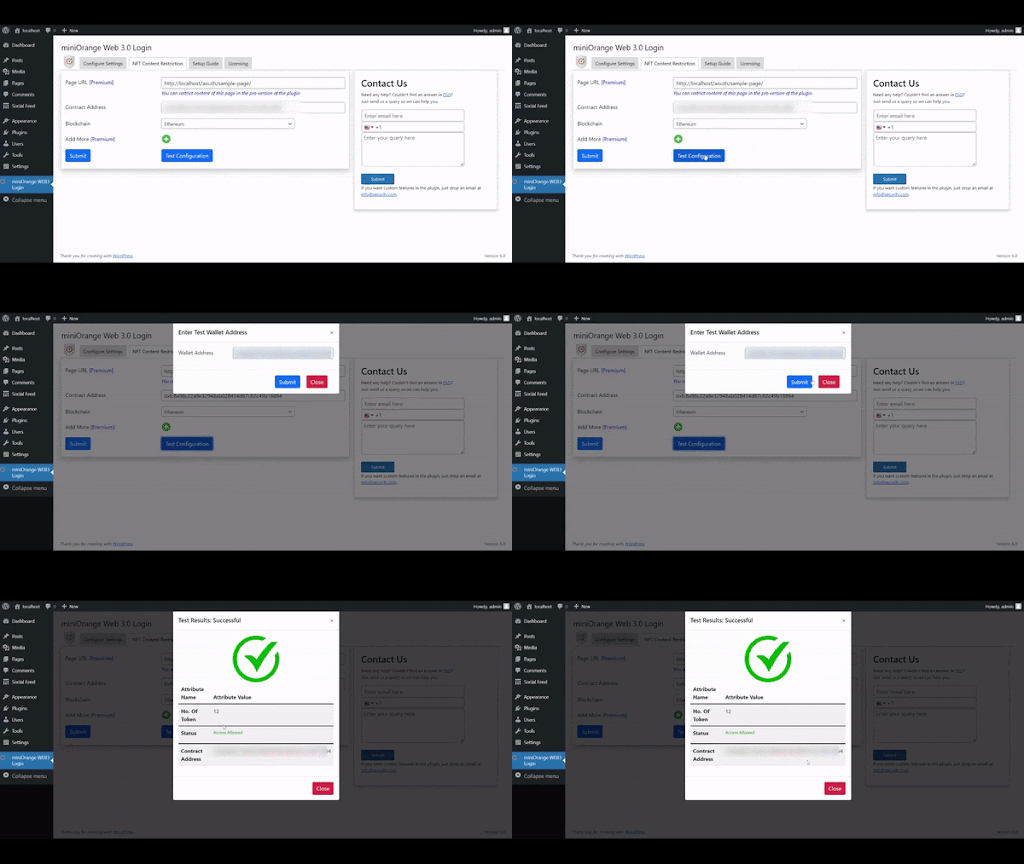
- Test option to check NFTs held by wallet
- Licensing Plan
- UI improvement
- Readme updated
- Compatibility with WordPress 6.0.0
- Readme updated
- Added support to change text of web3 login button
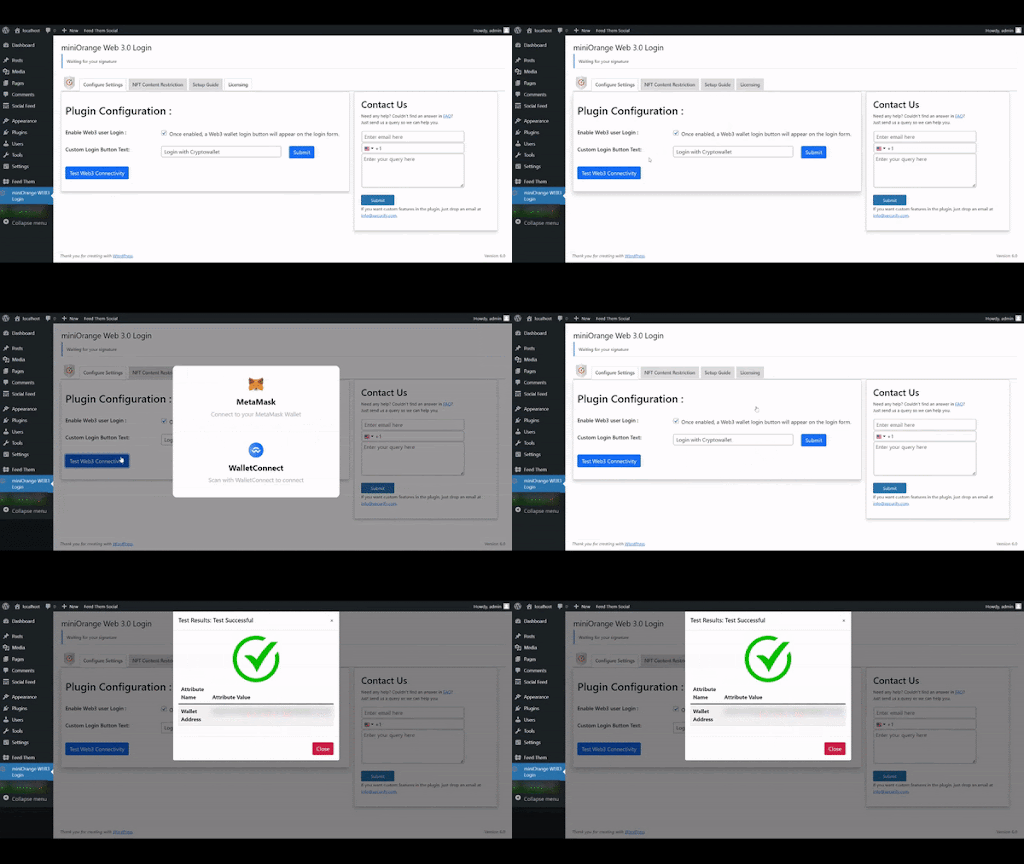
- Added test functionality for web3 connectivity
- Improved UI of the plugin
- Added support for crypto wallets
- Added feedback form
- Readme Update
- First release of the plugin
- Compatibility with WordPress 5.9