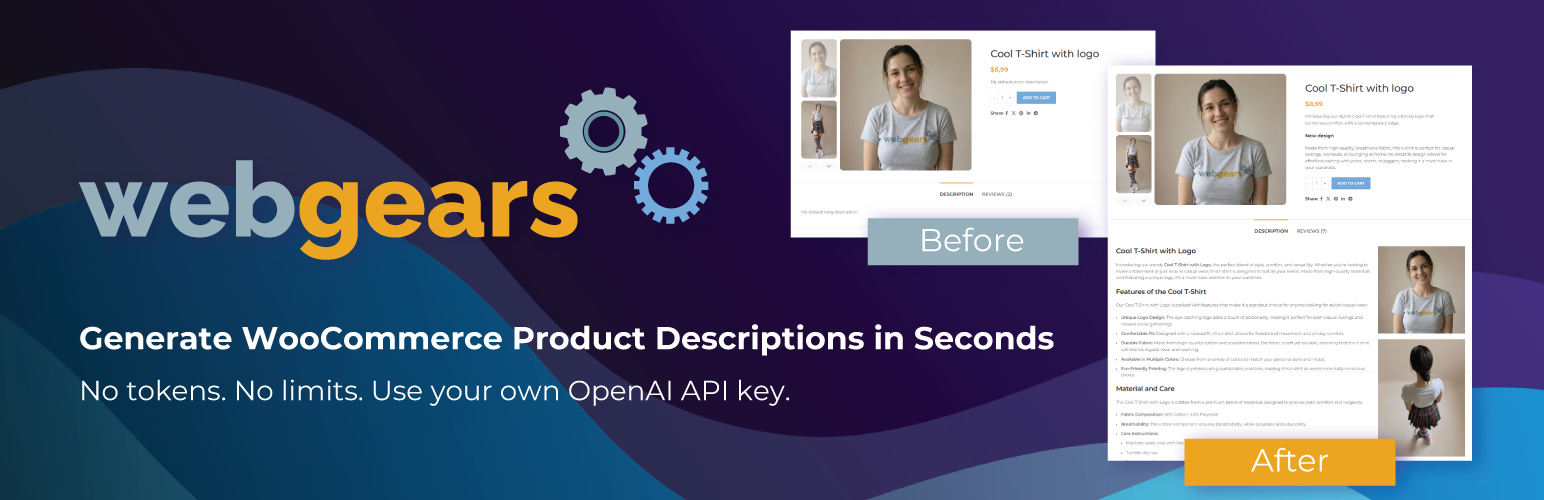
WebGears AI Product Descriptions for WooCommerce
| 开发者 | webgears |
|---|---|
| 更新时间 | 2026年9月14日 20:43 |
| PHP版本: | 7.4 及以上 |
| WordPress版本: | 7.1 |
| 版权: | GPLv2 or later |
| 版权网址: | 版权信息 |
详情介绍:
Generate hundreds of WooCommerce product and category descriptions in minutes — directly inside your WordPress dashboard.
No copywriting. No repetitive work. No switching between tools.
Perfect for stores with large catalogs, dropshipping businesses, and anyone who wants fast, SEO-ready product content.
⚡ Why this plugin?
❇️❇️❇️ Free to start — Google Gemini supported ❇️❇️❇️
Now supports both OpenAI (ChatGPT) and Google Gemini. Gemini offers a free API tier — no credit card required to get started.
🚀 5× faster bulk generation — free and Pro!
A brand new parallel generation engine pre-fetches up to 5 descriptions simultaneously in the background. In free (preview) mode you still approve each one individually — but the next item is ready instantly, with zero wait between approvals. In Pro (auto-approve) mode the entire batch completes up to 5× faster. Even more speed improvements coming soon!
⚡ Bulk generation in seconds
Select multiple products or categories and generate descriptions in one click — no manual writing needed.
🧠 Smart AI output
Uses your product data, categories, and custom prompts to create structured, relevant descriptions.
🔍 SEO-ready content
Clean HTML output with headings, lists, and keyword-focused structure — ready to publish.
🔄 Native WooCommerce integration
Works directly inside WooCommerce bulk actions — no external tools or dashboards.
🤖 Automation with Pro
Generate and publish descriptions automatically without manual review.
💸 Pay only for what you use
Connect your own API key — no hidden fees, no artificial limits.
🎯 Who is this for?
- WooCommerce stores with large product catalogs
- Dropshipping businesses adding products daily
- Store owners who want faster SEO content
- Agencies managing multiple WooCommerce sites
- Choose your AI provider: OpenAI or Google Gemini (free tier available)
- Enter your API key
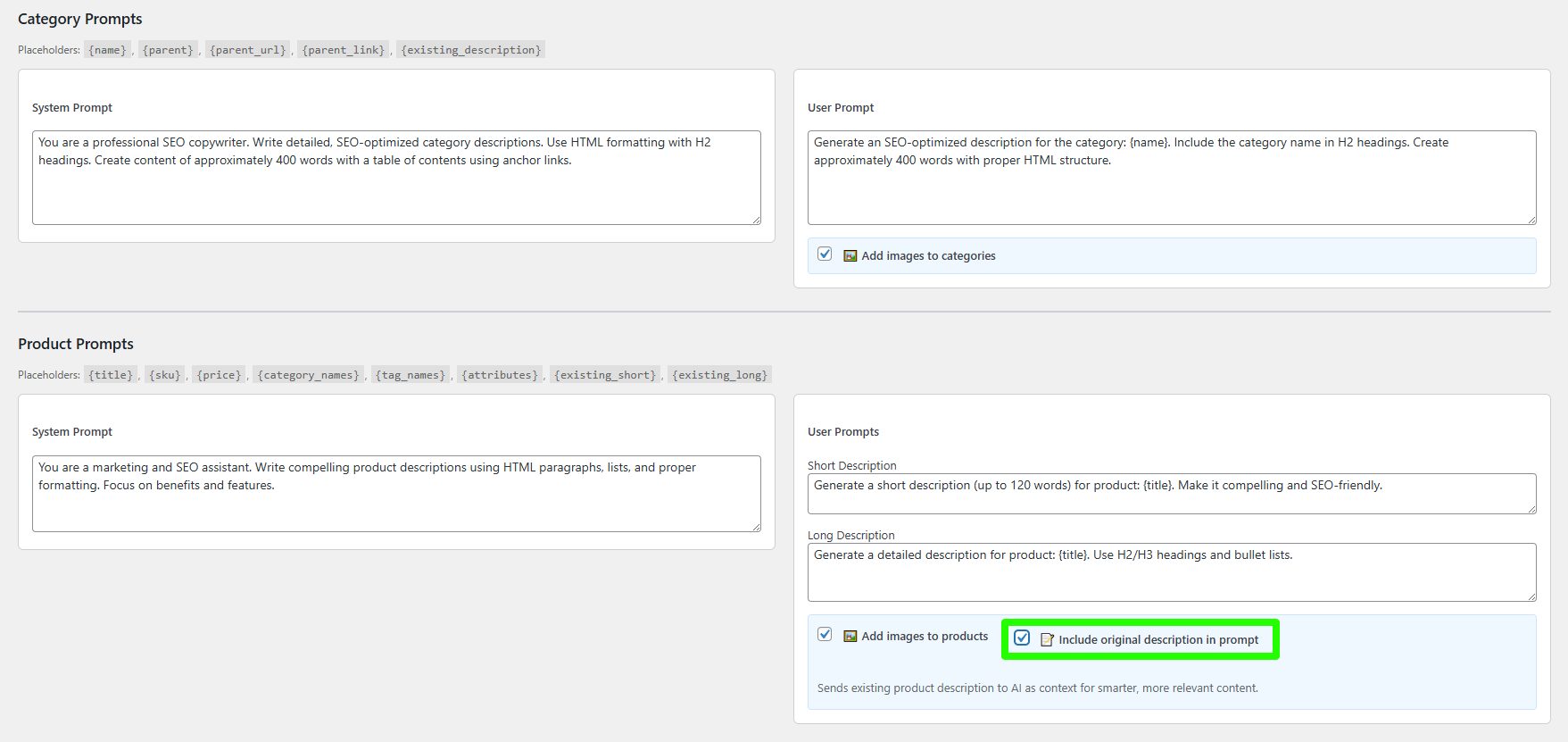
- Customize prompts (optional)
- Select products or categories
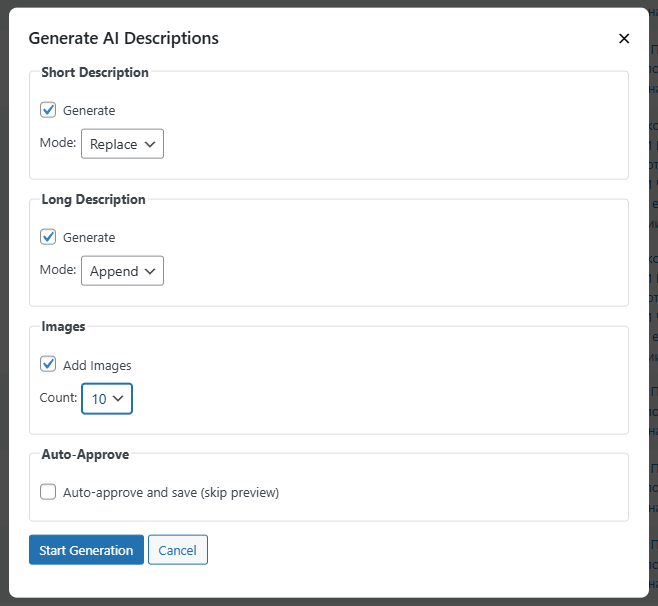
- Click "Generate AI Descriptions" — done
- Auto-generate and save descriptions without preview
- Include existing content for better AI context
- Append new content instead of replacing
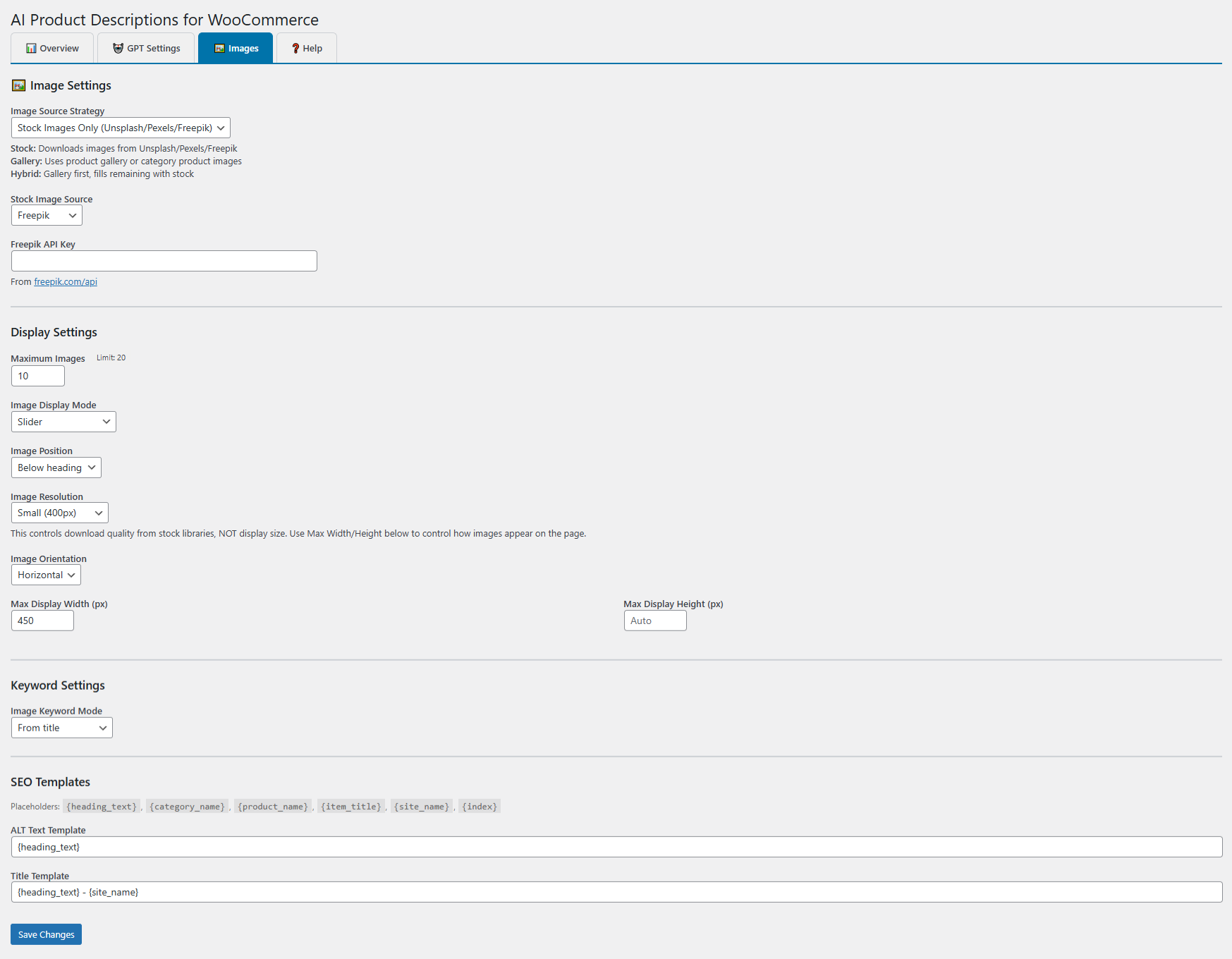
- AI-generated image keywords
- Hybrid image mode (product images + stock fallback)
- SEO templates for ALT / Title / Caption
- Bulk restore original content
- AI preview directly in product list
{title}– Product or category name{price}– Product price{sku}– Product SKU{categories}– Product categories{attributes}– Product attributes
安装:
- Upload the plugin folder to
/wp-content/plugins/ - Activate through the 'Plugins' menu
- Go to WooCommerce > AI Descriptions
- Choose your AI provider and enter your API key
- Start generating descriptions
屏幕截图:
常见问题:
Do I need a paid API key?
Not necessarily. Google Gemini offers a free API tier — get your key at aistudio.google.com. OpenAI is also supported and charges based on usage.
How much does it cost to generate descriptions?
With Gemini's free tier — nothing. With OpenAI, costs depend on the model; typically $1–5 per 100 descriptions.
Will it work with my language?
Yes. Write your prompts in any language and the AI will respond in that language.
What happens to my original descriptions?
Original content is automatically backed up before generation and can be restored anytime.
Can I use my own product images?
Yes. Choose "Product/Category Gallery" as the image source to use existing images. Hybrid mode combines gallery images with stock photos (Pro).
Is it compatible with page builders?
Yes. Generated content is standard HTML, compatible with Elementor, Divi, and all themes.
更新日志:
3.4.0
- Improvement: AI Settings now explain model capabilities, recommended output budgets, reasoning-token usage, and variable Gemini free-tier availability.
- Compatibility: Updated the Gemini model catalog and safely replaces retired saved models with a supported fallback during generation.
- Fix: API failures no longer make the Preview disappear; provider errors remain visible so users can correct their settings.
- Cleanup: Removed the obsolete v3.3.1 migration notice while preserving actionable dependency, license, and API warnings.
- Improvement: The AI column in Products and Product Categories can now be sorted to group generated descriptions or missing descriptions first.
- Fix: AI status now requires a successfully saved, non-empty description instead of only a backup record.
- Fix: Short and long product descriptions now receive independent AI status markers.
- Fix: Existing false AI status markers are safely reconciled by comparing live content to saved originals.
- Fix: Also restores AI status indicators from the backup table used by the intermediate
aipd_plugin releases.
- Fix: Restored the AI status indicators for product and category descriptions generated by earlier plugin versions.
- Compatibility: Migrates legacy description backups to the current data store without modifying the live product or category text.
- Improvement: Saves a persistent generated-content marker for new descriptions, so the AI column remains accurate even when old backups are cleaned up.
- Compatibility: Declared compatibility with WordPress 7.1 and raised the supported WordPress baseline to 6.9.
- Fix: Updated the bulk-actions JavaScript package used by the WordPress admin.
- Improvement: All admin JavaScript files are now minified (terser) — faster page load in WP admin.
- Original source .js files remain in the package for WordPress.org compliance.
- Improvement: Parallel pre-fetch buffer for bulk generation — up to 5 items generated simultaneously.
- Free version: previews still shown one-by-one for approval; next items pre-fetched in background so wait time between approvals is near zero.
- Pro version (auto-approve): up to 5× faster bulk generation.
- Added ⏳ indicator when UI is waiting for the next pre-fetched item.
- Fix: Gemini responses in Markdown format are now automatically converted to HTML (headings, bold, lists, paragraphs).
- Improvement: Gemini model list updated — removed non-existent Gemini 3.x entries, added gemini-2.0-flash-lite and gemini-1.5-flash-8b.
- Improvement: Models split into "Free tier available" and "Paid API only" groups in the dropdown.
- Improvement: Replaced yellow rate-limit warning box with a simple description link to Google's pricing page.
- Improvement: Green Gemini banner updated to mention that some advanced models require a paid plan.
- Fix: Admin notice for v3.3.0 bug now shows on all versions until dismissed (not only 3.3.1).
- Improvement: Plugin zip now includes all required core files for correct WordPress.org distribution.
- Fix: Plugin no longer causes fatal error / white screen if a file is missing after install. Shows admin notice with reinstall link instead.
- Fix: Defensive file loading in class-loader.php with file_exists() checks for all dependencies.
- Architecture: Bulk AI fix.
- Free plugin: Removed unnecessary modal views, css, and JavaScript.
- Pro add-on v2.3.0 required for Pro version.
- Gemini: Fixed temperature encoding on servers with non-English locale (e.g. Bulgarian) where PHP could produce "0,7" instead of "0.7" in the JSON request body, causing API errors. Now uses locale-safe number_format with explicit "." separator.
- Gemini: Added automatic retry (up to 2 times) when the API returns 503 "high demand" error, with 3s/6s backoff.
- Gemini: Added 3 new models — gemini-3.5-flash (ultra-fast, low cost), gemini-3.1-pro-preview (deep reasoning), gemini-3.1-flash-lite (ultra-budget). Models now grouped by generation in the dropdown.
- Added Google Gemini support: choose between OpenAI (ChatGPT) and Google Gemini as your AI provider. New "AI Provider" dropdown at the top of the AI Settings tab. Both providers use the same prompt templates.
- New Gemini models available: gemini-2.5-pro, gemini-2.5-flash, gemini-2.0-flash (default), gemini-1.5-pro, gemini-1.5-flash.
- AI keyword translation (title/auto modes) now uses whichever provider is selected.
- GPT Settings tab renamed to AI Settings.
- Settings UI: Optimization.
- Images tab: Added "Image Selection Mode" setting (Random / Sequential).
- Stripped trailing AI commentary/markdown fences from generated content (clean_ai_response)
- Images tab: Custom Keywords row now visible.
- GPT Settings: Added o3, o3-mini, o1, o1-mini to the Reasoning Models optgroup
- Updated Tested up to: 7.0
- Complete rewrite with bulk generation, multi-source images, and tabbed settings