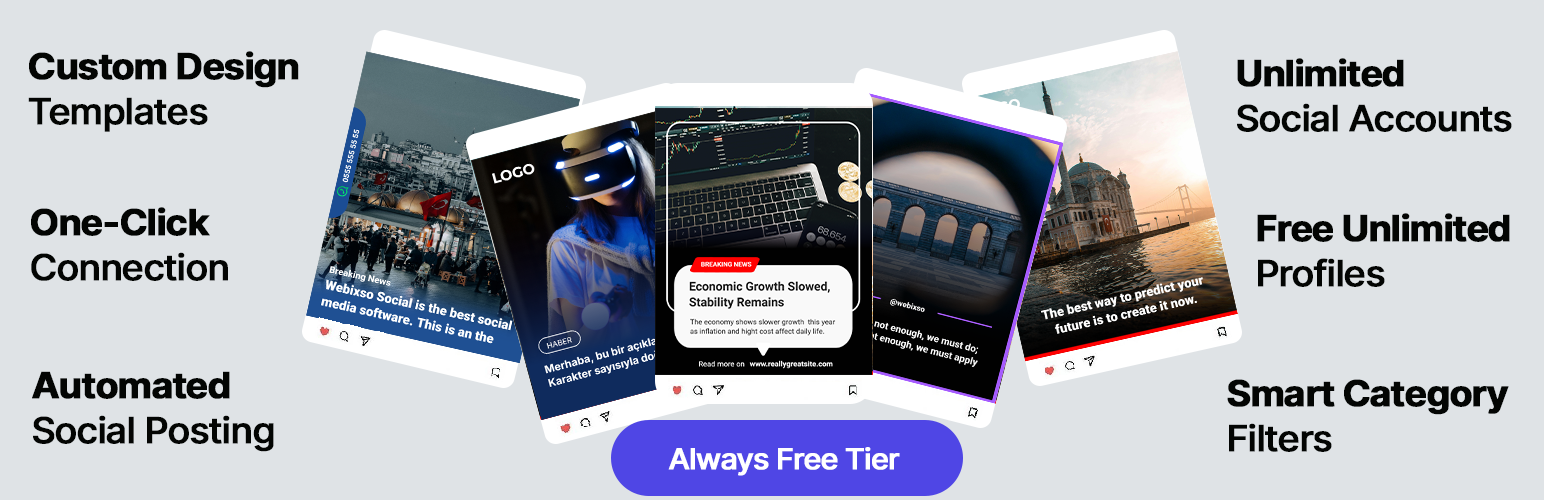
Webixso – WordPress Social Media Auto Post & Scheduler
| 开发者 | Webixso |
|---|---|
| 更新时间 | 2026年4月24日 22:41 |
| PHP版本: | 7.4 及以上 |
| WordPress版本: | 6.9 |
| 版权: | GPLv2 or later |
| 版权网址: | 版权信息 |
详情介绍:
webixso.com and manage every one of them from a single WordPress plugin.
Per-Account Customization
Open any account's settings to configure:
- Custom captions tailored for each specific social media profile.
- Design templates to give every post a professional, branded look.
- Auto posting toggle to share content automatically when you publish.
- Category and tag filters so only the right content reaches each network.
- Daily posting limits to control how frequently content is shared.
webixso.com. Choose from ready-to-use templates or build a design from scratch.
Dynamic Placeholders
Mark parts of your design as dynamic so they sync with your WordPress content automatically:
- Title placeholder — Pulls the post title from your site. Set a character limit in the design and longer titles will be truncated with an ellipsis automatically.
- Image placeholder — Merges your uploaded design dimensions with the image from your site. If your image is square the result is square; if it is rectangular, it stays rectangular. Your original aspect ratio is always preserved.
- Create or edit a design template in the Webixso editor on
webixso.com. - Mark your text and image elements for automation using the right-hand panel.
- Save the design.
- In your WordPress plugin, open the account settings and toggle on Share with design.
- Select your saved design and hit save. From that point on, every post shared through that account will automatically feature your professional layout.
- Auto share WooCommerce products the moment they are published, updated, or restocked.
- Promote WooCommerce sales by auto posting discounted items with the sale price, regular price, and discount percentage pre-calculated.
- Schedule WooCommerce posts using account-level daily limits and the built-in automation runner so large catalogs are shared without flooding your followers.
- Share WooCommerce products to Instagram and Facebook with product images, price, and SKU rendered on a branded design template.
- Save hours of manual product marketing — every new SKU becomes a finished social post without opening a second app.
product_name— product title.product_description— short description (falls back to long description).price— current selling price (no trailing zero decimals).regular_price— original crossed-out price.sale_price— active sale price.discount— calculated discount percentage (e.g.%25).stock— stock status text or available quantity.sku— product SKU.category— product category names fromproduct_cat.brand— brand name when a WooCommerce brands plugin is active (WooCommerce Brands, Perfect Brands, YITH).image— featured product image.
- Works with simple products, variable products, and any custom WooCommerce product type.
- Pulls values through WooCommerce APIs (
wc_get_product,wc_price,wc_get_price_decimals) so currency, decimal separator, and tax settings follow your store configuration. - Automatically maps the
{categories}and{tags}caption placeholders toproduct_catandproduct_tag, so your hashtags and breadcrumbs always reflect the right taxonomies. - Fully filterable via
webixso_design_variablesfor advanced use cases (custom fields, ACF, additional attributes).
- The share sidebar and Share Again button appear on every supported post type editor screen.
- Automation rules (auto post, schedule, daily limit) run for all supported post types.
- Category and tag template placeholders use the right taxonomy per post type (for example
product_cat/product_tagon WooCommerce products). - You can disable Webixso on specific post types from the plugin settings if you only want to share some of them.
- Go to
Webixso → Settings → General. - Enable the Exclude specific post types toggle.
- Select the post types you want to skip from the dropdown — they appear as removable chips.
- Save. Webixso will now ignore those post types everywhere (sidebar, automation, dashboard listings).
- Enable auto posting per account so new posts are shared the moment they go live.
- Filter by categories and tags to ensure only relevant content reaches each social profile.
- Set daily limits to control posting frequency and prevent over-posting.
- Configure server cron for accounts with daily limits to ensure reliable, scheduled delivery.
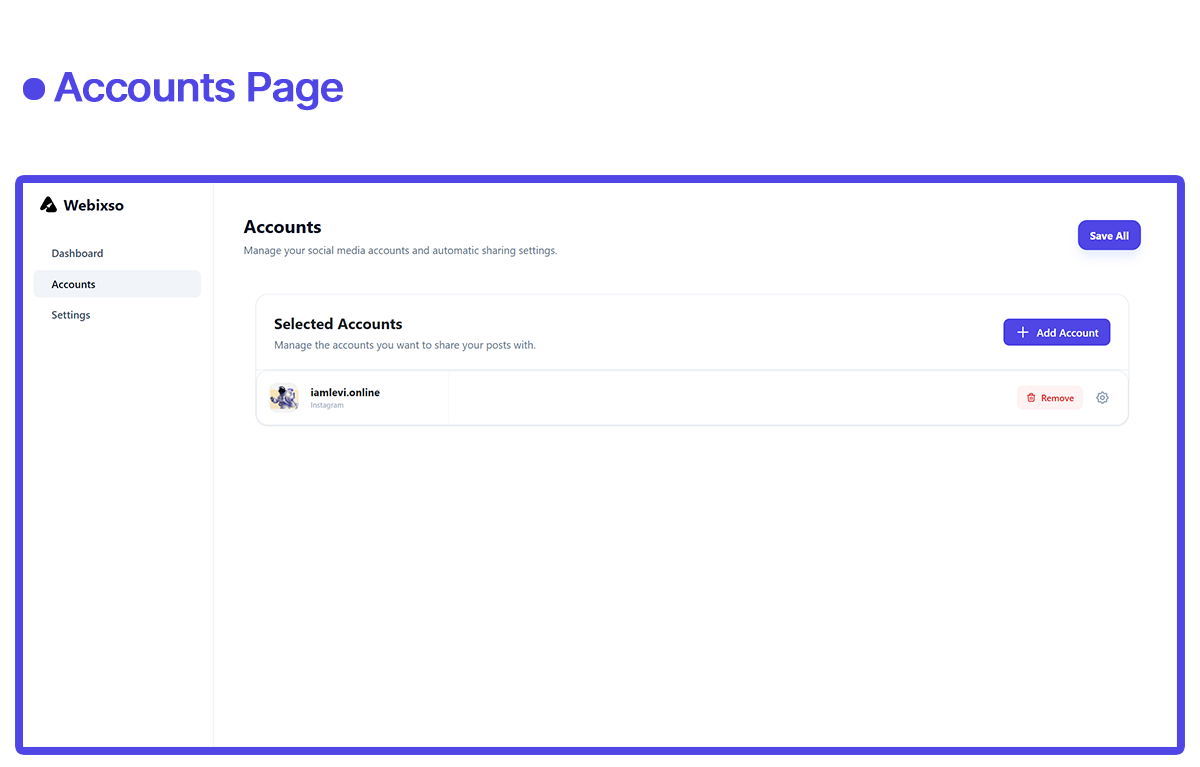
- Go to Webixso → Accounts in your WordPress admin.
- Click the gear icon on the account you want to automate.
- Toggle on Auto Posting.
- Optionally set category/tag filters and a daily posting limit.
- If you set a daily limit greater than 0, configure a server cron as described in the settings page.
- Save your settings.
- Open the account settings (gear icon) for the desired profile.
- Select which categories or tags must be present for auto posting.
- Save your settings.
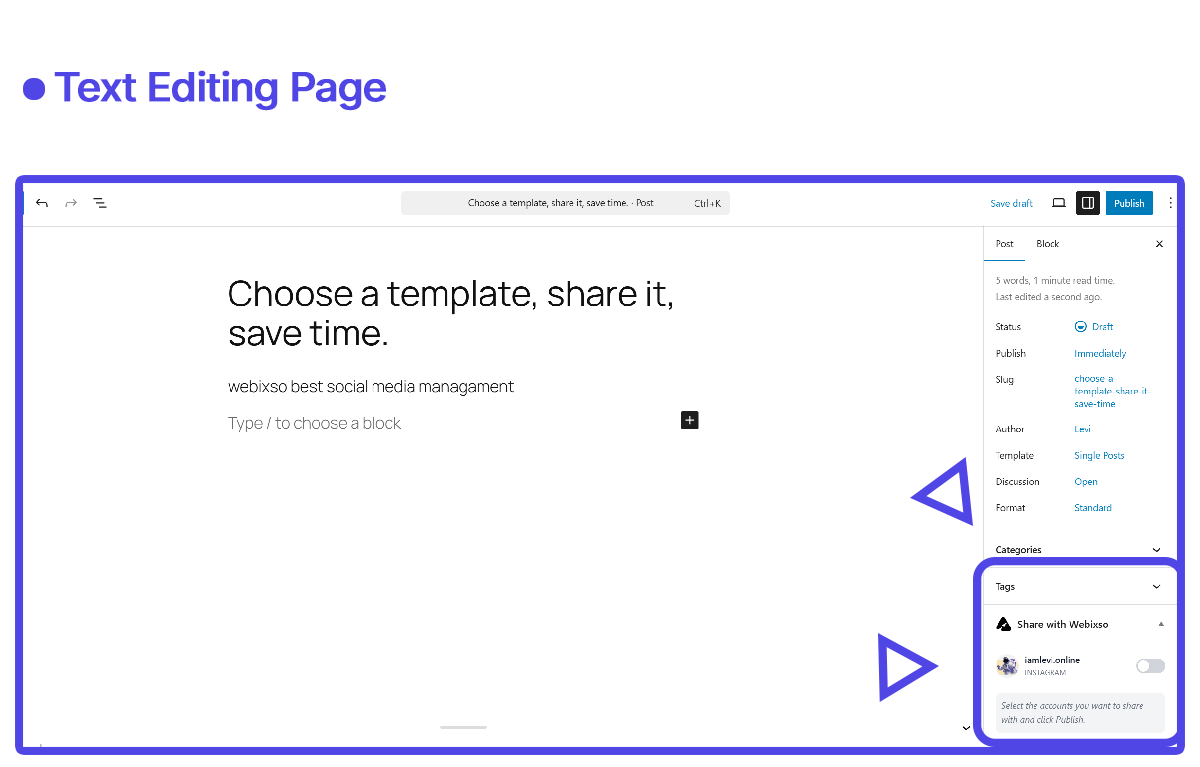
- Edit any WordPress post.
- In the Webixso sidebar panel, deselect the accounts you do not want to share to.
- Publish or update the post.
安装:
- Upload the plugin files to the
/wp-content/plugins/webixsodirectory or install it through the WordPress plugins screen. - Activate the plugin through the
Pluginsscreen in WordPress. - Go to
Webixso → Settingsand click Connect with Webixso. - If you are new, sign up for a free account on
webixso.com. Otherwise, log in. - Authorize the connection to link your site.
- Head over to the Social Profiles section on
webixso.comto connect your social media profiles. - Back in WordPress, go to
Webixso → Accountsand click Add Account to see your linked profiles. - Configure captions, design templates, and automation rules per account using the gear icon.
屏幕截图:


常见问题:
Do I need a Webixso account?
Yes. You need a free or paid account on https://webixso.com to connect and manage your social publishing settings.
Is there a free plan?
Yes. The free starter plan includes up to 15 shared posts per month with unlimited social media accounts. No credit card required to get started.
How many social accounts can I connect?
There is no limit. You can connect and manage as many social media accounts as you need — Webixso does not charge per connection.
Do I need to enter an API key manually?
No. Manual API key entry is no longer required. Click the Connect with Webixso button, sign up or log in, and authorize the connection — all in one flow.
How does automatic sharing work?
You can enable auto posting per account and optionally filter by categories and tags. For accounts with a daily limit greater than 0, you must also configure a server cron as described in the settings page.
Can I customize how my posts look on each social network?
Yes. Each account has its own caption settings and optional design template. You can create professional layouts in the Webixso image editor with dynamic placeholders for your post title and image.
Which social networks are supported?
Instagram, Facebook, LinkedIn, Pinterest, YouTube, X/Twitter, and more. New networks are added regularly through the Webixso platform.
Can I share a post to multiple accounts at once?
Yes. Select multiple accounts from the post editor sidebar and all selected profiles will receive the post when you publish.
Can I re-share an already published post?
Yes. Use the Share Again button in the post editor sidebar to re-share any post to your connected accounts.
What happens if my free monthly balance runs out?
You will receive a notification in your WordPress admin letting you know your balance is depleted. You can upgrade your plan on webixso.com or wait for the next monthly cycle.
What if a social media connection is disconnected?
The plugin displays a notification alerting you when a social media connection is disconnected so you can re-authorize it from your Webixso dashboard.
Does Webixso work with WooCommerce?
Yes. Webixso is a full WooCommerce social media plugin. The share sidebar appears on every product editing screen, automation rules run on product publish, and design templates automatically receive product data (title, description, price, sale price, discount, SKU, stock, category, brand, image). You can auto post WooCommerce products to Instagram, Facebook, LinkedIn, Pinterest, and X/Twitter with zero extra setup.
Can I auto post WooCommerce sale prices and discounts?
Yes. When a product is on sale, Webixso passes the sale_price, regular_price, and a calculated discount percentage (for example %25) to your design template. Build one sale banner template and every discounted product is shared with the correct numbers automatically.
Which WooCommerce product types are supported?
Simple products, variable products, and every custom WooCommerce product type are supported. Values are pulled through the official WooCommerce APIs, so currency, decimal separator, tax display, and stock settings follow your WooCommerce configuration.
Does it support brand plugins for WooCommerce?
Yes. Webixso automatically detects the product_brand (WooCommerce native Brands), pwb-brand (Perfect Brands for WooCommerce), and yith_product_brand taxonomies and populates the brand template variable if any of them is active.
Can I share custom post types (CPT), not just blog posts?
Yes. Webixso works with every public custom post type by default — products, portfolio, events, courses, real estate listings, and more. You do not need to write any code. If you want to restrict it, go to Webixso → Settings → General and turn on Exclude specific post types to pick the post types that should be skipped.
How do I stop Webixso from running on a specific post type?
Open Webixso → Settings → General, enable the Exclude specific post types toggle, and select the post types you want to hide. The share sidebar will disappear from those editors and automation will ignore them. Toggle it off to restore the default (all public post types supported).
Can I send a post URL as a Facebook link post instead of an image post?
Yes. Each Facebook account has a Sharing Type option: Image sharing (current behaviour, with or without a design) or Link sharing (native Facebook link post with link preview card). Switch modes per account from the account settings screen.
更新日志:
- Added WooCommerce social media support: auto post WooCommerce products to Instagram, Facebook, LinkedIn, Pinterest and X/Twitter with product-aware design variables (product_name, product_description, price, regular_price, sale_price, discount, stock, sku, category, brand, image).
- Added custom post type (CPT) support: the share sidebar and automation now run on every public post type out of the box (products, portfolio, events, courses, real estate and more).
- Added a new Supported Post Types setting so admins can exclude specific post types from Webixso without losing backward compatibility.
- Added a Facebook Sharing Type option per account — pick between Image sharing (existing behaviour) and Link sharing (native Facebook link preview post).
- Added
webixso_design_variables,webixso_placeholder_taxonomies,webixso_supported_post_types, andwebixso_available_post_typesfilters for developer extensibility. - Improved caption placeholders:
{categories}and{tags}now automatically map toproduct_cat/product_tagon WooCommerce products and to the matching taxonomy on custom post types. - Improved dashboard: the "Recently Shared Posts" list now includes every supported post type, not only blog posts.
- Improved design selection UI so only the active template shows a selected indicator.
- Fixed a price formatting issue where the currency symbol was rendered as an HTML entity (e.g.
₺) instead of a clean₺.
- Added a new Connect with Webixso button for one-click site connection through
webixso.com. - Added social media profile images for each connected account for clearer account visibility.
- Added meaningful notifications to alert users when account balance is depleted or a social media connection is disconnected.
- Improved onboarding and installation flow by removing manual API key entry.
- Initial release.