
Websel Multilingual
| 开发者 | webseldonusum |
|---|---|
| 更新时间 | 2026年10月25日 19:56 |
| PHP版本: | 7.4 及以上 |
| WordPress版本: | 7.1 |
| 版权: | GPLv2 or later |
| 版权网址: | 版权信息 |
详情介绍:
Built for leaving WPML. WPML stores every translation as a separate post. Websel Multilingual imports those translations into the original post, keeps the translated URLs your visitors and search engines already know (
/en/hotel-amenities/ stays /en/hotel-amenities/), and serves every language from a single source. Elementor pages are matched element by element, even when WPML gave the translated copy different element IDs. The importer has a dry-run mode and writes a JSON report, so you can check the result before switching.
It works just as well on a site that was never multilingual.
Websel Multilingual (Turkish name: Websel Çok Dil – "çok dil" means "many languages") keeps one post per page and serves every language from it. Visitors get /en/, /fr/, /de/ … versions; you maintain a single source.
Translations live in a string table:
- Page output translation – text nodes and
alt/title/placeholder/aria-labelattributes of the rendered page are translated, so page builders (Elementor and others), widgets and shortcodes work without special integrations. - gettext translation – theme and plugin strings, per text domain.
- AI or manual – translate pending strings in bulk with the Claude API, or export / import CSV files and translate them yourself.
- Language prefixes without rewrite rules (works in subdirectory installs too).
- Translated URLs per language (
/en/hotel-amenities/instead of/en/otel-olanaklari/); old source-slug URLs under a prefix redirect with 301. - Correct
<html lang>,hreflangalternates, canonical and Yoast SEO title / description / schema per language; translated URLs in the Yoast sitemap. - Language switcher as shortcode (
[websmu_language_switcher]), template function (websmu_language_switcher()) or as a menu item with flags. - Optional WordPress locale switching per language, so themes and plugins load their own language files.
- Per-language shortcode attributes (for example a different contact form per language) and per-language post meta.
- Elementor element cache is kept separately per language.
- WPML importer (Tools tab, WP-CLI or REST): languages, translated slugs, Elementor and classic content, menus, terms, image alt texts, String Translation, per-language theme settings. Elementor elements are matched by element ID and by structure, unmatched rich-text fields are kept as element-level copies, nothing is overwritten silently and a detailed JSON report is produced.
wp websmu scan– collect translatable strings from all public URLs.wp websmu translate --lang=en– translate pending strings with the Claude API.wp websmu export --lang=en --file=en.csv/wp websmu import --lang=en --file=en.csvwp websmu status,wp websmu lang add|remove|listwp websmu wpml-import [--dry-run] [--unpublish-translations] [--report=<file>]
安装:
- Upload the plugin and activate it.
- Go to Websel Multilingual → Settings (shown as Websel Çok Dil in Turkish), set the source language and add target languages, one per line:
code|Label|hreflang|wp_locale(for exampleen|English|en-US|en_US). - Optional: choose menus for the language switcher and enable locale switching.
- Go to Tools, run Scan Site, then translate with AI, via CSV, or edit translations on the Translations tab.
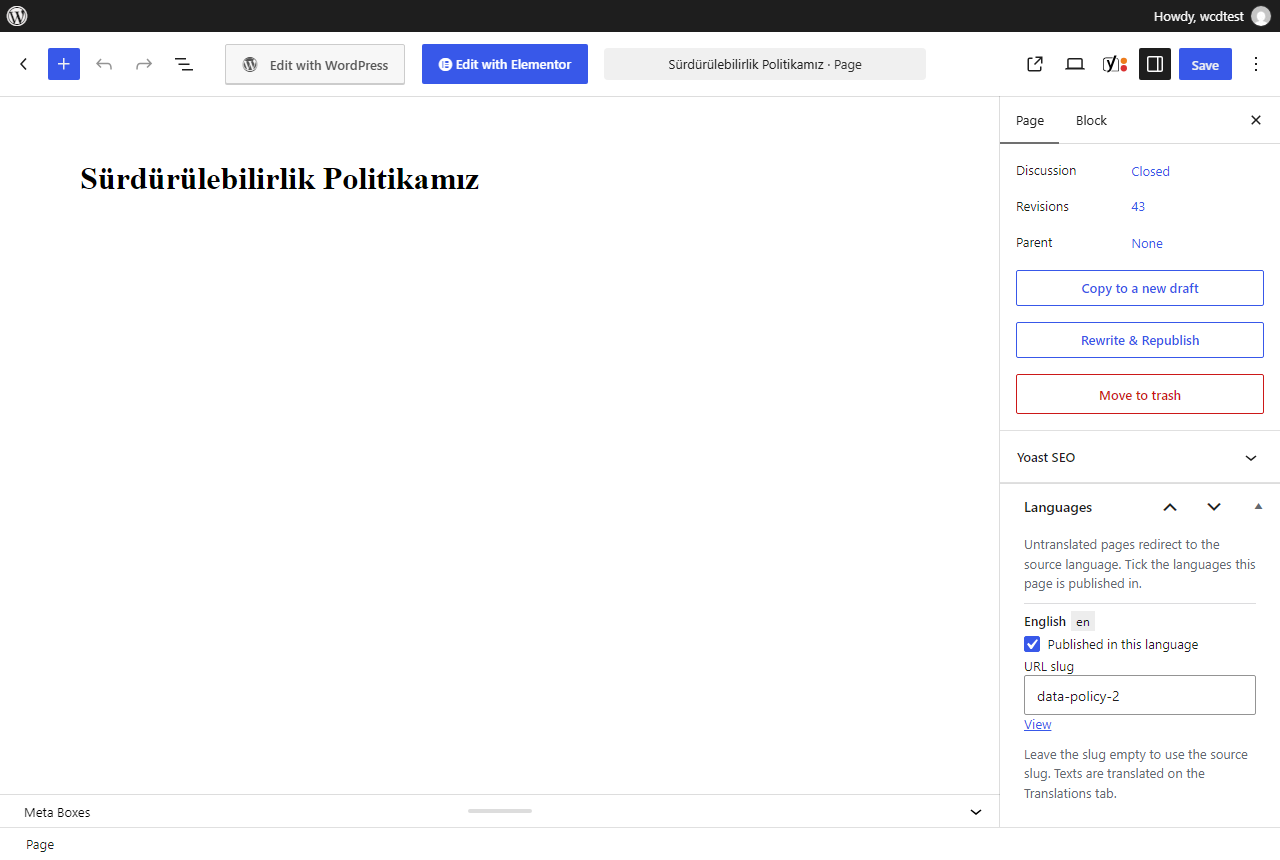
- Per page, set translated URL slugs in the Languages box on the edit screen.
屏幕截图:

常见问题:
Does it create duplicate posts like WPML or Polylang?
No. Every language is served from the source post. Translations are stored in the plugin's own table ({prefix}websmu_strings).
What happens when I change a page in the source language?
Changed texts appear in the source language in other languages until they are translated. Run a scan and translate the pending strings.
Can I keep my existing translated URLs when moving from WPML?
Yes. The importer stores each translation's slug, and old URLs keep working.
How many languages does the free version support?
Two: the source language plus one target language. The WPML importer imports the translations of all languages; adding the third and further languages to the settings requires Websel Multilingual Pro.
Which page builders are supported?
Translation works on the rendered HTML, so any builder works. Elementor has extra support (element cache per language, element-level copies for the WPML import).
更新日志:
0.5.1
- Changed: all code names, options, database table and post meta now use the longer
websmuprefix. - Changed:
wp websmu exportwrites towp-content/uploads/websel-multilingual/(or to standard output) instead of an arbitrary path. - Fixed: translated post content is run through
wp_kses_post()before it is output; the Translations table styles are enqueued instead of printed inline.
- The language limit now applies only when a language is added (settings, WP-CLI, WPML importer). Languages that are already set up are always served; there is no runtime switch-off.
- New:
websmu_enabled_languagesfilter for add-ons.
- Translations are loaded from WordPress.org language packs; the plugin no longer bundles its own .mo files.
- Plugin renamed to Websel Multilingual (Turkish: Websel Çok Dil); text domain
websel-multilingual. - Free version serves two languages (source + one target); more languages with the Websel Multilingual Pro add-on. Languages beyond the limit keep their data and redirect temporarily to the source language.
- New:
[websmu_language_switcher]shortcode (the old[websmu_dil_secici]keeps working). - New:
websmu_loadedaction andwebsmu_max_target_languagesfilter for add-ons.
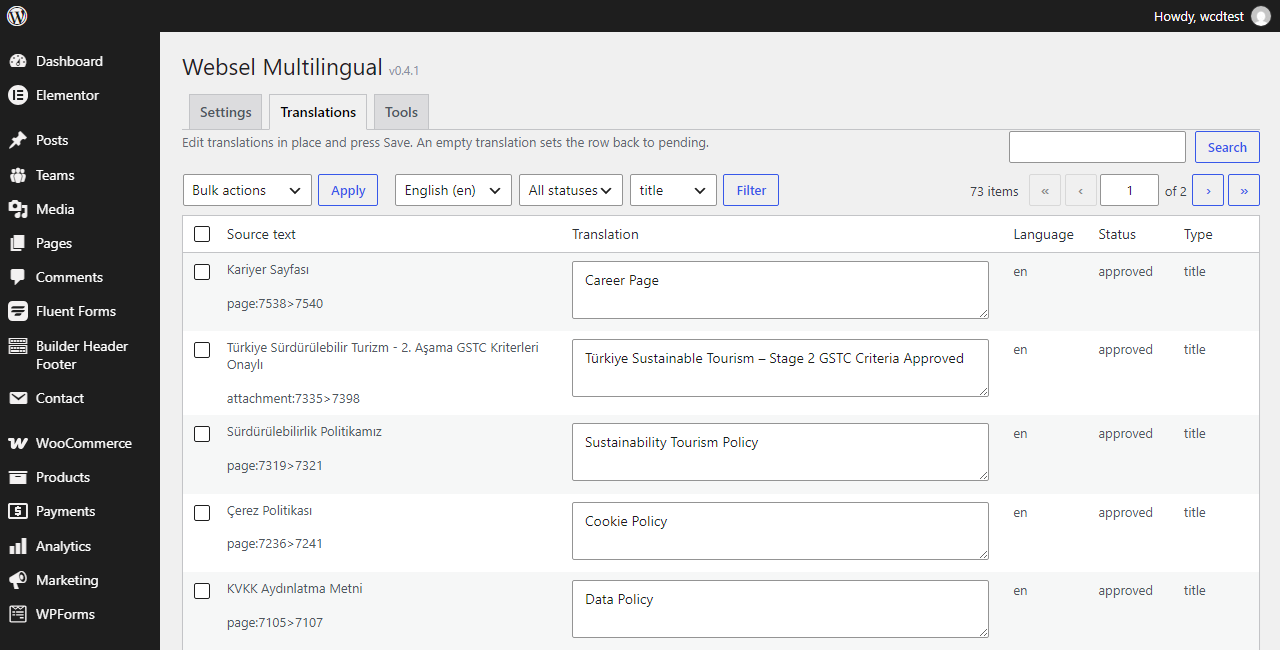
- New: Translations tab – search, filter by language / status / type, edit translations in place, bulk approve / pending / ignore / delete.
- New: Languages box on the post edit screen – translated URL slug per language and per-language availability.
- New: interface in English with a Turkish translation; WP-CLI output in English.
- Changed: flag icons replaced with flag-icons (MIT); default Claude model updated.
- Fixed: gettext lookup falls back to the site's own translations (themes whose source strings are not English).
- New: translated URLs (slugs) per language with 301 from source-slug URLs.
- New: WPML importer (WP-CLI, Tools tab, REST endpoint
websmu/v1/wpml-import). - New: language switcher as menu item with flags.
- New: optional locale switching,
<html lang>per language, WPML compatibility filters andICL_LANGUAGE_CODEfor themes and plugins that ask WPML. - New: per-language shortcode attributes and post meta, Elementor element-level copies, Elementor element cache per language.
- New: Yoast title variables, schema and sitemap per language; meta descriptions without a translation are not printed in other languages.
- New: per-post language availability; untranslated pages can redirect to the source language.
- Improved: one database query per request for translations; typography-insensitive matching (curly quotes, dashes); gettext per text domain.
- Changed: interface strings are English with a Turkish translation.
- Subdirectory installs supported.
- Language switcher and hreflang links point to the correct languages.