Wedding RSVP – Wedding Guest List, Meal Choices & RSVP Tracker
| 开发者 |
landtechwebdesigns
brelandr |
|---|---|
| 更新时间 | 2026年10月16日 05:56 |
| PHP版本: | 7.4 及以上 |
| WordPress版本: | 7.1 |
| 版权: | GPLv2 or later |
| 版权网址: | 版权信息 |
详情介绍:
- Less stress for your planning team – Shared visibility in wp-admin replaces emailed spreadsheet copies.
- Fewer last-minute surprises – Clear statuses and follow-up help you confirm attendance earlier for catering and rentals.
- Confidence at the venue – One accurate count for who is attending, meals, and plus ones.
- Faster setup – Getting started checklist, Next steps for pending RSVPs, straggler filters (missing email, phone, or address), plus Live demo (WordPress Playground) and Try Premium (InstaWP) links on the Plugins screen.
安装:
屏幕截图:
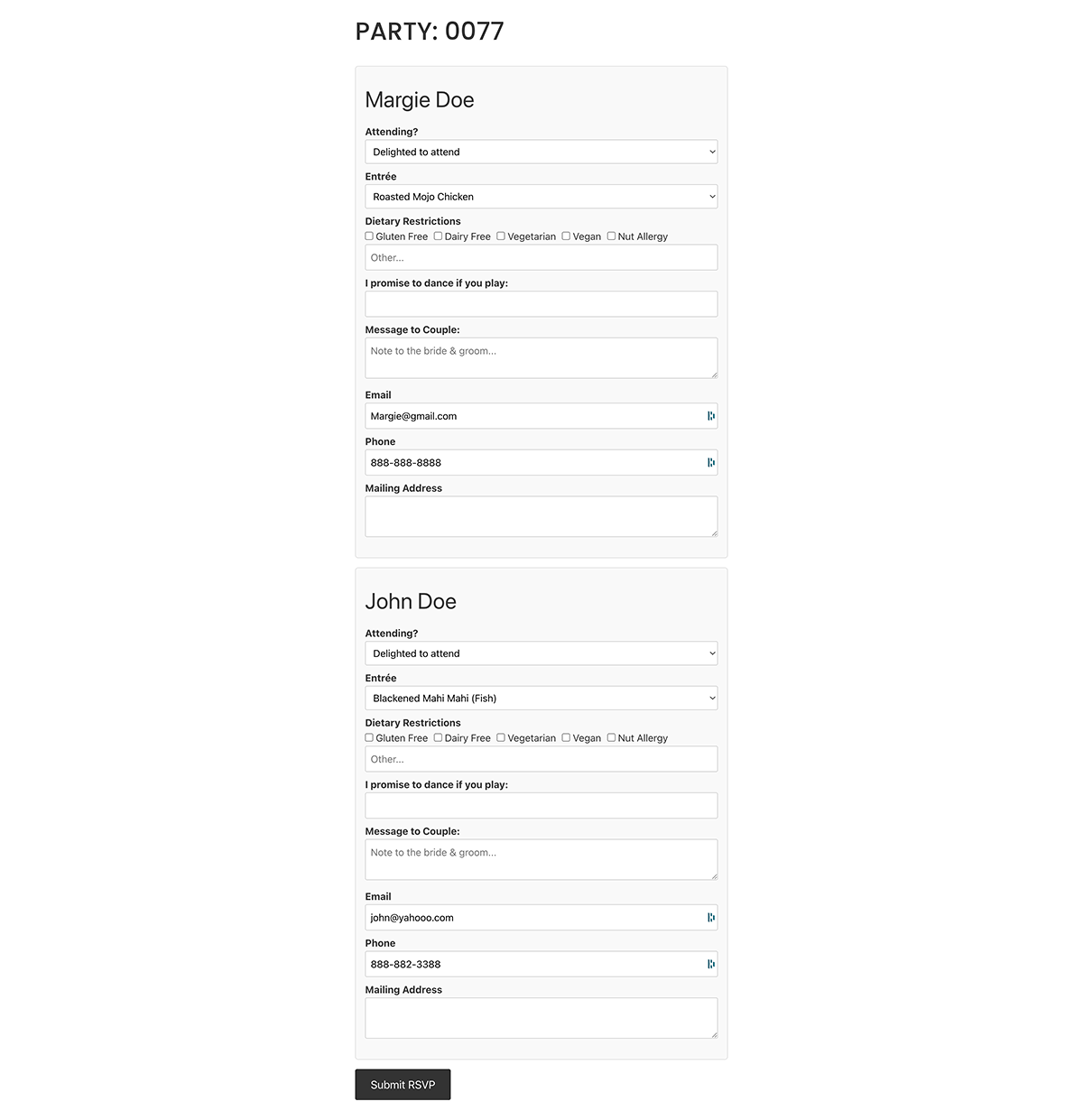
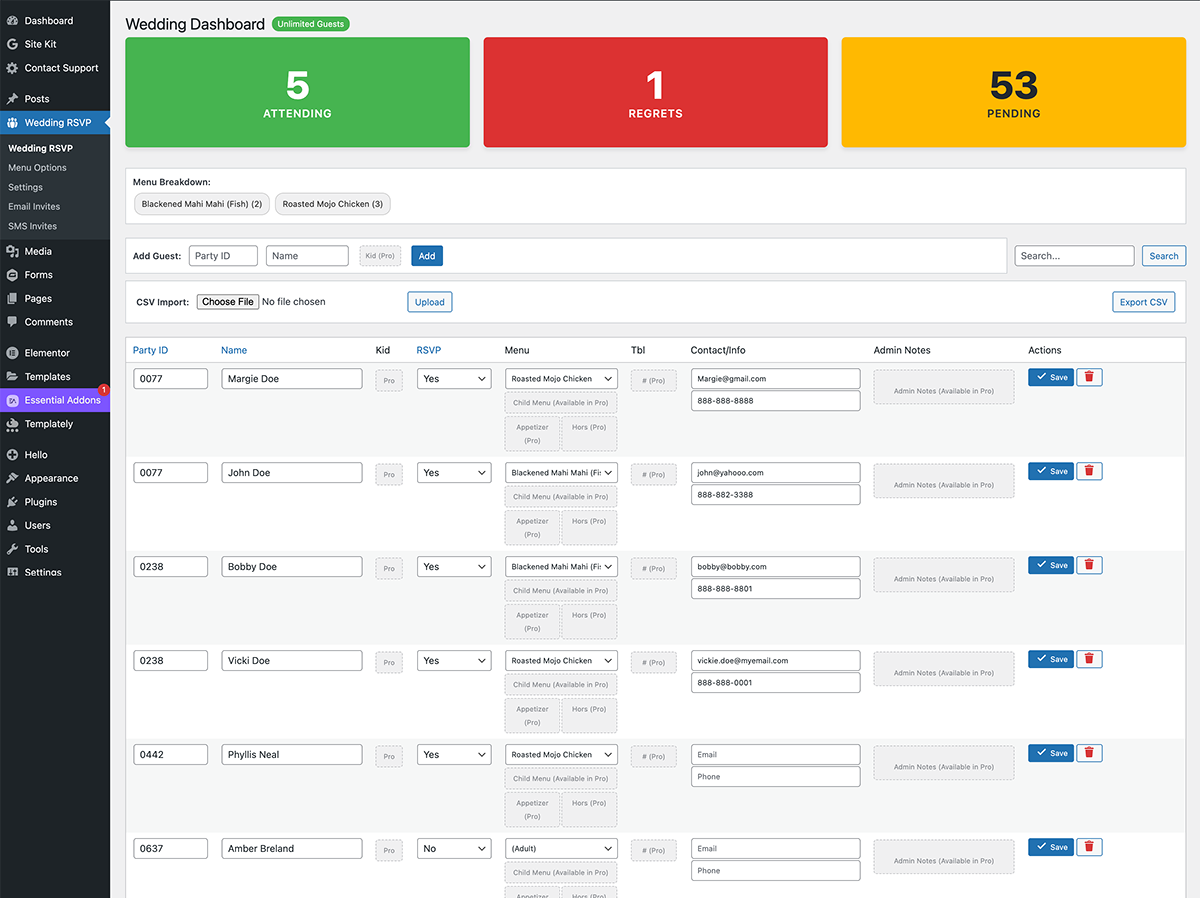
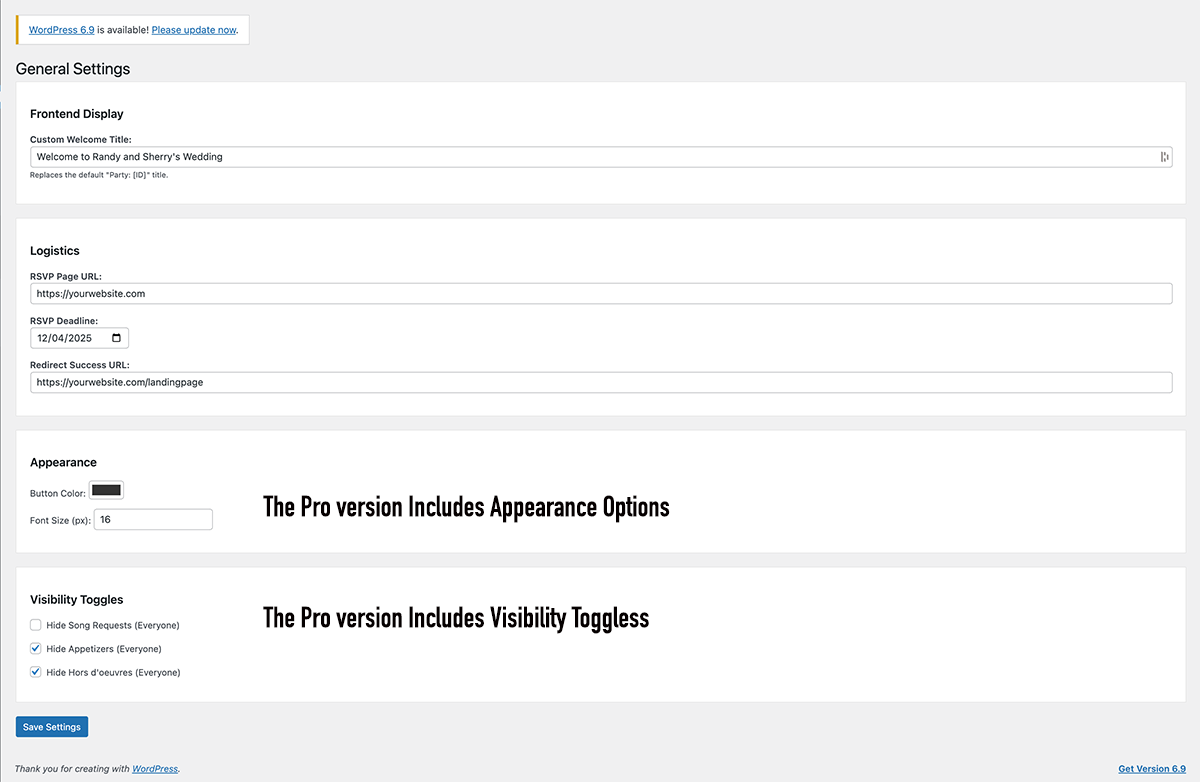
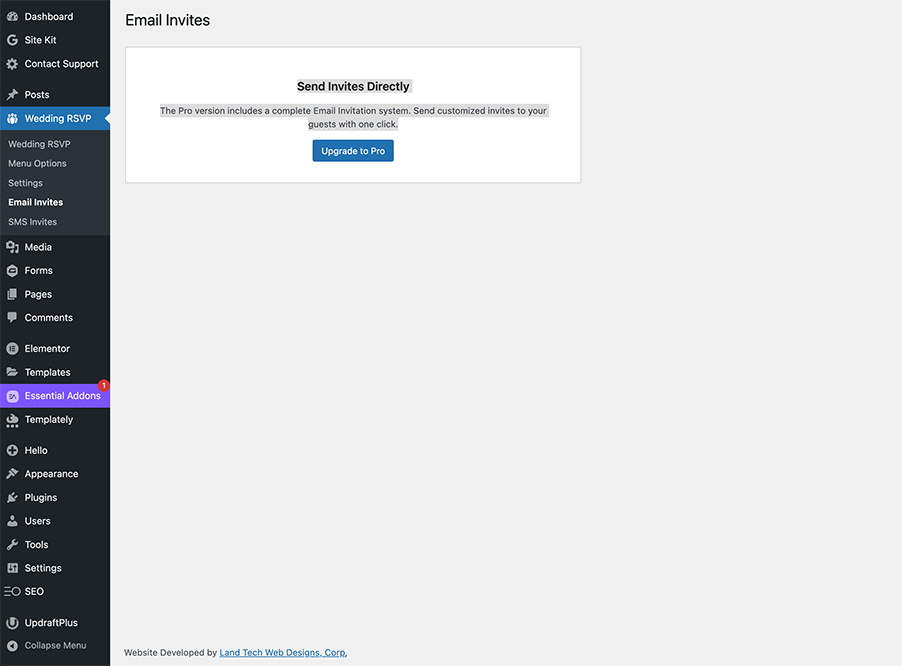
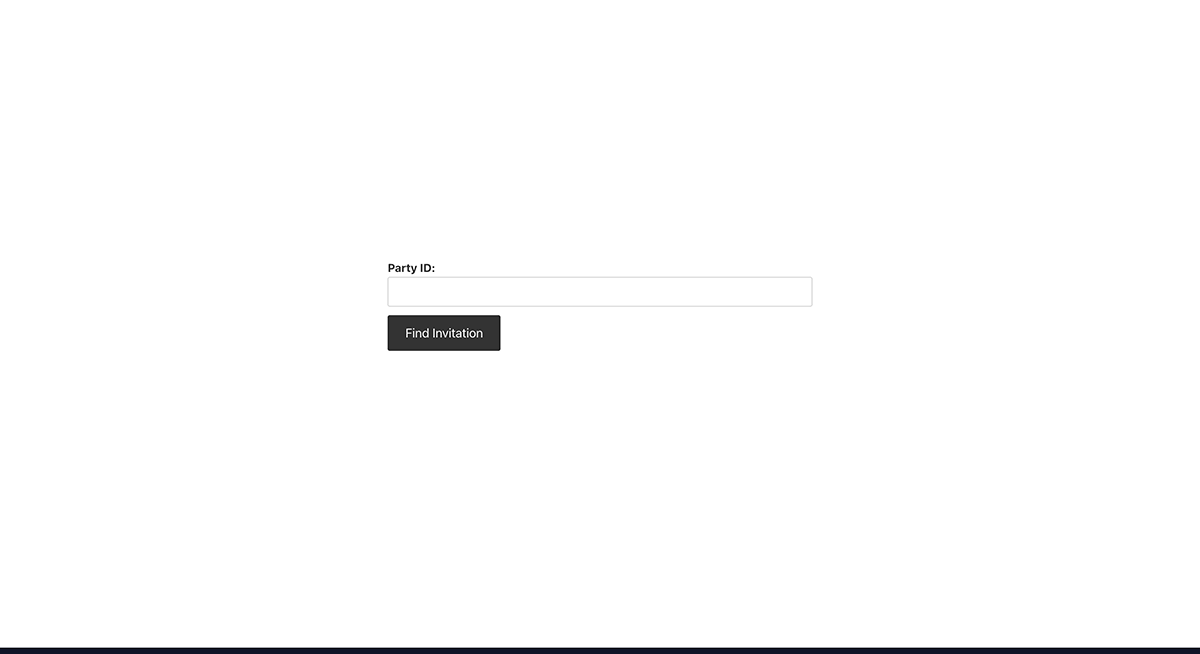
常见问题:
Can I use this for events other than weddings?
Yes! While tailored for weddings, it works for any event requiring basic RSVP tracking.
How do I reset the guest list?
Go to Settings and scroll to the bottom danger zone. Click Erase all data & reset plugin (exports first if you need a backup).
Do I need Wedding Party RSVP Pro to use the companion apps?
No. Wedding RSVP Companion for iOS and Android works with this free plugin. Open Wedding RSVP → Mobile App for your site URL, connect link, hub join link, or Connect to Wedding RSVP App Network (short join code; hub labels the listing Free). Coordinators sign in on the website; guests use a Party ID. Apple App Store and Google Play. Pro is optional and adds event photo uploads from the app, reminders, push alerts, seating, and AI.
Is there a Pro version?
Yes. Wedding Party RSVP Pro adds child guests, full menu courses (appetizers, hors d'oeuvres, desserts), customizable menu labels, seating notes, batch email and SMS, deeper styling, guest photo galleries via Wedding RSVP Companion, Wedding Guest Bingo (a phone QR card included with the Pro purchase), a registry setup wizard, an on-site wish list guests can reserve, Stripe cash fund tiers, and gift CSV import. The free plugin covers unlimited guests, adult entrées, dietary options, CSV import/export, guest hub summaries, gift registry links (with optional Amazon Associates / Skimlinks), and the public RSVP form. Open Wedding RSVP → Help in wp-admin for free guides plus plain-English Pro gift feature notes.
Do guests need a WordPress account to RSVP?
No. Guests use a Party ID (invite code) you assign—no user registration required.
Does this work with the block editor?
Yes. Add a Shortcode block (or the classic block) and paste [wedding_rsvp_form]. A block pattern is also available in the editor when the plugin is active.
What PHP and WordPress versions do I need?
Requires WordPress 6.2 or later, PHP 7.4 or later (aligned with WordPress 7 dropping PHP 7.2–7.3), and the plugin readme lists Tested up to WordPress 7.1. Use PHP 8.x on your host where possible—WordPress recommends current PHP releases for performance and security.
Do you offer a hosted wedding website?
Yes. If you prefer not to host WordPress yourself, the Wedding RSVP site builder at weddingrsvp.pro can create a wedding site on a subdomain with templates and the RSVP plugins included. Couples and planners who already have WordPress can keep using this free plugin (and optional Pro) on their own site—the hosted builder is optional, not required.
Can I use Wedding Party RSVP Pro together with the free plugin?
Yes. Keep both plugins active: the free plugin provides the core guest list and RSVP form; Pro extends it with premium features when your license is valid.
What guest data does Wedding Party RSVP store?
Guest records live in your WordPress database (a custom table, usually wp_wedding_rsvps with your site prefix). Typical fields include Party ID, name, RSVP status, meal choice, and anything guests enter on the public form (for example email, phone, dietary notes, allergies, song request, message, address). Only users who can manage the plugin in wp-admin can view or edit that list.
How can I export or erase a guest’s personal data?
In wp-admin, use Tools → Export Personal Data and Tools → Erase Personal Data (WordPress 4.9.6+). This plugin registers an exporter and an eraser that match guest rows by email address stored on the guest record. Erasing removes all guest rows that use that email from the RSVP table—use only when appropriate for your jurisdiction and event.
Can guests add the event to their calendar?
Yes. In Settings → Logistics, set event title, start time, and optional venue; when enabled, guests who complete RSVP can download an .ics file (“Add to calendar”).
How do I add gift registry links to the RSVP page?
In Wedding RSVP → Settings (free) use Frontend Display; with Pro, use Settings → Frontend text. Enter an optional heading and one or more link labels with full https URLs (for example Amazon or Zola). Guests see them after signing in with their Party ID. For a step-by-step walkthrough (and notes on Pro tools), open Wedding RSVP → Help.
Does Pro help me set up Amazon, Target, Walmart, and other registries?
Yes — that is a Pro feature. Wedding Party RSVP Pro’s Registry setup wizard (on Wedding RSVP → Registry hub) walks you through picking stores, opening each store’s registry-creation page, pasting the share links back, and adding them to your RSVP page. The free plugin still lets you paste those links by hand under Settings. Read the wizard guide under Wedding RSVP → Help (marked Available in Pro), or the full manual under Wedding RSVP → Documentation when Pro is licensed.
Can guests reserve gifts so nobody buys the same thing twice?
That is a Pro feature called the wish list (on-site item registry). With Pro, you add individual gifts from any store on Registry hub; guests reserve or mark them purchased on the RSVP page. Free users can still list store registry links. See Wedding RSVP → Help → Wish list for the Pro guide (Available in Pro).
Can I use my Amazon Associates (affiliate) tag on Amazon registry links?
Yes, as an optional opt-in (off by default). Under the gift registry settings, check Append my Amazon Associates tag and enter your tracking ID (for example yoursite-20). Registry links that point to an Amazon site then get ?tag=your-id appended so qualifying purchases credit your Associates account; links that already contain a tag parameter are left unchanged. Affiliate disclosure: whenever tagging is active, the plugin automatically displays “As an Amazon Associate I earn from qualifying purchases.” directly below the registry links, as required by the Amazon Associates Operating Agreement. Your own ID is required on self-hosted sites: if the checkbox is on but no tag is entered, tagging stays inactive (nothing is appended) and the settings screen shows a reminder with a sign-up link. Exception: on sites hosted on the plugin author’s weddingrsvp.pro network (sites the author owns and operates), the network’s Associates ID (weddingrsvp-20) is used automatically when the field is blank; this is stated next to the setting. The plugin itself contacts no Amazon API—the tag is only appended to outbound links you added.
Can I earn commissions on non-Amazon registry links with Skimlinks?
Yes, as an optional opt-in (off by default). Under the gift registry settings, check Turn non-Amazon registry links into Skimlinks affiliate links and enter your Skimlinks publisher ID (for example 123456X1234567). Registry links pointing at stores in the Skimlinks merchant network (Target, Zola, Crate & Barrel, and thousands more — Amazon is not included) are then routed through the documented Skimlinks redirect (go.skimresources.com) so qualifying purchases credit your Skimlinks account. No Skimlinks JavaScript is loaded — only the outbound link URL changes. Affiliate disclosure: whenever wrapping is active, the plugin automatically displays an affiliate disclosure sentence below the registry links, as required by the FTC and Skimlinks publisher terms. Your own publisher ID is required on self-hosted sites and your domain must be registered in your Skimlinks account — commissions go to the account that owns the ID; if the checkbox is on but no ID is entered, wrapping stays inactive and the settings screen shows a reminder with a sign-up link. Exception: on sites hosted on the plugin author’s weddingrsvp.pro network (sites the author owns, operates, and has registered with Skimlinks), the network’s publisher ID is used automatically when the field is blank; this is stated next to the setting. Amazon links keep using the separate Amazon Associates option above.
How do I paste a guest list instead of CSV?
In Wedding RSVP → Paste Guest List (admin menu), paste names, emails, or phone lines, preview rows, then import. Imports are capped per request and require an administrator; see the on-screen notice after import.
What is the Party ID preview on the RSVP page?
When your site supports the Interactivity API, guests may see a short hint after typing a Party ID. The browser calls the read-only REST route wgrsvp/v1/party-preview, which returns only whether the party exists, a guest count, and up to three first-name tokens (not full PII). Requests are rate-limited per IP to reduce brute-force guessing; adjust with the wgrsvp_party_preview_rate_limit_max filter if needed.
How do I use the DataViews guest table on the Wedding Dashboard?
When the admin bundle is built (npm run build in the plugin directory), Wedding RSVP → Wedding Dashboard opens the DataViews read-only table by default. Use Classic table / DataViews table on the dashboard toolbar to switch views; your choice is saved per user. The classic list remains below for bulk actions and editing. Override once with ?wgrsvp_dataview=1 or ?wgrsvp_dataview=0.
更新日志:
- The WordPress.org short description stays within 150 characters, so the plugin directory no longer cuts it off.
- New: event capacity with a waitlist. Set a guest cap and extra yes replies go on the waitlist instead of overbooking. Declines always get through, administrators are never blocked, and coordinators can offer a seat in one click from the guest list.
- New: a Waitlist stat box on the dashboard, with a one-click filter to the waitlisted guests.
- The companion app can report and write the Waitlist status, so a cap set on the site applies to guest RSVPs made in the app too.
- The Wedding RSVP companion app is on the Apple App Store, alongside Google Play.
- With Pro, guests can upload photos they took during the event from the app.
- Free companion app-config reports AI, cash gifts, and SMS as off.
- Fix: SMS consent checkbox — Label now explicitly asks the guest to agree to receive SMS text messages, with frequency, rates, STOP, HELP, and that consent is not required to RSVP.
- Fix: Phone field label — Public RSVP form labels the number as optional and not required to RSVP.
- Add: Connect to Wedding RSVP App Network — Free sites can register on weddingrsvp.pro from Wedding RSVP → Mobile App for short join codes; the hub stores a verified Free tier from
wgrsvp/v1/app-config. - Docs: Companion apps — Clarify free pairing; note iOS is pending Apple App Store approval (Android on Google Play; TestFlight until App Store release).
- Clarify: Companion apps work with the free plugin — Readme, FAQ, and admin notice no longer imply Pro is required for the Wedding RSVP mobile apps. Core dashboard, guest list, and Party ID RSVP use
wgrsvp/v1; Pro remains optional for gallery, reminders, push, seating, AI, and App Network short codes.
- Add: Free companion mobile API —
wgrsvp/v1app-config, website connect + Application Password claim, coordinator dashboard/guests, guest Party ID session/RSVP, and account deletion for the Wedding RSVP companion app. Pro sites continue to use the richerwpr-pro/v1surface when licensed. - Add: Wedding RSVP → Mobile App admin screen with join/connect instructions.
- Add: SelfStorage-style Help documentation hub — Wedding RSVP → Help opens card guides (Quick Start, Gutenberg Blocks, Shortcodes). Click a card to read full instructions; block overview links open per-block guides.
- Add: Per-block documentation for all free Gutenberg blocks (RSVP form, Guest Hub, Guestbook, Itinerary, Travel, Thank-you checklist).
- Improve: Distribution zip ships
admin-docs/markdown for in-admin Help (developerdocs/still excluded).
- Fix: Redirect URL carries thank-you link parameters — After RSVP, guests redirected to your custom thank-you page receive signed
party_id/ thank-you args so[wgrsvp_guest_hub](and Pro[wpr_pro_rsvp_status]) can show their household status.
- Add: Customizable travel UI labels — Wedding RSVP → Travel (public) can set empty-state message, group-code / book-by labels, and Copy/Copied button text for
[wgrsvp_travel]. Guest hub uses the configured book button and label strings. - Improve: Distribution zip scripts — Hard-fail verification so Pro Dist zips never ship
companion/,docs/, orscripts/(avoids WordPress “files could not be copied” update failures).
- Compatibility — Confirmed tested with WordPress 7.1 (readme
Tested up to: 7.1). - Docs — FAQ + Description note about the optional hosted wedding site builder at weddingrsvp.pro.
- Add: Travel book CTA + copyable group code —
[wgrsvp_travel]shows a Book hotel button when a hotel URL is set, and a Copy code control for the group code. Filterwgrsvp_public_party_rsvp_urllets Pro rewrite guest invite links (e-invite).
- Fix: Guestbook captcha uses reCAPTCHA v3 — Matches WSB Hub keys; empty Guestbook fields inherit
wsb_hub_recaptcha_*/ Turnstile keys from WSB Hub → Connection. Invisible v3 execute on submit; Turnstile remains the backup.
- Add: Guestbook captcha — Optional Google reCAPTCHA (primary) with Cloudflare Turnstile backup under Settings → Guestbook spam protection. Existing honeypot, rate limit, and moderation remain.
- Fix: Itinerary punctuation —
[wgrsvp_itinerary]inserts,between the time and location so lines read “4:00 pm, The Rose Garden…”.
- Add: Admin menu approval badges — Red pending counts on Guestbook (and top-level Wedding RSVP). Filter
wgrsvp_admin_menu_badgeslets Pro add Photo Gallery and other queues; collapsed group headers show summed counts.
- Add: Collapsible admin menu groups — Under Wedding RSVP, secondary screens fold into Guests & seating, Planning, and Guest experience & reports so Free+Pro sidebars stay usable without zooming. Core items stay pinned; open state persists in the browser; filter
wgrsvp_admin_menu_groupsfor Pro/custom membership.
- Add: Digital guestbook —
[wgrsvp_guestbook]shortcode/block with moderated public messages, admin approve/spam/delete, rate limit, and Pro hooks. - Add: Public itinerary & travel —
[wgrsvp_itinerary]and[wgrsvp_travel]shortcodes/blocks for marketing pages; Free travel settings; Pro can enrich via filters. - Privacy — Suggested policy text covers guestbook storage.
- Add: Affiliate hop helper —
wgrsvp_affiliate_hop_url()and Order prints links preferhttps://{wsb_platform_hostname}/wsb-aff/{vendor}so product affiliate attribution stays on the weddingrsvp.pro subdomain when a custom domain is attached. Optional Amazon partner row when synced from the hub.
- Fix: Mixed households — Guest list health tile opens the guest list (grouped by party) instead of Follow-up & day-of, so it works when that menu is hidden.
- Fix: Allergies health tile — Counts and lists Accepted guests with notes in Allergies or Dietary restrictions.
- Add: Song requests — New Wedding RSVP → Song requests report (search + CSV) for DJ/band playlists from RSVP form submissions.
- Compatibility — Pairs with Wedding Party RSVP Pro 2.4.1 (dashboard cache bust + sub-event summary count fix).
- Compatibility — Documented pairing with Wedding Party RSVP Pro 2.4.0 (Registry setup wizard and on-site wish list on the Registry hub; Pro setup-guide steps and hub Order prints affiliate URLs).
- Docs — Description and Help pointers clarify free gift-registry links vs Pro registry tools.
- Fix: Settings save buttons — Automatic guest reminders no longer sit in the middle of the general Settings form with a primary Save button that looked like it saved gift registries / Amazon links. Reminder series moved below Save Settings, with an extra Save Settings control under Frontend Display (registries). Reminder fields save via their own button to
admin-post(no nested-form breakage). - UX — Plain-language “Automatic guest reminders” copy explains the feature for non-developers; clearer who/when/message labels.
- Setup guide — New Wedding RSVP → Setup guide checklist for first-time coordinators (RSVP page, menus, guests, testing, optional reminders).
- Order prints — Optional partner links (Printful, Canva, Gelato) after place-card export; documented under External Services / Help.
- Guest table — Dietary, allergy, and table filters use dropdowns fed from guest data.
- Settings — Configurable dietary / allergy option lists and labels for the public RSVP form.
- Help & Documentation — New Wedding RSVP → Help admin page: guides for free gift registry links, Amazon Associates, and Skimlinks, plus plain-English docs for Pro gift tools (registry setup wizard, wish list, Stripe cash fund, gift CSV import) clearly marked Available in Pro. When Pro Documentation is present, Help links to the full Pro manuals.
- Settings — Gift registry section links to Help and notes Pro wizard / wish list when Pro is not active.
- Address focus — Deep-link query args scroll the mailing address field into view on the public RSVP form (when Pro address campaign is not handling the same args).
- Compliance — Named REST permission callback for public party-preview; Interactivity / WP 7.0 AI helpers gated with
function_exists; drip / uninstall / cache PHPCS hardening; External Services notes for affiliate registry options. - Docs — FAQ and Pro Features list updated for the registry wizard and wish list.
- Companion apps — Updated dismissible admin notice: the free Wedding RSVP app is live on Google Play; iOS is available via TestFlight and should reach the Apple App Store soon. (Later releases clarify the apps also work with the free plugin alone.)
- Docs — Highlight Pro guest photo galleries: guests can capture photos in the companion app and upload them to event albums on the WordPress site for moderator review and optional frontend display.
- Compatibility — Confirmed tested with WordPress 7.0.x (readme
Tested up to: 7.0). - Companion apps — Dismissible admin notice: free iPhone (App Store) and Android (Google Play) companion apps are in beta and expected generally available in a couple of weeks. (Later releases clarify the apps work with the free plugin; Pro adds optional extras.)
- Dashboard contrast — Menu Breakdown meal filter chips use high-contrast dark text on light gray backgrounds (
#1d2327on#f0f0f1). Fixes unreadable blue-on-blue labels under the Modern admin color scheme (admin-color-modern) until hover.
- Dashboard contrast — Menu Breakdown meal filter chips use high-contrast dark text on light gray backgrounds. Fixes unreadable blue-on-blue labels under the Modern admin color scheme (
admin-color-modern) until hover.
- Abilities API — Register the
wedding-party-rsvpability category onwp_abilities_api_categories_init(required since WordPress 6.9) before registeringwedding-party-rsvp/ai-wordingonwp_abilities_api_init. Stops_doing_it_wrongnotices whenWP_DEBUGis on.
- Guest table schema — Adds optional
dessert_choicecolumn (used by Wedding Party RSVP Pro 2.2.4+ for dessert selections on the public RSVP form). Guest hub, dashboard inline meal display, CSV export, audit trail, and guest-rows REST allowlist updated accordingly. - Playground blueprint — Demo seeds event details for the guest hub, sample dessert choices on Party ID DAVIS-005, and updated RSVP page copy describing the guest hub flow.
- RSVP nonce refresh — Fixes intermittent "Security check failed. Please open this page again and try once more" when guests enter their Party ID on hosts with full-page cache (GoDaddy Managed WordPress, Cloudflare, etc.). Public RSVP pages now fetch fresh form nonces via AJAX on load, when the tab becomes visible again, and when restored from back-forward cache; classic form submit waits for a fresh token if the page load was slow. Also refreshes nonces before Interactivity API RSVP submit. Works with free and Pro frontend forms. Filters:
wgrsvp_enable_rsvp_nonce_refresh,wgrsvp_rsvp_refresh_nonces.
- RSVP cache hardening — Stronger no-cache for Cloudflare, GoDaddy gateway, and Elementor-built RSVP pages: flags
DONOTCACHEPAGEoninit, sendsCDN-Cache-Control/Cloudflare-CDN-Cache-Control: no-storeonsend_headers, detects Elementor_elementor_datashortcode widgets, and matches common/rsvp/page paths when RSVP Page URL is unset. Filter:wgrsvp_rsvp_page_path_slugs.
- RSVP cache fix — Public RSVP pages (shortcode, block, or configured RSVP Page URL) now send no-cache headers and opt out of LiteSpeed Cache and other full-page cache plugins. Fixes intermittent "Security check failed." when hosts such as Hostinger or CDNs (e.g. Cloudflare) serve stale HTML with expired form nonces. Filter:
wgrsvp_should_nocache_rsvp_page.
- Security & standards hardening — Global audit of inbound/outbound data handling: stricter input sanitization on settings saves, late escaping verified across all admin output, and the Ops Center confirm dialog moved from an inline handler to an enqueued script (
wgrsvp-confirm.js). - Code quality — WordPress Coding Standards pass: completed missing DocBlocks, prefixed all globals, and resolved all PHPCS errors repo-wide.
- Magic-link RSVP URLs — Reminder emails, invite
{rsvp_link}tags, and admin Copy link now append a signedwgrsvp_ttoken (stateless HMAC,wp_salt-based). Guests landing with a valid token see a personalized "We found your invitation" state; plain?party_id=links keep working. Filter:wgrsvp_magic_link_url. - Send reminder now — Follow-up & day-of → Follow-up queue gains a one-click reminder blast to all non-responders with email (recipient count preview, confirm dialog,
manage_options+ nonce, 6-hour throttle, per-guest dedupe separate from the scheduled nudges). - SMS reminder opt-in — New
sms_opt_inguest column (schema v4 via dbDelta), "Text me reminders" checkbox next to the RSVP form phone field, inline opt-in toggle on the admin guest list, and an SMS opt-in column in the CSV export. The free plugin stores consent only; sending requires Wedding Party RSVP Pro. - Guest table page — The read-only DataViews guest table (and its quick filters) moved from the Wedding Dashboard to its own Guest table submenu page; the dashboard keeps the classic editable list and links to the new page. The per-user DataViews/classic toggle was removed.
- Block inserter fix — RSVP form, Guest Hub, and Thank-you checklist blocks now register a block editor script and appear under a Wedding Party RSVP inserter category (PHP-only blocks were not discoverable in Gutenberg without
editorScript). - Block patterns — Patterns tab adds RSVP form (block) and Guest Hub (block) under Wedding Party RSVP for faster page setup.
- Abilities API — Registers
wedding-party-rsvp/ai-wordingwhen WordPress 7.0+ Abilities API is available (AJAX paths remain primary). - Block registration — Centralized
WGRSVP_Blocksregisters RSVP form, guest hub, and thank-you checklist dynamic blocks (PHPrender.phponly). - AI model preference — Optional model slug on General Settings; passed to
using_model_preference()when supported.