WidgetCalc — Pricing, Quote & Cost Calculators for Leads
| 开发者 | rocksoftware |
|---|---|
| 更新时间 | 2026年11月12日 15:28 |
| PHP版本: | 7.4 及以上 |
| WordPress版本: | 7.1 |
| 版权: | GPLv2 or later |
| 版权网址: | 版权信息 |
详情介绍:
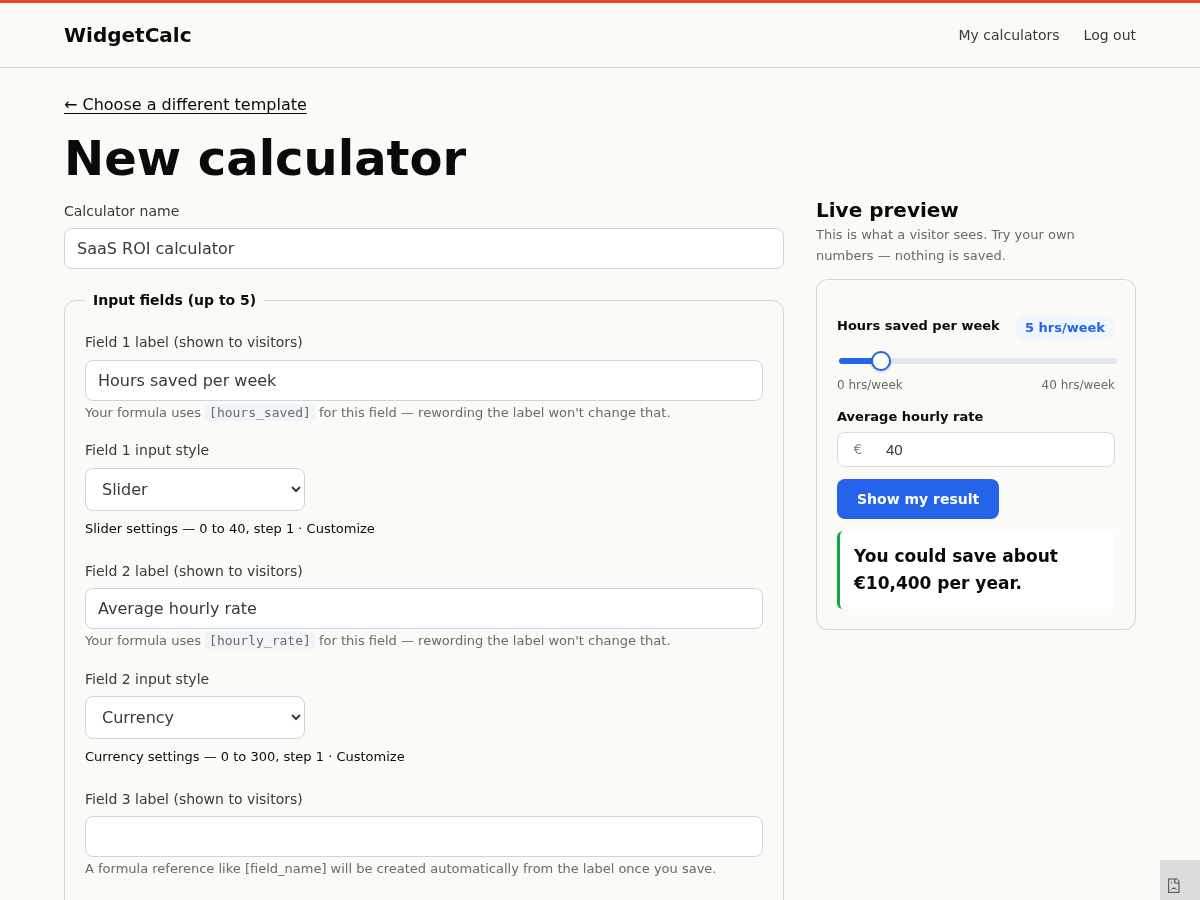
- No formulas to write. Build the calculator at widgetcalc.com with a visual editor — fields, a formula built by clicking, and a live preview — then paste one key here. Nothing to code on the WordPress side, ever.
- The lead capture is built in. The calculator is the lead form; you don't wire up a separate Contact Form 7 or Gravity Forms integration to get the email address.
- A free plan that actually works. One calculator, unlimited visitors, no time limit — not a 14-day trial.
- Light and lazy. The calculator loads in an iframe after the rest of your page, so it never blocks or slows down your WordPress site's own load.
- A
[widgetcalc]shortcode you can drop into any page, post or widget area. - A WidgetCalc block for the block editor (Gutenberg), with a field for the calculator key.
- A site-wide default calculator key under Settings → WidgetCalc, so a single-calculator site needs no attributes at all.
- Create and publish a calculator at widgetcalc.com.
- Copy the calculator key shown on the publish step (the part of the embed snippet between
/embed/and.js). - Either:
- Go to Settings → WidgetCalc and paste it as your default key, then add the WidgetCalc block or
[widgetcalc]shortcode anywhere with no attributes, or - Use
[widgetcalc key="your-calculator-key"]to place a specific calculator, independent of the default.
安装:
- Upload the
widgetcalcfolder to/wp-content/plugins/, or install directly from the WordPress plugin directory. - Activate the plugin through the Plugins menu in WordPress.
- Go to Settings → WidgetCalc and paste your calculator key.
- Add the WidgetCalc block to any page, or use the
[widgetcalc]shortcode.
屏幕截图:
常见问题:
Can I use this to build a quote form, not just a calculator?
Yes. A WidgetCalc "calculator" is really a questions-to-result flow — the same builder makes a pricing calculator, a quote form that ends in "your estimated price is...", or a cost estimator for a project. Start from the price-quote template at widgetcalc.com if a quote form is what you need.
Is this a cost estimator plugin?
Yes, among other things. Templates for cost estimators, pricing calculators, ROI calculators and time/savings calculators are all built in the same visual editor and embed with the same shortcode or block — pick the template closest to what you need and edit it, no code.
Is this really free, or is lead capture locked behind a paid plan?
The free WidgetCalc plan includes one calculator, unlimited visitors and lead capture with no time limit — the thing most calculator plugins charge for. Paid plans add more calculators, remove the WidgetCalc badge and unlock lead routing (webhooks, more export options); they are not required to get real leads from this plugin.
Do I need to write a formula or any code?
No. You build the calculator itself at widgetcalc.com in a visual editor — add fields, build the formula by clicking them together, and see a live preview as you go — then paste the finished calculator's key into this plugin. Nothing here needs code.
Where do I get a calculator key?
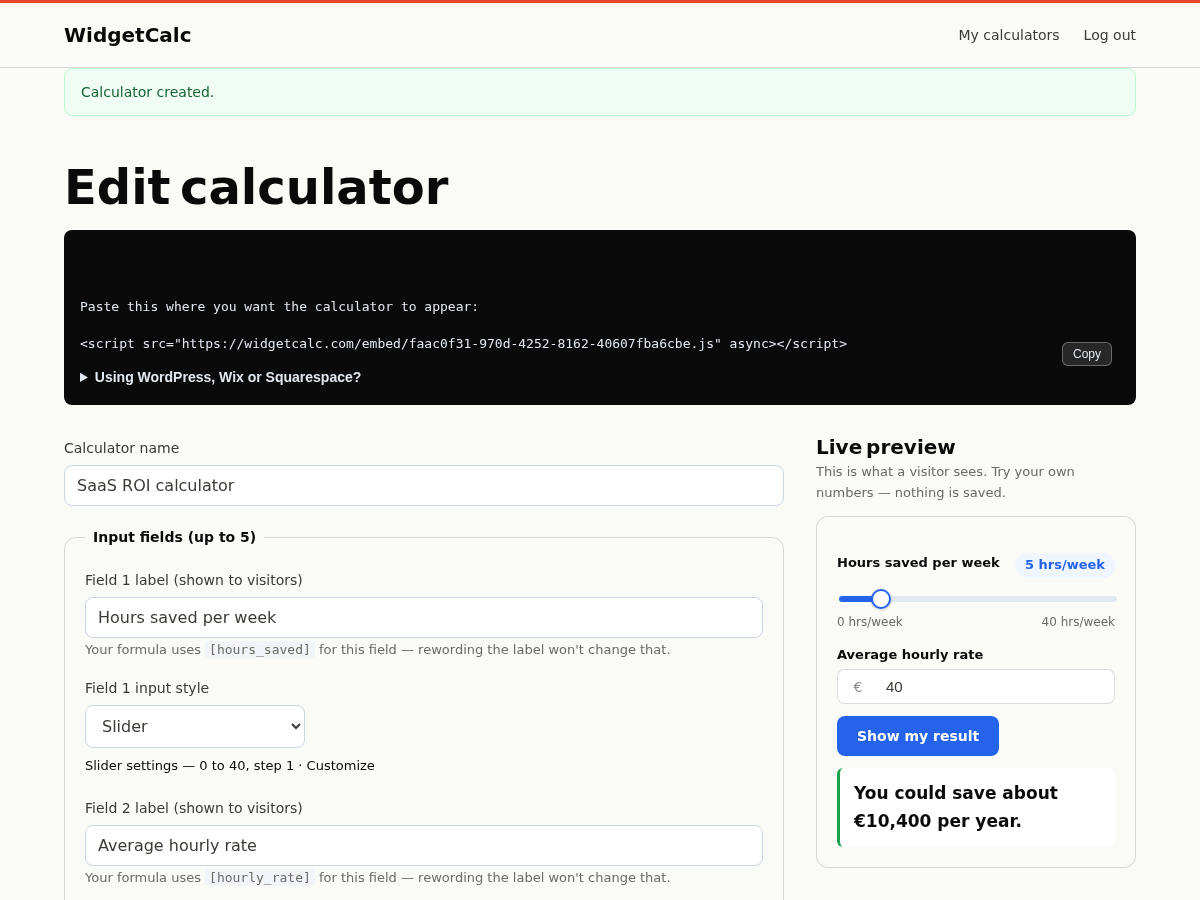
Build a calculator at widgetcalc.com (or start from a template) and publish it. The publish step shows an embed snippet; the key is the UUID between /embed/ and .js in that snippet.
Can I embed more than one calculator?
Yes — set a site-wide default under Settings → WidgetCalc for your main calculator, then use [widgetcalc key="…"] with a different key anywhere you want a different one.
Does this slow down my site?
The calculator loads in a lazy iframe, after the rest of your page, so it does not block your page's own load.
更新日志:
- Add a FAQ entry and a settings-page link for the "built-for-you" done-for-you service (send your pricing sheet, WidgetCalc builds and hosts the calculator) — a separate paid service from this free plugin, linked only from the plugin's own settings screen, not from any front-facing page it renders.
- Retitle the listing and rewrite the tags, description and two new FAQ entries around the words a WordPress site owner actually searches for (pricing calculator, quote form, cost estimator), not just "ROI widget" — the plugin always did all of these, the listing just didn't say so.
- Add the directory listing's first screenshots: a live calculator, the builder with its live preview, and the embed snippet — so a visitor can see the product work before installing.
- Rewrite the directory listing as a landing page: a sharper title, a "why WidgetCalc" section in the description, and two new FAQ entries (is it really free, do I need to code) answering the two questions a visitor to this listing actually has.
- The admin settings screen now shows a plain "Build a free calculator" button when no key is set yet, linking through a counted redirect so we can see whether an install turns into a signup.
- Fix: enqueue the embed loader via wp_enqueue_script instead of printing a raw tag.
- Document the WidgetCalc external service (data sent, ToS, privacy) in this readme.
- Remove an unsupported "fastest" claim from the description; add rocksoftware as a listed contributor.
- First release: shortcode, block and a site-wide default key.