
WLock - Lock Your Site Against Unapproved Installs
| 开发者 | bytesvibe |
|---|---|
| 更新时间 | 2026年11月8日 00:11 |
| PHP版本: | 7.4 及以上 |
| WordPress版本: | 7.1 |
| 版权: | GPLv2 or later |
| 版权网址: | 版权信息 |
详情介绍:
- Agencies who manage client sites and want to prevent clients (or other admin-level users) from installing unapproved plugins/themes that cause support issues.
- Site owners who want a second line of defense against accidental installs of low-quality or conflicting plugins.
- Teams with multiple administrators who want to standardize which tools are allowed on a site.
- It does not affect activating, deactivating, deleting, or updating anything already installed — only fresh installs are restricted.
- It does not restrict installs made outside of wp-admin (WP-CLI, SFTP, etc.) — those bypass the WordPress installer entirely and are outside what any plugin can intercept.
- It is fully self-managed: whoever has the
manage_optionscapability on the site can enable/disable it and edit the whitelist at any time from Settings → WLock, and can deactivate the plugin like any other.
安装:
- Upload the plugin files to
/wp-content/plugins/wlock, or install directly through the WordPress plugins screen. - Activate the plugin through the 'Plugins' screen in WordPress.
- Go to Settings → WLock.
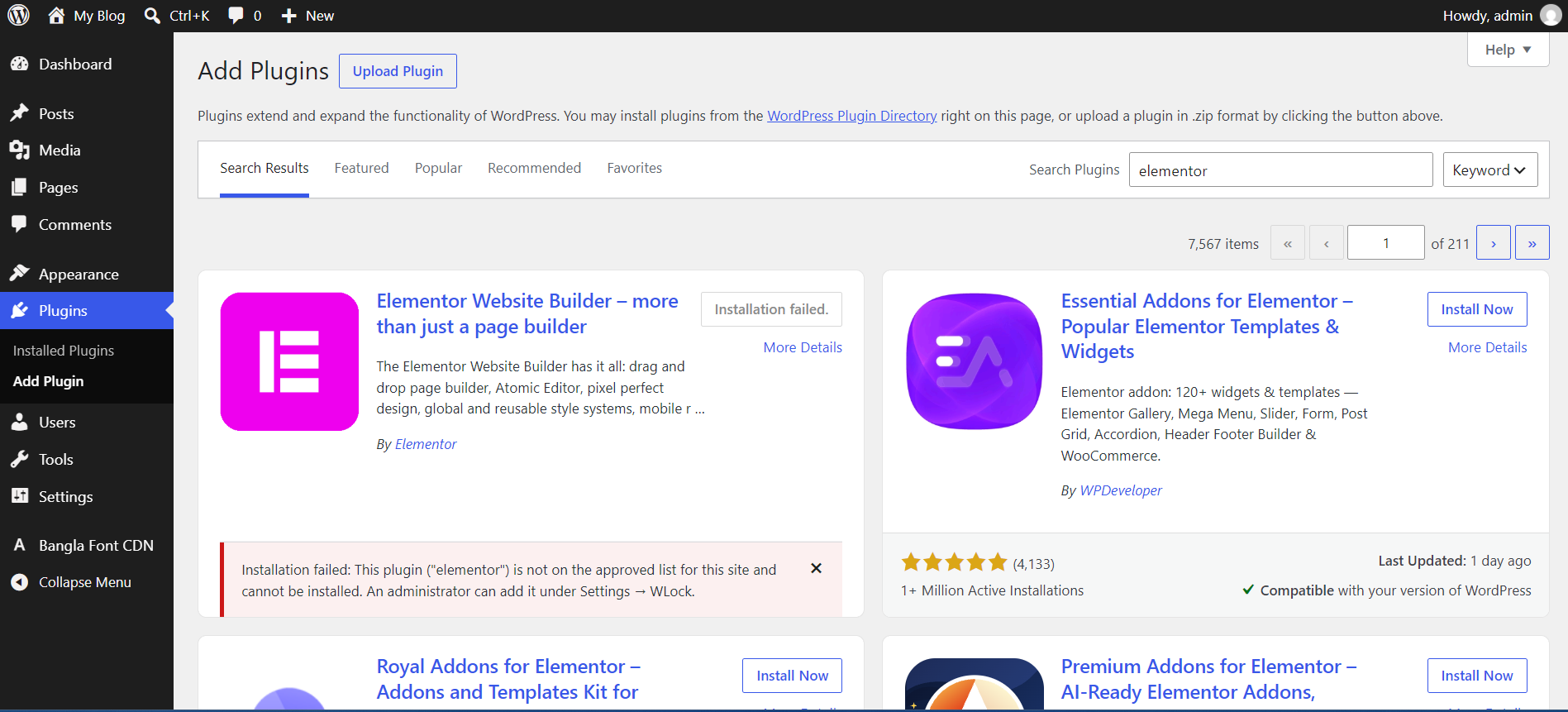
- Add the plugin/theme slugs you want to approve (one per line), then check "Block installation of anything not on the approved lists below" and save.
屏幕截图:
常见问题:
How do I find a plugin's slug?
It's the folder name the plugin installs into under wp-content/plugins/, which is also the last part of its WordPress.org URL. For example, Akismet installs to wp-content/plugins/akismet, and its directory page is https://wordpress.org/plugins/akismet/ — so its slug is akismet.
Does this stop existing plugins/themes from being updated?
No. Updates to anything already installed are never blocked, only fresh installs.
Can a site admin bypass this?
Yes, deliberately. Anyone with the manage_options capability can edit the whitelist or deactivate the plugin. WLock is a self-managed safeguard, not a hard lock against the site's own administrators.
Does this work with uploaded .zip installs, not just the WordPress.org search?
Yes. The check runs after a package is unpacked, regardless of whether it came from the repository or a direct upload.
Is this safe to use?
All settings are saved through WordPress's own Settings API, which handles the nonce and capability checks for you, and every value is sanitized on save and escaped on output. Only users with the manage_options capability can view or change the whitelist.
更新日志:
- Initial release.