Wontonee CommerIQ — AI Commerce Insights for WooCommerce
| 开发者 | sajudeveloper18 |
|---|---|
| 更新时间 | 2026年1月10日 15:19 |
| PHP版本: | 7.4 及以上 |
| WordPress版本: | 6.9 |
| 版权: | GPL v2 or later |
| 版权网址: | 版权信息 |
详情介绍:
- Service Provider: Wontonee (CommerIQ AI Services)
- Service URL: https://myapps.wontonee.com/api/commeriq
- What data is sent: Product titles, descriptions, prices, and images for AI processing
- Terms of Service: https://wontonee.com/terms
- Privacy Policy: https://wontonee.com/privacy
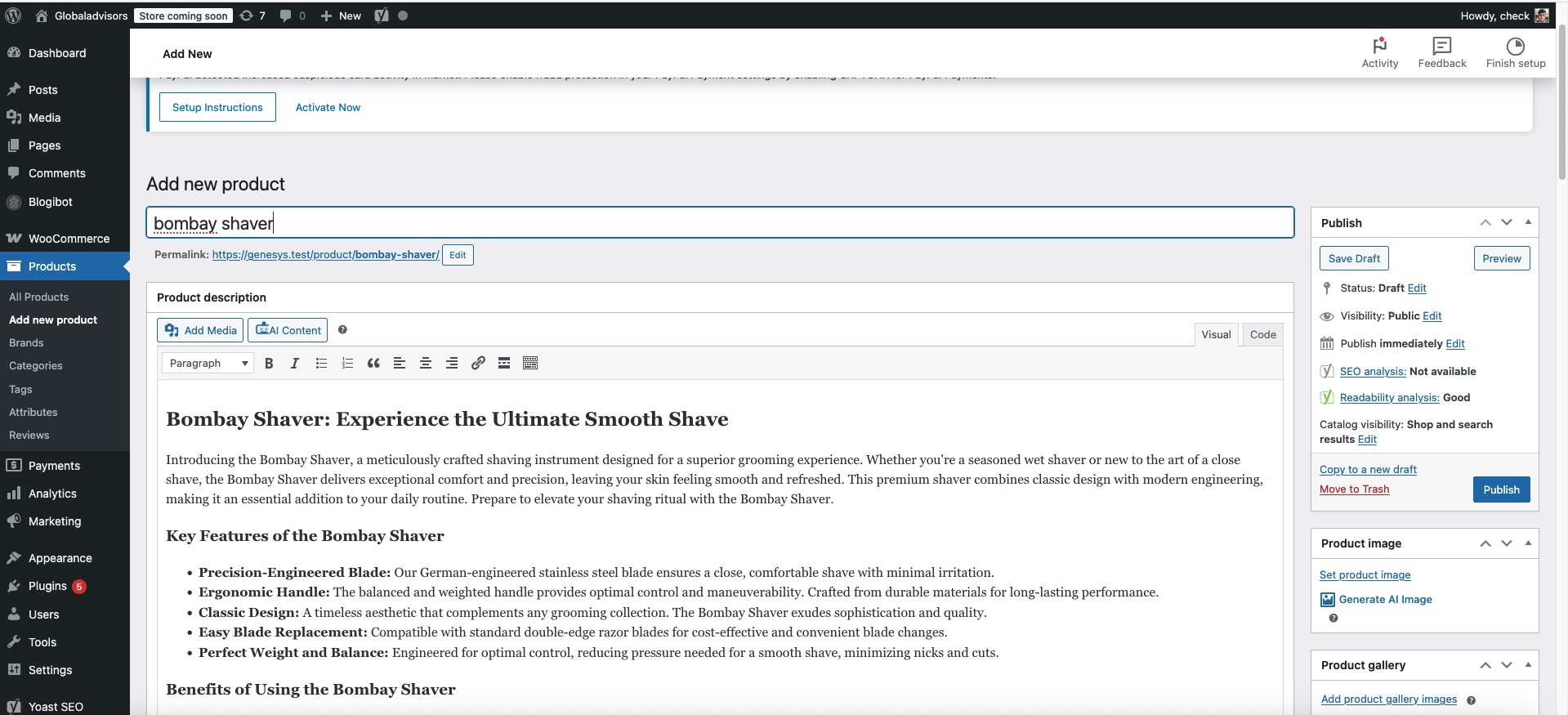
- Generate compelling product descriptions instantly
- Create both short and long-form content
- SEO-optimized product copy
- Multiple content variations
- Perfect grammar and engaging tone
- Save hours of writing time AI Image Generation
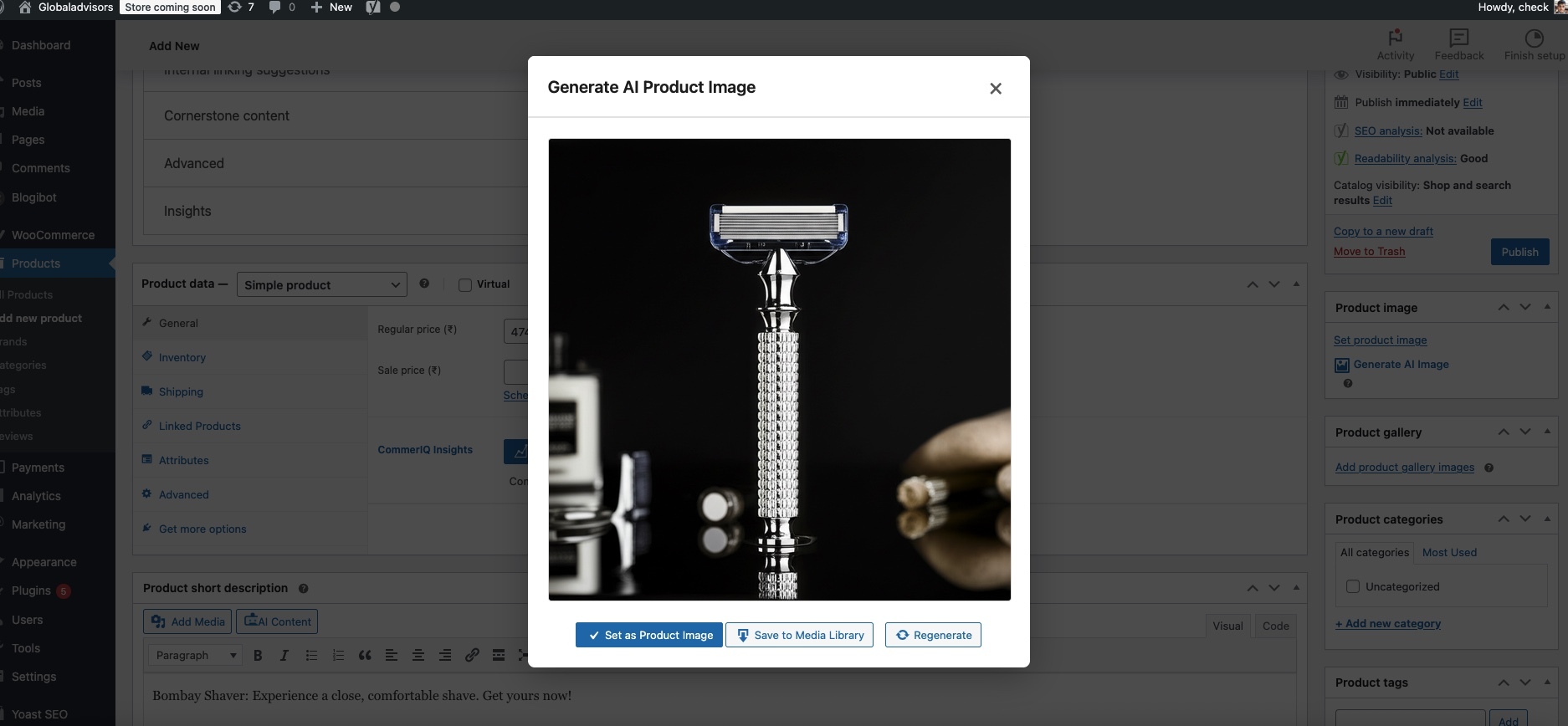
- Create stunning product images with AI
- Generate professional visuals from text descriptions
- Set featured images automatically
- Save images directly to media library
- No design skills required
- Unlimited creative possibilities Intelligent Price Comparison
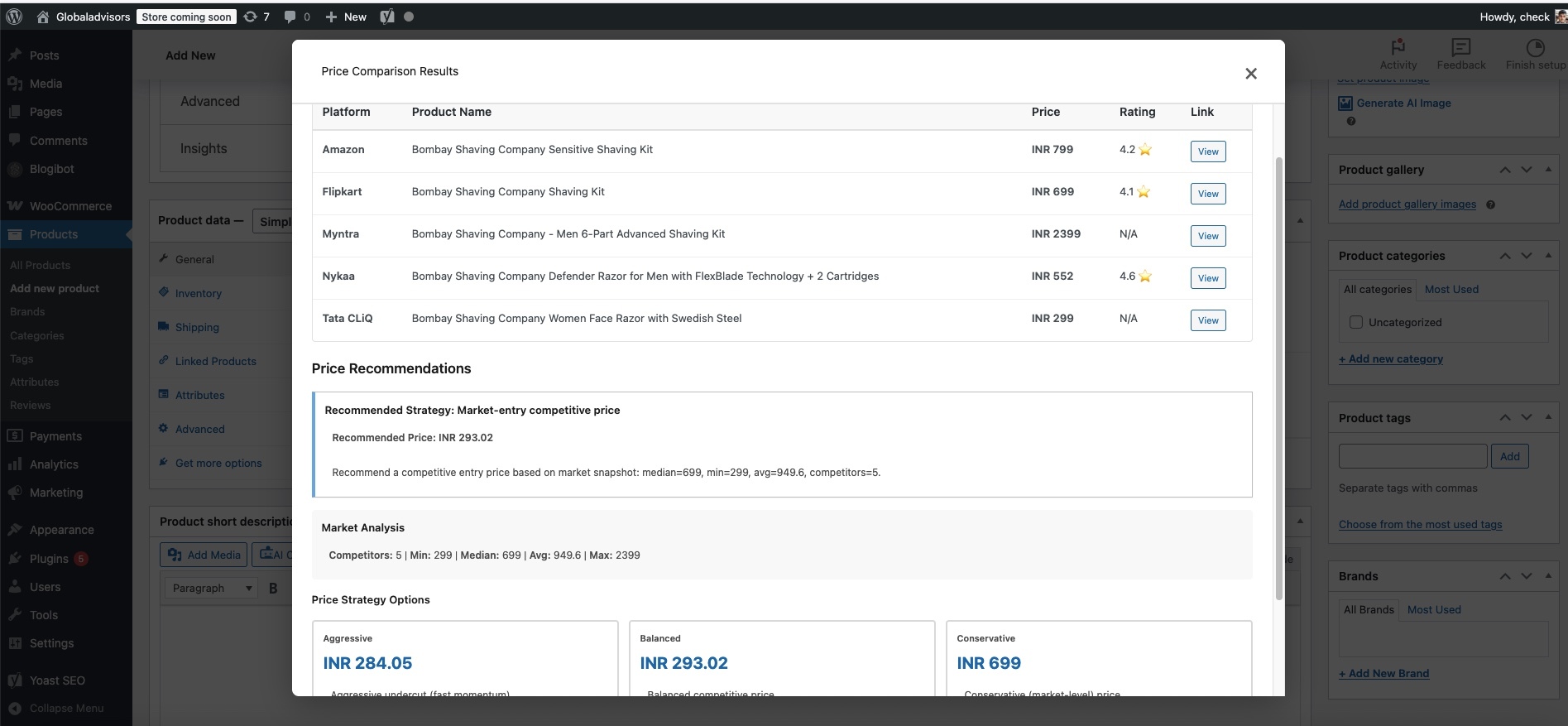
- Compare your prices across multiple platforms
- Real-time competitive analysis
- Track competitor pricing
- Identify pricing opportunities
- Make data-driven pricing decisions
- Stay competitive in your market Smart Analytics & Insights
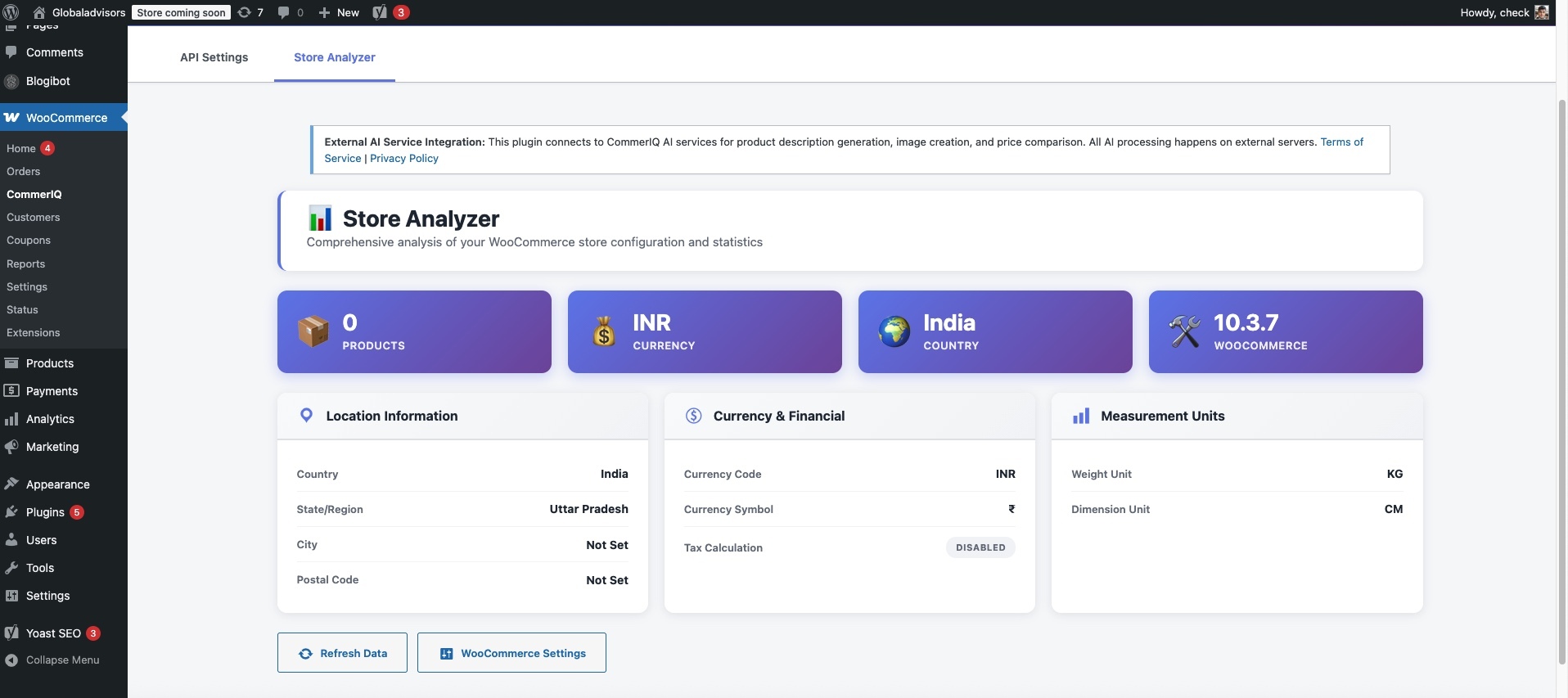
- Comprehensive product performance metrics
- Market trend analysis
- Competitive intelligence
- Actionable recommendations
- Beautiful, easy-to-understand reports
- Save Time: Automate content creation and market research
- Increase Sales: Optimize product presentations and pricing
- Stay Competitive: Monitor market trends and competitor strategies
- Professional Quality: AI-generated content and images that convert
- Easy to Use: Intuitive interface, no technical skills needed
- Seamless Integration: Works perfectly with WooCommerce
- Regular Updates: Continuous improvements and new features
- E-commerce store owners
- Online retailers
- Dropshippers
- Product managers
- Marketing teams
- Anyone selling products online
- Get free API credentials at myapps.wontonee.com
- Enter your API key in the plugin settings
- Start using all AI-powered features immediately
- Terms of Service: https://wontonee.com/terms
- Privacy Policy: https://wontonee.com/privacy
安装:
- Log in to your WordPress dashboard
- Navigate to Plugins > Add New
- Search for "CommerIQ"
- Click "Install Now" and then "Activate"
- Go to WooCommerce > CommerIQ to configure your license
- Download the plugin ZIP file
- Log in to your WordPress dashboard
- Navigate to Plugins > Add New > Upload Plugin
- Choose the ZIP file and click "Install Now"
- Activate the plugin
- Go to WooCommerce > CommerIQ to configure your license
- After activation, navigate to WooCommerce > CommerIQ
- Go to the "License" tab
- Enter your license key and domain
- Click "Activate License"
- Start using AI-powered features!
屏幕截图:
常见问题:
Do I need a license to use CommerIQ?
Yes, CommerIQ requires a valid license key to access all features. You can purchase a license at wontonee.com/commeriq
How do I generate AI content for my products?
- Go to any product edit page
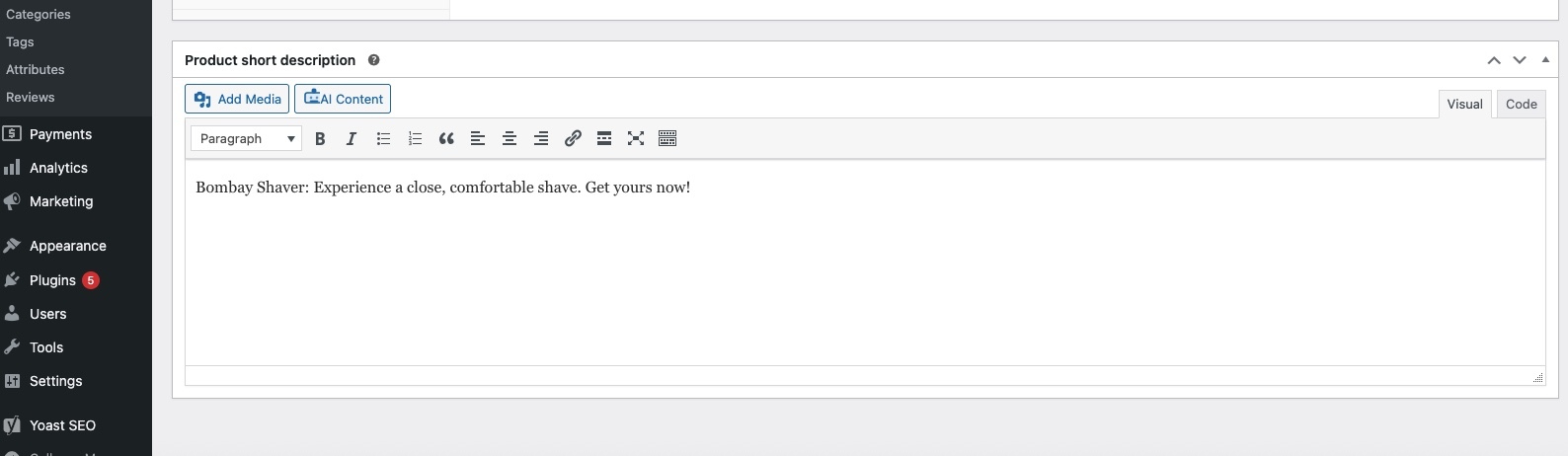
- Find the "AI Content" button above the product description editor
- Click the button to generate compelling product descriptions
- Review and save your content
Can I generate images for existing products?
Yes! On any product edit page, click the "Generate AI Image" button in the Product Image section. The AI will create a professional image based on your product name and description.
How does price comparison work?
Navigate to the Price Comparison section in the product data area and click "Run Comparison". CommerIQ will analyze prices across multiple platforms and provide competitive insights.
Is my data secure?
Absolutely! We use industry-standard encryption and security practices. Your data is transmitted securely and stored safely. We never share your information with third parties.
What happens if my license expires?
If your license expires, AI features will be disabled until you renew. Your existing content and images remain intact. Renew your license to continue using all features.
Can I use CommerIQ on multiple sites?
License terms vary by plan. Check your license details at wontonee.com/commeriq for multi-site availability.
How often is the plugin updated?
We regularly release updates with new features, improvements, and bug fixes. Updates are automatic through your WordPress dashboard.
Do you offer support?
Yes! Licensed users receive priority support. Contact us through our Support Center for assistance.
What are the server requirements?
- WordPress 5.8 or higher
- WooCommerce 6.0 or higher
- PHP 7.4 or higher
- MySQL 5.6 or higher
- HTTPS (SSL certificate recommended)
更新日志:
- WordPress.org Compliance: Redesigned settings page to meet serviceware guidelines
- Changed: "License" terminology updated to "API Credentials" for clarity
- Added: External service documentation with Terms of Service and Privacy Policy links
- Improved: More transparent explanation of how the plugin uses external AI services
- Fixed: All text domain issues for proper internationalization
- Updated: Minimum WordPress version to 6.2 for security improvements
- Enhanced: Updated license configuration system
- Enhanced: Improved API endpoint management
- Enhanced: Better error handling for license validation
- Fixed: Cache busting for JavaScript assets
- Fixed: Production API endpoint configuration
- Initial release
- Feature: AI-powered product description generation
- Feature: AI image generation and automatic featured image setting
- Feature: Intelligent price comparison across platforms
- Feature: Comprehensive analytics dashboard
- Feature: License management system
- Feature: WordPress admin notices for better UX
- Feature: Seamless WooCommerce integration