
Asaas Gateway for WooCommerce
| 开发者 |
asaas
aztecweb |
|---|---|
| 更新时间 | 2026年10月14日 04:04 |
| PHP版本: | 7.4 及以上 |
| WordPress版本: | 7.1 |
| 版权: | GPLv2 or later |
| 版权网址: | 版权信息 |
标签
下载
2.7.7
2.7.8
1.2.3
1.0.12
1.1.0
1.2.1
2.7.4
2.7.6
1.0.4
1.2.2
1.3.2
2.1.4
2.1.6
2.1.7
2.2.0
2.5.2
2.7.5
2.1.1
1.8.3
1.2.4
1.6.1
1.6.2
1.6.3
1.6.0
1.7.0
1.8.0
1.8.1
1.3.0
1.8.2
1.8.4
2.0.2
1.0.8
2.0.0
2.0.3
1.3.3
1.4.0
2.1.3
2.6.2
2.6.5
2.7.0
2.0.4
2.1.0
1.0.6
1.0.7
2.1.2
1.0.3
1.0.5
1.0.9
2.3.0
2.5.0
2.5.1
1.0.1
1.0.0
1.0.13
1.0.11
1.3.5
2.0.1
2.4.0
2.6.4
1.0.10
1.2.0
1.3.1
1.3.4
2.1.5
2.6.0
2.6.3
2.6.6
2.7.1
2.7.3
2.7.2
1.5.0
2.6.1
2.7.9
详情介绍:
Use Asaas as a payment method for your store.
This plugin is an implementation of the Asaas API v3. The checkout process is completely transparent, with the entire payment flow taking place within your store, without the need to access our invoice. The data is sent to Asaas, which processes the payment and automatically returns the transaction status.
With this plugin, you can use the following features:
- PIX
- Bank Slip
- Credit Card
- Payment Split
- One-Click Buy
- Automatic Advance (for business customers)
- Installments up to 12x
- Interest configuration based on the number of installments
- Subscription Creation (using WooCommerce Subscriptions)
安装:
This gateway requires WooCommerce 8.2 and above.
From your WordPress dashboard
- Visit Plugins > Add New.
- Search for Asaas Gateway for WooCommerce.
- Click in Install Now and, after, in Activate.
- Visit WooCommerce > Settings > Checkout.
- Visit Asaas Ticket and Asaas Credit Card to enable, set up and integrate the gateway with Asaas system.
- Download Asaas Gateway for WooCommerce
- Unzip the file and upload the woo-asaas directory to your wp-content/plugins directory using your favorite method (ftp, sftp, scp, etc…). Or visit Plugins > Add New > Upload Plugin, select woo-asaas.zip file, click in Install Now and, after, in Activate Plugin.
- Search for Asaas Gateway for WooCommerce.
- Visit WooCommerce > Settings > Checkout.
- Visit Asaas Ticket and Asaas Credit Card to enable, set up and integrate the gateway with Asaas system.
屏幕截图:


更新日志:
2.7.9
- Tweak - WooCommerce Extra Checkout Fields for Brazil is no longer a required dependency. The CPF/CNPJ fields are now detected on the checkout, and an admin notice explains how to register them when they are missing.
- Dev - Added the
woocommerce_asaas_billing_field_keysfilter to remap the billing field keys (CPF, CNPJ, number, neighborhood and cellphone) used to create the customer in Asaas.
- Fix - When the first installment of a bank slip payment plan expires unpaid, the whole plan is now removed in Asaas, and an order that is already paid is no longer moved back to failed.
- Tweak - Internal improvements to webhook processing and payment reconciliation.
- Tweak - Improved WooCommerce Subscriptions validation before calling wcs_get_subscription and updated the order query validation for HPOS compatibility.
- Tweak: Added compatibility with WooCommerce High-Performance Order Storage (HPOS).
- Tweak: Updated minimum PHP, WordPress and WooCommerce version requirements.
- Dev: Updated authToken for webhooks to 32 characters.
- Tweak: Compatibilized webhook queue reactivation component with exponential penalty model.
- Dev: Added the filter
asaas_webhook_on_payment_{status}_subscription_new_statusto allow changing the subscription status when a payment is overdue. The allowed{status}values are:deleted,overdue,refunded, andrestored. - Fix: Adjusted installment behavior when the installment number is set to 1.
- Fix: Corrected the use of the
authTokenparameter in Asaas communication.
- Tweak: Enhanced API key validation messages for better clarity and troubleshooting.
- Dev: Updated publish.md to include PR in the release description.
- Fix: Adjusted the guest checkout with an invalid credit card test.
- Fix - Adjusted instantiation of the class responsible for processing receivables anticipation actions.
- Tweak - Set debug enabled by default
- Tweak - Set PIX copy/paste enabled by default
- Fix - Windows compability
- Fix - Upgrade with legacy split data
- Feature - Split wallet administration screen
- Fix - Webhook health check report
- Fix - Failure in processing URL for split migration notification
- Dev - Add filter
woocommerce_asaas_should_process_webhookto allow abort webhook processing - Feature - Warn about impact of split settings in new major update
- Dev - Add filter
asaas_webhook_on_payment_overdue_subscription_new_statusto allow change the subscription status when a payment is overdue - Fix - Minimum order total conditional to show the payment method on the checkout page
- Fix - API key and Webhook settings
- Fix - Webhook wrong message about billing type
- Fix - Deprecated warning for latest PHP versions
- Fix - Webhook status report
- Fix - Webhook event handling
- Fix - Expired PIX removal action via cron when HPOS is enabled
- Fix - Checkout when a new account is created
- Fix - Duplicate Asaas customer creation at checkout
- Fix - Pix and ticket checkout error in newer versions of WooCommerce
- Feature - Allow enabling credit advance on credit card settings page
- Tweak - Add front-end source code to plugin package
- Fix - Remove duplicated information on thank you page
- Fix - Definition of next payment date on Subscriptions
- Fix - Security issues
- Fix - Change behavior on subscription Pending Cancellation status
- Fix - Subscriptions coupons
- Fix - Matches the access token validation in the webhook configuration
- Fix - Incompatibility issue with MercadoPago
- Feature - Automate webhooks configuration process
- Fix - Security issues
- Feature - Subscriptions coupons (not applicable for first charges only)
- Fix - Security issues
- Tweak - Change settings to select the environment instead insert the URL
- Fix - Issues with subscritions orders when total amount is zero
- Fix - Webhook errors on subscription status update
- Feature - Payment split with another Asaas accounts
- Fix - Avoid interruption in the webhook processing queue on subscription
- Fix - Prevents interruption of webhook queue processing
- Fix - Remove body from GET requests
- Tweak - Mask API key on gateway settings pages
- Fix - Integreation with another packages that use the variable
keyon query string - Fix - Use WordPress date instead server to process Pix due date
- Fix - Webhook with status different from order status
- Fix - One click buy card information
- Fix - Plugin security and quality
- Fix - Shipping value on subscription
- Fix - Error 500 in the created payment notification
- Feature - Add new option in payment settings to choose the status when the customer makes a purchase and the order is not yet paid
- Tweak - Changes how the PIX cancellation event is generated
- Fix - Fix broken PIX Code when click in copy and past button
- Fix - Show all installments in thank you page
- Fix - Fix validation of available gateways
- Fix - Gateway inicialization
- Fix - Empty expiration time not being respected on PIX method
- Fix - Fixes duplicated Pix area on thank you page
- Fix - Fixes manual renewal message
- Tweak - Allows change to active status, when subscription has parent order paid or refunded
- Feature - WooCommerce Subscription compatibility, allow payment with subscription products
- Tweak - Allow pix expiration in minutes, hours or days
- Tweak - Change interest per installment label
- Tweak - Allow ticket installment until 60 installments
- Fix - First credit card purchase error
- Fix - PHP 7.3 compability fixes
- Fix - Accept empty installment interest value
- Fix - Add interest at checkout to the order with an installment, if set
- Feature - Remove anticipate receipt of payment confirmation setting
- Feature - Reduces the minimum amount of installments
- Fix - One click buy card selection render
- Tweak - Remove credit card number validation of plugin side
- Tweak - Update BINs credit card brands list
- Fix - Fouble customer create request to API on PIX checkout
- Fix - Customer neighborhood and company API integration
- Fix - PHP 7.0 compability
- Fix - Error on activate installments
- Fix - Notice when increase intallments number
- Fix - Syntax error for some PHP installations
- Fix - Boleto installments crash on thank you page for PHP 8
- Feature - Interest per installment
- Tweak - New default credit card payment method message
- Fix - Fix JS error on all pages
- Template - Improve PIX payment instructions template
- Localization - Remove official WordPress translation repository dependency
- Feature - New payment method PIX
- Feature - PIX payment is processed as boleto
- Tweak - Use WC_Order::payment_complete to set payment complete
- Tweak - Remove setting to approve a payment when it is confirmed on boleto
- Tweak - Translates webhook events order notes
- Fix - Refactor order taxes and discount on credit card payment processing
- Fix - Changes condition to don't process paymet if the order is considered paid
- Tweak - Return 200 on webhook when the event is unsupported
- Fix - Solve fatal error with WooCommerce Payments plugin integration
- Fix - Proccess webhook when the order status is on-hold
- Tweak - Allow disable overdue boleto on Asaas removal
- Fix - Remove only store overdue boleto on Asaas
- Fix - Doesn't change order value on receive boleto installment
- Fix - Add missing assets
- Feature - Added Hipercard credit card option
- Feature - Deposit and transfer payments are processed as boleto
- Feature - Boleto installments
- Feature - Setting to approve a payment when it is confirmed
- Tweak - Warning if WooCommerce isn't installed
- Tweak - Remove overdue boleto on Asaas automatically
- Fix - Credit Card purchase don't back anymore to processing when completed
- Fix - Payment using My Account orders pay options
- Fix - Mandatory installment error
- Fix - Request timeout was increaced
- Fix - Fix token validation
- Fix - Fix webhook return on request error
- Fix - Request timeout was increaced
- Feature - Show a warning message on admin if any type of person is set on WooCommerce Extra Checkout Fields for Brazil settings
- Tweak - Added
woocommerce_asaas_request_api_keyhook to manipulate the request api key - Tweak - Added
woocommerce_asaas_set_customer_paramsandwoocommerce_asaas_set_customer_actionhook to manipulate the customer request
- Fix - Fix webhook invalid billing type treatment
- Fix - Fix webhook return when the external reference isn't WooCommerce order
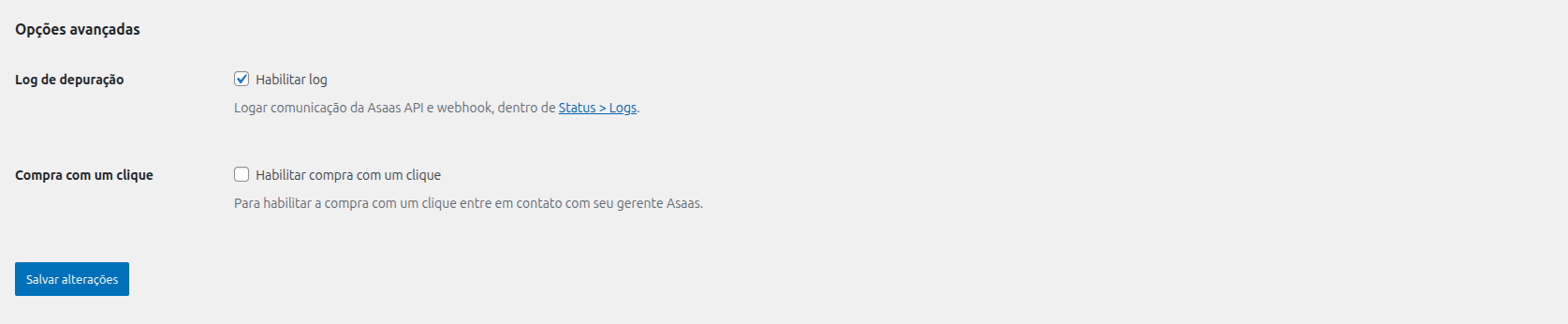
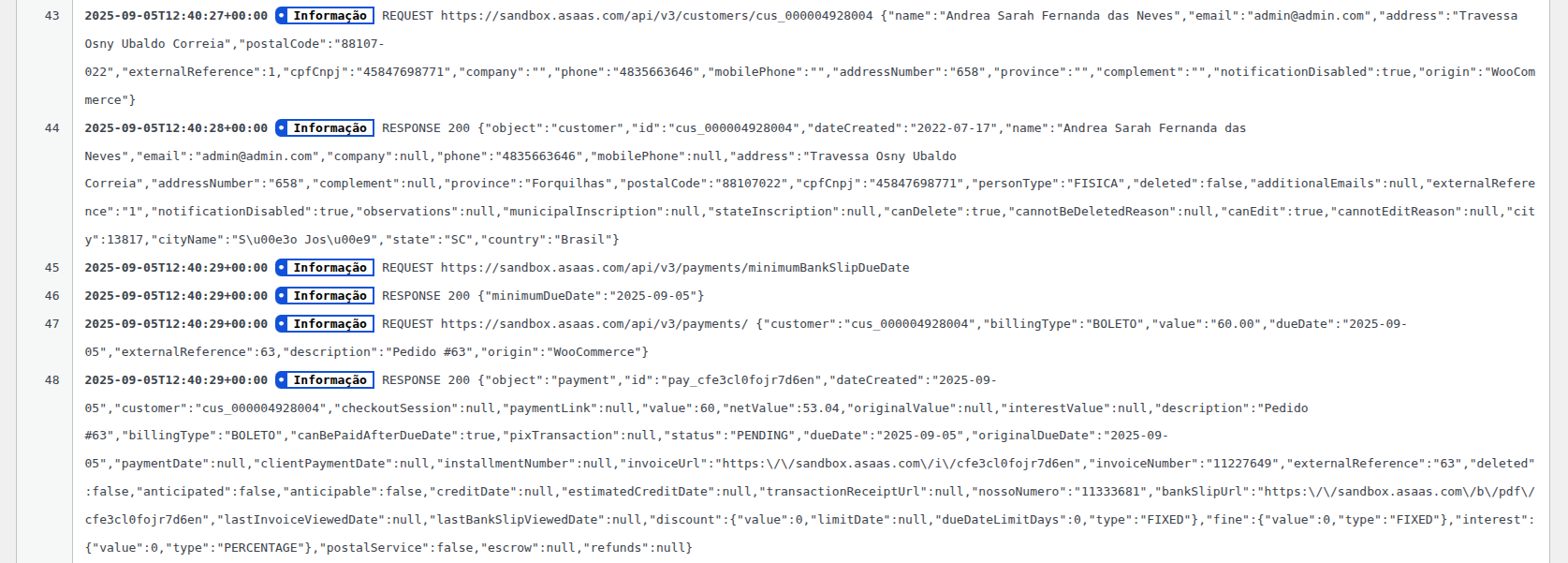
- Tweak - Update log settings to link with WooCommerce status log screen
- Tweak - Log webhook response
- Tweak - Update absent webhook event message
- Tweak - Return 200 code to webhook when the reference is a number but not a WooCommerce order
- Tweak - Return 200 code to webhook when the reference isn't WooCommerce order
- Tweak - Return 200 for unidentified events on webhook
- Tweak - Ignore non WooCommerce payments on webhook
- Tweak - Add uppercase to the first letter of payment status on order details
- Fix - Set payment as completed when the credit card status is RECEIVED or CONFIRMED
- Fix - Order total call on webhook class
- Fix - Min installment in checkout
- Fix - Checkout Fields integration to work with one person type setting
- Fix - Webhook endpoint rewrite rule
- Fix - Fix credit card form fields render
- Fix - Add missing assets files
- Tweak - Use plugin version as query string in CSS and JS files to clear browser cache
- Tweak - Update webhook message when integrate got Asaas API error status code
- Fix - Get the customer IP in gateway process payment function
- Fix - Webhook log messages
- Tweak - Add description to payment
- Tweak - Accept beetween 2 and 4 digits in card expiration year
- Fix - New customer notification wasn't the same setting value
- Fix - When change notification setting. The setting is applied just for registered users.
- Tweak - Validate if webhook payment status is the same of registered in Asaas
- Tweak - Set production environment as default
- Fix - Ticket URL on order inner customer account page
- Tweak - Change plugin name in respect to plugin guidelines
- Tweak - Hide credit card data in logs
- Tweak - Ensure the minimum ticket due date for bank ticket
- Tweak - Remove
woocommerce-prefix from gateway ids - Tweak - Improve API integration
- Fix - Fixed enable customer notification API
- First Release.