Cart Weight for WooCommerce
| 开发者 |
wpdesk
dyszczo grola piotrpo marcinkolanko mateuszgbiorczyk sebastianpisula bartj octolize |
|---|---|
| 更新时间 | 2026年8月17日 19:56 |
| 捐献地址: | 去捐款 |
| PHP版本: | 7.4 及以上 |
| WordPress版本: | 7.1 |
| 版权: | GPLv2 or later |
| 版权网址: | 版权信息 |
标签
下载
1.9.20
1.4.5
1.2.1
1.2.5
1.2.6
1.2.8
1.3.0
1.3.2
1.3.3
1.3.5
1.3.6
1.4.0
1.6.0
1.9.15
1.9.16
1.4.3
1.8.8
1.3.7
1.4.2
1.4.4
1.4.7
1.2.9
1.3.4
1.4.10
1.4.6
1.7.1
1.7.2
1.4.1
1.4.12
1.7.0
1.7.5
1.7.6
1.7.7
1.7.11
1.7.9
1.1.4
1.2.2
1.7.12
1.8.0
1.8.1
1.8.2
1.8.3
1.4.8
1.8.10
1.8.6
1.8.9
1.1
1.1.3
1.1.5
1.7.8
1.8.11
1.8.12
1.0
1.1.1
1.7.10
1.9.4
1.9.7
1.8.5
1.9.0
1.3.1
1.4.9
1.8.13
1.8.4
1.9.1
1.9.2
1.1.2
1.5.0
1.9.10
1.9.3
1.9.8
1.9.9
1.1.7
1.1.8
1.4.11
1.8.7
1.9.11
1.9.12
1.9.5
1.7.4
1.9.13
1.1.6
1.2.3
1.7.3
1.2.7
1.9.14
1.9.17
1.9.19
1.2.4
1.9.21
1.9.22
1.9.24
详情介绍:
The best free plugin to display the total product weight in the cart, minicart, and checkout of your WooCommerce store
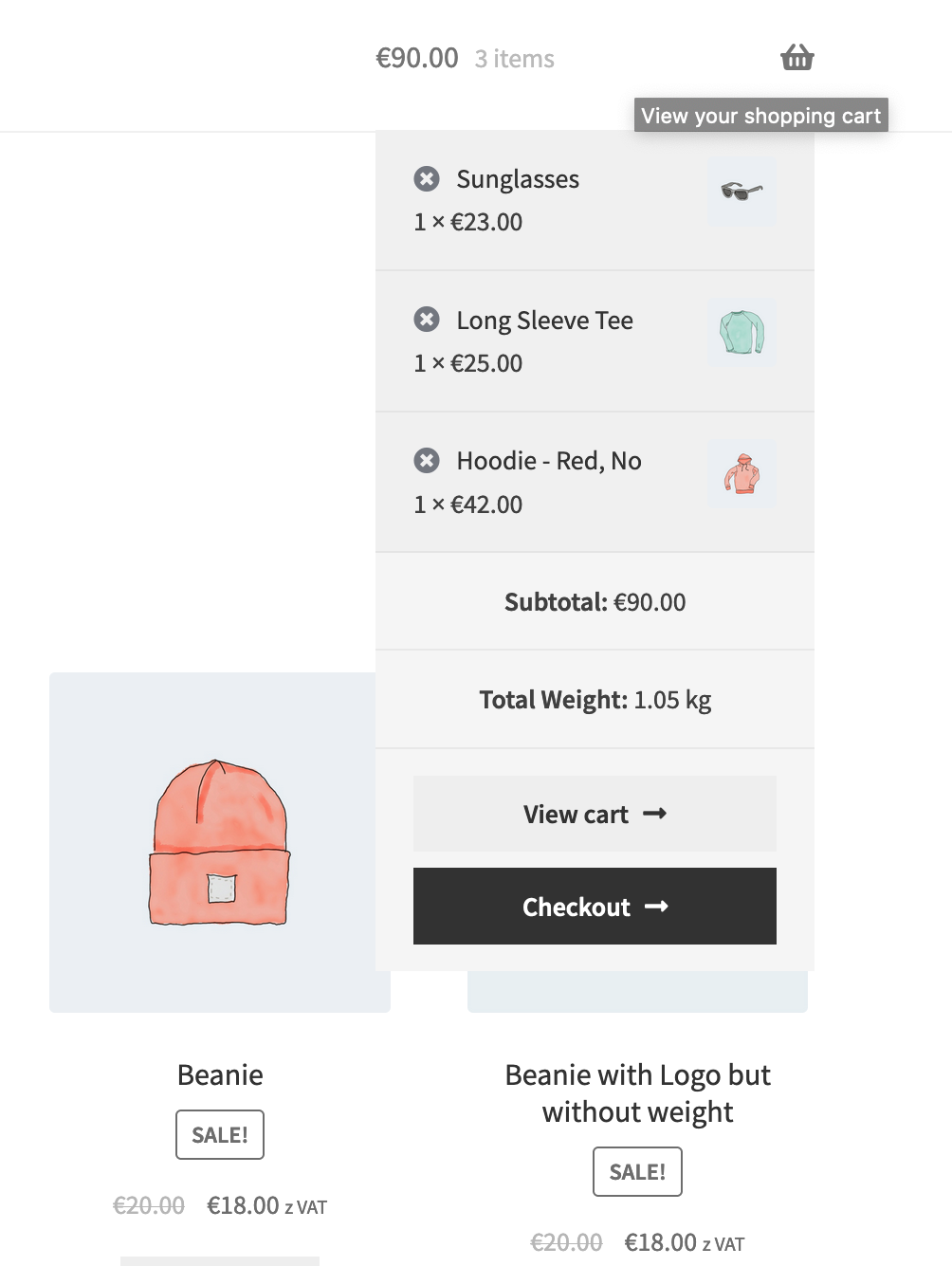
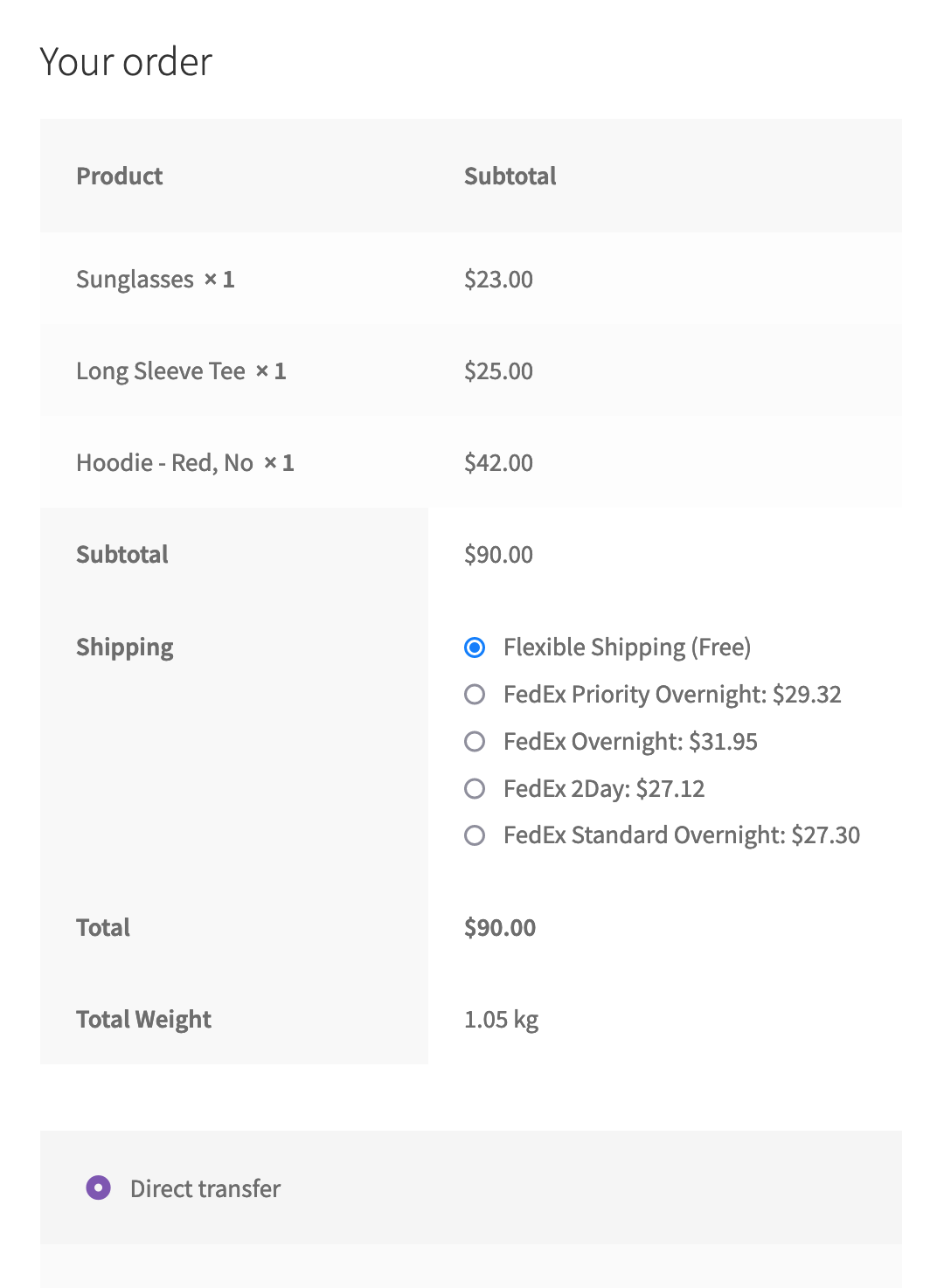
The Cart Weight for WooCommerce plugin automatically displays the total product weight on the cart, minicart, and checkout pages. It does not require any additional configuration - just turn it on, and that’s it!
[youtube https://youtu.be/fNDDIKzzVOg]
English, Polish, and German translations included. You can easily translate it into other languages as well.
Get more plugins for WooCommerce from Octolize
We know WooCommerce shipping inside out and put all our experience into our plugins. Check our WooCommerce premium plugins here →
Interested in plugin translations?
We are actively looking for contributors to translate this and other Octolize plugins. Each supported language tremendously helps store owners to conveniently manage shipping operations.
Your translations contribute to the WordPress community at large. Moreover, we’re glad to offer you discounts for our PRO plugins and establish long-term collaboration. If you have any translation-related questions, please email us at translations@octolize.com.
Head over here and help us translate this plugin:
https://translate.wordpress.org/projects/wp-plugins/woo-cart-weight/
安装:
This plugin can be easily installed like any other WordPress integration by following the steps below:
- Download and unzip the latest zip file release.
- Upload the entire plugin directory to your /wp-content/plugins/ path.
- Activate the plugin using the Plugins menu in WordPress sidebar menu.
屏幕截图:
常见问题:
How to change the Weight Suffix?
You can easily change the weight suffix using the filter below. Please modify the suffix according to your needs and place the code in the functions.php file of the theme you are currently using: '''woo_cart_weight/cart_weight''' – modify displaying weight '''woo_cart_weight/weight_unit''' – modify the unit For example: '''add_filter( 'woo_cart_weight/weight_unit', 'woo_cart_weight_weight_unit' ); /**
- @param string $weight_unit
- @retun string */ function woo_cart_weight_weight_unit( $weight_unit ) { $weight_unit = "%"; return ( $weight_unit );'''
更新日志:
1.9.22 - 2026-08-17
- Updated libraries
- Added support for WordPress 7.1
- Added support for WooCommerce 11.0
- Added support for WooCommerce 10.9
- Added support for WordPress 7.0
- Added support for WooCommerce 10.8
- Added support for WooCommerce 10.7
- Added support for WordPress 7.0
- Updated libraries
- Added support for WooCommerce 10.6
- Added support for WooCommerce 10.5
- Added support for WordPress 6.9
- Added support for WooCommerce 10.4
- Improved security by nonce verification in tracker agree action
- Added support for WooCommerce 10.3
- Added support for WooCommerce 10.2
- Added support for WooCommerce 10.1
- Added support for WooCommerce 10.0
- Added support for WooCommerce 9.9
- Added support for WordPress 6.8
- Added support for WooCommerce 9.8
- Fixed block checkout fatal on firefox
- Added support for WooCommerce 9.7
- Added support for WooCommerce 9.6
- Added support for WooCommerce 9.5
- Added support for WordPress 6.7
- Added support for WooCommerce 9.4
- Added support for WooCommerce 9.3
- Added support for WooCommerce 9.2
- Added support for WordPress 6.6
- Added support for WooCommerce 9.1
- Added support for WooCommerce 9.0
- Added support for WooCommerce 8.9
- Added support for WooCommerce 8.8
- Added support for WordPress 6.5
- Updated libraries
- Fixed missing opt-in permission check
- Added support for WooCommerce 8.7
- Added support for WooCommerce 8.6
- Added support for WooCommerce 8.5
- Added support for WooCommerce 8.4
- Added support for WooCommerce Cart and Checkout Block
- Added support for WordPress 6.4
- Added support for WooCommerce 8.3
- Added support for WooCommerce 8.2
- Added support for WooCommerce 8.1
- Added support for WordPress 6.3
- Added support for WooCommerce 8.0
- Added support for WooCommerce 7.9
- Added support for WooCommerce 7.8
- Added support for WooCommerce 7.7
- Added support for WordPress 6.2
- Added support for WooCommerce 7.6
- Updated libraries
- Added support for WooCommerce 7.5
- Added support for WooCommerce 7.4
- Added support for WooCommerce 7.3
- Added the Shipping Extensions tab
- Added the WooCommerce High-Performance Order Storage (HPOS) compatibility declaration
- Added support for WooCommerce 7.2
- Added support for WordPress 6.1
- Added support for WooCommerce 7.1
- Added Octolize tracker
- Added support for WooCommerce 7.0
- Added support for WooCommerce 6.8
- Added support for WooCommerce 6.7
- Added support for WooCommerce 6.6
- Added support for WordPress 6.0
- Changed Octolize urls
- Added support for WooCommerce 6.4
- Fixed zero weight, now displays N/A
- Added support for WooCommerce 6.3
- Added support for WordPress 5.9
- Added support for WooCommerce 6.2
- Added support for WooCommerce 6.1
- Added support for WooCommerce 6.0
- Added support for WooCommerce 5.9
- Changed weight formatting to wc_format_weight function
- Removed filter woo_cart_weight/weight_unit
- Added support for WooCommerce 5.6
- Added support for WooCommerce 5.5
- Added support for WordPress 5.8
- Added support for WooCommerce 5.3
- Added support for WooCommerce 5.1
- Added support for WooCommerce 5.0
- Added support for WordPress 5.6
- Added support for WooCommerce 4.7
- Added support for templates
- Added filters: woo_cart_weight/cart_weight and woo_cart_weight/weight_unit
- Added support for WordPress 5.5
- Added support for WooCommerce 4.4
- Fixed .pot file
- Fixed translations
- Added support for WooCommerce 4.1
- Added additional security hardenings
- Added support for WooCommerce 3.9
- Added support for WooCommerce 3.8
- Added support for WPDesk libraries
- Added support for WooCommerce 3.7
- Fixed invisible header for mobile devices
- Fixed version update on deploy
- Fixed version update on deploy
- Added support for WooCommerce 3.6
- Added support for WordPress 5.0
- Added support for WooCommerce 3.5
- Fixed weight display
- First Release!