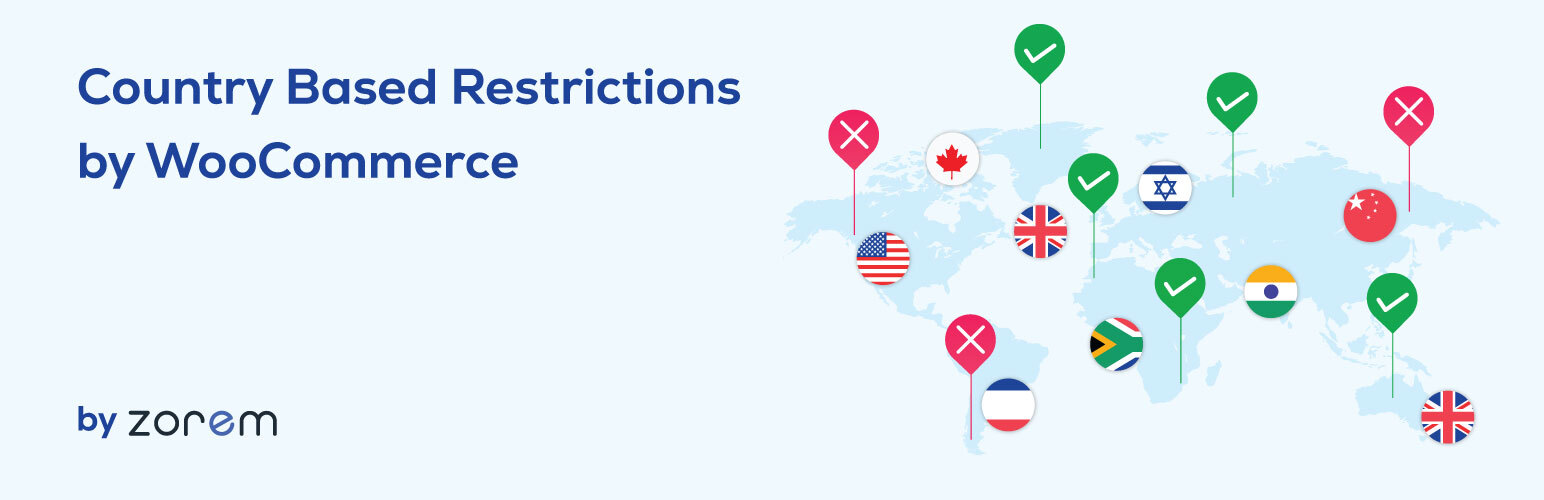
Country Based Restrictions for WooCommerce
| 开发者 |
zorem
kuldipzorem gaurav1092 eranzorem gehorsam virendesai |
|---|---|
| 更新时间 | 2026年10月26日 19:11 |
| PHP版本: | 7.0 及以上 |
| WordPress版本: | 7.1.3 |
| 版权: | GPLv2 |
| 版权网址: | 版权信息 |
标签
下载
详情介绍:
- Restrict products per country — For any product, choose a list of countries to include (sell only to) or exclude (block from). Set it per product in seconds.
- Three visibility modes — Choose how restricted products behave for blocked customers:
- Hide completely from shop, search, and category pages
- Hide from shop and search but allow direct URL access
- Keep visible but non-purchasable (show with a custom message instead of Add to Cart)
- Include or exclude rules — For each product, choose whether the country list means "sell only to these countries" or "do not sell to these countries".
- Works with WooCommerce Geolocation — Uses the shipping country the customer enters, falling back to WooCommerce Geolocation (MaxMind GeoIP2) when no shipping country is set yet.
- Supports product variations — Apply country restrictions to individual variations within a variable product, not just the whole product.
- HPOS Compatible — Fully compatible with WooCommerce High-Performance Order Storage (custom order tables).
- Translation ready — Fully translatable via standard WordPress/WooCommerce translation tools.
- Install and activate the plugin.
- Go to WooCommerce > Country Restrictions to configure the default visibility settings.
- Open any product and set the country restriction rule — choose include or exclude, and select the countries.
- Customers visiting from a restricted country will see the product according to your chosen visibility mode.
- Per-product country restriction rules (include or exclude)
- Three visibility modes: hide completely, hide from shop/search, or show but block purchase
- Variation-level restrictions
- WooCommerce Geolocation detection (MaxMind GeoIP2)
- HPOS compatible
- Bulk restrictions by category, tag, attribute, or shipping class — Apply rules to entire product groups at once instead of editing each product individually.
- Global restriction rules — Apply one rule across all products sitewide.
- Bulk CSV import — Import country rules for hundreds of products at once.
- Disable payment gateways by country — Hide or disable specific payment methods (PayPal, Stripe, etc.) for customers from restricted countries.
- Hide product prices by country — Show the product but hide the price for restricted countries.
- Country detection widget — Let customers manually change their detected country from the storefront.
- Custom restriction messages — Set a custom message per product shown to restricted customers instead of the Add to Cart button.
- Redirect restricted customers — Redirect blocked visitors to a custom page instead of showing an error.
- Remove bulk rules — Clear single-product rules in bulk via the product list bulk actions.
- Priority support — Faster, dedicated assistance from the Zorem team.
- Brands with territory or distribution agreements — a licence that covers some markets and not others, enforced on the storefront rather than in a spreadsheet.
- Alcohol, tobacco and vape retailers — products that are legal in one market and not in the next.
- Supplement and wellness stores — ingredient rules differ by country, so one SKU may be sellable in a handful of markets only.
- Age- or licence-restricted goods — items that may only be offered where the customer can lawfully receive them.
- Digital and licensed media — regional rights that decide who may buy a title.
- Food, fresh and perishable goods — restricted to the markets you can actually reach in time.
- Heavy, bulky or hazardous items — products your freight carrier will not move across certain borders.
- Dropshippers — suppliers who ship only to specific regions, so the catalogue should match what can be fulfilled.
- Wholesale and B2B stores — different catalogues for different regional buyers.
- Stores entering a new market — open a product range to one country first and expand once it works.
- Multilingual plugins — WPML, Polylang, Weglot
- Page builders — Elementor, Divi, WPBakery (Visual Composer)
- Wholesale plugins — Wholesale for WooCommerce
- Search plugins — Advanced Search for WooCommerce
- Subscriptions — WooCommerce Subscriptions (variation restriction supported)
- Multi-currency — Works alongside currency switcher plugins
- Advanced Shipment Tracking for WooCommerce — The #1 WooCommerce shipment tracking plugin. Trusted by 70,000+ stores.
- SMS for WooCommerce — Automated SMS order and shipping notifications via Twilio, WhatsApp, and 18 other providers.
- Customer Email Verification PRO — Block fake accounts and spam orders with OTP-based email verification.
- Advanced Local Pickup PRO — Advanced local pickup with multiple locations, appointment scheduling, and ready-for-pickup notifications.
- Zorem Returns — Self-service returns, exchanges, and store credit management for WooCommerce.
安装:
- Go to Plugins > Add New in your WordPress admin and search for "Country Based Restrictions for WooCommerce".
- Click Install Now, then Activate.
- Make sure you have configured shipping countries in WooCommerce > Settings > General.
- Go to WooCommerce > Country Restrictions to set global visibility defaults.
- Edit any product to set per-product country restriction rules.
woo-product-country-base-restrictions folder to /wp-content/plugins/ and activate through the Plugins menu.屏幕截图:


常见问题:
How does the plugin detect a customer's country?
CBR uses WooCommerce's built-in country detection. It checks the shipping country the customer enters during checkout first. If no shipping country has been set yet, it falls back to WooCommerce Geolocation (MaxMind GeoIP2), which has 99.5% country-level accuracy.
Can I restrict a product so only customers from specific countries can buy it?
Yes. On any product page, set the restriction rule to "Include" and select the countries that are allowed to purchase. Customers from all other countries will see the product according to your chosen visibility mode (hidden, or visible but not purchasable).
Can I block specific countries from buying a product?
Yes. Set the restriction rule to "Exclude" and select the countries to block. Customers from those countries will be restricted; everyone else can purchase normally.
What happens to restricted customers — do they see the product?
You choose. Three visibility modes are available: hide the product completely from shop and search; hide from shop and search but allow direct URL access; or keep the product visible but replace the Add to Cart button with a custom message.
Can I restrict individual product variations by country?
Yes. CBR supports variation-level restrictions, so you can allow some variations to be purchased in certain countries while restricting others within the same variable product.
Can I restrict products in bulk by category or tag?
Bulk restrictions by category, tag, attribute, shipping class, or globally (all products) are available in CBR PRO.
Can I restrict payment gateways by country?
Disabling specific payment gateways for customers from restricted countries is available in CBR PRO.
Can I hide product prices for restricted countries?
Hiding the product price for restricted countries is available in CBR PRO.
Does CBR work with WPML or Polylang multilingual stores?
Yes. CBR is compatible with WPML and Polylang. Country rules set on a product apply across all language versions of that product.
Will caching plugins interfere with country detection?
Yes — this is a common issue. If your caching plugin serves a cached page, the geolocation check may not run for that visitor. You need to configure your caching plugin to exclude pages with geolocation cookies from the cache. See the documentation for specific instructions per caching plugin.
Does CBR work with HPOS (High-Performance Order Storage)?
Yes. CBR is fully compatible with WooCommerce High-Performance Order Storage (custom order tables).
Does CBR work with WooCommerce Subscriptions?
Yes. CBR supports WooCommerce Subscriptions, including variation-level restrictions on subscription products.
更新日志:
- Fix – Invalid "LIMIT 0, -1" SQL error in the catalog restriction query, which conflicted with some product filter plugins.
- Security – The customizer REST routes now require authentication.
- Enhancement – Added an in-plugin upgrade panel.
- Dev – Tested with WooCommerce 11.2.1 and WordPress 7.1.3.
- Dev - WP tested upto 7.1.
- Dev - WC Compatibility added upto 11.1.0.
- Dev - WP tested upto 7.0.2.
- Dev - WC Compatibility added upto 10.9.4.
- Improved - Upgrade the Settings page design.
- Dev - WP tested upto 7.0.
- Dev - WC Compatibility added upto 10.8.1.
- Dev - WP tested upto 6.9.4.
- Dev - WC Compatibility added upto 10.7.0.
- Dev - WP tested upto 6.9.1.
- Dev - WC Compatibility added upto 10.4.3.
- Improved – Updated PRO promotional notice on the settings page UI.
- Dev - WP tested upto 6.8.3.
- Dev - WC Compatibility added upto 10.3.5.
- Fix – Update deprecated WooCommerce script handles to new handles (WC 10.3.0+).
- Improved - Updated the promotional notice.
- Dev - WC Compatibility added upto 10.1.2
- Improved - Updated the promotional notice.
- Improved - Updated the settings page design.
- Dev - WP tested upto 6.8.2.
- Dev - WC Compatibility added upto 10.0.4.
- Improved - Updated the promotional notice.
- Dev - WP tested upto 6.8.1.
- Dev - WC Compatibility added upto 9.8.5.
- Fix - Removed the .htaccess files.
- Enhancement - Added a review request admin notice.
- Dev - WC Compatibility added upto 9.8.1.
- Dev - WP tested upto 6.7.2.
- Dev - WC Compatibility added upto 9.7.1.
- Improved - Improved a new admin message design.
- Tweak - Updated the settings page design.
- Tweak - Updated the settings text and tooltips.
- Dev - WP tested upto 6.7.
- Dev - WC Compatibility added upto 9.4.2.
- Enhancement - Added a Black Friday admin message.
- Enhancement - Added an admin message for the Returns plugin.
- Dev - WP tested upto 6.6.
- Dev - WC Compatibility added upto 9.2.3.
- Dev - Added compatibility with Advanced Search for WooCommerce plugin.
- Dev - WC Compatibility added upto 9.0.2.
- Fix - Restriction not working on search products.
- Fix - Undefined $suffix variable error.
- Fix - jQuery(...).block is not a function error.
- Dev - WC Compatibility added upto 8.7.0.
- Dev - WP tested upto 6.5.
- Enhancement – Added UTM link for all external links to zorem.com.
- Dev - WC Compatibility added upto 8.5.2.
- Fix - Patched a vulnerability concerning nonces in admin notices.
- Dev - Added compatibility with Wholesale for WooCommerce plugin.
- Dev - WC Compatibility added upto 8.4.0.
- Dev - WP tested upto 6.4.
- Dev - Added compatibility with PHP 8.2.
- Dev - WC Compatibility added upto 8.2.1.
- Dev - WP tested upto 6.4.
- Dev - WC Compatibility with HPOS.
- Dev - WC Compatibility added upto 7.8.1.
- Dev - WP tested upto 6.2.
- Dev - WC Compatibility added upto 6.8.
- Dev - WP tested upto 6.0.
- Dev - WC Compatibility added upto 6.3.
- Dev - WP tested upto 5.9.
- Enhancement - Added compatibility with Customer Reviews for WooCommerce.
- Enhancement - Added Docs and Review link on plugins page.
- Tweak - Updated the settings page design.
- Fix - Bug on checkout when billing country changes.
- Dev - WC Compatibility added upto 5.6.
- Dev - WC Compatibility added upto 5.5.2.
- Dev - WP Compatibility added upto 5.8.
- Fix - Warning: in_array() expects parameter 2 to be array, null given.
- Fix - Fixed the issue of Subscription variation restriction.
- Tweak - Updated settings design.
- Dev - WC Compatibility added upto 5.1.
- Tweak - Updated settings design.
- Dev - WP Compatibility added upto 5.7.
- Dev - WC Compatibility added upto 5.0.
- Fix - Toolbar/debug mode critical bug.
- Fix - Related Products / WC products widgets bug.
- Fix - Hide Completely — select a page to redirect bug.
- Fix - Fixed country and state dropdown selection issue on checkout page.
- Tweak - Updated settings design.
- Enhancement - Free plugin does not run if PRO is activated.
- Tweak - Updated settings design.
- Fix - Issues with geolocation / widget detectors.
- Dev - WC Compatibility added upto 4.8.
- Dev - WP Compatibility added upto 5.6.
- Tweak - Updated settings tab design.
- Enhancement - Added addons tab.
- Tweak - Updated settings tab design.
- Tweak - Changed label of option.
- Enhancement - Added options (PRO) for Country detection widget customization.
- Enhancement - Added CBR widget (PRO) for customers.
- Fix - CSS issue in settings.
- Tweak - Updated settings tab design.
- Enhancement - Added cart message option (PRO) for custom cart restriction message.
- Fix - CSS issue in settings design.
- Fix - Issue of countries list dropdown option.
- Fix - CSS issue in settings design.
- Dev - WC Compatibility added upto 4.5.
- Dev - WP Compatibility added upto 5.5.
- Fix - CSS issue in settings design.
- Fix - Issue of subscription variation product.
- Tweak - Design UI/UX updates.
- Fix - Invalid argument supplied for foreach().
- Dev - WC Compatibility added upto 4.3.
- Dev - Added compatibility with Visual Composer.
- Enhancement - Added Bulk Action option (PRO) to remove single product rules.
- Tweak - Optimized WP query to improve site speed.
- Enhancement - Added new PRO option of Global (All Products) in Bulk restriction settings.
- Fix - Issue of WPML compatibility.
- Enhancement - Added new PRO option to hide restricted product price.
- Fix - CSS issue in settings design.
- Tweak - Updated settings tab design.
- Fix - Issue of redirect 404 error page.
- Tweak - Design and label updates.
- Tweak - Design and label updates.
- Tweak - PRO tab design.
- Enhancement - Added option of 404 error page redirect to shop page in settings.
- Tweak - Settings design.
- Tweak - Design UI/UX.
- Fix - Black bar appearing at the top of the site.
- Fix - JS issue on email customizer.
- Fix - General error fixes.
- Enhancement - Added PRO option of 404 error page redirect to shop page in settings.
- Tweak - Improved settings design.
- Dev - WC Compatibility added upto 4.0.
- Dev - WP tested upto 5.4.
- Enhancement - Added PRO tab in settings.
- Tweak - Updated settings design.
- Fix - Bug fix.
- Enhancement - Added option to hide variation products in settings.
- Dev - CBR PRO compatibility added. For the complete changelog