
Greateck Product Catalog Remover for WooCommerce
| 开发者 | mcfarhat |
|---|---|
| 更新时间 | 2026年9月20日 21:28 |
| PHP版本: | 7.4 及以上 |
| WordPress版本: | 7.1 |
| 版权: | GPLv2 or later |
| 版权网址: | 版权信息 |
详情介绍:
- Product and variation posts, postmeta and term relationships
wc_product_meta_lookupwc_product_attributes_lookupwc_reserved_stockwc_stock_notificationsand its meta tablewc_category_lookup, when categories are removed- Product transients and the object cache
- Product categories, tags and attribute terms
- Product images, including the files in your uploads folder
- Product reviews
- Customer download permissions and download logs
安装:
- Upload the plugin files to the
/wp-content/plugins/woo-product-removerdirectory, or install the plugin through the WordPress plugins screen directly. - Activate the plugin through the 'Plugins' screen in WordPress.
- Go to Catalog Remover in the admin menu.
- Choose any optional extras, tick the confirmation box, and click Delete all products.
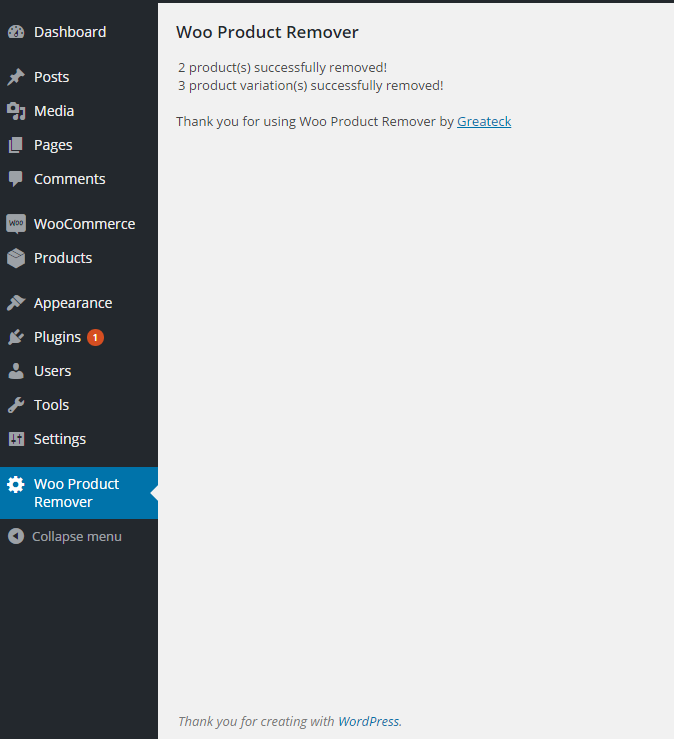
- Watch the progress bar. When it finishes you get a summary of everything that was removed.
屏幕截图:
常见问题:
Will this delete my orders or customers?
No. The plugin only touches product data. Orders, customers, coupons and settings are left exactly as they are. This is also why it is safe to use with High-Performance Order Storage enabled.
What if I have no products?
The plugin will tell you there was nothing to remove. It still runs its cleanup pass, which is useful if a previous run was interrupted or if products were deleted some other way and left rows behind.
Does the plugin remove categories, tags and attributes?
Only if you tick the box. The default is to keep them, so you do not have to rebuild your category structure just to clear the catalog. When you do tick it, WooCommerce's own internal terms are always preserved: the product type terms (simple, grouped, variable, external), the product visibility terms (featured, outofstock, rated-1 through rated-5), and your default product category. Deleting those would break the store rather than clean it.
Does it delete product images?
Only if you tick that box. When you do, images are deleted through WordPress itself so the files and all generated thumbnail sizes are removed from your uploads folder too. Only images uploaded directly to a product are removed. If a product simply points at an image from your media library that was uploaded elsewhere, that image is left alone.
How fast is it?
Very. Removal is done in direct SQL rather than loading each product into memory one at a time, so clearing tens of thousands of products takes seconds rather than hours.
I have a huge catalog. Will it time out?
No. Work is split into batches of 200 products per request. If you want to tune that, use the wpr_batch_size filter.
Can I hook into the removal?
Yes. Because deletion is done in SQL, the usual WordPress and WooCommerce delete hooks do not fire, so the plugin provides its own:
wpr_before_delete_batch— passed the array of IDs about to be deletedwpr_after_delete_batch— passed the array of IDs that were deletedwpr_removal_complete— passed the final counterswpr_batch_size— filter the number of products per requestwpr_product_post_types— filter which post types count as productswpr_term_taxonomies— filter which taxonomies the category option clears
更新日志:
- Renamed to "Greateck Product Catalog Remover for WooCommerce" to comply with the WordPress.org plugin directory naming and trademark guidelines. Functionality is unchanged.
- Added the "Requires Plugins: woocommerce" header so WordPress can check the dependency before activation.
- Added an explicit statement of non-affiliation with WooCommerce and Automattic.
- Updated for WordPress 7.1 and WooCommerce 11.
- Removal now runs in batches with a progress bar, so large catalogs no longer time out.
- Fixed: ticking "remove categories" could delete WooCommerce's own product type and product visibility terms, along with the default product category, breaking the store. These are now always preserved.
- Fixed: deleted products were leaving orphaned rows in WooCommerce's lookup tables, so they kept appearing in search, filtering and reports. All product-keyed WooCommerce tables are now cleaned.
- Added: optional removal of product images, including the files on disk.
- Added: optional removal of product reviews.
- Added: optional removal of customer download permissions and download logs.
- Added: declares compatibility with High-Performance Order Storage (HPOS).
- Added: developer hooks for batching and cleanup.
- Product transients and the object cache are now cleared after removal.
- Requires a confirmation before deleting, and all output is properly escaped and translatable.
- Initial Version *