
Call for Price for WooCommerce
| 开发者 | tychesoftwares |
|---|---|
| 更新时间 | 2026年9月1日 19:57 |
| PHP版本: | 7.4 及以上 |
| WordPress版本: | 7.0 |
| 版权: | GNU General Public License v3.0 |
| 版权网址: | 版权信息 |
详情介绍:
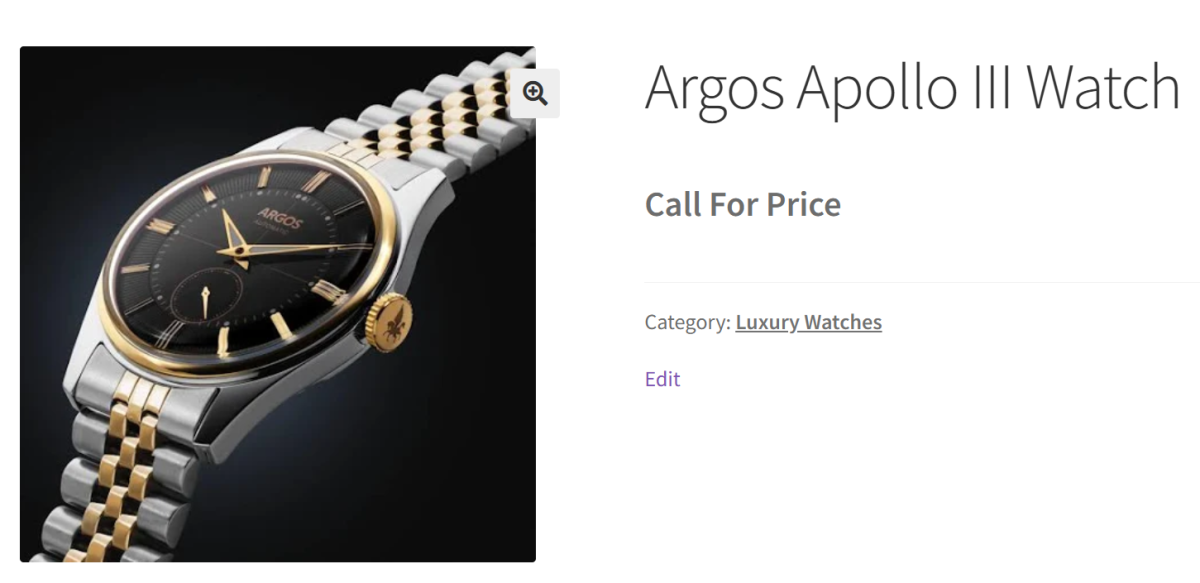
- Automatically display Call for Price when a product has no price.
- Hide or replace the Add to Cart and Read More buttons.
- Continue displaying stock availability even when prices are hidden. This is especially useful for wholesale pricing, custom-built products, made-to-order items, negotiated pricing, and products whose prices change frequently.
- Automatically display Call for Price for products without a price.
- Force Call for Price for every product in your store.
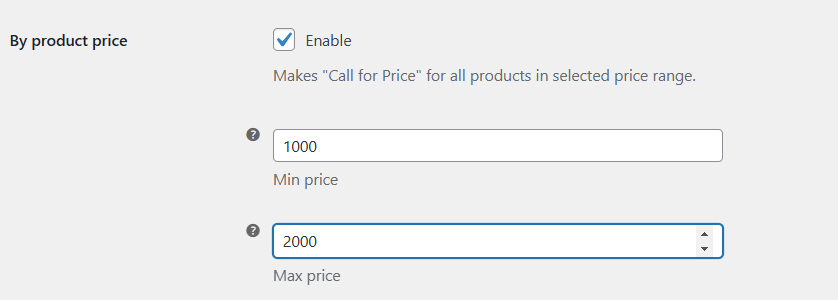
- Apply Call for Price to products within a specific price range.
- Show Call for Price for Out of Stock or Backorder products.
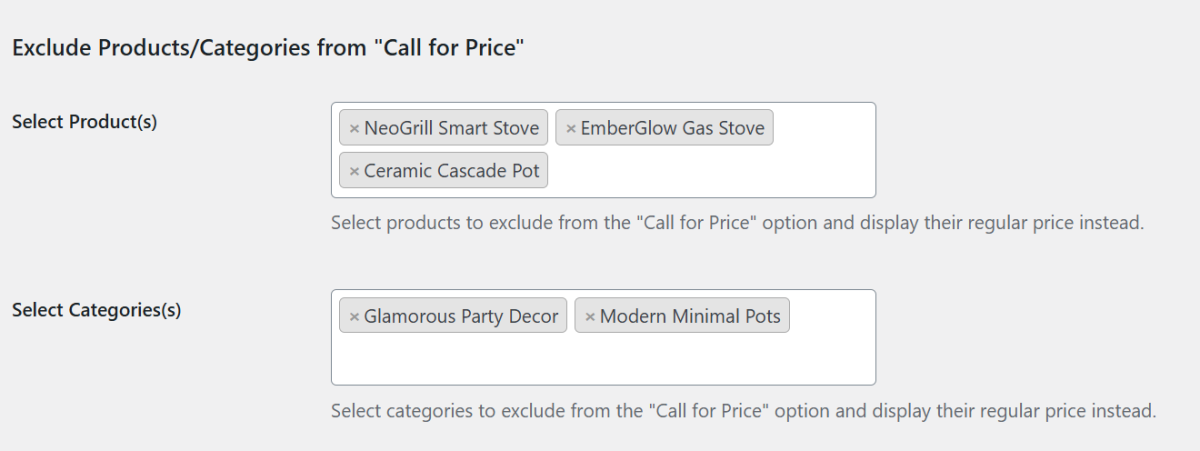
- Apply rules to selected product categories or product tags. This flexibility allows you to hide prices only where customer interaction is needed while keeping the rest of your catalog available for online purchases.
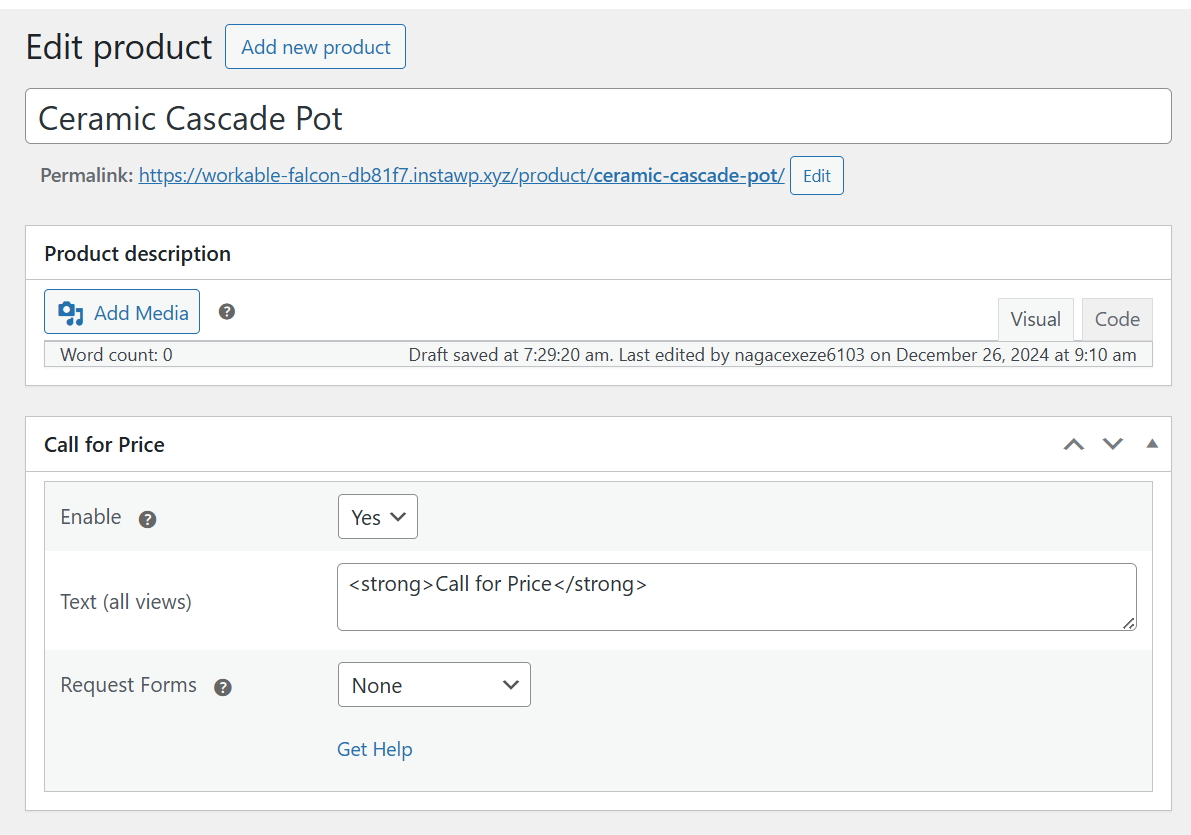
- Change the default Call for Price text.
- Hide the Add to Cart button.
- Hide the Read More button where applicable.
- Hide Sale badges for Call for Price products.
- Hide disabled Add to Cart buttons for unavailable variations.
- Continue displaying stock status when prices are hidden. These options help create a cleaner storefront while directing customers toward contacting your business.
- Wholesale and B2B stores that provide bulk pricing only after customer inquiries.
- Manufacturers selling made-to-order or customized products.
- Furniture, machinery, industrial equipment, or luxury goods where prices are negotiated.
- Businesses with frequently changing supplier costs that cannot display fixed prices.
- Stores that continue accepting inquiries for Out of Stock or Backorder products.
- Catalog-only WooCommerce stores that showcase products without allowing direct online purchases.
- Visit the WordPress support forums
- Check the documentation for common answers
- Try the live demo to see how the plugin works on the storefront. If the plugin helps your business, consider leaving a ⭐⭐⭐⭐⭐ review. Your feedback helps other WooCommerce merchants discover the plugin.
- Flexi BOGO for WooCommerce
- Abandoned Cart Pro for WooCommerce
- Booking & Appointment Plugin for WooCommerce
- Product Delivery Date Pro for WooCommerce
- Deposits For WooCommerce
- Payment Gateway Based Fees and Discounts for WooCommerce - Pro
- Custom Order Numbers for WooCommerce - Pro
- Product Input Fields for WooCommerce - Pro
- Call for Price for WooCommerce - Pro
- Currency per Product for WooCommerce - Pro
- Price based on User Role for WooCommerce - Pro
- Abandoned Cart for WooCommerce
- Order Delivery Date for WooCommerce - Lite
- Product Delivery Date for WooCommerce - Lite
- Payment Gateway Based Fees and Discounts for WooCommerce
- Custom Order Status for WooCommerce
- Custom Order Numbers for WooCommerce
- Product Input Fields for WooCommerce
- Price based on User Role for WooCommerce
- Currency per Product for WooCommerce
安装:
- Upload the entire plugin folder to the "/wp-content/plugins/" directory.
- Activate the plugin through the "Plugins" menu in WordPress.
- All empty prices will be automatically replaced with "Call for Price".
屏幕截图:

常见问题:
How do I hide product prices in WooCommerce?
Install Call for Price for WooCommerce and leave the product price empty. The plugin automatically replaces the price with your custom Call for Price text.
Can I replace the Add to Cart button with Call for Price?
Yes. The plugin lets you hide or replace the Add to Cart and Read More buttons so customers are encouraged to contact you instead of purchasing directly.
Does the plugin work with variable products?
Yes. Call for Price supports Simple, Variable, Grouped, and External (Affiliate) products, including individual variations.
Can I show Call for Price only for selected products?
Yes. You can apply Call for Price based on product categories, product tags, product price ranges, or product availability.
Can I show Call for Price for Out of Stock products?
Yes. The plugin can automatically display Call for Price for Out of Stock and Backorder products while allowing products that are available for purchase to continue displaying their normal prices.
Can I create a WooCommerce catalog without prices?
Yes. Many businesses use Call for Price to create an inquiry-only or catalog-style WooCommerce store by hiding prices and purchase buttons while allowing customers to browse products and contact the store for quotations.
Can I hide prices for wholesale or B2B products?
Yes. Wholesale and B2B stores commonly use the plugin to hide prices and ask customers to request a quotation before purchasing.
Can I customize the Call for Price text?
Yes. You can replace the default text with your own message, such as Request a Quote, Contact for Pricing, or Get a Custom Price.
Can customers contact me directly from the product page?
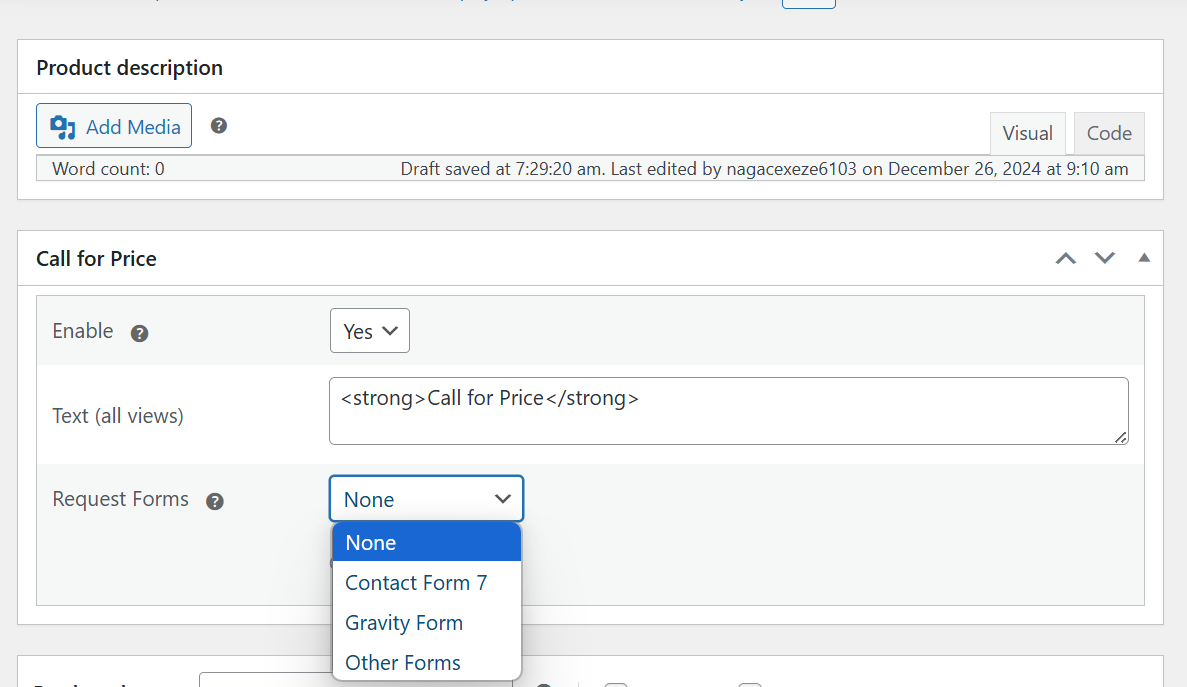
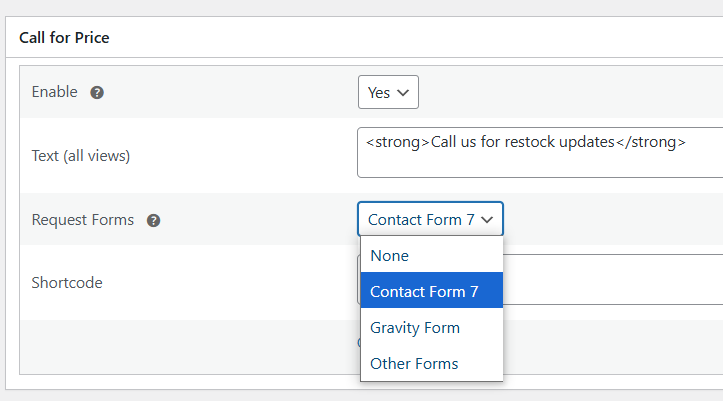
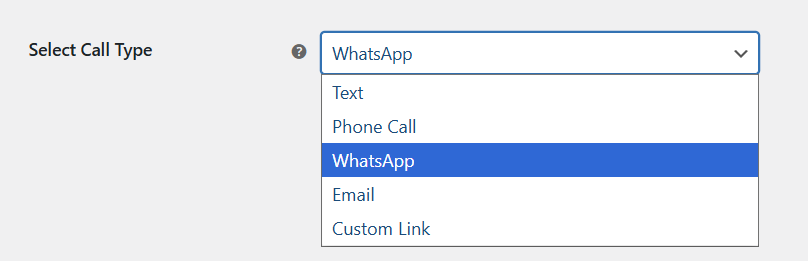
The Lite version focuses on hiding prices and displaying the Call for Price message. The Pro version adds direct contact methods such as Phone, WhatsApp, Email, Custom URLs, and integrations with popular contact form plugins.
Will stock status still be visible when prices are hidden?
Yes. The plugin can continue displaying stock availability even when the product price has been replaced with the Call for Price message.
Can I set where "Call for Price" text should be shown?
Yes, in "WooCommerce > Settings > Call for Price" you can set if you want text to be shown on single product page, products archive page, related products and/or home page.
更新日志:
- New – React-based admin interface for General and Product Types pages.
- Dev – Introduced a REST API layer (cfp-pro/v1) for plugin settings, product meta, migration, and license operations.
- Dev – Consolidated settings storage from individual alg_wc_call_for_price_* options into cfp_pro_settings JSON object.
- Update – Compatibility with WordPress 7.0.
- Update – Compatibility with WooCommerce 10.9.4.
- Fix - Security vulnerability where unsanitized textarea input could lead to XSS on the frontend.
- Enhancement – Added an option to display the “Call for Price” text for out-of-stock and backorder products.
- Fix - Fatal error that occurred on the product page when the Call for Price plugin was used with the Divi 5 theme and the product was created using the Divi Builder.
- Tweak - Updated for compatibility with WordPress 6.9.0.
- Tweak - Updated for compatibility with WooCommerce 10.4.3.
- Tweak - Updated for compatibility with WordPress 6.8.2.
- Tweak - Updated for compatibility with WooCommerce 10.0.4.
- Fix - Resolved all PHPCS warnings and aligned the code with WordPress Coding Standards to enhance quality and maintainability.
- Tweak - Updated for compatibility with WordPress 6.8.0.
- Tweak - Updated for compatibility with WooCommerce 9.8.1.
- Fix - Translation loading was triggered too early, causing errors when changing the site language in WordPress 6.7.
- Tweak - Removed the call to our tracking server to fetch the deactivation reasons and added them in the plugin itself.
- Fix - Deactivation survey request was being sent even though 'Skip & deactivate' was selected while deactivating the plugin.
- Tweak :- Update compatibility with WordPress 6.5.
- Tweak :- Update compatibility with WooCommerce 8.7.
- Enhancement - Added deactivation survey in the plugin.
- Tweak - Added compatibility with PHP 8.0 and PHP 8.2
- Fix - The Call for Price text is not displayed with zero priced products when 'Per Product' taxonomy is enabled.
- Enhancement - Introduced compatibility with WooCommerce High Performance Order Storage.
- Fix - An error is coming on the variable product with the WooCommerce Stripe Gateway plugin as active.
- Fix - PHP warnings errors in the log.
- Enhancement - Able to change the Call for Price text coming on the products page from the general settings.
- Enhancement - Able to change the text for Read more button coming on the Shop page for the products having null or 0 prices.
- Enhancement - Added an option under global setting to also show Call for price text for zero priced products in addition to empty priced products.
- Enhancement - Added a setting to show the stock status for zero priced products.
- Update compatibility with WooCommerce 4.0.0.
- Changes in code to make the plugin compliant as per WPCS rules.
- Fix - Options were not getting deleted from the database when the plugin is being uninstalled. This is fixed now.
- Author name and URL's updated due to handover of the plugins.
- Compatibility with WooCommerce 3.5.0 tested.
- Feature - Advanced Options - "Main variable price" option added.
- Feature - Advanced Options - "Force variation price" option added.
- Dev - Admin settings restyled ("Advanced Options" section added).
- Feature - General Options - "Hide button" option added.
- Dev - Admin settings restyled ("Button Options" section added).
- Dev - Settings array is saved as main class property.
- Feature - Force Products "Call for Price" - "By product price" options added.
- Dev - General Settings - Minor code refactoring.
- Dev - Product Types Sections Settings - Minor restyling.
- Feature - "Button text" options added.
- Feature - "Make products Call for Price per product taxonomy" (category, tag) options added.
- Feature - "Make all Out of stock products Call for Price" option added.
- Dev - Minor code refactoring.
- Dev - Admin settings restyled.
- Dev - Admin settings - "Documentation" button added.
- Feature - "Per Product" labels options added.
- Dev - "WC tested up to" added to plugin header.
- Dev - Plugin homepage link updated.
- Dev - WooCommerce v3.x.x compatibility -
woocommerce_product_get_price,woocommerce_product_variation_get_price,woocommerce_variation_empty_price_html,_product_id. - Dev -
woocommerce_get_variation_prices_hashadded. - Dev - Admin - "Reset Section Settings" option added.
- Dev - Admin - Variations "price required" placeholder hidden.
- Dev - Admin -
alg_wc_call_for_price_textarea. - Tweak - Code refactoring.
- Tweak -
coder.fmlink changed towpcodefactory.com.
- Feature - General - Make All Products "Call for Price" - option added.
- Fix -
handle_deprecated_options()fixed. This produced notice on plugin activation.
- Tweak - readme.txt updated.
- Feature - Variable (and variation) and grouped products support added.
- Dev -
is_pagecheck added. - Dev - Multisite support added.
- Dev - Translation (POT) file added.
- Dev - Version system added.
- Dev - Major code refactoring.
- Tweak - Author added.
- Tweak - Plugin renamed.
- Dev - Solaris theme compatibility added.
- Dev - Option to hide/show sale tag added.
- Dev - Option to set specific "call for price" text for related products added.
- Dev - Options to set specific "call for price" text for single, category and homepage added (instead of checkboxes).
- Dev - Major code refactoring. Settings are moved to "WooCommerce > Settings > Call for Price".
- Sale icon removed.
- Initial Release.